

Opportunity and challenges ppt summary example topics




Try Before you Buy Download Free Sample Product
 Impress Your
 Audience
 100%
100% Editable
 Save Hours
 of Time


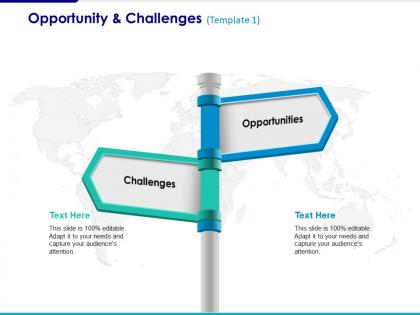
Get this opportunity and challenges PPT summary slide to improve productivity of your business. Meet your business goals with ease. Help your employees enhance their skills and proficiencies with this business PPT slide. You can stimulate changes and innovations in order to expand your horizon. Upgrade the customer services by overcoming any challenges. Face all the obstacles without any trouble using this PowerPoint business strategic planner. Give direction to your employees and give them a common aim to work towards in unison. Help them empower all the challenges by providing them with right opportunities at right time. Enable the team to plan for possible roadblocks and try to manage them effectively. The major challenge for organizations is to become more accommodating to diverse groups of people by addressing their different life styles, family needs, and work styles. Tap the talents and potentials of your team by offering them a proper challenges and opportunities chart. Improve the quality of your work using this challenge and opportunities PPT template. Create better attitudes with our Opportunity And Challenges Ppt Summary Example Topics. They encourage agreeable feelings.
People who downloaded this PowerPoint presentation also viewed the following :
Opportunity and challenges ppt summary example topics with all 5 slides:
The inherent beauty of our Opportunity And Challenges Ppt Summary Example Topics is difficult to ignore. It can be irresistible.
FAQs for Opportunity and challenges ppt
Focus on clean visuals that pop on small screens - seriously, half your audience will be squinting at phones. Interactive stuff like polls keeps people awake (trust me, attention spans are basically nonexistent now). Break everything into bite-sized chunks they can actually scan through. Oh, and practice presenting to your laptop camera even if it feels ridiculous. Virtual delivery hits different than in-person, so you'll want to nail that awkward "talking to a screen" vibe. Your slides need to work whether someone's in the back row or dialing in from their couch.
Try Mentimeter or Slido for live polling - people actually pay attention when they can vote on stuff in real-time. Anonymous Q&A platforms work really well too since nobody feels awkward asking questions. Even basic things help, like throwing in short videos or smoother slide transitions instead of those jarring cuts. Pick maybe 1-2 tools max though. I've seen presentations where people go overboard with every gadget possible and it's just distracting. Start with polling if you're unsure - super easy to set up and you'll see the difference immediately.
Honestly, visuals are a total game-changer when you're trying to explain complicated stuff. Your brain processes images like 60,000 times faster than text - which is pretty crazy if you ask me. Charts and diagrams basically do what words can't. They break down dense information into chunks people can actually handle. I learned this the hard way during presentations where I'd just talk and talk... nobody retained anything. The trick isn't making them look fancy though. Keep visuals simple and make sure they're actually backing up what you're saying, not just decoration.
Dude, definitely scope out your audience first. Executives just want the big picture and outcomes, but engineers? They'll want all the nitty-gritty details. Culture matters tons too - I bombed hard in Japan once by skipping the relationship stuff and diving straight into business. Awkward. Some places love direct communication, others don't. Ask the organizer what to expect beforehand - they'll know if humor's cool or if people prefer certain visual styles. Oh, and attention spans vary like crazy depending on who you're presenting to. Basically, don't wing it!
Honestly, the worst thing you can do is cram way too much text on each slide - nobody reads that stuff anyway. Tiny fonts are brutal too. Also avoid those busy backgrounds that fight with your actual content. Complex animations might seem cool but they're mostly just irritating. Simple color schemes work best, just make sure there's good contrast so people can actually read it. Don't use the exact same layout for every single slide or you'll put everyone to sleep. I'd make maybe 3 different layout options that all look cohesive, then test them with real content first.
Here's the thing - people's brains are wired for stories, not bullet points. When you wrap your data in a narrative with beginning, middle, and end, it actually sticks. Use customer wins, talk about problems your team solved, or throw out a "what if" scenario. Just don't make yourself the hero - your audience should be. I learned this the hard way after boring people to tears with agenda slides. Stories hit emotionally and that's honestly what makes info memorable. Try opening with something relatable instead of diving straight into your presentation outline.
Honestly, practice out loud is everything - not just running through it in your head. Memorize your opening lines because that's when you'll be most nervous. I swear by telling myself "everyone wants me to do well" even though it sounds cheesy. Deep breathing beforehand actually works to calm you down. Oh, and find the friendly faces in the crowd to look at first. Builds your confidence super fast. Start with smaller groups if you can, then gradually go bigger. The eye contact thing really does help once you get going.
Build feedback loops throughout your whole prep process, not just at the end. First, run your concept by someone you trust - catches the big stuff early. Then do a rough walkthrough with someone who gets your audience. They'll catch weird logic jumps or spots that need more explaining. Honestly, this step has saved me from so many disasters. Do a full dress rehearsal last with timing and everything. Ask specific questions though - "Did my main point make sense?" works way better than "How was it?" Also give people like 48 hours to actually think about it before expecting real feedback.
Yeah, template design actually matters way more than people think. Clean layouts help your audience follow along without getting lost in visual chaos. I've watched solid presentations totally flop because someone went nuts with colors - looked like a kindergarten art project lol. Keep it simple: 2-3 colors tops, tons of white space, fonts big enough for the cheap seats. Your design should back up what you're saying, not fight it for attention. Honestly? Grab a basic template and test it on someone first. Way better than finding out mid-presentation that nobody can read your slides.
Honestly, just be straight with people. Don't mess with data to make your point look better - I've seen that blow up in people's faces so many times. Give credit where it's due for any research or images you didn't create yourself. Think about whether you're accidentally leaving anyone out of the conversation too. Oh, and don't try to hide the weak spots in your argument or data. People respect honesty way more than they respect someone trying to be slick about it. Your reputation matters more than crushing one presentation, you know?
Honestly, the best way is mixing quick surveys with tracking what actually happens after. Skip those useless 1-5 rating things - ask specific stuff like "what was the main takeaway" or "was anything confusing." Also watch if people do what you asked them to do later. Body language during the presentation tells you a lot too. But here's what I'd really recommend - catch people for quick chats a week later. That's when you'll see what actually stuck. Most presentations are forgotten in like 2 days, so if they remember your key points a week out? You nailed it.
Oh dude, you should definitely check out Gamma - it uses AI prompts to build presentations and it's honestly mind-blowing how fast it is. Canva and Figma both upgraded their presentation game too, way better templates now. Mentimeter's great for live polling if you need audience interaction. Prezi still does that zooming thing but honestly? It makes me kinda nauseous lol. I'd probably start with Gamma if you wanna try the AI route, or just go with Canva since it's super easy and looks professional.
Honestly, I'm borderline obsessed with checking what competitors are doing - it's like stalking but for work lol. Set up Google alerts for your industry stuff and follow the key newsletters. LinkedIn groups can be goldmine too if you find the right ones. The real game-changer though? Build your content in chunks so you can swap pieces out easily when things shift. Always do a quick relevance check right before presenting. Make this research part of your regular routine instead of panicking last minute to update everything. Trust me, staying plugged into multiple info streams will save your butt when industry news drops the day before your big presentation.
Honestly, direct questions work way better than hoping people will just jump in. I always throw out an icebreaker first - breaks that awkward silence instantly. Live polls are great too, especially if you've got a bigger crowd. The think-pair-share thing is clutch - let them chat with someone next to them first, then they're more willing to speak up to everyone. For virtual stuff, chat functions are a lifesaver. Oh, and sticky notes for questions! People love writing things down when they're too shy to ask out loud. Just start with easy yes/no questions before diving into the heavy discussions.
Just be yourself, but don't forget you're there for *them*. Share stories that connect to your points - that's what people remember anyway. Your natural speaking style? Use it. Random oversharing about your weekend? Maybe not so much. I think the whole "professional vs authentic" thing is kind of a false choice - you can be both. Practice being conversational without rambling. Your credibility comes from actually knowing your stuff and helping your audience. Don't try to be someone else up there. People can tell when you're faking it, and honestly, it's exhausting to maintain anyway.
-
Great experience, I would definitely use your services further.
-
Nice and innovative design.