


Password Attack Types In Cyber Security Training Ppt




Try Before you Buy Download Free Sample Product
 Impress Your
 Audience
 100%
100% Editable
 Save Hours
 of Time


This set of PPT slides in depth covers the types of password attacks, such as phishing, brute-force attacks, dictionary attacks, password spraying, and keylogging, and the techniques to prevent them.
People who downloaded this PowerPoint presentation also viewed the following :
Content of this Powerpoint Presentation
Slide 2
This slide introduces password attacks. These attacks entail taking advantage of a broken authorization vulnerability in the system paired with automatic password attack tools that speed up guessing and cracking passwords.
Instructor’s Notes: Additionally, apps that rely solely on passwords for authentication are more vulnerable to password attacks.
Slide 3
This slide lists types of password attacks. These are phishing, brute-force attacks, dictionary attacks, password spraying, and keylogging.
Slide 4
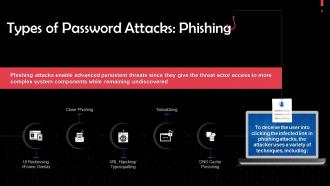
This slide discusses types of phishing password attacks. To deceive the user into clicking the infected link in phishing attacks, the attacker employs many techniques, including: DNS Cache Poisoning, Tabnabbing, URL Hijacking/Typosquatting, Clone Phishing, and UI Redressing/iFrame Overlay.
Slide 5
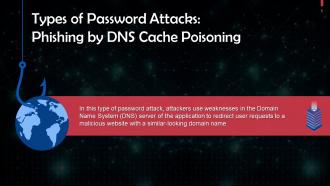
This slide talks about how phishing attacks can be executed by DNS Cache Poisoning. Attackers use weaknesses in the DNS server of the application to redirect user requests to a malicious website.
Slide 6
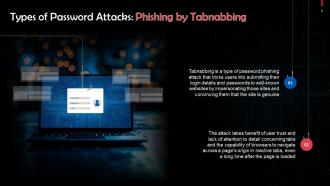
This slide discusses how phishing attacks can be executed by Tabnabbing. Tabnabbing is a type of password phishing attack that tricks users into submitting their login details and passwords on well-known websites, which were actually duplicate copies of these websites. The ruse that works here is that the website is genuine.
Slide 7
This slide talks about how phishing attacks can be executed by URL Hijacking or Typosquatting. Typosquatting targets internet users who incorrectly type a URL into their web browser instead of using a search engine.
Slide 8
This slide discusses clone phishing as a type of password attack. Clone phishing attacks work by cloning an email from a trusted or reputable source.
Slide 9
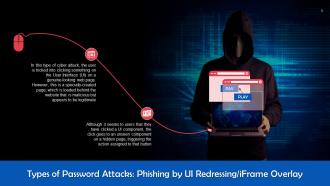
This slide talks about how phishing attacks can be executed by UI Redressing and iFrame Overlay. In this type of cyber attack, the user is tricked into clicking something on the User Interface (UI) on a genuine-looking web page. However, a specially created page is loaded behind the website that is malicious but appears to be legitimate.
Slide 10
This slide discusses brute-force password attacks. This attack uses trial-and-error methods to guess a user’s login information. The threat actor tries to guess the user’s password correctly with the use of automated scripts to work through permutations.
Slide 11
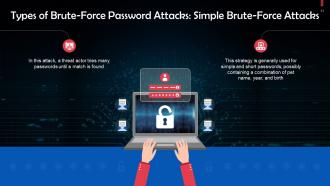
This slide talks about simple brute-force password attacks. In this attack, a threat actor tries many passwords until a match is found
Slide 12
This slide discusses credential stuffing as a type of brute-force password attack. This attack involves using previously exposed login combinations that have been maliciously acquired across vulnerable websites.
Slide 13
This slide discusses hybrid brute-force password attacks. In this attack, a hacker integrates weak password-guessing techniques with automated software that conducts credential stuffing to crack complex passwords.
Slide 14
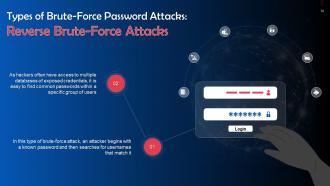
This slide tells us about reverse brute-force password attacks. In this type of brute-force attack, an attacker begins with a known password and then searches for usernames that match it.
Slide 15
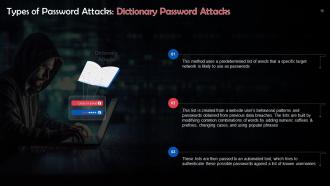
This slide gives an overview of dictionary password attacks. This method uses a predetermined list of words that a specific target network is likely to use as passwords
Slide 16
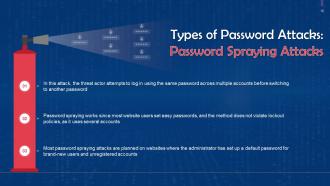
This slide talks about password spraying attacks. In this attack, the threat actor attempts to log in using the same password across multiple accounts before switching to another password.
Slide 17
This slide tells us about keylogging. In a Keylogging attack, a threat actor installs monitoring tools in the user’s computer to secretly record the keystrokes of a user.
Slide 18
This slide highlights the ways to prevent password attacks. These include: setting strong passwords, conduct regular password training for employees, employing multi-factor authentication, and using a password manager.
Slide 19
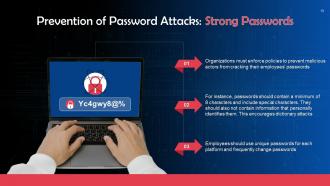
This slide discusses how setting strong passwords can help in preventing password attacks. Organizations must enforce policies to prevent malicious actors from cracking their employees' passwords.
Slide 20
This slide discusses how organization-wide password training can help in preventing password attacks. It is crucial to ensure every user knows the importance of a solid password policy.
Slide 21
This slide explains how multi-factor authentication can help in preventing password attacks. Mult-ifactor authentication entails the use of passwords in conjunction with additional security measures.
Slide 22
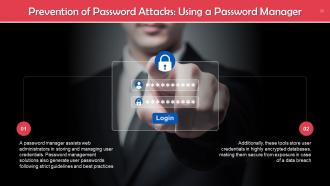
This slide tells how using a password manager can help in preventing password attacks. A password manager assists web administrators in storing and managing user credentials. Password management solutions also generate user passwords following strict guidelines and best practices.
Password Attack Types In Cyber Security Training Ppt with all 41 slides:
Use our Password Attack Types In Cyber Security Training Ppt to effectively help you save your valuable time. They are readymade to fit into any presentation structure.























FAQs for Password Attack Types In Cyber
So there's three main types you'll deal with. Brute force attacks just try every combo possible - loud as hell but works on weak passwords. Dictionary attacks are a bit smarter, using common passwords and tweaks. But honestly? Credential stuffing is the worst one. Attackers grab leaked passwords from other sites and try them everywhere because people are terrible at making unique passwords. I swear, half the internet still uses "password123" or something equally dumb. Just get your users better passwords and turn on MFA - saves you so many headaches.
Okay so first thing - set up account lockouts after like 3-5 failed tries. Rate limiting helps too, basically slows down how fast they can guess. Strong passwords are obvious but honestly, multi-factor authentication is where it's at. Even if they somehow get your password, they're still screwed without your phone or whatever. Oh and throw in some CAPTCHAs after failed attempts - bots hate those things. You could also do login delays that get longer each time someone messes up. Don't just pick one though, stack a few of these together.
So basically, social engineering is the psychology behind why phishing works so well. Scammers create these super convincing fake emails - like pretending to be your bank or IT department screaming about urgent account issues. Honestly, some are getting ridiculously good at this stuff. The whole "verify your password immediately or we'll close your account" thing still gets tons of people. Sure, they need the technical setup with fake websites and all that, but it's really the mind games that trick you into actually typing your info. My rule? Never click email links - just go to the site directly. When something feels off, call them instead.
Look, password managers are honestly game-changers. You can finally ditch "Password123!" on every single site (guilty as charged lol). Each account gets its own crazy complex password, but you don't have to remember any of them. So when Target or whoever gets hacked next, those stolen passwords are useless everywhere else. Plus they block keyloggers since you're not actually typing anything. They'll only auto-fill on real sites too, so phishing becomes way harder. Just make sure you turn on two-factor for the password manager itself and you're golden.
So dictionary attacks are basically hackers trying common passwords against your login in real-time - like guessing "password123" over and over. Rainbow tables work totally differently though. They're pre-made lookup charts that reverse-engineer what password created a stolen hash. It's like trying keys one by one vs having a cheat sheet ready. Dictionary attacks work anywhere but they're slow. Rainbow tables? Super fast, but only if hackers already grabbed your password hashes from some breach. Honestly, either way you're screwed without strong passwords and two-factor authentication.
So basically if someone steals your password, they still can't get in without that second code from your phone. It's like having two locks instead of one. Even when there's a massive data breach (which happens all the time now), you're still protected because hackers would need your actual device too. Super easy to set up and honestly such a game changer for security. I always forget my authenticator app exists until I need it, but that's kind of the point. Definitely turn it on for email and banking first - those are the big ones that matter.
So hackers crack passwords using rainbow tables - they're huge databases of pre-calculated hash values that work crazy well on common passwords. Brute force is their other go-to, just trying every combo until something works. Dictionary attacks are popular too, where they use leaked password lists from old breaches (there's honestly so many of these floating around). Salt basically ruins their whole rainbow table strategy though, which is why it's clutch. Your best bet? Pick strong, unique passwords and cross your fingers your company isn't using some ancient hashing method like MD5.
Dude, reusing passwords is such a bad idea - if hackers crack one account, they'll literally try that same password on your bank, work email, everything. Most people still use stuff like "Password123!" which those cracking programs can guess super fast. I learned this the hard way when my cousin got his whole digital life compromised from one breach. Strong, unique passwords for each account make brute force attacks way harder. Honestly just get a password manager - it'll generate random ones so you don't have to remember anything except one master password.
Rate limiting is huge - it basically breaks most bots right away. Add CAPTCHA challenges too. You'll want account lockouts after failed attempts, but don't make them so strict that real users get locked out constantly (learned that one the hard way). Multi-factor authentication is honestly your strongest defense since stolen passwords become useless. Push users toward unique passwords and maybe look into breach monitoring. The whole point is making attacks expensive and annoying enough that hackers just move on to something easier.
Honestly, just train your people better. Most attacks work because users don't spot the red flags - like that sketchy email asking them to "verify" their login. Teach them what phishing looks like and they won't fall for fake pages. Social engineering training helps too, so they get suspicious when random callers claim to be IT support. Password managers are a game changer once people realize they don't have to remember everything. Oh, and skip those boring annual security sessions - do regular phishing tests instead. Way more effective.
Look for weird login stuff first - tons of failed attempts from the same IP or accounts getting locked out way more than usual. Your logs will show logins at like 3am or from random countries that make zero sense. System might slow down during attacks too. Users start complaining they can't get in even with correct passwords, which is super frustrating for everyone. Oh, and definitely set up alerts for failed login thresholds. Trust me, catching this early beats finding out after they've already gotten in. It really is like whack-a-mole sometimes.
Dude, these APT hackers are sneaky as hell - they'll spend months slowly trying passwords instead of going loud. Just one compromised account and they're creeping through your whole network, grabbing more access as they go. They love targeting executives and admin accounts especially. Honestly, the worst part? You won't even know they're there for ages while they're stealing everything. MFA is your friend here, and definitely watch for weird login times. Oh, and anything that looks off after business hours - that's usually a red flag.
Dude, the legal stuff is no joke. GDPR will absolutely wreck you with fines up to 4% of your revenue - that's insane money we're talking about. California's got CCPA penalties too, plus you'll get hit with class-action suits from pissed off users. Honestly, I've seen companies go under from this kind of thing. The costs just spiral out of control once word gets out about a breach. You need to get bcrypt or something similar running ASAP and lock down those password policies. Trust me, spending money on security now beats paying lawyers later.
Honestly, passkeys are where it's at right now - Apple and Google are already pushing them hard. They use cryptographic keys instead of regular passwords, so phishing becomes basically pointless. There's also this behavioral biometrics stuff that's pretty neat, like analyzing your typing patterns to verify it's actually you. Zero-knowledge protocols let you prove who you are without sending sensitive info anywhere. AI detection can catch weird login attempts too, though that's more on the company side. I'd mess around with passkeys first since they're already available on most platforms.
Honestly, we're our own worst enemy with passwords. People pick stuff they'll remember - birthdays, pet names, whatever - which makes us super predictable. Then we reuse the same password everywhere because remembering 50 different ones sounds awful. There's also this thing where you think "who'd bother hacking me?" Hackers know this though. They dig up your personal info from social media, then run it through cracking tools. My advice? Get a password manager. I was skeptical at first but it's actually amazing - you get unique passwords without your brain exploding.
-
I've been looking for a good template source for some time. I'm happy that I discovered SlideTeam. Excellent presentations must try!
-
SlideTeam is very efficient when it comes to saving time. I am happy that I chose them for my presentation.