


DoS and DDoS Attacks In Cyber Security Training Ppt





Try Before you Buy Download Free Sample Product
 Impress Your
 Audience
 100%
100% Editable
 Save Hours
 of Time


This set of PPT slides in depth covers DoS and DDoS attacks in cybersecurity. It also covers their types and mitigation strategies to prevent them.
People who downloaded this PowerPoint presentation also viewed the following :
Content of this Powerpoint Presentation
Slide 2
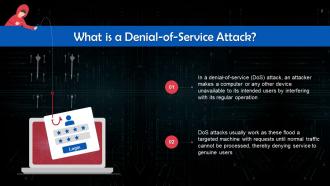
This slide talks about DoS attacks. In a Denial-of-Service (DoS) attack, an attacker makes a computer or any other device unavailable to its intended users by interfering with its regular operation.
Slide 3
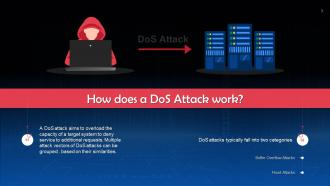
This slide explains the working of DoS attacks. A DoS attack aims to overload the capacity of a target system to deny service to additional requests.
Slide 4
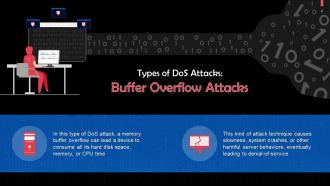
This slide discusses buffer overflow attacks. In this type of DoS attack, a memory buffer overflow can lead a device to consume all its hard disk space, memory, or CPU time.
Slide 5
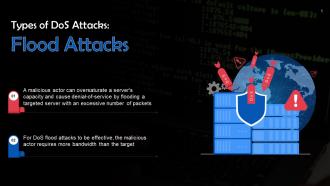
This slide talks about flood attacks. A malicious actor can oversaturate a server's capacity and cause denial-of-service by flooding a targeted server with an excessive number of packets.
Slide 6
This slide lists popular types of denial-of-service attacks. These are smurf attacks, ping flood attacks, and ping of death attacks.
Slide 7
This slide gives information about smurf attack. In this, a threat actor floods the targeted IP address by sending spoof packets.
Slide 8
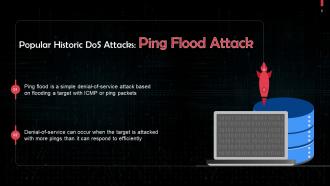
This slide discusses Ping Flood Attack. Ping Flood is a simple denial-of-service attack based on flooding a target with ICMP or ping packets.
Slide 9
This slide gives information about ping of death attack. In this, the attacker sends a malformed packet to a targeted device.
Slide 10
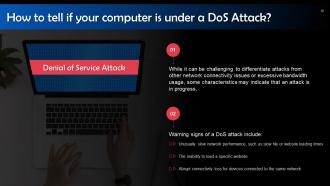
This slide highlights warning signs of a DoS attack. These include: Unusually slow network performance, such as slow file or website loading times, etc.
Slide 11
This slide talks about DDoS attacks. A Distributed Denial-of-Service (DDoS) attack is a malicious attempt to obstruct a server, service, or network's regular traffic by saturating the target or its surrounding infrastructure with excessive internet traffic by using multiple compromised computer systems.
Slide 12
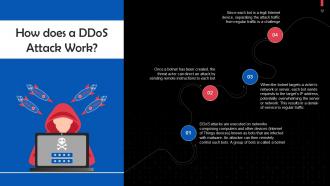
This slide explains the working of DDoS attacks. DDoS attacks are executed on networks comprising computers and other devices (IoT devices) known as bots that are infected with malware. An attacker can then remotely control such bots.
Slide 13
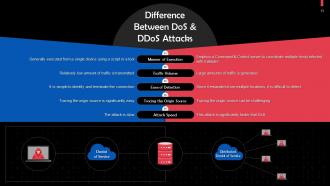
This slide highlights differences between DoS and DDoS attacks based on the manner of execution, traffic volume, ease of detection, origin source, and attack speed.
Slide 14
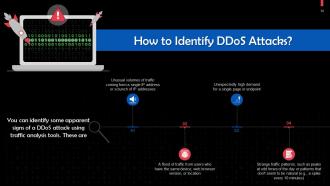
This slide tells us how to identify DDoS attacks using traffic analysis tools.
Slide 15
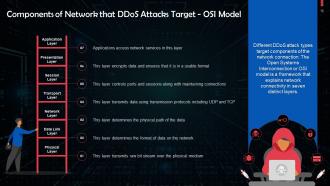
This slide highlights components of a network that can be affected by a DDoS attack. DDoS attack types target components of the network connection. The OSI model is a framework that explains network connectivity in seven distinct layers.
Slide 16
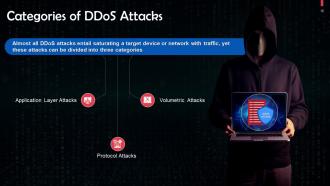
This slide lists the categories of DDoS Attacks. These are: Application layer, protocol, and volumetric attacks.
Slide 17
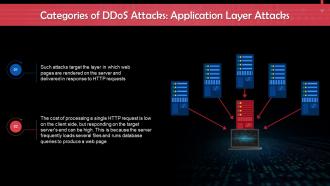
This slide gives us an overview of application layer attacks. These attacks target the layer where web pages are generated on the server and delivered in response to HTTP requests.
Slide 18
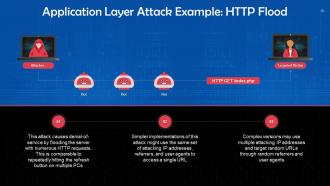
This slide discusses HTTP flood attack. This attack causes denial-of-service by flooding the server with numerous HTTP requests. This is comparable to repeatedly hitting the refresh button on multiple PCs.
Slide 19
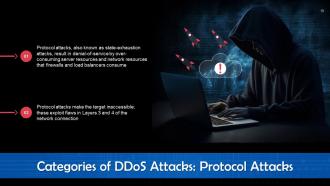
This slide tells us gives an overview of protocol attacks. Protocol assaults, also known as state-exhaustion attacks, result in denial-of-service by over-consuming server resources and network resources used by firewalls and load balancers.
Slide 20
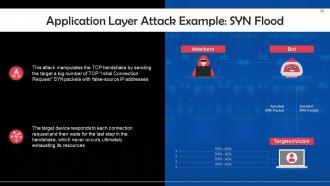
This slide discusses SYN Flood Attack. This attack manipulates the TCP handshake by sending the target a large number of TCP “Initial Connection Request” SYN packets with false-source IP addresses.
Slide 21
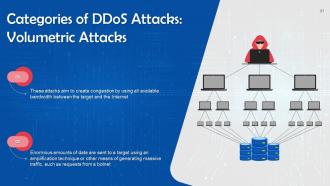
This slide tells us gives an overview of volumetric attacks. These attacks aim to create congestion by using all available bandwidth between the target and the Internet.
Slide 22
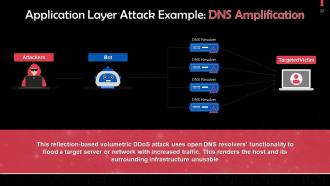
This slide discusses DNS Amplification attack. This attack uses open DNS resolvers' functionality to flood a target server or network with increased traffic.
Slide 23
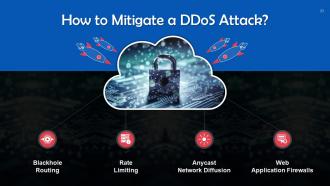
This slide lists ways to mitigate a DDoS attack. These are: Blackhole routing, rate limiting, anycast network diffusion, and web application firewalls.
Slide 24
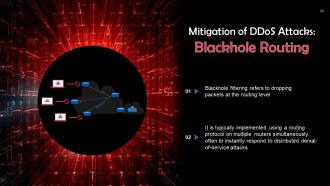
This slide discusses how blackhole routing can help mitigate the risk of a DDoS attack. Blackhole filtering refers to dropping packets at the routing level.
Slide 25
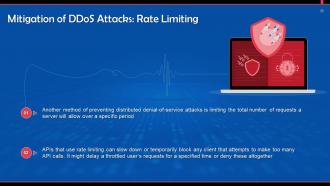
This slide talks about rate limiting to prevent DDoS attacks. APIs that use rate limiting can slow down or temporarily block any client that attempts to make too many API calls.
Slide 26
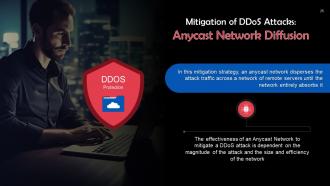
This slide discusses how Anycast Network Diffusion mitigates the risk of DDoS attack. In this mitigation strategy, an Anycast Network disperses the attack traffic across a network of remote servers until the network entirely absorbs it.
Slide 27
This slide shows how WAFs mitigate the risk of a DDoS attack. A Web Application Firewall can function as a reverse proxy and shield the targeted server from malicious traffic.
DoS and DDoS Attacks In Cyber Security Training Ppt with all 46 slides:
Use our DoS and DDoS Attacks In Cyber Security Training Ppt to effectively help you save your valuable time. They are readymade to fit into any presentation structure.
























FAQs for DoS and DDoS Attacks In Cyber
So basically, DoS comes from just one computer trying to crash your site. DDoS is way worse - it's like hundreds or thousands of hacked devices all hitting you at once. You can easily block a DoS attack by blacklisting that single IP. But DDoS? That's a nightmare because all the traffic looks legit and comes from everywhere. I had a client deal with this last year and it was brutal. Your only real option is getting proper DDoS protection that can spot these coordinated attacks and filter them out before they wreck your servers.
When you're getting hit, your site will crawl or just die completely. Server resources get slammed to 100%. Look for tons of requests from sketchy IPs - like seriously weird patterns where the same endpoint gets hammered over and over. Your logs will show massive traffic spikes, often from random countries you never get visitors from. If you've got monitoring set up (which you should), those alerts will go crazy. Honestly, botnets are pretty obvious once you know what to look for. Get real-time alerts running ASAP so you're not finding out from angry customers.
So there's basically four main reasons people do DDoS attacks. Money's the big one - criminals will crash your site then demand payment to stop. Pretty scummy if you ask me. Hacktivists target government or company websites to make political points. You've also got revenge attacks from pissed off employees or customers who feel screwed over. Oh, and some hackers just do it for bragging rights or to test their skills. What's scary is these aren't random - attackers usually pick specific targets for specific reasons, so you can't just hope they'll leave you alone.
Rate limiting and traffic filtering are your best bets for DDoS protection. Cloudflare or AWS Shield work really well - honestly, just start with whatever basic protection your cloud provider includes since you're probably already paying for it anyway. You'll want to block bad traffic upstream before it hammers your servers. Auto-scaling can help but watch those costs, they add up stupid fast. If your users are mostly in one region, geographic blocking is pretty solid. Oh and set up monitoring so you catch attacks early. The quicker you respond, the less headache you'll have dealing with it later.
Okay so botnets are like armies of hacked devices - computers, phones, even random smart home stuff - that criminals use to flood your servers with traffic. What makes them so nasty is the sheer scale. We're talking thousands of compromised devices hitting you from all over the world. Your best bet is setting up rate limiting and getting a CDN with built-in DDoS protection. Behavioral analysis tools help too since they can catch weird traffic patterns. Oh, and those cloud scrubbing services are clutch - they filter out the bad stuff before it hits your actual infrastructure. Make sure your network can handle sudden traffic spikes because these attacks get intense fast.
Cloud security is honestly a lifesaver for DDoS attacks. It soaks up those massive traffic floods that would totally wreck your own servers. Most cloud providers have way more bandwidth than you could ever build yourself - like terabits of protection. Pretty wild when you think about it. The trick is picking a provider with solid DDoS filtering already baked in. Then you've gotta set up your traffic routing so all that nasty stuff gets blocked before it hits your actual infrastructure. Way cheaper than trying to handle it yourself too.
Yeah, regular firewalls kinda suck for DDoS stuff tbh. They can block some basic flood attacks but get crushed when massive botnets hit you. The tricky part? Application-layer attacks that look totally legit - your firewall sees normal HTTP requests and just waves them through while they're slowly killing your servers. I learned this the hard way at my last job lol. You really need cloud scrubbing services or those dedicated DDoS boxes that can actually scale up when attacks get nasty. Regular firewalls just weren't built for that level of chaos.
Check what you already have first - most firewalls and routers come with DDoS detection built right in. Wireshark's pretty solid for spotting weird traffic patterns, though honestly it can be overwhelming at first. Cloudflare and AWS Shield are your heavy hitters for real-time protection with automatic responses. SolarWinds works well too if you don't mind spending some cash. Open-source options like Suricata and Snort are great but you'll be doing way more manual setup. Start with your existing security tools before buying anything new - you might be surprised what's already there.
First thing - get your incident response team sorted with clear roles for detection, communication, and tech decisions. Map your critical assets and set up contacts with your ISP and DDoS providers ahead of time. Your plan needs escalation steps, customer communication templates, and detailed mitigation procedures. Here's the thing though - most of these plans just sit there collecting dust. Run tabletop exercises regularly to actually test it. Monitor dashboards are crucial for spotting attacks fast. Oh, and document everything during real incidents. You'll be surprised what breaks down under pressure.
Dude, don't even think about it. DoS attacks are seriously illegal pretty much everywhere - in the US you could face federal charges under the Computer Fraud and Abuse Act. We're talking years in prison and massive fines. The feds have gotten way more aggressive about this stuff lately, especially since these attacks can mess up hospitals, power grids, you name it. Even "harmless" testing can get you charged. Honestly, prosecutors love making examples out of people. If you want to test security stuff, stick to systems you actually own or get written permission first.
Ugh, DDoS attacks are brutal on your budget. You'll lose money immediately from downtime and scrambling to get IT folks working overtime to fix everything. The worst part though? Your customers lose trust and some just... don't come back, even after you've sorted it all out. Brand damage sticks around way longer than the actual technical problems. Then you're stuck upgrading your whole security setup anyway, plus insurance costs usually spike after an incident. Honestly learned this the hard way - way cheaper to get solid DDoS protection upfront than deal with the aftermath.
E-commerce and gaming sites get hammered the most - attackers know they can cause instant revenue loss. Online stores during Black Friday? Total chaos if they go down. Financial services are massive targets too since people freak out when they can't access their money. Media companies and SaaS platforms also get hit hard because their whole business model crumbles without uptime. Oh, and government sites face attacks constantly, though that's usually more about making political statements than cash. Honestly, if you're running anything that needs to be online 24/7, you better have solid DDoS protection ready.
Honestly, network monitoring is your best friend for catching DDoS attacks before they wreck everything. You want to watch traffic patterns and bandwidth usage in real-time - when you see weird spikes or tons of connection requests out of nowhere, that's your red flag. Think of it like noticing storm clouds before the rain hits. Set up automated alerts because those first few minutes matter big time. You'll also need baseline metrics so you actually know what normal looks like for your network. Once you spot something sketchy, you can start blocking sources or rerouting traffic. Way better than scrambling after your site's already down.
DDoS attacks are getting crazy sophisticated these days. Attackers use IoT botnets and AI to coordinate multi-vector hits across your network, apps, and infrastructure all at once. What's really annoying is they're hijacking legitimate CDNs and cloud services to amplify attacks, making detection way harder. The worst part? Those "low and slow" attacks that slip past most monitoring systems completely. Honestly, signature-based protection is pretty much useless now. You'll need behavioral analytics and layered defenses - like, multiple layers - because these threats keep evolving faster than most security teams can adapt.
Honestly, teaching your team about social engineering makes a huge difference for DDoS protection. People fall for phishing emails all the time and don't realize their infected computer becomes part of some hacker's botnet army. Pretty wild when you think about it. Train them to spot sketchy links and suspicious emails. Also cover basic stuff like keeping software updated and safe browsing habits. My old company did monthly security sessions - nothing fancy, just email safety and web practices. It actually worked though. Makes your whole attack surface way smaller when people aren't clicking random links.
-
Excellent design and quick turnaround.
-
Great product with effective design. Helped a lot in our corporate presentations. Easy to edit and stunning visuals.