

Playbook For App Design And Development Powerpoint Presentation Slides




Try Before you Buy Download Free Sample Product
 Impress Your
 Audience
 100%
100% Editable
 Save Hours
 of Time


Most successful organizations develop their product and services based on customer needs and market trends. User Interface UI is one of the most dominating factors in the digital product and services market as it ensures easy interaction of users with the app. Check out our efficiently designed Playbook for App design and development, which is a brilliant resource and will assist them in developing a compelling product by providing the latest features and best practices. At first, organizations can use slides such as a project overview to address the new employees or existing members about the project context, objectives, platform details, location, and budget. The project overview slide is followed by defining the user personas and addressing user journey slides companies can use these slides to educate developers about the desired user persona and their journey. Lastly, businesses can use sections having five phases, namely project inception, design process, development process, service process, and performance monitoring, to address the developers about the complete app development process. Book a free demo with our research team and customize it according to your needs.
People who downloaded this PowerPoint presentation also viewed the following :
Content of this Powerpoint Presentation
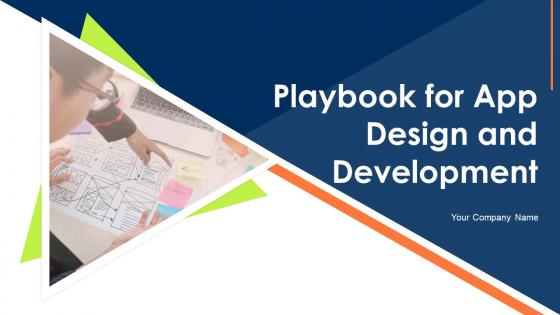
Slide 1: This slide introduces Playbook for App Design and Development. State Your Company Name and begin.
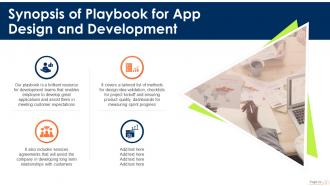
Slide 2: This slide shows Synopsis of Playbook for App Design and Development.
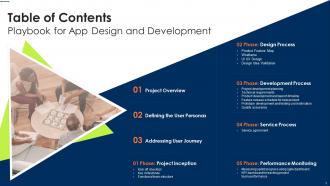
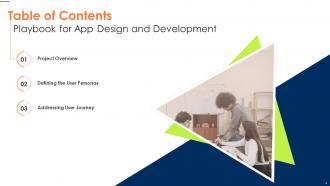
Slide 3: This slide presents Table of Content for the presentation.
Slide 4: This slide highlights title for topics that are to be covered next in the template.
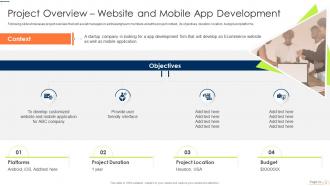
Slide 5: This slide shows Project Overview for Website and Mobile App Development.
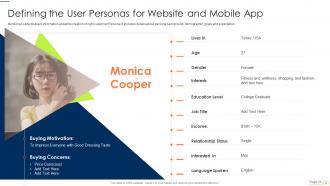
Slide 6: This slide presents Defining the User Personas for Website and Mobile App.
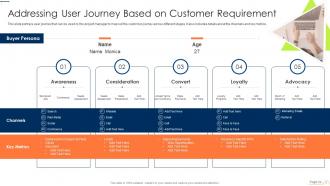
Slide 7: This slide displays Addressing User Journey Based on Customer Requirement.
Slide 8: This slide highlights title for topics that are to be covered next in the template.
Slide 9: This slide represents checklist that will assist managers in making decisions during project kickoff meeting.
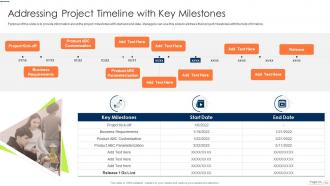
Slide 10: This slide provide information about the project milestones with start and end date.
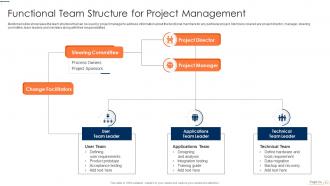
Slide 11: This slide showcases Functional Team Structure for Project Management.
Slide 12: This slide highlights title for topics that are to be covered next in the template.
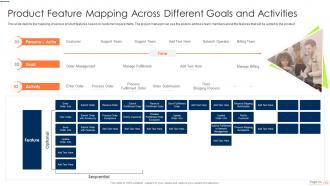
Slide 13: This slide shows Product Feature Mapping Across Different Goals and Activities.
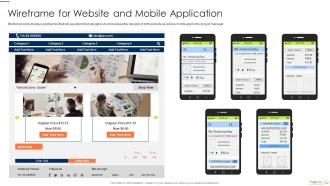
Slide 14: This slide presents Wireframe for Website and Mobile Application.
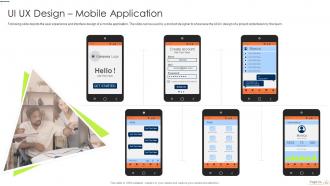
Slide 15: This slide displays user experience and interface design of a mobile application.
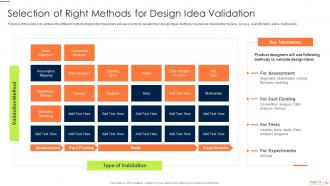
Slide 16: This slide represents Selection of Right Methods for Design Idea Validation.
Slide 17: This slide highlights title for topics that are to be covered next in the template.
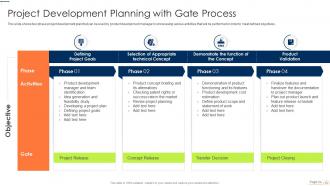
Slide 18: This slide showcases Project Development Planning with Gate Process.
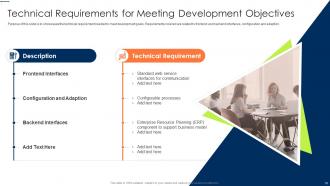
Slide 19: This slide shows Technical Requirements for Meeting Development Objectives.
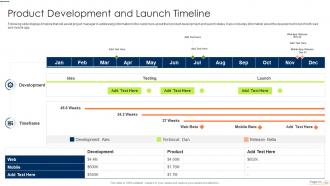
Slide 20: This slide presents timeline that will assist project manager in addressing information to the customers.
Slide 21: This slide displays Feature Release Schedule for New Product.
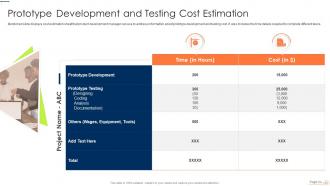
Slide 22: This slide represents Prototype Development and Testing Cost Estimation.
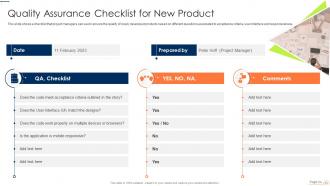
Slide 23: This slide showcases Quality Assurance Checklist for New Product.
Slide 24: This slide highlights title for topics that are to be covered next in the template.
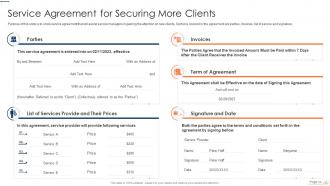
Slide 25: This slide shows Service Agreement for Securing More Clients.
Slide 26: This slide highlights title for topics that are to be covered next in the template.
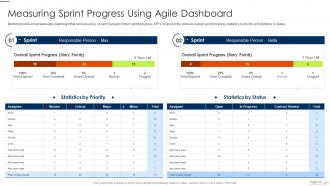
Slide 27: This slide presents agile dashboard that can be used by project manager to track sprint progress.
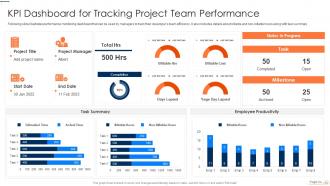
Slide 28: This slide represents KPI Dashboard for Tracking Project Team Performance.
Slide 29: This slide showcases Icons for Playbook for App Design and Development.
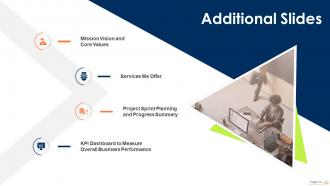
Slide 30: This slide is titled as Additional Slides for moving forward.
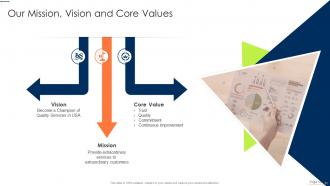
Slide 31: This is Our Mission slide with related imagery and text.
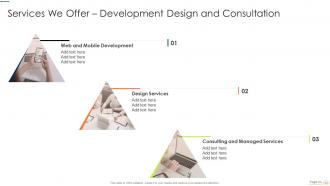
Slide 32: This slide shows Services we Offer for Development Design and Consultation.
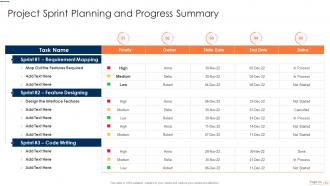
Slide 33: This slide presents Project Sprint Planning and Progress Summary.
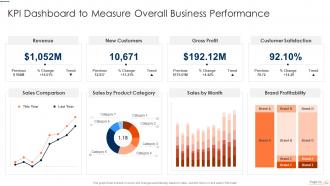
Slide 34: This slide displays KPI Dashboard to Measure Overall Business Performance.
Slide 35: This slide provides 30 60 90 Days Plan with text boxes.
Slide 36: This is Our Team slide with names and designation.
Slide 37: This is About Us slide to show company specifications etc.
Slide 38: This is a Timeline slide. Show data related to time intervals here.
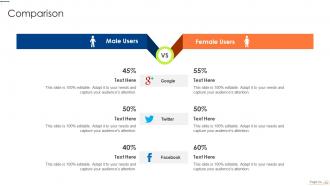
Slide 39: This is a Comparison slide to state comparison between commodities, entities etc.
Slide 40: This slide contains Puzzle with related icons and text.
Slide 41: This is an Idea Generation slide to state a new idea or highlight information, specifications etc.
Slide 42: This is a Thank You slide with address, contact numbers and email address.
Playbook For App Design And Development Powerpoint Presentation Slides with all 47 slides:
Use our Playbook For App Design And Development Powerpoint Presentation Slides to effectively help you save your valuable time. They are readymade to fit into any presentation structure.









FAQs for Playbook For App Design And Development
The key stages include ideation and planning, user experience design, user interface development, technical architecture planning, coding and development, testing and quality assurance, and deployment with ongoing maintenance. These stages work together by establishing clear project scope, creating intuitive user flows, building scalable technical foundations, and ensuring reliable performance, with many development teams finding that structured approaches significantly reduce time-to-market while delivering superior user experiences.
User research and persona development inform app design by revealing actual user behaviors, preferences, pain points, and goals through surveys, interviews, and usability testing. These insights enable designers to create targeted interfaces, prioritize features that matter most, and make data-driven decisions rather than assumptions, with many successful apps finding that research-backed design significantly reduces development costs and increases user adoption rates.
Prototyping serves as the critical bridge between conceptual design and final development, enabling teams to test user flows, validate interface decisions, and identify usability issues before costly coding begins. Tools like Figma, Sketch, Adobe XD, and InVision streamline this process by facilitating rapid iteration and stakeholder feedback, with many development teams finding that thorough prototyping reduces development time and delivers more user-centered experiences.
Designers ensure seamless cross-platform experiences by implementing responsive design principles, maintaining consistent visual hierarchies, standardizing interaction patterns, and conducting thorough testing across devices. Through adaptive layouts and unified design systems, organizations streamline development processes while delivering cohesive user journeys, with many finding that platform-specific optimizations enhance usability without compromising brand consistency, ultimately reducing development costs and improving user satisfaction.
Essential UI/UX design principles include intuitive navigation, consistent visual hierarchy, responsive design, accessibility standards, and clear user feedback mechanisms. These principles enhance user engagement by reducing cognitive load, streamlining user journeys, and ensuring seamless interactions across devices, with many successful apps finding that prioritizing simplicity and user-centered design ultimately delivers higher retention rates and competitive advantage.
Feature prioritization in app development involves analyzing user needs, business objectives, technical feasibility, market competition, and resource constraints through frameworks like MoSCoW or value-impact matrices. Development teams increasingly use data-driven approaches, combining user feedback with analytics and A/B testing, while many successful apps prioritize core functionality first, ultimately delivering faster time-to-market and enhanced user adoption rates.
Agile methodologies, particularly Scrum and Kanban, prove most effective for app development projects, offering iterative development, continuous feedback, and adaptive planning capabilities. These approaches enable development teams to respond quickly to user requirements, deliver functional releases incrementally, and maintain competitive advantage through faster time-to-market, with many organizations finding enhanced collaboration and reduced project risks.
Performance optimization integrates into app development through code profiling, database query optimization, image compression, caching strategies, and load testing throughout development cycles. By implementing these practices from initial design through deployment, development teams streamline user experiences, reduce server costs, and enhance app responsiveness, with many organizations finding that proactive optimization delivers significantly faster load times and improved user retention.
Common app design pitfalls include poor user interface navigation, inadequate performance optimization, insufficient user testing, ignoring accessibility standards, and neglecting cross-platform compatibility. These issues streamline development timelines by causing costly revisions, frustrated user experiences, and reduced market adoption, with many development teams finding that early design validation and iterative testing ultimately delivers higher user retention and competitive advantage.
User feedback can be effectively gathered through beta testing, in-app surveys, analytics tracking, usability sessions, and app store reviews. These methods enable development teams to identify pain points, validate feature decisions, and prioritize improvements continuously, with many organizations finding that iterative feedback loops ultimately deliver more user-centric products and higher retention rates.
Accessibility considerations include implementing screen reader compatibility, ensuring sufficient color contrast ratios, providing alternative text for images, designing touch targets of adequate size, and supporting voice navigation features. These inclusive design principles streamline user experiences across diverse abilities, with many healthcare and financial services apps finding that accessibility improvements ultimately enhance usability for all users while expanding market reach.
Industry trends significantly influence app design and development strategies by driving user interface innovations, technology adoption choices, security requirements, and platform optimization decisions. With sectors like healthcare embracing telemedicine apps, retail focusing on AR shopping experiences, and financial services prioritizing biometric authentication, developers must align their strategies with evolving user expectations, ultimately delivering competitive advantage and enhanced user engagement.
Best practices for maintaining app security during development include secure coding standards, regular vulnerability assessments, encryption implementation, access controls, and continuous security testing. These approaches streamline protection by identifying threats early, safeguarding sensitive data, and ensuring compliance standards, with many development teams finding that integrated security measures ultimately deliver more robust applications and reduced post-launch vulnerabilities.
App developers ensure compatibility through responsive design frameworks, cross-platform development tools like React Native or Flutter, comprehensive device testing, and adaptive user interfaces that adjust to different screen sizes and operating system requirements. These approaches streamline development processes while minimizing fragmentation issues, with many development teams finding that strategic testing across multiple devices and OS versions ultimately delivers consistent user experiences and broader market reach.
App success metrics include user acquisition rates, retention percentages, daily and monthly active users, session duration, and revenue per user. These measurements enable development teams to optimize user experiences, identify feature gaps, and enhance monetization strategies, with many app publishers finding that tracking engagement depth alongside conversion funnels ultimately delivers sustainable growth and competitive market positioning.
-
I am so thankful for all of the templates I've found on your site. They have saved me hours every week and helped make my presentations come alive. Keep up with these amazing product releases!
-
Professionally designed slides with color coordinated themes and icons. Perfect for enhancing the style of the presentations.