


App Development Powerpoint Presentation Slides




Try Before you Buy Download Free Sample Product
 Impress Your
 Audience
 100%
100% Editable
 Save Hours
 of Time


A mobile operating system is a software framework that allows other applications, known as an application program, to operate. Here is a professionally designed App Development template that provides an overview of the mobile app development firm that makes apps for different operating systems, its mission, successful projects, and its vision. This OS Development PowerPoint presentation covers the reasons to invest in mobile apps, their market share, and revenue. Additionally, this App Development PPT introduces iOS, its architecture, and the benefits of iOS app development for business. Furthermore, this template includes a detailed overview of android, including the development process of apps on android, its architecture, and the benefits of android apps. Also, this iOS Apps PPT covers the mobile app development strategy that includes web apps, native apps, and hybrid apps, along with its pros and cons, respectively. This Mobile OS PowerPoint also caters to the estimated budget and timeframe to develop an app for both operating systems. Lastly, this Mobile Development deck comprises a 30-60-90 days plan, a roadmap, and a dashboard for iOS and Android mobile app monitoring. Get access now.
People who downloaded this PowerPoint presentation also viewed the following :
Content of this Powerpoint Presentation
Slide 1: This slide introduces App Development. State Your Company Name and begin.
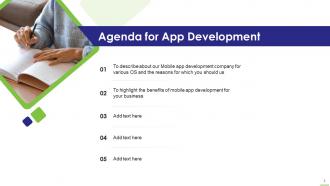
Slide 2: This slide states Agenda of the presentation.
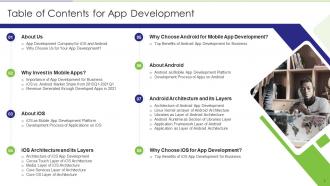
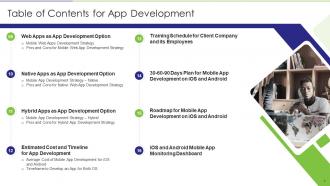
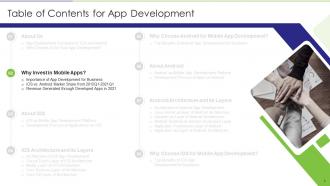
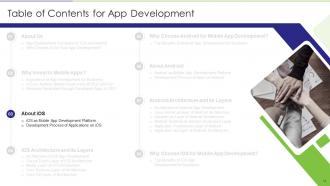
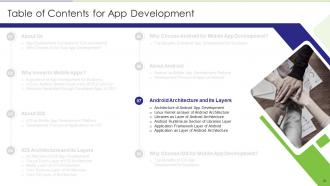
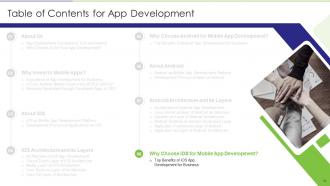
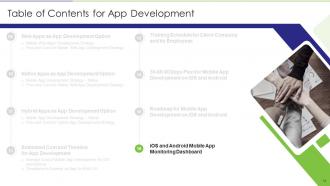
Slide 3: This slide presents Table of Content for the presentation.
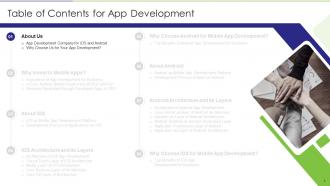
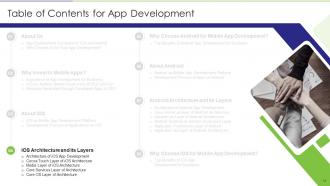
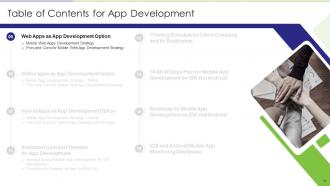
Slide 4: This is another slide continuing Table of Content for the presentation.
Slide 5: This slide shows title for topics that are to be covered next in the template.
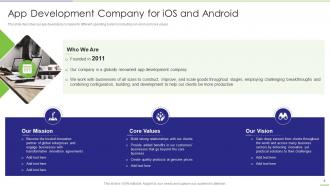
Slide 6: This slide describes our app developing company for different operating systems.
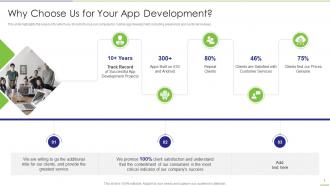
Slide 7: This slide highlights the reasons for which you should choose our company for mobile app development.
Slide 8: This slide shows title for topics that are to be covered next in the template.
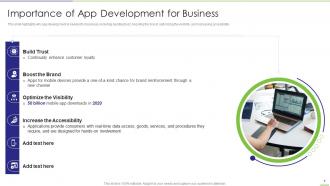
Slide 9: This slide highlights why app development is needed for business, including building trust, boosting the brand, etc.
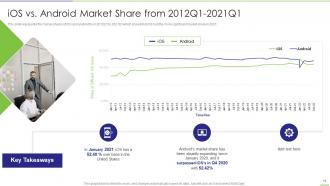
Slide 10: This slide represents the market shares of iOS and android from 2012Q1 to 2021Q1.
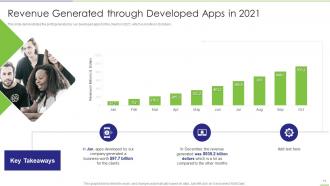
Slide 11: This slide demonstrates the profit generated by our developed apps for the clients in 2021.
Slide 12: This slide shows title for topics that are to be covered next in the template.
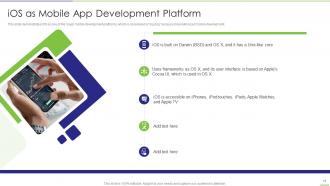
Slide 13: This slide demonstrates iOS as one of the major mobile development platforms.
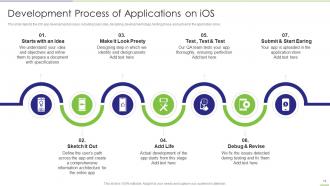
Slide 14: This slide depicts the iOS app development process, including basic idea, designing, development stage, etc.
Slide 15: This slide shows title for topics that are to be covered next in the template.
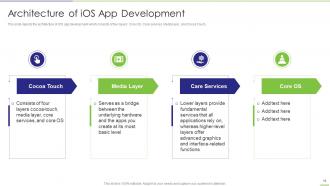
Slide 16: This slide depicts the architecture of iOS app development which consists of four layers.
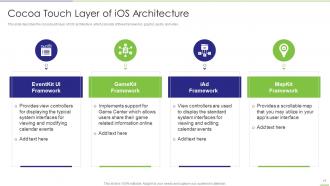
Slide 17: This slide describes the cocoa touch layer of iOS architecture, which consists of three frameworks.
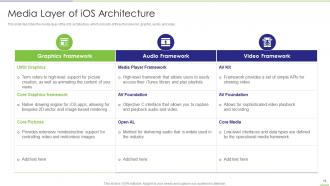
Slide 18: This slide represents the media layer of the iOS architecture.
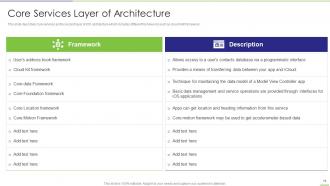
Slide 19: This slide describes core services as the second layer of iOS architecture which includes different frameworks.
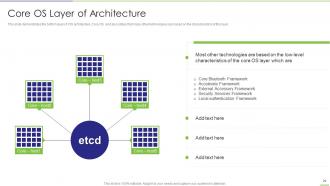
Slide 20: This slide demonstrates the bottom layer of iOS architecture i.e. Core OS.
Slide 21: This slide shows title for topics that are to be covered next in the template.
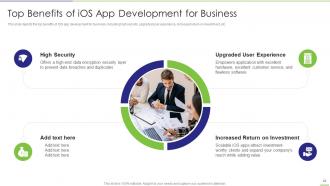
Slide 22: This slide depicts the top benefits of iOS app development for business, including high security, upgraded user experience, etc.
Slide 23: This slide shows title for topics that are to be covered next in the template.
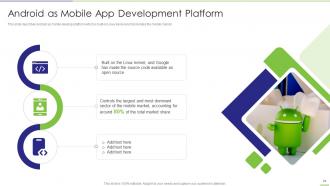
Slide 24: This slide represents Android as Mobile App Development Platform.
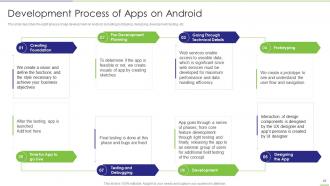
Slide 25: This slide describes the eight phases of app development on Android, including prototyping, designing, development, etc.
Slide 26: This slide shows title for topics that are to be covered next in the template.
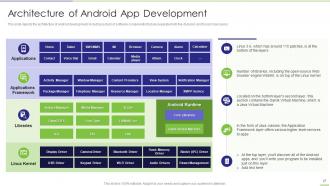
Slide 27: This slide depicts the architecture of android development, including a stack of software components.
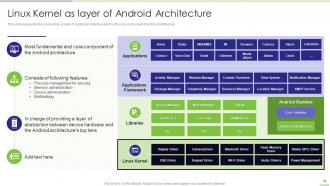
Slide 28: This slide showcases Linux Kernel as layer of Android Architecture.
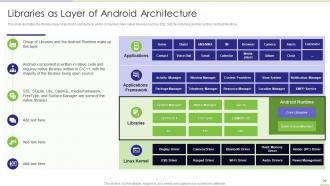
Slide 29: This slide illustrates the libraries layer of android's architecture, which comprises many native libraries.
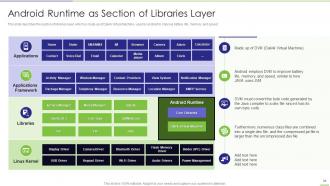
Slide 30: This slide describes the section of libraries layer, which is made up of Dalvik Virtual Machine.
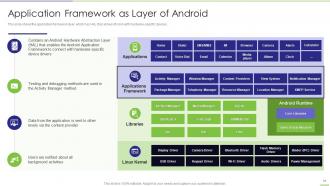
Slide 31: This slide shows the application framework layer, which has HAL that allows it to link with hardware-specific devices.
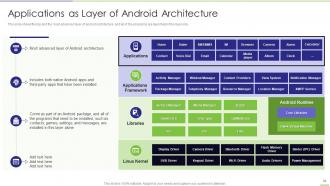
Slide 32: This slide presents Applications as Layer of Android Architecture.
Slide 33: This slide shows title for topics that are to be covered next in the template.
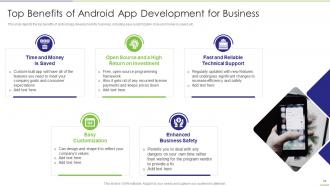
Slide 34: This slide displays Top Benefits of Android App Development for Business.
Slide 35: This slide shows title for topics that are to be covered next in the template.
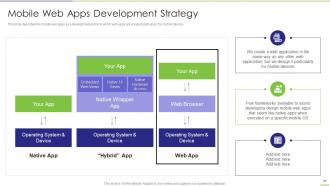
Slide 36: This slide describes the mobile web apps as a development option in which web apps are created particularly for mobile devices.
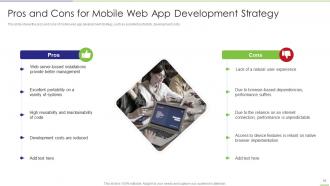
Slide 37: This slide showcases Pros and Cons for Mobile Web App Development Strategy.
Slide 38: This slide shows title for topics that are to be covered next in the template.
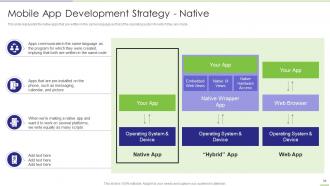
Slide 39: This slide represents the native apps that are written in the same language as that of the operating system.
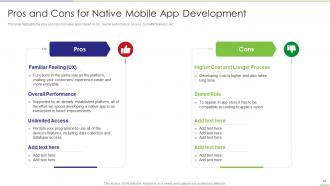
Slide 40: This slide showcases Pros and Cons for Native Mobile App Development.
Slide 41: This slide presents Table of Content for the presentation.
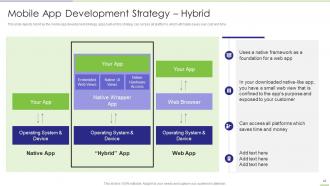
Slide 42: This slide depicts hybrid as the mobile app development strategy with access to all platforms.
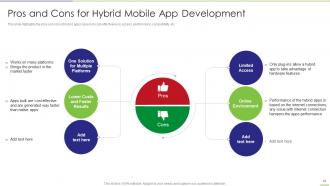
Slide 43: This slide showcases Pros and Cons for Hybrid Mobile App Development.
Slide 44: This slide shows title for topics that are to be covered next in the template.
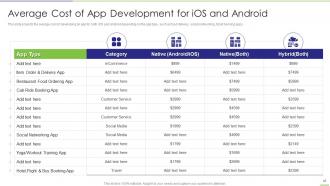
Slide 45: This slide represents Average Cost of App Development for iOS and Android.
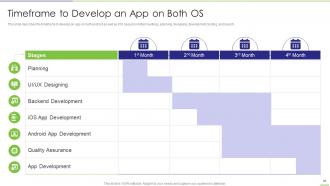
Slide 46: This slide describes the timeframe to develop an app on both android as well as iOS.
Slide 47: This slide shows title for topics that are to be covered next in the template.
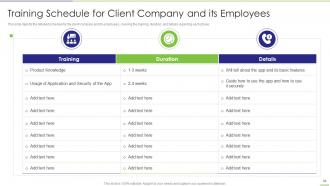
Slide 48: This slide showcases Training Schedule for Client Company and its Employees.
Slide 49: This slide shows title for topics that are to be covered next in the template.
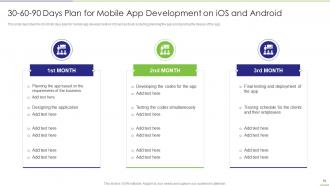
Slide 50: This slide presents 30-60-90 Days Plan for Mobile App Development on iOS and Android.
Slide 51: This slide shows title for topics that are to be covered next in the template.
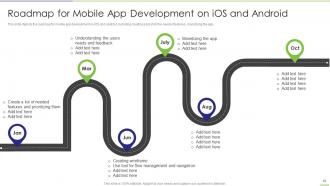
Slide 52: This slide displays Roadmap for Mobile App Development on iOS and Android.
Slide 53: This slide shows title for topics that are to be covered next in the template.
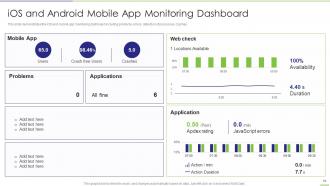
Slide 54: This slide demonstrates the iOS and mobile app monitoring dashboard.
Slide 55: This slide is titled as Additional Slides for moving forward.
Slide 56: This slide displays Icons for App Development.
Slide 57: This is About Us slide to show company specifications etc.
Slide 58: This is a Timeline slide. Show data related to time intervals here.
Slide 59: This slide shows Post It Notes. Post your important notes here.
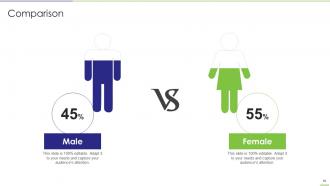
Slide 60: This is a Comparison slide to state comparison between commodities, entities etc.
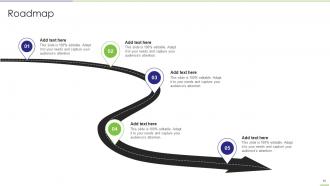
Slide 61: This slide presents Roadmap with additional textboxes.
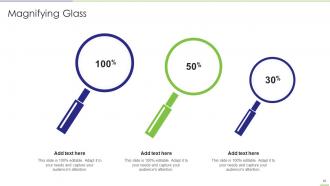
Slide 62: This slide showcases Magnifying Glass to highlight information, specifications, etc.
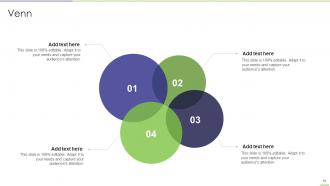
Slide 63: This slide depicts Venn diagram with text boxes.
Slide 64: This is a Thank You slide with address, contact numbers and email address.
App Development Powerpoint Presentation Slides with all 69 slides:
Use our App Development Powerpoint Presentation Slides to effectively help you save your valuable time. They are readymade to fit into any presentation structure.






FAQs for App Development
So native apps are made for just one platform - like iOS or Android - using their specific coding languages. Cross-platform stuff like React Native lets you write code once and use it everywhere, which is honestly pretty sweet for saving time and money. The trade-off? Native apps usually run smoother and can tap into more phone features. Cross-platform might hit some walls with really complex stuff. If you're bootstrapping this or just testing an idea, I'd probably go cross-platform first. You can always rebuild parts natively later if you need that extra performance boost.
Honestly, just match whatever fits your actual needs. Going cross-platform with React Native or Flutter? Makes sense if you're hitting both iOS and Android. But if it's iOS only, might as well go native with Swift. Your team already knows React? Don't force them to learn Vue - that's just asking for headaches. Performance is huge too. Games and heavy animations usually need native development, no way around it. Timeline and budget obviously matter since cross-platform can save you time upfront. Just list out pros and cons for like 2-3 options and go with whatever has fewer dealbreakers.
UX can make or break your app, honestly. Users will either love it or delete it in like 2 minutes. Focus on intuitive navigation and fast load times first. I've watched beautiful apps totally bomb because they were confusing as hell to actually use. Map out those user journeys early and test with real people - not just your buddies on the dev team. Button placement matters more than you'd think. So does visual hierarchy and cutting down taps for main actions. Get feedback constantly and iterate based on what users actually do, not what you assume they'll do.
Dude, scope creep will absolutely destroy you - I've seen it happen so many times. Start planning for mobile/desktop from the beginning, not as an afterthought. Skip user testing at your own peril. Teams that jump straight into building without any discovery work are basically asking for trouble. Don't over-engineer v1 either. Honestly, the "just one more feature" mentality before launch is like quicksand. When designers and devs can't communicate properly, everything falls apart. Set boundaries early, test with actual humans constantly, and ship something basic first. You can fix stuff later, but you can't launch perfection that never exists.
Honestly, agile is a game changer for app development. You work in short sprints instead of trying to plan everything perfectly upfront - which never works anyway. Getting user feedback constantly means you catch problems early, not after you've built the whole thing wrong. Requirements always change (learned that the hard way), but with agile you can actually pivot without losing months of work. Your team stays way more motivated too with regular demos and retrospectives. Try 2-week sprints and daily check-ins first. You'll see better apps delivered faster, promise.
Start by figuring out who's downloading your app - will they actually pay upfront or just want everything free? Freemium is huge right now since people can try before they buy. Look at what your competitors are charging too. If users are opening your app every single day, subscriptions totally make sense. But for something they'll use maybe once a week? Ads or a one-time purchase works better. I'd honestly avoid the premium route unless your app does something really unique. Match whatever monetization you pick to how people actually behave with your app, not just what sounds good on paper.
Dude, definitely encrypt your data - both when it's moving around and stored. OAuth or biometric login is way better than basic passwords. Always validate user inputs or you'll get wrecked by injection attacks. That whole "security later" thing? Total nightmare waiting to happen. I've watched so many devs get burned by it. Session management needs to be solid too, and keep those security libraries updated. Follow Apple and Google's guidelines - they actually know what they're talking about. Maybe run some pen tests before you launch if you can swing it. Honestly just bake security in from the start.
Start with unit tests while you're coding, then do integration testing to see how everything connects. Automated testing will save you so much headache - trust me on this one. Test on real devices too, not just simulators. Edge cases matter - think dead batteries, crappy wifi, that stuff. Oh and definitely get beta testers involved early. Set up crash reporting from day one so you can catch problems fast. Accessibility testing is a pain to add later, so don't put it off. Actually learned most of this by screwing up my first app launch lol.
Okay so app analytics are basically your reality check - they show what users *actually* do vs what you think they're doing. Track stuff like where people bail out of your app, which features they ignore (spoiler: probably your favorite one), and how long they stick around. I used to just wing it with updates but the data saves you from building stupid stuff nobody wants. You can see if your latest changes helped or totally backfired. Start simple with retention rates and session time, then get into the weirdly specific user flows that matter for whatever your app's trying to accomplish. It's honestly pretty addictive once you start.
Hey! So the big things right now - AI features are getting built into everything (like ChatGPT stuff), and low-code platforms are absolutely blowing up. Super apps that handle everything in one spot are trending hard too. Cross-platform development actually doesn't suck anymore, which is wild - Flutter and React Native work pretty well now. Voice interfaces and AR are everywhere, plus everyone's obsessed with privacy-focused design since people finally give a damn about their data. Honestly? Learn AI APIs and cross-platform tools. That's where the money is.
Honestly, start collecting feedback way before you think you're ready - like when your app is still half-broken. Beta groups are gold for this. Set up in-app feedback tools, watch those app store reviews (painful but necessary), and actually talk to users directly. Here's the thing though - everyone's got opinions, so look for patterns instead of getting hung up on random complaints. I learned this the hard way! Make a simple system to sort feedback by what's actually doable vs pipe dreams. Don't rush to fix everything at once. Batch similar requests and knock them out in focused chunks. Track if changes actually help user behavior, not just if people say they're happier.
Start with screen readers and color contrast - that's your foundation. Interactive buttons need to be big enough for everyone (seriously, tiny tap targets are annoying for all of us). Don't forget alt text for images and adjustable font sizes. Captions on videos are huge too. Navigation should be dead simple - if you're overthinking it, users probably will too. Test with VoiceOver or TalkBack early, catches the obvious stuff before it becomes a headache. Honestly designing for accessibility just makes better apps overall.
Honestly, responsive design is your best friend here - test on real phones though, emulators lie to you half the time. Different screen sizes will make you want to pull your hair out, but flexible layouts save so much headache later. Follow Material Design for Android and Apple's interface guidelines for iOS (they're pretty strict about it). Performance varies wildly between devices too, so go easy on animations for older phones. React Native or Flutter are solid if you want to build once, but sometimes you just need native code for full control. Oh, and start collecting test devices early - even if it's just guilt-tripping friends into lending theirs.
Dude, the scalability alone is insane - you can jump from 100 to 100,000 users without any drama. No upfront server costs either. Deployments are way faster since you're not babysitting hardware, and honestly? Their security is probably way better than anything I'd cobble together myself. You get automatic backups and global CDN stuff built right in. The pay-as-you-go model is clutch too. Oh, and your whole team can work from literally anywhere now. I'd mess around with AWS Free Tier or Firebase first - just to see how it feels before you dive in deep.
Break everything into small sprints and check progress weekly - seriously, it's the only way I stay sane on big projects. Map your core features first, then add buffer time because something always breaks (API integrations are the worst). I use Jira but honestly a spreadsheet works too for tracking hours vs estimates. Set aside like 20-30% extra budget right away and keep stakeholders in the loop on costs as you go. Scope creep will kill you if you don't catch it early. Weekly check-ins for timeline and spending keep everyone honest - plus it gives you ammunition when things inevitably go sideways.
-
Loved the templates on SlideTeam, I believe I have found the go to place for my presentation needs!
-
Very unique, user-friendly presentation interface.