


Process Bundle Powerpoint Ppt Templates And Slides





Try Before you Buy Download Free Sample Product
 Impress Your
 Audience
 100%
100% Editable
 Save Hours
 of Time


Our Process Bundle Powerpoint Ppt Templates And Slides are topically designed to provide an attractive backdrop to any subject. Use them to look like a presentation pro.
People who downloaded this PowerPoint presentation also viewed the following :
Process Bundle Powerpoint Ppt Templates And Slides with all 34 slides:
Use our Process Bundle Powerpoint Ppt Templates And Slides to effectively help you save your valuable time. They are readymade to fit into any presentation structure.
-

Process Bundle
-

Process Template
-

Process Template
-

Process Template
-

Process Template
-

Process Template
-

Process Template
-

Process Template
-

Process Template
-

Process Template
-

Process Template
-

Process Template
-

Process Template
-

Process Template
-

Process Template
-

Process Template
-

Process Template
-

Process Template
-

Process Template
-

Process Template
-

Process Template
-
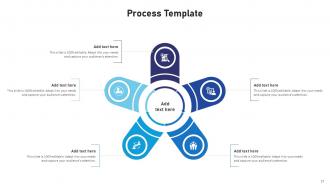
Process Template
-

Process Template
-

Process Template
-

Process Template
-

Process Template
-

-

-

-

-

-

-

-

FAQs for Process Bundle Powerpoint Ppt
So basically, a process bundle is just grouping related PM processes together because they happen around the same time or serve similar purposes. Like instead of juggling all 47+ PMBOK processes randomly (which would be insane), you organize them into five buckets: Initiating, Planning, Executing, Monitoring & Controlling, and Closing. It's kinda like organizing your toolbox - you don't want screwdriver bits scattered everywhere, right? Makes it so much easier to know which processes you should actually be focusing on during different parts of your project. Way less overwhelming than trying to remember everything at once.
Honestly, process bundles are a game changer for teams. Your people finally see how their work fits with everyone else's instead of just doing tasks in isolation. No more "what's next?" confusion every five minutes. Think of it like everyone having the same map instead of wandering around lost. You'll spot handoff problems early, and when Sarah calls out sick, Mike can actually cover her stuff because he gets the workflow. The "why does this step even matter" complaints disappear too. Just pick one process your team does all the time and map it out together first.
So a process bundle is basically everything you need to actually run a process - flowcharts, work instructions, templates, forms, maybe some automation tools. Performance metrics and training stuff too. It's like getting handed a complete toolkit instead of having to track down random pieces later (which is honestly the worst). The whole idea is you can drop it anywhere and it'll work without people scrambling around asking "wait, where's the checklist for step 3?" Just double-check what's actually in there before you dive in though.
So basically you group similar tasks together instead of bouncing around randomly all day. Like, batch all your emails at once rather than checking every 5 minutes (guilty as charged). Your brain doesn't have to keep switching gears, and you already know what comes next so there's less "what should I do now?" moments. Plus you catch mistakes faster since everything builds on each other. I started doing this with my weekly planning and wow, way less mental exhaustion. Just try it for a few days - you'll probably wonder why you didn't do it sooner.
So you can totally tweak those process bundles to fit whatever industry you're in. Just mess around with the workflows, data fields, and approval stuff. Manufacturing companies usually go heavy on quality control and compliance docs, while healthcare focuses more on patient privacy - makes sense, right? The cool part is how flexible everything is. I've seen some wild customizations honestly. You can change user roles, automate tasks that are specific to your field, plus connect it to ERP systems or whatever specialized software you're already using. I'd start by mapping your current processes first. Then figure out what makes your industry different from others.
Documentation is what makes the difference between a process that works and one that falls apart when you're not around. Write down every single step - I mean everything, even the obvious stuff. Test it by having someone else follow your instructions word for word. They shouldn't need to bug you for clarification every five minutes. Include examples of what success looks like and decision trees for when things go sideways. Honestly, most people skip this part and then wonder why their "foolproof" system breaks down. Your future self will thank you when you don't have to re-explain the same process for the hundredth time.
Track both individual metrics and how everything flows together. Your end-to-end cycle times, error rates, and customer satisfaction tell the real story. Here's the thing - bundled processes can look chaotic on their own but somehow create magic when they're working as a team (jazz band vibes). Don't just measure each process separately. Focus on the handoffs between them - that's where things usually break down. Oh, and define what "winning" looks like for your specific bundle before you start. Then find those early warning signals that predict whether you'll hit your goals.
Honestly, just grab whatever your team's already using first - no point switching tools if you don't have to. Lucidchart and Visio are solid for mapping out how all your processes connect. Miro's pretty decent too if everyone likes the collaborative vibe. I really like adding swim lanes and decision points when I'm doing this stuff - makes the whole mess way easier to follow. Oh, and you'll definitely want somewhere to dump all the documentation (Confluence is fine). Start simple though. You can always upgrade later if you need fancier features, but honestly most teams overthink the tool choice.
Oh yeah, process bundles are actually pretty solid for Agile stuff. Basically you get these pre-made sets of processes that already play nice together - way better than trying to mix and match random practices from different frameworks. That gets weird fast, trust me. Pick bundles that match where your team's at skill-wise. DevOps ones, compliance stuff, scaling packages - whatever fits your situation. Then just tweak them during retros instead of going crazy trying to implement everything right away. They're like starter kits but for grown-ups.
Honestly, most of the time it's just people hating change. They're used to their messy workflows and don't want to learn new stuff - can't really blame them though. Training usually sucks, nobody knows who's supposed to do what, and teams always want to customize everything right away instead of trying the basic setup first. Oh, and departments never talk to each other properly, which kills projects fast. I'd probably start small with one team that's actually motivated, get a few wins, then use those to convince everyone else it's worth doing.
Honestly, process bundles are a game changer for training new people. You basically throw everything into one neat package - workflows, templates, checklists, all that stuff. No more digging around for random documents or waiting for someone to actually have time to explain things (which never happens when you need it). New hires can just work through everything at their own speed. Different roles? Make different bundles. Way more consistent than the usual chaos. I'd start with whatever training scenarios you deal with most and build from there.
Honestly, the biggest trap is cramming too many processes into one bundle - learned that the hard way. Document how everything connects or you'll be scrambling when stuff breaks randomly at 2am. Teams always want to skip testing to hit deadlines, but test pieces separately AND together. Don't duplicate the same functionality across different processes either. Version control from the start, trust me on this one. Oh, and start small - maybe 2-3 related processes first. Scale up once you've figured out what actually works.
Build in review checkpoints at major stages - honestly, retrospectives are where you'll catch the stuff that sounds great but totally bombs in reality. Get your team together regularly to call out what's broken and pitch fixes. Track metrics users actually care about, not just the internal vanity numbers (learned that one the hard way). Random channels for feedback don't work. Someone needs to own collecting input and doing something with it consistently. Oh, and make sure stakeholders have easy ways to report back when things go sideways.
Yeah, technology totally changes how your whole workflow fits together. You can't just drop new tools into old processes - I learned that the hard way at my last job, what a mess. Map out what you're doing now first. Then figure out where tech actually helps versus just making things digital for no reason. AI is wild because it doesn't just automate one thing, it changes how your team talks to each other and handles weird situations. The trick is rebuilding everything around what the technology's actually good at, not forcing it into your current setup.
So process bundles are basically pre-made compliance templates for stuff like ISO, SOX, GDPR - you know, all those regulatory nightmares. Way better than starting from zero and trying to figure out what controls you need. They come with all the documentation and audit trails already mapped out, which honestly saves you months of work. The system automatically enforces the required steps and spits out compliance reports when you need them. I'd grab whichever bundle matches your main regulatory headache first, then tweak it from there. Oh, and the audit history tracking is automatic too - that part's clutch during certification time.
-
One-stop solution for all presentation needs. Great products with easy customization.
-
Incredibly beautiful designs that will help you get noticed! These eye-catching templates are perfect for corporate presentations that can be altered to fit any occasion or taste.