


Singapore country and states map powerpoint template




Try Before you Buy Download Free Sample Product
 Impress Your
 Audience
 100%
100% Editable
 Save Hours
 of Time


Formulate and deliver an exceptional presentation with our Singapore country and states map PowerPoint template. This Singapore plan PPT deck showcases the most fascinating cities of the country such as- Tuas, Pioneer, Jurong island, Bukit batok, and many more. Reflecting the visual plans of Tuas city, this Singapore depiction PowerPoint layout focuses on the marker image of the location which shows different places such as Jurong bird park which was built in 1971 and has been a renowned place ever since. This Singapore chart creative PPT set presents the viewers with the overview of the city Pioneer which includes- Raffles marina lighthouse, Castelle de beaute, Pandan reservoir, etc. Attracting nature-loving audience with its beauty, this Singapore nation PowerPoint bundle gives detailed information on Jurong island landmarks which shows the luscious greenery and fresh air, making it worth your time and efforts. The visual depiction of some of the prominent cities of the Asian countries is very eye-appealing to the audience which leaves a long lasting impact on everybody around. Incorporate it now to gain that feather in your hat.
People who downloaded this PowerPoint presentation also viewed the following :
Content of this Powerpoint Presentation
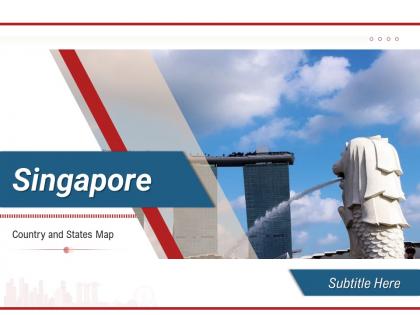
Slide 1: This slide is titled “ Singapore - Country and States Map” Add your subtitle and proceed.
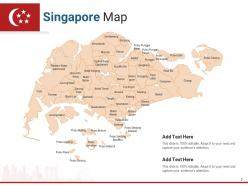
Slide 2: This slide is titled “Singapore Map.” It shows various states of the country.
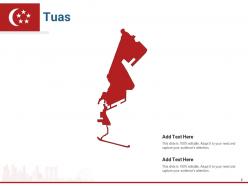
Slide 3: This slide is titled “Tuas Map.”
Slide 4: This slide is titled “Tuas.” Add details about the city in this template.
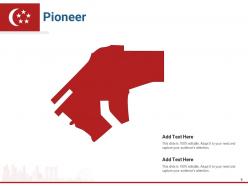
Slide 5: This slide is titled “Pioneer Map.”
Slide 6: This slide is titled “Pioneer.” Add details about the city in this template.
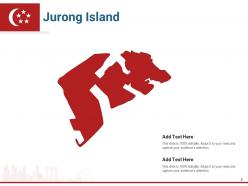
Slide 7: This slide is titled “Jurong Island Map.”
Slide 8: This slide is titled “Jurong Island.” Add details about the city in this template.
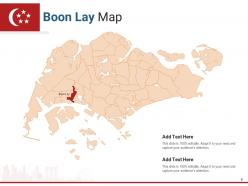
Slide 9: This slide is titled “Boon Lay Map.”
Slide 10: This slide is titled “Boon Lay.” Add details about the city in this template.
Slide 11: This slide is titled “Western Water Catchment Map.”
Slide 12: This slide is titled “Western Water Catchment.” Add details about the city in this template.
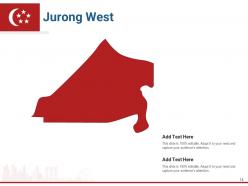
Slide 13: This slide is titled “Jurong West Map.”
Slide 14: This slide is titled “Jurong West.” Add details about the city in this template.
Slide 15: This slide is titled “Choa Chu Kang Map.”
Slide 16: This slide is titled “Choa Chu Kang.” Add details about the city in this template.
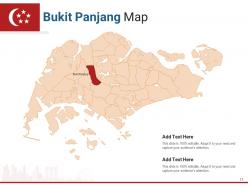
Slide 17: This slide is titled “Bukit Panjang Map.”
Slide 18: This slide is titled “Bukit Panjang.” Add details about the city in this template.
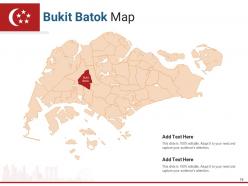
Slide 19: This slide is titled “Bukit Batok Map.”
Slide 20: This slide is titled “Bukit Batok.” Add details about the city in this template.
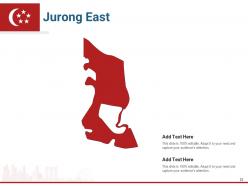
Slide 21: This slide is titled “Jurong East Map.”
Slide 22: This slide is titled “Jurong East.” Add details about the city in this template.
Slide 23: This slide is titled “Clementi Map.”
Slide 24: This slide is titled “Clementi.” Add details about the city in this template.
Slide 25: This slide is titled “Bukid Timah Map.”
Slide 26: This slide is titled “Bukid Timah.” Add details about the city in this template.
Slide 27: This slide is titled “Queenstown Map.”
Slide 28: This slide is titled “Queenstown.” Add details about the city in this template.
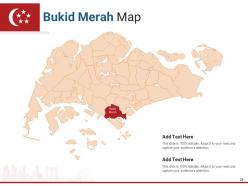
Slide 29: This slide is titled “Bukid Merah Map.”
Slide 30: This slide is titled “Bukid Merah.” Add details about the city in this template.
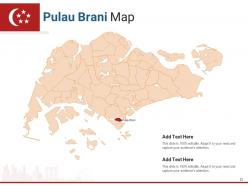
Slide 31: This slide is titled “Pulau Brani Map.”
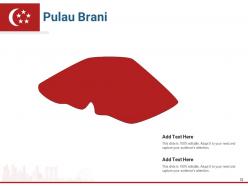
Slide 32: This slide is titled “Pulau Brani.” Add details about the city in this template.
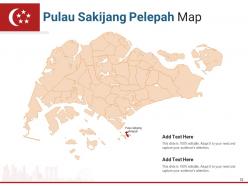
Slide 33: This slide is titled “Pulau Sakijang Pelepah Map.”
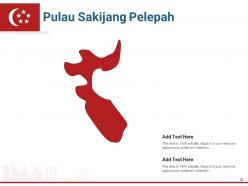
Slide 34: This slide is titled “Pulau Sakijang Pelepah.” Add details about the city in this template.
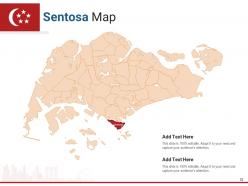
Slide 35: This slide is titled “Sentosa Map.”
Slide 36: This slide is titled “Sentosa.” Add details about the city in this template.
Slide 37: This slide is titled “Pulau Sakijang Bendera Map.”
Slide 38: This slide is titled “Pulau Sakijang Bendera.” Add details about the city in this template.
Slide 39: This slide is titled “Pulau Sebarok Map.”
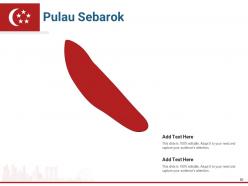
Slide 40: This slide is titled “Pulau Sebarok.” Add details about the city in this template.
Slide 41: This slide is titled “Pulau Bukum Map.”
Slide 42: This slide is titled “Pulau Bukum.” Add details about the city in this template.
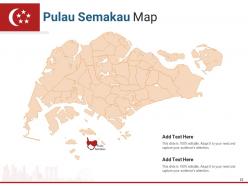
Slide 43: This slide is titled “Pulau Semakau Map.”
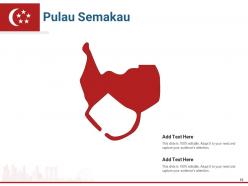
Slide 44: This slide is titled “Pulau Semakau.” Add details about the city in this template.
Slide 45: This slide is titled “Pulau Busing Map.”
Slide 46: This slide is titled “Pulau Busing.” Add details about the city in this template.
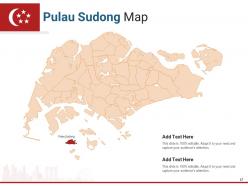
Slide 47: This slide is titled “Pulau Sudong Map.”
Slide 48: This slide is titled “Pulau Sudong.” Add details about the city in this template.
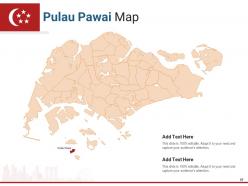
Slide 49: This slide is titled “Pulau Pawai Map.”
Slide 50: This slide is titled “Pulau Pawai.” Add details about the city in this template.
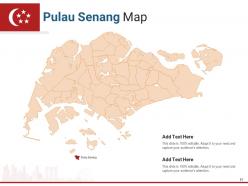
Slide 51: This slide is titled “Pulau Senang Map.”
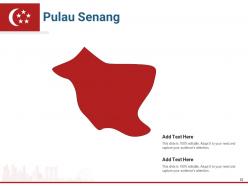
Slide 52: This slide is titled “Pulau Senang.” Add details about the city in this template.
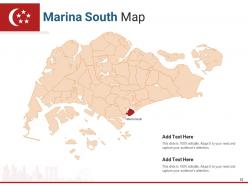
Slide 53: This slide is titled “Marina South Map.”
Slide 54: This slide is titled “Marina South.” Add details about the city in this template.
Slide 55: This slide is titled “Marina Parade Map.”
Slide 56: This slide is titled “Marina Parade.” Add details about the city in this template.
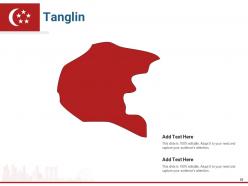
Slide 57: This slide is titled “Tanglin Map.”
Slide 58: This slide is titled “Tanglin.” Add details about the city in this template.
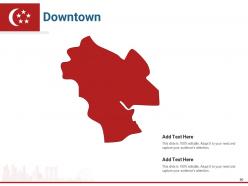
Slide 59: This slide is titled “Downtown Map.”
Slide 60: This slide is titled “Downtown.” Add details about the city in this template.
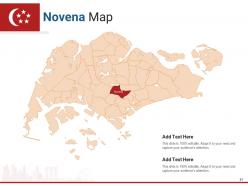
Slide 61: This slide is titled “Novena Map.”
Slide 62: This slide is titled “Novena.” Add details about the city in this template.
Slide 63: This slide is titled “Kallang Map.”
Slide 64: This slide is titled “Kallang.” Add details about the city in this template.
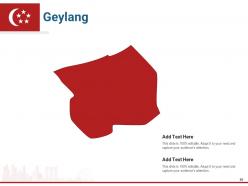
Slide 65: This slide is titled “Geylang Map.”
Slide 66: This slide is titled “Geylang.” Add details about the city in this template.
Slide 67: This slide is titled “Bedok Map.”
Slide 68: This slide is titled “Bedok.” Add details about the city in this template.
Slide 69: This slide is titled “Serangoon Map.”
Slide 70: This slide is titled “Serangoon.” Add details about the city in this template.
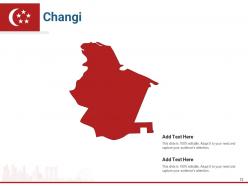
Slide 71: This slide is titled “Changi Map.”
Slide 72: This slide is titled “Changi.” Add details about the city in this template.
Slide 73: This slide is titled “Bishan Map.”
Slide 74: This slide is titled “Bishan.” Add details about the city in this template.
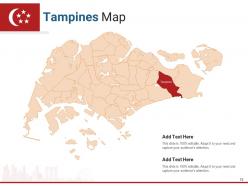
Slide 75: This slide is titled “Tampines Map.”
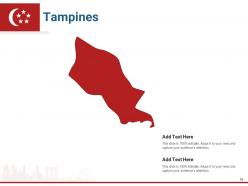
Slide 76: This slide is titled “Tampines.” Add details about the city in this template.
Slide 77: This slide is titled “Paya Lebar Map.”
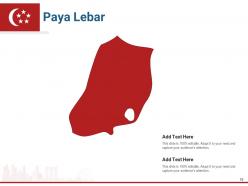
Slide 78: This slide is titled “Paya Lebar.” Add details about the city in this template.
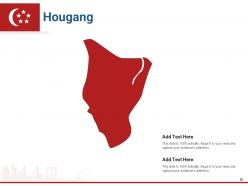
Slide 79: This slide is titled “Hougang Map.”
Slide 80: This slide is titled “Hougang.” Add details about the city in this template.
Slide 81: This slide is titled “Ang Mo Kio Map.”
Slide 82: This slide is titled “Ang Mo Kio.” Add details about the city in this template.
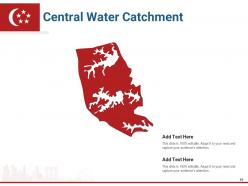
Slide 83: This slide is titled “Central Water Catchment Map.”
Slide 84: This slide is titled “Central Water Catchment.” Add details about the city in this template.
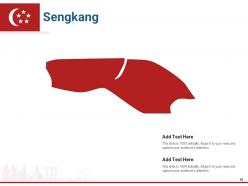
Slide 85: This slide is titled “Sengkang Map.”
Slide 86: This slide is titled “Sengkang.” Add details about the city in this template.
Slide 87: This slide is titled “Seletar Map.”
Slide 88: This slide is titled “Seletar.” Add details about the city in this template.
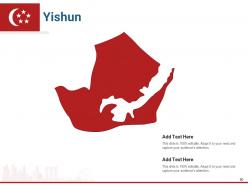
Slide 89: This slide is titled “Yishun Map.”
Slide 90: This slide is titled “Yishun.” Add details about the city in this template.
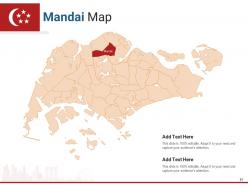
Slide 91: This slide is titled “Mandai Map.”
Slide 92: This slide is titled “Mandai.” Add details about the city in this template.
Slide 93: This slide is titled “Woodlands Map.”
Slide 94: This slide is titled “Woodlands.” Add details about the city in this template.
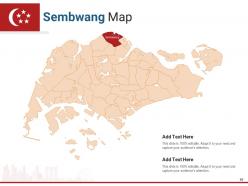
Slide 95: This slide is titled “Sembwang Map.”
Slide 96: This slide is titled “Sembwang.” Add details about the city in this template.
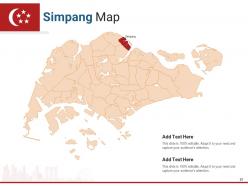
Slide 97: This slide is titled “Simpang Map.”
Slide 98: This slide is titled “Simpang.” Add details about the city in this template.
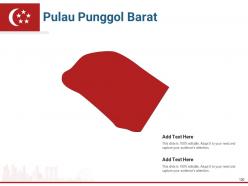
Slide 99: This slide is titled “Pulau Punggol Barat Map.”
Slide 100: This slide is titled “Pulau Punggol Barat.” Add details about the city in this template.
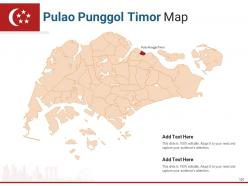
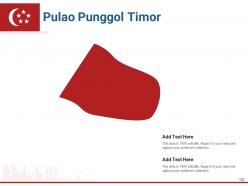
Slide 101: This slide is titled “Pulao Punggol Timor Map.”
Slide 102: This slide is titled “Pulao Punggol Timor.” Add details about the city in this template.
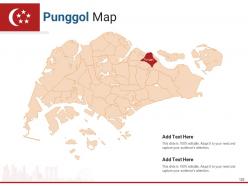
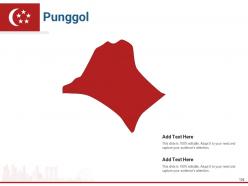
Slide 103: This slide is titled “Punggol Map.”
Slide 104: This slide is titled “Punggol.” Add details about the city in this template.
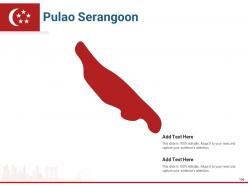
Slide 105: This slide is titled “Pulao Serangoon Map.”
Slide 106: This slide is titled “Pulao Serangoon.” Add details about the city in this template.
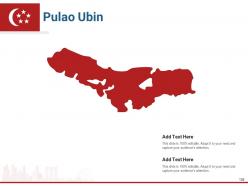
Slide 107: This slide is titled “Pulao Ubin Map.”
Slide 108: This slide is titled “Pulao Ubin.” Add details about the city in this template.
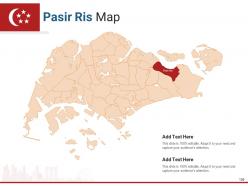
Slide 109: This slide is titled “Pasir Ris Map.”
Slide 110: This slide is titled “Pasir Ris.” Add details about the city in this template.
Slide 111: This slide is titled “Pulau Tekong Map.”
Slide 112: This slide is titled “Pulau Tekong.” Add details about the city in this template.
Slide 113: This is a Thank You slide where details such as the address, contact number, and email address are added.
Singapore country and states map powerpoint template with all 113 slides:
Use our Singapore Country And States Map Powerpoint Template to effectively help you save your valuable time. They are readymade to fit into any presentation structure.















































FAQs for Singapore country and states
A comprehensive Singapore map template should include major districts like Marina Bay and Orchard Road, key landmarks such as Marina Bay Sands and Sentosa Island, transportation hubs including Changi Airport and MRT stations, and customizable data visualization layers. These elements enable businesses to effectively communicate market strategies, regional operations, and demographic insights, with many organizations finding that detailed geographic templates enhance stakeholder understanding and strategic decision-making across sectors.
A Singapore map template can effectively highlight key tourist attractions through strategic color coding, custom icons for landmarks like Marina Bay Sands and Gardens by the Bay, clustered zone organization, and interactive features. These design elements streamline visitor navigation by providing clear visual hierarchies, intuitive wayfinding systems, and comprehensive attraction details, ultimately enhancing tourist experiences while enabling tourism businesses to deliver more engaging, informative services.
**INPUT**: What color schemes work best for a professional Singapore map presentation? **OUTPUT**: Professional Singapore map presentations work best with neutral color schemes like navy and gray combinations, monochromatic blues, or classic black and white palettes that maintain clarity and readability. These strategic color choices enhance data visualization while ensuring accessibility across different viewing environments, with many organizations finding that conservative palettes deliver stronger credibility and focus audience attention on key geographical insights. [Word count: 60]
Custom icons enhance Singapore map template clarity by replacing generic markers with intuitive, culturally relevant symbols that instantly communicate location types, districts, and key landmarks. Through strategically designed icons representing MRT stations, financial districts, cultural sites, and commercial zones, viewers can quickly navigate complex geographical information while reducing cognitive load, ultimately delivering more engaging presentations that resonate with both local and international audiences familiar with Singapore's distinctive urban landscape.
**INPUT**: What are the best practices for labeling regions within a Singapore map template? **OUTPUT**: Best practices include using consistent font sizing, strategic color coding for different districts, clear hierarchical labeling for regions and neighborhoods, proper spacing to avoid overcrowding, and maintaining readability across various presentation formats. These approaches enhance audience comprehension by ensuring visual clarity, geographic accuracy, and professional presentation standards, with many organizations finding that well-labeled regional maps significantly improve stakeholder understanding and decision-making processes. **Word count: 60 words**
Interactive features can be integrated into digital Singapore map templates through clickable district overlays, hover-activated data pop-ups, zoom functionality, and embedded multimedia content like videos or infographics. These elements enhance user engagement by enabling dynamic exploration of neighborhoods, transportation networks, and business districts, ultimately delivering more immersive presentations and better audience comprehension.
Data visualizations that complement Singapore map templates include heat maps, demographic overlays, transportation flow charts, zoning indicators, and population density graphics. These visualizations enhance urban planning by displaying traffic patterns, residential distributions, and infrastructure utilization across districts like Marina Bay and Jurong, ultimately enabling planners to make data-driven decisions for sustainable city development.
A Singapore map template can be tailored for educational purposes by adding interactive elements like district labels, landmark icons, historical markers, population data overlays, and transportation network highlights. These customized maps enhance geography lessons, social studies projects, and cultural education programs, with many schools finding that visual learning tools significantly improve student engagement and knowledge retention across diverse curriculum subjects.
Creating Singapore map templates for multi-lingual audiences presents challenges including text spacing constraints, font compatibility across languages, cultural color interpretations, and maintaining visual hierarchy with varying text lengths. These design considerations require strategic layout planning, scalable typography solutions, and cultural sensitivity testing, with many international organizations finding that flexible template architectures ultimately deliver better user engagement and broader accessibility.
Different industries leverage Singapore map templates to visualize regional strategies, market penetration, and operational coverage across the city-state's districts and business hubs. Financial services firms use them for branch locations and market analysis, while logistics companies showcase distribution networks and supply chain optimization, ultimately delivering clearer stakeholder communication and strategic planning advantages.
**INPUT**: What software tools are recommended for designing a Singapore map template? **OUTPUT**: Recommended software tools include Adobe Illustrator, CorelDRAW, Canva Pro, PowerPoint, and specialized GIS applications like ArcGIS. These platforms enable designers to create scalable vector graphics, customize geographical details, and integrate data visualizations, with many businesses finding that combining design software with GIS tools delivers enhanced accuracy and professional presentation capabilities. [Word count: 54 words]
A Singapore map template illustrates transportation networks effectively by incorporating layered visual elements, color-coded route systems, interactive connectivity points, and clear geographical landmarks for context. Through strategic use of icons, contrasting colors, and scalable design features, organizations can showcase MRT lines, bus routes, and major highways seamlessly, ultimately delivering comprehensive transit visualization that enhances urban planning presentations and stakeholder communication.
**INPUT**: What historical landmarks should be emphasized in a Singapore map template? **OUTPUT**: Key historical landmarks for Singapore map templates include Raffles Landing Site, Fort Canning Park, Chinatown Heritage Centre, Kampong Glam, and the Colonial District. These culturally significant locations enhance presentations by providing geographical context, supporting tourism strategies, and enabling stakeholders to visualize Singapore's rich multicultural heritage, ultimately delivering more engaging and educational content for diverse audiences. [Word count: 58 words]
Geographic scales significantly impact Singapore map template usability by determining detail levels, visual clarity, and practical applications for different audiences. Large-scale templates work well for urban planning and detailed neighborhood analysis, while small-scale versions suit national overviews and regional comparisons, with many businesses finding that choosing appropriate scales enhances presentation effectiveness and audience comprehension.
**INPUT**: What accessibility features should be considered in a Singapore map template? **OUTPUT**: Singapore map templates should incorporate high contrast color schemes, screen reader compatibility, alternative text descriptions, scalable fonts, and keyboard navigation support. These accessibility features enhance usability by ensuring visual clarity for color-blind users, enabling voice navigation for visually impaired audiences, and providing intuitive interaction methods, ultimately delivering inclusive experiences that meet diverse organizational needs and regulatory compliance standards.
-
Great quality slides in rapid time.