

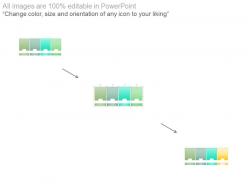
Sprint schedule two week sprints timeline ppt slides





Try Before you Buy Download Free Sample Product
 Impress Your
Audience
 100%
Editable
 Save Hours
of Time


Adopt a fresh approach with our Sprint Schedule Two Week Sprints Timeline Ppt Slides. Come up with contemporary concepts.
People who downloaded this PowerPoint presentation also viewed the following :
Sprint schedule two week sprints timeline ppt slides with all 5 slides:
Certify future growth with our Sprint Schedule Two Week Sprints Timeline Ppt Slides. Ensure your current actions are correct.



FAQs for Sprint schedule two week sprints
Start with sprint goals and user stories - break those down into actual tasks your team can tackle. Daily standups are obvious, but block out time for reviews and retros too. Capacity planning saves your ass later when deadlines get tight. Buffer time is non-negotiable because literally everything takes 30% longer than you think it will. Dependencies between tasks? Map those out early or you'll hate yourself. Keep your definition of done visible so there's no confusion about what "finished" means. Honestly, just pick a basic template and tweak it as you figure out what clicks with your team.
Dude, color coding is a game changer - blue for dev work, green for testing, red for anything blocking progress. Gantt charts show dependencies way better than boring spreadsheets (seriously, I've watched entire teams zone out staring at Excel). Progress bars and little avatars make everything scannable. Your sprint reviews will actually make sense instead of people just pretending to follow along. Jira's timeline view works great, or honestly even a simple visual board beats text lists every time. People get it instantly when they can see what's happening.
Jira, Azure DevOps, or Linear are your best bets - they're made for agile stuff and handle sprints really well. Google Sheets always seems tempting but trust me, it turns into a nightmare pretty quickly. These proper tools let you set up sprints, assign story points, and get those burndown charts without pulling your hair out. Trello works fine too if you're a smaller team, though you might need some add-ons. Honestly the most important thing? Just pick whatever everyone will actually use. I've seen teams choose the "perfect" tool that half the people ignore.
Start with the "why" before jumping into tasks. Walk everyone through your sprint goal, then show how each item connects back to it. People need to see the bigger picture, you know? Don't just read through a boring grocery list - pause for questions and actually wait for answers. If someone looks lost, call it out. I'd also mention any blockers or dependencies right up front so teams aren't scrambling later. Honestly, the best sprint meetings feel more like conversations than presentations where one person just talks at everyone.
Dude, don't overpack your sprints - that's the
-
Great product with effective design. Helped a lot in our corporate presentations. Easy to edit and stunning visuals.
-
Excellent design and quick turnaround.