


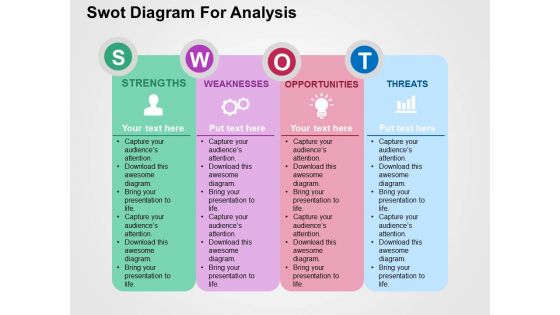
Swot diagram for analysis flat powerpoint design





Try Before you Buy Download Free Sample Product
 Impress Your
 Audience
 100%
100% Editable
 Save Hours
 of Time


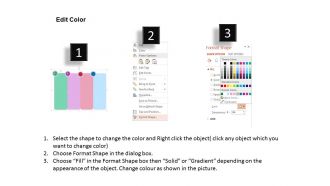
Do you want to maintain your competitive edge in the market place? Then use our pre built SWOT diagram for analysis flat PowerPoint design structure which will help you obtain a competitive advantage over other competitors. With this sample PPT design you will able to represent your internal external factors of the company which affects it’s functioning through the productive use of this SWOT analysis tool. You can use our PowerPoint slide to describe that the process of SWOT analysis will bring circumstances where it helps in strengthen the different teams of the organization to work together which will automatically results in business progress. Further this Presentation layout will help in realizing the fact that it will help in rise of your structure by enhancing the interest of your existing and potential investors and customers and also helps in controlling or evaluating the various aspects of your stream. So start functioning over this exclusive PPT image design.Get time on your hands with our Swot Diagram For Analysis Flat Powerpoint Design. Feel free to focus on crucial aspects.
People who downloaded this PowerPoint presentation also viewed the following :
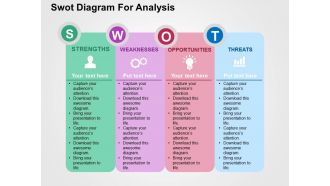
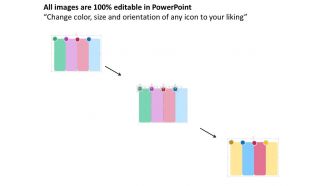
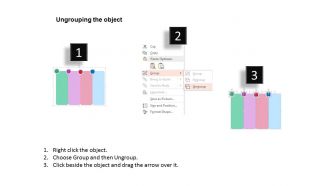
Swot diagram for analysis flat powerpoint design with all 4 slides:
Our Swot Diagram For Analysis Flat Powerpoint Design enable commercial discoveries. They familiarize you with different cultures.
FAQs for Swot diagram for analysis
You'll want four basic sections for strengths, weaknesses, opportunities, and threats. Bullet points work great for listing everything out. Internal stuff like strengths/weaknesses go on one side, external factors on the other. I always throw in some color coding or little icons - honestly makes such a difference when you're presenting. Don't cram everything together either. White space is your friend when stakeholders are staring at your slides. Oh, and definitely add a summary slide after showing the main SWOT. Pick your top 2-3 items from each section to highlight there.
Honestly, good SWOT templates are a game changer. They keep everyone focused instead of wandering off into random tangents - you know how meetings go. The visual structure guides people through your logic step by step, hitting all four areas evenly. Way better than messy bullet points everywhere. Your stakeholders can actually follow the big picture without drowning in details. Oh, and grab one with decent contrast and clean fonts. Makes you look like you've got your act together instead of slapping something together last minute. Trust me on this one.
Biggest mistake? Being way too vague - like putting "good team" without explaining WHY they're good. You need specifics that actually mean something. Also don't cram everything on one slide because nobody can read that tiny font (trust me on this one). Stick to 3-5 points per section max. Oh, and here's what drives me nuts - people create these beautiful SWOT charts that just... sit there. Connect your analysis to real decisions or next steps. Otherwise you're just making pretty slides that'll get buried in someone's inbox forever.
Honestly, visuals are a game-changer for SWOT slides. Nobody wants to stare at walls of bullet points - your brain just glazes over. Color-coding each section helps people scan quickly. I usually do green/blue for the good stuff (strengths and opportunities) and red/orange for threats and weaknesses. Icons work great too, just don't go overboard. The contrast makes it super obvious what's helping vs. hurting your business. Charts and clean formatting guide people through your thinking instead of making them hunt for the important bits. Trust me, your audience will actually pay attention instead of checking their phones.
So basically, companies just tweak SWOT templates to fit what matters in their world. Healthcare ones zero in on regulations and patient stuff. Tech focuses on innovation and disruption - you know the drill. Retail gets super specific about seasonal trends, which honestly can get way too detailed sometimes. Visual-wise, banks stick with boring blues and grays while creative agencies go wild with colors. Just grab a basic template and customize the questions around what actually drives your industry. Way easier than starting from scratch.
Honestly, just use a template. I tried making my own SWOT slides once and it was a disaster - spent like 3 hours on colors alone. Templates give you those clean, professional layouts that actually make your analysis readable. You'll have consistent formatting without thinking about it. Most come with helpful sections too, so you won't forget important stuff. The best part? You can focus on your actual content instead of wrestling with design. Just grab one that looks decent and throw your company colors on it. Takes minutes instead of half your day.
Honestly, templates are a lifesaver for team stuff. Everyone works in the same format so you don't lose half your ideas in those chaotic brainstorming sessions. You can split up sections - like give someone strengths while another person tackles threats. Everything merges together easily since you're all using the same structure. Also looks way more professional when you're presenting. People actually focus on your analysis instead of getting distracted by wonky formatting. Oh, and definitely share the template beforehand so everyone knows what they need to fill out. Trust me on this one.
Make your SWOT template super flexible - drag-and-drop text boxes, different color options, that kind of thing. Some teams want bullet points everywhere while others are more visual, so give them layout choices. Honestly the hardest part is making it look good without spending forever on formatting (learned that the hard way). Throw in light and dark themes, space for company logos, maybe some sample text so people aren't staring at blank boxes. Keep it simple enough for quick edits but polished enough if your boss wants to show the CEO. Basic four-square design is your friend here.
Definitely back up each part with real numbers instead of just throwing out random statements. Like for strengths, use actual stats - "25% market share growth" or "4.2/5 customer satisfaction." Weaknesses hit way harder when you show the gap - "competitors respond in 2 hours, we take 8." Charts and graphs are clutch because execs eat that visual stuff up (plus it saves you from wall-of-text slides). For opportunities and threats, dig into market research to show how big the impact could be. Oh and make sure every major point has some kind of number attached. Numbers don't lie.
Definitely customize the categories first—like "Market Gaps" instead of boring "Opportunities" if that fits better. Match your brand colors too so it doesn't look like some random template you grabbed online. Here's the thing though: don't try to stuff everything in there! Stick to 3-4 solid points per section max. Get your team involved when you're filling it out. Trust me, their input beats whatever you'd come up with alone. Oh and make sure it's actually useful for decisions, not just something pretty to show in meetings.
Oh man, this is so true! Americans love that "aggressive growth" talk, but Germans will think you're totally reckless - they're all about planning everything out. Your partnership weaknesses? Asian stakeholders won't care as much since they're playing the long game anyway. Even something dumb like using red in your slides can backfire - means danger here but good luck in China. I learned this the hard way once. You've got to read the room and frame things differently, not just swap out words. Short version: same data, totally different spin depending on who's listening.
Canva's your go-to here - tons of SWOT templates and you won't hate yourself trying to figure it out. Adobe stuff like Illustrator gives you way more options but honestly, do you really want to spend three hours learning that right now? PowerPoint's Smart Art isn't terrible either if you're already living in Microsoft land. Even basic changes help a lot. Ditch the bullet points, throw in some color coding. I always think removing clutter makes everything look 10x better. Start with Canva and see how it goes.
Honestly, color psychology works great for SWOT analysis! I always go with green for strengths - makes sense, right? Red draws attention to weaknesses perfectly. Blue works well for opportunities since it feels trustworthy and forward-looking. For threats, try orange or yellow - they grab attention without being too scary like red would be. I've definitely seen people use every color imaginable and it's just... a lot. Stick to your four main colors, maybe use different shades for sub-points if you need hierarchy. Just make sure everything's readable - some color combos look pretty but you can't actually read them!
Your SWOT analysis doesn't have to be a snooze-fest. Turn it into a story instead! Like, don't just say "Strong brand recognition" - talk about how that brand power actually saved your ass during the last recession and why it matters now. Our brains love stories way more than bullet points anyway. Connect your strengths to real situations people lived through. Show how weaknesses could bite you later. I always structure mine as past, present, future - it just flows better. Makes stakeholders actually see where you're headed instead of glazing over another PowerPoint deck.
Honestly, just bake the feedback right into your SWOT template from day one. Add comment boxes after each section and set up those quarterly check-ins - trust me, things shift way faster than people think. I always throw in a "feedback parking lot" slide too, gives people somewhere to dump random thoughts during presentations. Schedule regular reviews where your team can actually challenge the assumptions (this part's crucial). Otherwise you're just crossing your fingers that someone will speak up. Oh, and make sure you're updating findings as you go - stale SWOT analysis is pretty much useless.
-
Informative design.
-
Appreciate the research and its presentable format.