

Vision and mission powerpoint images






Try Before you Buy Download Free Sample Product
 Impress Your
 Audience
 100%
100% Editable
 Save Hours
 of Time


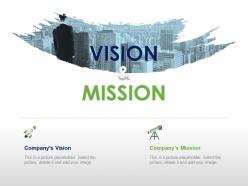
Clearly state your company’s mission and vision with Vision and mission PowerPoint images. Put forth your idea of a successful action plan using our successful vision statement PPT slide. Tell the audience about your mission vision values in in detail with the help of our mission and vision statement. Encounter the challenges and opportunities in your organization for improving productivity and meeting business goals. Discuss about the challenges you need to overcome to reach the goal. Help your teammates get an insight of working together towards a common aim. Use this Company vision statement PPT layout as a vehicle to communicate your vision statement with precision. A purpose of vision statement is to attract customers and employees to your company. Inspire your employees with internal branding using this Business vision PPT template. Encourage top talent to work for your company. Curate a high quality, professional PowerPoint presentation in less amount of time. Get this ready to use Vision statement PowerPoint template to make an effective business presentation. Elaborate on the advantages of insurance with our Vision And Mission Powerpoint Images. Explain how it helps absorb the impact of accidents.
People who downloaded this PowerPoint presentation also viewed the following :
Vision and mission powerpoint images with all 5 slides:
Achieve abundant growth with our Vision And Mission Powerpoint Images. It will exceed your imagination.
FAQs for Vision and
You want three main things: clarity, inspiration, and specifics. Paint a picture of where you're heading with your vision - that's the big future dream. Your mission is different - it's what you actually do and who you serve. Keep both short enough that people can remember them (seriously, no one's memorizing a novel). Put each on its own slide so they stand out. Use clean fonts that are easy to read. Oh, and ditch the corporate speak - nobody talks like that in real life. Your audience will connect way better with language that feels genuine. Trust me, giving each statement its own moment makes a huge difference in how people absorb them.
Honestly, templates are lifesavers because they make you actually organize your thoughts instead of dumping everything into some massive paragraph nobody will read. The visual layout does most of the work - clean spacing, clear sections, proper hierarchy. It's like having guardrails that force you to break complex ideas into digestible chunks. I've watched companies bury their mission statements in walls of text that just get completely ignored. With templates, you have to think about what really matters and present it clearly. Just pick one that fits your company's style and you'll be amazed how much more your team connects with the messaging.
Keep it super clean - white space is your friend here. Stick to maybe 2-3 colors and boring fonts like Arial (trust me on this). I've watched so many people tank their presentations with crazy graphics that nobody could even read. Your mission statement is the main event, not some wild background. Make important stuff bigger or bolder so it stands out. Oh, and definitely test it on a projector first - what looks good on your laptop might be tiny from the back of the room. Simple shapes or icons are fine, just don't go overboard.
Oh totally, colors make a huge difference! Blue's your safe bet for trust and stability - most established companies go this route. Green screams growth and innovation. Red's tricky though... super intense for vision statements unless that's exactly the vibe you want. Orange brings optimism, purple feels fancy or artsy. Honestly, I'd probably avoid red personally - feels too aggressive for most mission stuff. Match whatever color to the feeling you're after. Stick to 2-3 colors tops and definitely check how they look on screens vs. printed materials since that can be totally different.
Visuals are honestly a game-changer for these presentations. Mission statements can be so dry on their own - but throw in some good graphics and suddenly people actually get it. I'd focus on maybe 2-3 strong visual metaphors that really hammer home your message. Icons work great for showing values, and infographics can map out where you've been and where you're headed. The thing is, people process images way faster than text. So when you nail the right visual, you get that moment where it all clicks for your audience. Plus they'll actually remember what you said later, which is kind of the whole point.
Honestly, just swap out their colors for yours and ditch that placeholder logo ASAP. Those stock photos are dead giveaways - they're so cheesy and fake looking. Replace them with actual photos from your business or at least something that doesn't scream "generic corporate template." Don't forget to change the fonts to match what you normally use. The spacing will probably need tweaking too since your real content won't be the exact same length as their dummy text. Oh, and definitely rewrite their copy to sound like how you'd actually talk to customers.
Ugh, don't make your vision/mission slides super wordy! People zone out when there's too much text. Also avoid that generic corporate-speak garbage - you know, the stuff that sounds like literally every other company. I've sat through presentations where it's just buzzword after buzzword and honestly? Everyone's phones come out. Keep your language specific to what you actually do. One concept per slide works way better than cramming everything together. Oh and those cheesy stock photos of handshakes? Skip 'em. Clean design lets your words shine instead.
Okay so here's what works - start with the actual problem you're trying to solve, like tell the real story behind why your company exists. People usually check out during vision/mission stuff (honestly, who can blame them?). But if you frame it as a journey from where things suck now to where they could be amazing, that's way more interesting. Throw in some actual examples - maybe a customer story or that moment your founder had the lightbulb idea. Oh, and definitely connect it back to how everyone in the room fits into this bigger picture. Try starting with "What if..." - it pulls people in right away.
Honestly, less is more with these presentations. Fade-ins are perfect for revealing key phrases gradually - keeps people engaged without being cheesy. I love using gentle zoom effects on important concepts, and wipe transitions between slides feel super clean. But seriously, avoid anything bouncy or flashy. Those presentations need to feel authoritative, not like a kid's birthday slideshow. The "appear" animation with delays between bullet points works really well too. Oh, and slow down your timing! When you rush animations, you totally kill the gravitas these things need.
Oh man, those templates are actually super helpful for getting your team aligned. They force everyone to be specific instead of just throwing around vague buzzwords - which honestly happens way too much in most companies. Something about the visual layout makes it click better than those never-ending email chains about strategy. When you run a workshop and have people fill one out together, it's crazy how fast you'll spot where people aren't on the same page. Plus everyone starts using the same vocabulary around priorities. I'd definitely try the collaborative approach - people get genuinely excited when they see it all mapped out together.
Build feedback collection right into your slides - use PowerPoint's polling feature or embed quick forms asking about clarity and company alignment. Halfway through, throw in a "temperature check" slide (honestly, people eat those up). Then do breakout discussions so small groups can dig deeper into each piece. Ask targeted stuff like "Does this vision feel achievable?" instead of the dreaded "Any thoughts?" question that kills rooms. The whole point is making it structured so you're not sitting there in awkward silence waiting for someone to speak up.
Honestly, templates are a game-changer for this stuff. You'll save so much time not having to mess with fonts and colors every single time. Brand recognition is huge too - when people see that consistent look, they connect it with your company's values. I've watched teams where everyone just grabs whatever template looks decent, and wow, it's a hot mess. Makes the whole org look amateur. Your message hits different when it looks professional and polished. Oh, and credibility goes way up. Just find one template that works and use it for all your vision/mission presentations.
Okay so templates are honestly a game-changer for making your vision/mission talks more inclusive. Good ones already have high contrast colors, readable fonts, and room for multiple languages - way better than trying to fix accessibility issues after the fact (trust me on this one). Look for templates that let people contribute in different ways too. Some folks prefer visual input, others need to write it out or talk through ideas. I'd start by checking what you're using now and maybe swap out the worst offenders? The ones that prompt different communication styles work best since everyone processes things differently.
Honestly, everyone's going full minimalist now - clean backgrounds with your mission statement as the main focus. Thank god those cringey stock photos of people shaking hands are dying out. Teams are using actual photos of themselves instead, which feels way more real. Interactive stuff is pretty key too, especially for virtual presentations. Clickable sections, text animations, that sort of thing. Oh, and color choices are getting more thoughtful - less generic corporate blue, more colors that actually match what the company stands for. You should definitely check out some B-corp presentations for ideas on authentic storytelling.
Honestly, the best way is checking both immediate stuff and what happens weeks later. Watch how people react during your presentation - are they actually engaged in Q&A or just staring at their phones? Then see if they remember your main points afterward. But here's what really matters: do people start making decisions that reflect those values? I'd set up surveys asking if they understand where the company's headed, plus track how often they bring up the vision in regular meetings. Oh, and can they explain it back to you in their own words? That's huge. Do a follow-up survey maybe 6-8 weeks later to see what actually stuck around.
-
Thanks for all your great templates they have saved me lots of time and accelerate my presentations. Great product, keep them up!
-
Innovative and attractive designs.