

Web Development Introduction Powerpoint Presentation Slides





Try Before you Buy Download Free Sample Product
 Impress Your
 Audience
 100%
100% Editable
 Save Hours
 of Time


Website development is the vital key for businesses today that makes things happen in real. It makes the public aware of your product or service or offerings and guides them in how you are better than your competitors. Check out our competently designed template on Web Development Introduction that will assist companies in pitching potential customers with a well-compiled proposal on web development, including details on the companys services, team, etc. Incorporating this ready-to-use template, you can present an overview of your web development company, its strengths, and the reasons for customers to avail services from you. In addition, this will let you showcase the different techniques that you utilize for website development. Also, you can familiarize customers with the various Content Management Systems that your company offers, such as WordPress, Joomla, etc. Moreover, the proposal will cover the languages, frameworks, and tools you use for page growth. Further, the introduction deck illustrates the steps of the web development process, a training program for IT departments, a checklist for effective development, and a timeline for projects. Lastly, the template comes with a roadmap and a dashboard to measure the performance of the IT projects. Download our readily-available web development ppt, make modifications as per your specific requirements, and you are good to go.
People who downloaded this PowerPoint presentation also viewed the following :
Content of this Powerpoint Presentation
Slide 1: This slide introduces Web Development Introduction. State Your Company Name and begin.
Slide 2: This slide states Agenda of the presentation.
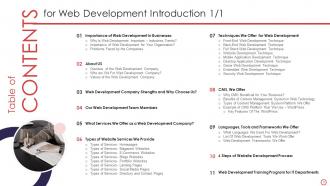
Slide 3: This slide presents Table of Content for the presentation.
Slide 4: This is another slide continuing Table of Content for the presentation.
Slide 5: This slide depicts title for 'Importance of web development in businesses'.
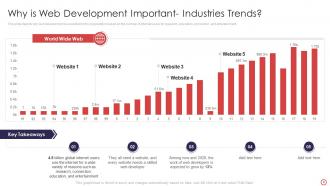
Slide 6: This slide depicts why web development is essential for the organization based on the number of internet users.
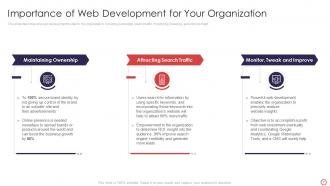
Slide 7: This slide describes why web development is vital for the organization.
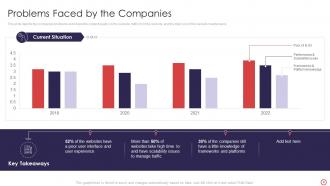
Slide 8: This slide depicts the companies' problems and shows the content quality on the website.
Slide 9: This slide displays title for 'About us'.
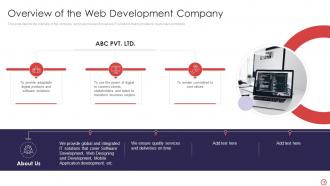
Slide 10: This slide depicts the overview of the company.
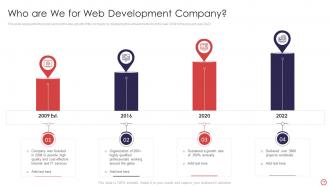
Slide 11: This slide represents the history and continuous growth of the company by displaying the achievements.
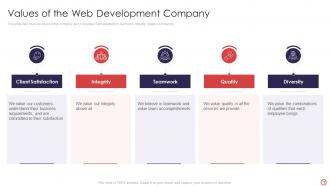
Slide 12: This slide describes the values of the company.
Slide 13: This slide presents title for 'Web development company strengths'.
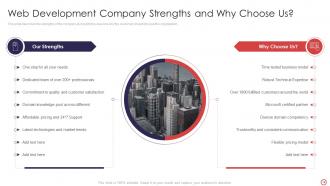
Slide 14: This slide describes the strengths of the company.
Slide 15: This slide exhibits title for 'Our web development team members'.
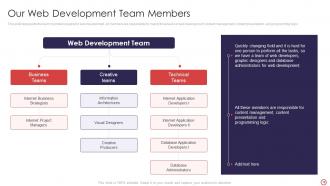
Slide 16: This slide represents the team members required in web development.
Slide 17: This slide depicts title for 'What services we offer as a web development company'.
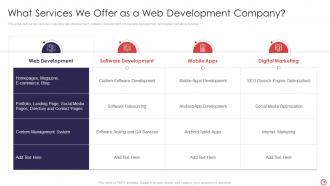
Slide 18: This slide defines our services, including web development, software development, etc.
Slide 19: This slide shows title for 'Types of website services we provide'.
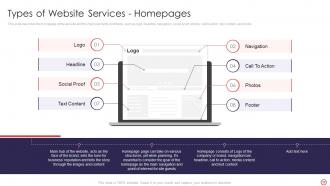
Slide 20: This slide describes the homepage of the website and the main elements it contains, such as logo, headline, etc.
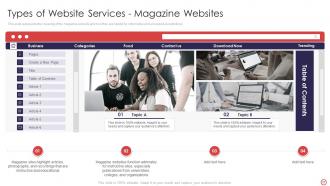
Slide 21: This slide represents the meaning of the magazine website and how they are helpful for informative and educational institutions.
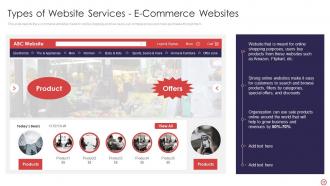
Slide 22: This slide depicts the e-commerce websites made for online shopping and how users can compare prices and make purchases through them.
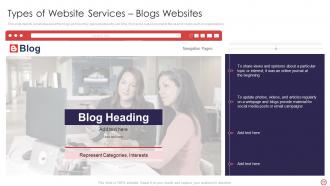
Slide 23: This slide depicts a brief idea about the blogs and how they gained popularity over time.
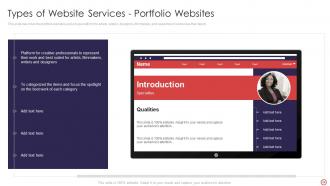
Slide 24: This slide describes the portfolio websites and a huge platform for artists, writers, etc.
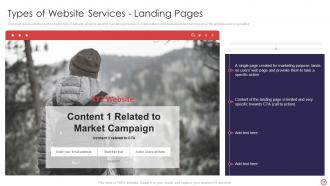
Slide 25: This slide represents the landing pages type of website, which is used for marketing purposes.
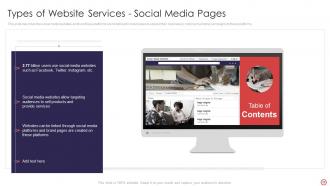
Slide 26: This slide describes the social media websites and how these platforms are beneficial for businesses.
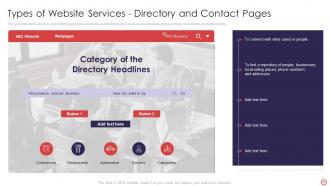
Slide 27: This slide depicts the directory and contact pages type of websites used to find people, businesses, etc.
Slide 28: This slide displays title for 'Techniques we offer for web development'.
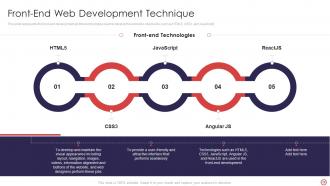
Slide 29: This slide represents the front-end development and the technologies used.
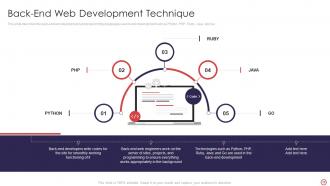
Slide 30: This slide describes the back-end web development and programming languages used in web development.
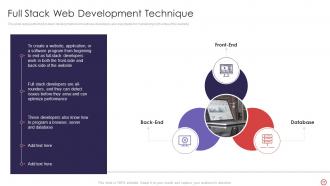
Slide 31: This slide represents the full-stack development and how these developers are responsible for maintaining both sides of the website.
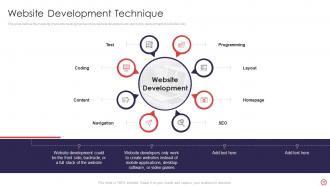
Slide 32: This slide defines the meaning of website development and how website developers are stick to the development of websites only.
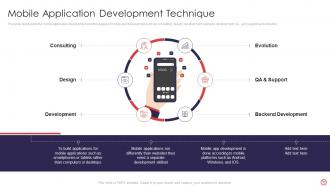
Slide 33: This slide represents the mobile application development and the stages of mobile app development.
Slide 34: This slide describes the desktop application development.
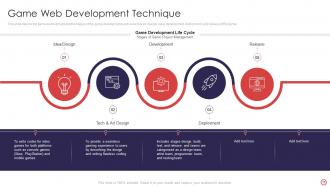
Slide 35: This slide depicts the game development and the stages of the game development.
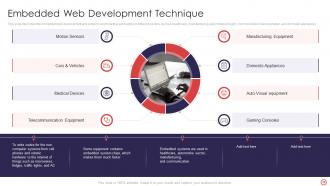
Slide 36: This slide describes the embedded web development and systems and how they are helpful in different sectors.
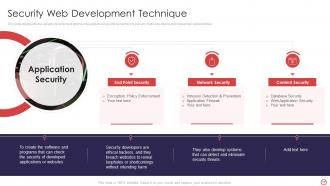
Slide 37: This slide represents the security development and how developers act as ethical hackers.
Slide 38: This slide presents title for 'CMS, we offer'.
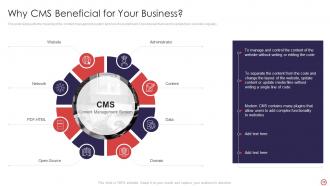
Slide 39: This slide represents the meaning of the content management system and how it is beneficial for businesses.
Slide 40: This slide represents the benefits of using a Content Management System in the organization.
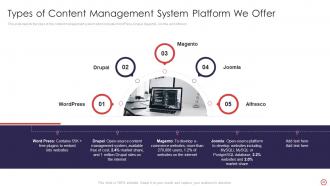
Slide 41: This slide depicts the types of the content management system which includes WordPress, Drupal, etc.
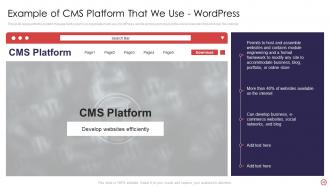
Slide 42: This slide represents the content management system our organization will use, WordPress.
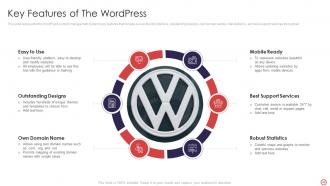
Slide 43: This slide represents the WordPress content management system's key features.
Slide 44: This slide presents title for 'Languages, tools and frameworks we offer'.
Slide 45: This slide describes the languages that are used in web development.
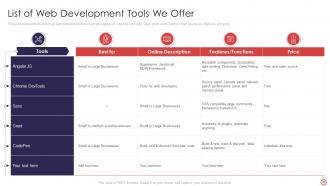
Slide 46: This slide represents the list of top web development tools.
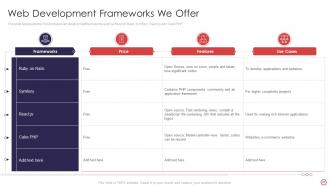
Slide 47: This slide represents the most popular web development frameworks.
Slide 48: This slide exhibits title for '6 steps of website development process'.
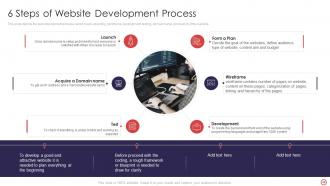
Slide 49: This slide depicts the web development process, and it covers planning, wireframe, etc.
Slide 50: This slide displays title for 'Web development training program for IT department'.
Slide 51: This slide depicts the web development training program.
Slide 52: This slide presents title for 'Our checklist for effective web development'.
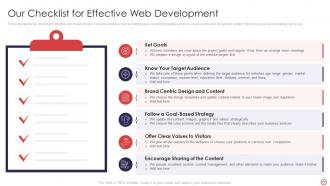
Slide 53: This slide depicts the checklist for effective web development.
Slide 54: This slide displays title for 'Our timeline for web development projects'.
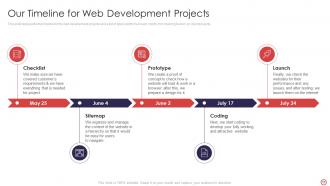
Slide 55: This slide represents the timeline for the web development projects and a list of tasks performed each month.
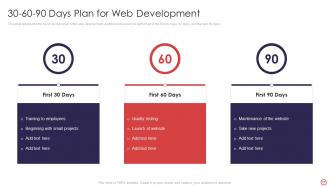
Slide 56: This slide shows title for '30-60-90 days plan for web development'.
Slide 57: This slide represents the 30-60-90 days plan of the web development.
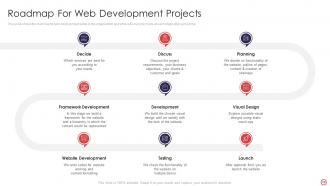
Slide 58: This slide depicts title for 'Our roadmap for web development projects'.
Slide 59: This slide shows the roadmap for web development setup in the organization and what actions to be made at each stage after some time.
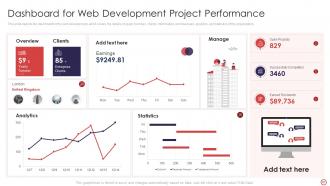
Slide 60: This slide presents title for 'Dashboard for web development project performance'.
Slide 61: This slide depicts the dashboard for the web development, and it covers the details of yearly turnover, clients’ information, etc.
Slide 62: This slide exhibits title for 'Web development introduction'.
Slide 63: This slide represents the meaning of web development and the languages used to develop the website.
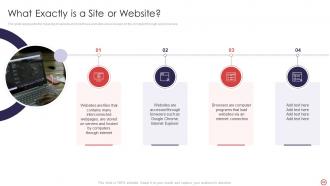
Slide 64: This slide represents the meaning of website and how these websites are accessed on the computer through web browsers.
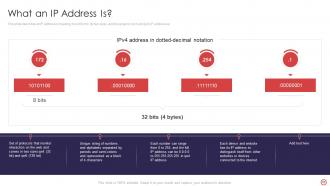
Slide 65: This slide describes an IP address's meaning, how it forms, its two sizes, etc.
Slide 66: This slide depicts the meaning of HTTP and HTTPS, how data is transferred over the internet, etc.
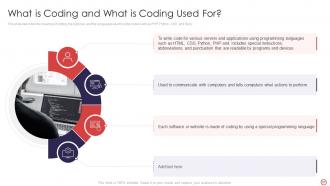
Slide 67: This slide describes the meaning of coding, the purpose, etc.
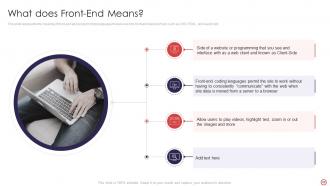
Slide 68: This slide represents the meaning of front-end and programming languages that are used for front-end development.
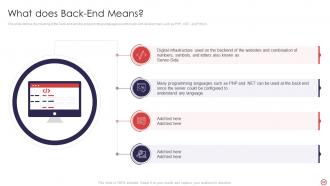
Slide 69: This slide defines the meaning of the back-end and the programming languages used for back-end development.
Slide 70: This slide represents how data security keeps in mind while developing websites.
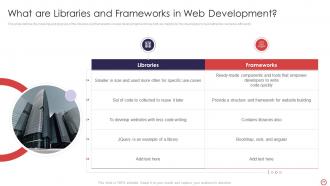
Slide 71: This slide defines the meaning and purpose of the libraries and frameworks in web development.
Slide 72: This slide represents the main differences between web pages, websites, web servers, etc.
Slide 73: This slide depicts title for 'The difference'.
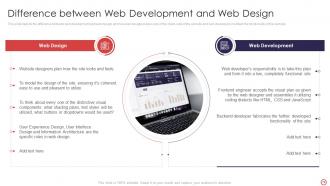
Slide 74: This slide depicts the difference between web development and web design.
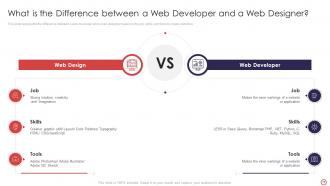
Slide 75: This slide represents the difference between a web developer and a web designer.
Slide 76: This slide presents title for 'Web developer'.
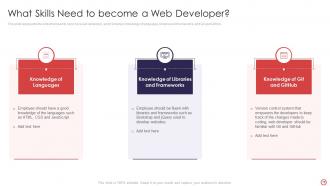
Slide 77: This slide represents the skills that need to become a web developer.
Slide 78: This slide represents the skills that need to become a web developer.
Slide 79: This slide displays Icons for Web Development Introduction.
Slide 80: This slide is titled as Additional Slides for moving forward.
Slide 81: This is Our Goal slide. State your firm's goals here.
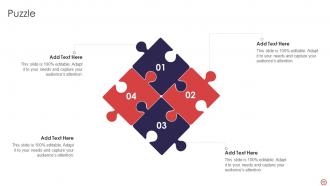
Slide 82: This slide contains Puzzle with related icons and text.
Slide 83: This slide shows Post It Notes. Post your important notes here.
Slide 84: This is an Idea Generation slide to state a new idea or highlight information, specifications etc.
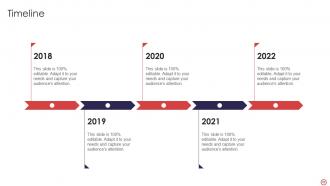
Slide 85: This is a Timeline slide. Show data related to time intervals here.
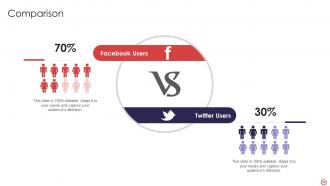
Slide 86: This is a Comparison slide to state comparison between commodities, entities etc.
Slide 87: This slide depicts Venn diagram with text boxes.
Slide 88: This is a Thank You slide with address, contact numbers and email address.
Web Development Introduction Powerpoint Presentation Slides with all 93 slides:
Use our Web Development Introduction Powerpoint Presentation Slides to effectively help you save your valuable time. They are readymade to fit into any presentation structure.



































FAQs for Web Development Introduction
So HTML, CSS, and JavaScript are must-haves - can't get around those. HTML does the structure stuff, CSS handles styling, JavaScript makes things actually work. After you get those down, grab a framework like React or Vue (React's everywhere right now, kinda annoying but whatever). Git's pretty crucial for version control too. Oh and APIs - you'll need basic understanding since everything pulls data from somewhere these days. Honestly though? Don't try cramming it all at once. Start with HTML/CSS/JS first, then add the other stuff. Way less overwhelming that way.
Honestly? Just build something small this weekend and see what clicks. Front-end is great if you're into visual stuff and want to see your code come to life instantly. Back-end's more about databases, APIs, all that behind-the-scenes logic - which I personally think is pretty satisfying when you nail a tricky data problem. Money's good either way, so don't overthink that part. You'll know pretty quick which parts feel fun vs. which ones make you want to procrastinate. Trust that instinct.
Dude, you absolutely need responsive design. Google ranks mobile-friendly sites way higher, so your SEO will thank you. Users get frustrated when they have to pinch and zoom constantly - honestly, nobody's doing that anymore. Your site needs to look good on phones, tablets, whatever. Start designing for mobile first, then scale up to bigger screens. Way easier than trying to squish a desktop site down later (learned that the hard way). Plus you won't have to deal with managing separate mobile sites, which is just extra work nobody wants.
Honestly, Git's a lifesaver when you're working with other people. Everyone can work on different features without messing up each other's code. When someone inevitably breaks something (happens to literally everyone), you can just roll back to the last working version. The branching system is pretty slick - way better than passing around zip files like we're in the stone age. Multiple people can edit the same files and Git sorts out the conflicts for you. Oh, and write decent commit messages! Trust me, you'll be hunting down some random bug later and "fixed stuff" won't help you at all.
So static sites are just fixed HTML files - same content for everyone who visits. Dynamic ones create content on the spot based on what you're doing, pulling from databases and stuff. Like, your basic portfolio site is static, but Facebook generates your personalized feed every time you refresh. Static's way faster and dirt cheap to host, though you can't do much with it. Dynamic sites need servers running code and databases, so they're more complex but actually interactive. Honestly, I'd go static for simple stuff, dynamic when you need logins, live updates, or personalized content.
Start with the OWASP Top 10 - it's basically your security bible covering injection attacks, broken auth, XSS, all that fun stuff. Sanitize inputs religiously and use parameterized queries. HTTPS everywhere, even in dev (I learned this the hard way). Keep dependencies updated since hackers love old libraries. Security headers are your friend. Oh, and validate server-side even if you're doing client validation - never trust users, they'll break everything. Honestly, just assume all user data is malicious. Run an audit tool first to see how screwed you currently are.
Okay so three things will make the biggest difference: images, code, and caching. Switch your images to WebP and compress them. Minify your CSS and JavaScript files too. Set up gzip compression on your server - that one's huge. For images below the fold, use lazy loading so they don't slow everything down initially. CDNs are totally worth it since they serve content from closer servers. Oh, and seriously just run your site through Google PageSpeed Insights first. It'll tell you exactly what's broken and you can knock out the easy wins before diving into the technical stuff.
Think of APIs as shortcuts to stuff that already works really well. Why build your own payment system when Stripe's API does it perfectly? Same with weather data - grabbing it from an API beats running your own weather station lol. You can connect different parts of your app with them too, or let other devs build cool stuff on top of yours. Honestly, it's just faster and way more reliable than coding everything yourself. JSONPlaceholder is great for messing around if you're just starting out.
Yeah, it does add more stuff to think about when you're coding, but it actually makes you way better at development overall. You'll have to get used to semantic HTML, test with screen readers, check color contrast - all that. Not gonna sugarcoat it, things move slower at first. But once you get the hang of it, it becomes automatic. I'd say start small - just add alt text and proper headings to everything. Then build up from there instead of trying to retrofit accessibility later (which is honestly such a pain). The workflow changes but it's totally worth it.
Dude, PWAs are actually incredible for engagement. Users can install them straight from your browser - no app store needed. They load crazy fast and work offline too, which is honestly game-changing when people have bad wifi. Push notifications keep customers coming back, and since it feels like a real app, your conversion rates will probably jump. Only downside is you're stuck maintaining one codebase instead of juggling web and mobile separately (though that saves money anyway). I'd definitely test it against your current site performance and see what happens.
Start with the basics first, then layer on the cool stuff later. CSS resets or normalize.css will save you so many headaches - trust me on this one. IE is basically dead now (thank god), but you still gotta test on Chrome, Firefox, and Safari regularly. Don't wait until the end to check browsers or you'll hate your life. Autoprefixer handles vendor prefixes automatically, which is clutch. Feature detection with Modernizr beats trying to guess what browser someone's using. Oh, and set up your testing workflow early - even basic cross-browser checks cover like 90% of users anyway.
So basically mobile-first means you design for phones first, then scale up to bigger screens. Way better approach honestly - it forces you to cut the fluff and focus on what actually matters. You end up using min-width media queries instead of max-width ones. Plus your site loads way faster since you're thinking about performance from the start (mobile users hate slow sites). I always sketch on phone-sized mockups now and it's crazy how much cleaner my designs got. Desktop feels almost easy after you nail the mobile version first.
Honestly, AI-powered dev tools are blowing up right now - the stuff they can do is kinda nuts. PWAs and serverless are still hot, but WebAssembly is where things get really interesting for heavy apps. The speed is just ridiculous. Edge computing's going mainstream which makes sense for load times. Micro-frontends and headless CMS are everywhere now too. Voice interfaces and AR/VR web stuff are starting to catch on, though I'm still not 100% sold on how practical they are yet. I'd mess around with maybe two of these in a side project. Better than being behind the curve when everyone's already using them, you know?
Oh man, databases are huge for web apps - that's literally where everything lives. Your user info, all the content, app state, everything. Skip proper database setup and you'll hate yourself later when things get slow and messy. Most people go with PostgreSQL or MySQL for relational stuff (good for structured data), MongoDB if you want document storage, Redis for caching. I've been using PostgreSQL for almost everything lately, honestly it just works. My advice? Learn SQL basics first, then pick one database and really get comfortable with it. Don't jump around too much at first.
React's probably your safest bet - everyone's hiring for it and the job market is solid. Vue's way easier to learn if you're just starting out, seriously makes everything click faster. Angular's overkill unless you're doing massive corporate stuff with tons of moving parts. Oh, and jQuery's basically dead now (thank god). Svelte's pretty cool but still niche. Honestly, just pick React if you want jobs, or Vue if you actually want to enjoy learning. Don't overthink it - you can always switch later once you get the basics down.
-
Appreciate the research and its presentable format.
-
Incredibly beautiful designs that will help you get noticed! These eye-catching templates are perfect for corporate presentations that can be altered to fit any occasion or taste.