


Web Designing And Development Powerpoint Presentation Slides





Try Before you Buy Download Free Sample Product
 Impress Your
 Audience
 100%
100% Editable
 Save Hours
 of Time


Discover the power of website development in driving business growth and attracting customers with our expertly crafted Web Designing and Development template. This comprehensive proposal provides businesses with a compelling pitch to potential clients, showcasing the companys services, team, and expertise in web development. With this ready-to-use template, you can highlight your web development companys strengths, demonstrate your proficiency in different techniques, and introduce various Content Management Systems like WordPress and Joomla. The proposal covers the languages, frameworks, and tools utilized for seamless page growth. Furthermore, it includes a step-by-step guide to the web development process, an IT training program, an effective development checklist, and a project timeline. To track and measure the success of your IT projects, the template also includes a roadmap and a performance dashboard. Download our customizable proposal today and unlock the potential of web development ppt for your business. Get access now.
People who downloaded this PowerPoint presentation also viewed the following :
Content of this Powerpoint Presentation
Slide 1: This slide displays title i.e. 'Web Designing and Development'.
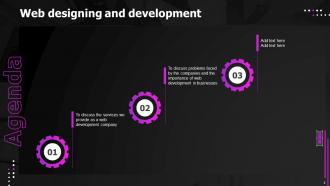
Slide 2: This slide presents agenda.
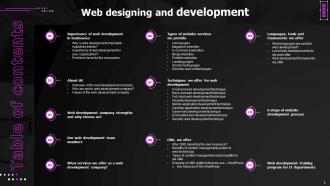
Slide 3: This slide exhibits table of contents.
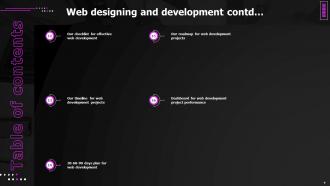
Slide 4: This slide also shows continued table of contents.
Slide 5: This slide depicts title for 'Importance of web development in businesses'.
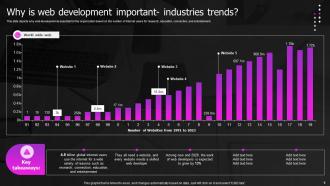
Slide 6: This slide depicts why web development is essential for the organization based on the number of internet users.
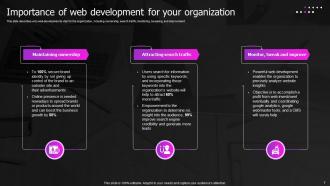
Slide 7: This slide describes why web development is vital for the organization.
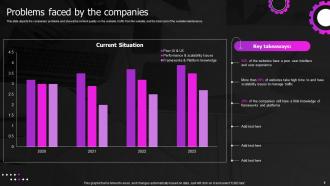
Slide 8: This slide depicts the companies' problems and shows the content quality on the website.
Slide 9: This slide displays title for 'About us'.
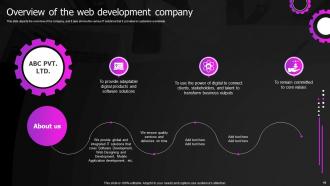
Slide 10: This slide depicts the overview of the company.
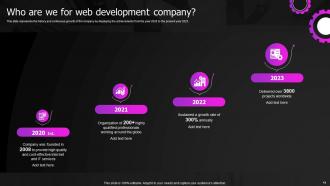
Slide 11: This slide represents the history and continuous growth of the company by displaying the achievements.
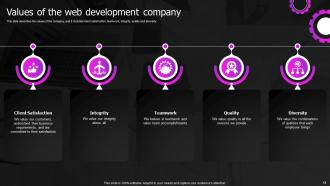
Slide 12: This slide describes the values of the company.
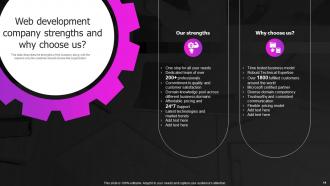
Slide 13: This slide presents title for 'Web development company strengths'.
Slide 14: This slide describes the strengths of the company.
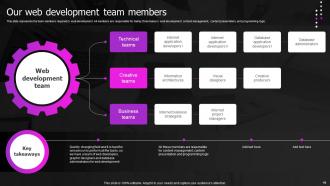
Slide 15: This slide exhibits title for 'Our web development team members'.
Slide 16: This slide represents the team members required in web development.
Slide 17: This slide depicts title for 'What services we offer as a web development company'.
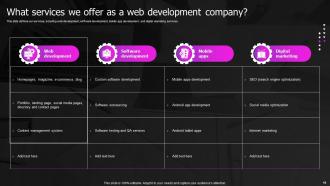
Slide 18: This slide defines our services, including web development, software development, etc.
Slide 19: This slide shows title for 'Types of website services we provide'.
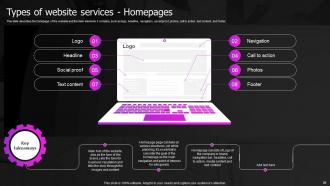
Slide 20: This slide describes the homepage of the website and the main elements it contains, such as logo, headline, etc.
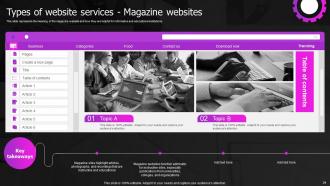
Slide 21: This slide represents the meaning of the magazine website and how they are helpful for informative and educational institutions.
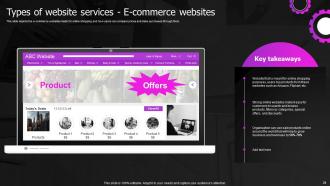
Slide 22: This slide depicts the e-commerce websites made for online shopping and how users can compare prices and make purchases through them.
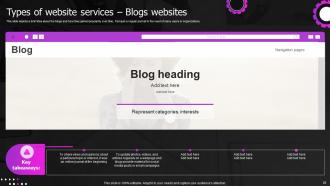
Slide 23: This slide depicts a brief idea about the blogs and how they gained popularity over time.
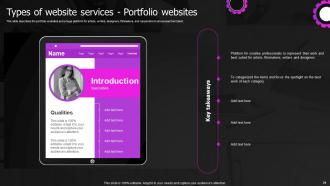
Slide 24: This slide describes the portfolio websites and a huge platform for artists, writers, etc.
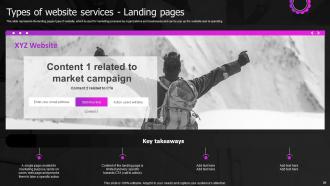
Slide 25: This slide represents the landing pages type of website, which is used for marketing purposes.
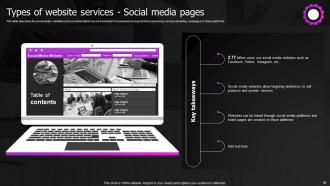
Slide 26: This slide describes the social media websites and how these platforms are beneficial for businesses.
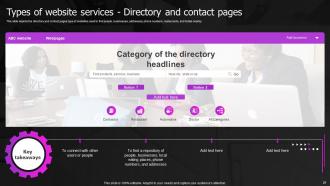
Slide 27: This slide depicts the directory and contact pages type of websites used to find people, businesses, etc.
Slide 28: This slide displays title for 'Techniques we offer for web development'.
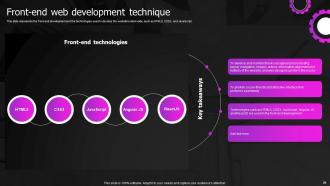
Slide 29: This slide represents the front-end development and the technologies used.
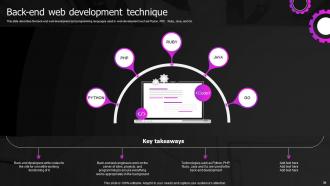
Slide 30: This slide describes the back-end web development and programming languages used in web development.
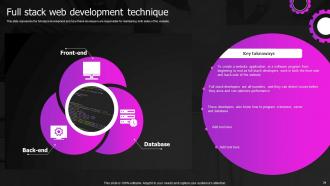
Slide 31: This slide represents the full-stack development and how these developers are responsible for maintaining both sides of the website.
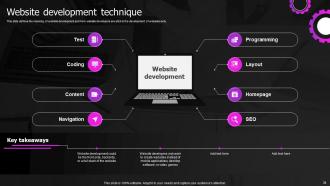
Slide 32: This slide defines the meaning of website development and how website developers are stick to the development of websites only.
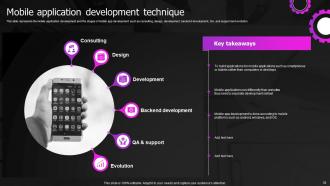
Slide 33: This slide represents the mobile application development and the stages of mobile app development.
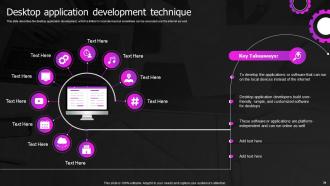
Slide 34: This slide describes the desktop application development.
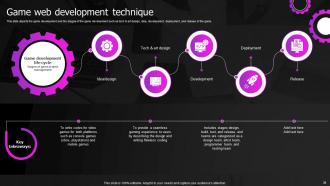
Slide 35: This slide depicts the game development and the stages of the game development.
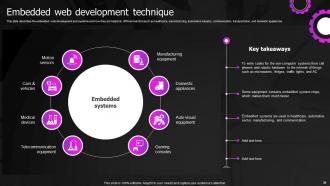
Slide 36: This slide describes the embedded web development and systems and how they are helpful in different sectors.
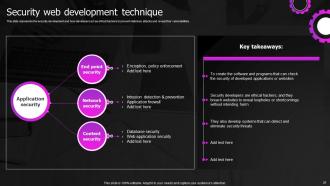
Slide 37: This slide represents the security development and how developers act as ethical hackers.
Slide 38: This slide presents title for 'CMS, we offer'.
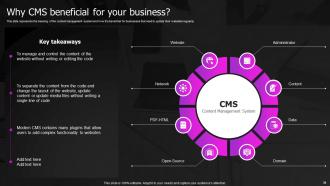
Slide 39: This slide represents the meaning of the content management system and how it is beneficial for businesses.
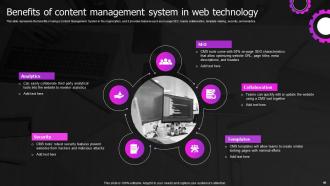
Slide 40: This slide represents the benefits of using a Content Management System in the organization.
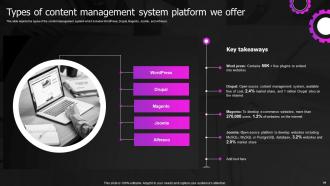
Slide 41: This slide depicts the types of the content management system which includes WordPress, Drupal, etc.
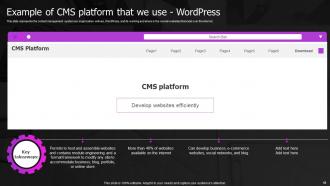
Slide 42: This slide represents the content management system our organization will use, WordPress.
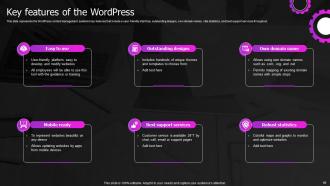
Slide 43: This slide represents the WordPress content management system's key features.
Slide 44: This slide presents title for 'Languages, tools and frameworks we offer'.
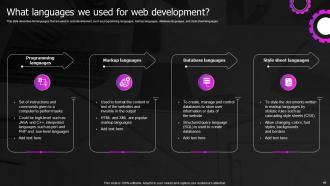
Slide 45: This slide describes the languages that are used in web development.
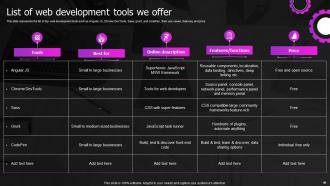
Slide 46: This slide represents the list of top web development tools.
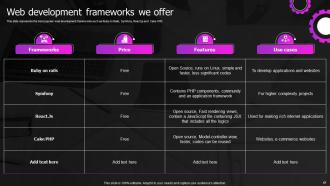
Slide 47: This slide represents the most popular web development frameworks.
Slide 48: This slide exhibits title for '6 steps of website development process'.
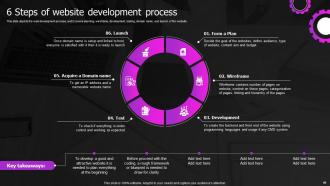
Slide 49: This slide depicts the web development process, and it covers planning, wireframe, etc.
Slide 50: This slide displays title for 'Web development training program for IT department'.
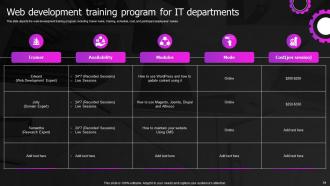
Slide 51: This slide depicts the web development training program.
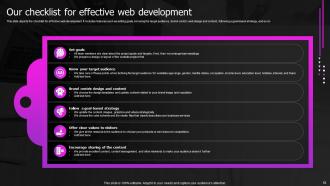
Slide 52: This slide presents title for 'Our checklist for effective web development'.
Slide 53: This slide depicts the checklist for effective web development.
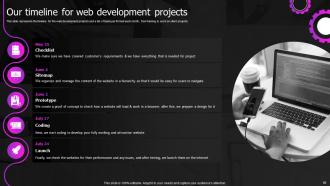
Slide 54: This slide displays title for 'Our timeline for web development projects'.
Slide 55: This slide represents the timeline for the web development projects and a list of tasks performed each month.
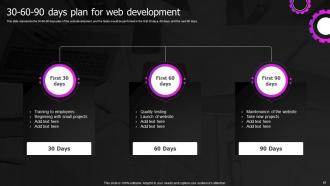
Slide 56: This slide shows title for '30-60-90 days plan for web development'.
Slide 57: This slide represents the 30-60-90 days plan of the web development.
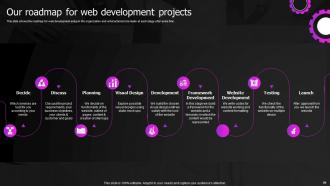
Slide 58: This slide depicts title for 'Our roadmap for web development projects'.
Slide 59: This slide shows the roadmap for web development setup in the organization and what actions to be made at each stage after some time.
Slide 60: This slide presents title for 'Dashboard for web development project performance'.
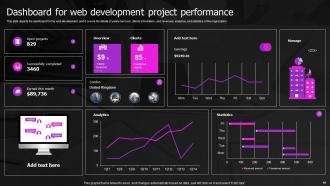
Slide 61: This slide depicts the dashboard for the web development, and it covers the details of yearly turnover, clients’ information, etc.
Slide 62: This slide exhibits title for 'Web development introduction'.
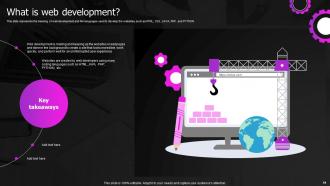
Slide 63: This slide represents the meaning of web development and the languages used to develop the website.
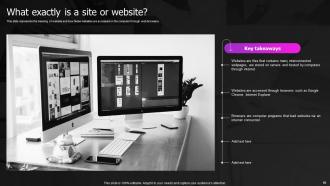
Slide 64: This slide represents the meaning of website and how these websites are accessed on the computer through web browsers.
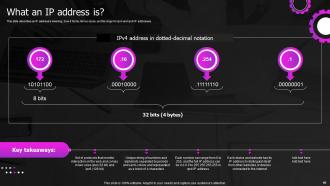
Slide 65: This slide describes an IP address's meaning, how it forms, its two sizes, etc.
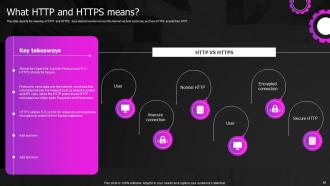
Slide 66: This slide depicts the meaning of HTTP and HTTPS, how data is transferred over the internet, etc.
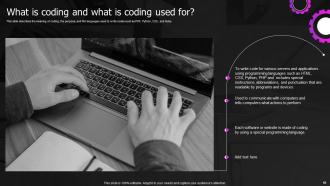
Slide 67: This slide describes the meaning of coding, the purpose, etc.
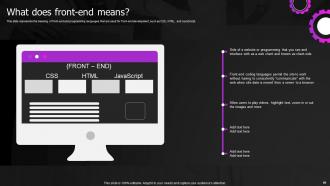
Slide 68: This slide represents the meaning of front-end and programming languages that are used for front-end development.
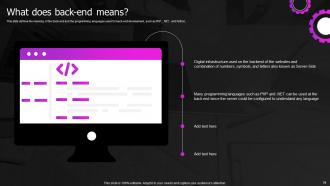
Slide 69: This slide defines the meaning of the back-end and the programming languages used for back-end development.
Slide 70: This slide represents how data security keeps in mind while developing websites.
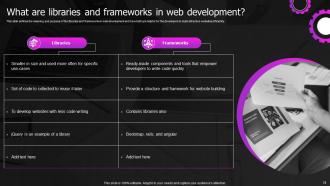
Slide 71: This slide defines the meaning and purpose of the libraries and frameworks in web development.
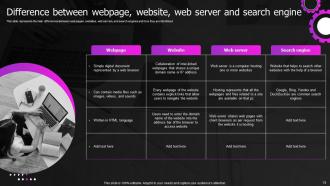
Slide 72: This slide represents the main differences between web pages, websites, web servers, etc.
Slide 73: This slide depicts title for 'The difference'.
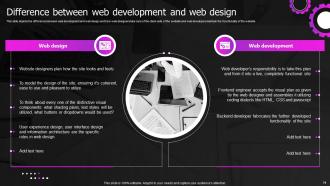
Slide 74: This slide depicts the difference between web development and web design.
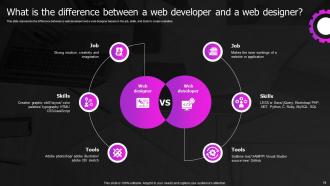
Slide 75: This slide represents the difference between a web developer and a web designer.
Slide 76: This slide presents title for 'Web developer'.
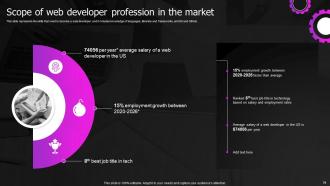
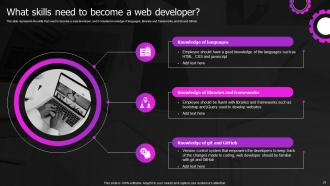
Slide 77: This slide represents the skills that need to become a web developer.
Slide 78: This slide represents the skills that need to become a web developer.
Slide 79: This is the icons slide.
Slide 80: This slide presents title for additional slides.
Slide 81: This slide shows about your company, target audience and its client's values.
Slide 82: This slide presents your company's vision, mission and goals.
Slide 83: This slide displays puzzle.
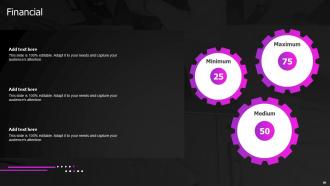
Slide 84: This slide showcases financials.
Slide 85: This slide exhibits ideas generated.
Slide 86: This slide presents circular process.
Slide 87: This slide depicts location of company in world map.
Slide 88: This slide displays Venn.
Slide 89: This is thank you slide & contains contact details of company like office address, phone no., etc.
Web Designing And Development Powerpoint Presentation Slides with all 88 slides:
Use our Web Designing And Development Powerpoint Presentation Slides to effectively help you save your valuable time. They are readymade to fit into any presentation structure.





FAQs for Web Designing And Development
So web design is all the visual stuff - layouts, colors, typography, how users actually navigate around. Development is where you code everything to make it functional. Designers make mockups and wireframes, developers write the HTML, CSS, JavaScript (plus backend stuff). Honestly, tons of people do both these days. But the skill sets are pretty different - one's more creative, the other's more technical. I'd say figure out which side pulls you more first. You can always learn the other later once you get your feet wet.
So responsive design basically means your website adapts to whatever screen someone's using - phone, tablet, desktop, whatever. Mobile users will bounce so fast if they have to pinch and zoom just to read your stuff. It's honestly kind of embarrassing when a site looks broken on phones in 2024. Testing on different devices while you're building is crucial, don't just assume it'll magically work everywhere. Oh, and start designing for mobile first - seriously saves you from redesigning everything later when you realize your desktop layout is a mess on smaller screens.
Dude, color theory makes or breaks websites. Warm colors like red grab attention - perfect for buttons you want clicked. Blues and greens feel trustworthy though, which is why every bank uses them. I've literally watched good designs fail because the colors just felt wrong to people. You need contrast for accessibility too (colorblind users will thank you). Pick one main brand color first, then add complementary ones super sparingly to create those focus points. Also, colors mess with emotions way more than you'd think - it's kinda crazy how much psychology goes into it.
Okay so semantic HTML structure is huge - get your headings in order (H1, H2, H3). Users need to tab through everything smoothly without getting trapped anywhere. Alt text for images? Non-negotiable, screen readers live on that stuff. Color contrast ratios should hit WCAG AA at minimum. Honestly, I've seen so many beautiful designs fail here it's not even funny. Try testing with NVDA or VoiceOver yourself - it's eye-opening. Run axe or WAVE first, but those automated tools only catch like 30% of problems. You'll still need to dig in manually.
Honestly, you gotta think about SEO from the very beginning when you're wireframing. Do your keyword research first - it'll help you figure out your page structure and URLs. Make sure your design loads fast and works on mobile because Google's obsessed with user experience these days. Leave room for proper heading tags and meta descriptions in your layouts. Internal linking is huge too, so plan for that. Image optimization should happen right away - I learned this the hard way. Trust me, retrofitting SEO after everything's built is a nightmare you don't want to deal with.
Honestly, CMSs are game-changers. No more coding every time you want to update a page or add a blog post - just click and type through their interface. Your clients can actually handle updates themselves afterward, which is huge for cutting down on those constant "can you change this one word" emails. WordPress and Drupal both handle the boring stuff automatically - SEO basics, security patches, mobile formatting. I mean, they're not perfect but they're solid enough for most projects. Just pick whatever fits your complexity level and don't overthink it. You'll save yourself so much time in the long run.
So UI is all the visual stuff - buttons, colors, layouts, whatever users actually click on. UX is more about the whole journey and whether it actually makes sense. Like, can people finish what they came to do without wanting to throw their phone? A beautiful interface is pointless if the experience is trash, but even brilliant UX won't save you if your interface is confusing as hell. Honestly, I always start by mapping out the user flow first (way less painful than redesigning later), then build the UI around that. Both matter tons, but UX comes first in my book.
Dark mode is everywhere right now, plus those chunky bold fonts that actually look good. Micro-animations are cool but only if they're not just there for show, you know? White space is having a moment too - sites look so much cleaner now. Oh and accessibility stuff is finally getting the attention it deserves, so double-check your color contrasts don't suck. Mobile-first isn't even worth mentioning anymore since everyone expects it. Honestly though? Pick like two things max or you'll drive yourself crazy trying to do it all.
Dude, microinteractions are game-changers for keeping people engaged on your site. You know those little button hover effects or loading animations? They give users instant feedback so they actually feel like something's happening. It's honestly night and day compared to a dead, unresponsive interface. Form validation messages are clutch too - way better than leaving people guessing if they messed up. I'd start with simple hover states and maybe some progress bars. Sounds basic but trust me, these tiny details make everything feel way more professional and keep users from bouncing.
VS Code is basically what everyone uses for coding these days. React's huge for frontend - though Vue's solid too if you're into that. Node.js handles backend stuff pretty well. Git/GitHub isn't optional anymore, you gotta know it. Honestly, Tailwind CSS has made my life so much easier than writing everything from scratch. Bootstrap works too but feels kinda dated now? Package managers like npm are essential, plus build tools like Vite or Webpack. Start with VS Code + React combo - covers most job listings I've seen lately.
Dude, your loading speed is killing your traffic. Anything over 3 seconds and you're losing like 40% of people - I watched this happen on my project last year and it was brutal. People just bounce immediately when sites feel sluggish. Google hates slow sites too, so your SEO takes a hit. Honestly? Start with your images - they're probably what's slowing everything down. I'd run it through PageSpeed Insights first though, see what's actually broken. Those tools are pretty good at showing you the worst offenders. Fix those and you'll see a huge difference.
Honestly, just make it super obvious where everything is. Nobody wants to play hide-and-seek with your "About" page. Stick with what people expect - top menu or sidebar works fine. Don't go crazy with more than 5-7 main items though. I've literally seen sites where the dropdown menu is longer than a CVS receipt! Use normal words instead of trying to be clever. Show people which page they're on somehow. Oh, and definitely check it works on phones since everyone's scrolling mobile these days. If you can't walk someone through your nav in 30 seconds, it's too complicated.
Keep animations short and sweet - under 300ms works best for most stuff. They should actually help people navigate, not just look pretty (I've definitely rage-quit sites with spinning logos everywhere lol). Focus on useful things like button hover effects and page transitions that give real feedback. Natural easing makes everything feel way less robotic. Don't forget accessibility - some people need to turn animations off completely. Test on older phones too since choppy animations are worse than no animations. Honestly? Start with simple hover states and loading spinners. You'll get the most bang for your buck there.
HTTPS is non-negotiable these days. Always validate inputs on the server side - never trust what users send you. For databases, stick with parameterized queries or you're basically asking for SQL injection attacks. Password hashing with bcrypt is the way to go (storing plain text passwords... yikes). Session management and proper CORS setup matter too. Keep your dependencies updated since new vulns drop all the time. Oh and sanitize anything before displaying it to avoid XSS nastiness. Honestly though, the best approach is putting on your hacker hat - what would you attack first?
Think of it like organizing a messy room - you want people's eyes to hit the important stuff first. Size and color are your best friends here. Bright CTA button? Goes front and center. Random footer links? Keep those tiny and out of the way. I always map out what I want someone to click before I even touch the design. Then work backwards from there. Group similar things together so it doesn't look like everything's just scattered around. Trust me, when you nail this, people won't even think about where to look next - they'll just know. Mess it up and you'll have users wandering around your site like they're lost in IKEA.
-
They helped us design the pamphlets for our church’s food drive! The people loved the design, and I’m happy to say it was successful. Thank you, SlideTeam!
-
Excellent template with unique design.