


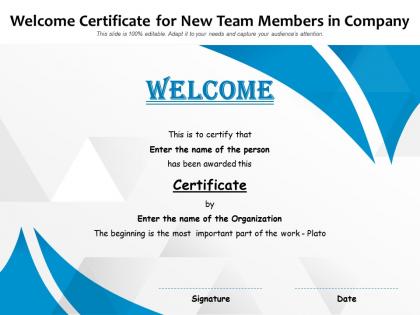
Welcome certificate for new team members in company




Try Before you Buy Download Free Sample Product
 Impress Your
 Audience
 100%
100% Editable
 Save Hours
 of Time


Our Welcome Certificate For New Team Members In Company are topically designed to provide an attractive backdrop to any subject. Use them to look like a presentation pro.
People who downloaded this PowerPoint presentation also viewed the following :
Welcome certificate for new team members in company with all 2 slides:
Use our Welcome Certificate For New Team Members In Company to effectively help you save your valuable time. They are readymade to fit into any presentation structure.
FAQs for Welcome certificate for new team
Honestly, less is more on day one - don't dump everything on them at once. Cover the company culture first, then dive into their actual role and how it connects to the team. Make sure they know who they'll be working with and what tools they'll need. Interactive stuff is key here because death by PowerPoint is real lol. I always throw in some conversation and Q&A time. End with clear 30-60-90 day goals so they're not wandering around wondering if they're doing okay. Trust me, new hires just want to know they won't embarrass themselves!
Honestly, good visual design is a game changer for onboarding. Nobody wants to decode walls of text their first week - I've been there and it's brutal. Break everything into smaller chunks with clean layouts and consistent branding. White space is your friend here. Use infographics for complex processes, throw in some icons to separate sections. The goal? Make it feel approachable instead of like you're reading a manual. Short sentences work. Longer ones help with flow when explaining the details. Just audit what you have now and ask yourself: would I actually want to read this mess?
Honestly, stories are game-changers for onboarding. Nobody wants to sit through boring policy presentations - I've been in those meetings where everyone's on their phones. But when you start with actual stories about employees or how the team handled a tough situation? Suddenly people are paying attention. New hires can actually picture themselves there, you know? Plus they get the real reason behind all those processes instead of just memorizing rules. I'd kick off each section with a quick story that shows your point. Way better than dry bullet points... trust me on this one.
Mix up your delivery methods so you hit different learning styles. Visual people need slides and diagrams. Kinesthetic learners want hands-on stuff or role-playing. Audio folks love discussion time - they're usually the ones asking tons of questions, which honestly makes your job easier. Don't just lecture for an hour straight though. Break it into chunks: maybe overview slides first, then a system demo, followed by Q&A. Give people multiple ways to absorb the same info. That way everyone walks away actually getting it instead of just nodding along.
Honestly, focus on the basics first - time-to-productivity and retention at 90 days/1 year. Those tell you if people are actually sticking around and getting stuff done. Completion rates for onboarding tasks matter too, but don't obsess over every checkbox. Survey scores are huge though - miserable employees who technically "succeed" still suck for your culture. Manager feedback helps too, like how ready new hires actually feel. Oh, and track confidence levels - that's underrated. Pick maybe 3-4 metrics max. More than that and you'll drown in data without learning much.
Honestly, mix in polls and quizzes every 10-15 minutes - saves everyone from death by PowerPoint. Quick icebreakers work too, like asking about their expectations or whatever. I've seen people use Mentimeter for this stuff, but even just "raise your hand if..." gets the job done. Breakout discussions are clutch. The whole point is stopping people from zoning out while you drone on for an hour straight. Interactive Q&A keeps them on their toes since they might actually get called on. Trust me, anything beats watching new hires stare blankly at slides.
Ugh, don't dump everything on them day one - they'll zone out completely. Break stuff into smaller chunks that actually matter for their job. Also? Please update your materials regularly because nothing says "hot mess company" like dead links everywhere. I learned this the hard way when half our training videos were about systems we'd ditched months ago. Test everything with actual people first. Make it interactive if you can, and definitely check in with them along the way. You'll quickly see what they're actually absorbing versus what's going right over their heads.
Honestly, tech can save you so much headache with onboarding. First figure out what's actually broken in your current process - don't just throw random tools at it. Digital platforms are great for interactive training modules and automated check-ins. New hires get a central spot for paperwork too, which they'll love. Learning management systems work well, chatbots handle basic questions instantly. VR training sounds cool but probably way overkill unless you've got money to burn lol. The trick is picking stuff that fixes real problems, not just because it's shiny and new.
Dude, culture stuff in onboarding is huge. I've literally watched good people crash and burn because they didn't get the unwritten rules - it's brutal. You're basically handing them a social GPS for your workplace. Share your values and communication styles upfront so they can make smart decisions that actually fit. Otherwise you'll just have confused newbies wandering around feeling lost. Oh and use real stories, not just boring bullet points. Nobody remembers those anyway.
Get feedback early and often - surveys, exit interviews, casual check-ins during their first 90 days. Don't just ask "how was onboarding?" because that tells you nothing useful (learned this the hard way). Ask specific stuff: was the content clear? Too fast, too slow? What confused you most? Look for patterns in responses. Multiple people struggling with the same thing? Fix it. Actually USE their suggestions to update materials or tweak timelines. Oh, and set up quarterly reviews where you implement changes, don't just collect feedback and forget about it. New hires have fresh eyes - they'll spot problems you can't see anymore.
Don't dump everything on them day one - that's a recipe for blank stares. Hit the big stuff first: safety rules, basic compliance, how not to get fired. Then spread out the rest over a few weeks. Honestly, nobody remembers half of what you tell them in orientation anyway. Make it hands-on with real examples they'll actually deal with. Give them something searchable for later (not a 50-page PDF nobody opens). Pair them with someone who won't roll their eyes at basic questions. Oh, and circle back after a month - there's always something that didn't stick.
Honestly, visual templates are clutch for onboarding because they keep your HR team from dropping the ball. Map out each step - welcome emails, IT setup, first-day lunch (which is always weird anyway). New hires can actually see what's happening next instead of wondering if they'll even have a computer. Your team knows who does what and when. No more scrambling like "oh crap, did we order their equipment?" You'll catch problems faster too when everything's visual. Just grab a basic flowchart template and tweak it for however your company does things.
Dude, videos are such a game-changer for onboarding. Way better than those death-by-PowerPoint sessions nobody pays attention to. Break down your tricky stuff into like 2-3 minute chunks - show people how the software actually works instead of just talking about it. Trust me, they'll remember visual stuff way longer. I learned this the hard way when half my team kept asking the same questions over and over. Oh, and don't forget to give them hands-on time afterward - that's where it really clicks. Honestly anything that stops people from zoning out during orientation is worth it.
Honestly? Every three months minimum, but bump it up if you're constantly changing tools or processes. Monthly works too if things move fast at your company. Nothing's worse than new hires getting screenshots from like 2019 - super awkward. Set a calendar reminder to review everything quarterly. But here's the real trick: ask people who just finished onboarding what felt weird or outdated. They'll catch stuff you totally missed since you're too close to it. Oh, and keep a running list of things that need fixing so you're not panicking when review time hits.
Honestly, I'd start with a simple org chart so they can see who reports to who. Those giant "meet everyone" meetings are the worst - instead, set up quick 15-minute one-on-ones with people they'll actually work with. During each chat, tell them to ask "what should I know about working with you?" Trust me, people love answering that. Make a cheat sheet with names, roles, and how everyone likes to be contacted (some people hate Slack, others live on it). The whole point is giving them a roadmap of who does what so they're not wandering around lost when they need help.
No Reviews