

Why choose us template powerpoint slide deck





Try Before you Buy Download Free Sample Product
 Impress Your
 Audience
 100%
100% Editable
 Save Hours
 of Time


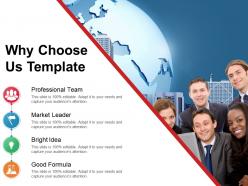
Disarm them with our why choose us template with our PowerPoint presentation. This is why choose us to template powerpoint slide deck of a five-stage process with comprises of about us, why choose us, company introduction. Use this PowerPoint to showcase the key areas of studying about a business or an organization. The 4 main points in this presentation are as follows: professional team, the market leader, bright idea, good formula. These are the basic components that define business and are imperative to be understood by the client to sustain a healthy and professional rapport. This presentation can be used to build long term relationships and potential business partnerships when presented to the clientele. Captivate and charm your audience with your thoughts and our, why choose us Template Powerpoint deck. Disarm them with our Why Choose Us Template Powerpoint Slide Deck. Charm them with your thoughts.
People who downloaded this PowerPoint presentation also viewed the following :
Why choose us template powerpoint slide deck with all 5 slides:
Our Why Choose Us Template Powerpoint Slide Deck are designed by innovative brains. It contains amazing artworks.

FAQs for Why choose us template
Honestly, these templates are just better - we built them after hearing tons of designers complain about how generic most options are. The layouts actually adjust themselves when you add stuff, which is clutch. Each template comes with alternative slide variations too (saves me so much time when I need to change things up). Color schemes are way more sophisticated than those boring corporate blue-and-white things everyone uses. Oh, and they work perfectly in both PowerPoint and Google Slides without any weird formatting glitches. Definitely grab a few samples first so you can see what I mean.
Yeah, we've got templates for pretty much every industry - tech, healthcare, finance, education, retail, you name it. They're super flexible too, so you can mess around with colors, fonts, layouts, whatever. Honestly, I think the customization options are what make them worth it. You won't end up with some generic-looking presentation that screams "template." Whether you're presenting to the C-suite or doing employee training, there's something that'll work. I'd start by checking out the industry categories first - saves time. Then just tweak from there until it feels right for your brand.
Yeah, everything's customizable - colors, fonts, layouts, the whole deal. Honestly, the templates are just starting points since you can completely change the original design anyway. They give you different layout options and sections you can mix around however you want. Just swap in your own images, text, branding stuff. Spacing too if things look weird. Oh and you can resize everything to fit your needs. I'd pick something kinda close to what you're going for first though - way easier than starting from scratch and rebuilding everything.
So these templates are actually pretty cool - they've got polls, clickable stuff, smooth animations, videos that play right in the presentation. Progress bars too, plus navigation menus so people can skip around (which honestly, they're gonna do anyway if they get bored). But here's the best part: built-in analytics show you exactly where people tuned out. Like, you can see which slides kept them hooked and which ones made them check their phones. Super helpful for tweaking things next time around.
We update our templates every 6-8 weeks because design trends move fast these days. Your projects will always look current - no more of those cringe 2019 website vibes (ugh, we've all seen them). The design team tracks what's actually working in the industry and watches how users behave online. They're pretty obsessive about it, honestly. Around big business seasons like back-to-school or holidays, we drop seasonal collections too. When you log in, just check "Recently Added" to see the newest stuff since your last visit.
Oh you'll be totally fine! There's a bunch of step-by-step video tutorials that cover everything - basic slides, fancy animations, all that stuff. The live chat people actually know their stuff too, which is rare these days honestly. Template galleries are clutch since you don't have to start with a blank slide (that's always the worst part). Getting-started guide is solid. I'd probably mess around with a simple template first, then check out tutorials once you're not completely lost. My coworker swears by starting there anyway.
Yeah, they're totally optimized for both! You get high-res files that work great whether you're posting online or actually printing stuff out. Each template comes with different versions - RGB for digital and CMYK for print - which honestly saves so much hassle with color conversion. We figured this out after getting some... let's say "passionate" feedback from early customers who had issues. Just download, customize, and go. Oh, and definitely double-check your printer's requirements first - trust me on that one. Way easier than dealing with weird color shifts later.
Honestly, these templates are pretty smart about how they work. Total beginners can just grab one and go - no tweaking needed. But if you're more advanced, all the code and fancy features are right there waiting for you. The whole thing actually adjusts based on what you seem comfortable with, which is neat. Instructions and little help bubbles are everywhere (thank god, because who reads manuals anymore?). They test this stuff with actual users too, not just their own people. Start with preview mode though - you'll see exactly what you're getting into before diving in.
So there's actually several ways to get new templates added! The feedback form in the app works great, or you can just email support directly - they'll pass it along to the product team. Oh, and there's this "Request Template" button in the gallery that I totally missed for ages, but it's actually pretty useful once you find it. They go through all the suggestions monthly and pick based on what people are asking for most. Honestly, they do listen to user feedback way more than most companies, so definitely speak up if you're not finding what you need.
Oh totally! So this one startup used our marketing templates and bumped their response rates up 40% in two months. Pretty solid results. A consulting firm cut their proposal time in half with our business plan stuff - we're talking 15 hours saved per week, which is kinda nuts if you ask me. There's also this nonprofit that saw donor engagement jump 60% using our fundraising templates. Honestly, nonprofits don't get enough credit for being scrappy with their resources. Want me to grab the actual case studies? I've got screenshots and all the numbers if you're interested.
So we've got charts, graphs, infographics, flowcharts - basically all the visual stuff that makes boring data actually readable. There are interactive bits too like clickable diagrams and progress bars (those are weirdly satisfying, right?). Icons and visual hierarchies help break up what would otherwise be massive walls of text. You can go simple with bullet point graphics or get fancy with data visualizations. Everything's customizable to match your brand, which is clutch. Honestly, good visuals just make complex info stick better in people's heads.
Yeah, we actually build accessibility right into our templates from the start. High contrast colors, readable fonts, proper headings for screen readers - that stuff. Plus diverse images and inclusive language throughout. Color combos all meet WCAG standards too. Honestly, most template companies still ignore this, which is wild to me. We include alt-text guidelines and there's an "accessibility notes" section in each pack. Your presentations will actually reach your whole audience instead of leaving people out. Just check those notes when you're customizing so you don't accidentally mess up the good stuff we built in.
Yeah definitely! The whole team can jump in and edit together - seeing everyone's cursors moving around is pretty wild at first. Comments and task assignments work great too. Version history saves your butt when someone accidentally deletes stuff (happens more than you'd think). You can set who gets to edit vs just view/comment. Honestly once you try it on your next presentation, going back to emailing files back and forth feels ancient. No more "final_FINAL_v3" nonsense.
Dude, these templates are a lifesaver. What usually takes hours? Done in 30 minutes. All the design stuff is already figured out - colors, layouts, the whole thing. You literally just pick one that matches your style (which honestly might be the hardest part lol). Then drop in your content, swap some photos, and boom. No more stressing about making slides look professional when you have zero design skills. I've used them for last-minute presentations and they always come out looking way better than anything I'd create from scratch. Perfect timing since you mentioned having that deck due soon.
So we have three pricing levels - starter for small teams, professional for growing companies, and enterprise with all the bells and whistles. Most folks go with professional honestly, it's the sweet spot. You can pay monthly or yearly (yearly saves like 20% but you gotta pay upfront). The cool thing is you can switch plans whenever your needs change. Oh and definitely do the free trial first - I always tell people that because you never know which features you'll actually use until you try it. Way better than guessing and getting stuck with the wrong plan.
-
Helpful product design for delivering presentation.
-
I discovered this website through a google search, the services matched my needs perfectly and the pricing was very reasonable. I was thrilled with the product and the customer service. I will definitely use their slides again for my presentations and recommend them to other colleagues.