

Why choose us template powerpoint slide ideas





Try Before you Buy Download Free Sample Product
 Impress Your
 Audience
 100%
100% Editable
 Save Hours
 of Time


Let your audience know what distinguishes you amongst your competitors using our why choose us template PowerPoint slide ideas. Tell about what is your commitment and values that makes your company stand out. Display the content that informs your audience about your goal. Talk about what it is that your company does along with the information about the staff members. Put yourself in the market in a better way using about us samples PPT slide. Know the market's needs and curate a similar plan for your audience. You can use this why choose us examples PPT design to inform what makes you best amongst the rest in the business. Identify the new market and target it using about us PPT template.Carry out an actual assessment of the target population, competition and needs for your market. Get this about us PPT layout, to ascertain information that will impress your target audience. Incorporate why you should choose us PPT slide to prepare a high quality, easy to understand hassle free PowerPoint presentation in less time. Our Why Choose Us Template Powerpoint Slide Ideas are actually awe inspiring. The audience are assured a dazzling experience.
People who downloaded this PowerPoint presentation also viewed the following :
Content of this Powerpoint Presentation
"People will forget what you said. They will forget what you did. But they will never forget how you made them feel." - Maya Angelou, American poet.
Customers who opt to give you business over your competitors will have based their choice on chance or a prior background check. Perhaps, your store lay on their way or your business was specifically referred to them. But, what about potential customers, who are yet to be influenced? How do you get them excited about your products and services?
A detailed business proposal seems plausible. However, if you had to build an urgent appeal of your business on short notice in the most convincing way possible, how would you do it? The answer is with a precise mention of your unique business products and services. Simply answering “Why Choose Us?” is the most-effective way to develop curiosity and mold your client’s shopping instincts. Using this approach, businesses can make the first move to attract clients. With a why choose us template, you’ll filter out the most business-relevant customers, who are interested in engaging with you.
Addressing this need, SlideTeam has reserved this PPT Design by our presentation-experts to create an impactful first contact with potential clients. Strike a cord with your potential customers by aligning with their needs as you elaborate the serviceability of your business. Focus on the emotional aspects of the prospective business deals as you get the customer warmed up about the goodies they can expect from them. More about this PPT Template is discussed below.
Explore another striking PPT Layout to showcase the many reasons for engaging in business with you.
Template 1: Why Choose Us Template PowerPoint Slide Ideas
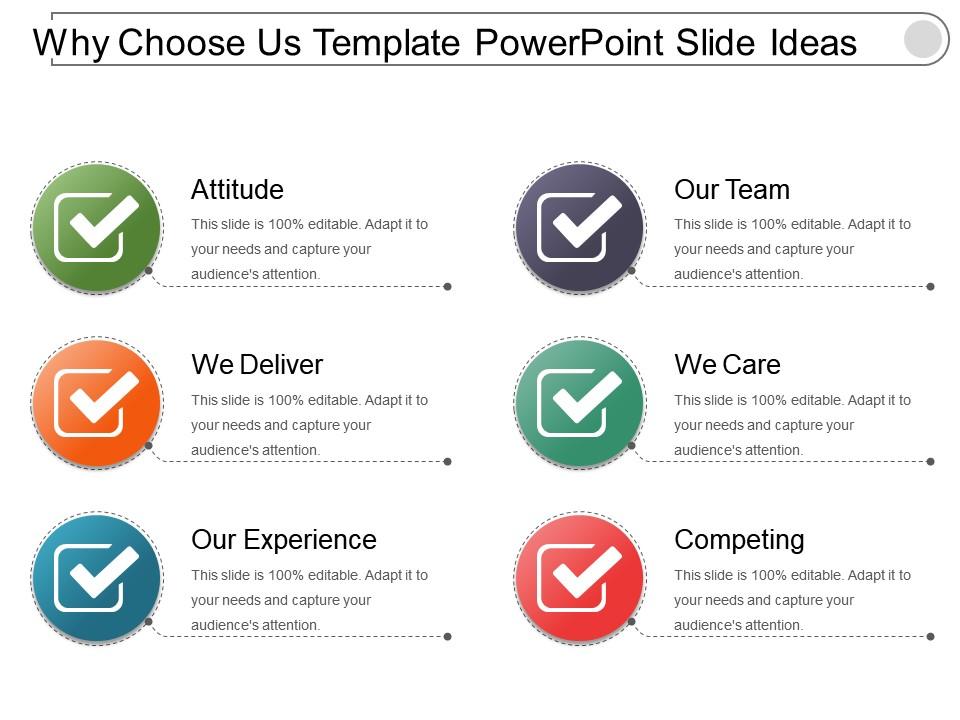
Aim to offer complete emotional and business satisfaction to clients if they choose you with this PPT Design. Highlight the amiability, go-get attitude, quality, and uniqueness that would greet customers upon on-boarding. Show that you care and deliver beyond expectations. Focus on concrete benefits that will follow in doing business with you.
Here’s another PPT Layout to discuss your business advantages to your customers in engaging manner
PS: Define the spectrum of benefits such as quality, customer support, innovation, and commitment that your business has to offer to its customers with this PPT Design.
Why choose us template powerpoint slide ideas with all 5 slides:
Bring about good coordination with our Why Choose Us Template Powerpoint Slide Ideas. Give folks enough cause to cooperate.
FAQs for Why choose us template
Honestly, the main thing that sets ours apart is everything actually matches - like the slide layouts, animations, icons, all of it. Most other template packs look like they grabbed random designs from 5 different designers who never spoke to each other (which they probably did). The animations are built specifically for business stuff, not just flashy effects that make your boss cringe. You get lifetime updates too, which is nice since you'll probably use this for tons of projects. Oh and no weird licensing restrictions. Definitely check out the preview mode first though - you can see how it all flows together.
Yeah, so our templates are pretty flexible - you can use them across different industries without rebuilding everything. Just swap in your specific terminology and compliance stuff. Healthcare, finance, retail, tech - the basic structure works for all of them. Took us way too long to nail this balance honestly, but whatever. Each template has sections you can customize for regulations, stakeholder types, metrics - all that industry-specific stuff. There's examples and notes showing how to adapt everything too. Oh, definitely start with the industry guide in your pack first. It'll save you tons of time.
Totally! They're made for customizing, so you can change colors, fonts, logos - all that stuff to match your brand. No design skills needed either. The drag-and-drop thing is pretty smooth, honestly kind of fun to mess around with once you get going. Oh, and you can save your brand stuff as presets which is clutch - means your colors and fonts automatically show up in new templates. I'd probably just grab one of their popular ones first and see how much you can tweak it. That'll give you a good feel for what's possible.
Honestly, clean layouts work best - lots of white space, consistent fonts, and don't go crazy with colors. Make sure your most important stuff stands out through size and contrast. I'm probably obsessed with this, but visual hierarchy is everything. Mobile-responsive is non-negotiable obviously. Keep it simple though - fancy design elements just distract from your actual content. Less really is more when you want conversions. Test a couple versions with real people to see what clicks. The whole point is looking good while still being functional, you know?
Yeah, totally! We've got templates made just for virtual meetings. The fonts are way bigger and everything's cleaner since squinting at your screen during calls is the worst. Different layouts work better for Zoom vs Teams too. Plus they throw in interactive stuff like polls to keep people awake - honestly, remote presentations need all the help they can get with engagement. The colors won't make you look washed out on camera either. Just look for the "Remote Ready" section when you're browsing templates. Should be exactly what you need!
So basically our design team goes through everything quarterly and updates stuff. They're always stalking design blogs and social media to catch trends early - honestly they're pretty good at it. Plus we track which templates actually work vs which ones just look pretty but nobody uses them. When we do major updates, your templates get the new versions automatically. You'll get pinged about new trendy options too. Oh and here's something most people don't know - hit up the "Recently Updated" section each month to snag the newest styles before they blow up everywhere.
Yeah, we've got you covered pretty well. There's step-by-step guides, video tutorials, plus you can hit up our support team through chat or email - they're actually fast at getting back to you, like within a few hours usually. Your package comes with a 30-minute call where we'll walk through your specific setup and customize everything. Oh, and there's this community forum where people share random tips and fixes. Honestly, just start with that quick-start guide in your downloads. Takes maybe 15 minutes and you'll be good to go from there.
Oh totally! The templates have all these interactive bits built in - polls, Q&A sections, clickable stuff that actually gets people involved instead of zoning out. Trust me, we've all been trapped in those soul-crushing slide marathons. They use storytelling tricks and break up content so people don't lose focus (which honestly happens so fast these days). Each template has engagement prompts and calls-to-action already baked in. Start with the "Interactive Journey" one - that thing's designed to keep people hooked the whole time.
You get all three formats when you download - PowerPoint, Keynote, and Google Slides. Plus some PDFs thrown in for quick sharing or client stuff. PowerPoint's still what most people want, but honestly Google Slides is way better if your team's collaborating a lot. Just start with whatever you're used to editing in, you can always switch later. Oh and you don't have to choose one format, the whole package comes with everything. Makes it pretty foolproof.
So we get feedback through surveys, support tickets, and people just reaching out directly. Our design team looks at everything once a month to find patterns and see what's bugging users most. The stuff people ask for constantly? That goes straight to the top of our dev list. Honestly, some of our most popular templates exist because users were like "seriously, how is this not a thing already?" We also test new templates with a few users first - saves us from launching something that's completely broken. Your input really does drive what we build, so hit us up whenever something's not working for you.
Yeah, the collaboration stuff is actually pretty solid! Multiple people can edit at once without messing each other up since everything syncs live. Comments are clutch for feedback on specific slides - way better than endless email chains, honestly. The version history shows who changed what and when, which has saved my butt during tight deadlines. Oh, and you can set different permissions so some people can only view while others edit. Pro tip: create shared folders right away or you'll have presentation files scattered everywhere (learned that the hard way).
Oh yeah, we've got tons of stuff to help you out! There's video tutorials, step-by-step guides, all that good stuff. The community forum is honestly where I'd start though - people share the coolest tricks there that you won't find anywhere else. We cover basic setup through advanced design stuff, plus we're always adding new tutorials based on whatever questions keep popping up. Oh, and definitely check out the "Getting Started" video series first - it'll save you a headache later. Then just grab the specific guide for whatever template you picked.
So basically, the templates break everything down with clear headings and bullet points instead of dumping a massive wall of text on people. Visual hierarchy is huge here - it guides where your eyes go first. You get organized sections that make even the most boring technical stuff actually readable. Plus there's room for charts, callouts, all that good stuff so people can scan for the main points without zoning out completely. Oh and try the "Explainer" template - honestly it's a lifesaver when you're stuck explaining complicated things. Way better than staring at a blank page wondering where to start.
Yeah, definitely! We build everything responsive so it works on phones, tablets, desktops - the whole deal. Actually test on real devices too, not just those browser simulators (which honestly miss stuff sometimes). Your site'll look good whether someone's scrolling on their phone or using a massive desktop screen. We do flexible grids and optimize images for different sizes. Oh, and if you've got specific devices you want us to focus on during testing, just let me know!
Dude, these templates seriously save so much time. They've got interactive stuff built right in - quizzes you can just drag and drop, progress bars, knowledge checks. Way better than those awful bullet point slides that put everyone to sleep. The case study layouts are pretty solid too, and everything works on phones which is clutch. You can build step-by-step tutorials without starting from zero each time. I'd probably start with their "Skills Development" pack since it covers most of what you'll need for training. Trust me, your team will actually stay engaged for once.
-
Excellent products for quick understanding.
-
Very well designed and informative templates.