


Agile user story templates powerpoint presentation slides




Try Before you Buy Download Free Sample Product
 Impress Your
 Audience
 100%
100% Editable
 Save Hours
 of Time


The agile user story is a natural language description of the software feature that the client desires. It is written from the viewpoint of the end-user of the product. Check out our competently designed Agile User Story Templates. It helps better understand client requirements and the planning of agile sprints for effective project management. In this PowerPoint presentation, we have covered the agile user story with corresponding tasks completion status, priority, and risk for effectively tracking multiple tasks in the agile sprint of the software development project. This PPT template also covers team details and acceptance criteria of the agile user story to ensure the success of each sprint. It also covers the scoring of agile user stories for ranking and prioritizing the same. Customize this 100 percent editable agile template now.
People who downloaded this PowerPoint presentation also viewed the following :
Content of this Powerpoint Presentation
There was a time when software development was done under the scope of the waterfall method. However, as time passed and improvements happened, software development teams began using agile methodology.
From the traditional waterfall model to a gradual ascent to relying on agile methodology, software development has come a long way. Development process is now swifter, more flexible, and a lot more efficient.
Agile methodology focuses on iterative development, where changes in the software or product are made while developing the software. Various project management tools are used for this methodology. The most common tool is one that presents data to other teams or the higher management. As a solution, SlideTeam has developed a complete package of PowerPoint Slides to present output and feedback after incorporating agile techniques.
Evaluate costs for agile projects through our PowerPoint frameworks.
Introducing Agile User Story PowerPoint Templates
Our PowerPoint Templates help organize and display user stories. Business analysts develop these stories so the development team can understand all the requirements and develop software according to them. Our PowerPoint presentation helps the development team pass their message to various stakeholders and team members to learn about the project development.
These templates help show the final product to the customers from the development team. Furthermore, you can easily customize them as per the business requirements.
Do you require a hybrid project management with an agile storyboard? Click here.
Let’s begin!
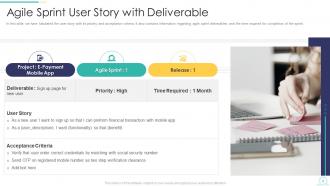
Template 1: Agile Sprint User Story with Deliverable
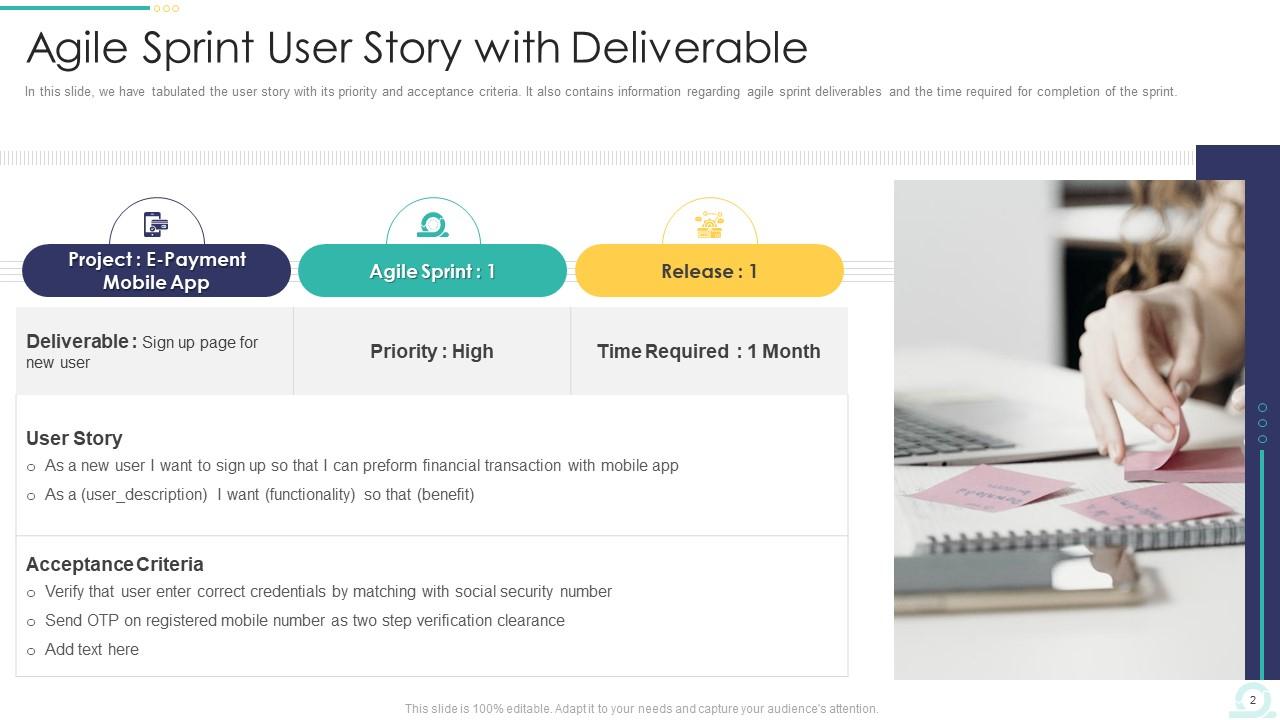
Managing a software development project is a difficult process for a product manager. That's why we have developed a PowerPoint Template that keeps your work on track. This robust tool showcases your project name, deliverables, sprint priorities, and release timelines. Furthermore, you can display user stories and acceptance criteria, helping your team to grasp project details quickly. This PowerPoint Preset is a treasure for project managers and agile teams. They can use it from inception to completion.
Template 2: Agile Sprint User Story with Priority Risk and Completion Status

Managing complex software projects is difficult because product managers have to track progress and align teams for software development. Our PowerPoint Framework provides an efficient way to manage user stories, prioritize tasks, and assess risks directly within your presentation. It has different sections for each project epic, the completion status of user stories, priorities and risks. This presentation suits those reporting to stakeholders, conducting sprint reviews, or planning future cycles.
Template 3: Agile User Story with Theme Epic and Tasks
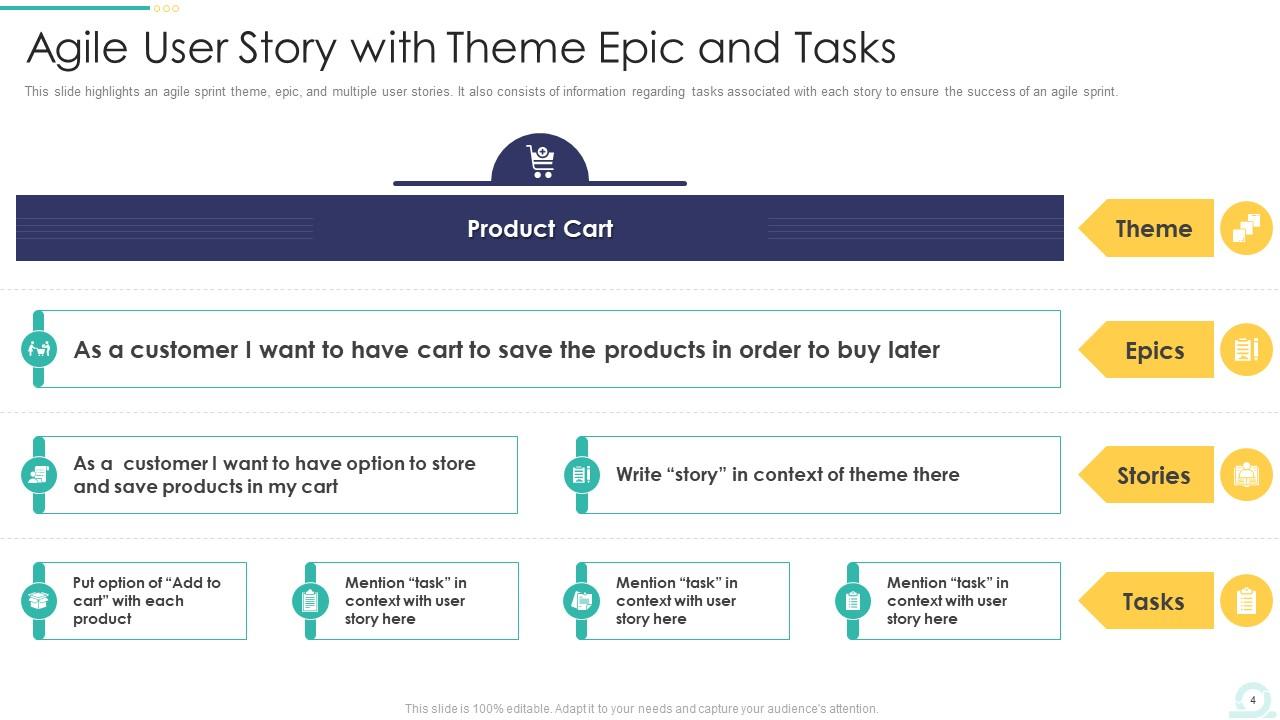
It is correct to say that the customer is the king and the development team has to go through each requirement and expectations of the clients for the success of any project. However, sometimes agile teams need help in documenting client needs. Our PowerPoint Framework ensures that every client requirement is documented with the proper precision. It helps you organize and present product carts, showcasing the requirements your clients want from your products and services. Furthermore, user stories, themed epics, and detailed tasks help in a seamless flow of information among team members, stakeholders, and clients.
Template 4: Agile User Story with Task Progress
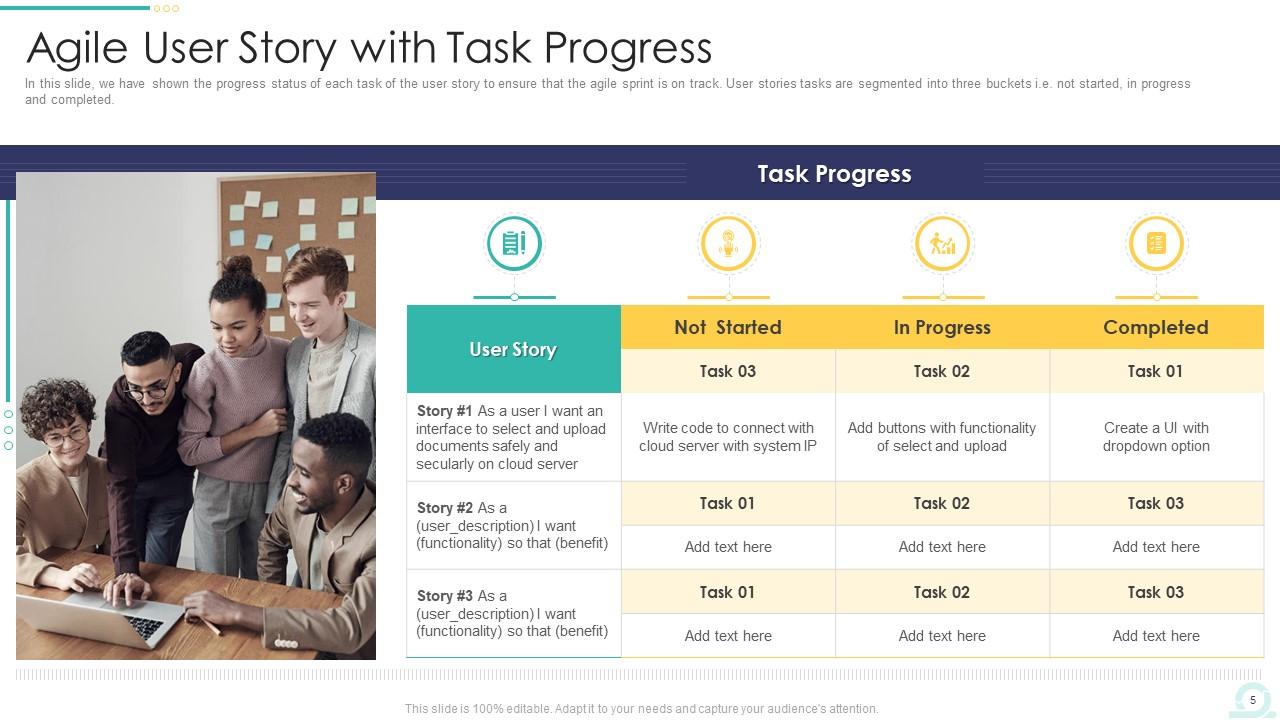
The main motive of the software development meetings is that they will come to a feasible point to focus on future developments or current challenges. Our PowerPoint Layout offers a structured overview of each user story and its progress within the project's lifecycle.It will enhance productivity by tracking task completions and updates. Furthermore, project managers can show current task statuses, identify problems early, and adjust timelines or resources as needed.
Template 5: Agile User Story with Multiple Tasks and Timeline
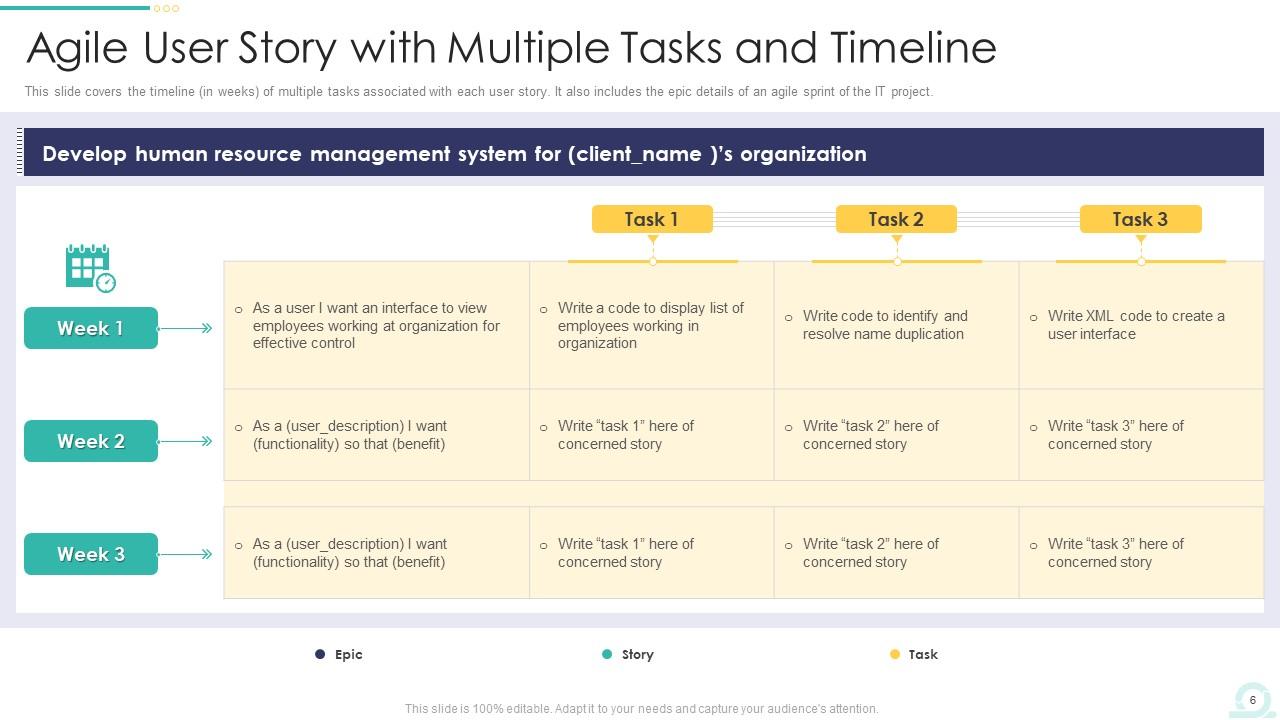
Managing and tracking various user stories across multiple tasks and timelines is full of challenges for product managers. What is the solution to these challenges? Our PowerPoint Framework offers ample space to input a user story into three manageable subtasks. It provides an organized timeline that shows the progress and weeks for each sub-task over the coming weeks.Project managers can use this robust presentation for better planning, accountability, and timely delivery of each component.
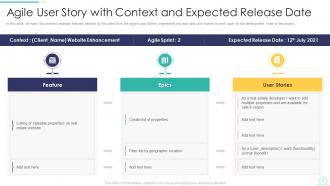
Template 6: Agile User Story with Context and Expected Release Date
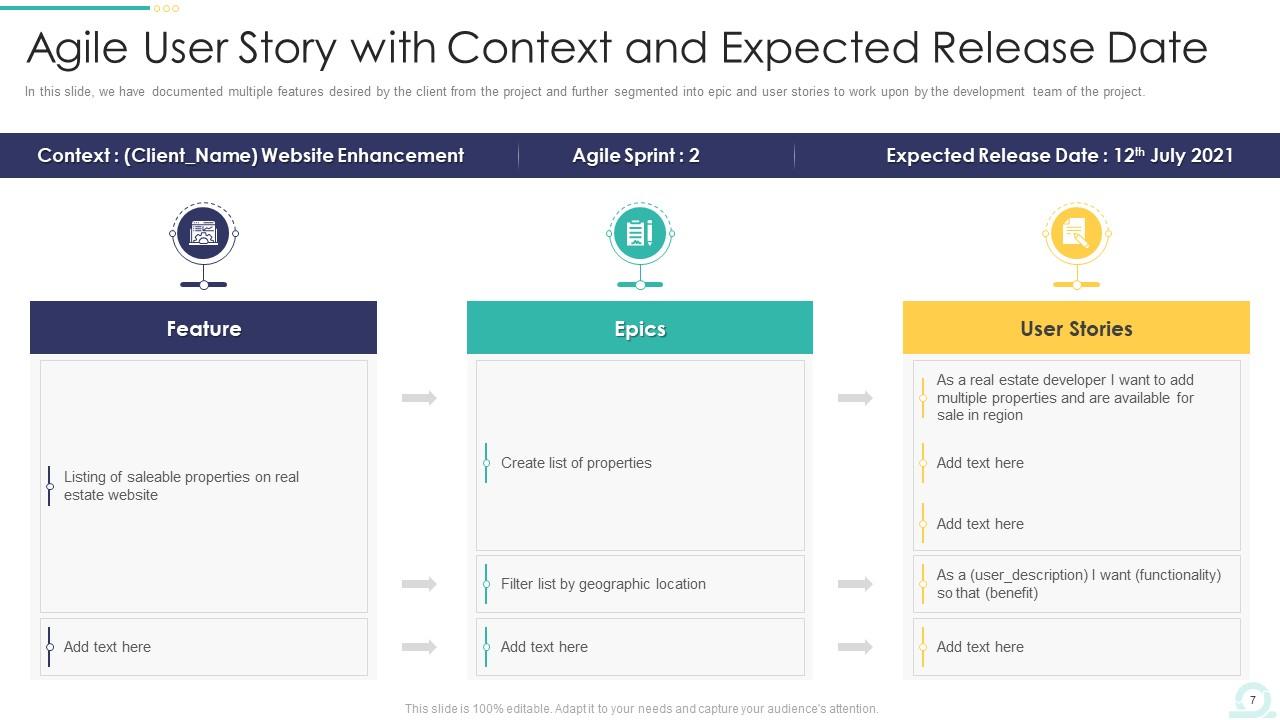
The biggest challenge for a product manager is working with the development team to develop the best software according to the client's expectations. Explore our PowerPoint Preset to show features, epics, and user stories within your agile projects.You can convey the scope of each user story to your team and stakeholders. Our presentation provides a descriptive area to fill the information for the betterment of software development.
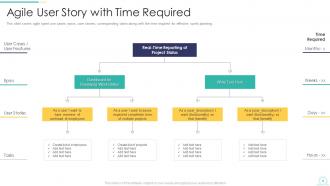
Template 7: Agile User Story with Time Required
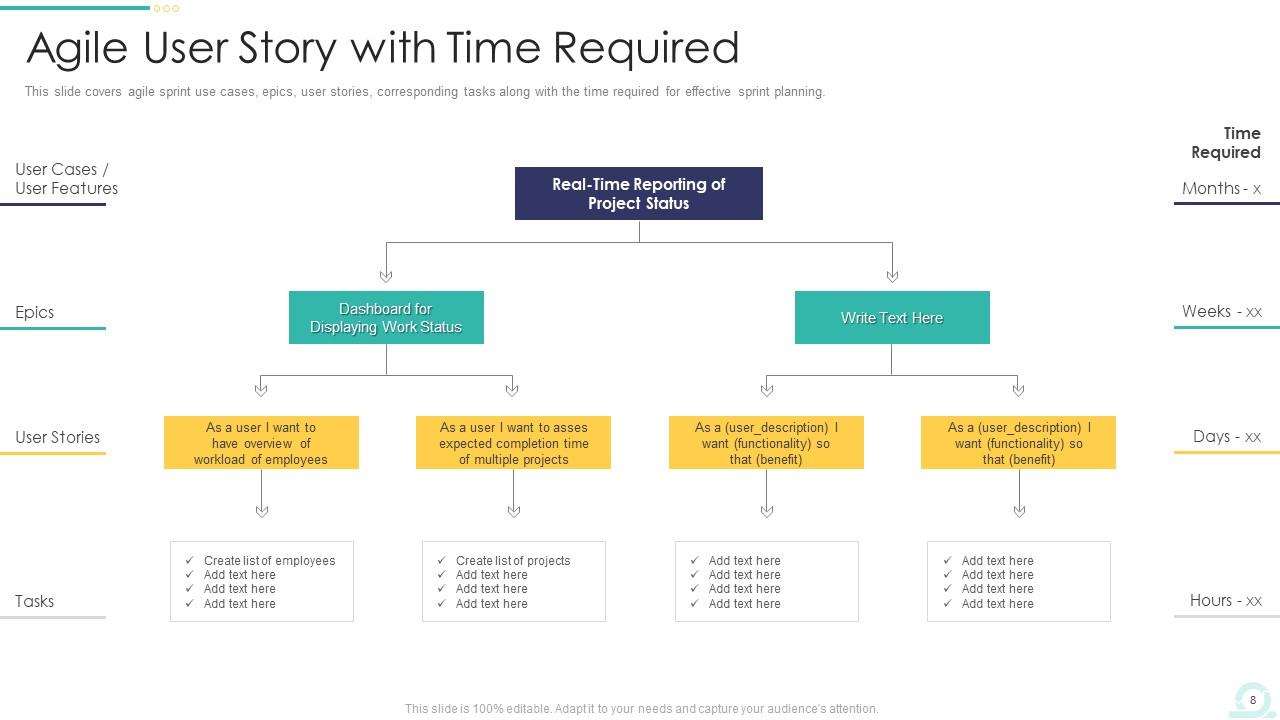
Project managers face the challenge of clear communication and timely status updates. Therefore, they are always looking for a viable solution, which our PowerPoint Layout offers. This presentation template has a decision tree that begins with real-time reporting of your project's current status. It then shows various options and scenarios, which help you build potential steps and strategies. Finally, it turns challenging data into simpler ones.
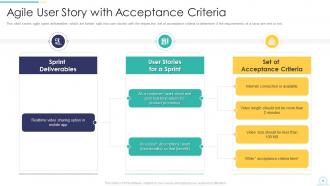
Template 8: Agile User Story with Acceptance Criteria
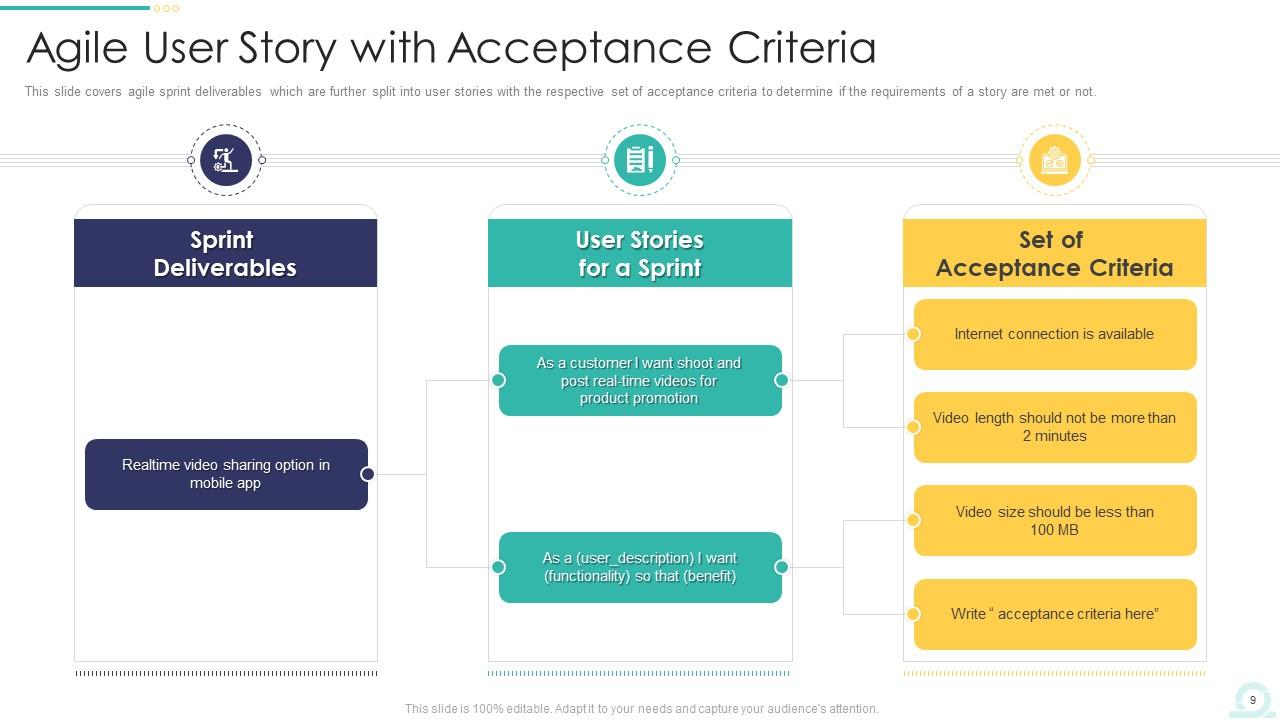
If you want to streamline your Agile project management processes, explore our PowerPoint Design. It helps you present sprint deliverables, user stories, and a set of acceptance criteria. Furthermore, our presentation assists you in organizing information in a professional format. It facilitates discussions around sprint goals and deliverables, which is better for software development.
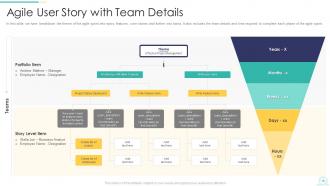
Template 9: Agile User Story with Team Details
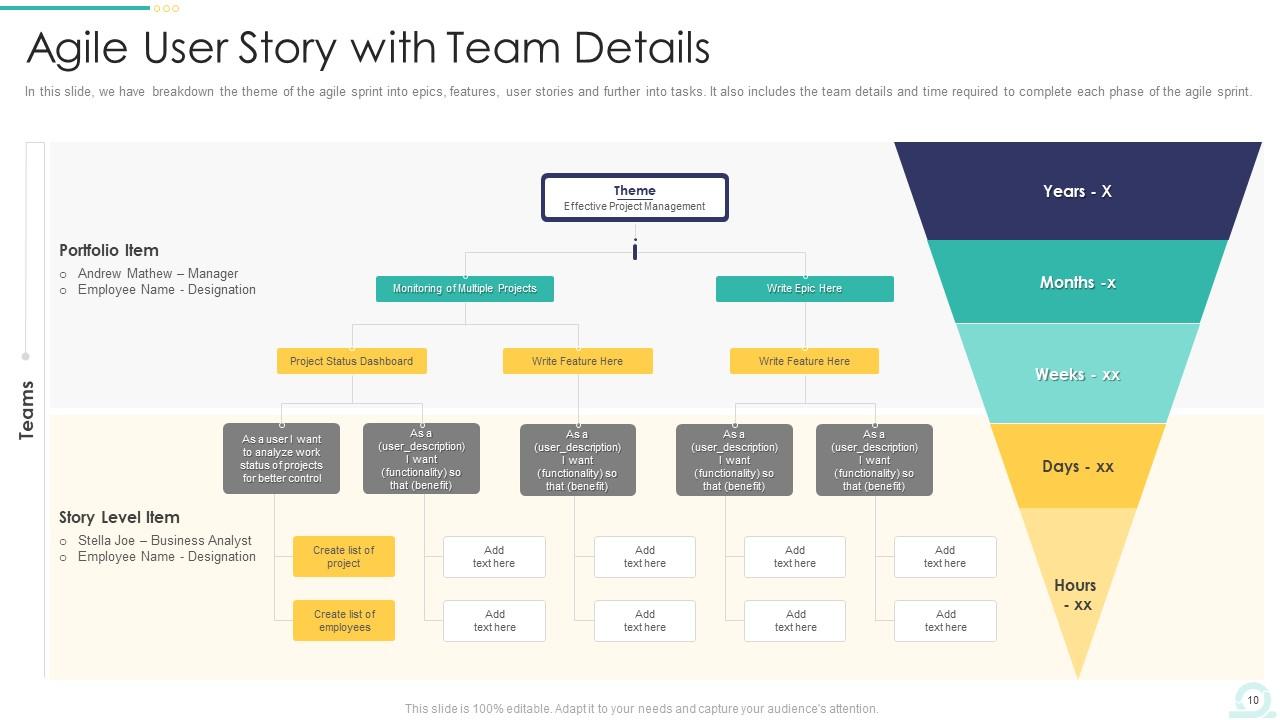
Software development teams have to go through various development challenges. One of the biggest roadblocks are miscommunication and lack of clarity. These two can derail the entire software development process. As a solution, explore our PowerPoint Setup to take your project on the right track. It helps you show your project's scope, including individual user stories and team responsibilities. Furthermore, it shows the project's funnel, which is relevant to your software development lifecycle. When you use this presentation, it promotes better planning and enhanced communication among stakeholders.
Template 10: Agile User Story with Time and Priority
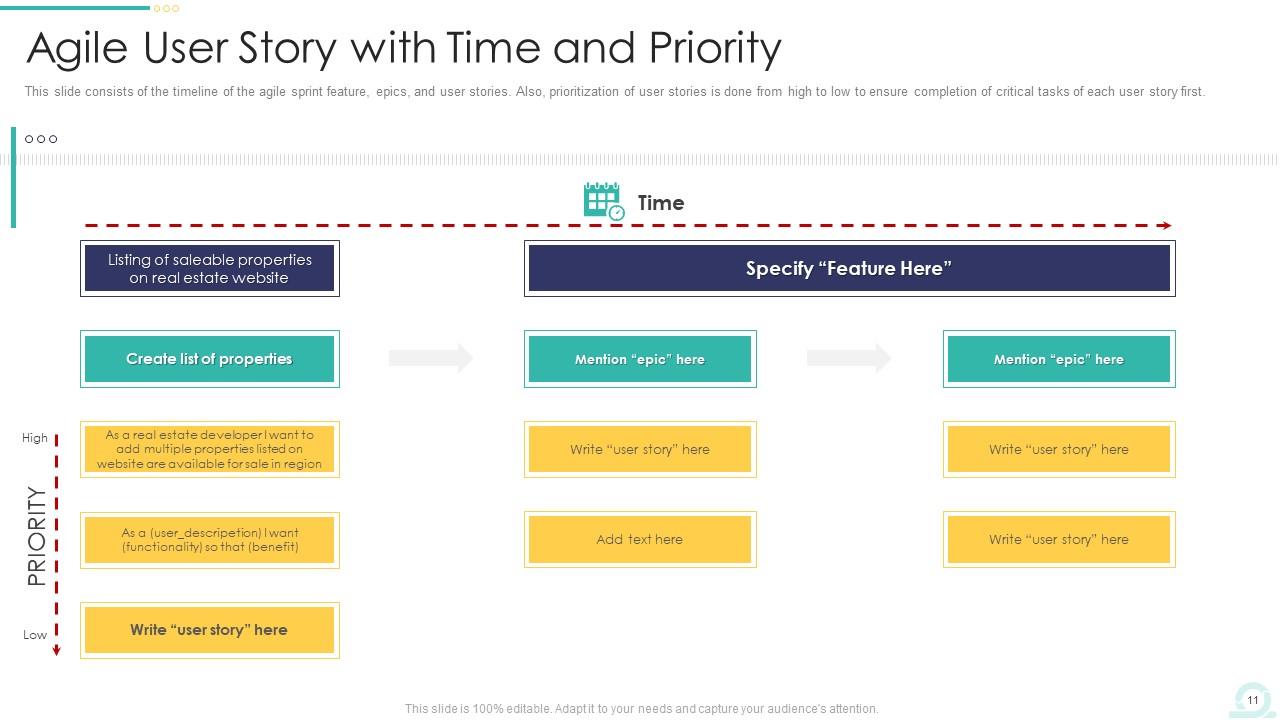
It is advisable to prioritize tasks and manage time for the most well-planned projects. But various circumstances can be there, which can derail the project. Therefore, explore our PowerPoint Theme to address these challenges. Our PPT Preset can show user stories with their priorities from high to low. Furthermore, you can input timelines for the project, which every team member can understand and work on keeping in mind those deadlines.
Build Powerful Products Through Our Templates
Our PowerPoint Frameworks are the best investment for the development team to enhance their agile processes. These PPT Templates promote clear communication among every team member and stakeholder. You can use our product to streamline your software processes and prepare a better product for your customers.
PS: If you are working in an agile model for software development, then use our PowerPoint template.
Agile user story templates powerpoint presentation slides with all 32 slides:
Use our Agile User Story Templates Powerpoint Presentation Slides to effectively help you save your valuable time. They are readymade to fit into any presentation structure.
-
Agile User Story Templates
-
Agile Sprint User Story with Deliverable
-
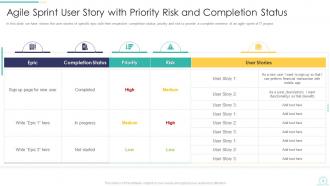
Agile Sprint User Story with Priority Risk and Completion Status
-
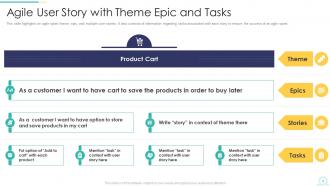
Agile User Story with Theme Epic and Tasks
-
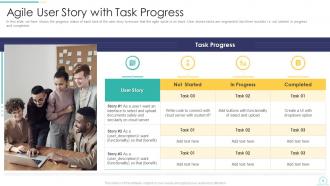
Agile User Story with Task Progress
-
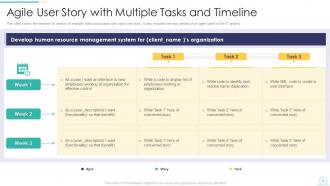
Agile User Story with Multiple Tasks and Timeline
-
Agile User Story with Context and Expected Release Date
-
Agile User Story with Time Required
-
Agile User Story with Acceptance Criteria
-
Agile User Story with Team Details
-
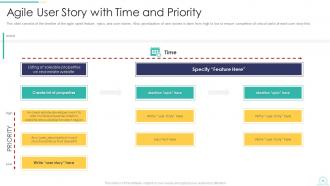
Agile User Story with Time and Priority
-
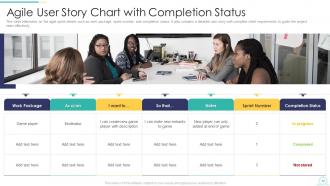
Agile User Story Chart with Completion Status
-
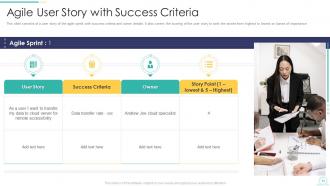
Agile User Story with Success Criteria
-
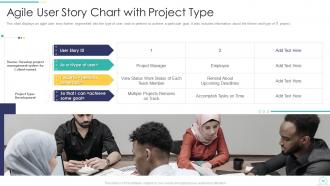
Agile User Story Chart with Project Type
-
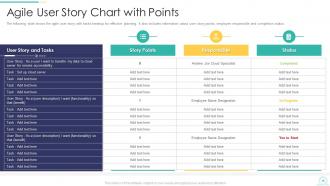
Agile User Story Chart with Points
-
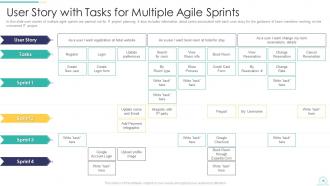
User Story with Tasks for Multiple Agile Sprints
-
Icons Slide Agile User Story Templates
-
Additional Slides
-
Our Mission
-
About Us
-
Our Team
-
Our Goal
-
Post it Notes
-
Venn
-
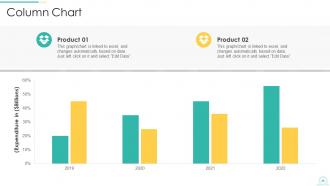
Column Chart
-
Timeline
-
Thank You
-

-

-

-

-

FAQs for Agile user story templates
Good user stories follow that classic "As a [user type], I want [goal], so that [benefit]" structure. Write acceptance criteria that spell out exactly what "done" looks like - trust me, this saves so many headaches later when everyone's arguing about whether the feature actually works. Keep the scope small enough for one sprint. Focus on what the user needs, not how you'll build it technically. The acceptance criteria part is huge though. Without them, you end up in those painful demo meetings where stakeholders go "umm, that's not what we wanted at all." Been there way too many times! Make sure there's real user value, not just developer busywork.
User stories are way better than traditional requirements because they focus on the "who" and "why" instead of just listing features. Like "As a customer, I want to filter products so I can find what I need faster." Short and sweet. The real magic happens in the conversations they create with your team - honestly, that's where half the value comes from. Traditional requirements try to nail down every detail upfront, which never works anyway. User stories accept that you'll figure stuff out as you build. Try writing your next feature as a user story and watch how differently people talk about it.
INVEST is honestly a lifesaver for user stories. It's this acronym - Independent, Negotiable, Valuable, Estimable, Small, Testable. Basically covers all the ways stories can go wrong. Your story shouldn't depend on other stories to work. The team needs to actually estimate it (hate those vague epics). Has to deliver real value and fit in a sprint. Oh, and you need clear acceptance criteria so QA doesn't come back asking "wait, what exactly should this do?" Takes like 30 seconds to check, but I swear it'll save you from those painful sprint planning meetings where everyone's confused.
User stories are a game-changer for prioritization - they force you to think from your users' actual perspective. That whole "As a [user], I want [goal] so that [benefit]" thing? It makes you justify why each feature even matters. Way better than those boring requirement docs that nobody reads anyway. You can quickly spot what's essential vs. nice-to-have fluff. I'd start by bucketing everything into must-haves, should-haves, and could-haves. Then just focus on the must-haves first. Makes estimating easier too since you're ranking by real business value instead of guessing what might be useful.
Stick to that "As a [user], I want [goal] so that [benefit]" template - it seriously cuts through confusion fast. Make sure each story fits in one sprint and write acceptance criteria that actually make sense. The biggest mistake I see? Teams overthinking this stuff. Just write like you're talking to someone who's never seen your product before. Your product owner should definitely run stories by real users when they can. Oh, and split big stories down - way down. I always do this "elevator test" thing where if I can't explain a story in 30 seconds, it's probably too complex. Works every time.
Honestly, the key is getting them involved way earlier - like from day one, not just when you need their rubber stamp. Those collaborative workshops where you throw everyone in a room together? Game changer. Product owners, actual users, devs, all brainstorming stories as a team. Way better than those endless email threads that go nowhere. Push them to share real examples from their daily work too. Those concrete scenarios make everything click for the dev team. Oh, and have stakeholders rank stories by business value - they know what'll actually move the needle. Treat them like true partners, not people you ping occasionally for feedback.
So acceptance criteria are basically your checklist for when a user story is actually finished. You write down the specific stuff that has to work before you can call it done. Honestly, they're lifesavers during sprint planning because your team can estimate work way better when everyone knows exactly what you're building. Your QA folks love them too - gives them clear test cases to run through. Without them? You'll be stuck in those awkward "wait, is this what you meant?" meetings forever. Oh, and write them before you start coding or you'll just confuse yourself later.
Story points with relative sizing is definitely the way to go - way better than hours. Pick one story your team thinks is "medium" complexity, then compare everything else to that baseline. Planning poker is solid since everyone votes at once and you avoid that annoying thing where the first person's estimate influences everyone else. Look at three main things: how complex it is technically, how much actual work, and how risky or uncertain it feels. Honestly though, if you're sitting there arguing whether something's a 5 or 8, just pick one and move on. What matters most is staying consistent as a team over time.
There's a few ways to tackle this. Split by workflow steps - each step becomes its own story. Or divide by user roles, data types, acceptance criteria. INVEST criteria helps too (I can never remember what the V is either lol). My favorite approach? Ask "what's the tiniest valuable piece we can ship first?" then work backwards. Business rules work great for splitting too. Honestly, just pick whichever method feels right for your specific story and don't overthink it at first. You can always adjust later if it's not working out.
User story changes happen constantly, honestly. Small tweaks? Just update and move on. The bigger ones though - those need to go back to your product owner for re-prioritization since they'll mess with your timeline. I've watched teams totally burn themselves trying to say yes to everything mid-sprint without actually talking it through first. Be upfront with stakeholders about what the impact will be. Document why stuff changed too - it's super helpful later when you're trying to figure out patterns and it shows you're not just randomly accepting scope creep.
Oh man, I've made all these mistakes! First thing - write from the user's view, not as a developer explaining tech stuff. Keep stories small enough to actually finish in one sprint (no sneaky epics). Acceptance criteria matter even when you think "obviously everyone gets it." Skip vague words like "user-friendly" - be specific about what good looks like. The big one though? Always explain WHY the story matters to users or the business. Honestly, team reviews before sprint planning save so much headache later. You'll catch the weird stuff early instead of mid-sprint panic.
Honestly, user stories are game-changers for getting everyone on the same page. Your devs aren't just looking at tech specs anymore while designers do their own thing with mockups - suddenly everyone's focused on what the user actually needs. Each story becomes this natural conversation starter too. Product people, developers, designers, stakeholders - you're all discussing features from the user's angle instead of drowning in technical weeds. The magic happens when you write them together during planning though, not when some poor soul gets stuck drafting them solo. It's way more collaborative that way.
Honestly, just go with Jira, Azure DevOps, or Linear - they're made for this. Jira's got everything but can be overwhelming (learned that the hard way). If you're using Microsoft stuff already, Azure DevOps is solid. Linear's my personal favorite though - super clean interface and actually fast. Smaller teams? Trello works fine, or even GitHub Projects. Don't overthink it - pick whatever your team will actually stick with. I've seen fancy setups abandoned because they were too complicated. Start with something that fits what you're doing now, not what you think you might need later.
Honestly, this trips up so many teams I've worked with. During planning, always ask "how does this story actually help our quarterly goals?" - sounds obvious but people forget constantly. Define what success looks like upfront, then check your backlog against those metrics regularly. I'd put the business context right on your story cards so it's staring you in the face. Your product owner should be in sprint reviews validating you're headed the right direction. Teams get obsessed with feature requests and totally lose the plot. Short version: connect every story to bigger objectives or you'll just be spinning your wheels.
Honestly, user story mapping is a game changer. It shows you the whole product picture instead of just a messy backlog list. I can't tell you how many obvious features I've missed just staring at individual stories - it's embarrassing. The visual layout helps your team actually understand user journeys instead of building random stuff. Plus prioritization becomes way clearer when you see which stories complete the core flows. Sometimes I get caught up in the mapping and forget to actually write the stories though lol. But yeah, definitely try it on your next epic before you break everything down.
-
Great designs, Easily Editable.
-
Really like the color and design of the presentation.