3 Comments

The SlideTeam Blog All About PowerPoint, Presentations & Life

 Get in touch with your inner creative with our downloadable resources. Access our PowerPoint Ebooks and become a brilliant presentation designer.
2 days ago
We have an entire team of experts who can work on your custom presentation. Get in touch with our design agency.
4 days ago
See what the world is downloading for a kickass presentation. Check out our most popular products and get inspired.
5 days ago
Get in touch with your inner creative with our downloadable resources. Access our PowerPoint Ebooks and become a brilliant presentation designer.
2 days ago
We have an entire team of experts who can work on your custom presentation. Get in touch with our design agency.
4 days ago
See what the world is downloading for a kickass presentation. Check out our most popular products and get inspired.
5 days ago

The SlideTeam Blog All About PowerPoint, Presentations & Life
![A Complete Guide to Diversity & Inclusion Training for Corporate Employees With Training Material Included [Free PDF Attached]](https://www.slideteam.net/wp/wp-content/uploads/2022/03/Diversity-Inclusion-Training_1-493x215.png)
In nature, diversity is the order of the day. Plants and animals embrace diversity in all its glory and celebrate it with zest, enthusiasm, and complete acceptance. We, humans, are not that lucky or accepting, especially in the way we run our businesses. The enterprises might be as diverse...
“What does the human eye look at first on a page” asked many a curious designer, more so a web designer. As presenters, have we ever asked the same? Why not? We need to be curious about our audiences’ reading behavior too. Don’t we want our slides to be read...

Erno Rubik, created an object that was supposed to be impossible. He twisted and turned the solid cube but it did not break or fall apart. The cube got shuffled and thus came out as the first Rubik’s Cube. We all have been associated with this word since our...

Show multiple projects or tasks with Parallel Arrows. Illustrate the business profits and losses with the help of the perfect visual. Draw comparisons, explain strategies, define tasks, show which task is ahead of others with the help of Parallel Arrows PowerPoint. Add something new which can do wonders to your...

Breathe! Let’s make your everyday task a bit easy. Presentations. Yes, you spend sleepless nights by making business presentations. Demonstrating strategies, planning, processes, business cycles, ideas, groundwork and what not. So to curb your tension and stress, we bring you yet another amazing design which you can easily create...

Like we said in our last post on typography tips, text is often sidelined in a presentation. Whenever we think about creating beautiful slides that audience will love, we think about making it more visual. We even spend a few dollars to get the best image for our slide. Nothing...

Dictating your business strategies on a white plain slide? Spare yourself and everyone from the boredom. Rather add killer PowerPoint designs and win over your clients and then ultimately your boss. We bring you one such design which you can create in PowerPoint in just 5 minutes. You...
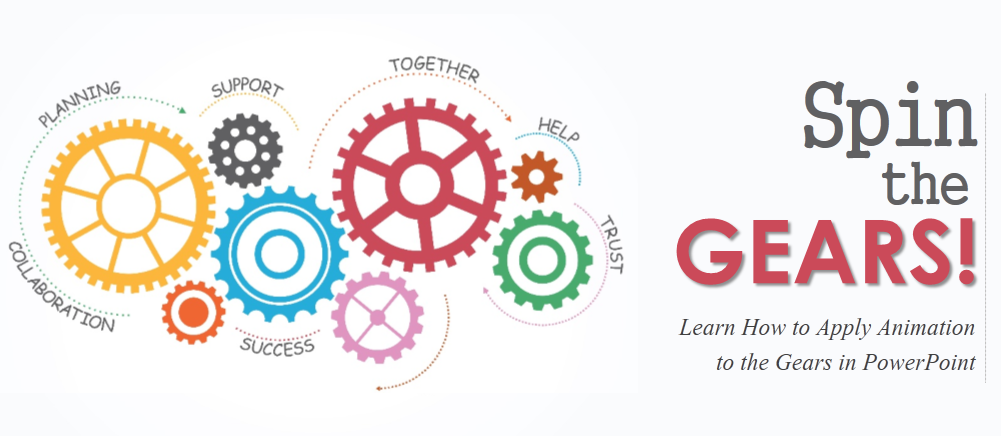
Enhance your presentation with animated gears and cogs. Gears and cogs can be incorporated in PowerPoint Presentation to showcase the team work, concept or a process. These can be very well used in strategic presentations as well. We have shown you in one of our tutorials where you can...

“Above all else show the data.” ― Edward R. Tufte, The Visual Display of Quantitative Information This pioneer in the field of Data Visualization loves data. He strongly believes, “To clarify, *add* data.” Some unfortunately believe in the exact opposite- To confuse the audience even more, add data...

Giving animation to the slides takes the presentation to a whole another level. It keeps your audience glued to their seats, helps you put forward your points with ease. It showcases your creativity and make your presentation impressive. Those who have tried animation in PowerPoint must agree with what...

The first advice that any professional designer gives for creating captivating slides is to use images. They are absolutely right in saying so. Firstly, because we are visual learners and empirical evidence shows that images are remembered more than text. Secondly, visuals add aesthetic value to a slide- add color...