3 Comments

The SlideTeam Blog All About PowerPoint, Presentations & Life

 Get in touch with your inner creative with our downloadable resources. Access our PowerPoint Ebooks and become a brilliant presentation designer.
2 days ago
We have an entire team of experts who can work on your custom presentation. Get in touch with our design agency.
4 days ago
See what the world is downloading for a kickass presentation. Check out our most popular products and get inspired.
5 days ago
Get in touch with your inner creative with our downloadable resources. Access our PowerPoint Ebooks and become a brilliant presentation designer.
2 days ago
We have an entire team of experts who can work on your custom presentation. Get in touch with our design agency.
4 days ago
See what the world is downloading for a kickass presentation. Check out our most popular products and get inspired.
5 days ago

The SlideTeam Blog All About PowerPoint, Presentations & Life
![A Complete Guide to Diversity & Inclusion Training for Corporate Employees With Training Material Included [Free PDF Attached]](https://www.slideteam.net/wp/wp-content/uploads/2022/03/Diversity-Inclusion-Training_1-493x215.png)
In nature, diversity is the order of the day. Plants and animals embrace diversity in all its glory and celebrate it with zest, enthusiasm, and complete acceptance. We, humans, are not that lucky or accepting, especially in the way we run our businesses. The enterprises might be as diverse...
Ever thought of adding a crawling line of text in your presentation? First of all, it sounds interesting. Secondly, it is an unusual way of sharing an information with your audience. Thirdly, it will keep your audience hooked to your presentation, minute they enter the hall. News ticker...
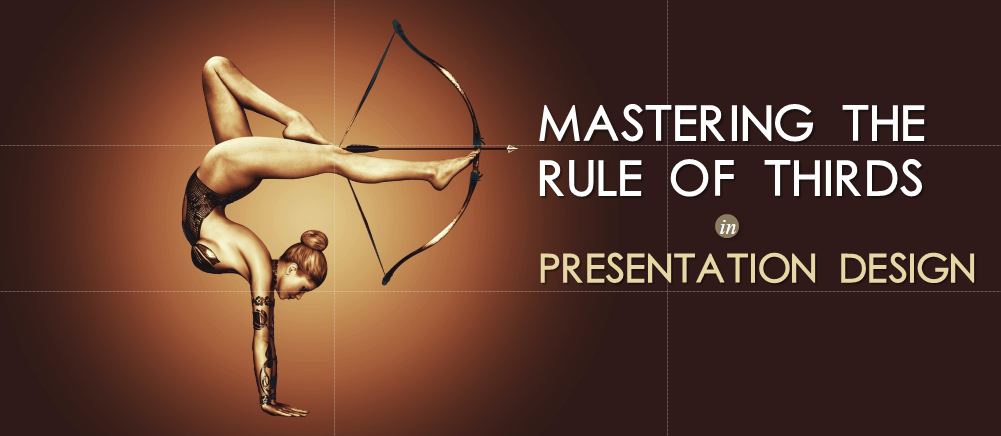
Unless you are a photographer, chances are that you may be unaware of the composition technique called the Rule of Thirds. It’s a big deal in the photography world. Anybody enrolled in a design school or photography course will learn this rule at the outset and perhaps create all artistic...

It’s a visual world and people respond to visuals, rightly said by Joe Sacco, a Maltese-American cartoonist and journalist. I would also like to add here that an image can immediately get imprinted in your mind if it is treated well with picture effects. Picture effects in PowerPoint can turn...

2017 is here. And it is going to be good, nay great, for presentations. Already by the end of 2016, presenters were expressing the desire to make their presentations better. They want their presentations to be visual, interesting and modern. What stopped them from doing that in 2016? The...

Make your PowerPoint slides unique and creative. Convey your message through innovatively designed custom shapes. These awesome custom shapes will help you make your presentation look appealing and attractive. Ditch the old ways of adding Smart Art or just text to your presentation. Use these amazing custom shapes and...

Every book needs a great cover. Likewise, every presentation is incomplete without great pictures. And the coolest part is that you can actually enhance these pictures by yourself to make them look even more stunning in your template slides. Apply artistic effects to make the picture look more like...

“You don’t know how to use Slide Master!” a shocked HR professional said when I revealed that I had never used the same. “It saves a lot of time,” she continued. “It kills creativity,” I argued (I remembered the boring to death HR presentations). What could be the harm...

“Words are all I have to take your heart away” “Lord Polonius: What do you read my Lord? Hamlet: Words, words, words.” Sorry for this cheesy opening. But the only intention behind pinching the line from Bee Gee’s song and Shakespeare’s play was to underscore the importance of words...

Want it or not, bullet points often show their presence in the presentations. To avoid long paragraphs and to keep the text minimal and meaningful, bullet points are often needed and added. However, let’s escape the old way of putting bullet points to the presentation. Move on to...
![[Morph PowerPoint Tutorial] Beginner’s Guide to Using the Morph Transition in PowerPoint 2016](http://www.slideteam.net/wp/wp-content/uploads/2016/12/Morph-Tutorial-PowerPoint-How-to-Use-the-Morph-Transition-Feature-in-PowerPoint-2016.png)
Morph (Verb): to gradually change one image into another, or combine them, using a computer program. Cambridge Dictionary Animation has never been this good in PowerPoint! Thanks to a new transition (yes, not an animation) effect introduced by Microsoft in PowerPoint 2016 called “Morph.” Using this transition, you can...