

Budgeting Techniques Methods And Strategies Powerpoint Presentation Slides




Try Before you Buy Download Free Sample Product
 Impress Your
 Audience
 100%
100% Editable
 Save Hours
 of Time


Explore our content-ready budgeting techniques methods and strategies PowerPoint presentation slides. This financial plan PPT show helps you set long-term financial goals. Furthermore, our predesigned zero-based budgeting presentation illustrations help you determine the cash inflows and project investment. These versatile flexed capital methodology PPT visuals cover all the necessary slides such as financial planning, the requirement of data collection form, cash flow analysis, resource capacity planning, risk tolerance analysis, investment flow chart and tax planning. These venture strategy and techniques PowerPoint presentation templates can also be used for evaluating the capital investment proposals. If you aim to deliver a presentation on similar affairs such as rolling cost, financial blueprint, real options valuation, price forecasting and modeling, revenue tracking, incremental expenses, static finance, cost and expenses, expenditure tracing and investment strategy, then this cost allocation PPT diagram will turn out to be useful. So without wasting more time, download our ready-made budgeting techniques methods and strategies PPT template!. Allow folks to indulge in fun filled activities with our Budgeting Techniques Methods And Strategies Powerpoint Presentation Slides. Conduct joyful gatherings.
People who downloaded this PowerPoint presentation also viewed the following :
Content of this Powerpoint Presentation
Slide 1: This slide introduces BUDGETING TECHNIQUES, METHODS AND STRATEGIES. State your company name and begin.
Slide 2: This slide shows AGENDA. Add the agenda of the company and business.
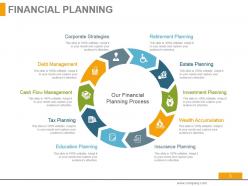
Slide 3: This slide showcases financial planning with these of the sources- Our Financial Planning Process, Insurance Planning, Education Planning, Wealth Accumulation, Tax Planning, Investment Planning, Cash Flow Management, Estate Planning, Debt Management, Retirement Planning, Corporate Strategies.
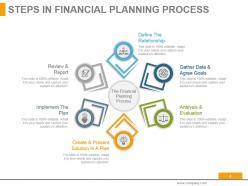
Slide 4: This slide showcases steps in financial planning process which furher showcases the Financial Planning Process, Define The Relationship, Gather Data & Agree Goals, Analysis & Evaluation, Create & Present Solution In A Plan, Review & Report, Implement The Plan.
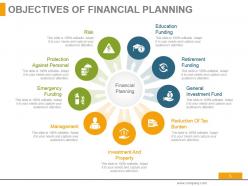
Slide 5: This slide presents objectives of planing process- Financial Planning, Investment And Property, Management, Education Funding, Risk, Retirement Funding, General Investment Fund, Reduction Of Tax Burden, Emergency Funding, Protection Against Personal.
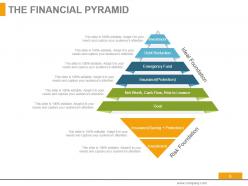
Slide 6: This slide presents the financial pyramid with these of the following factors- Investment, Debt Reduction, Emergency Fund, Insurance(Protection), Net Worth, Cash Flow, Risk to Lerance, Goal, Investment, Insurance(Saving + Protection), Ideal Foundation, Risk Foundation.
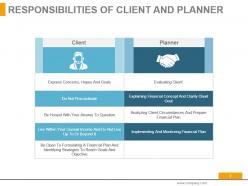
Slide 7: This slide showcases responsibilities of client and planner.
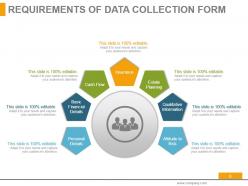
Slide 8: This slide presents requirement of data collection form with these of the six categories- Personal Details, Basic Financial Details, Cash Flow, Insurance, Estate Planning, Qualitative Information, Attitude to Risk.
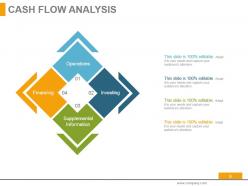
Slide 9: This slide presents cash flow analysis with four of the types- Investing, Operations, Supplemental Information, Financing.
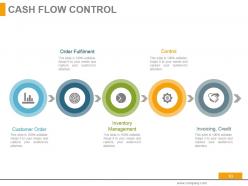
Slide 10: This slide showcases CASH FLOW CONTROL with these of the five parameter- Customer Order, Inventory Management, Invoicing, Credit, Order Fulfilment, Control.
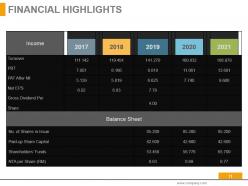
Slide 11: This slide presents FINANCIAL HIGHLIGHTS. Add the data and use it.
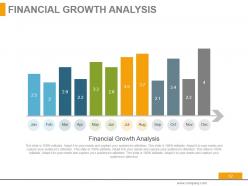
Slide 12: This slide showcases financial growth analysis which further presents Financial Growth Analysis table and use it.
Slide 13: This slide presents financial planning timeline.
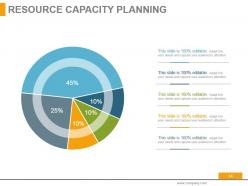
Slide 14: This slide showcases resourse capacity planning.
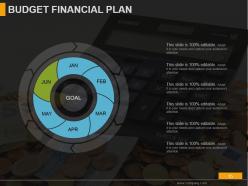
Slide 15: This slide presents budget financial plan.
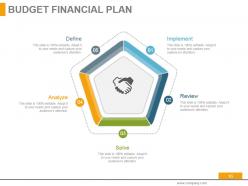
Slide 16: This slide shows budget financial plan with these of the stages- Implement, Define, Review, Analyze, Solve.
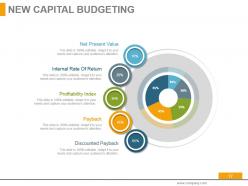
Slide 17: This slide presents new capital budgeting with these important factors- Net Present Value, Internal Rate Of Return, Profitability Index, Payback, Discounted Payback.
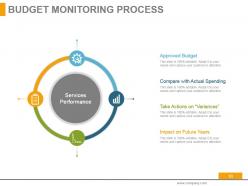
Slide 18: This slide showcases budget monitoring with these of the four factors- Approved Budget, Compare with Actual Spending, Take Actions on “Variances”, Impact on Future Years, Services Performance.
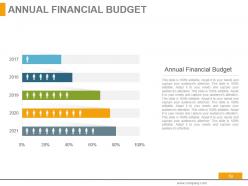
Slide 19: This slide shows Annual Financial Budget. Add the annual financial budget in this slide and make use of it.
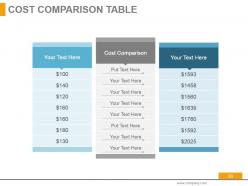
Slide 20: This slide showcase cost comparison table.
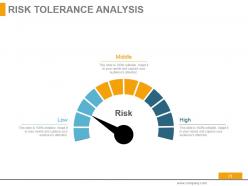
Slide 21: This slide presents RISK TOLERANCE ANALYSIS with these four parameter- Low, High, Middle, Risk.
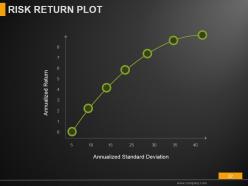
Slide 22: This slide shows risk return plot with these two parameters- Annualized Return, Annualized Standard Deviation.
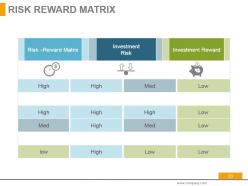
Slide 23: This slide showcases risk reward martrix.
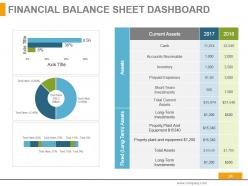
Slide 24: This slide shows financial balance sheet dashboard.
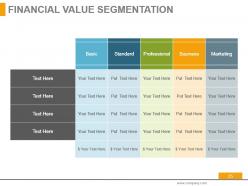
Slide 25: This slide presents financial value segmentation.
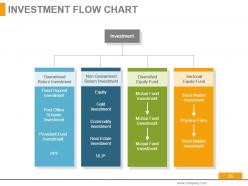
Slide 26: This slide showcases investment flow chart which further shows the four of the main categories.
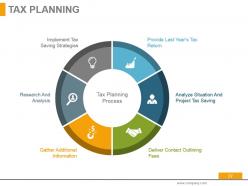
Slide 27: This slide shows TAX PLANNING with these of the following steps- Research And Analysis, Analyze Situation And Project Tax Saving, Implement Tax Saving Strategies, Provide Last Year’s Tax Return, Deliver Contact Outlining Fees, Gather Additional Information, Tax Planning Process.
Slide 28: This slide is titled Additional Slides.
Slide 29: This slide represents Our Mission. State your mission, goals etc.
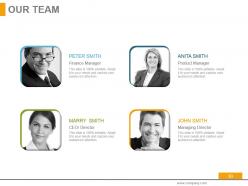
Slide 30: This slide showcases Our Team with Name and Designation to fill.
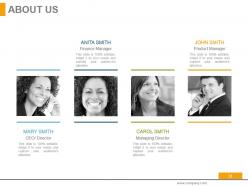
Slide 31: This slide helps show- About Our Company. The sub headings include- Creative Design, Customer Care, Expand Company
Slide 32: This is an Our Goal slide. State your important goals here.
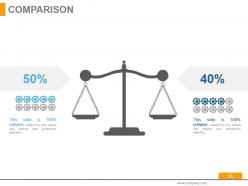
Slide 33: This slide shows Comparison of Positive Factors v/s Negative Factors with thumbs up and thumb down imagery.
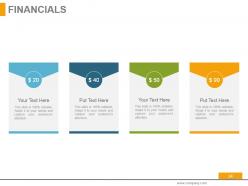
Slide 34: This slide is titled as Financials. Show finance related stuff here.
Slide 35: This is a Quotes slide to highlight, or state anything specific.
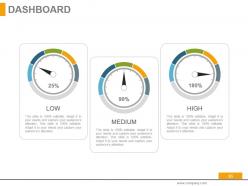
Slide 36: This is a Dashboard slide displaying- Revenue, Purchase Value, Units Sold.
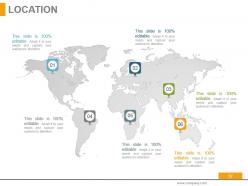
Slide 37: This slide showcases Global Project Locations with a World map and text boxes to make it explicit.
Slide 38: This slide showcases Global Project Locations with a World map and text boxes to make it explicit.
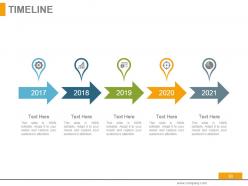
Slide 39: This slide shows Project Events Timeline with icons and text boxes.
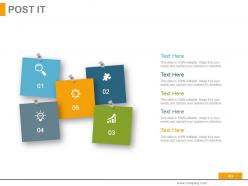
Slide 40: This slide shows an image with text boxes titled Business Person with Post It notes.
Slide 41: This slide presents a Newspaper image with text boxes to flash company news, position etc.
Slide 42: This is a Puzzle image slide to show information, specification etc.
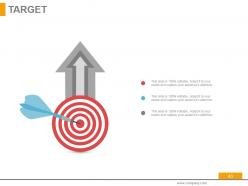
Slide 43: This slide displays Our Target with a background image.
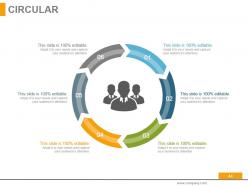
Slide 44: This is a Circular image slide to show information, specifications etc
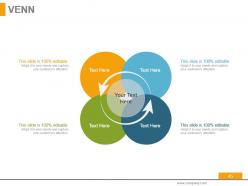
Slide 45: This is a Venn diagram image slide to show information, specifications etc.
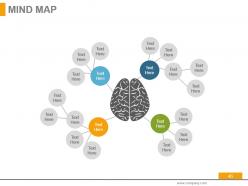
Slide 46: This slide shows a Mind map for representing entities.
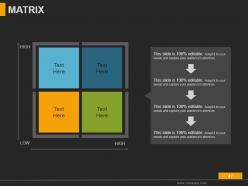
Slide 47: This slide shows a Matrix in terms of High and Low.
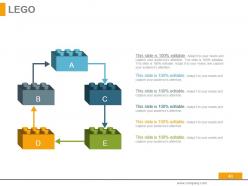
Slide 48: This is a LEGO slide with text boxes to show information.
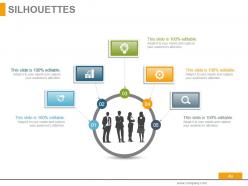
Slide 49: This is a People's silhouettes slide. Use it the way you want to show solutions etc.
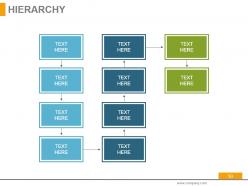
Slide 50: This is a Hierarchy slide showing- Supply Chain Manager, Supply Chain Council, Sourcing, Supplier Quality Engineer, Procurement, Logistics & Management, Supplier Management, Student, Contract Management
Slide 51: This is a Bulb Or Idea image slide to show information, innovative aspects etc.
Slide 52: This is a Magnifying glass image slide to show information, scoping aspects etc.
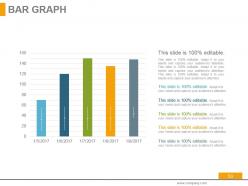
Slide 53: This is a Bar Graph image slide to show product comparison, growth etc.
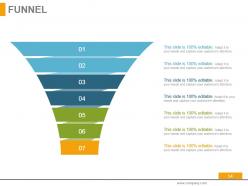
Slide 54: This is a Funnel image slide showing: Calls-to-action, Reachability, User Experience, Color Schemes, Engagement, Simplicity
Slide 55: This is a Thank You image slide with Address, Email and Contact number.
Budgeting Techniques Methods And Strategies Powerpoint Presentation Slides with all 55 slides:
Identify the cause of inhibitions with our Budgeting Techniques Methods And Strategies Powerpoint Presentation Slides. Eliminate any gnawing doubts.






FAQs for Budgeting Techniques Methods And Strategies
Honestly, you've got two solid options here. Debt avalanche means hitting the highest interest rates first - you'll save more money that way. But debt snowball? Start with your smallest balances and work up. Way more satisfying when you actually see debts disappear. Budget-wise, flip that 50/30/20 rule around: 50% for needs, 20% for fun stuff, then throw 30% at debt. I'm a fan of zero-based budgeting too where every dollar has a purpose. Pick whichever debt method won't make you want to quit after two months. Honestly, staying consistent beats having the "perfect" strategy any day.
So zero-based budgeting basically makes you justify every expense from scratch each time - no more just bumping last year's budget by 5%. Yeah, it's annoying at first, but you'll be shocked at how much random stuff you're paying for that you don't actually need. Like that software subscription you forgot about or whatever. I'd say start small though, maybe just tackle office supplies first to get the hang of it. You catch spending patterns way quicker this way, plus you figure out what's actually helping your business vs just old habits. Perfect for small businesses honestly.
So the 50/30/20 rule is pretty straightforward - you split your take-home pay three ways. Half goes to needs like rent and groceries. 30% is for fun stuff - restaurants, streaming services, whatever. The last 20% hits savings and paying off debt. Honestly, it's not gonna work perfectly for everyone (like if you live in an expensive city, good luck with that 50% for needs), but it's a decent place to start. I like it because you don't need to track every single expense. Just see where your money's going now and compare it to those percentages.
So basically you grab some envelopes and stuff cash in them - one for groceries, gas, entertainment, whatever. Once that envelope's empty, you're totally done spending in that category. No cheating! The physical aspect is weirdly effective because you actually feel the money leaving your hands. My kids figured out real quick that when the "fun stuff" envelope was getting low, they better choose wisely. Yeah it's super old-fashioned but honestly beats staring at numbers on a phone screen. Just start with maybe 3 categories so you don't overwhelm yourself right off the bat.
Honestly, the 50/30/20 rule still works with irregular income - just base those percentages on your worst month. So if you normally make $5k but sometimes only $3k, use the $3k for your budget. Build up like 8 months of expenses instead of the usual 3-6 (I know, sounds crazy but trust me). The second money hits your account, move some to savings immediately. Otherwise you'll definitely spend it - we all do that. Oh, and set up separate accounts for taxes and business stuff now. Tracking your income patterns helps too since most freelance work has seasonal ups and downs.
So budgeting apps are pretty clutch - they connect to your bank and automatically sort your spending into categories. No more spreadsheet hell! You get real-time updates on where your money's actually going, plus alerts when you're about to blow past your limits (which I definitely ignore way too often lol). The visual stuff makes it super easy to see patterns you'd totally miss otherwise. Mint's solid if you want something free, or YNAB if you don't mind paying. Honestly just download a couple and see what feels right - they're all kinda different.
Look, that 50/30/20 budgeting thing is solid for college, but let's be real - when you're broke it's more like 60/25/15. Needs get 60% (rent, food, tuition), wants maybe 25%, and whatever's left goes to savings or loans. First step though? Track literally everything for two weeks. I swear you'll be like "wait, I spent HOW much on coffee?" Mint works, or just use a basic spreadsheet if you're old school like me. Pick one dumb spending habit this week and cut it. Put that money toward whatever's stressing you out most financially.
First figure out what employees can actually impact - department budgets, training money, office stuff. Not like C-suite salaries obviously. Put together small mixed teams and give them real power over specific chunks of money. Show them the actual numbers and constraints so they get why tough choices happen. I've watched this work great when teams pitch their ideas to leadership - almost like Shark Tank but less dramatic lol. The crucial part is circling back to show how their suggestions changed the final budget. Otherwise it just feels like fake participation and people see right through that.
You're basically taking last year's budget and tweaking it up or down - super simple and fast. Everyone gets it since they already know the baseline numbers. Works great for stable businesses, though let's be real, what business is actually that predictable anymore? Your team won't fight you on it because you're not questioning every single expense from scratch. Operational departments are perfect for this approach. You get decent spending controls too since people have to justify any increases. Honestly way less headache than other methods.
Oh man, cash flow budgeting is seriously a game-changer for seasonal stuff. You're basically mapping when money actually hits your account vs when bills are due - not just monthly profits but like week-by-week reality. Super crucial when you're pulling in 70% of revenue during summer but rent's still due in February, right? I learned this the hard way honestly. Plot out your historical patterns first, then you can spot those brutal cash crunches coming and maybe build reserves during good months or get a credit line ready. Way better than scrambling later.
Look, budgeting is make-or-break for nonprofits. You can't hit financial goals without knowing where your money's going - it's like driving with a blindfold on. I've watched really great organizations fail because they winged it instead of planning ahead. Your budget should start with program goals, then figure out what funding you actually need. It also shows donors you're not just throwing money around randomly (which honestly, some places do). The seasonal cash flow thing is huge too - summer's always brutal for donations. Bottom line: treat your budget like the roadmap it is, not some boring paperwork you do once a year.
So basically you make three different budgets - best case, worst case, and realistic. Way better than just hoping one plan works out. You'll catch cash problems before they hit and know exactly what expenses to axe if things go south. Honestly saved my butt during that rough patch last year when sales dropped. Quick decisions become so much easier when you've already thought through the scenarios. Try it with next quarter first - map out how different revenue numbers would mess with your operations. Game changer.
So fixed budgets are basically set amounts that never change no matter what happens with your business. Flexible ones adjust when your actual sales or activity levels shift. Like if you suddenly sell twice as much as planned, flexible budgets will recalculate your expenses to match - fixed ones just sit there unchanged, which honestly makes comparing performance kinda weird. Yeah, flexible budgets are more work to keep up with, but the insights you get are so much better. I'd go flexible if you can handle the extra effort. Way more realistic for tracking how you're actually doing.
So basically you work *with* your spending habits instead of pretending they don't exist. Track what you actually do for like two weeks first - no judging yourself, just observe. Then build a budget around those patterns. Coffee addict? Budget for it. Terrible at remembering to save? Set up automatic transfers so it happens without you. Way less frustrating than those "perfect" budgets that assume you'll never buy anything spontaneous. I used to feel so guilty about takeout until I just started planning for it. Game changer honestly.
Start with an emergency fund - like 3-6 months of expenses stashed away. Honestly, automating transfers is where it's at because you just forget about it happening. I'm a big fan of the 50/30/20 rule too (20% for savings/debt). Zero-based budgeting works if you're into assigning every dollar somewhere specific. Even if you're broke right now, $25 a month turns into something eventually. The automation thing is huge though - don't rely on yourself to remember or you'll definitely forget half the time.
-
Innovative and Colorful designs.
-
Design layout is very impressive.