

Project Budget Powerpoint Presentation Slides





Try Before you Buy Download Free Sample Product
 Impress Your
 Audience
 100%
100% Editable
 Save Hours
 of Time


Endow your ideas with a beautiful form. They will benefit from the artistry of our Project Budget Powerpoint Presentation Slides.
People who downloaded this PowerPoint presentation also viewed the following :
Content of this Powerpoint Presentation
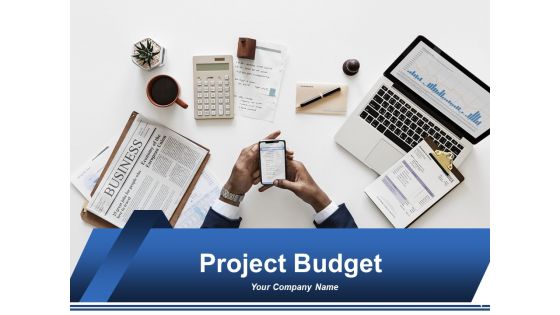
Slide 1: This slide introduces Project Budget. State your company name and continue.
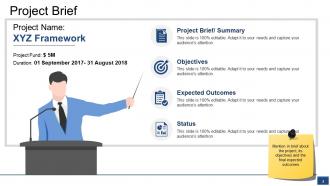
Slide 2: This is a Project Brief slide. Mention in brief about the project, its objectives and the final expected outcomes.
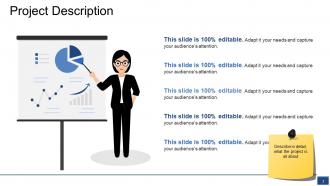
Slide 3: This slide showcases Project Description. Describe in detail, what the project is all about.
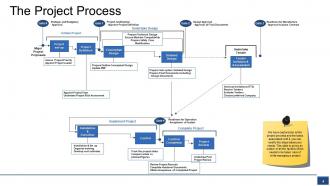
Slide 4: This slide shows The Project Process. We have captured an entire project process and the tasks associated with it, you can modify the steps basis your needs.
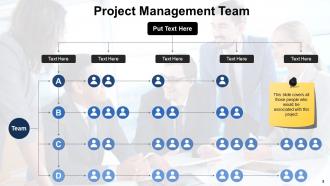
Slide 5: This slide covers all the members of Project Management Team with name, designation etc. to be stated in the given text boxes.
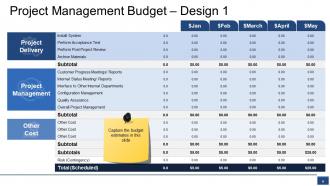
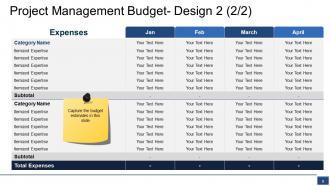
Slide 6: This is first slide showing Project Management Budget design with Project Management, Project Delivery, Other Cost. Capture the budget estimates in this slide.
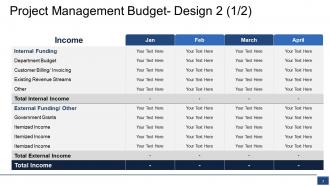
Slide 7: This is the second slide showing Project Management Budget design.
Slide 8: This is the third slide showing Project Management Budget design. Capture the budget estimates in this slide.
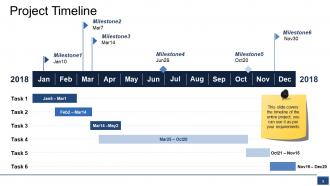
Slide 9: This slide shows Project Timeline. The timeline of the entire project is covered in this slide which can be used as per requirement.
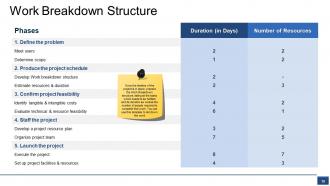
Slide 10: This slide shows Work Breakdown Structure. Once the timeline of the project is in place, prepare the Work Breakdown structure, listing all the tasks which needs to be fulfilled and its duration as well as the number of people required to complete that work.
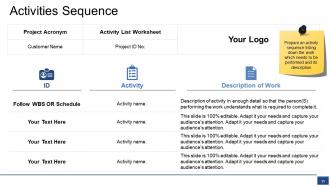
Slide 11: This slide shows Activities Sequence. Prepare an activity sequence listing down the work which needs to be performed and its description.
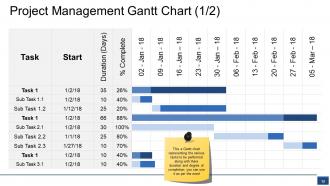
Slide 12: This slide shows Project Management Gantt Chart. This Gantt chart represents the various activities that are to be performed along with their duration and degree of completion.
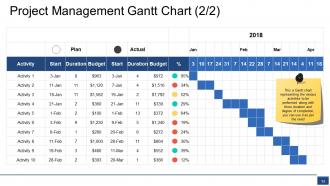
Slide 13: This slide also shows Project Management Gantt Chart.
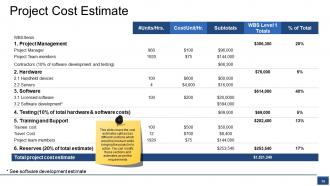
Slide 14: This slide shows Project Cost Estimate. It covers the cost estimates split across different sections which would be involved while bringing the project in to action. You can modify these sections and estimates as per the requirements.
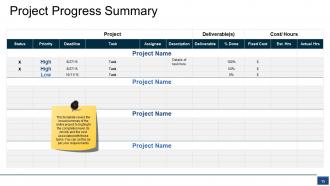
Slide 15: This slide presents Project Progress Summary template. This template covers the broad summary of the entire project to highlight the completion level, its priority and the cost associated with these tasks. You can use this as per your requirements.
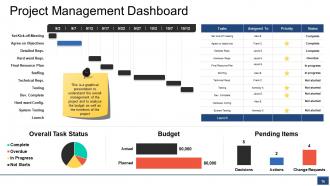
Slide 16: This slide shows Project Management Dashboard to understand the overall management of the project and to analyse the budget as well as the timelines of the project.
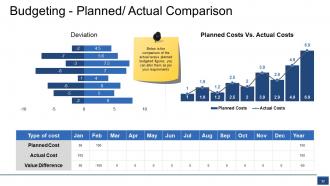
Slide 17: This slide shows Budgeting - Planned/ Actual Comparison.
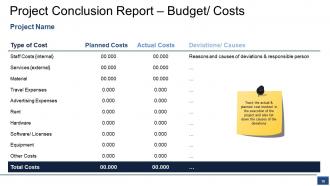
Slide 18: This slide shows Project Conclusion Report – Budget/ Costs. Track the actual & planned cost involved in the execution of the project and also list down the causes of the deviations here.
Slide 19: This slide shows Coffee Break image. You can alter the slide content as per need.
Slide 20: This is Project Budget Icon Slide. Alter the icons as per need.
Slide 21: This slide forwards to Charts & Graphs. Alter the slide content as per need.
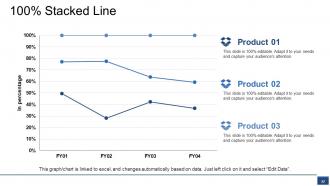
Slide 22: This slide presents 100% Stacked Line showing comparison between three products/ entities etc.
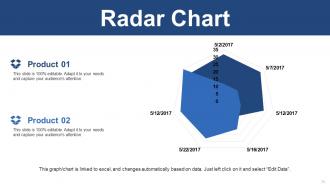
Slide 23: This is a Radar Chart slide to show product/ entity comparison, specifications etc.
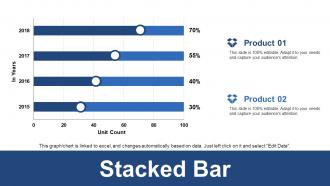
Slide 24: This is a Stacked Bar Chart slide to present product/ entity comparison, specifications etc.
Slide 25: This slide is titled Additional Slides. You can change the slide content as per your needs.
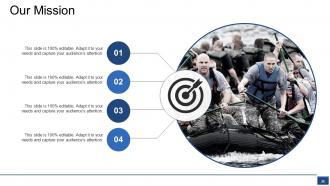
Slide 26: This slide contains Our Mission with text boxes.
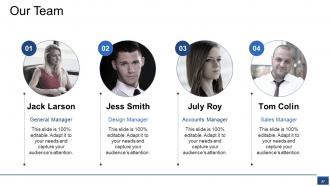
Slide 27: This slide helps depict Our Team with text boxes.
Slide 28: This is an About Us slide. State company or team specifications here.
Slide 29: This is Our Goal slide. State your important goals here.
Slide 30: This slide is titled as Financials. Show finance related stuff here.
Slide 31: This is a Business Quotes slide to quote something you believe in.
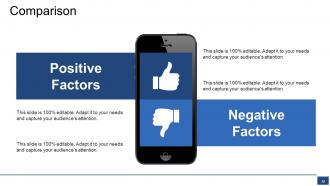
Slide 32: This slide shows Comparison of Positive Factors v/s Negative Factors with thumbs up and thumb down imagery.
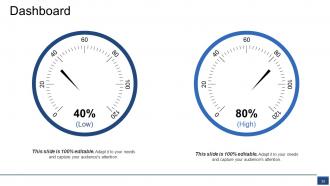
Slide 33: This is a Dashboard slide to state Low and High aspects, kpis, metrics etc.
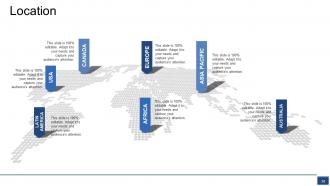
Slide 34: This is a Location slide to show global segregation, presence etc. on a world map image and text boxes to make it explicit.
Slide 35: This is a Bulb Or Idea image slide to show ideas, innovative information etc.
Slide 36: This is a Thank You slide with Address# street number, city, state, Contact Numbers, Email Address.
Project Budget Powerpoint Presentation Slides with all 36 slides:
Get the forces acting in your favor with our Project Budget Powerpoint Presentation Slides. They enable you to harness change.






FAQs for Project Budget
So you'll need your direct costs first - labor, materials, equipment, all that stuff. Then pile on indirect costs like overhead and admin fees. Always add a 10-15% contingency because something will go wrong, trust me on that one. Oh, and don't forget the soft costs everyone ignores until it's too late - permits, legal fees, training. Third-party services too. Include your PM time obviously. I'd start with a solid work breakdown structure and build from there. Makes everything way cleaner than trying to guess line items later.
Break each phase into specific tasks and estimate hours for everything. Historical data from past projects is gold if you've got it. I learned the hard way to always build in buffer time - seriously, something WILL go wrong. For stuff you haven't done before, bug people who have or look up industry standards. Don't skip the boring indirect costs either: meetings, revisions, all that PM overhead adds up fast. Being detailed beats wild guessing every time. Oh, and actually track what happens vs what you planned so you're not just repeating the same mistakes next time.
Honestly just start with Excel or Google Sheets if you're comfortable with those - they're free and you can customize however you want. Monday.com and Asana have some decent budget templates built in, or QuickBooks if you need the full financial setup. But here's the thing - I've watched so many people get stuck choosing the "perfect" system for like three weeks when they could've just been tracking stuff in a basic spreadsheet the whole time. Pick whatever you already have access to and see how it goes. You can always switch later if you need more features, but don't overthink it right now.
Look, first thing - figure out what's absolutely critical vs what would just be nice to have. Then immediately tell your stakeholders what's changing. Trust me, budget surprises are the worst. You can usually shuffle things around by tweaking scope, timeline, or resources without totally screwing your main goals. But here's the thing - don't try to eat those costs yourself and hope nobody notices. I've watched PMs do this and it always blows up in their face later. Get everything documented and approved before you move forward. Way better than explaining random expenses down the road.
Dude, you absolutely need their input or you're gonna get burned. People know their own departments best - what stuff actually costs, how long things really take, all those random expenses you'd never think of. When they help build the budget, they actually want it to succeed instead of just complaining about it later. I learned this the hard way when I totally missed some licensing fees because I didn't loop in the right person. Honestly, some stakeholders love being asked for their expertise anyway. Talk to your main team obviously, but also hit up anyone whose area gets affected. Just do it early before you've already decided everything.
Ugh, this always happens! First thing - don't panic and ask for more money right away. Seriously, I've seen so many people do that when they could've just moved stuff around. Check what else you've got budgeted. Can you push off anything non-essential or steal from another category? If shuffling won't work, then you gotta document why this expense can't wait. Present your options: cut something else, push the timeline, or get more funding approved. The key is telling people early though - nobody likes budget surprises at the last minute. Way easier to fix mid-project than scrambling at the end.
Look, just track these main ones: cost variance (CV), schedule performance index (SPI), and earned value (EV). CV shows if you're bleeding money. SPI tells you if you're actually getting bang for your buck. Most people make this way harder than it needs to be, but honestly those three catch like 90% of problems before they explode. Oh, and burn rate plus forecast-to-completion are worth watching too. Set up a basic dashboard and check it weekly instead of waiting around for monthly reports. You'll catch stuff so much earlier that way. Trust me on this one.
Break your budget into phases and track weekly - trust me on this one. Figure out your absolute must-haves first, then see where you can bend without screwing up the important stuff. Get creative with what you've already got or try haggling with vendors (worth a shot, right?). Weekly team check-ins catch problems before they spiral. Once you're already over budget, you're basically toast. Honestly, setting up tracking systems early is the difference between staying sane and pulling your hair out later when everything's chaos.
Honestly, scope creep is what kills most budgets - tackle that first. Try negotiating better vendor rates, especially if you're throwing repeat business their way or can commit to longer contracts. Maybe phase things out so you're not hemorrhaging cash all at once? And look, sometimes "good enough" beats perfect when you're watching every penny. Don't underestimate junior team members either - they can handle way more than most people give them credit for. Oh, and track your spending weekly instead of monthly. Trust me on this one - catching problems early beats scrambling at month-end when everything's already gone sideways.
Dude, you HAVE to build in contingency money - like 10-20% extra on top of your main budget. Projects never go as planned, seriously. There's always some random thing that pops up - maybe your supplier gets delayed, scope changes, or you hit a technical snag nobody saw coming. I've literally never worked on anything that came in at the exact original estimate lol. Without that buffer, you're basically screwed - either you go over budget or start cutting corners and mess up the quality. Figure out where your biggest risks are first and throw extra money at those areas.
Fixed budgets lock you into a set amount - no wiggle room at all. You've gotta make it work no matter what. Flexible ones let you adjust when things inevitably go sideways (and they always do, right?). I'd pick flexible every time if I could, but honestly? Fixed budgets make you plan way better upfront. They stop you from getting carried away with extras too. The real difference is who eats the extra costs - with fixed, that's on you. Flexible means you can pivot when scope changes or surprises pop up.
Honestly, your old project data is gold for budgeting. Pull up your last 5-10 projects and make a simple spreadsheet - compare what you estimated vs what you actually spent by category. I always look for patterns in where I consistently blow the budget or come in under. Similar project types, team sizes, timelines - that's where you'll find the real insights. The key is digging into WHY things went off track. Was it scope creep? Resource costs jumping? Timeline getting stretched? Once you know your weak spots, you can build smarter buffers instead of just slapping on some random 20% cushion (which never works anyway).
Oof, yeah currency swings can totally wreck your budget - we're talking 5-15% shifts or even worse sometimes. So like if you're paying European contractors in euros but budgeting in dollars, and the euro suddenly gets stronger? You're screwed even though you did nothing wrong. Honestly the finance team at my last job was constantly stressed about this stuff. What worked for us was padding budgets by 3-5% for currency buffer, plus locking in rates with forward contracts for big expenses. Oh and definitely try getting contracts written in dollars when you can swing it.
Definitely start with clear visuals - charts showing budget vs actual are your best friend. Call out big variances right at the top because nobody wants to hunt through spreadsheets for bad news. Keep it short but explain WHY things went over or under. Trust me, I bombed a quarterly review once by skipping that context. Include your forecast for what's left and any risks you're seeing. Oh, and here's the thing - always bring solutions, not just problems. Stakeholders eat that stuff up when you're already thinking ahead.
Honestly, budget transparency is a game changer because it kills all that weird speculation people do when they don't know what's going on. Share your budget breakdown - allocations, constraints, spending decisions - and suddenly everyone gets why certain choices were made. People can't whisper about leadership hiding stuff when everything's out there. Your team will make way better decisions too since they'll actually see how their work affects costs. When changes happen (which, let's be real, they always do), nobody feels ambushed. Just start simple - throw together a basic budget overview for your next team meeting.
-
Slides are looking amazing with detailed analysis. The presentation is also perfect.
-
Great product with effective design. Helped a lot in our corporate presentations. Easy to edit and stunning visuals.
-
Easily Understandable slides.