


Business data analytics powerpoint presentation slides




Try Before you Buy Download Free Sample Product
 Impress Your
 Audience
 100%
100% Editable
 Save Hours
 of Time


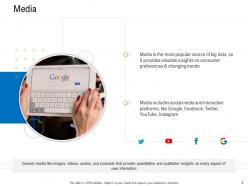
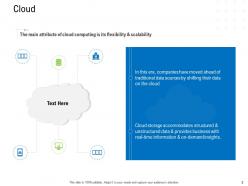
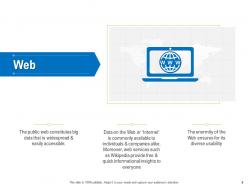
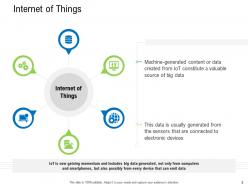
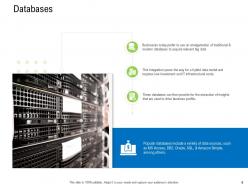
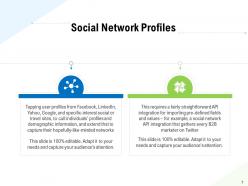
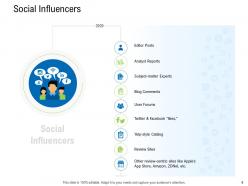
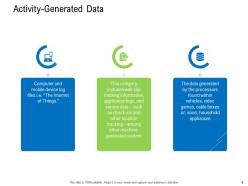
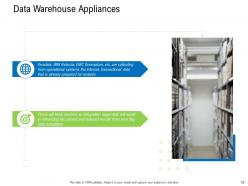
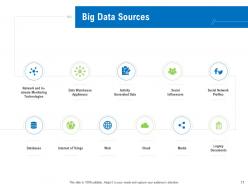
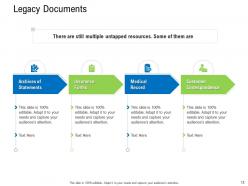
Introducing Business Data Analytics PowerPoint Presentation Slides. Take advantage of this data mining PPT visuals to mention the importance of social media and interactive platforms like Google, Facebook, Twitter, Youtube, and Instagram. Showcase how cloud computing provides real-time information and on-demand insights with the help of data source PPT graphics. Take the assistance of these significant data management PPT templates to showcase the web services which provide quick insights to everyone. You can also discuss how big data is generated from the internet of things with the help of data transformation PPT graphics. This slide is entirely adaptable to your needs, therefore the insertion of new facts is effortless. You can also highlight the popular databases such as MS Access, DB2, Oracle, SQL, to drive business profits. Showcase various data warehouse applications that help in the analysis of transactional data. You can easily demonstrate big data sources such as legacy documents, media, cloud, and social influencers using this PPT. Hence, help your business operate more effectively by downloading this data integration PowerPoint Presentation
People who downloaded this PowerPoint presentation also viewed the following :
Business data analytics powerpoint presentation slides with all 29 slides:
Use our Business Data Analytics Powerpoint Presentation Slides to effectively help you save your valuable time. They are readymade to fit into any presentation structure.



FAQs for Business data analytics
Honestly, most companies mess this up by trying to do everything at once. Pick one specific problem first - way easier to build from there. You'll need clear goals that actually connect to your business, decent infrastructure for collecting/storing data, and people who know how to analyze it. But here's the thing that kills me - tons of companies collect amazing data then just... sit on it. The culture piece is huge. You need people who'll actually use insights to make decisions, not just hoard spreadsheets. Oh, and don't forget data governance to keep things clean and legal. Start small though, seriously.
Honestly, just set up your validation rules from day one and automate the quality checks. Trust me on this - we built an entire quarterly plan around messy data once and I had to explain that disaster to our executives. Not my favorite Tuesday. Regular audits will catch duplicates and missing stuff before it ruins your analysis. Document where everything comes from too, because someone's always gonna ask "wait, where'd this number come from?" Oh, and make sure someone actually owns each dataset. Otherwise it's just chaos. Clean your data now or you'll be second-guessing every single insight later.
Look, predictive analytics is just using old data to figure out what'll probably happen next. Pretty cool stuff - you can spot customer patterns, see market shifts coming, and catch problems before they blow up. Way better than scrambling to fix things after the fact. Honestly, it's not as complicated as people make it sound. Start with one thing you're always second-guessing - maybe inventory or when to hire seasonal workers. The math does the heavy lifting. You'll be amazed how much better your decisions get when you're not just winging it anymore.
Dude, just use Google Analytics first - it's free and most people don't even look at half the stuff it shows you. Same with whatever social platforms you're already on, they give you tons of data. Excel works fine for making charts if you're not ready to spend money yet. Pick one thing to track first, like how much it costs to get new customers or how often people buy again. I swear, companies blow cash on fancy software before they've even figured out the basics. Oh and Google Data Studio is free too if you want something prettier than spreadsheets. Literally 30 minutes a week looking at this stuff and you'll spot patterns you never noticed.
Get clear consent first - people hate feeling tricked about their data. Only grab what you actually need, not everything you can get your hands on. Be transparent about your process too. Anonymize stuff wherever possible and lock down those databases tight. Algorithm bias is sneaky and can screw over entire groups of people without you realizing it. Honestly, I always think "would I be cool with this happening to my info?" Works pretty well as a gut check. Oh, and definitely have some kind of data policy written down that you actually look at once in a while.
Honestly, visualization tools are game-changers for making sense of your data mess. You know how you stare at spreadsheets and your brain just glazes over? Charts and graphs fix that instantly - patterns and weird outliers just pop out at you. It's like finally hearing a song instead of trying to read sheet music (if that makes sense lol). Your boss will love you for it too since they won't need a PhD to understand what you're showing them. Bar charts and heat maps are solid starting points. Don't go crazy with the fancy stuff right away.
Honestly, the messiest part is always your data - way more chaotic than anyone admits upfront. Missing values everywhere, different formats that don't play nice, systems that basically hate each other. Then you've got the talent problem. Good luck finding people who can actually make sense of what the numbers mean, not just spit out pretty charts. Oh, and there's definitely gonna be that one executive who swears their "instincts" beat any analysis you show them. My advice? Pick one small project, prove it works fast, then expand. Don't try to fix everything at once - you'll just burn out.
Start with something simple like predicting customer behavior or sales trends using data you already have. Python and R are solid choices, but honestly Tableau's built-in ML stuff is pretty decent now if you're not super technical. I'd focus on automating the boring repetitive analysis first - saves so much time. Clean data is crucial though, garbage in garbage out and all that. Pick one specific problem, test a solution, see what happens. Once it works you can get fancier with recommendation engines or anomaly detection. The whole process is way less intimidating than people make it out to be.
Customer data is where I'd start - purchase history, demographics, how people actually behave on your site. That stuff gives you the best bang for your buck. Financial metrics are obvious (revenue, costs, margins), then operational data like inventory and supply chain because it hits your bottom line directly. I swear, half the companies I know waste time obsessing over social media metrics that look pretty in reports but don't actually move the needle. Focus on what's making you money and why customers are leaving. You can always add more data sources later once you've got the basics working.
Dude, data analytics basically kills all the guesswork in customer targeting. You're not stuck with those boring demographic buckets anymore - now you can find tiny segments based on how people actually shop and behave. Some of your best customers probably don't fit the "typical" profile at all, which is pretty cool. Real-time segmentation is where it gets crazy though - your targeting shifts as customers change their habits. You can even predict when someone's about to bail before they do it. I'd start by comparing your current segments to actual sales data. You'll be shocked at what patterns you've been missing.
Honestly, you need both tech skills and people skills for this stuff. SQL is huge - can't get around learning that for pulling data. Python or R are solid choices too, though Excel works if you're starting out. Visualization tools like Tableau make your life way easier when presenting findings. But here's the thing - being able to actually talk to people about what the data means? That's where you really stand out. Critical thinking and problem-solving are obvious ones. I'd probably jump into SQL first, then pick up a viz tool. Way less overwhelming than trying to learn everything at once.
Honestly, leadership's gotta walk the walk first - actually using data, not just preaching about it. Don't lock everything behind IT barriers where only the analysts can play. Train your people on basic stuff so dashboards don't scare them off. I swear, companies blow money on fancy tools that just sit there unused because nobody gets how they work. When teams make good data calls, celebrate it! Even the small wins matter. Oh, and let people mess around with data without panicking they'll break something. Pick one department to test this out - success has a way of spreading on its own.
Honestly, start with ROI - just compare what you're spending versus the revenue your analytics actually bring in. Track adoption rates too because I've seen so many beautiful dashboards that just collect digital dust. Data quality stuff matters - accuracy, completeness, all that. Also watch how fast people can make decisions now compared to before. Get satisfaction scores from whoever uses your reports (they'll tell you the real story). Oh, and track whether your insights actually change what the business does or if they just end up in forgotten slide decks. Don't go crazy though - pick like 3 or 4 metrics to start with.
So basically, real-time analytics lets you fix problems while they're actually happening instead of finding out about them three weeks later when it's too late. You can watch trends develop and jump on opportunities right away. Honestly, it's pretty satisfying once you get the hang of it - way better than those boring monthly reports nobody reads anyway. Your team can switch tactics on the fly and catch issues before they blow up. Just don't go crazy with too many dashboards or you'll spend all day staring at charts that don't matter.
Honestly, focus on AI-powered predictive stuff and real-time data streaming first. Self-service BI tools are game-changers too - lets your non-tech people actually run reports without bugging IT constantly. Edge computing's everywhere now, processing data right where it happens instead of cloud delays. GDPR made privacy analytics mandatory (ugh, compliance). But here's what's cool - augmented analytics where AI just tells you the insights instead of staring at boring dashboards forever. Don't go crazy though. Pick whatever fixes your biggest headache right now.
-
Great experience, I would definitely use your services further.
-
Nice and innovative design.
-
Designs have enough space to add content.
-
Informative presentations that are easily editable.
-
Best way of representation of the topic.
-
Graphics are very appealing to eyes.
-
Much better than the original! Thanks for the quick turnaround.
-
Best Representation of topics, really appreciable.
-
Great quality product.
-
Designs have enough space to add content.
-
Page:
- You're currently reading page 1
- Page 2
-
