


Cloud Data Protection Powerpoint Presentation Slides




Try Before you Buy Download Free Sample Product
 Impress Your
 Audience
 100%
100% Editable
 Save Hours
 of Time


Cloud Security, also known as Cloud Data Protection, comprises various approaches, controls, strategies, and technologies that work together to safeguard cloud-based frameworks, information, and infrastructure. These security measures are designed to protect cloud information, support administrative consistency, secure clients privacy, and set validation rules for individual clients and devices. Also, it highlights the security measures taken in cloud security and details on risks or threats that can impact the security of a cloud. Furthermore, this PPT covers the segmentation of cloud security responsibilities and topics that fall under the umbrella of cloud security, namely data center security, access control, threat prevention, threat detection, threat mitigation, redundancy, and legal compliance. Moreover, the cloud data protection PPT covers the list of the industries that can benefit from cloud security. It also provides information on the zero-trust policy along with its benefit. At last, this cloud computing security presentation captures the 30-60-90 days plan to implement cloud security in the organization, a roadmap to measure the implementation process, and a dashboard to observe the performance after implementing cloud security in the business. Get access to this powerful template now.
People who downloaded this PowerPoint presentation also viewed the following :
Content of this Powerpoint Presentation
Slide 1: This slide introduces Cloud Data Protection. State Your Company Name and begin.
Slide 2: This slide states Agenda of the presentation.
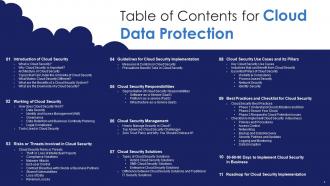
Slide 3: This slide presents Table of Content for the presentation.
Slide 4: This slide highlights title for topics that are to be covered next in the template.
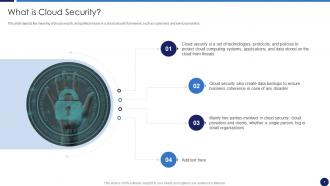
Slide 5: This slide depicts the meaning of cloud security, and parties involve in a cloud security framework.
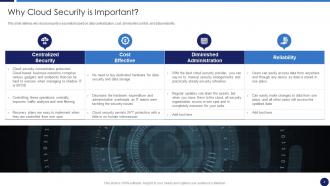
Slide 6: This slide defines why cloud security is essential based on data centralization, cost, diminished control, etc.
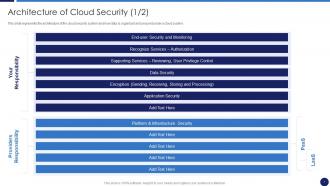
Slide 7: This slide represents the architecture of the cloud security system.
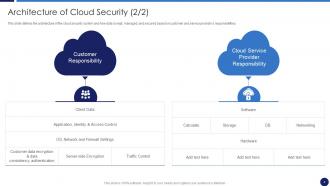
Slide 8: This is another slide continuing architecture of the cloud security system.
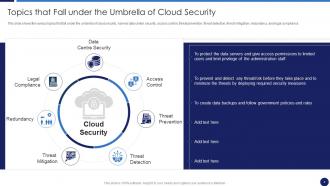
Slide 9: This slide shows Topics that Fall under the Umbrella of Cloud Security.
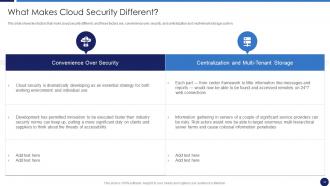
Slide 10: This slide shows factors that make cloud security different.
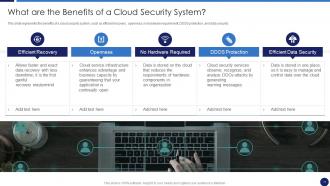
Slide 11: This slide represents the benefits of a cloud security system.
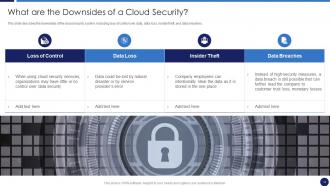
Slide 12: This slide describes the downsides of the cloud security system.
Slide 13: This slide highlights title for topics that are to be covered next in the template.
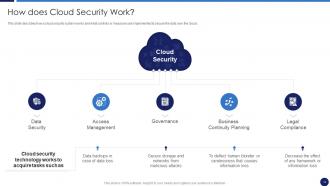
Slide 14: This slide describes how a cloud security system works.
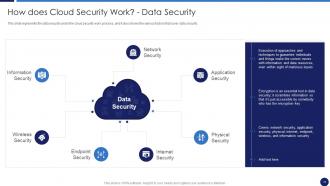
Slide 15: This slide represents the data security under the cloud security work process.
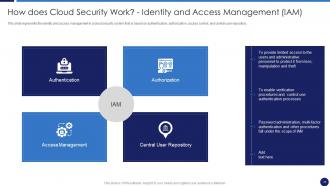
Slide 16: This slide represents the identity and access management in a cloud security system.
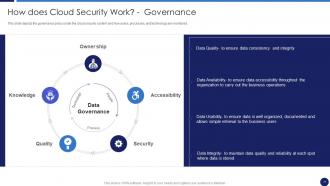
Slide 17: This slide depicts the governance policy under the cloud security system.
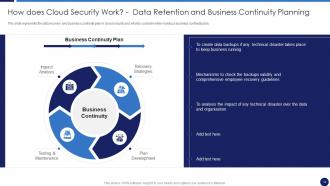
Slide 18: This slide represents the data recovery and business continuity plan in cloud security.
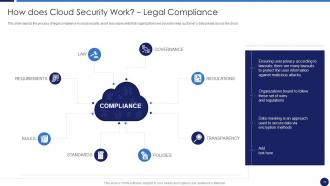
Slide 19: This slide depicts the process of legal compliance in cloud security.
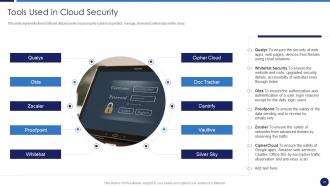
Slide 20: This slide represents the list of tools utilized under cloud security systems.
Slide 21: This slide highlights title for topics that are to be covered next in the template.
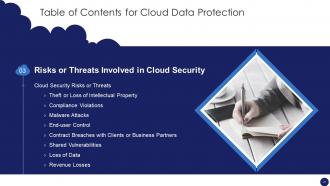
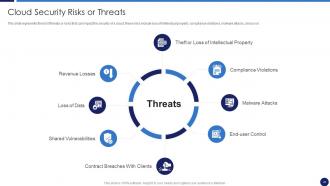
Slide 22: This slide represents the list of threats or risks that can impact the security of a cloud.
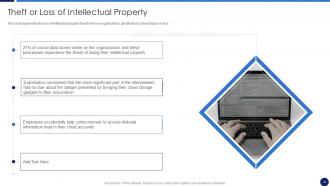
Slide 23: This slide showcases Theft or Loss of Intellectual Property.
Slide 24: This slide depicts the value of compliance violations threat of cloud security.
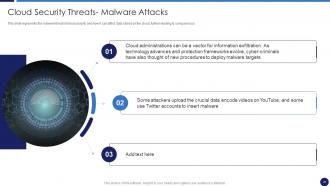
Slide 25: This slide represents the malware threat of cloud security and how it can affect data stored on the cloud.
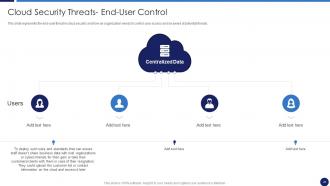
Slide 26: This slide presents the end-user threat in cloud security.
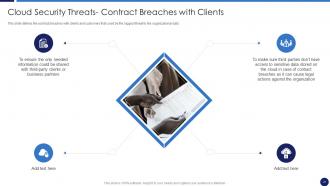
Slide 27: This slide defines the contract breaches with clients and customers.
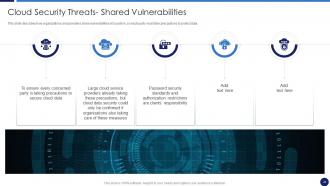
Slide 28: This slide describes how organizations and providers share vulnerabilities of a system.
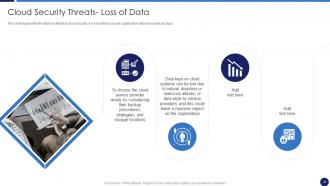
Slide 29: This slide represents the data loss threat of cloud security.
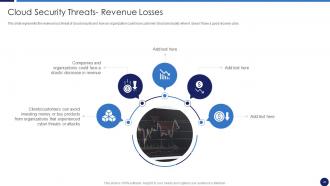
Slide 30: This slide represents the revenue loss threat of cloud security.
Slide 31: This slide highlights title for topics that are to be covered next in the template.
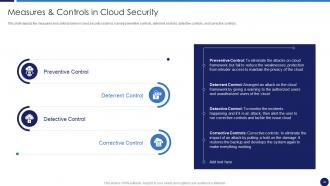
Slide 32: This slide depicts the measures and controls taken in cloud security systems.
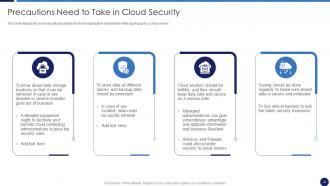
Slide 33: This slide shows Precautions Need to Take in Cloud Security.
Slide 34: This slide highlights title for topics that are to be covered next in the template.
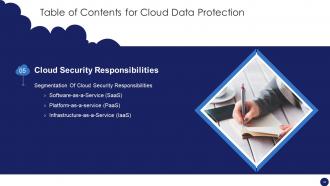
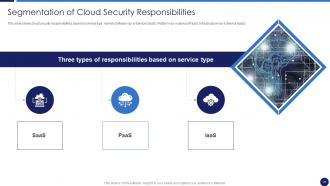
Slide 35: This slide presents Segmentation of Cloud Security Responsibilities.
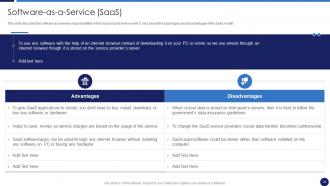
Slide 36: This slide describes the software-as-a-service responsibilities in the cloud security environment.
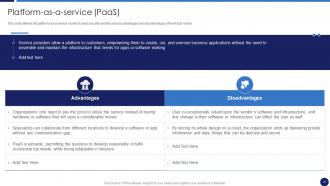
Slide 37: This slide defines the platform-as-a-service model of cloud security.
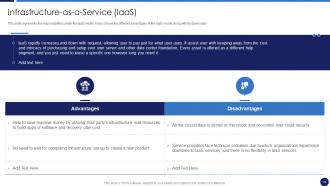
Slide 38: This slide represents the responsibilities under the IaaS model.
Slide 39: This slide highlights title for topics that are to be covered next in the template.
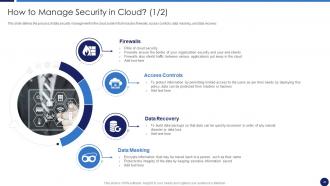
Slide 40: This slide defines the process of data security management in the cloud system.
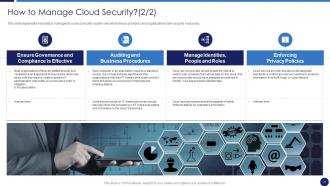
Slide 41: This slide represents how data is managed in a cloud security system.
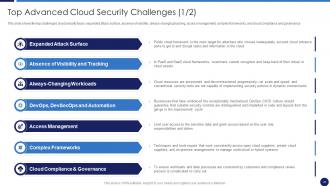
Slide 42: This slide shows the top challenges cloud security faces.
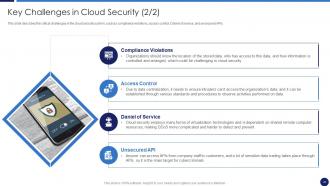
Slide 43: This slide describes the critical challenges in the cloud security system.
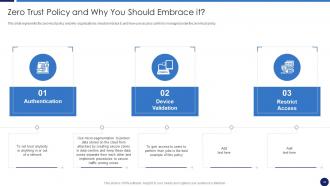
Slide 44: This slide represents the zero-trust policy and why organizations should embrace it.
Slide 45: This slide highlights title for topics that are to be covered next in the template.
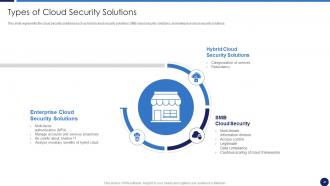
Slide 46: This slide represents the cloud security solutions.
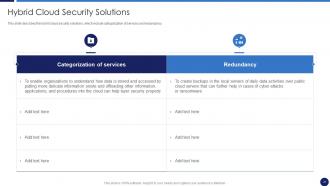
Slide 47: This slide describes the hybrid cloud security solutions.
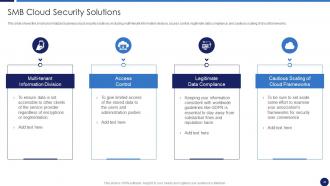
Slide 48: This slide shows the small and midsized business cloud security solutions.
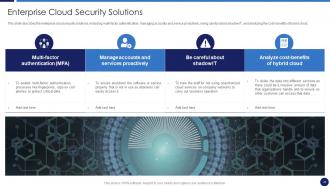
Slide 49: This slide describes the enterprise cloud security solutions.
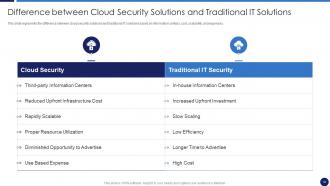
Slide 50: This slide presents Difference between Cloud Security Solutions and Traditional IT Solutions.
Slide 51: This slide highlights title for topics that are to be covered next in the template.
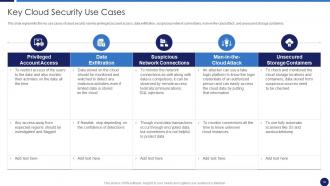
Slide 52: This slide represents the key use cases of cloud security.
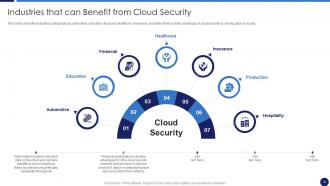
Slide 53: This slide showcases Industries that can Benefit from Cloud Security.
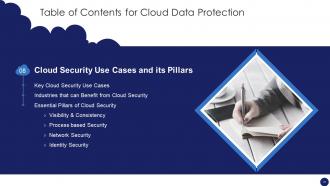
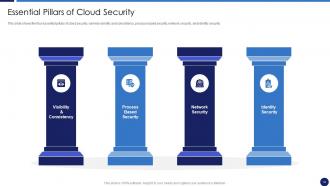
Slide 54: This slide shows the four essential pillars of cloud security, namely visibility and consistency.
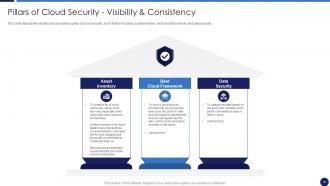
Slide 55: This slide depicts the visibility and consistency pillar of cloud security.
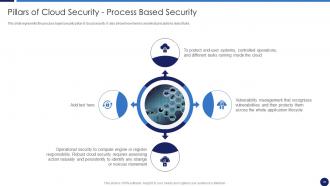
Slide 56: This slide represents the process-based security pillar of cloud security.
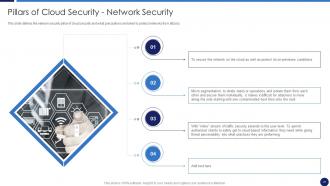
Slide 57: This slide defines the network security pillar of cloud security.
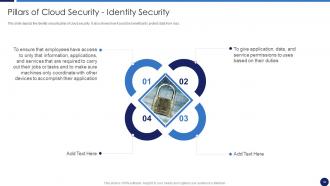
Slide 58: This slide depicts the identity security pillar of cloud security.
Slide 59: This slide highlights title for topics that are to be covered next in the template.
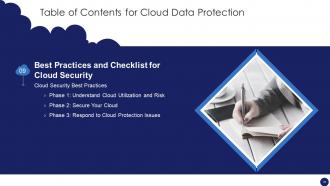
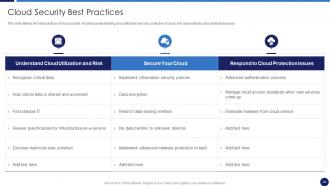
Slide 60: This slide defines the best practices of cloud security.
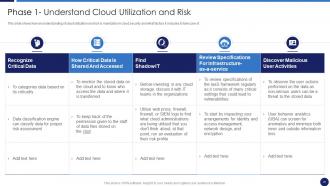
Slide 61: This slide shows how an understanding of cloud utilization and risk is mandatory in cloud security.
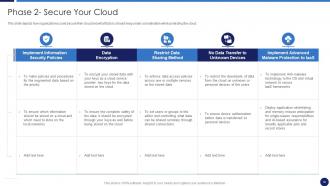
Slide 62: This slide depicts how organizations could secure their cloud.
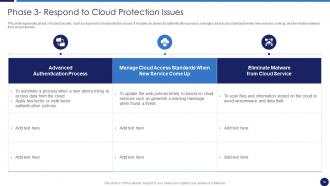
Slide 63: This slide represents phase 3 of cloud security, such as respond to cloud protection issues.
Slide 64: This slide highlights title for topics that are to be covered next in the template.
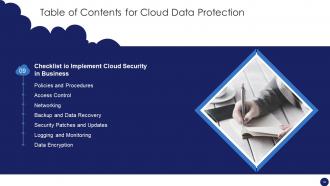
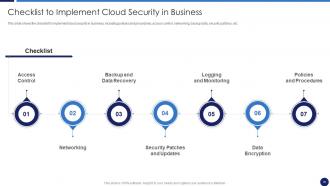
Slide 65: This slide shows Checklist to Implement Cloud Security in Business.
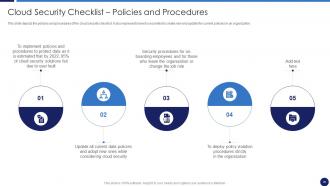
Slide 66: This slide depicts the policies and procedures of the cloud security checklist.
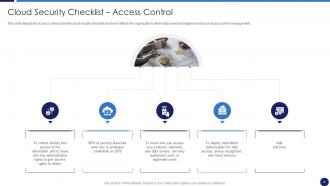
Slide 67: This slide depicts the access control under the cloud security checklist.
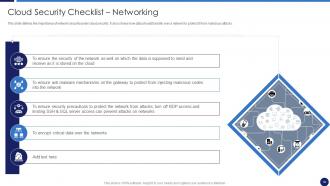
Slide 68: This slide defines the importance of network security under cloud security.
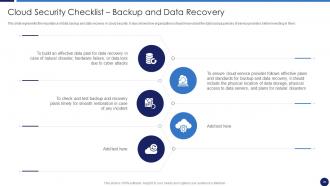
Slide 69: This slide represents the importance of data backup and data recovery in cloud security.
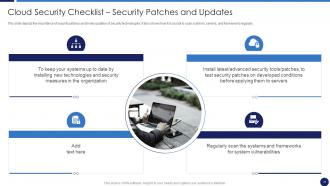
Slide 70: This slide depicts the importance of security patches and timely updates of security technologies.
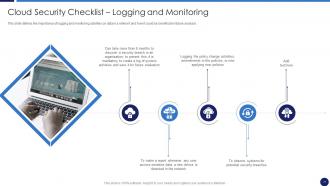
Slide 71: This slide defines the importance of logging and monitoring activities on data in a network.
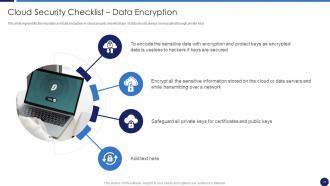
Slide 72: This slide represents the importance of data encryption in cloud security.
Slide 73: This slide highlights title for topics that are to be covered next in the template.
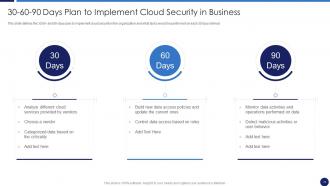
Slide 74: This slide showcases 30-60-90 Days Plan to Implement Cloud Security in Business.
Slide 75: This slide highlights title for topics that are to be covered next in the template.
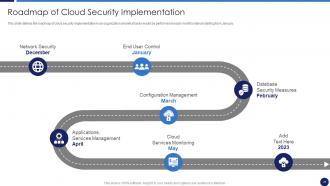
Slide 76: This slide shows Roadmap of Cloud Security Implementation.
Slide 77: This slide displays Icons for Cloud Data Protection.
Slide 78: This slide is titled as Additional Slides for moving forward.
Slide 79: This is About Us slide to show company specifications etc.
Slide 80: This slide contains Puzzle with related icons and text.
Slide 81: This slide depicts Venn diagram with text boxes.
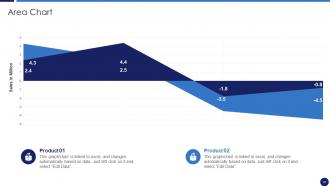
Slide 82: This slide depicts Area chart with two products comparison.
Slide 83: This slide provides 30 60 90 Days Plan with text boxes.
Slide 84: This is a Timeline slide. Show data related to time intervals here.
Slide 85: This slide shows Post It Notes. Post your important notes here.
Slide 86: This slide presents Roadmap with additional textboxes.
Slide 87: This is Our Goal slide. State your firm's goals here.
Slide 88: This is a Thank You slide with address, contact numbers and email address.
Cloud Data Protection Powerpoint Presentation Slides with all 93 slides:
Use our Cloud Data Protection Powerpoint Presentation Slides to effectively help you save your valuable time. They are readymade to fit into any presentation structure.








FAQs for Cloud Data Protection
Okay so the big three are encryption, access controls, and data classification. Encrypt everything - when it's stored AND when it moves around. Access controls are probably the most critical part (seriously, so many breaches happen because someone had access who shouldn't have). You'll want to classify your data by how sensitive it is too. Oh and there's this whole "shared responsibility" thing where you and your cloud provider split the security duties - kinda confusing at first but you get used to it. I'd start by looking at what data you've already got up there and figuring out how well it's actually protected right now.
Each cloud provider does encryption differently, honestly. AWS has KMS with envelope encryption, Azure uses Key Vault, Google Cloud has their own KMS thing. Key management is where they really differ - some let you control everything, others just handle it for you (which I actually prefer tbh, less headache). The algorithms and compliance stuff varies too. Oh and definitely check your provider's docs since you'll want to match whatever encryption to how sensitive your data is.
So compliance is like your blueprint for protecting cloud data - it shows you what security stuff you actually need. GDPR, HIPAA, SOC 2, all those regulations set the bare minimum for encryption, who can access what, how long you keep data, incident response. Pretty overwhelming at first honestly. But I think of it more like helpful bumpers at a bowling alley than annoying rules. The trick is figuring out your compliance needs early in your cloud planning. Don't wait until you're already deep in implementation - that's a nightmare. Figure out which regulations hit your data first, then build your protection setup around those requirements.
First thing - check their certifications like SOC 2 and ISO 27001. HIPAA or PCI DSS too if that applies to your industry. Ask them about encryption, access controls, how they handle incidents. The good ones are usually pretty open about sharing this info (red flag if they're not). Data location matters - where do they store your stuff? What's their backup game like? Oh, and definitely ask about exit procedures in case you need to bail later. For anything really critical though, I'd honestly get a third-party security audit done. Don't just trust their marketing materials.
Dude, misconfigured access controls are your biggest enemy - seriously, they cause like 90% of breaches. Weak authentication is another nightmare. Then you've got data encryption gaps, insecure APIs, and crappy backup protection. Oh, and that whole "shared responsibility" thing where everyone assumes someone else is handling security? Yeah, that'll bite you. Insider threats are real too, unfortunately. My advice? Start with an access audit and turn on MFA everywhere you can. Those two moves will fix most of your problems right there.
So basically MFA just means you need more than your password to log in. Like even if hackers get your password somehow, they'd still need your phone or fingerprint too. Way harder for them to pull off. Cloud providers make it pretty easy to turn on - I set mine up in like 5 minutes. Honestly such a simple thing but it makes a huge difference for keeping your stuff safe. I'd definitely do it for anything important, especially work accounts with sensitive data. It's one of those things that feels annoying at first but you get used to it fast.
So DLP tools connect to your cloud stuff through APIs and built-in connectors - they'll scan files in SharePoint, Google Drive, monitor your Office 365 emails, that kind of thing. Real-time monitoring across all your SaaS apps too. Honestly, the native integrations work way better than those clunky third-party add-ons I've seen. They set up policies that automatically catch risky data sharing. Oh, and they can block stuff too if needed. My advice? Figure out where your sensitive data actually lives first - like, really map it out. Then pick a DLP solution that plays nice with those specific platforms you're using.
Definitely encrypt everything before it leaves your building - that's the bare minimum. TLS 1.2 or higher for transfers, and multi-factor auth on literally everything (seriously, I can't say this enough). Only work with cloud providers that have solid compliance certs. Check your data integrity with checksums afterward to catch corruption. Never use public WiFi for this stuff - I've watched that disaster unfold too many times. Oh, and start by figuring out what you're actually moving first. Classify it by how sensitive it is. Trust me, knowing what you're dealing with makes everything else way easier.
So basically, where your data physically sits decides what laws you gotta follow. EU storage means GDPR compliance - way stricter than US state laws. Some countries (especially for financial stuff) won't even let certain data leave their borders, which is honestly a pain. You'll have to match your encryption and security protocols to whatever region you're in. Short version: check where your cloud provider's data centers actually are first, then figure out what hoops you'll need to jump through.
Definitely encrypt everything - both when it's moving and when it's sitting there. HTTPS or SFTP for transfers, obviously. Don't even consider unencrypted stuff, that's just asking for trouble. Get your access controls and multi-factor auth sorted first though. I'd test the whole thing with dummy data before touching anything real - catches weird issues you didn't think about. Oh, and backup everything beforehand! I know it sounds obvious but you'd be surprised how many people skip that step. The security stuff needs to be locked down before you actually migrate, not scrambled together after.
Think of CASBs as security guards for your cloud stuff. They sit between your team and all those cloud apps, watching what's happening with your data. You'll get visibility into which services people are actually using - and trust me, it's always more than you expect. They catch sketchy behavior like weird downloads or oversharing, plus they automatically tag sensitive data so it doesn't end up where it shouldn't. The policy enforcement across everything is pretty solid too. Honestly, just start by seeing what cloud apps you're already using. That alone will be eye-opening.
So the shared responsibility thing? Cloud providers handle the infrastructure side, but you're still stuck with access controls, data encryption, user permissions - all that fun stuff. Don't assume they've got everything covered because they definitely don't. I've seen people get burned thinking their provider handles more than they actually do. Each service has different boundaries too, which is honestly kind of annoying. You really need to dig into what your specific provider covers vs what's on you, because those knowledge gaps turn into actual security holes pretty fast.
Okay so first thing - turn on logging and alerts in your cloud console right now, don't wait. You'll want monitoring that catches weird login attempts and unusual data movement. AWS, Azure, Google all have decent built-in tools, though honestly some third-party options give you way better visibility. Just make sure your alerts aren't going off constantly or you'll ignore the real threats. Oh and create a cloud-specific incident response plan because it's totally different from regular on-prem stuff - you're working with APIs and shared responsibility models. Pretty different game.
Honestly, it's mostly about control vs. convenience. Public cloud means you're relying on their security (which is usually pretty good), but you don't get much say in where your data sits or who handles it. Private cloud? Way more control over encryption and access stuff, though managing it yourself is a total pain. Different industries have their own compliance headaches too. I'd probably start by figuring out how sensitive your data actually is and what regulations you're dealing with. Then see which option actually makes sense for what you need. Don't overthink it if your requirements aren't that strict.
Dude, seriously - test your backups regularly. Most companies think they're covered until disaster hits and surprise! Everything's corrupted. Set up automated backups across different cloud regions, then actually practice your recovery drills every quarter. Document the whole process step by step, but here's the kicker - store those instructions outside your main system. When everything's on fire, you'll need access to them. Define your recovery time goals upfront and assign specific people to handle different parts. Trust me, quarterly drills feel annoying until they save your ass. I've watched too many teams scramble during real outages because nobody practiced beforehand.
-
Informative presentations that are easily editable.
-
Thank you SlideTeam for such an excellent service.