


Effective Mobile Device Management At Workplace MDM Powerpoint Presentation Slides




Try Before you Buy Download Free Sample Product
 Impress Your
 Audience
 100%
100% Editable
 Save Hours
 of Time


Check out our competently designed Effective Mobile Device Management at workplace MDM template that analyzes current scenarios in terms of mobile devices. It covers current challenges in managing mobile devices at the workplace, such as the threat of mobile device theft, limited bandwidth, data breaches, and financial repercussions associated with failure in managing mobile devices at the workplace. The PPT covers information regarding the mobile device management approach such as container and platform approach and mobile device management model for enterprise such as bring your device BYOD. The template covers MDM solution components such as central management console, kiosk module, etc. Furthermore, the template will cover details about MDM for Android and iOS platforms. It will cater to how firms manage incidents in different departments using MDM technology and determine a mobile device maintenance checklist. The presentation will also cover roles and responsibilities in handling risk and effective information security governance. The firm can choose a suitable mobile device management solution. The template will cover the impact assessment of effective mobile device security management and tracking mobile device activities at the workplace using Dashboard. Get access now.
People who downloaded this PowerPoint presentation also viewed the following :
Content of this Powerpoint Presentation
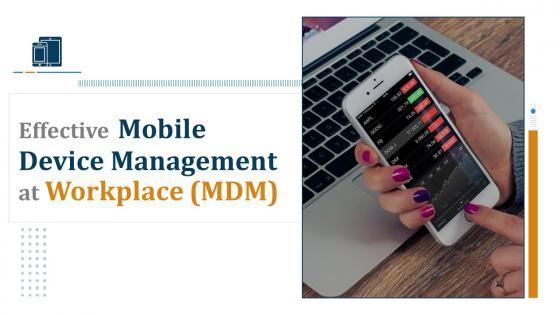
Slide 1: This slide displays title i.e. 'Effective Mobile Device Management at Workplace'.
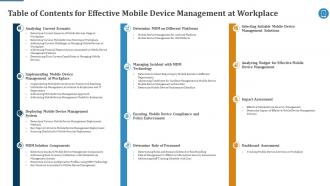
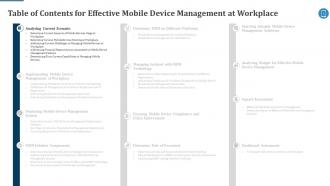
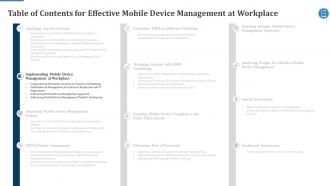
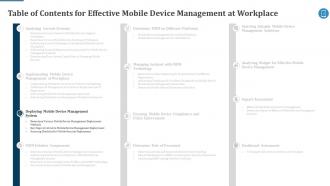
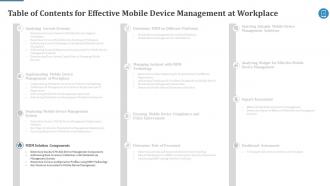
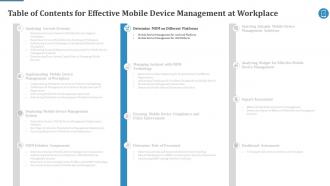
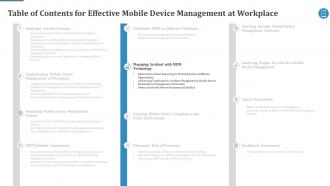
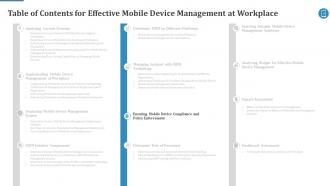
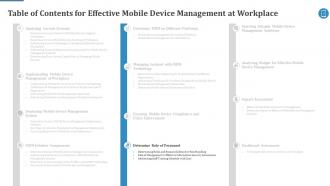
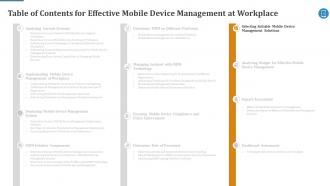
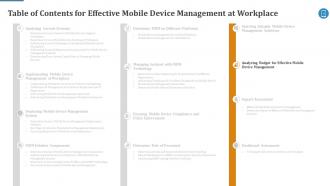
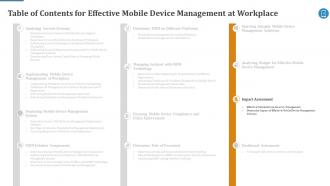
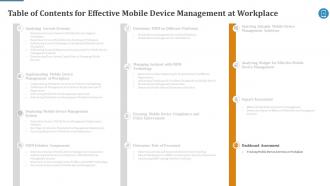
Slide 2: This slide presents table of contents.
Slide 3: This slide depicts title for six topics that are to be covered next in the template.
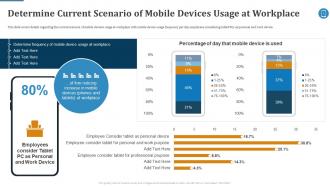
Slide 4: This slide covers details regarding the current scenario of mobile devices usage at workplace with mobile device usage frequency per day, etc.
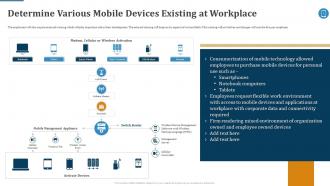
Slide 5: This slide highlights Determining Various Mobile Devices Existing at Workplace.
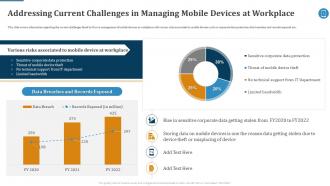
Slide 6: This slide covers information regarding the current challenges faced by firm in management of mobile devices at workplace.
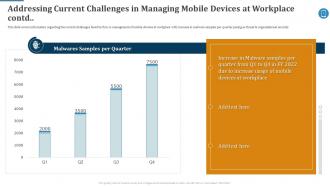
Slide 7: This slide covers information regarding the current challenges faced by firm in management of mobile devices at workplace.
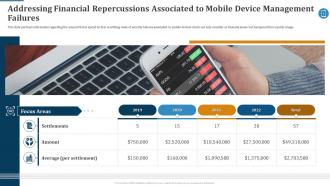
Slide 8: This slide portrays information regarding the amount that is spend by firm in settling cases of security failures associated to mobile devices.
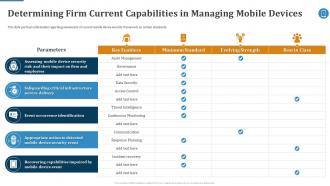
Slide 9: This slide portrays information regarding assessment of current mobile device security framework on certain standards.
Slide 10: This slide depicts title for four topics that are to be covered next in the template.
Slide 11: This slide portrays information regarding optimization of current mobile device security framework.
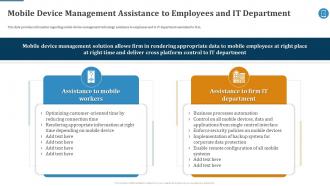
Slide 12: This slide provides information regarding mobile device management technology assistance to employees and to IT department associated to firm.
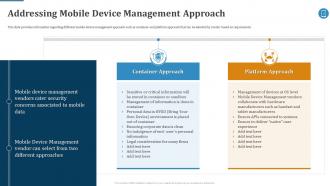
Slide 13: This slide provides information regarding different mobile device management approach such as container and platform approach.
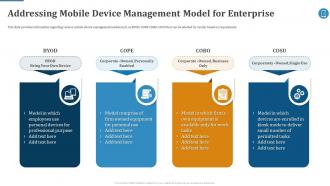
Slide 14: This slide provides information regarding various mobile device management models such as BYOD, COPE, COBO, COSU.
Slide 15: This slide depicts title for four topics that are to be covered next in the template.
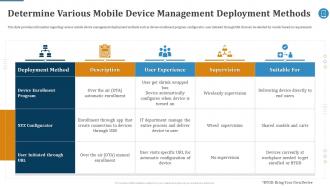
Slide 16: This slide provides information regarding various mobile device management deployment methods such as device enrollment program, configurator, etc.
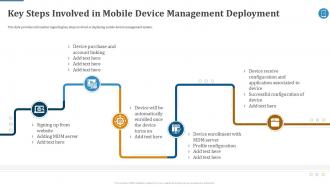
Slide 17: This slide provides information regarding key steps involved in deploying mobile device management system.
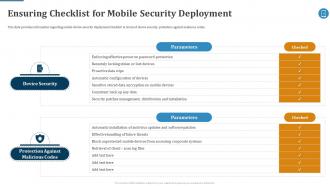
Slide 18: This slide provides information regarding mobile device security deployment checklist in terms of device security, protection against malicious codes.
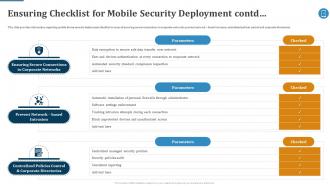
Slide 19: This slide provides information regarding mobile device security deployment checklist in terms of ensuring secure connections to corporate networks, etc.
Slide 20: This slide depicts title for six topics that are to be covered next in the template.
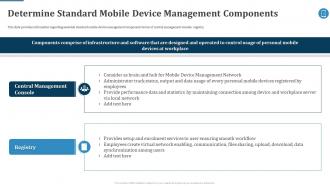
Slide 21: This slide provides information regarding essential standard mobile device management components terms of central management console, registry.
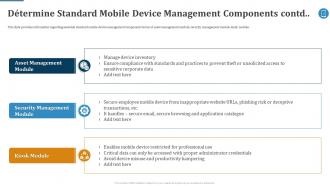
Slide 22: This slide provides information regarding essential standard mobile device management components terms of asset management module, etc.
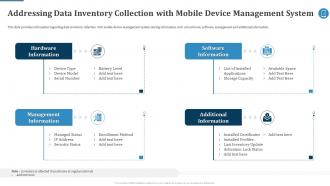
Slide 23: This slide provides information regarding data inventory collection with mobile device management system storing information such as hardware, software, etc.
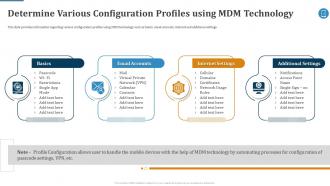
Slide 24: This slide provides information regarding various configuration profiles using MDM technology such as basics, email accounts, internet and additional settings.
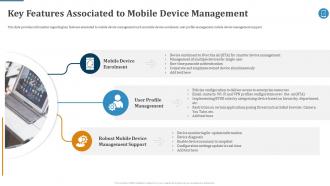
Slide 25: This slide provides information regarding key features associated to mobile device management such as mobile device enrolment, user profile management, etc.
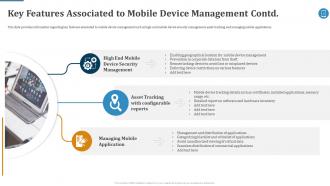
Slide 26: This slide provides information regarding key features associated to mobile device management such as high-end mobile device security management, etc.
Slide 27: This slide depicts title for two topics that are to be covered next in the template.
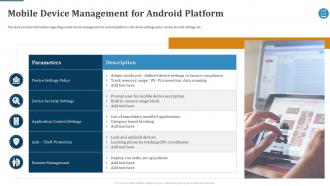
Slide 28: This slide provides information regarding mobile device management for android platform with device settings policy, device security settings, etc.
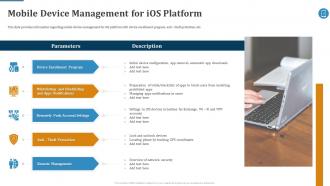
Slide 29: This slide provides information regarding mobile device management for iOS platform with device enrollment program, anti – theft protection, etc.
Slide 30: This slide depicts title for four topics that are to be covered next in the template.
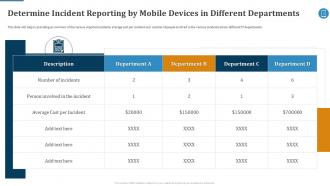
Slide 31: This slide will help in providing an overview of the various reported incidents, average cost per incident.
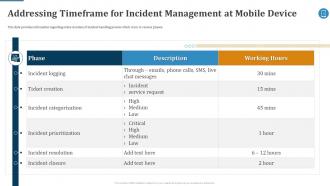
Slide 32: This slide provides information regarding entire duration of incident handling process which occur in various phases.
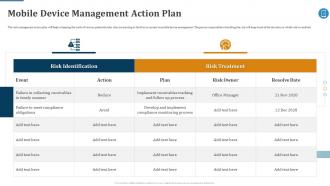
Slide 33: This slide displays Mobile Device Management Action Plan.
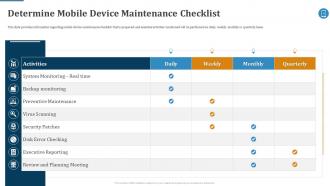
Slide 34: This slide provides information regarding mobile device maintenance checklist that is prepared.
Slide 35: This slide depicts title for the topic that are to be covered next in the template.
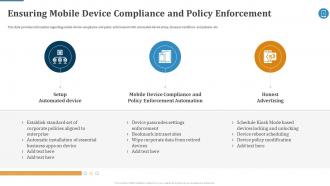
Slide 36: This slide provides information regarding mobile device compliance and policy enforcement with automated device setup, dynamic workflows and policies, etc.
Slide 37: This slide depicts title for three topics that are to be covered next in the template.
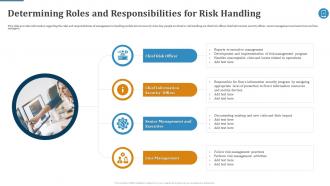
Slide 38: This slide provides information regarding the roles and responsibilities of management in handling mobile device security risks.
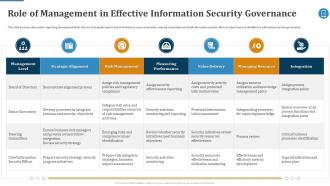
Slide 39: This slide portrays information regarding the responsibilities that are to be performed by board of directors, senior executives, steering committees, etc.
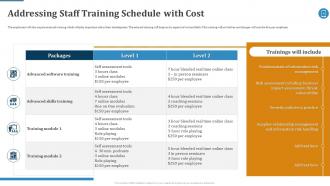
Slide 40: This slide addresses Staff Training Schedule with Cost.
Slide 41: This slide depicts title for the topic that are to be covered next in the template.
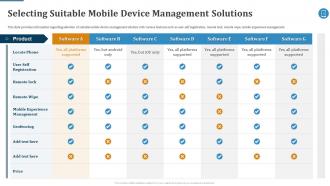
Slide 42: This slide provides information regarding selection of suitable mobile device management solution with various features.
Slide 43: This slide depicts title for the topic that are to be covered next in the template.
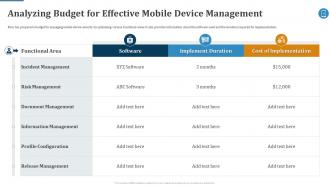
Slide 44: This slide Analyzes Budget for Effective Mobile Device Management.
Slide 45: This slide depicts title for two topics that are to be covered next in the template.
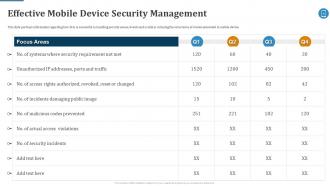
Slide 46: This slide portrays information regarding how firm is successful in handling security issues/events and is able in reducing the occurrence of events.
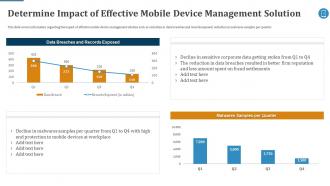
Slide 47: This slide covers information regarding the impact of effective mobile device management solution such as reduction in data breaches and records exposed, etc.
Slide 48: This slide depicts title for two topics that are to be covered next in the template.
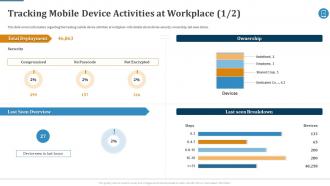
Slide 49: This slide covers information regarding the tracking mobile device activities at workplace with details about device security, ownership, last seen status.
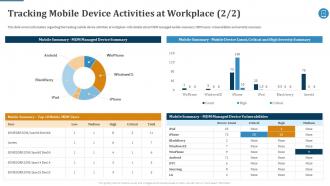
Slide 50: This slide covers information regarding the tracking mobile device activities at workplace with details about MDM managed mobile summary, MDM users, etc.
Slide 51: This is the icons slide.
Slide 52: This slide presents title for additional slides.
Slide 53: This slide shows about your company, target audience and its client's values.
Slide 54: This slide presents your company's vision, mission and goals.
Slide 55: This slide depicts 30-60-90 days plan for projects.
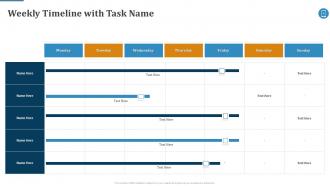
Slide 56: This slide exhibits weekly timeline of company.
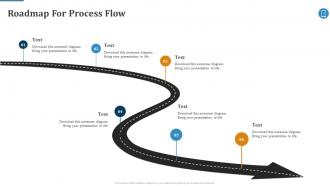
Slide 57: This slide shows roadmap of company.
Slide 58: This slide depicts posts for past experiences of clients.
Slide 59: This slide exhibits mind map.
Slide 60: This slide displays Venn.
Slide 61: This slide shows puzzle for displaying elements of company.
Slide 62: This is thank you slide & contains contact details of company like office address, phone no., etc.
Effective Mobile Device Management At Workplace MDM Powerpoint Presentation Slides with all 67 slides:
Use our Effective Mobile Device Management At Workplace MDM Powerpoint Presentation Slides to effectively help you save your valuable time. They are readymade to fit into any presentation structure.





FAQs for Effective Mobile Device Management At Workplace MDM
Dude, honestly it's a game changer. Remote wipe is clutch when someone loses their phone (happens way more than you'd think). You can push updates, manage apps, and set security rules across all devices without touching them. Privacy stuff gets tricky though - employees get weird about work monitoring their personal data, so the separation features help tons. Your IT people will love you since they won't have someone bugging them every hour about basic setup issues. Oh and compliance monitoring is huge if you're in a regulated industry. I'd figure out what's driving you crazy first, then build from there.
Oh man, MDM is like having a security guard for all your work devices. You can remotely control phones and tablets - force strong passwords, encrypt stuff, wipe devices if someone quits or loses theirs. The cool part? It separates work apps from personal ones so IT can't see your random downloads (thank god). Also pushes security updates automatically and blocks sketchy apps. Honestly, the trick is setting up good policies from the start so you're not constantly nagging people about following rules. Makes everything way smoother.
MDM gives you total device control - remote wipes, security policies, all that stuff. MAM just handles specific business apps and their data, leaves personal stuff alone. MCM is even tighter, only deals with documents and file sharing. Honestly, MAM's usually the way to go if people are using personal phones for work. Nobody wants IT snooping through their entire device (can't blame them). It's like MDM = whole phone, MAM = just work apps, MCM = just documents. Way less drama with employees too.
Honestly, MDM is clutch for GDPR and HIPAA stuff. Remote wipe capabilities save your ass when devices go missing. Data encryption happens automatically - both stored and when it's moving around. Access controls keep random people out of sensitive files. The audit trails are probably the best feature though, since regulators eat that documentation up. Healthcare and finance teams swear by the remote management side. Oh, and you can block sketchy devices from connecting to your network in the first place. That's where I'd focus when you're shopping around for solutions.
Honestly, just make sure whatever you pick works with all your devices - iPhones, Android, Windows, the whole mess. Security stuff is non-negotiable though. Remote wipe, good encryption, compliance reports if you need them. Don't cheap out if you actually need the features, but obviously cost matters. The day-to-day management should be pretty straightforward too - nobody wants to spend all day troubleshooting MDM issues, trust me on that one. Definitely test your top 2 or 3 picks first before you commit to anything long-term.
So with MDM you can basically control all your devices from one dashboard - pretty sweet setup. Push updates, change settings, wipe data if someone's phone gets stolen, that kind of thing. Works great when your team's all over the place or working remote. You'll get real-time status updates and can spot issues before people start complaining (which honestly saves so much drama). The analytics are solid too - shows you what's actually happening with each device. Oh and definitely set up your remote access policies right away, trust me on that one. Makes everything way smoother later.
So MDM is pretty much what saves your ass with BYOD policies. It gives you control over security stuff without being creepy about people's personal devices. Lost phone? You can wipe just the work data remotely. Plus it handles security updates and blocks shady apps that could mess up your network. Honestly, IT teams used to be flying blind before this - no clue what devices were connecting to company stuff. The trick is balancing security with privacy so employees don't think you're being Big Brother. Figure out what data actually needs protecting first, then build your rules around that. Way easier than trying to lock down everything.
So basically, you push everything from one dashboard - OS updates, security patches, apps, the whole deal. Cloud-based ones scale really well when you add more devices, but yeah, the per-device licensing gets expensive fast. Here's the annoying part though: Apple and Android are constantly tweaking their APIs, so your MDM vendor needs to stay on top of that stuff. I'd honestly go with someone who has a solid history of adapting quickly to new releases. You don't want to be stuck waiting months for iOS 18 support or whatever.
Honestly, the biggest headache is gonna be your employees freaking out about privacy stuff. Even though it's company devices, people get weird about it. Integration with your current systems is usually a nightmare too - nothing ever works together smoothly, does it? Your IT folks will be pulling their hair out trying to support different devices and operating systems. Budget's always tight for this stuff. Oh, and good luck getting everyone to actually follow the policies once they're set up. Start with just a few people first, explain why you're doing it so they don't think you're being Big Brother, and definitely train your IT team properly before going company-wide.
MDM automation is seriously worth it - cuts setup time from hours down to like 15 minutes. Your devices get configured automatically when they join the network, apps install themselves, security policies just happen. No more manual grunt work or stupid mistakes from tired techs. Updates and compliance checks run on autopilot too. Honestly, I was skeptical at first but the lifecycle management piece is solid - even handles retiring old devices. Your IT team can actually focus on real problems instead of endless device setup. Start with whatever tasks you're doing most often, that's where you'll see the biggest impact right away.
Yeah, MDM totally works when you don't go overboard with it. Basically your people can access work stuff from anywhere securely, which is perfect for remote work. We went way too strict at my old job - constantly blocking apps, crazy authentication requirements. Everyone hated it. The trick is making it run quietly in the background so users barely notice it's there. Short sentences work better here. Focus on making work easier, not harder. Your policies shouldn't feel like punishment, you know? When it's done right, people actually appreciate the smooth experience instead of fighting against it constantly.
So MDM basically lets you control app stuff from one spot instead of touching every single device. Push updates instantly, remove apps you don't want, the whole deal. Honestly saved my sanity when we had like 200+ tablets to manage. Users can't just download random junk either - you set up lists of what's allowed or banned. The licensing tracking is pretty clutch too. Best part? Critical updates happen automatically without bugging people. I probably should've set this up way sooner, but once you get your policies configured it runs itself.
So zero-trust security and AI threat detection are the big things everyone's talking about right now. Most vendors are pushing this unified endpoint management thing where you can handle phones, laptops, IoT stuff all in one place - honestly beats dealing with like 5 different dashboards. Privacy controls got way better too, plus app management is more flexible now that everyone's still doing the hybrid work thing. Oh and everything's cloud-native at this point, which I guess makes sense. If you're coming up on renewal soon, I'd definitely check how your current setup handles this stuff.
Basically, MDM systems connect through APIs that hook into whatever you're already using - Active Directory, your SSO setup, security tools, all that stuff. Thank god most modern ones actually work with existing systems instead of making you start over (learned that the hard way). You'll be able to sync users, deploy company apps, and set policies that match your current security setup. The trick is picking one that actually supports your tech stack. I'd map out which systems need to connect first - saves headaches later. Way easier than trying to force puzzle pieces that don't fit.
Start with onboarding that actually explains the "why" behind MDM - show them real breach examples from companies like yours. Lunch-and-learns help, though honestly most people zone out after 10 minutes. Quick email updates work better than long policy docs nobody reads. Make IT approachable instead of the scary department everyone avoids. Visual guides are clutch for reference. But here's the thing - if your executives ignore MDM rules, you're screwed. Nothing tanks employee buy-in faster than leadership acting like policies don't apply to them. Get them following the same rules visibly, or don't bother with the rest.
-
Much better than the original! Thanks for the quick turnaround.
-
The best part about SlideTeam is their meticulously prepared presentations (complete-decks and single-slides both), infused with high-quality graphics and easy to edit. All-in-all worthy products.