

Idea development and brainstorming process powerpoint presentation with slides





Try Before you Buy Download Free Sample Product
 Impress Your
 Audience
 100%
100% Editable
 Save Hours
 of Time


Idea development and brainstorming process is indeed a key to gain edge over competitors. With our compact slides you don’t have to wrestle much to portray significance of idea development and brainstorming process. As to help you out we have come with complete deck of PowerPoint presentation on the brainstorming process. Business professionals can download this readymade PowerPoint slide deck to motivate employees to think out of the box and develop a problem solving attitude. Furthermore, in this PowerPoint slide show to address all the decisive points about idea development, we have included PPT templates like “What is brainstorming”, “Rules of brainstorming”, “Procedure of Brainstorming” and many more. Over and above, you can download this PPT slide show to deliver PPTs on concepts like brilliance of mind, racing mind, depth of thought process etc. In addition to get a bespoke PowerPoint slide show you can also contact our experts.
People who downloaded this PowerPoint presentation also viewed the following :
Content of this Powerpoint Presentation
Slide 1: This slide introduces to Idea Development & Brainstorming. State Your Company Name and get started.
Slide 2: This is an Agenda slide. State your agendas here.
Slide 3: This is another Agenda slide. State your agendas here.
Slide 4: This is Our mission slide with Vision and mission. State them here.
Slide 5: This slide presents Our Team with name, designation and image boxes.
Slide 6: This is About Us slide. State Team/company specifications here.
Slide 7: This is an Our Goal slide. State goals/targets here.
Slide 8: This slide introduces What Is Brainstorming. State your ideation process etc. here.
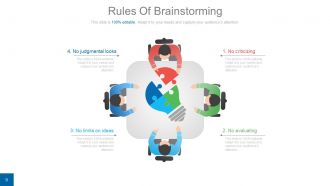
Slide 9: This slide displays Rules of Brainstorming. The listed rules are- 1. No criticizing, 2. No evaluating, 3. No limits on ideas, 4. No judgmental looks.
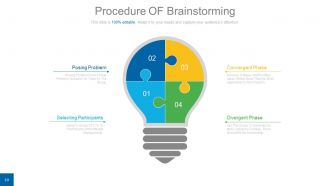
Slide 10: This slide presents the Procedure of Brainstorming. The phases include- Convergent Phase: (Discuss, Critique, And Prioritize Ideas. Select Ideas That Are Most Applicable To The Problem). Divergent Phase (Ask The Group To Generate As Many Solutions Or Ideas. There Should Be No Censorship). Posing Problem (Posing Problem Pose A Clear Problem, Question, Or Topic To The Group). Selecting Participants (Select A Group Of 3 To 10 Participants With Different Backgrounds).
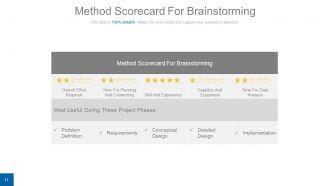
Slide 11: This slide showcases the Method Scorecard For Brainstorming.
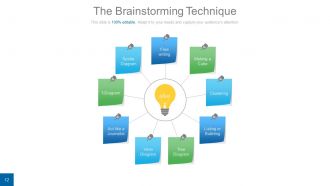
Slide 12: This slide presents The Brainstorming Technique. The listed ones are- Free writing, Making a Cube, Clustering, Listing or Bulleting, Venn Diagram, Tree Diagram, Act like a Journalist, T-Diagram, Spoke Diagram.
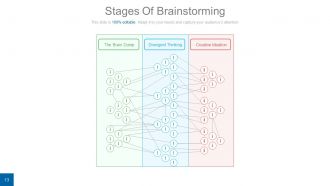
Slide 13: This slide showcases the Stages Of Brainstorming- Creative Ideation, The Brain Dump, Divergent Thinking.
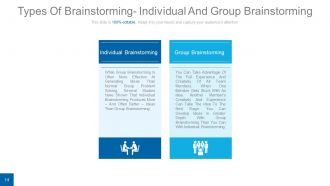
Slide 14: This slide lists factors of Types Of Brainstorming- Individual And Group Brainstorming.
Slide 15: This slide displays Mind Maps For Brainstorming.
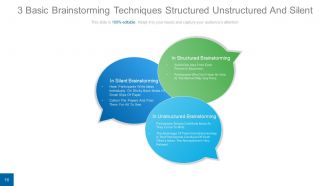
Slide 16: This slide showcases the 3 Basic Brainstorming Techniques- Structured, Unstructured And Silent.
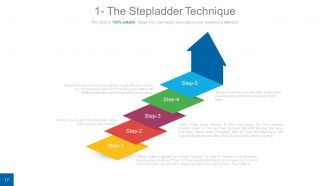
Slide 17: This slide displays The Stepladder Technique with 5 steps.
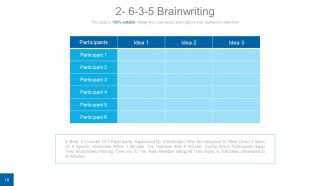
Slide 18: This slide showcases 6-3-5 Brainwriting procedure. In Brief, It Consists Of 6 Participants Supervised By A Moderator Who Are Required To Write Down 3 Ideas On A Specific Worksheet Within 5 Minutes. The Outcome After 6 Rounds, During Which Participants Swap Their Worksheets Passing Them On To The Team Member Sitting At Their Right, Is 108 Ideas Generated In 30 Minutes.
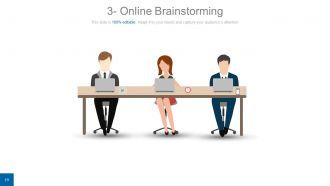
Slide 19: This slide displays Online Brainstorming method with imagery.
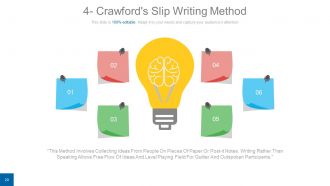
Slide 20: This slide presents Crawford's Slip Writing Method. “This Method Involves Collecting Ideas From People On Pieces Of Paper Or Post-it Notes. Writing Rather Than Speaking Allows Free Flow Of Ideas And Level Playing Field For Quitter And Outspoken Participants.”
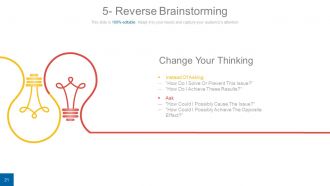
Slide 21: This slide showcases Reverse Brainstorming with the following content- Change Your Thinking: 1: Instead Of Asking: “How Do I Solve Or Prevent This Issue?” “How Do I Achieve These Results?” 2: Ask “How Could I Possibly Cause The Issue?” “How Could I Possibly Achieve The Opposite Effect?”
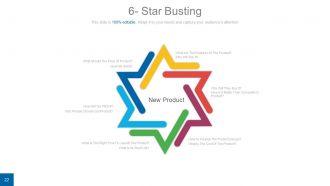
Slide 22: This slide presents Star Busting. The content includes New Product in the center with the following points- Why Will They Buy It? How Is It Better Than Competitor's Product? How To Finalize The Product Design? What Is The Cost Of The Product? What Is The Right Time To Launch The Product? What Is Its Shelf Life? How Will We Pitch It? Why People Choose Our Product? How We Sell It? What Should The Price Of Product? What Are The Features Of The Product? Who Will Buy It?
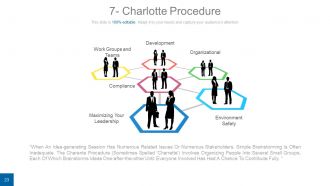
Slide 23: This slide presents the Charlotte Procedure. The context points include- Work Groups and Teams, Development, Organizational, Environment Safety, Compliance, Maximizing Your Leadership.
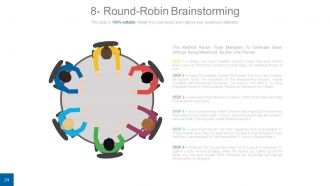
Slide 24: This slide presents Round-Robin Brainstorming with 6 steps. This Method Allows Team Members To Generate Ideas Without Being Influenced By Any One Person.
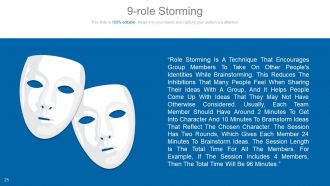
Slide 25: This slide presents Role Storming technique. “Role Storming Is A Technique That Encourages Group Members To Take On Other People's Identities While Brainstorming. This Reduces The Inhibitions That Many People Feel When Sharing Their Ideas With A Group, And It Helps People Come Up With Ideas That They May Not Have Otherwise Considered. Usually, Each Team Member Should Have Around 2 Minutes To Get Into Character And 10 Minutes To Brainstorm Ideas That Reflect The Chosen Character. The Session Has Two Rounds, Which Gives Each Member 24 Minutes To Brainstorm Ideas. The Session Length Is The Total Time For All The Members. For Example, If The Session Includes 4 Members, Then The Total Time Will Be 96 Minutes.”
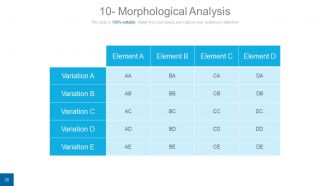
Slide 26: This slide presents Morphological Analysis matrix with variables and elements.
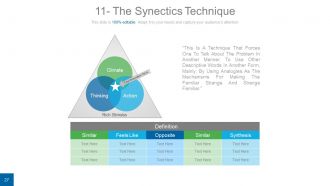
Slide 27: This slide presents The Synectics Technique. This Is A Technique That Forces One To Talk About The Problem In Another Manner. To Use Other Descriptive Words In Another Form, Mainly, By Using Analogies. The main crux includes the Rich Stimulus with the- Climate Action Thinking
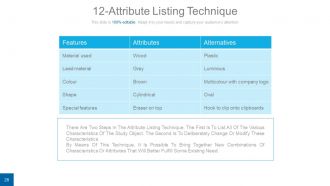
Slide 28: This slide presents Attribute Listing Technique. There Are Two Steps In The Attribute Listing Technique. The First Is To List All Of The Various Characteristics Of The Study Object. The Second Is To Deliberately Change Or Modify These Characteristics. By Means Of This Technique, It Is Possible To Bring Together New Combinations Of Characteristics Or Attributes That Will Better Fulfill Some Existing Need.
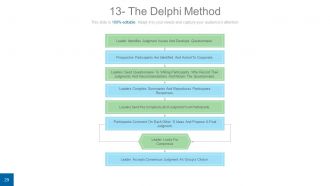
Slide 29: This slide introduces The Delphi Method. The process goes like- {Leader Identifies Judgment Issues And Develops Questionnaire, Prospective Participants Are Identified And Asked To Cooperate, Leaders Send Questionnaire To Willing Participants, who Record Their Judgments And Recommendations And Return The Questionnaire, Leaders Compiles Summaries And Reproduces Participants Responses, Leaders Send The Compiled List Of Judgment To All Participants, Participants Comment On Each Other’ S Ideas And Propose A Final Judgment, Leader Looks For Consensus, Leader Accepts Consensus Judgment As Group’s Choice.
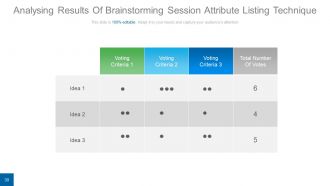
Slide 30: This slide presents a matrix on Analysing Results Of Brainstorming Session Attribute Listing Technique.
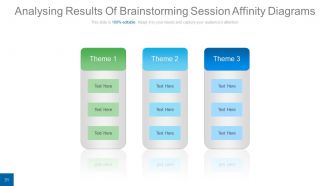
Slide 31: This slide presents Analysing Results Of Brainstorming Session Affinity Diagrams.
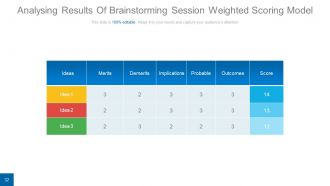
Slide 32: This slide shows Analysing Results Of Brainstorming Session Weighted Scoring Model.
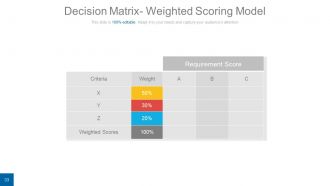
Slide 33: This slide presents a Decision Matrix- Weighted Scoring Model.
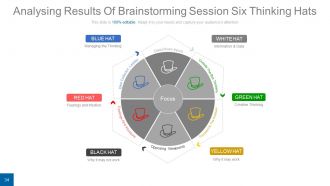
Slide 34: This slide displays Analysing Results Of Brainstorming Session Six Thinking Hats- The sub points are listed as-Data Driven Inputs, Outside The Box Thinkers, Focused On The Positives, Opposing Viewpoints, Feelings And Intuitions, Idea Collector, Leader. The six hats are- (Why it may work)- YELLOW HAT, (Why it may not work)- BLACK HAT, (Feelings and Intuition)- RED HAT, (Managing the Thinking)- BLUE HAT, (Information & Data)- WHITE HAT, (Creative Thinking)- GREEN HAT.
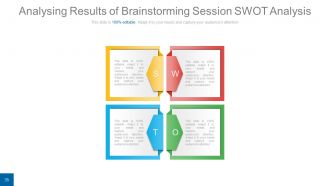
Slide 35: This slide presents a SWOT analysis.
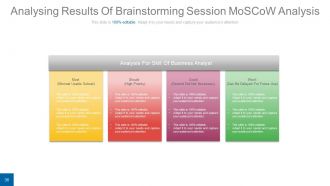
Slide 36: This slide presents Analysing Results Of Brainstorming Session MoSCoW Analysis. The sub headings inlcude- Must (Minimal Usable Subset) Should (High Priority) Could (Desired But Not Necessary) Won’t (Can Be Delayed For Future Use).
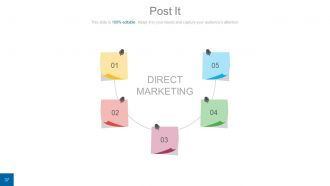
Slide 37: This is a Post It slide for reminders of Direct Marketing.
Slide 38: This slide is titled Community to show company news, events, highlights etc.
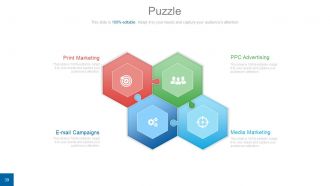
Slide 39: This is a Puzzle slide with the following subheadings- PPC Advertising, Media Marketing, Print Marketing, E-mail Campaigns.
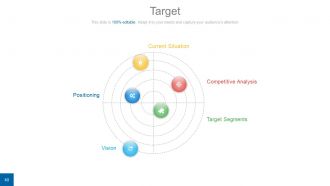
Slide 40: This is a Target slide with the following subheadings- Current Situation, Competitive Analysis, Target Segments, Vision, Positioning.
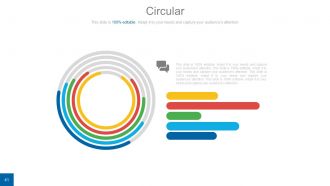
Slide 41: This is a Circular image slide to show information, specifications etc.
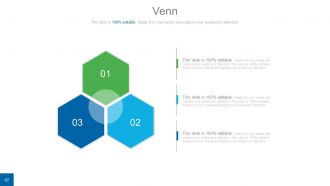
Slide 42: This is a Venn diagram image slide to show information, specifications etc.
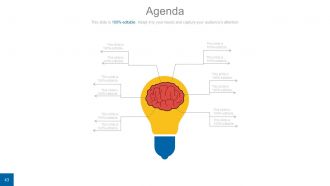
Slide 43: This is an Agenda slide with creative bulb brain imagery to go with. State additional agendas here.
Slide 44: This slide showcases a Matrix with the following content- Development Clients, Dilemna Clients, Star Clients, High Value Clients.
Slide 45: This is a Lego Box slide with the following subheadings- Teach, Encourage, Increase, Build.
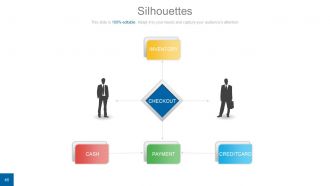
Slide 46: This is a Silhouettes image slide with the subheadings- INVENTORY, PAYMENT, CASH, CREDITCARD, CHECKOUT.
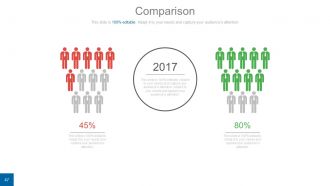
Slide 47: This is a Comparison slide to show comparison of two entities.
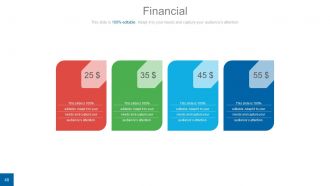
Slide 48: This is a Financial Score slide to show financial aspects here.
Slide 49: This is a Quotes slide to convey message, beliefs etc.
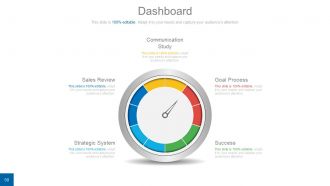
Slide 50: This is a Dashboard slide to show- Strategic System, Success, Goal Process, Sales Review, Communication Study.
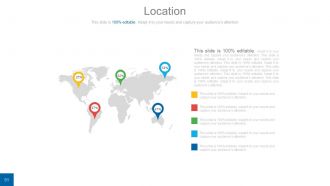
Slide 51: This is a Location slide to show global growth,presence etc. on world map.
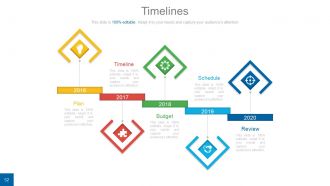
Slide 52: This is a Timelines slide to show- Plan, Budget, Schedule, Review.
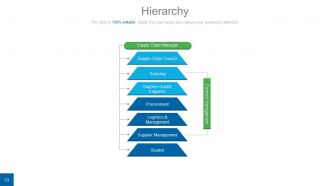
Slide 53: This is a Hierarchy slide showing- Supply Chain Manager, Supply Chain Council, Sourcing, Supplier Quality Engineer, Procurement, Logistics & Management, Supplier Management, Student, Contract Management.
Slide 54: This is a Bulb Or Idea image slide to show information, innovative aspects etc.
Slide 55: This is a Magnifying glass image slide to show information, scoping aspects etc.
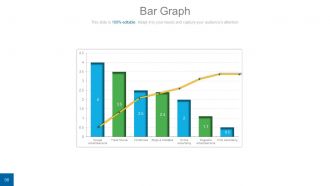
Slide 56: This is a Bar Graph image slide to show product comparison, growth etc.
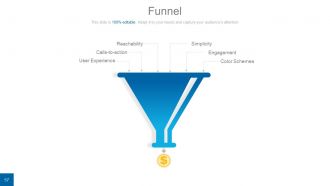
Slide 57: This is a Funnel image slide showing: Calls-to-action, Reachability, User Experience, Color Schemes, Engagement, Simplicity.
Slide 58: This is a Thank You slide for acknowledgement.
Idea development and brainstorming process powerpoint presentation with slides with all 58 slides:
Our Idea Development And Brainstorming Process Powerpoint Complete Deck are an excellent briefing aid. Give them a detailed account of your expertise.







FAQs for Idea development and brainstorming process powerpoint
Break down your idea step by step, honestly. Talk to real potential users first - not your friends who'll just hype you up. Figure out if there's actually a problem people care about solving. Once you've got that nailed down, define what makes your solution different from what's already out there (and trust me, something similar probably exists). Build a quick prototype to test your assumptions. The whole "validation first, build second" thing sounds boring but it'll save you months of wasted work. Most people skip straight to coding and wonder why nobody wants their product later.
Honestly, brainstorming techniques work because they shut up that annoying inner critic we all have. You know how you get an idea and immediately think "that's stupid"? Methods like mind mapping or rapid-fire listing force you to just dump everything out first. The timer thing is clutch - I usually do 10 minutes of pure chaos, no judging allowed. What's cool is you'll push past the obvious stuff your brain spits out first. Those crazy eights exercises are weird but they work. The whole trick is keeping idea generation separate from the "is this actually doable" part. Save the reality check for later.
Look, market research stops you from building something nobody wants. I learned this the hard way honestly. It shows you if people will actually pay for your solution, not just say "oh that's cool" and walk away. You'll find out who you're really competing against and what customers actually need - which is usually way different than your first guess. Simple surveys or interviews work great before you spend months building. The whole point is catching problems early when pivoting doesn't cost you everything. Way better than launching to crickets.
Honestly, mixing up your team is like a cheat code for creativity. People from different backgrounds will call out your blind spots and suggest stuff you'd never think of. I've seen it work so many times - like when our designer randomly solved this technical bug that had engineers stumped for weeks. Fresh perspectives just hit different, you know? The key is actually making space for everyone to speak up during brainstorming. Don't just collect diverse people and expect magic. You've got to actively draw out those different viewpoints, especially from quieter team members.
Honestly, Miro and Figma are my go-to for visual stuff - mind maps, flowcharts, all that. Notion's pretty powerful since it does notes, databases, and kanban boards together, but wow does it get messy quick if you're not careful. MindMeister works too, or hell, even sticky notes if you're keeping it simple. The real trick? Pick whatever your team will actually stick with. I've seen too many groups get excited about some fancy tool then abandon it after two weeks. Start basic, see what clicks with your workflow, then level up later.
Okay so user feedback is basically your sanity check. People will straight up tell you what they actually care about vs what you're obsessing over in your head. They'll catch stuff you totally missed or be like "why would I ever need that feature?" - which honestly stings but saves you months of work. Sometimes their ideas are way better than yours too. Don't try making everyone happy though. Look for the patterns instead. Get feedback super early, even if your idea is just sketches on napkins or whatever.
Honestly, the worst thing you can do is get married to your first idea - I've totally done this before and it's painful. Don't build stuff in a vacuum either, you need real feedback from actual people. Testing with users beats trying to make everything perfect from day one. Feature creep will absolutely kill you too. I swear, some of the best concepts just die under a mountain of "wouldn't it be cool if..." additions. My advice? Challenge yourself regularly, get outside opinions fast, and be ruthless about what actually matters. Build something small first, test it, then expand what works.
Looking at what competitors are doing is basically like cheating off their homework - you see what's working and what totally isn't. I always check out what everyone else is focusing on first. Maybe they're all obsessed with being the cheapest option but their apps are garbage to actually use. Or they're going after the wrong people entirely, which honestly happens more than you'd think. Once you spot those gaps, you can build something that actually stands out instead of just another copycat product. It's really about finding what nobody else is doing right and making that your thing.
Okay so creativity exercises actually work really well for brainstorming - they basically trick your brain into thinking differently. Word association, random prompts, even doodling while you talk. I used to roll my eyes at this stuff but honestly? It breaks you out of the same boring ideas everyone always suggests. Your team gets more engaged too, which is half the battle. We did this thing last week where we started with completely random words for five minutes. Sounds dumb but it totally changed how we approached the problem. Short answer: try it once and you'll get it.
Honestly, I'd break it into three main things: is there actually a market for this, what do you need to make it happen, and what could go wrong. Market-wise - check if people actually want this and who you're competing against. Resources are pretty straightforward: money, time, team skills, tech stuff. Risk is where things get messy though. Regulatory issues, bad timing, relying on other companies - that's where most ideas crash and burn. I usually rate each area 1-5 and try to be super honest about the weak spots. Too many red flags? Better to bail early than waste months on something doomed.
Honestly, prototyping is a lifesaver. Test your ideas with real people before you waste months building something nobody wants. I've dodged so many terrible concepts this way! Even basic wireframes or sketchy paper mockups show you stuff that's totally broken. Users will try things you never expected. Start super rough - whatever tests your main idea fastest. Don't overthink it. The whole point is getting feedback quickly so you can fix things early. Way better than finding out your brilliant idea sucks after you've already built it.
Your value prop is what keeps you from building random stuff nobody wants. Seriously, I've watched so many teams skip this and then act shocked when their "brilliant" idea tanks. Write it down in one sentence - something you could tell your mom and she'd actually get it. Test it with real people, not just your team who's already obsessed with the idea. Without this clarity, you're just guessing at what problems to solve. It's your idea's compass. Stops you from chasing shiny features instead of what users actually need. Oh, and make sure it explains why someone would pick you over just... doing nothing at all.
Honestly, turning your idea into a story is like magic for figuring out what's actually missing. You get this natural structure - problem, messy middle, solution - and suddenly the weak spots jump out at you. People connect with stories way better than abstract concepts anyway (we've been doing it since caveman days). The whole cause-and-effect thing forces you to think harder about whether your idea actually makes sense. Try this: explain your concept to someone like it's a mini story. I swear you'll catch gaps you never noticed before. Works every time.
Testing early saves you from building something nobody wants. Each round gives you actual data instead of just hoping your idea works. I've watched too many "genius" concepts flop because people skipped this step - kinda painful to see honestly. You'll catch issues when they're still fixable. The feedback shows you what's hitting and what needs scrapping. Don't wait until everything's perfect to start testing. Better to learn quickly from rough versions than spend months polishing something that misses the mark completely.
Honestly, templates are lifesavers for this stuff. They basically force you into a logical flow that keeps people engaged - like problem-solution-impact or concept-benefits-next steps. But here's the thing: don't just use them as-is because generic slides are absolutely terrible. You've got to customize them with your specific details and visuals that actually make sense. Practice those transitions too - that's where people usually mess up. The whole point is having structure so you can focus on selling your actual idea instead of scrambling around wondering how to organize everything. Find a solid template first, then make it yours.
-
Unique design & color.
-
Perfect template with attractive color combination.