


Brainstorming techniques for new product development powerpoint presentation with slides





Try Before you Buy Download Free Sample Product
 Impress Your
 Audience
 100%
100% Editable
 Save Hours
 of Time


Building a brainstorming techniques PPT presentation up from scratch is indeed a tricky task. Considering this we have conceptualized a readymade PPT model to illustrate brainstorming tools and techniques required for product development. Here we are also sharing few tips to use our sample of PPT presentation for product brainstorming. You can also use our PPT example as a metaphor to promote problem solving approach of speed thinking or thinking outside the box among your employees. In short, bottom line is that our PowerPoint show supports employees to come out with new revolutionary product development solutions. Furthermore, our presentation deck symbolically helps management to trigger mind of employees to go for group creativity technique and reveal fresh brainstorming product ideas. Above all, giving an edge to presenter we have included exclusive template slides like procedure of brainstorming, stages of brainstorming, the stepladder technique, the synectics technique, the delphi method and so on. Finally, in one line you can gain more with our pre designed brainstorming techniques for new product development complete presentation deck. Display a client friendly approach with our Brainstorming Techniques For New Product Development Complete Powerpoint Deck With Slides. Their demands always come first.
People who downloaded this PowerPoint presentation also viewed the following :
Content of this Powerpoint Presentation
Slide 1: This slide introduces Brainstorming Techniques for NEW PRODUCT DEVELOPMENT. State company name here and begin.
Slide 2: This is an Agenda slide. State your agenda etc. here.
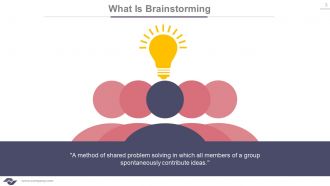
Slide 3: This slide presents a brief intoduction on What Is Brainstorming?
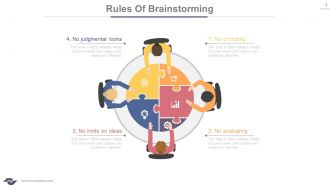
Slide 4: This slide showcases the Rules Of Brainstorming in a puzzle and human imagery form. Use as per need.
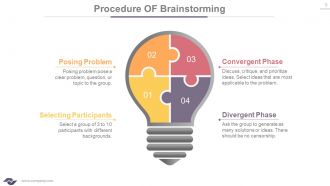
Slide 5: This slide displays Procedure Of Brainstorming with creative imagery.
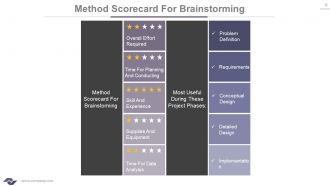
Slide 6: This is a Method Scorecard For Brainstorming slide.
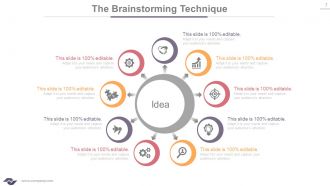
Slide 7: This slide showcases The Brainstorming Technique in a cirular image form with Idea as its central technique.
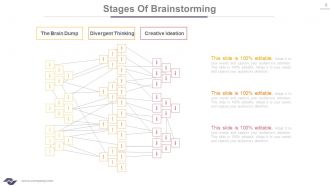
Slide 8: This slide displays the various Stages Of Brainstorming ranging from creative ideation, the brain dump to divergent thinking.
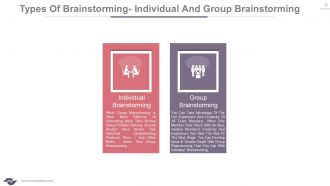
Slide 9: This slide states the 2 Types of Brainstorming to showcase comparison.
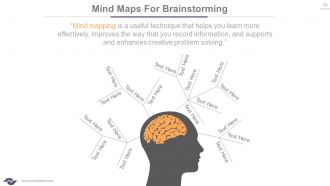
Slide 10: This slide showcases Mind Maps For Brainstorming to present behavioural segmentation or anything relative.
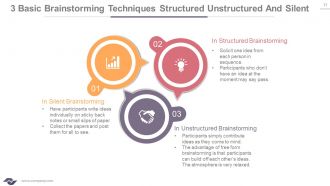
Slide 11: This slide presents the 3 Basic Brainstorming Techniques Structured Unstructured And Silent.
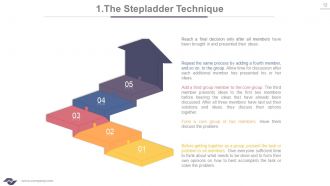
Slide 12: This slide displays The Stepladder Technique with arrow imagery.
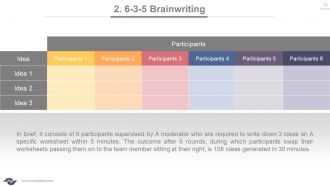
Slide 13: This is 6-3-5 Brainwriting slide in a tabular form with Idea and Participants as its main measurement criteria.
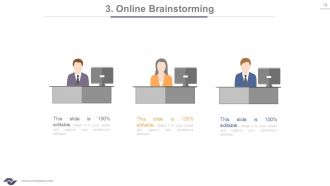
Slide 14: This slide presents Online Brainstorming with relative imagery.
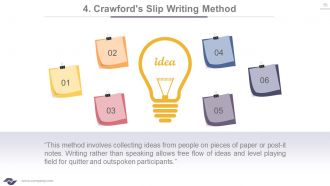
Slide 15: This slide states Crawford's Slip Writing Method with bulb imagery and post it notes. This method involves collecting ideas from people on pieces of paper or post-it notes. Writing rather than speaking allows free flow of ideas and level playing field for quitter and outspoken participants.
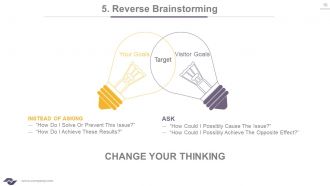
Slide 16: This is a Reverse Brainstorming slide with Creative imagery.
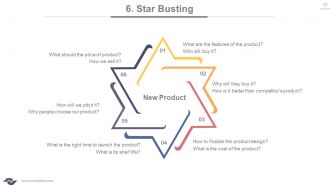
Slide 17: This slide displays Star Busting with questions regarding new product.
Slide 18: This slide displays Charlotte Procedure in people silhouttes imagery to go with.
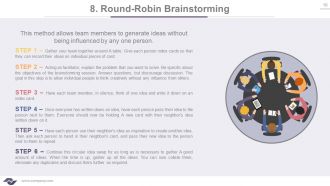
Slide 19: This is Round-Robin Brainstorming slide with its steps. You can alter contents as per need.
Slide 20: This is a Role Storming slide. Present employees' creative aspects here.
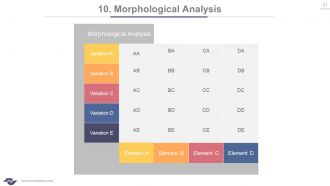
Slide 21: This slide states Morphological Analysis.
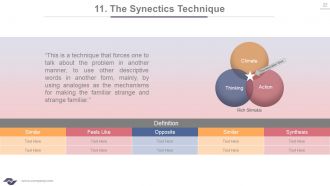
Slide 22: This slide presents The Synectics Technique in a venn diagram and tabular form.
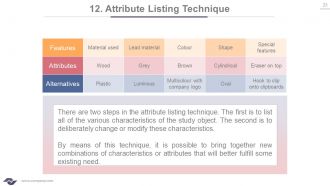
Slide 23: This slide presents Attribute Listing Technique along with its two steps- list all the various characteristics of the study object and deliberately change or modify these characteristics.
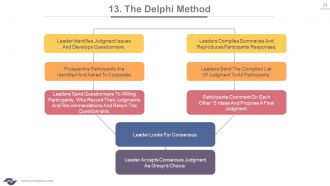
Slide 24: This slide displays The Delphi Method.
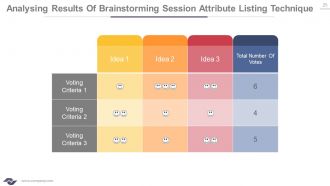
Slide 25: This is an Analysing Results Of Brainstorming Session Attribute Listing Technique slide.You can add your voting details and ideas here.
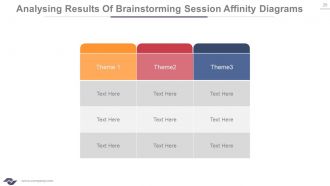
Slide 26: This is Analysing Results Of Brainstorming Session Affinity Diagrams slide.
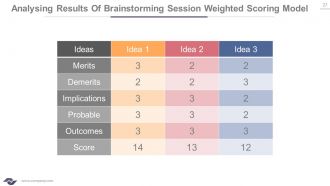
Slide 27: This is Analysing Results Of Brainstorming Session Weighted Scoring Model slide showing merits, demerits, implications, probable, outcomes and score.
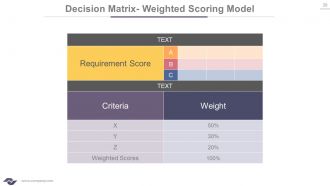
Slide 28: This is a Decision Matrix- Weighted Scoring Model slide.
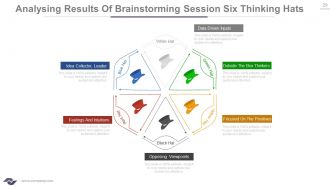
Slide 29: This slide showcases Analysing Results Of Brainstorming Session Six Thinking Hats. They are- GREEN HAT (Outside The Box Thinkers), WHITE HAT (Data Driven Inputs), BLACK HAT (Opposing Viewpoints), RED HAT (Feelings And Intuitions), BLUE HAT (Idea Collector, Leader), YELLOW HAT (Focused On The Positives).
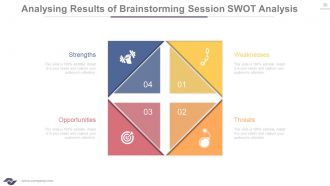
Slide 30: This is Analysing Results of Brainstorming Session SWOT Analysis slide. You can modify/add text as per need.
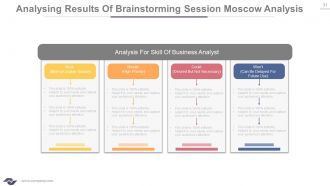
Slide 31: This slide presents Analysing Results Of Brainstorming Session MoSCoW Analysis to state.
Slide 32: This slide is titled Additional Slides to proceed further. You can change/ alter contents as per need.
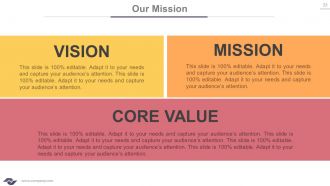
Slide 33: This is Our Mission slide to state Vision, Mission and Core Values.
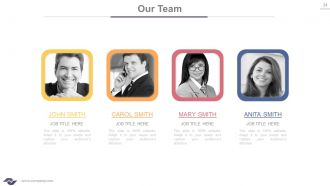
Slide 34: This is Our Team slide with name, image and text boxes to state specifics.
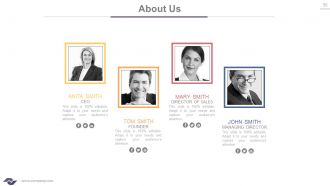
Slide 35: This is an About Us slide to state company/team specifics here.
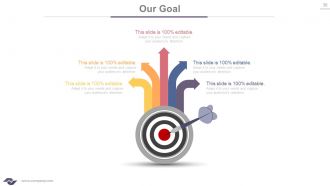
Slide 36: This is an Our Goal slide. State them here.
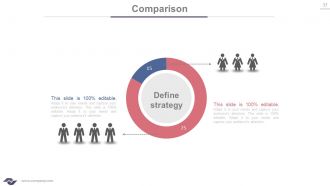
Slide 37: This slide shows Comparison of two entities in donut chart form.
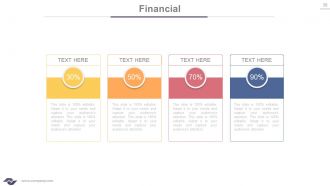
Slide 38: This is a Financial Score slide to show financial aspects etc. here.
Slide 39: This is a Quotes slide to convey message, beliefs etc.
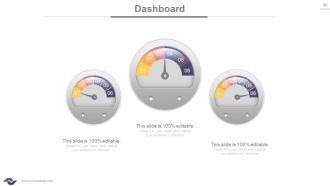
Slide 40: This is a Dashboard image slide. Show Kpi, metrics etc. here.
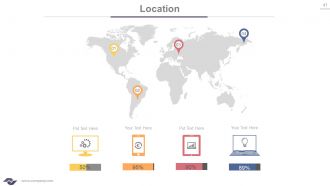
Slide 41: This is a Location slide of World map to show global presence, growth etc.
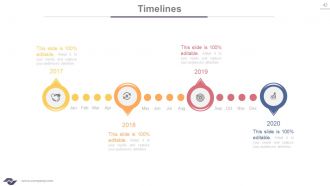
Slide 42: This is a Timeline slide to show growth, evolution, milestones etc.
Slide 43: This is a Post It slide to mark events, highlighting factors etc.
Slide 44: This is a News Paper slide to show news, events, etc. You can change the slide contents as deemed fit.
Slide 45: This is a Puzzle slide with text boxes to show information, specifications etc.
Slide 46: This is a Target slide. State your targets here.
Slide 47: This is a Circular image slide to show information, specifications etc.
Slide 48: This is a Venn diagram image slide to show information, specifications etc.
Slide 49: This is a Matrix image slide to show information, specifications etc. You can change/ alter contents as per need.
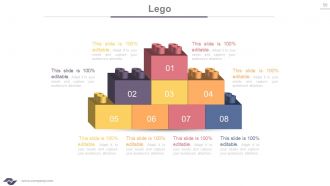
Slide 50: This is a Lego box image slide to present specifications, information etc.
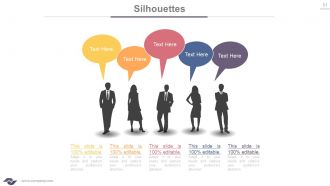
Slide 51: This is a Silhouettes image slide to present people related information, specifications etc.
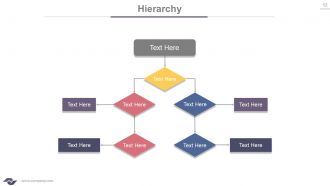
Slide 52: This is Hierarchy slide to present team specifications, structuring etc.
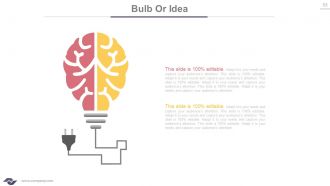
Slide 53: This is a Bulb or Idea slide to state a new idea or highlight specifications/information etc.
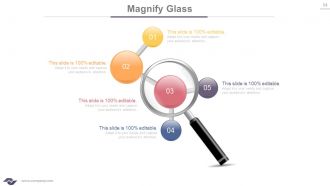
Slide 54: This is a Magnifying glass image slide to show information, scoping aspects etc.
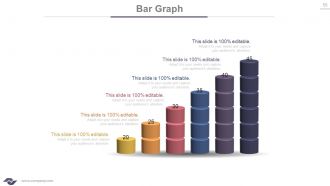
Slide 55: This is a Bar Graph slide to show product information, specifications, comparison etc.
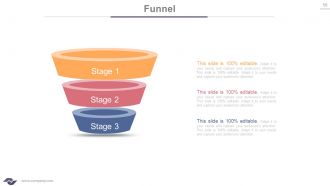
Slide 56: This slide showcases a Funnel with text boxes. State information, process in funnel form here.
Slide 57: This is a THANK YOU slide for acknowledgement.
Brainstorming techniques for new product development powerpoint presentation with slides with all 57 slides:
Find a formula that fits with our Brainstorming Techniques For New Product Development Complete Powerpoint Deck With Slides. Come up with extremely convincing answers.







FAQs for Brainstorming techniques for new product development powerpoint
Mind mapping is seriously underrated - just dump everything visually and you'll spot connections you never saw before. Also try that improv trick where you go "yes, and" instead of shooting down ideas right away. There's this weird method called 6-3-5 where six people write three ideas in five minutes, then pass papers around. Sounds random but it works. Oh, and set a timer for brainstorming sessions. The pressure actually makes your brain work harder somehow. I'd honestly just pick one of these and test it out next time you're prepping something.
Dude, you've gotta try using visual stuff in your brainstorms. Seriously makes such a difference. People can actually see the ideas instead of just listening to someone ramble. Grab some sticky notes or just sketch things out on a whiteboard - doesn't have to be fancy. Your quieter teammates will probably jump in more when they can write stuff down instead of speaking up. Mind maps work great too, though I always end up making mine look like a hot mess. The whole point is people start connecting dots they'd never notice otherwise. Way better than sitting around talking in circles for an hour.
Group dynamics totally make or break brainstorming - I can't stress this enough. You need psychological safety so people actually share crazy ideas without worrying about judgment. That's where the good stuff happens. But one toxic person or weird hierarchy thing? Kills everything. I've watched amazing sessions get destroyed by someone who just shoots down every single idea. Super frustrating. Make sure quieter people talk first, and set those "yes, and..." rules upfront. Oh, and don't let dominant personalities take over - everyone needs to build on ideas instead of competing.
Okay so first thing - make everyone write down ideas solo for like 5-10 minutes before anyone talks. Trust me on this one, it stops the loud people from taking over (learned that lesson multiple times lol). Tell everyone upfront: no shooting down ideas, build off what others say, get weird with it. Mix things up too - sticky notes work great, or do small groups first then come back together. Keep it moving with time limits and have someone draw/write everything where people can see it. Oh and definitely end by grouping similar stuff and picking your top 2-3 ideas to actually dig into later.
Honestly, digital brainstorming tools are pretty amazing - way better than I expected when we first went remote. Your quiet teammates actually speak up more on platforms like Miro or Figma since they don't have to jump into conversations. Everyone sees all the ideas at once too, no more trying to read terrible handwriting. The async stuff is clutch - people jump back in later and build on things. Oh, and stick with one platform! I learned this the hard way. Your team needs time to get comfortable with whatever you pick.
Okay so mind mapping is honestly amazing because it tricks your brain into making weird connections. You stick your main topic in the center, then branch out instead of thinking in a straight line. Each branch sparks new ideas and random tangents - I actually love when they get super messy! The visual part helps too since you can spot areas you haven't explored much. Plus you'll jump between branches and suddenly realize two totally unrelated things actually connect. Set a 10-minute timer and just go crazy with it.
Here's the thing - keep it small, like 6-8 people tops or it turns into chaos. Set those ground rules upfront: no shooting down ideas, build on what others say, go crazy with suggestions. I always do a silent brainstorm first so the quiet people actually contribute, then go around the room. Someone needs to write EVERYTHING down on a whiteboard where everyone can see it. The hardest part? Stopping people from critiquing too early - you gotta redirect that energy. Don't just end the session either. Pick which ideas you'll actually pursue and figure out who's doing what next, otherwise nothing happens.
Oh dude, you should try silent brainstorming! Have everyone write down ideas for like 5-10 minutes before anyone talks. Game changer. Introverts get processing time instead of competing with whoever's loudest in the room. You can collect the ideas anonymously or just have people read what they wrote. I swear the participation jumps because those quieter team members usually have the best insights - they just can't think that fast on the spot. Honestly, I wish more meetings started this way. Try it next time!
Mix up who's in the room - bring in someone from outside who doesn't care about your usual politics. I'd rotate the devil's advocate role so everyone has to be the "difficult one" at some point. Anonymous submissions are clutch because people actually say what they think when their boss can't trace it back to them. Try splitting into small groups first, then come together. Makes the quiet people speak up. The whole point is making disagreement feel normal, not like you're being a pain in the ass. Otherwise you'll just get a bunch of head-nodding.
Okay so this might sound crazy, but try turning your brainstorming into a story. Make up some characters dealing with your exact business problem - then figure out how they'd handle it. "What if" scenarios work too, like "what if our customers were aliens?" I know, I know, sounds ridiculous but it actually works. The hero's journey thing is solid - your product becomes the hero fighting through obstacles. Stories make you think weird, which is good! They push you past logical stuff into emotional territory. Next time just start with "Once upon a time..." and see what happens.
Okay so this is gonna sound weird, but constraints actually make you MORE creative. When you can't do the obvious thing, your brain gets forced into these weird workarounds that end up being brilliant. Like how Twitter's old character limit created entire new ways of communicating (RIP to that era lol). The trick is picking good limits - specific enough to guide you but not so tight they crush everything. Try telling your team they can only spend $100 or use zero technology. Suddenly they can't just throw money around and have to get scrappy. You'd be amazed what people come up with when the easy path is blocked.
Honestly, diverse teams totally blow homogeneous ones out of the water for brainstorming. You get way more creative ideas when people have different backgrounds and experiences. Your marketing person might spot something your engineering brain would completely miss - it's wild how different perspectives work. Plus everyone brings their own thinking styles and cultural viewpoints, so you're not all trapped in the same mental box. The only catch? Everyone actually has to feel comfortable speaking up. Otherwise you're just wasting all that potential. But yeah, the variety in expertise alone makes it worth it.
So SCAMPER basically gives you a roadmap when your brain's totally stuck. You know that feeling when you're just sitting there waiting for ideas to magically appear? Instead, you can ask yourself stuff like "what if I swap this out?" or "how do I mash these two things together?" It's honestly pretty genius because it pushes you toward weird angles you'd never think of on your own. Works amazing in groups too since everyone's riffing off the same prompts. I swear by this method now - just pick like 2 or 3 SCAMPER questions next time you're brainstorming and watch what happens.
Honestly, dot voting is your friend here - just give everyone stickers to slap on their favorites. You'll instantly see which ideas have legs. For the top ones, score them on feasibility, impact, and what resources you'd actually need. I usually do 1-5 for each because nobody wants to overthink this stuff. Oh, and that two-list thing works wonders: "easy wins" on one side, "game changers" on the other based on effort. The key is picking 2-3 ideas and actually assigning who does what before people scatter. Otherwise you'll have another meeting about the meeting, and nobody wants that.
Change your scenery first - grab your laptop and work from the couch or take a quick walk around the block. Mind mapping is clutch because your brain starts connecting dots visually instead of getting trapped in that linear thinking loop. Here's something that sounds crazy but works: deliberately brainstorm the worst possible ideas first. It's so freeing and honestly leads to some surprising breakthroughs. Set a 10-15 minute timer to add pressure. Oh, and if you're completely stuck? Pull someone random into the conversation - they'll see angles you totally missed.
-
Use of different colors is good. It's simple and attractive.
-
Editable templates with innovative design and color combination.