

Sales Management Powerpoint Presentation Slides






Try Before you Buy Download Free Sample Product
 Impress Your
 Audience
 100%
100% Editable
 Save Hours
 of Time


Having a problem in figuring out the sales performance? Don’t worry! You are at right place now. With the help of our content ready Sales Management PowerPoint Presentation Slides. Highlight all essential issues of sales and guide your team thoroughly. This Selling Operations PowerPoint presentation consists variety of slides like business overview, financial highlights, product offerings, sales performance, dashboards, quarterly sales review, project updates, process map, customers and vendors, sales KPI’s, competitive analysis, future perspective, business process roadmap etc. With help of our Sales Performance PowerPoint Presentation templates you can give presentation on essential topics like production plan, supply chain management, financial and operational planning, sales decision making process, sales and supply, demand chain management, demand forecasting, supply and demand, production planning etc. Apart from this, our trading plan PPT presentation comprise of eye appealing visual graphics and all sales relevant content. Our marketing plan PPT templates will be helpful to companies’ sales accomplishments and outcomes for sales growth. Simply download our Business sales reporting PowerPoint Presentation Templates and track the growth of business sales revenue. Cut across the deepest of differences with our Sales Management Powerpoint Presentation Slides. Be able to bridge any chasm.
People who downloaded this PowerPoint presentation also viewed the following :
Content of this Powerpoint Presentation
Slide 1: This slide introduces Sales Management. State company name and begin.
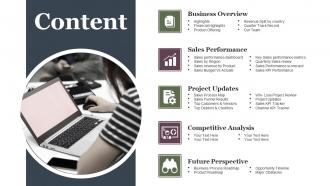
Slide 2: This is Content slide showing- Business Overview, Project Updates, Competitive Analysis, Future Perspective, Sales Performance.
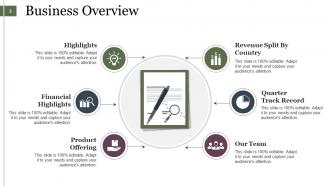
Slide 3: This slide presents Business Overview with- Revenue Split By Country, Quarter Track Record, Our Team, Product Offering, Financial Highlights, Highlights.
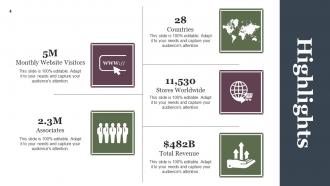
Slide 4: This slide states Highlights. You can state information about Countries, Stores Worldwide, Total Revenue etc. here.
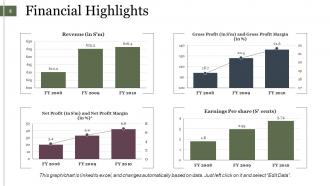
Slide 5: This slide presents Financial Highlights in a bar graph/ chart form. Use it to show Revenue, Gross profit etc.
Slide 6: This is Products Offering slide. State the products offered by your company here.
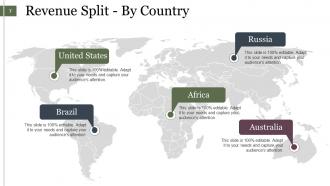
Slide 7: This slide showcases Revenue Split - By Country on a world map image.
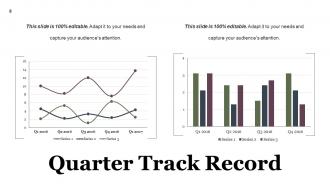
Slide 8: This slide presents Quarter Track Record in charts and graphs.
Slide 9: This is Our Team slide. State them here with name, designation etc.
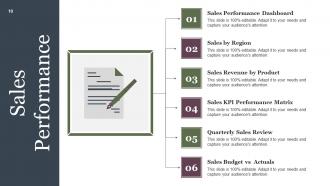
Slide 10: This slide showcases Sales Performance with- Sales Performance Dashboard, Sales by Region, Sales Revenue by Product, Sales KPI Performance Matrix, Quarterly Sales Review, Sales Budget vs Actuals.
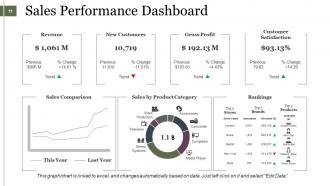
Slide 11: This slide showcases Sales Performance Dashboard in charts and graphs.
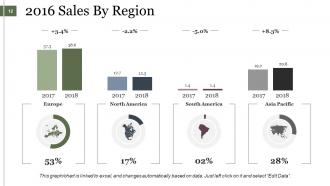
Slide 12: This slide showcases 2016 Sales By Region graphically. Use it accordingly.
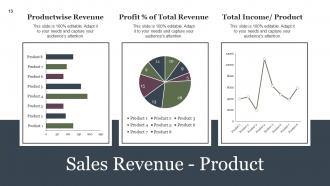
Slide 13: This slide showcases Sales Revenue - Product in charts and graphs.
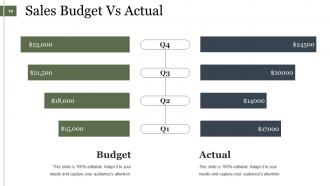
Slide 14: This slide showcases Sales Budget Vs Actual in a graphical form. Use it for analysis, comparison etc.
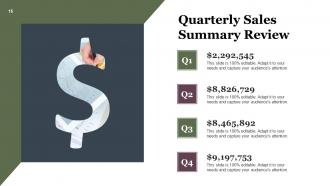
Slide 15: This slide showcases Quarterly Sales Summary Review.
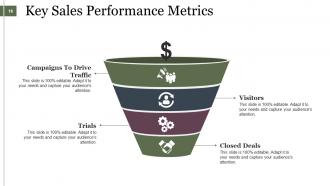
Slide 16: This slide presents Key Sales Performance Metrics in a funnel form with 4 levels. These are- Campaigns To Drive Traffic, Visitors, Trials, Closed Deals.
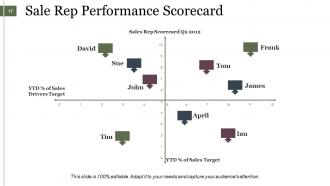
Slide 17: This slide showcases Sale Rep Performance Scorecard. Use it according to your requirement.
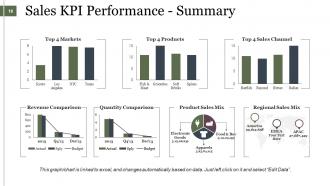
Slide 18: This slide displays Sales KPI Performance - Summary in charts and graphs. Use it to showcase- Top 4 Markets, Top 4 Products, Top 4 Sales Channel, Revenue Comparison, Quantity Comparison, Product Sales Mix, Regional Sales Mix.
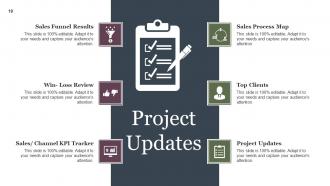
Slide 19: This is Project Updates slide showing- Sales Process Map, Top Clients, Project Updates, Sales Funnel Results, Win- Loss Review, Sales/ Channel KPI Tracker.
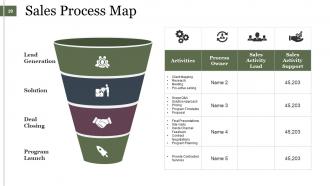
Slide 20: This slide showcases Sales Process Map with funnel imagery.
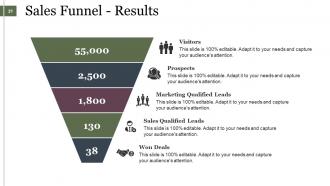
Slide 21: This is Sales Funnel - Results image slide. You can show th following- Visitors, Prospects, Marketing Qualified Leads, Sales Qualified Leads, Won Deals.
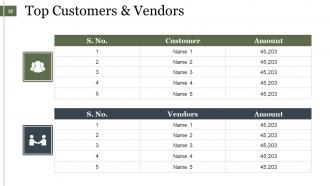
Slide 22: This slide showcases Top Customers & Vendors table. Use to state your own customers, vendors etc.
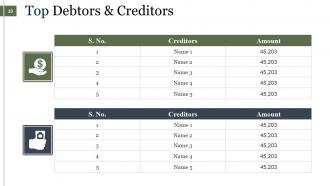
Slide 23: This slide presents Top Debtors & Creditors in tabular form.
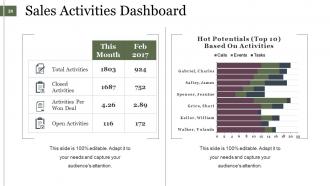
Slide 24: This slide showcases Sales Activities Dashboard.
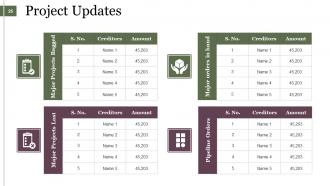
Slide 25: This slide showcases Project Updates of the kinds of projects undertaken by the company.
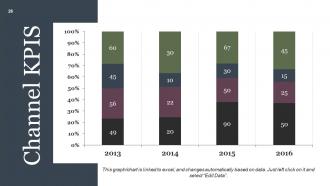
Slide 26: This slide presents Channel KPIS in a bar graph/ chart form.
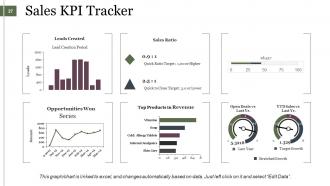
Slide 27: This slide presents Sales KPI Tracker in charts and graphs showing- Leads Created, Sales Ratio, Top Products in Revenue, Opportunities Won, Open Deals vs Last Yr.
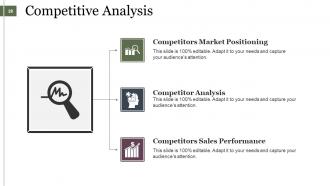
Slide 28: This is Competitive Analysis slide showing- Competitors Market Positioning, Competitor Analysis, Competitors Sales Performance.
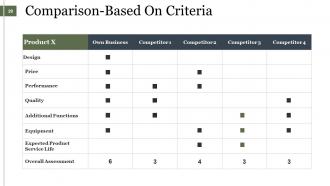
Slide 29: This slide presents Comparison-Based On Criteria in a tabular form.
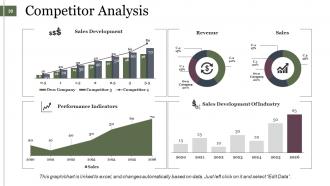
Slide 30: This slide presents Competitor Analysis in charts and graphs.
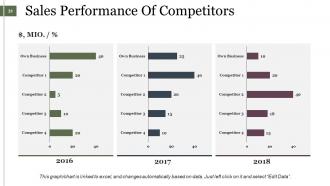
Slide 31: This slide presents Sales Performance Of Competitors in graph form.
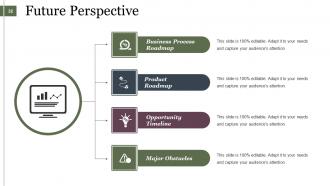
Slide 32: This slide states Future Perspective showing- Business Process Roadmap, Opportunity Timeline, Product Roadmap, Major Obstacles.
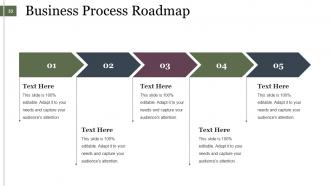
Slide 33: This slide presents a Business Process Roadmap. State business evolution, growth, highlights etc. here.
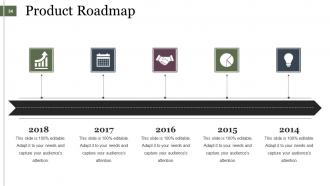
Slide 34: This slide showcases Product Roadmap. State product evolution, growth, highlights etc. here.
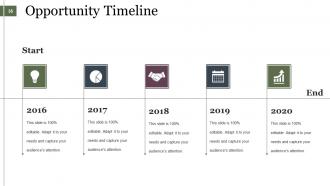
Slide 35: This is an Opportunity Timeline slide. Use it to showcase evolution, growth, highlighting factors etc.
Slide 36: This slide states Major Roadblocks or Obstacles with creative target imagery.
Slide 37: This is a Coffee Break slide for a halt. You can modify the contents as per need.
Slide 38: This is a Sales Management Icon Slide. Use/ add icons as per need.
Slide 39: This is also Sales Management Icon Slide. Use/ add icons as per need.
Slide 40: This slide is titled Charts & Graphs to move forward. You can change the slide content as per need.
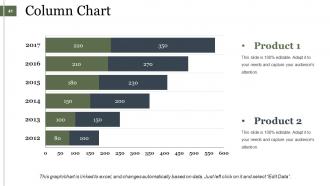
Slide 41: This slide presents a Column Chart for showcasing product/ company growth, comparison etc.
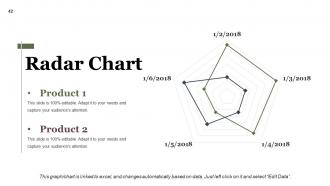
Slide 42: This is a Radar chart slide to show product/ entity growth, comparison etc.
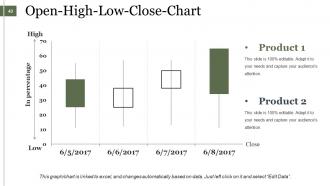
Slide 43: This is an Open-High-Low-Close-Chart slide to show product/ entity growth, comparison etc.
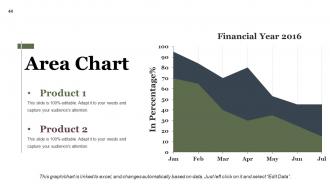
Slide 44: This slide presents an Area Chart for showcasing product/ company growth, comparison etc.
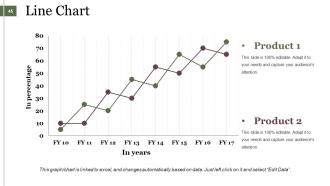
Slide 45: This slide presents a Line Chart for showcasing product/ company growth, comparison etc.
Slide 46: This slide is titled Additional Slides to move forward. Edit/ alter content as per need.
Slide 47: This is Our Mission slide. State company mission here.
Slide 48: This is an About Us slide. State about your company team, company essentials, highlights etc. here.
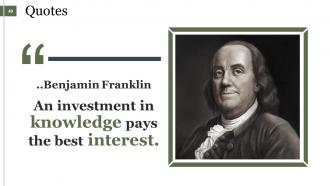
Slide 49: This is a Quotes slide to convey message, beliefs etc.
Slide 50: This slide helps depict Our Main Goals.
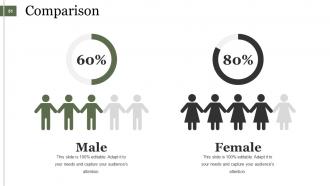
Slide 51: This slide showcases Comparison of two entities in male female chart imagery form.
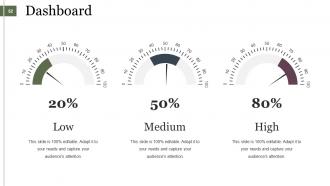
Slide 52: This is a Dashboard slide to state Low, Medium and High aspects, kpis, metrics etc.
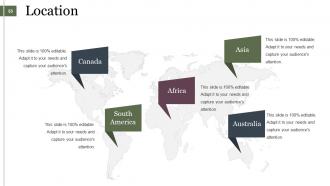
Slide 53: This is a Location slide to show global segregation, presence etc. on a world map and text boxes to make it explicit.
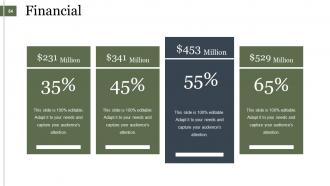
Slide 54: This is a Financial score slide. State financial aspects, information etc. here.
Slide 55: This is a Puzzle pieces image slide to show information, specifications etc.
Slide 56: This is a Target image slide showing- Management, Planning, Strategy, Creative, Teamwork.
Slide 57: This is a Circular image slide. State specifications, information here.
Slide 58: This is a Lego box image slide to show information, specifications etc
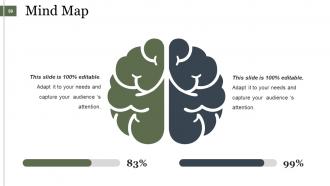
Slide 59: This is a Mind map image slide to show information, specifications etc.
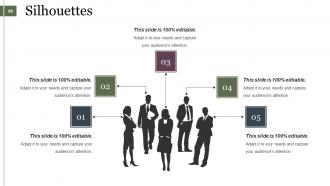
Slide 60: This is a Silhouettes infographic slide to show information, specifications etc.
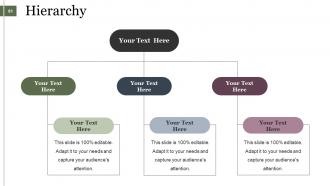
Slide 61: This is a Hierarchy image slide to show information, organization/ team structure, specifications etc.
Slide 62: This is a Venn diagram image slide to show information, specifications etc.
Slide 63: This is a Magnifying Glass image slide to show information, specifications etc.
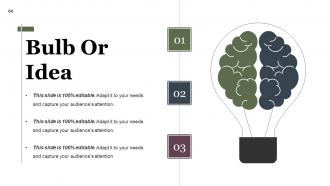
Slide 64: This is a Bulb & Idea image slide to show ideas, innovative information etc.
Slide 65: This is a Thank You image slide with Address, Email and Contact number.
Sales Management Powerpoint Presentation Slides with all 65 slides:
Our Sales Management Powerpoint Presentation Slides add to the creation of goodwill. It helps ensure ethical dealings.










FAQs for Sales Management
Look, start with your sales process - map it out properly. Territory planning comes next, then figure out how you're tracking performance. CRM system is crucial but pick one people will actually want to use (I've seen teams abandon expensive systems because they sucked). Your hiring and training game needs work too - most managers do onboarding then ghost their reps. Set quotas that push people but aren't impossible. Regular coaching sessions matter way more than you think. Oh, and don't mess up the comp structure or you'll incentivize weird behavior. Audit what you have now and fix the biggest problem first.
Start by actually asking your team what's blocking them - then fix those things first. Recognition works wonders, especially when you celebrate wins publicly (seriously, even the tiny ones count). One-on-ones are where you'll figure out if someone needs better training, quality leads, or honestly just needs to vent about something stupid. Yeah, competitive pay helps, but people stick around longer when they have real autonomy and can actually grow. Set targets that don't make people want to quit, and remove whatever bureaucratic nonsense is slowing them down. It's pretty straightforward once you stop overthinking it.
Honestly, you can't run sales without good tech anymore. CRM tracks all your customer stuff and deal progress. Analytics shows where your team's crushing it or totally failing. The automation thing is a game-changer - handles follow-ups and lead scoring so you're not doing boring tasks all day. Forecasting tools give you real predictions instead of just guessing. Oh, and make sure everything talks to each other properly. Nobody wants to hop between like 10 different apps constantly - it'll drive your team insane.
Honestly, I'd start with last year's data but don't just slap those numbers in there. Market trends change everything - plus you've got seasonality, your pipeline strength, new products launching, maybe some territory changes. Economic stuff hits hard too (nobody's buying when they're scared of layoffs). Check your team's track records and how swamped they are right now. I always do three versions: worst case, realistic, and if-everything-goes-perfect. The trick is updating them constantly as you learn more. Monthly reviews with your reps are clutch - otherwise you're basically guessing until quarter-end hits you in the face.
Look at their actual pipeline activity and conversion rates - that's where the real story is. I always check their CRM data first so we're not just winging it based on what we remember. Ask them about roadblocks they're hitting too, make it a conversation. Monthly works way better than quarterly since you can fix problems faster. Oh and definitely celebrate the wins, not just call out what's broken. Give them clear action items to work on. The whole thing should feel more like you're coaching them up rather than just grading their performance, you know?
Look for the obvious red flags first - conversion rates dropping, deals dragging on forever, your reps missing their numbers month after month. Most common mistakes? Terrible follow-up, qualifying leads like garbage, and zero accountability (we've all worked with *that* guy). Weekly pipeline reviews are your friend. Actually dig into their deals during one-on-ones instead of those useless surface chats. Don't wait until quarterly reviews to fix problems - coach them immediately when stuff goes sideways. Pair struggling reps with your top performers for mentoring. Oh, and track the leading indicators, not just whether they hit their revenue target at month-end.
Start by mapping territories around revenue potential instead of just distance - trust me, I wasted so many hours zigzagging across town chasing random leads. Your CRM data is gold here for spotting high-value accounts and grouping them smartly. Break customers into segments by company size, industry, that whole thing. Makes prioritizing way easier. Track your call frequency and conversion rates religiously - boring but necessary. Oh and review your territory boundaries every quarter. Markets shift, people move around. What worked in January might be totally wrong by summer.
Honestly, data analytics changed everything for me - no more guessing games. You'll see which leads actually convert and why your best reps crush their numbers while others struggle. I used to wing forecasting and it was a disaster lol. Now I can predict revenue way better and catch pipeline issues early. The coolest part? You can finally see where deals die in your funnel and which products are taking off. Just start with your CRM data though - don't overcomplicate it. Pick one thing like conversion rates first, then build from there.
-
Use of different colors is good. It's simple and attractive.
-
Awesome presentation, really professional and easy to edit.