


Product requirement document powerpoint presentation slides




Try Before you Buy Download Free Sample Product
 Impress Your
 Audience
 100%
100% Editable
 Save Hours
 of Time


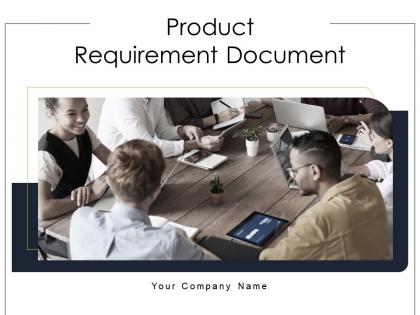
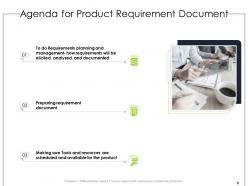
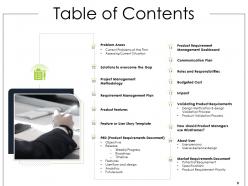
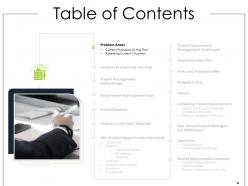
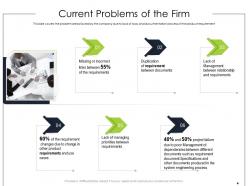
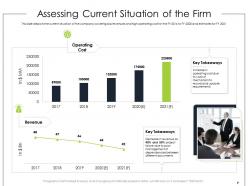
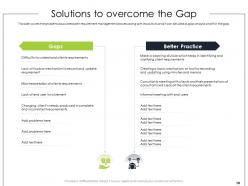
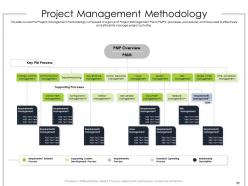
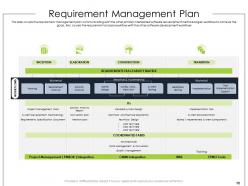
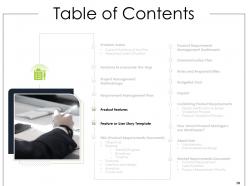
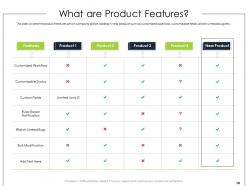
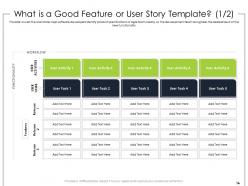
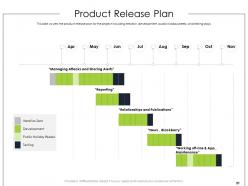
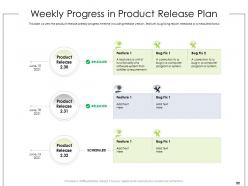
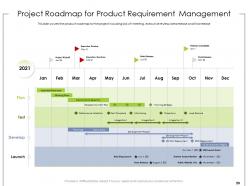
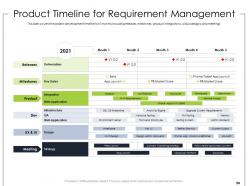
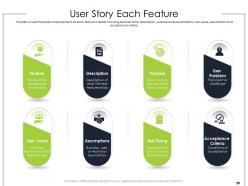
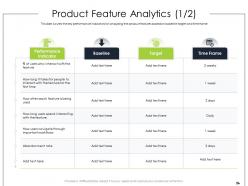
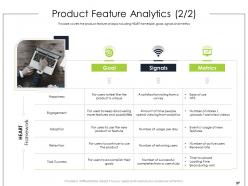
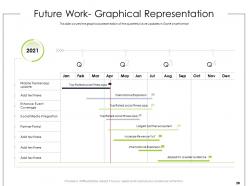
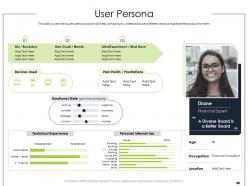
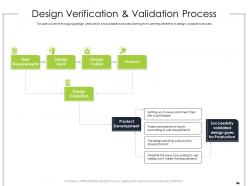
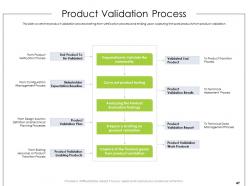
Help in scheduling tools and resources for the product with the use of Product Requirement Document PowerPoint Presentation Slides. The presentation discusses the current problems of the firm, covering low revenue and high operating costs. Showcase the solutions to overcome the gap by using this readily available product design document PPT template. Demonstrate project management methodology with the help of PRD PPT themes. Also, cover the requirements management plan and its workflow analysis by utilizing our content-ready PPT visuals. Highlight the product validation process with the help of flowcharts and diagrams present in the slide deck. The presentation also covers the buyer persona, which will help the company understand user preferences to make better products for them. Take the product architect PPT slideshow to present the release plan for the project, which includes iteration, development, public holidays weeks, and testing days. Showcase the weekly progress timeline in the product release plan using this attention-grabbing product planning document PPT presentation.
People who downloaded this PowerPoint presentation also viewed the following :
Product requirement document powerpoint presentation slides with all 68 slides:
Use our Product Requirement Document Powerpoint Presentation Slides to effectively help you save your valuable time. They are readymade to fit into any presentation structure.


FAQs for Product requirement document
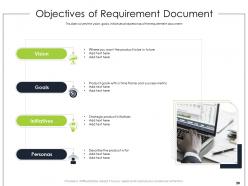
Okay so definitely include your problem statement and who you're targeting. Success metrics are crucial too - plus all the detailed feature stuff obviously. User stories and acceptance criteria should be in there, along with any tech constraints. Honestly the biggest mistake I see is people skipping the "why" and just listing features without context. Super annoying when you're trying to understand the logic later. Mockups help a ton if you've got them. Don't forget your timeline either. Make it specific enough for engineers but clear for everyone else. Oh and grab a template first - way easier than starting from scratch.
Honestly, a solid PRD is like having a roadmap everyone can actually follow. Your dev team won't build random stuff that doesn't matter. Designers get exactly what they need to mock up. Stakeholders... well, they'll still change their minds but at least you have something to point back to lol. No more awkward meetings where everyone's confused about what you decided last week. Just make sure it covers who's using it, what you're building, why it matters, and how it should work. Oh and start writing it way earlier than feels comfortable - you'll spot the holes in your thinking before they become expensive problems.
So functional requirements are basically what your product does - stuff like "users can upload photos" or "system sends notifications." Non-functional ones are more about how well it performs those tasks. Performance speeds, security levels, that kind of thing. I always think of functional as the feature list users actually see and care about. Non-functional is all the behind-the-scenes work that can totally make or break everything. Like, nobody's gonna stick around if photo uploads take forever, you know? Oh, and don't skip the non-functional stuff when you're writing your PRD. That's usually where everything falls apart later.
Think of your PRD as the place where everyone finally stops asking the same questions over and over. Engineering gets clarity on what they're building, design sees the user flows, marketing grabs the positioning angle. But here's the thing - don't just list features. Explain WHY you're making these calls so when stuff inevitably breaks or changes, teams can actually make decent decisions without hunting you down. Oh, and share that doc way before you think it's ready. Those early feedback rounds? They'll save you from so many headaches later.
Dude, you absolutely need stakeholder input for your PRD. Talk to engineering, design, sales, support - and obviously your actual users. Otherwise you're just guessing what people want, which... yeah, I've done that before and it didn't go well lol. Each person brings different perspectives on what's actually doable and what matters most. Don't just do one feedback session and call it done either. Set up regular check-ins and actually pay attention to what they're saying. It's the difference between building something useful vs something that sits there collecting dust.
Just update it when stuff actually changes - new requirements, scope shifts, big decisions. Early on you'll probably hit it weekly since everything's still messy. Later? Maybe monthly works better. I've watched teams get way too obsessed with keeping it "perfect" and honestly it's such a time suck. The real goal is making sure it matches what you're actually building, especially before big reviews or stakeholder meetings. Throw a monthly reminder on your calendar to check it, but if something major happens, just update it right away. Don't overthink it.
Oh man, the biggest trap is being way too vague about what you actually need. Feature creep will absolutely kill you - I know it's tempting to squeeze in "just one more quick thing" but don't do it! Skip explaining the "why" and you'll confuse everyone later. Success metrics? Define those upfront or you'll be arguing about whether you hit the mark. Requirements that are either too techy or too surface-level both suck in different ways. Honestly, just start with the core problem your users have. Be super specific about what winning looks like, then run it by stakeholders before diving deep.
Honestly, personas are a game changer for PRDs. They stop you from writing stuff like "users want better navigation" - which tells nobody anything useful. With personas, you'd say "Sarah the marketing manager needs campaign data in 30 seconds max because she's always jumping between calls." Way more concrete, right? Your dev team actually understands the context behind decisions. Stakeholders can picture real people instead of imagining some mysterious "user." I always reference which persona each feature serves at the start of sections. Makes everything click better and harder to argue with.
MoSCoW method is your best bet - Must have, Should have, Could have, Won't have. Super simple. Value vs. effort matrices work great too for spotting quick wins. There's also the Kano model if you want to get fancy with customer satisfaction mapping. Here's the thing though - I've watched so many teams get completely bogged down picking the "perfect" framework. Just pick one and run with it. What really matters is getting everyone on board with whatever you choose. Then you gotta be ruthless about cutting the low-priority stuff. That's honestly the hardest part.
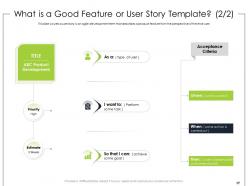
Agile totally changes how you write PRDs. Forget those monster 50-page docs that collect dust - you'll do shorter, focused ones that actually get updated. User stories become your best friend instead of boring technical specs. Your dev team will love you for including clear acceptance criteria they can work with. Honestly, expect to rewrite chunks constantly as you learn from users (which is annoying but worth it). The whole point is making your PRD flexible, not carved in stone. Start simple - core problem, MVP features. Then just keep tweaking based on what each sprint teaches you. Way less stressful than the old waterfall days.
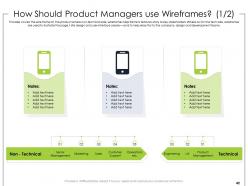
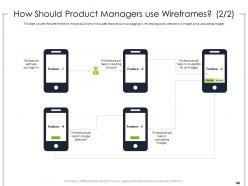
Dude, visuals are a game-changer for PRDs. Like, wireframes stop those awful "wait that's not what I pictured" conversations before they happen. Flow diagrams help people actually see how stuff works instead of slogging through paragraphs of text. Your stakeholders will love you for it - executives especially since they can scan quickly. Oh and here's the thing: drawing stuff out forces you to catch details you'd totally miss otherwise. I always do wireframes for new screens and diagrams for anything remotely complex. Trust me on this one.
Honestly, just use whatever your team's already comfortable with for docs. Google Docs works fine - I've seen amazing PRDs written there. Notion and Confluence are popular because everyone can jump in to comment and review easily. Some PMs get fancy with ProductPlan or Aha! for more structured stuff, but honestly? The content matters way more than the tool. Don't overthink it. Focus on making sure people can actually find your PRD later and leave feedback without jumping through hoops. That's what really counts.
Get stakeholders and real users to review your PRD - they'll spot the holes you missed. I usually run mine past engineering, design, sales, plus actual users. Learned this one the hard way when I shipped something "complete" but totally missed an edge case nobody documented. Cross-check everything against your user stories and business goals too. Honestly, the best test is walking through actual user scenarios using only what's in your PRD. If you can't do that smoothly, you've got gaps to fill.
Honestly, Notion or Google Docs are lifesavers for this stuff - everyone can jump in and comment without the version control nightmare. You'll need those regular check-ins across time zones (yeah, I hate more meetings too, but whatever). Define who owns what sections right away or you'll get that awkward "I thought you were handling this" moment later. Since you can't just walk over and ask quick questions, be really specific when giving feedback. Oh, and document decisions directly in the PRD as you make them. Buffer extra time though - remote stuff always drags longer than expected.
Honestly, just start with a basic template then tweak the sections that actually matter for your industry. B2B software? You're gonna need tons of integration specs and enterprise stuff. Consumer apps are all about user journeys and engagement numbers. Hardware's totally different - you'll be adding manufacturing details and compliance sections that never show up in software PRDs. Same goes for fintech (security heavy) vs gaming (all about retention mechanics). The bones stay the same though - problem, solution, requirements, metrics. You just emphasize what drives real decisions in your space.
-
It saves your time and decrease your efforts in half.
-
Top Quality presentations that are easily editable.
-
Thanks for all your great templates they have saved me lots of time and accelerate my presentations. Great product, keep them up!