


Conceptos y principios de gestión de proyectos Diapositivas de presentación de PowerPoint






Try Before you Buy Download Free Sample Product
 Impress Your
 Audience
 100%
100% Editable
 Save Hours
 of Time


Para obtener una ventaja competitiva en el proyecto, evidentemente necesita una presentación de PowerPoint ya preparada para ilustrar con precisión los principios y conceptos de gestión de proyectos. Obviamente, ilustraciones pictóricas como esta ayudan a los empleados a comprender el alcance detallado de una actividad de gestión de proyectos. Yendo más allá, puede utilizar nuestra presentación de diapositivas como una herramienta de gestión de proyectos para informar a sus empleados sobre los principios y técnicas de gestión de proyectos para un control y seguimiento precisos. No solo esto, nuestra muestra de PPT ayuda a aclarar a los empleados sobre las limitaciones o obstáculos para desarrollar un enfoque de gestión de proyectos lean. Además de esto, se puede crear fácilmente una comunicación visual que explique el proceso de gestión de proyectos. Para hacer que esta plataforma de presentación sea más perfecta para abordar los principios de administración, hemos incorporado diapositivas de presentación de PowerPoint exclusivas como la descripción del proyecto, la tarjeta de salud del proyecto, el informe de problemas del proyecto, el informe de presupuesto, etc. Ahora, ¿por qué confiar en un modelo PPT aburrido cuando puede lograrlo fácilmente? Qué quieres hacer. Simplemente haga clic para descargar nuestros conceptos y principios de gestión de proyectos, complete la presentación de diapositivas de PowerPoint y obtenga los resultados que desea. Nuestros conceptos y principios de gestión de proyectos La plataforma completa de PowerPoint con diapositivas está garantizada para generar una apreciación general. Serás aclamado en todas partes.
People who downloaded this PowerPoint presentation also viewed the following :
Contenido de esta presentación de Powerpoint
Diapositiva 1 : esta diapositiva presenta los conceptos y principios de la gestión de proyectos. Indique el nombre de su empresa y comience.
Diapositiva 2 : Esta es una diapositiva de Agenda. Exprese sus agendas aquí.
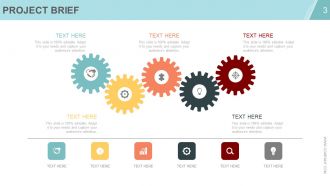
Diapositiva 3 : Esta diapositiva muestra el resumen del proyecto. Describe brevemente el proyecto aquí.
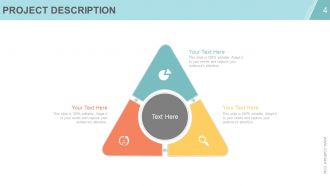
Diapositiva 4 : Esta diapositiva muestra la descripción del proyecto. Indique sobre el proyecto aquí.
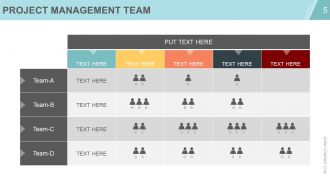
Diapositiva 5 : Esta diapositiva muestra una matriz del Equipo de gestión de proyectos. Especificaciones del equipo estatal aquí.
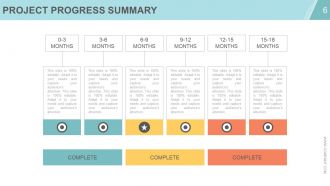
Diapositiva 6 : Esta diapositiva muestra el Resumen de progreso del proyecto. Indique los aspectos resumidos en términos de completo o incompleto aquí.
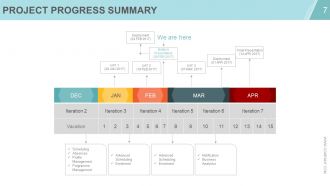
Diapositiva 7 : Esta diapositiva muestra el Resumen de progreso del proyecto. Indique aspectos resumidos como: Programación, Ausencias, Gestión de perfiles, Gestión de programas, Programación avanzada, Inscripción, Programación avanzada, Inscripción, Notificación, Business Analytics.
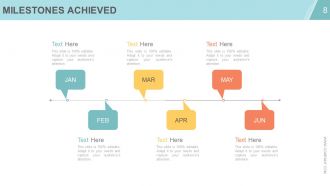
Diapositiva 8 : Esta diapositiva muestra los hitos alcanzados. Indique este tipo de aspectos destacados aquí.
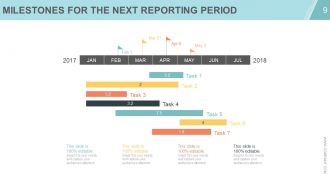
Diapositiva 9 : Esta diapositiva muestra los hitos para el próximo período del informe en forma de diagrama de Gantt.
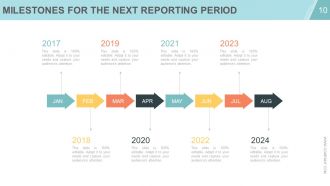
Diapositiva 10 : Esta diapositiva muestra los hitos para el próximo período del informe en forma de imágenes de flechas.
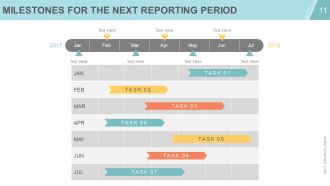
Diapositiva 11 : Esta diapositiva también muestra los hitos para el próximo período del informe. Indique este tipo de aspectos destacados aquí.
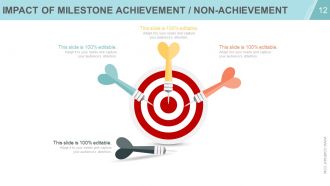
Diapositiva 12 : Esta diapositiva muestra el impacto del logro / no logro de hitos.
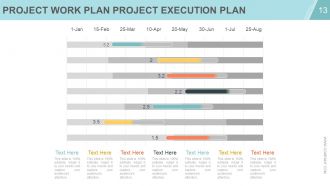
Diapositiva 13 : Esta diapositiva muestra el Plan de trabajo del proyecto Plan de ejecución del proyecto en forma de gráfico de barras de diapositivas.
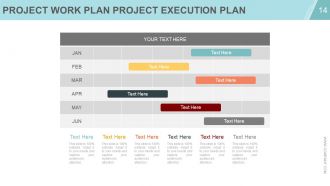
Diapositiva 14 : Esta diapositiva muestra el Plan de trabajo del proyecto Plan de ejecución del proyecto en forma de Gantt.
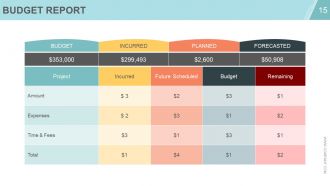
Diapositiva 15 : Esta diapositiva muestra Informe de presupuesto con: Incurrido, Planificado, Previsto.
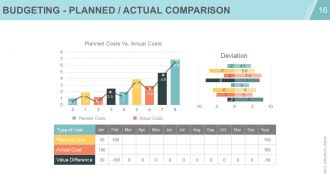
Diapositiva 16 : Esta diapositiva muestra Presupuesto: comparación planificada / real con costos planificados, costos reales.
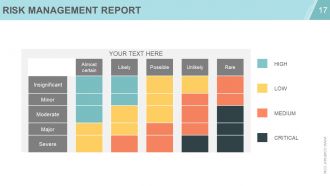
Diapositiva 17 : Esta diapositiva muestra un Informe de gestión de riesgos en términos de: Alto, Bajo, Medio y Crítico.
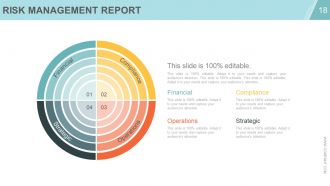
Diapositiva 18 : Esta diapositiva muestra un Informe de gestión de riesgos en términos de - Financiero, Cumplimiento, Operaciones, Estratégico.
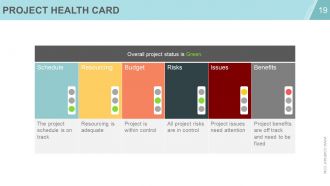
Diapositiva 19 : Esta diapositiva muestra una tarjeta de salud del proyecto.
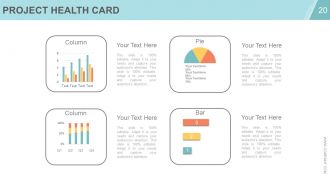
Diapositiva 20 : Esta diapositiva muestra una Tarjeta de salud del proyecto en un gráfico circular, de columnas y de barras.
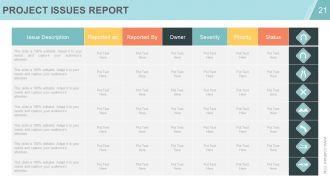
Diapositiva 21 : Esta diapositiva muestra el Informe de problemas del proyecto con descripción y estado.
Diapositiva 22 : esta diapositiva se titula Diapositivas adicionales para avanzar.
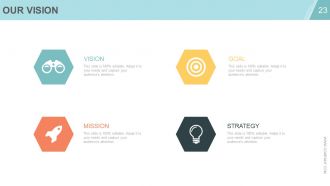
Diapositiva 23 : Esta es la diapositiva Nuestra Visión con Objetivo, Misión y Estrategia.
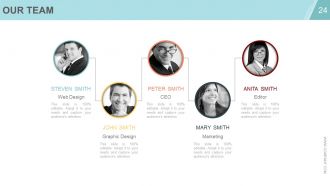
Diapositiva 24 : Esta es la diapositiva de Nuestro equipo con nombres, designaciones y cuadros de imagen. Indique las especificaciones del equipo aquí.
Diapositiva 25 : Esta es una diapositiva Acerca de nosotros. Indique las especificaciones de la compañía / equipo aquí.
Diapositiva 26 : Esta diapositiva muestra al equipo de gestión de proyectos en forma de jerarquía. Indique las especificaciones del equipo aquí.
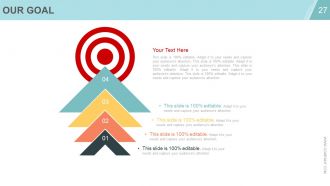
Diapositiva 27 : Esta es una diapositiva de Nuestro objetivo. Indique los objetivos, etc. aquí.
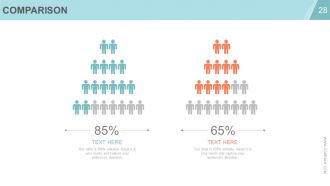
Diapositiva 28 : Esta es una diapositiva de comparación para comparar dos diapositivas / entidades, etc.
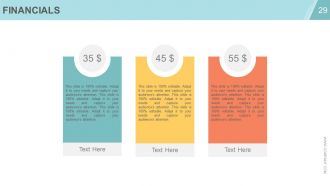
Diapositiva 29 : Esta es una diapositiva de Puntuación financiera. Indique aquí los aspectos financieros, etc.
Diapositiva 30 : Esta es una diapositiva de Cotizaciones para transmitir el mensaje de la empresa, creencias, etc.
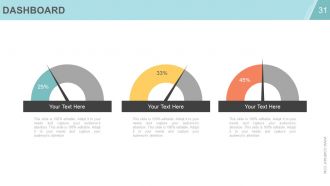
Diapositiva 31 : Esta es una diapositiva del Panel de control. Indica métricas, Kpis, etc. aquí.
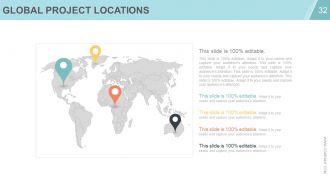
Diapositiva 32 : Esta diapositiva muestra las ubicaciones de proyectos globales en la imagen del mapa mundial.
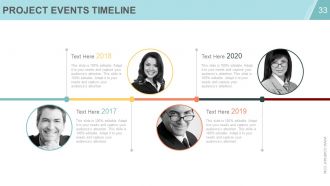
Diapositiva 33 : Esta diapositiva presenta una línea de tiempo de eventos de proyectos. Presente lo más destacado, el crecimiento, etc. aquí.
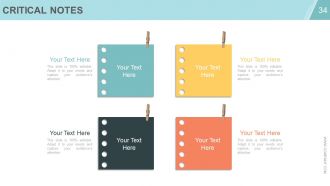
Diapositiva 34 : Esta diapositiva muestra notas críticas para marcar recordatorios, eventos, aspectos destacados importantes, etc.
Diapositiva 35 : Esta diapositiva muestra una imagen de un periódico para mostrar noticias importantes, eventos, etc. Puede cambiar el contenido de la diapositiva según sus necesidades.
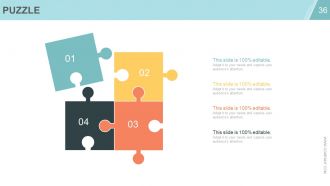
Diapositiva 36 : Esta es una diapositiva de imagen de rompecabezas para mostrar información, especificaciones, etc.
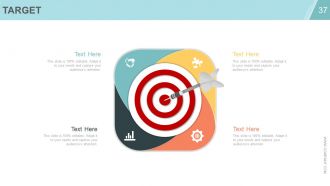
Diapositiva 37 : Esta es una diapositiva de imagen de Destino para mostrar información, especificaciones, etc. Indique los objetivos, metas, etc. aquí.
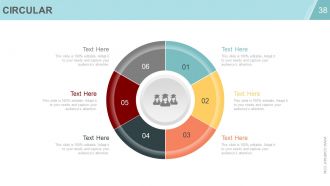
Diapositiva 38 : Esta es una diapositiva de imagen circular para mostrar información, especificaciones, etc.
Diapositiva 39 : Esta es una diapositiva de matriz para mostrar información, especificaciones, etc.
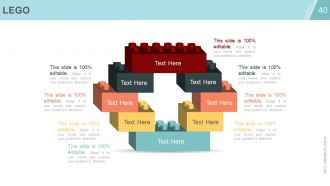
Diapositiva 40 : Esta es una diapositiva de imagen de Lego para mostrar información, especificaciones, etc.
Diapositiva 41 : Esta es una diapositiva de imagen de Siluetas para mostrar información relacionada con las personas, especificaciones, etc.
Diapositiva 42 : Esta es una diapositiva de imagen de bombilla o idea para mostrar información, especificaciones, etc.
Diapositiva 43 : Esta es una diapositiva con imagen de lupa para mostrar información, especificaciones, etc.
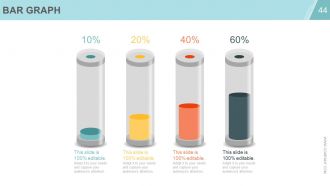
Diapositiva 44 : Esta es una diapositiva de imagen de gráfico de barras para mostrar información de producto / entidad, especificaciones, etc.
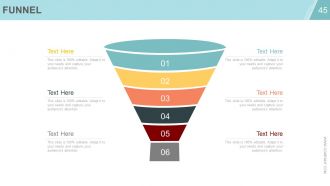
Diapositiva 45 : Esta es una diapositiva de imagen de embudo para mostrar información de producto / entidad, especificaciones, etc.
Diapositiva 46 : Esta es una diapositiva de agradecimiento con dirección de correo electrónico, número de dirección, número de calle, ciudad, estado y números de contacto.
Principios y conceptos de gestión de proyectos Diapositivas de presentación de PowerPoint con las 46 diapositivas:
Sea capaz de comparar diferentes factores con nuestros conceptos y principios de gestión de proyectos Cubierta completa de PowerPoint con diapositivas. Le permite ejercer discreción.





FAQs for Project management concepts and principles
So there's five phases: initiation, planning, execution, monitoring, and closure. First you define your scope and goals, then plan out timelines and resources (honestly this part saves you so much headache later). Execution is where the actual work happens - and yeah, things get chaotic fast. While you're executing, you're also constantly monitoring and tweaking stuff. It's not like you do one then the other - they happen together. Closure wraps up with lessons learned and final deliverables. Pro tip: nail down your success criteria right at the start or you'll be arguing about what "done" means forever.
Get super specific with your deliverables from day one - none of that fuzzy "improve user experience" garbage. Make everyone sign off on a detailed scope document, then create a change control process for new requests. Here's the thing though - you'll feel like the bad guy constantly saying "that's out of scope," but you've got to do it. Track every change request and show how it messes with your timeline and budget. I learned this the hard way on my last project. Honestly, treat that scope doc like it's legally binding and don't let people guilt trip you into "quick additions."
Honestly, stakeholders can totally make or break everything. Figure out who they are super early - like, before you even start planning. Map out their influence levels and what they actually care about. Then tailor your communication. Executives want those pretty dashboards, but end users need to see real demos. Don't just send generic updates (nobody reads those anyway). When they give feedback, actually respond and show what you did with it. Oh, and definitely involve them in decisions that'll affect their work. Trust me, surprises later are way worse than extra meetings upfront.
Don't treat risk management like some separate thing you do later. Build it into every project phase from the start. During planning, actually think through what could go wrong - and I mean really think, not just the obvious crap everyone lists. Track probability and impact for each risk. Once you're executing, keep that risk register alive. Monitor it constantly and have your mitigation plans ready to roll when warning signs hit. We always made risk a regular agenda item in our team meetings. The whole point is staying ahead of problems before they blow up your timeline. Short story: be proactive, not reactive.
Okay so first thing - do regular check-ins or stand-ups so nobody's working in the dark. Get your team on Slack, Trello, whatever works for async stuff. Shared docs are honestly a lifesaver (trust me on this one). Set up communication rules early - like response times and which channels to use for what. But here's what really matters: make sure people aren't scared to speak up when something's wrong. Next meeting, just ask what's blocking everyone and actually listen. Oh, and having one source of truth for everything prevents so much drama later.
Break your project into smaller chunks and estimate costs from the ground up - way better than guessing. Always add 5-15% contingency because trust me, weird stuff happens. Check actual vs planned spending every week. I'm a big fan of earned value metrics if you can manage it. Set alerts at 75% and 90% so you don't get blindsided later. Build a simple dashboard showing burn rate, what's left, and where you'll probably end up cost-wise. Your stakeholders won't constantly bug you for updates. Oh, and catch problems early when you can actually fix them instead of just watching everything burn.
Honestly, start with Gantt charts - Microsoft Project, Asana, or Monday.com are solid picks. They make everything visual and super easy to tweak. Critical Path Method is clutch for figuring out which tasks will totally screw your timeline if delayed. I've watched so many project managers get caught up in complicated software when a basic timeline does the trick. Scrum works well if your project requirements keep changing. But here's the thing - pick whatever your team will actually stick with. The fanciest tool means nothing if half your people just ignore it anyway.
Look, the project triangle isn't set in stone - it's more like a rubber band. Something's gotta give when you squeeze one side. First thing? Figure out what your stakeholders actually care about most. Must ship by Q3? Quality can't budge? Once you know that, the trade-offs become way clearer. Timeline's critical? Add people or cut some features. Honestly, most projects try to avoid this conversation, but transparency here saves everyone's sanity later. Just write down whatever you decide so nobody "forgets" what was agreed on three weeks from now.
Do it within 2-3 weeks while everyone still remembers what actually happened. Get all the stakeholders there, not just your usual crew. Frame it as "how do we get better" instead of pointing fingers - I've watched too many of these turn into total shitshows otherwise. Keep the format simple: what worked, what sucked, what we'll do differently. Actually write this stuff down somewhere people can find it later (shocking how often this gets skipped). And here's the thing - assign someone to own each action item. Otherwise you're just complaining for an hour and nothing changes.
Honestly, I'd start small with more frequent check-ins - like every 2-3 weeks instead of waiting for those big milestone meetings. Break your work into bite-sized pieces. Daily standups are a game changer, even in stuffy corporate places (I've watched this work at some pretty old-school companies). Get people talking face-to-face instead of drowning in email chains. You don't have to flip everything overnight. Maybe try retrospectives after each phase? See what's broken, fix it, repeat. The feedback loop thing is huge - stakeholders actually love being in the loop more often than you'd think.
Honestly, just look at what you're actually dealing with first. How complex is this thing? Are your requirements crystal clear or kinda fuzzy? Your team's experience matters a ton - I've seen people try to use frameworks they don't get and it's a disaster. Also consider if your stakeholders are cool with agile or if they're more traditional (some places are just stuck in their ways, you know?). Timeline and budget constraints will narrow things down fast. Oh, and how involved is your client gonna be? Once you map all that out, the right methodology usually becomes pretty obvious. Don't force it.
Honestly, just pick whatever's driving you crazy right now and fix that first. Project management tools like Asana or Monday are solid for tracking everything in one spot. Cloud stuff is pretty much essential these days - your team can work from literally anywhere. I'm obsessed with how Slack connects to everything and kills the email madness. AI's getting decent at predicting problems before they blow up, which is nice. Dashboards show you instantly if things are going sideways. Real-time collaboration saves so much back-and-forth it's ridiculous. Don't try to overhaul everything at once though.
Yeah, cultural stuff can totally wreck international projects if you're not paying attention. Like, Germans are super direct but that'll completely backfire in Japan where everything's way more subtle. I'd start with an honest conversation about how each culture actually works - their meeting styles, how they give feedback, what deadlines really mean to them. Build some relationships first before jumping into the heavy work stuff. Don't just assume everyone operates like you do (learned that one the hard way). Set up communication rules that actually make sense for the whole team, not just your corner of the world.
Track these four things from the start: hitting your deadlines, budget vs actual costs, scope creep, and quality stuff like defect rates. Don't wait until everything's on fire to start measuring. Most PMs I know get obsessed with metrics that look pretty but tell you nothing useful. Focus on what your stakeholders actually care about - if they want it fast and cheap, don't spend forever perfecting every detail. Oh, and seriously, avoid the vanity metrics trap. They're everywhere and completely useless for knowing if you're actually winning.
Honestly, just assume everything's gonna change from the start - saves you so much headache later. Build in extra time and money upfront because scope creep is basically inevitable. Set up simple ways for people to flag issues or new requirements without a million approval hoops. Regular team check-ins help catch problems early. Oh, and make sure everyone knows pivoting isn't failing - it's just being smart about what actually works. I learned this the hard way on my last project when we pretended everything would go perfectly. Spoiler alert: it didn't.
-
Informative presentations that are easily editable.
-
Thanks for all your great templates they have saved me lots of time and accelerate my presentations. Great product, keep them up!
-
Perfect template with attractive color combination.
-
Very well designed and informative templates.