

Rfp powerpoint presentation slides






Try Before you Buy Download Free Sample Product
 Impress Your
 Audience
 100%
100% Editable
 Save Hours
 of Time


An impactful and descriptive proposal can be presented to your customer by incorporating this content ready, professionally designed RFP PowerPoint Presentation Slides. You can explain your client’s company background information and request for a suitable bid on their behalf by utilizing this customizable content ready request for contract PPT theme. Illustrate the objective of achieving the desired goal within the budget constraint and given period to the potential client and attract bidders to fund the project at the lowest possible bid. The various goals such as increasing the revenue and global partnership for promotion can be explained efficiently by incorporating our ready-made RFP PowerPoint template. You can explain the services required comprising of digital marketing, website building, website analytics and audit, desktop computer screen, etc. to your prospects with the help of our proposal PPT visuals. Mention the essential components of the proposal such as problem-solution statement, your service process, action timeline, case study, and the investment required to give a clear idea about the complete procedure. Describe the activity-wise budget and the anticipated schedule to your customer so that your client can hire an apt company for the completion of the project. Highlight the key management and your customer’s remarkable experience to help them gain more prospects by taking the assistance of our professionally designed request of services bid PowerPoint template. Mention the time and place for submission of a request for proposal with the help of this service request PowerPoint theme. Download our RFP PowerPoint visuals and present an impactful proposal to your client.
People who downloaded this PowerPoint presentation also viewed the following :
Content of this Powerpoint Presentation
Slide 1: This slide introduces RFP PowerPoint Presentation. State Company name, Recievers details and User details.
Slide 2: This slide displays Cover Letter.
Slide 3: This slide displays the Table of Content of the presentation.
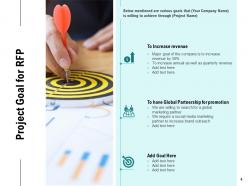
Slide 4: This slide showcases Project Goal for RFP.
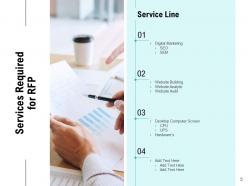
Slide 5: This slide depicts Services Required for RFP containing- Digital Marketing, SEO, SEM, Desktop Computer Screen, CPU, UPS, Hardware’s Website Building, Website Analytic, Website Audit, Service Line.
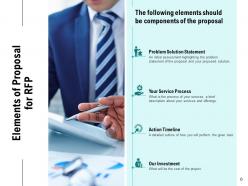
Slide 6: This slide showcases Elements of Proposal for RFP.
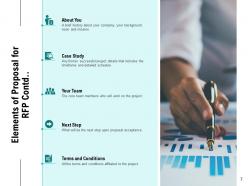
Slide 7: This slide is continued with Elements of Proposal for RFP.
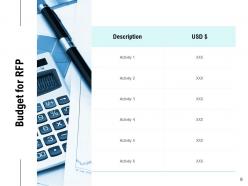
Slide 8: This slide showcases Budget for RFP.
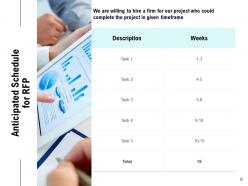
Slide 9: This slide showcases Anticipated Schedule for RFP.
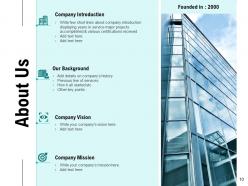
Slide 10: This is About Us slide to showcase Company specifications.
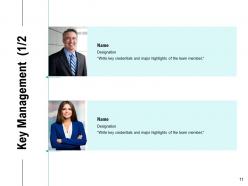
Slide 11: This slide depicts Key Management with key credentials and major highlights of the team member.
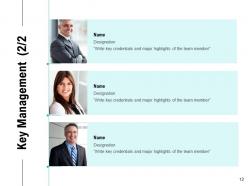
Slide 12: This slide depicts Key Management with key credentials and major highlights of the team member.
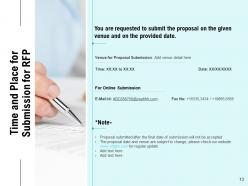
Slide 13: This slide showcases Time and Place for Submission for RFP.
Slide 14: This is Contact Us slide with Phone number, Company Address, Company name and Company Logo.
Slide 15: This slide is titled as Additional Slides for moving forward.
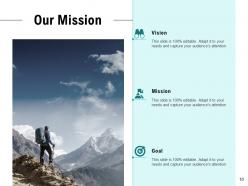
Slide 16: This is Our Mission slide with Vision, Mission and Goal.
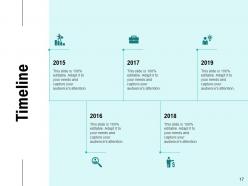
Slide 17: This slide showcases Timeline process.
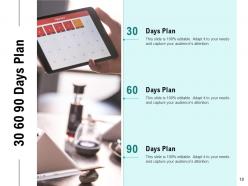
Slide 18: This is 30 60 90 Days Plan slide.
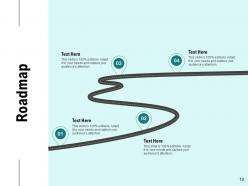
Slide 19: This slide depicts Roadmap process.
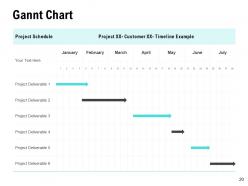
Slide 20: This slide displays Gannt Chart.
Rfp powerpoint presentation slides with all 20 slides:
Convince folks that you are certain of the facts with our RFP Powerpoint Presentation Slides. It helps express conviction.
FAQs for Rfp
Okay so first thing - lead with a problem that actually keeps them up at night, not some generic business fluff. Make your exec summary super clear about the value you bring. I've honestly seen way too many RFPs that are just meaningless corporate jargon. Throw in real numbers and success stories that prove you can actually do what you're promising. Charts and visuals are your friend here - nobody wants to read paragraphs of dense text. Oh, and don't forget a solid timeline with clear pricing. Wrap it up with a call-to-action that's so straightforward they can't help but say yes.
Oh absolutely! Charts and diagrams help evaluators actually understand your complex stuff instead of drowning in text walls. I mean, nobody wants to read paragraph after paragraph of technical specs - that's a surefire way to lose them. Process flows work really well, plus before/after comparisons that show real impact. Quick tangent but I once sat through this RFP presentation that was literally just bullet points for 30 minutes. Brutal. When you visualize success metrics and key differentiators, people remember your proposal way better. Just don't go overboard with fancy graphics that don't actually support your main points.
Oh man, don't cram a million words on each slide - nobody can read that tiny text from the back. Generic templates are the worst too, clients totally know when you're recycling old stuff. I learned this the hard way, but always include an executive summary even if it feels repetitive. Make sure your formatting stays consistent throughout (sounds boring but it matters). Customize everything for that specific client - like, actually mention their company name and challenges. Don't hide your best selling points in random bullet lists either. Stay visual, watch for typos, and honestly? Read it out loud before presenting.
Honestly, it's all about reading the room and adjusting your pitch. Tech people want the nitty-gritty - specs, timelines, how you'll actually build this thing. Executives? They just care about big picture stuff and ROI. Don't bore them with details. Finance teams are obsessed with numbers and cost breakdowns (obviously). What I do is make one master presentation, then cherry-pick slides based on who I'm talking to. Start with whatever they care about most, then add supporting info. Oh, and always have extra slides ready - someone's gonna ask follow-up questions you didn't expect.
Dude, make those RFP slides super scannable - evaluators are blazing through tons of these. White space is your friend. Bullet points beat chunky paragraphs every time. Mirror their evaluation criteria exactly or you'll confuse people. Boring actually wins over flashy here (learned this the hard way). Bold text and color coding help key info pop. One main point per slide, clear headers. Oh, and definitely add page numbers plus a table of contents. Makes it way easier for them to flip back to stuff they want to check again. Trust me on this one.
Think of your RFP like telling a story - problem, journey, resolution. Lead with their challenge, then show how you'll fix it. Don't just dump a list of what you can do (seriously, everyone does this and it's boring). Use actual examples from past projects as proof points. I'd definitely call out potential roadblocks too and explain how you'd handle them. Makes you look realistic, not overselling. Wrap up with concrete results they'll see. Way more engaging than those cookie-cutter capability decks that put everyone to sleep.
Look, nobody wants to stare at paragraphs of text when they're evaluating RFPs. Charts and graphs turn your boring numbers into actual stories people remember. Show your track record with visuals, break down costs clearly, use timelines that make sense. I've seen so many proposals that are just walls of text - instant snooze fest. Clean infographics make you stand out from competitors who think dumping everything into paragraphs works. Focus on visuals that back up why you're the best choice. Makes complex stuff way easier to digest quickly.
One key message per slide, that's it. Break complex stuff into bullet points - nobody wants to read a novel on your presentation. Charts and diagrams work way better than walls of text anyway. Bold or color-code the really important bits so people don't miss them. Oh, and always add that "so what?" part at the end. Like, why should they actually care about what you just told them? I swear half the presentations I sit through forget to connect back to what we're supposed to do with the info.
Look, first thing - prove you actually read their RFP by summarizing their problem back to them. Break your solution into logical chunks or phases so they can follow along easily. Don't skip the "why choose us" part because obviously they're shopping around. Timeline and budget breakdown come next, plus your team's credentials. Make the final section dead simple for them to move forward. The whole thing should read like a story: here's your problem, here's how we'll fix it, here's how we actually get it done. Keep each section tight and don't bounce around topics - that's where you lose them.
Go easy on animations in RFP presentations – you're trying to show you're competent, not that you've mastered every PowerPoint trick. Simple fade-ins work great for revealing bullet points one at a time. Keeps evaluators focused instead of reading ahead. Stick with basic transitions like fade or push. Those bouncy, spinning effects just look unprofessional honestly. I'd maybe animate charts so data builds progressively, or add subtle entrance effects for compliance stuff that's super critical. One thing though – definitely test everything beforehand. Nothing's worse than your animations crapping out on someone else's system during the actual presentation.
Honestly, just stick with PowerPoint or Google Slides to start - don't overthink it. Canva's templates are actually pretty solid if you want something that looks professional without spending hours on design. Lucidchart is clutch for those process flow diagrams that always seem to come up. Oh, and if you're dealing with data visualizations, Tableau's worth checking out (though it has a bit of a learning curve). Figma works well when you've got multiple people working on the same deck. But seriously, don't get caught up trying to use every fancy tool out there when you're already stressed about RFP deadlines.
Honestly, don't mess around with inconsistent branding on RFP slides. I learned this the hard way - saw a solid proposal tank just because fonts and colors were all over the place. Makes you look disorganized before they even read your content. Create one master template with your logo placement, colors, fonts - the whole thing. Then actually use it on every slide. Evaluators spot inconsistencies right away and it kills your credibility. Your proposal should look like one team put it together, not like different departments just threw slides at the wall. Trust me on this one.
Honestly, the thing that trips up most people? Those awkward pauses between slides. Run through it at least 3 times out loud and time yourself - you'll figure out where you're rushing or dragging. Don't just look at the big boss either, make eye contact with everyone. Even on Zoom calls, sit up straight because trust me, people can tell when you're being lazy with your posture. Oh and practice the Q&A part too - that's usually where things go sideways. Record yourself once if you can stand watching it back. Have backup slides ready for the obvious questions they'll ask.
Honestly, dedicated "proof" sections work great for this stuff. Screenshot testimonials from LinkedIn - they look way more legit than typed quotes. Pull out the metrics that actually match what they're asking for in the RFP. Case studies should follow problem-solution-result but keep them short. I always put client quotes in those callout boxes since they grab attention better. Here's the thing though - don't just throw in random success stories. Every testimonial needs to hit a specific pain point they mentioned. Otherwise you're just wasting slide space and their time.
Definitely get your team and subject matter experts to review early - they'll catch the technical stuff you missed. Then practice with people who weren't involved in creating it. Fresh eyes are amazing for spotting confusing parts you can't see anymore. If you can get any client feedback before submitting, that's pure gold. Honestly, the post-submission debriefs are just as valuable whether you win or lose. Clients sometimes actually tell you what worked and what fell flat. Oh, and make a simple feedback template - content clarity, visuals, flow. That way reviewers aren't just saying "looks good" without being helpful.
No Reviews