

Sample presentation for business plan powerpoint presentation slides





Try Before you Buy Download Free Sample Product
 Impress Your
 Audience
 100%
100% Editable
 Save Hours
 of Time


Don’t get concerned if you have an issue in bringing together all different aspects like cover page, summary, page report and much more as this PPT presentation simply does all the job for you. You don’t really have to invest a lot of time in looking out for presentation slides that cover areas of problems, solutions, marketing, sales and other competitive sides. Sample Presentation For Business Plan PowerPoint Presentation Slides is the best compiled document which can not only be used to brief the audience in the room but also can be used to keep a record of the current market analysis. Creating of company’s profile is no more a burden as this job has been done by pre designed presentation layouts. Business plan, strategy or May it be an approach all can be handled with ease and much flexibility by using all the graphical representation in PPT layout. Business of all size and for that matter every start up can make use of the visually impressive presentation. Our Sample Presentation For Business Plan Powerpoint Presentation Slides are of the highest quality. The best of the best for the very best.
People who downloaded this PowerPoint presentation also viewed the following :
Content of this Powerpoint Presentation
Slide 1: This slide shows Sample Presentation for Business Plan .State Your Company Name and get started.
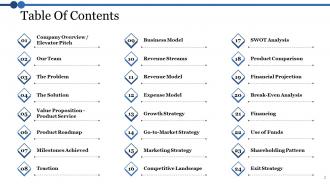
Slide 2: This slide shows Table Of Contents that are as follows- Company Overview / Elevator Pitch, Our Team, The Problem, The Solution, Value Proposition - Product Service, Product Roadmap, Milestones Achieved, Traction, Business Model, Revenue Streams, Revenue Model, Expense Model, Growth Strategy, Go-to-Market Strategy, Marketing Strategy, Competitive Landscape, SWOT Analysis, Product Comparison, Financial Projection, Break-Even Analysis, Financing, Use of Funds, Shareholding Pattern, Exit Strategy.
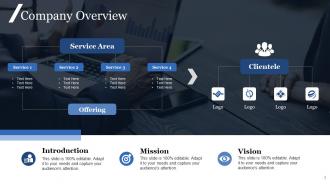
Slide 3: This slide is about Company Overview. You can edit it as per your requirements and some are listed as- Introduction, Mission, Vision, Service Area,
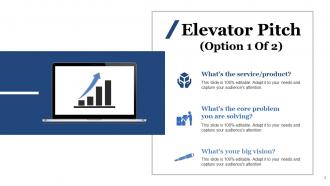
Slide 4: This slide shows Elevator Pitch that can help you to understand - What’s the service/product? What’s the core problem you are solving? What’s your big vision?
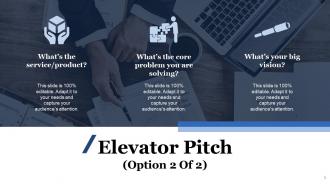
Slide 5: This slide shows Elevator Pitch that also help you understand about- What’s the service/product? What’s the core problem you are solving? What’s your big vision?
Slide 6: This slide presents Our Team that also shows- Designation, Name Here, Primary Responsibilities, Designation.
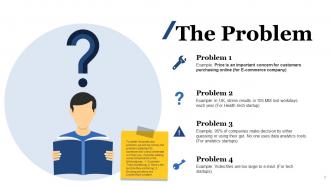
Slide 7: This slide displays The Problem.To better illustrate your problem, as well as convey the problem statement to someone who’s less immersed in it than you.
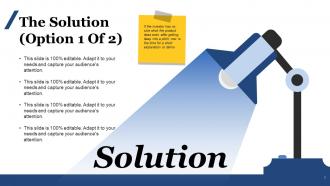
Slide 8: This slide showcases Solution. If the investor has no clue what the product does even after getting deep into a pitch. Now is the time for a short explanation.
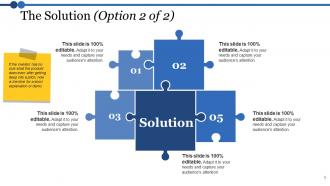
Slide 9: This slide shows The Solution. you can enter the rationale followed while implementing the same
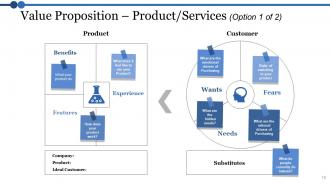
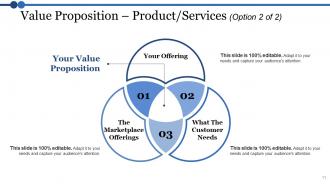
Slide 10: This slide shows Value Proposition – Product/Services with customer requirement from the product. You can use/ alter them basis your requirements.
Slide 11: This slide showcases Value Proposition – Product/Services. You can put your data as listed are some parameters- Your Offering, What The Customer Needs, The Marketplace Offerings.
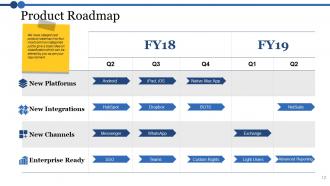
Slide 12: This slide displays Product Roadmap. We have categorized product roadmap in to four most common categories just to give a basic idea on classification which can be altered by you as per your requirement.
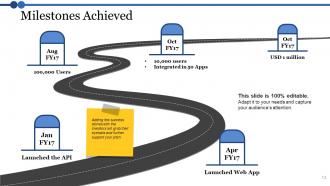
Slide 13: This slide shows Milestones Achieved. Adding few success stories with the investors will grab their eyeballs and further support your pitch.
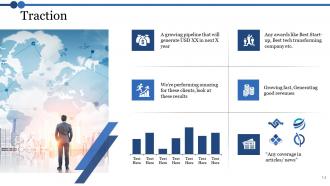
Slide 14: This slide showcases Traction
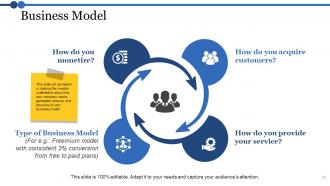
Slide 15: This slide displays Business Model that can guide to understand- How do you provide your service? How do you acquire customers? How do you monetize? This slide will be helpful in making the investor understand about how your company works, generates revenue and structure of your business model.
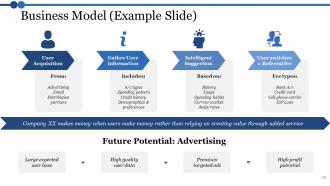
Slide 16: This slide showcases Business Model (Example Slide) which can make you understand various factors- User Acquisition, Gather User information, Intelligent Suggestion.
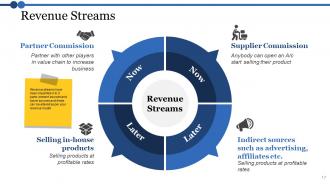
Slide 17: This slide displays Revenue Streams which can be used to add information about- Supplier Commission Indirect sources such as advertising, affiliates etc, Selling products at profitable rates, Partner Commission.
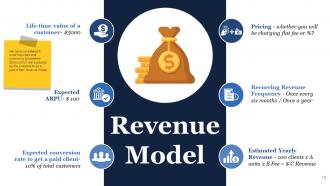
Slide 18: This slide showcase Revenue Model. We have considered 6 most important and commonly considered factors which are expected by the investors to be a part of their revenue model.
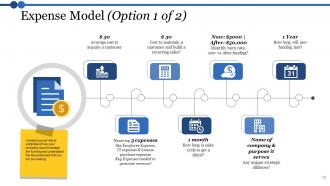
Slide 19: This slide displays Expense Model. Investors would like to understand how your company would manage the funding and understand the key expenses that you will be making
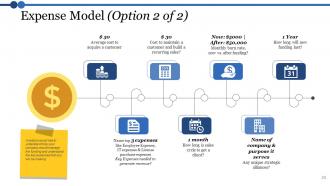
Slide 20: This slide presents Expense Model. We have covered the most important components of the growth strategy which differs from company to company and can be altered accordingly.
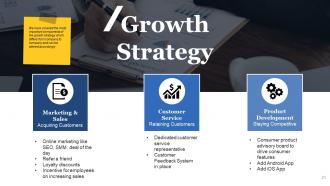
Slide 21: This slide showcases growth strategy. We have covered the most important components of the growth strategy which differs from company to company and can be altered accordingly
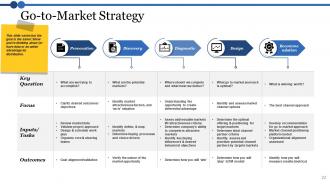
Slide 22: This slide showcases Go-to-Market Strategy. We have covered the most important components of the growth strategy which differs from company to company and can be altered accordingly.
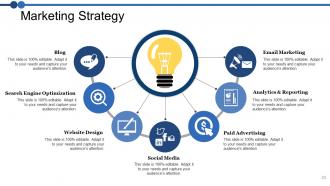
Slide 23: This slide shows Marketing strategy. This slide varies but the goal is the same: Show you’re thinking about (or have data or an unfair advantage in) distribution.
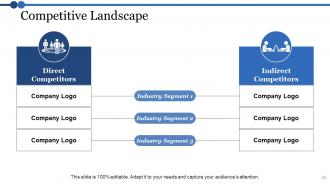
Slide 24: This slide showcases Competitive Landscape. We have categorized most common categories just to give a basic idea on classification which can be altered by you as per your requirement. Direct Competitors, Indirect Competitors.
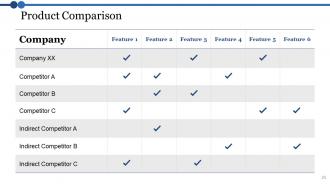
Slide 25: This slide displays Product Comparison showing some features and competitors. You can alter information in this slide as per your requirement.
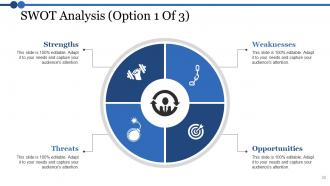
Slide 26: This slide presents SWOT Analysis. You can add your- Weaknesses, Opportunities, Strengths, Threats.
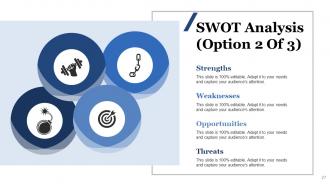
Slide 27: This slide displays SWOT Analysis. You can put your data with this- Strengths, Weaknesses, Opportunities, Threats.
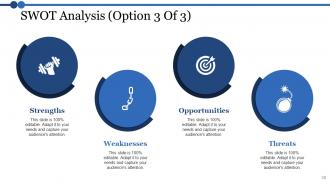
Slide 28: This slide presents SWOT Analysis. You put your company basic- Weaknesses, Strengths, Threats, Opportunities.
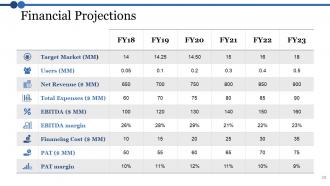
Slide 29: This slide displays Financial Projections with table and make the best use of your requirement.
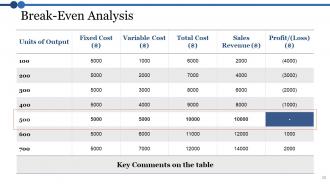
Slide 30: This slide presents Break-Even Analysis. You can edit the data according to your requirement.
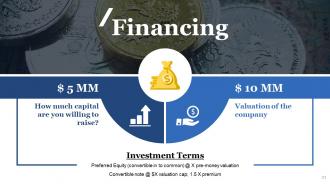
Slide 31: This slide shows Financing. Monitor the finances on the basis of below mentioned parameters, you can alter them as per your requirements
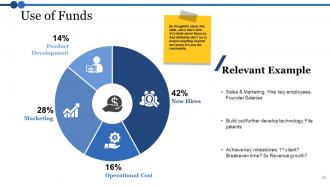
Slide 32: This slide presents Use of Funds with which you can use the data with the following- New Hires, Operational Cost, Marketing, Product, Development.
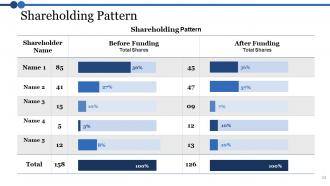
Slide 33: This slide showcases Shareholding Pattern. You can add as per your requirement.
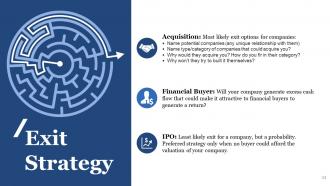
Slide 34: This slide presents Exit Strategy Acquisition, IPO, Financial Buyer.
Slide 35: This slide shows Client Testimonials in which you can add your client Name Here, Designation,
Slide 36: This slide showcases contact details with name and address.
Slide 37: This slide is a Coffee Break image for a halt.
Slide 38: This slide forwards to Charts & Graphs.
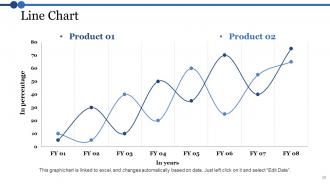
Slide 39: This slide shows a Line Chart for two product comparison.
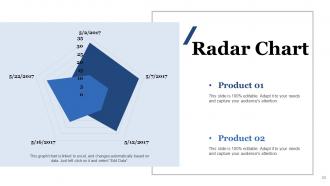
Slide 40: This is a Radar Chart slide for product/entity comparison
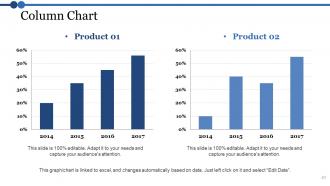
Slide 41: This is a Column Chart slide for product/entity comparison.
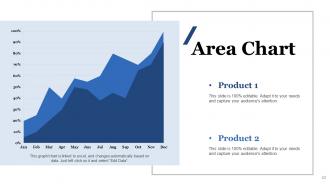
Slide 42: This is an Area Chart slide for product/entity comparison.
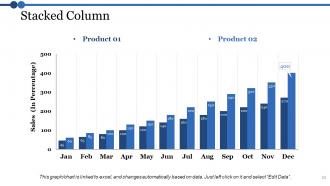
Slide 43: This is a Stacked Column image slide to present Product 01and Product 02 comparison.
Slide 44: This slide is titled Additional Slides.
Slide 45: This slide represents Our Mission. State your mission, goals etc.
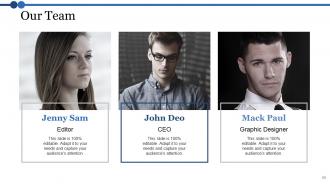
Slide 46: This slide showcases Our Team with Name and Designation to fill.
Slide 47: This slide helps show- About Our Company. The sub headings include- Creative Design, Customer Care, Expand Company
Slide 48: This slide shows Our Goals for your company.
Slide 49: This slide shows a Stacked Line graph in terms of percentage and years for comparison of Product 01, Product 02.
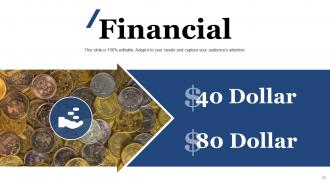
Slide 50: State your Financial score in this slide with relevant imagery and text.
Slide 51: This is a Quotes slide to convey message, beliefs etc.
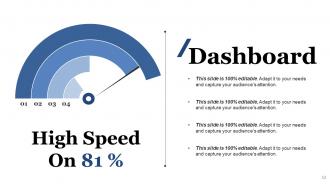
Slide 52: This is a Dashboard slide to show- Strategic System, Success, Goal Process, Sales Review, Communication Study.
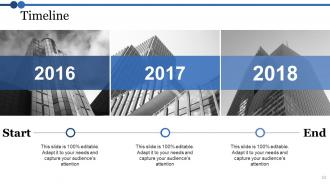
Slide 53: This is a Timelines slide to show- Plan, Budget, Schedule, Review.
Slide 54: This slide showcases Global Project Locations with a World map and text boxes to make it explicit.
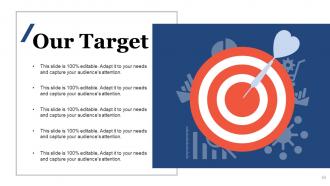
Slide 55: This is a Target slide. State your targets here.
Slide 56: This is a People's silhouettes slide. Use it the way you want to show solutions etc.
Slide 57: This is a Circular image slide to show information, specifications etc.
Slide 58: This is a Venn diagram image slide to show information, specifications etc
Slide 59: This slide shows a Mind map for representing entities
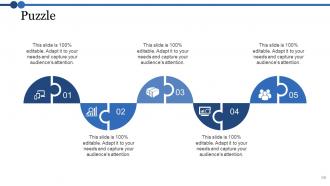
Slide 60: This slide presents a PUZZLE slide with the following subheadings- Integrity and Judgment, Critical and Decision Making, Leadership, Agility.
Slide 61: This is a Bulb or Idea slide to state a new idea or highlight specifications/information etc.
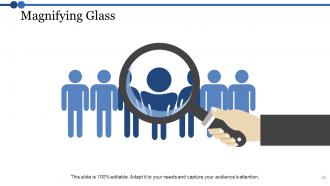
Slide 62: This slide shows a Magnifying glass with text boxes.
Slide 63: : This is a Thank You slide with Address# street number, city, state, Contact Number, Email Address.
Sample presentation for business plan powerpoint presentation slides with all 63 slides:
Our Sample Presentation For Business Plan Powerpoint Presentation Slides assist in further education. Easily explain the more complex aspects.












FAQs for Sample presentation for business plan
So you'll want an executive summary, market analysis, product description, competitive landscape, marketing strategy, financials, and funding needs. Oh, and definitely include your management team - investors are weirdly obsessed with knowing who's actually behind everything. Honestly, nail that exec summary because half the room checks out after slide 3 anyway. Make your financial projections realistic (no hockey stick nonsense) and actually research your market size properly. Clean slides help, but practicing your pitch matters more. Seriously, find someone brutal to do a practice run with first - saves you from bombing later.
Dude, you really need visuals in there. Charts make your revenue projections way more powerful than just throwing numbers at people. I've sat through way too many boring text-heavy presentations - honestly, half the room zones out after slide 3. Clean graphs for your financials work great. Simple diagrams help explain your business model without confusing anyone. Maybe throw in some photos of your actual product or team too? The whole thing just looks more professional. People grasp complex stuff faster when they can see it instead of reading paragraphs. Keep it visual-first, then add minimal text.
Don't read straight from your slides - that's death. Pack way too much info on each slide and you'll lose them instantly. Know your numbers inside out, especially financials. Going over time is such a red flag, investors literally check out. Oh and those crazy optimistic projections? Back them up with actual data or you look ridiculous. Practice answering the hard stuff about competitors and revenue beforehand. Honestly, the best pitches feel like stories, not just boring facts thrown at you. End with exactly what you need from them - be super specific about next steps so there's no confusion.
Dude, you've gotta totally switch up your pitch depending who you're talking to. VCs? Hit them with market size, how big this thing can get, and your exit plan - they just want to see money. I bombed once by rambling about features when they wanted ROI numbers. Partners care about how you'll work together and what's in it for them. Your team though? They want to hear about culture and where they fit in. Same core story but swap out your slides and talking points. Do your homework on who's in the room first - makes all the difference.
Dude, storytelling is everything in pitch decks. Dry numbers put people to sleep - you need that emotional hook. Show them the problem you're solving and how you figured it out. Paint the bigger picture of where this is all going. I always think of it like explaining your startup to someone at a bar (minus the beer, obviously). Investors sit through endless pitches. Your story is what makes you stick. Hit them with a problem they get, show your solution's real impact, then get them excited about the future. Make it personal. Numbers matter, but stories sell.
Start with your best market stuff right away - size, growth rates, trends that prove your opportunity rocks. Charts and graphs are your friend here instead of number vomit (seriously, spare everyone the spreadsheet nightmare). Split it up: market overview, who you're targeting, competition, how you'll get in. Honestly, the boring methodology belongs in an appendix where it can't kill your momentum. You're telling the story of perfect timing, not flexing your research skills. Keep sections bite-sized so people actually read them. The whole point? Show why right now is THE moment for what you're building.
Just grab a basic Excel or Google Sheets template - Google's better if you're working with cofounders. Set up separate tabs for P&L, cash flow, and balance sheet. Monthly breakdowns for year one, then quarterly after that works fine. Revenue drivers and expense categories should actually make sense for your business model, obviously. Don't waste time making it look pretty - investors want realistic assumptions, not fancy graphics. I learned this the hard way lol. Start simple and tweak it as you figure out what matters. You can always make it look nicer later when you're not scrambling to get everything together.
Okay so this might sound obvious but actually time yourself practicing - like with a real timer. I swear everyone thinks they know how long their presentation is but then they get up there and it's completely different. You'll probably need 30% more time than you think because nerves make you talk slower (or faster and then you mess up). What I always do is mark spots in my slides where I can skip stuff if I'm running late. Also make a mental list of your top 3-4 points that you absolutely can't skip. Way better to cover the important stuff well than rush through everything and confuse people.
Dude, focus on the big three: market size, revenue projections, and customer acquisition cost. Investors get bored if you dump too many numbers on them. Show your total addressable market first, then break down what you can actually grab in the first few years. Unit economics are huge - cost per customer vs their lifetime value. Oh, and definitely include burn rate since they need to know when you'll come back asking for more money (which you probably will lol). Keep it to maybe 5-7 metrics max. Just make sure you can back up every number with real assumptions, not wishful thinking.
Dude, practice is everything. You'll catch all the weird transitions and spots where you trip over numbers. I've watched founders with amazing ideas totally crash because they seemed nervous - it's brutal. Running through it 5-6 times before helps you nail the flow instead of just staring at slides. Plus when investors start grilling you (and they will), you won't freeze up. Honestly? The confidence boost alone is worth it. You want to connect with people, not sound like you're reading a script.
Actually listen to what they're asking first - don't just wait for your turn to talk. When they hit you with tough stuff, answer directly. Dodging questions is the fastest way to lose credibility. Don't know something? Just say "I don't have those numbers on me, but I'll get back to you tomorrow" instead of bullshitting your way through it. These people get paid to be skeptical, so don't take it personally when they poke holes. Try connecting their concerns back to your wins - like "you're right about market size, that's actually why we started with this smaller segment." Oh and write down their questions so you can follow up properly later.
Grab feedback right after you present - people forget details super quickly. Don't just ask "how was it?" because you'll get useless answers like "good!" Ask stuff like "which part lost you?" or "what felt rushed?" Write it down too, otherwise you'll totally forget. I learned this the hard way after ignoring great advice multiple times. Patterns matter more than one random opinion though. Set up some basic template so you're not reinventing the wheel each time. Then actually reference what you changed next time you present - shows people their input mattered and makes you look thoughtful.
Honestly, PowerPoint and Google Slides are still your best bet - boring but reliable. Canva's where it's at if you want something that actually looks good without spending hours on design. Their templates are seriously solid. If you're feeling fancy, Prezi does those cool interactive presentations (though some people find them dizzy). Keynote's animations are butter smooth if you're on Mac. Oh, and Pitch is clutch for team collabs. My advice? Write your content first, then worry about which tool fits your vibe. Don't overthink it.
Okay so first thing - lead with what actually makes you different, not some generic "we're awesome" BS. Back it up with real numbers or examples too. Like if you've got some crazy proprietary tech or exclusive partnerships, show the data that proves it works. I swear half the pitches I see just say they're "better" without any proof. Compare yourself directly to competitors with actual facts. And honestly? Tell them why current solutions suck. People need to walk away remembering your specific advantage, not thinking you're just another copycat startup.
Three things matter most: problem-solution fit, real market validation, and financials that don't look fake. Get actual customer feedback - honestly, hypothetical projections are pretty much worthless. Your revenue model should be dead simple to understand. Unit economics matter way more than people think. Got any traction? Show it, even if it's tiny. Don't oversell the risks part, but be upfront about what could go wrong and your plan to handle it. Investors can smell BS optimism from miles away. Practice until you're not stumbling over words.
-
Much better than the original! Thanks for the quick turnaround.
-
Perfect template with attractive color combination.