


Scope Of Project Management Powerpoint Presentation Slides





Try Before you Buy Download Free Sample Product
 Impress Your
 Audience
 100%
100% Editable
 Save Hours
 of Time


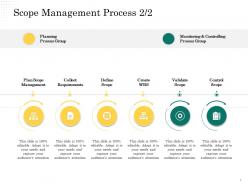
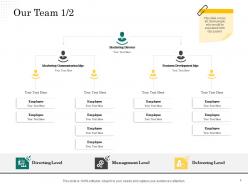
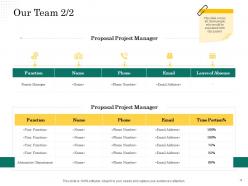
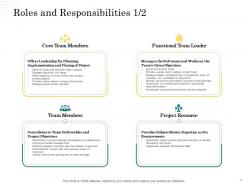
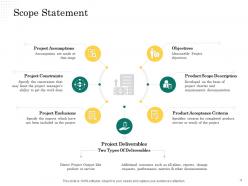
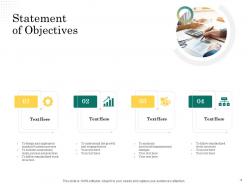
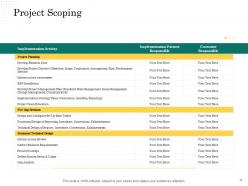
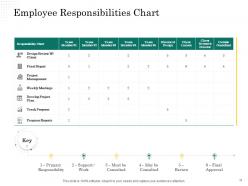
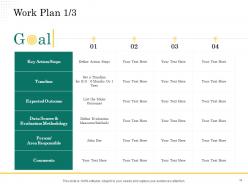
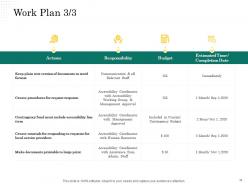
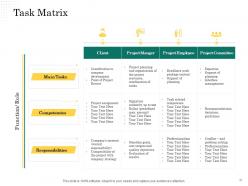
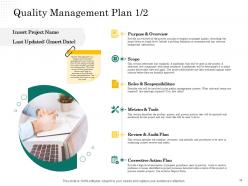
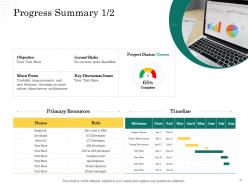
Effectively plan your company’s assets and resources with the assistance of this Scope Of Project Management PowerPoint Presentation Slides. Select our scope management PPT templates to develop a successful plan of action for achieving your company’s goals and objectives. With the help of these resource management PPT slides, introduce the entire professional team of your enterprise that builds the project context and objectives in a well-structured flow chart format. Elaborate on the assumptions, constraints, exclusions, aims, description, criteria, and deliverables of the project through this content-ready operational management PPT slideshow. Employ this project involvement PPT presentation and clearly define the goals, key action steps, timeline, expected outcomes, roles, and responsibilities of an employee. Take advantage of these project scope management PPT layouts to perform a thorough assessment and analysis of the project with the help of accurate statistical data presented in the presentation. Convey your company’s vision, mission, and core values in an attractive yet informative manner with our project planning PowerPoint themes. Download our project management ppt and enjoy the additional slides provided at the end to make a winning presentation.
People who downloaded this PowerPoint presentation also viewed the following :
Scope Of Project Management Powerpoint Presentation Slides with all 55 slides:
Use our Scope Of Project Management Powerpoint Presentation Slides to effectively help you save your valuable time. They are readymade to fit into any presentation structure.








FAQs for Scope Of Project Management
Look, you gotta nail down three big things: what you're actually delivering, what's in vs out of scope, and how you'll know when stuff is finished. Timeline and budget matter too, but let's be real - those always go sideways anyway. Break everything into smaller pieces so it's not overwhelming. Document all of this upfront and make sure everyone signs off on it. Trust me on this one - scope creep will absolutely destroy your project if you don't set clear boundaries from day one. I've seen it happen way too many times.
Dude, scope management is what stops your project from becoming a total disaster. You've gotta nail down what's included (and what's NOT) right from the start. Otherwise you'll get hit with scope creep - those "oh just one more thing" requests that completely wreck your timeline and budget. Your team won't be running around chasing random new ideas either. Honestly, I've watched so many projects crash and burn just because people kept adding stuff. Set clear boundaries with a solid scope statement, then actually follow your change process. Trust me on this one.
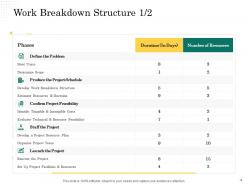
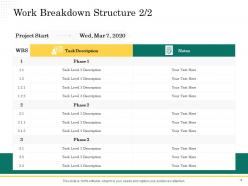
Start with a work breakdown structure - breaks everything into chunks you can actually handle. Talk to your stakeholders directly and run requirements sessions to figure out what they really need. Scope statements keep everyone honest about boundaries. I swear by prototyping and user stories too, makes the fuzzy stuff way clearer. Oh, and keep an assumptions log - trust me on this one, it prevents so many arguments later. Get people to actually sign off on scope docs before you do anything else or you'll regret it.
Ugh, scope changes are basically project killers. They mess up your timeline every single time because you're adding work that wasn't planned for. Plus your budget goes out the window since you need more people and resources. What's annoying is how one "tiny" change can break other stuff - everything's connected in ways you don't expect. I learned this the hard way on my last big project. Stakeholders never get how their "simple request" derails everything else. My advice? Write down exactly what each change will cost in time and money before you say yes to anything.
Your stakeholders are literally the ones who define what "done" looks like, so you've got to get them involved early. Talk to them before you lock down scope - find out what they actually need, what they expect, and what roadblocks they're worried about. Trust me, I've watched projects completely implode because someone forgot to include the right people from day one. Different groups will want different things (finance vs operations, am I right?). You'll need to get everyone in a room to hash out those competing priorities. Do those interviews and workshops upfront, or you'll be drowning in scope changes later.
Be super direct about what's changing and why. Draft a formal change notice covering the scope changes, timeline/budget impact, and what approval you need. People always skim emails about this stuff, so I'd follow up with a call or meeting. Document everything and get written sign-off before you start any work. Here's the thing - you've got to be upfront about trade-offs. Scope goes up? Something else has to give. Try giving them options like "we can add this feature but it'll delay the deadline by two weeks." That way they feel like they're making the choice, not just getting stuck with consequences.
Ugh, scope creep is the worst - people constantly wanting "just one more thing." You'll also deal with vague requirements upfront and stakeholders who flip-flop halfway through. Then there's my personal favorite: when someone assumes a feature is included but never actually said so anywhere. Unrealistic timelines are brutal too. Honestly, the only thing that saves you is documenting everything from day one. Set up a formal change process where you show people exactly how much their "quick addition" will cost. Makes them think twice, trust me.
Honestly, scope creep is sneaky - watch for those "quick additions" that sound harmless but aren't. Document literally everything or people will conveniently forget what was agreed on. Regular check-ins help catch changes early. Here's the thing though: you need a proper change process where new requests get formal approval and impact reviews. Train stakeholders upfront that changes mean more time and money, period. Don't be scared to push back when stuff threatens your timeline. Those awkward conversations now beat explaining why you're behind schedule later. Trust me on this one.
Honestly, most teams I know just use whatever project management tool they're already on - Jira, Asana, Monday.com. Those work great for tracking deliverables and when requirements inevitably change. Microsoft Project is still everywhere in big companies, but it's way too much for smaller stuff. Trello's perfect if you want something simple. For documentation, Confluence or Notion are solid choices. Though real talk? Half the people I work with still just throw everything in Excel or Google Sheets, especially for work breakdown structures. My take - don't overthink it, start with what your team knows.
Waterfall locks your scope in from the start - everything's defined upfront and you stick to it no matter what. Agile's the opposite. Scope changes as you learn what users actually want. I'll be honest, when I first tried Agile it felt chaotic compared to waterfall's structure. But getting feedback every sprint and adjusting makes way more sense now. Use waterfall when you know exactly what you're building. Go with Agile when things might change or you're not 100% sure about requirements. Really depends on how much uncertainty you're dealing with.
Dude, write everything down from the start - what you're doing, what you're NOT doing, deadlines, all of it. Seriously, get stakeholders to actually sign off because people's memories get weird when things go sideways. I learned this the hard way on my last project lol. Update your docs whenever stuff changes (and it will change). The key is treating it like a real contract you can wave around later when someone asks "wait, why isn't X included?" Your future self will thank you for being obsessive about this documentation thing.
Dude, your old projects are literally treasure maps for avoiding scope disasters. Pull up those post-mortems from your last few projects - seriously, do it this week. What patterns do you see? Maybe stakeholders always spring surprise requirements, or your team consistently underestimated certain tasks. Use that intel to beef up your current planning. If communication was messy before, set up tighter check-ins now. Had scope creep issues? Create stricter change controls. I learned this the hard way after getting burned by the same mistake twice on different projects. Those retrospectives aren't just paperwork - they're your playbook for not repeating the same headaches.
Scope and risk management are totally connected - clear scope makes spotting risks way easier since you actually know what you're building. Fuzzy scope? Good luck with that mess. Risk management also keeps your scope from going crazy when stuff hits the fan (and it will). I'd check both regularly throughout the project. Scope changes mean you gotta look at risks again. New risks pop up? Time to see if they'll mess with your boundaries. It's honestly one of those things where ignoring either one usually bites you later.
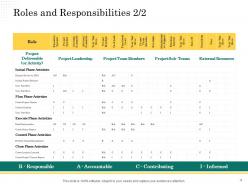
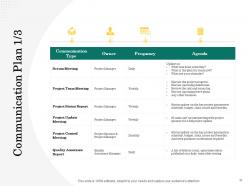
So scope management is basically figuring out who's doing what on your team. You draw these clear lines around everyone's work so nobody's confused about their responsibilities. Trust me, without it things get messy fast - people either do the same work twice or everyone assumes someone else is handling the important stuff. Been in that nightmare before. Having clear scope also gives you ammunition when stakeholders try sneaking in random extra requirements. What I'd do is map out everyone's roles against your deliverables right at the start, then update it whenever scope shifts.
Track scope creep percentage first - honestly, this metric alone will shock you when you see how much stakeholders pile on. Change request frequency matters too, plus how scope shifts mess with your budget and timeline. Your SPI and CPI numbers? They'll tell you if scope management is actually working. Don't forget deliverable acceptance rates since rejected work usually means you missed the mark on scope somehow. Set up baselines for these metrics now, then check them weekly. Way easier to catch problems early than fix a total disaster later.
-
Informative presentations that are easily editable.
-
Very unique, user-friendly presentation interface.
-
Very unique, user-friendly presentation interface.
-
Best way of representation of the topic.
-
Great designs, really helpful.
-
Much better than the original! Thanks for the quick turnaround.