

SDLC Powerpoint Presentation Slides





Try Before you Buy Download Free Sample Product
 Impress Your
 Audience
 100%
100% Editable
 Save Hours
 of Time


In this SDLC PowerPoint presentation, we have covered an overview of the service provider company by including core values and strengths. This PowerPoint presentation is of significant assistance in learning about the SDLC Models service provider company, introduction to the Software Development Life Cycle, its need, working, and different models. In addition, Software Development Process PPT shows applications of SDLC models in other sectors, the need for software development lifecycle its working by covering its various phases such as requirement gathering, design, development, deployment, and maintenance. Moreover, this Software Development Life Cycle presentation represents the different SDLC models, including Waterfall, Rapid Application Development RAD, Spiral, V-model, Incremental, Agile, Iterative, and Big Bang model, by covering their design, phases, applications, and advantages and disadvantages. Further, the Software Development Process template caters to the role of security in SDLC models by including its overview, importance, benefits, and working. Lastly, the SDLC deck comprises a pricing list for all services for SDLC models, a 30-60-90 days plan, a roadmap, a performance tracking dashboard, and the post-implementation impact of SDLC Models. Download it now.
People who downloaded this PowerPoint presentation also viewed the following :
Content of this Powerpoint Presentation
Slide 1: This slide introduces SDLC. State your company name and begin.
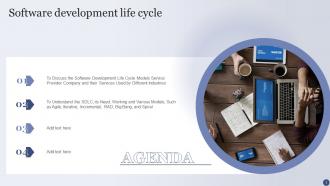
Slide 2: This slide states Agenda of the presentation.
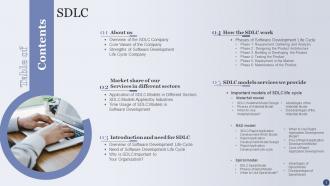
Slide 3: This slide presents Table of Content for the presentation.
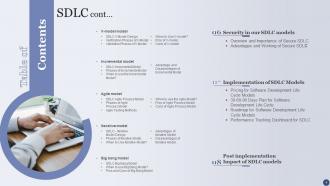
Slide 4: This is another slide continuing Table of Content for the presentation.
Slide 5: This slide highlights title for topics that are to be covered next in the template.
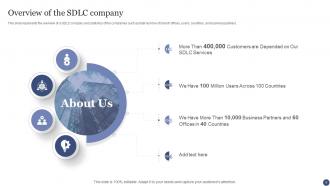
Slide 6: This slide shows Overview of the Software Development Life Cycle Company.
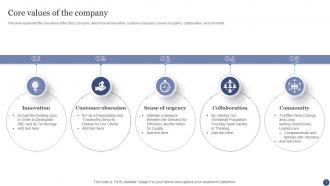
Slide 7: This slide represents the core values of the SDLC company.
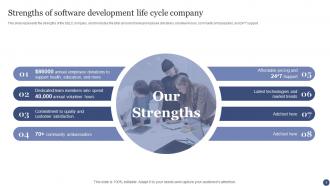
Slide 8: This slide displays Strengths of Software Development Life Cycle Company.
Slide 9: This slide highlights title for topics that are to be covered next in the template.
Slide 10: This slide showcases Application of Software Development Life Cycle Models in Different Sectors.
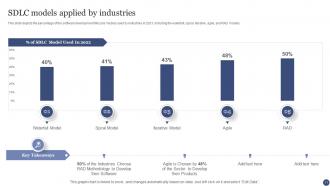
Slide 11: This slide shows Software Development Life Cycle Models Applied by Industries.
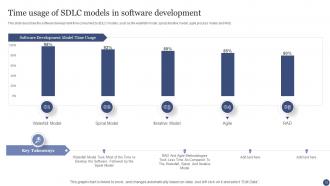
Slide 12: This slide presents Time Usage of Software Development Life Cycle Models in Software Development.
Slide 13: This slide highlights title for topics that are to be covered next in the template.
Slide 14: This slide displays Overview of Software Development Life Cycle.
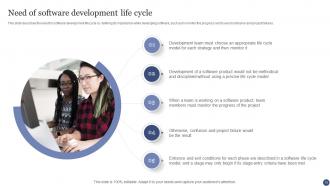
Slide 15: This slide describes the need for software development life cycle.
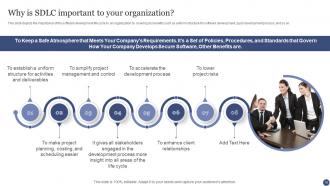
Slide 16: This slide depicts the importance of the software development life cycle to an organization.
Slide 17: This slide highlights title for topics that are to be covered next in the template.
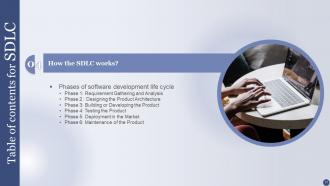
Slide 18: This slide represents Phases of Software Development Life Cycle.
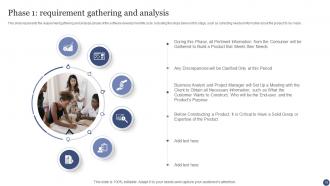
Slide 19: This slide showcases requirement gathering and analysis phase of the software development life cycle.
Slide 20: This slide depicts the designing of the product architecture phase of SDLC.
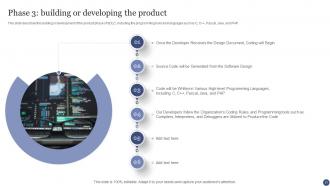
Slide 21: This slide describes the building or development of the product phase of SDLC.
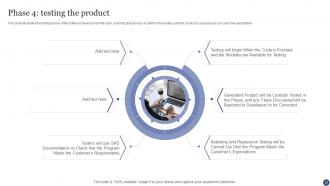
Slide 22: This slide illustrates the testing phase of the software development life cycle.
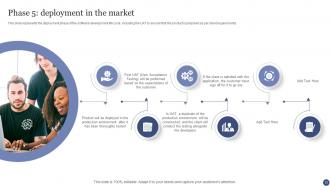
Slide 23: This slide represents the deployment phase of the software development life cycle.
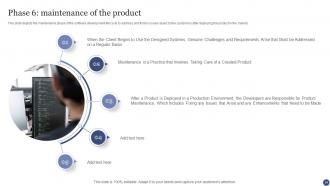
Slide 24: This slide depicts the maintenance phase of the software development life cycle.
Slide 25: This slide highlights title for topics that are to be covered next in the template.
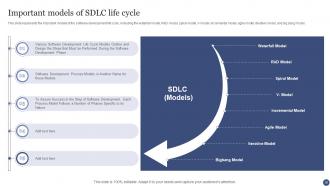
Slide 26: This slide showcases Important Models of Software Development Life Cycle Life Cycle.
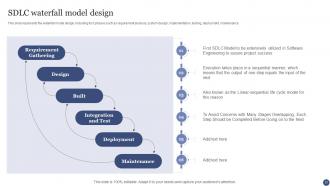
Slide 27: This slide shows Software Development Life Cycle Waterfall Model Design.
Slide 28: This slide presents waterfall model phases, including requirement gathering & analysis, system design, implementation, etc.
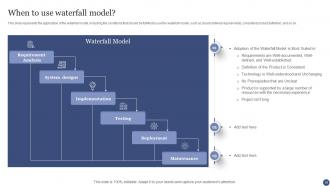
Slide 29: This slide represents the application of the waterfall model, including the conditions that should be fulfilled to use the waterfall model.
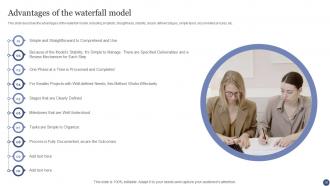
Slide 30: This slide describes the advantages of the waterfall model, including simplicity, straightness, stability, clearly defined stages, etc.
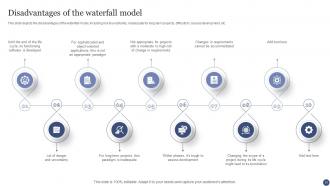
Slide 31: This slide depicts the disadvantages of the waterfall model, including risk & uncertainty, inadequate for long-term, etc.
Slide 32: This slide highlights title for topics that are to be covered next in the template.
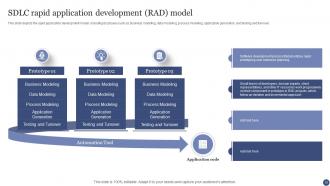
Slide 33: This slide showcases Software Development Life Cycle Rapid Application Development (RAD) Model.
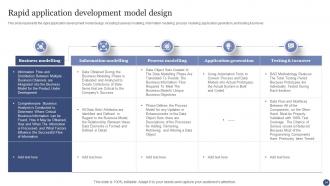
Slide 34: This slide shows Rapid Application Development Model Design.
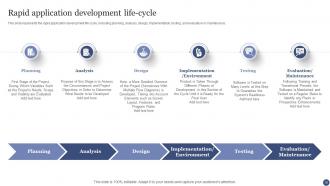
Slide 35: This slide presents Rapid Application Development Life-cycle.
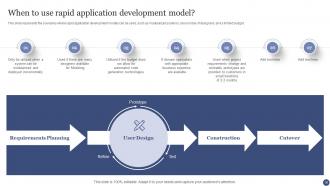
Slide 36: This slide represents the scenarios where rapid application development models can be used.
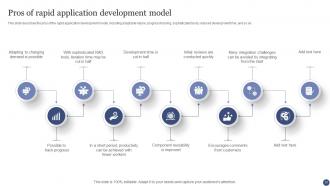
Slide 37: This slide showcases Pros of Rapid Application Development Model.
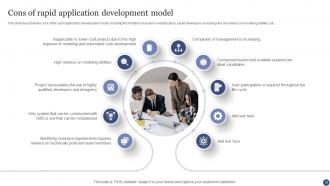
Slide 38: This slide shows Cons of Rapid Application Development Model.
Slide 39: This slide highlights title for topics that are to be covered next in the template.
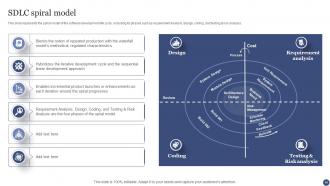
Slide 40: This slide represents the spiral model of the software development life cycle.
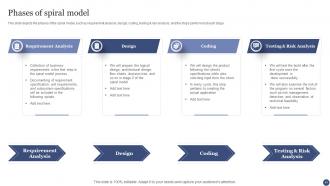
Slide 41: This slide depicts the phases of the spiral model, such as requirement analysis, design, coding, testing & risk analysis, etc.
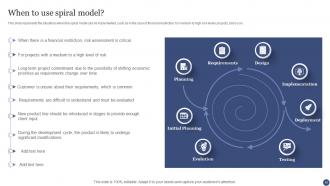
Slide 42: This slide represents the situations when the spiral model can be implemented.
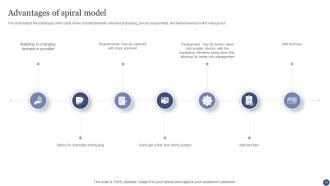
Slide 43: This slide depicts the advantages of the spiral model, including flexibility, extended prototyping, precise requirements, etc.
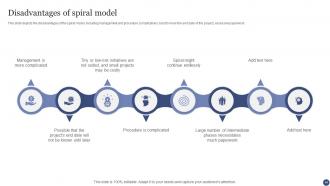
Slide 44: This slide represents disadvantages of the spiral model, including management and procedure complications, hard to know the end date, etc.
Slide 45: This slide highlights title for topics that are to be covered next in the template.
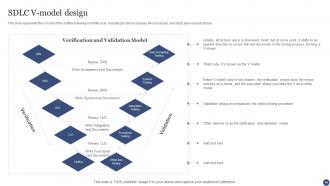
Slide 46: This slide showcases Software Development Life Cycle V-Model Design.
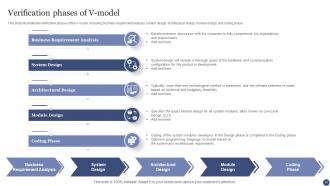
Slide 47: This slide illustrates the verification phases of the V-model, including business requirement analysis, system design, etc.
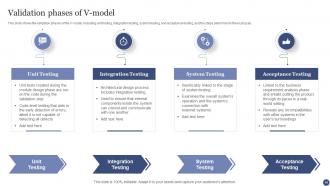
Slide 48: This slide shows the validation phases of the V-model, including unit testing, integration testing, system testing, etc.
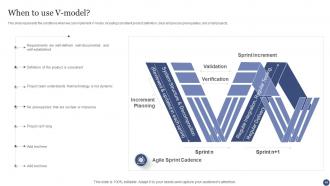
Slide 49: This slide represents the conditions when we can implement V-model, including consistent product definition, clear and precise prerequisites, etc.
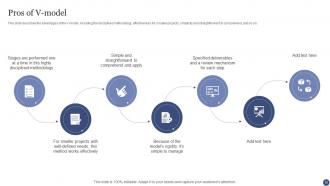
Slide 50: This slide describes the advantages of the V-model, including the disciplined methodology, effectiveness for smaller projects, etc.
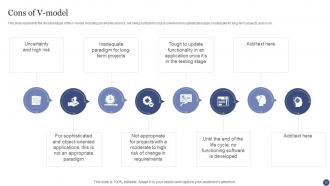
Slide 51: This slide represents the disadvantages of the V-model, including uncertainty and risk.
Slide 52: This slide highlights title for topics that are to be covered next in the template.
Slide 53: This slide showcases Software Development Life Cycle Incremental Model.
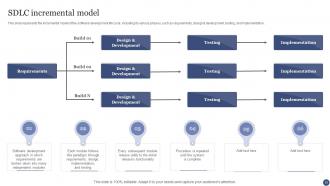
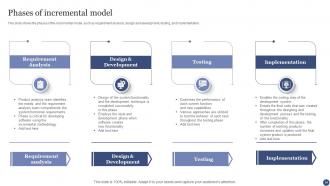
Slide 54: This slide shows the phases of the incremental model, such as requirement analysis, design and development, etc.
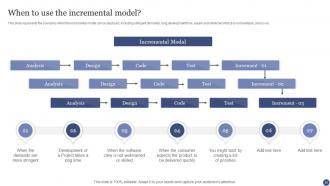
Slide 55: This slide represents the scenarios when the incremental model can be deployed.
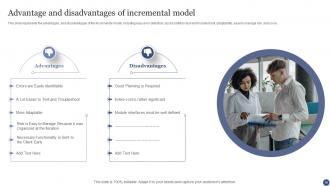
Slide 56: This slide showcases Advantage and Disadvantages of Incremental Model.
Slide 57: This slide highlights title for topics that are to be covered next in the template.
Slide 58: This slide shows Software Development Life Cycle Agile Process Model.
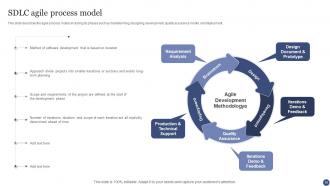
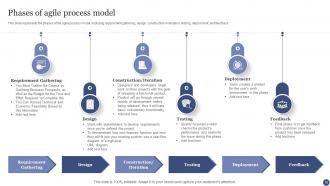
Slide 59: This slide represents the phases of the agile process model, including requirement gathering, design, etc.
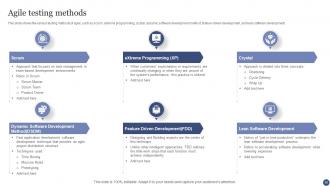
Slide 60: This slide shows the various testing methods of agile, such as scrum, extreme programming, crystal, etc.
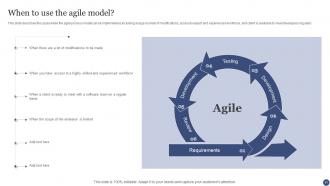
Slide 61: This slide describes the cases when the agile process model can be implemented.
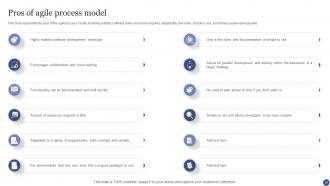
Slide 62: This slide represents the pros of the agile process model, including realistic software, fewer resources required, etc.
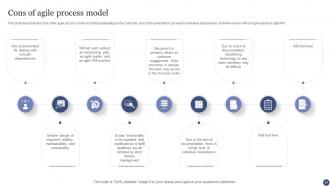
Slide 63: This slide describes the cons of the agile process model.
Slide 64: This slide highlights title for topics that are to be covered next in the template.
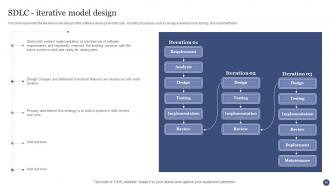
Slide 65: This slide represents the iterative model design of the software development life cycle.
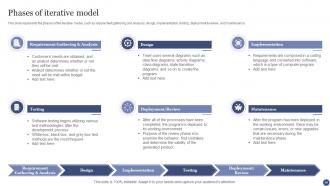
Slide 66: This slide represents the phases of the iterative model, such as requirement gathering and analysis, design, implementation, etc.
Slide 67: This slide displays cases where we can deploy an iterative model.
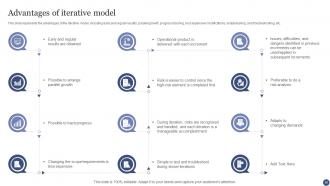
Slide 68: This slide represents Advantages of Iterative Model.
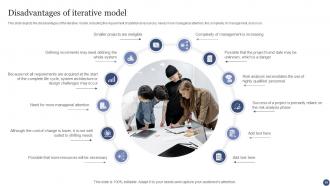
Slide 69: This slide depicts the disadvantages of the iterative model.
Slide 70: This slide highlights title for topics that are to be covered next in the template.
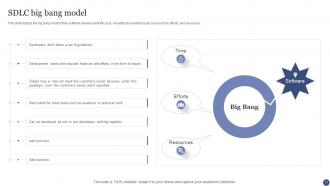
Slide 71: This slide shows Software Development Life Cycle Big Bang Model.
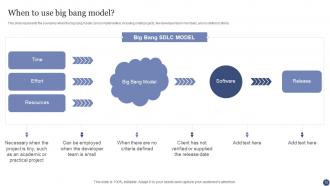
Slide 72: This slide represents the scenarios when the big bang model can be implemented.
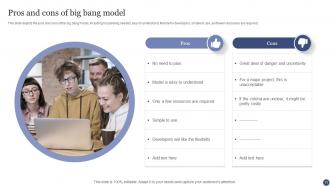
Slide 73: This slide depicts the pros and cons of the big bang model.
Slide 74: This slide highlights title for topics that are to be covered next in the template.
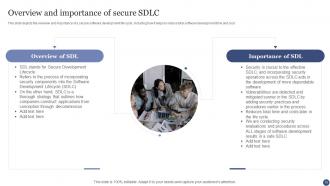
Slide 75: This slide depicts the overview and importance of a secure software development life cycle.
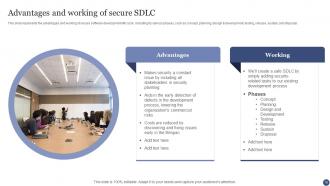
Slide 76: This slide showcases Advantages and Working of Secure SDLC.
Slide 77: This slide highlights title for topics that are to be covered next in the template.
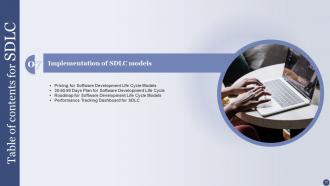
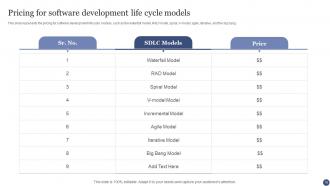
Slide 78: This slide shows Pricing for Software Development Life Cycle Models.
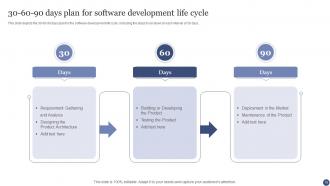
Slide 79: This slide presents 30-60-90 Days Plan for Software Development Life Cycle.
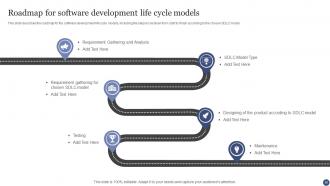
Slide 80: This slide displays Roadmap for Software Development Life Cycle Models.
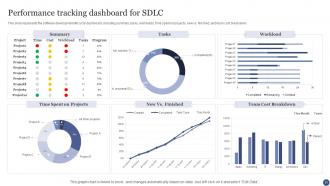
Slide 81: This slide represents Performance Tracking Dashboard for Software Development Life Cycle.
Slide 82: This slide highlights title for topics that are to be covered next in the template.
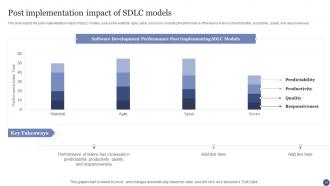
Slide 83: This slide showcases Post Implementation Impact of Software Development Life Cycle Models.
Slide 84: This slide contains all the icons used in this presentation.
Slide 85: This slide is titled as Additional Slides for moving forward.
Slide 86: This is About Us slide to show company specifications etc.
Slide 87: This is Our Team slide with names and designation.
Slide 88: This is Our Mission slide with related imagery and text.
Slide 89: This is a Timeline slide. Show data related to time intervals here.
Slide 90: This slide shows Post It Notes. Post your important notes here.
Slide 91: This slide showcases Magnifying Glass to highlight information, specifications etc
Slide 92: This is Our Goal slide. State your firm's goals here.
Slide 93: This slide presents Roadmap with additional textboxes.
Slide 94: This is a Thank You slide with address, contact numbers and email address.
SDLC Powerpoint Presentation Slides with all 99 slides:
Use our SDLC Powerpoint Presentation Slides to effectively help you save your valuable time. They are readymade to fit into any presentation structure.












FAQs for SDLC
So there's Planning where you figure out what you're actually building, then Analysis & Design for mapping out how it'll work. Development is the coding part, obviously. Testing comes next - gotta catch those bugs before users do. Then Deployment gets it live, and Maintenance keeps everything running after launch. Honestly, with agile stuff these days the boundaries get super messy and you're kinda bouncing between phases constantly. But seriously, don't let your team skip the planning stage just because they're itching to start coding. I've watched projects completely fall apart when people jump straight into development without nailing down requirements first - it's painful to watch.
So basically, Waterfall makes you do everything in order - requirements, design, coding, testing. No going back. Agile chops everything into 2-4 week sprints where you're constantly building and getting feedback. Waterfall's like... once you pour that foundation, you're stuck with it. Pretty inflexible honestly. Agile lets you pivot whenever users are like "actually, we need this instead." If your requirements might change or you need user input early? Go Agile. Waterfall's better when you know exactly what you're building from day one.
SDLC basically saves your ass when projects start falling apart - gives you actual structure instead of chaos. Risk management becomes way easier because you're catching problems early, not panicking at deadline. Your team stays on the same page with all the planning and docs. Quality goes up too since testing isn't just slapped on at the end. Honestly, stakeholders love it because they actually understand what's going on for once. Just pick whatever model fits your team size though - don't copy what some big tech company does if you're only three people.
Hey! So requirements gathering kicks off right after you get project approval - basically the first real phase. You're figuring out what everyone actually wants before your devs start coding anything. Talk to stakeholders, document all the functional stuff, check if it's even feasible. Honestly, this part can be kinda tedious but it's super critical. Mess up requirements here and you'll be doing expensive fixes later (been there). Get sign-offs from the key people before moving to design. Trust me, it saves major headaches down the road.
Testing is basically your safety net through the whole development cycle. Don't wait till the end - that's asking for trouble. Start with reviewing requirements and planning tests right away. Then you've got unit testing while coding, integration testing when pieces connect, and system/user acceptance at the finish line. Honestly, this beats the old "build it and hope it works" method by miles. The trick is catching problems early when fixes are cheap, not waiting until production breaks and everyone's panicking. Soon as requirements are solid, start writing those test cases.
Honestly, the best thing about SDLC is catching problems before they blow up in your face. Those built-in checkpoints force you to actually stop and look around instead of just sprinting toward a deadline. I've seen too many projects where people skip the review meetings because they're "behind schedule" - huge mistake. Documentation requirements are annoying but they're lifesavers when stakeholders try to completely flip the script midway through. My advice? Don't skip those risk assessment sessions, even when you're feeling the time crunch. Trust me on this one.
So there's a bunch of tools for each phase, honestly too many to choose from sometimes. Planning wise, Jira and Trello are solid for project management stuff. Figma's my go-to for design work, though Sketch and Visio are decent too. Your IDE matters way more than people think - VS Code, IntelliJ, whatever clicks with your setup. Testing? Selenium's reliable, Jest if you're doing JavaScript, Postman for APIs. Then there's deployment with Docker, Jenkins, the usual AWS or Azure dance. Real talk though - don't just grab whatever's trending. Find tools that actually play nice together.
Honestly, documentation is what keeps your whole team from losing their minds. Start tracking requirements and design choices from day one - trust me on this. When someone inevitably asks "wait, what exactly are we building?" you'll have answers ready. New people joining mid-project? They can actually figure out what's happening instead of bothering everyone with questions. Scope creep is the worst, but at least you can point back to what was originally planned. The trick is keeping it useful without going overboard - nobody reads novels anyway. Just capture the big decisions as you make them.
Honestly, focus on cycle time first - how long stuff takes from idea to actually shipping. Defect rates in production are super telling too. I'd also watch your deployment frequency and lead time since those show if your process is actually smooth or just looks good on paper. Customer satisfaction is everything though - if users are miserable, your metrics don't mean much. Code coverage and tech debt give you the bigger health picture. Oh, and team velocity matters but can be tricky to measure right. Start with maybe 3 metrics that actually align with what your team cares about instead of drowning in data.
Honestly, tech changes mess with your SDLC constantly. Look at cloud computing - it basically killed waterfall for most teams and pushed everyone toward agile. Now AI tools are making coding way faster, which is cool but also means you need to rethink your whole timeline. Your deployment methods change, testing gets different, and suddenly you're scrambling to keep up with new frameworks every other month (seriously, JavaScript developers know this pain). Build some flexibility in from day one so you're not completely redoing your process every time something shiny appears. Automation helps too.
Do it within 1-2 weeks max while people still remember what actually happened. Round up everyone who matters - devs, QA, product folks, users if you can swing it. Break it into three parts: wins, failures, and what to fix going forward. Here's the thing though - keep blame out of it completely. You're after better processes, not scapegoats. Write everything down because trust me, you'll forget these lessons by next sprint. Oh, and actually pick 2-3 changes to implement for real. Otherwise you just spent two hours complaining together.
Dude, CI totally changes the game for development cycles. You're integrating code like 5+ times a day instead of waiting weeks, which means bugs get caught when they're still easy to fix. No more integration nightmares - honestly, that alone makes it worth it. Your dev phases start bleeding into each other since you can test stuff incrementally rather than doing massive releases. Feedback comes way faster, so you can actually pivot when things go sideways. Oh, and definitely start with just one project first. Get your build/test pipeline automated there before you try to roll it out to everything.
Honestly, people hate change and will complain that following any process slows them down at first. They're weirdly attached to their messy way of doing things. Start super small though - maybe just focus on getting requirements right before adding other steps. Everyone needs to get why you're bothering (fewer bugs, clients stop yelling at you, that kind of thing). Oh and definitely get your boss on board first, makes life way easier. Training helps too obviously. But seriously don't go crazy trying to fix everything overnight - I've seen that crash and burn so many times. Just add pieces slowly.
Don't just collect requirements at the start then vanish into development hell. Weekly demos are your lifeline here - maybe bi-weekly if you're really crunched. Get stakeholders into tools like Figma so they can actually click around and see what you're building. Status meetings are mostly theater anyway. After each sprint, do quick feedback sessions or send out short surveys. The trick is timing - you want their input while you can still change things without wanting to cry. Oh, and put these check-ins on the calendar now. People won't magically stay engaged if you don't make it stupidly easy for them.
Honestly, maintenance is where the real work happens - you're looking at like 60-80% of your total costs happening after launch. I know it sounds crazy, but your app isn't actually "finished" when it goes live. Users will break things in ways you never thought possible, plus requirements change and security updates are constant. Without staying on top of it, even amazing software becomes useless pretty fast. Oh, and compatibility issues with other systems - that's always fun. Build your code thinking about future changes from day one, and definitely budget for ongoing costs upfront or you'll get blindsided later.
-
Awesome use of colors and designs in product templates.
-
The designs by SlideTeam are honestly the best I have seen so far. Will be definitely coming back for more.