

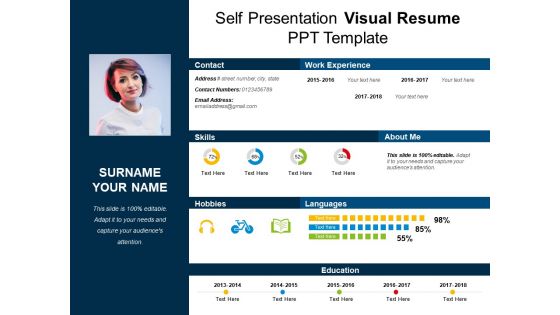
Self presentation visual resume ppt template




Try Before you Buy Download Free Sample Product
 Impress Your
 Audience
 100%
100% Editable
 Save Hours
 of Time


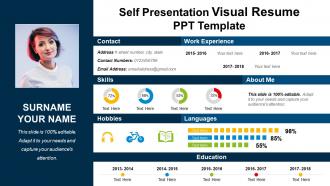
Go through our self presentation visual resume PPT template. This creative and innovative presentation diagram has been designed by our experienced and skilled designing team for jobseekers to increase their chances of getting a job. Today, the increased competition has made it mandate for the job searchers to show their talent and skills among employers. Visual resume assists you to present your resume in an innovative way in front of the employers and make them understand that you have a professional approach towards the work. Using this PowerPoint slide, you can share your work experience, contact details, skills, hobbies and interests, languages and also your education details. Applying for a job with a digital resume helps you gain an edge over your competitors and emerge as a winner. This PowerPoint layout can be edited as per your need as you can replace any information according to your needs. You can also add your picture along with some details about yourself with this PPT diagram. Access our self presentation visual resume PPT design now. Gain time with our Self Presentation Visual Resume Ppt Template. Complete your assignment that much faster.
People who downloaded this PowerPoint presentation also viewed the following :
Self presentation visual resume ppt template with all 5 slides:
Use our Self Presentation Visual Resume Ppt Template to bullet point your ideas. See them fall into place one by one.
FAQs for Self presentation visual
Put your contact info and headshot up top - super important that stuff's easy to find. Then organize everything else (experience, skills, education) with consistent fonts and spacing. Honestly, I'd avoid fancy graphics since those applicant tracking systems hate them and might mess up your resume entirely. Simple icons are fine though. White space is your friend here - cramped resumes look terrible. Oh, and definitely print a test copy first! I learned that one the hard way. You want it looking professional but still readable when someone's quickly scanning through a pile of applications.
Oh absolutely, design matters way more than people think! Employers literally glance at resumes for like 6 seconds max, so if yours looks messy or boring, they're moving on before reading anything. Good visual hierarchy and clean spacing can save you here. Match your vibe to the industry though - tech and creative companies love some personality in design, but banks and law firms? Keep it classy and minimal. I learned this the hard way honestly. Don't go overboard with colors or fonts that scream "I discovered Canva yesterday." Clean design should make your actual skills shine, not distract from them.
Honestly, visual resumes are perfect for creative stuff - graphic design, marketing, advertising, UX work. Architecture and photography too. Makes sense since you're literally showing off your design skills, right? Finance and law firms though? They'll probably think you're trying too hard. Those industries are still pretty traditional about this stuff. I'd definitely check out what other people in your field are doing first. Social media management is another good one where visual resumes work. Just don't go overboard if you're applying somewhere super corporate.
Okay so basically, visuals help tell your career story instead of just listing random jobs. Like, you can do timelines for progression, icons for skills, charts for achievements - way better than saying "increased revenue by 20%" when you could actually show that growth visually. Colors and smart layout guide people through your experience logically. Honestly beats boring black-and-white resumes every time. Just make sure each visual actually has a point - not just decoration. I'd start by figuring out what story you want to tell first, then pick visuals that back it up.
Honestly, people go way overboard with design and then wonder why nobody calls them back. Like, I get wanting it to look nice, but if the hiring manager can't read your tiny artistic font, what's the point? Plus those ATS systems are so picky - they'll totally butcher anything too fancy. I'd focus on keeping your contact info super clear and your formatting consistent. Print it out in black and white as a test - if it looks like a mess, tone it down. Your actual experience should be doing the heavy lifting anyway, not some random graphics that don't mean anything.
Okay so first figure out what you actually stand for - like your strengths, values, what makes you different. Then pick colors and fonts that match that vibe. Creative person? Go wild with bold stuff. More corporate? Keep it clean and professional. Honestly, most people just grab whatever template looks nice without thinking about it, which is such a waste. Your design should tell your story, not fight against it. Oh and make sure everything feels cohesive - you want people to instantly get who you are when they see it. That's the whole point, right?
Honestly, you can't mess up with navy and white - it's like the safest bet ever. Charcoal gray works great too, especially with little accent colors. I'm obsessed with navy and light gray lately because it looks so clean and modern. Black and white is obviously classic but maybe a tiny bit boring? If you're in something more creative, throw in some muted blues or greens. Just don't go crazy with neons or you'll look like a highlighter exploded. Two or three colors tops, and definitely print a test page in grayscale first to make sure it still looks good.
Oh totally! Canva's your friend here - super easy even if design isn't your thing, and they've got loads of templates. If you're feeling ambitious later, InDesign is what the pros use but fair warning, it's kinda intimidating at first. Figma's solid too and won't cost you anything. Honestly? I've seen people do decent ones in PowerPoint if they get creative with it. Start with Canva though - you'll have something decent in like an hour, then maybe mess around with the fancier stuff once you get the hang of it. Way better than staring at a blank page forever.
Honestly, infographics work because our brains are just wired to remember pictures better than walls of text. Think about it - you'd rather look at a cool chart than read through a boring spreadsheet, right? Same thing happens when recruiters scan resumes. Charts and icons help them actually retain info about your skills instead of forgetting you five seconds later. Plus you'll stand out from everyone else's bland bullet-point lists. I'd say pick your top 3-4 achievements and turn them into simple visuals. Way more memorable than another generic resume that looks like everyone else's.
Okay so for visual resumes, lead with your biggest wins - like actual numbers and achievements that pop. Recruiters literally spend 6 seconds scanning these things, which is honestly ridiculous but whatever. Put your 3-4 best accomplishments right up front, then add your key skills and maybe a quick career timeline. Don't bother with those boring job description paragraphs - they're terrible for visual formats anyway. Charts and icons work way better for showing stuff like project success rates or how good you are at different skills. Oh, and keep the text super short but punchy. The whole point is telling your story fast.
Okay so definitely go with high contrast colors and make your fonts at least 14pt - sans-serif works best since screen readers hate fancy stuff. The color thing is honestly trickier than people think, but just make sure there's enough contrast so colorblind people can actually read it. Don't scatter text boxes everywhere like some design disaster. Stick to logical layouts with proper headings and bullet points instead. Oh, and always keep a plain text backup because those applicant tracking systems are still pretty terrible with anything remotely creative. Trust me on that one.
Honestly, typography can make or break your resume. I'd go with something clean like Calibri or Open Sans - they're super easy to read when someone's scanning through quickly. Obviously avoid Comic Sans (though I've totally seen people use it... yikes). Use different font sizes to create hierarchy - bigger headers for sections, consistent body text throughout. Maybe throw in some bold for job titles. The thing is, even amazing content looks unprofessional with messy fonts. Stick to 2-3 sizes max and definitely print a copy to see how it actually looks on paper.
So the Featured section on LinkedIn is probably your best move - it's right under your about section and you can upload your visual resume there. You could also try adapting some elements into LinkedIn's format, like turning your skills into their skill badges or redoing your timeline in their experience section. LinkedIn's kinda bland design-wise compared to what you can pull off with a visual resume, but whatever. Oh, and definitely use your resume's colors and style in your LinkedIn banner - makes everything look more put together across both platforms. That's what I'd do anyway.
Clean, minimal designs are totally dominating right now - think subtle colors and lots of white space rather than those awful neon nightmares from a few years back. Infographic elements work great too, like timeline graphics or skill bars that actually show your career story. Most recruiters scroll through resumes on their phones now, so mobile-friendly is key. Oh, and make sure it's still ATS-compatible! Honestly, the sweet spot is finding something visually interesting without screaming "I spent 12 hours on Canva." You want to stand out for the right reasons, you know?
Okay so for remote stuff, you definitely want fonts that don't look terrible on screens and good contrast - recruiters are scrolling through tons of these things super fast. Make it pop but keep it ATS-friendly since most go through those systems first. Physical resumes though? You can actually get creative with paper texture, colors, whatever. People can touch it and flip through it properly. Honestly most applications are remote now anyway, so focus there first. Oh and one thing - I made the mistake of using a fancy font that looked amazing printed but was awful on my laptop screen. Keep the digital version clean and scannable, then go wild with any physical copies you're handing out face-to-face.
-
Great
-
Presentation Design is very nice, good work with the content as well.
-
Understandable and informative presentation.
-
Very attractive and professional slides