


Serverless Computing Powerpoint Presentation Slides




Try Before you Buy Download Free Sample Product
 Impress Your
 Audience
 100%
100% Editable
 Save Hours
 of Time


This serverless computing PPT includes a serverless computing overview, key features, and technologies for building and deploying serverless applications. This PowerPoint presentation demonstrates the importance, market overview, emerging trends, and benefits of serverless computing. We have also covered the overview, use cases, and primary components of AWS serverless services. In addition, this event-driven computing PPT represents the comparison between serverless computing and other technologies such as Infrastructure-as-a-Service IaaS, Backend-as-a-Service BaaS, Platform-as-a-Service PaaS, and containers. Furthermore, the Function-as-a-Service module explains the fundamental concept and terms of serverless architecture. It also discusses the working process, primary use cases, and advantages of serverless architecture technology. Moreover, this serverless architecture deck contains sections about models, service providers, training, and budget for serverless computing. It illustrates a complete plan to build applications using serverless computing, and challenges faced during implementation, and their possible solutions. This deck also provides serverless computing implementation impact on businesses and before vs. after comparison. Lastly, this serverless applications deck comprises a roadmap, a 30-60-90 days plan, a timeline, a checklist to integrate serverless computing in applications, and a dashboard to track serverless computing resource utilization. Download our 100 percent editable and customizable template, compatible with Google Slides.
People who downloaded this PowerPoint presentation also viewed the following :
Content of this Powerpoint Presentation
Slide 1: This slide introduces Serverless Computing. State Your Company Name and begin.
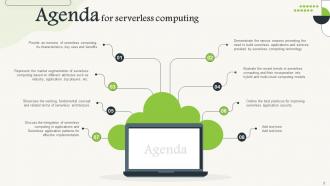
Slide 2: This slide is an Agenda slide. State your agendas here.
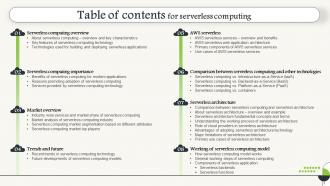
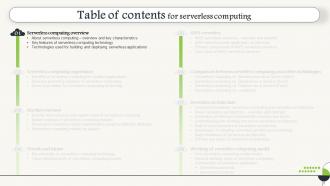
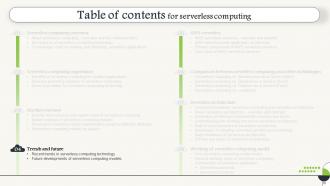
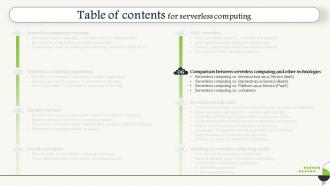
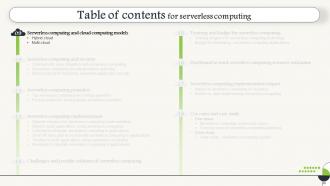
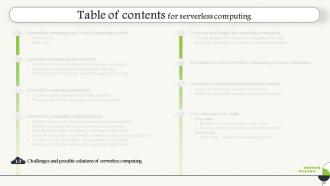
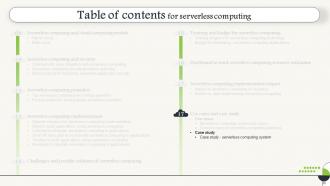
Slide 3: This slide shows a Table of Contents for the presentation.
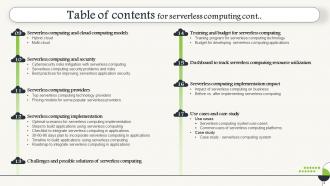
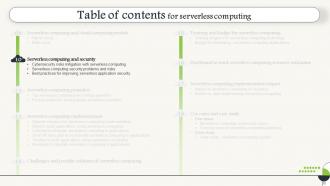
Slide 4: This slide is in continuation with the previous slide and shows the table of Contents.
Slide 5: This slide is in continuation with the previous slide and shows the table of Contents.
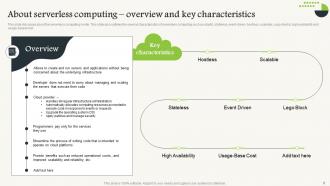
Slide 6: This slide discusses the serverless computing model.
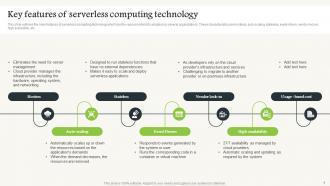
Slide 7: This slide outlines the main features of serverless computing technology.
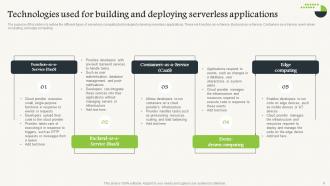
Slide 8: This slide outlines the different types of serverless computing technologies to develop serverless applications.
Slide 9: This slide introduces Serverless computing overview out of the table of contents.
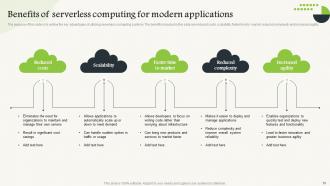
Slide 10: This slide shows the Benefits of serverless computing for modern applications.
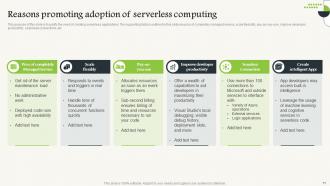
Slide 11: This slide describes the Reasons for promoting the adoption of serverless computing.
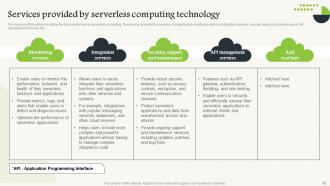
Slide 12: This slide contains Services provided by serverless computing technology.
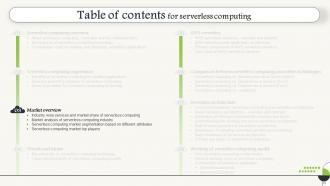
Slide 13: This slide introduces a market overview out of the table of contents.
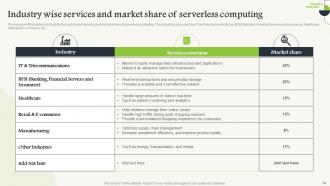
Slide 14: This slide illustrates the sector-wise services and market share of serverless computing.
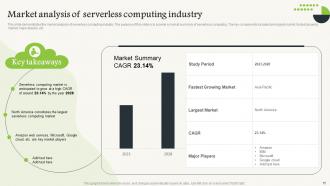
Slide 15: This slide demonstrates the market analysis of the serverless computing industry.
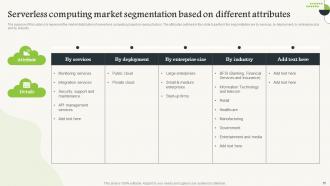
Slide 16: This slide represents the market distribution of serverless computing based on various factors.
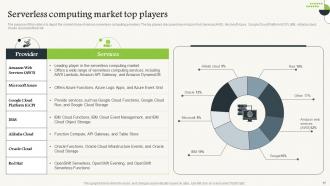
Slide 17: This slide depicts the market share of various serverless computing providers.
Slide 18: This slide introduces Trends and the future out of the Table of Contents.
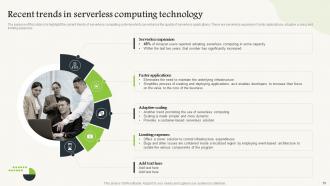
Slide 19: This slide highlights the current trends of serverless computing systems which can enhance the quality of serverless applications.
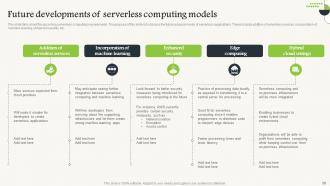
Slide 20: This slide talks about the upcoming serverless computing improvements.
Slide 21: This slide introduces AWS serverless out of a Table of Contents.
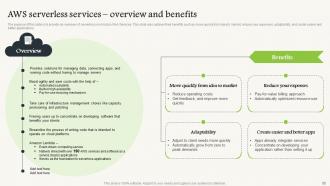
Slide 22: This slide provides an overview of serverless on Amazon Web Services.
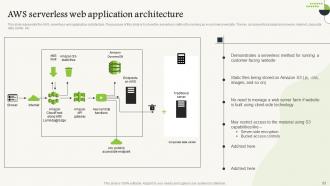
Slide 23: This slide represents the AWS serverless web application architecture.
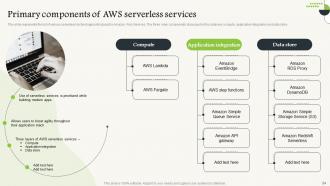
Slide 24: This slide shows the list of various serverless technologies introduced by Amazon Web Services.
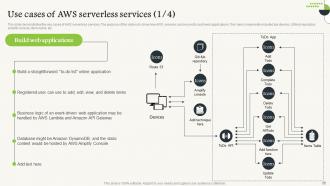
Slide 25: This slide demonstrates the use cases of AWS serverless services and is in continuation with the previous slide.
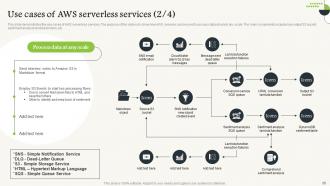
Slide 26: This slide describes the use cases of AWS serverless services and is in continuation with the previous slide.
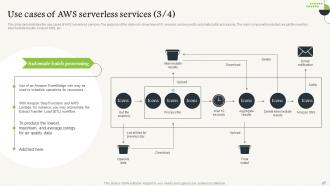
Slide 27: This slide caters to the use cases of AWS serverless services and is in continuation with the previous slide.
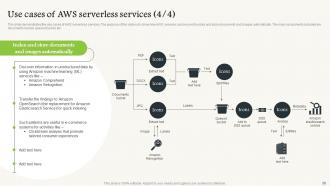
Slide 28: This slide illustrates the use cases of AWS serverless services and is in continuation with the previous slide.
Slide 29: This slide introduces a Comparison between serverless computing and serverless architecture out of the table of contents.
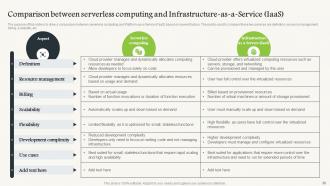
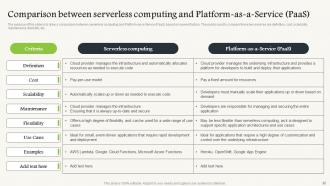
Slide 30: This slide draws a comparison between serverless computing and Platform-as-a-Service (PaaS) based on several factors.
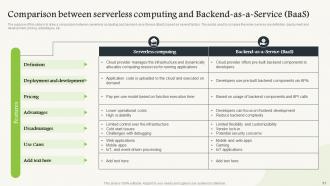
Slide 31: This slide showcases a comparison between serverless computing and backend-as-a-service (BaaS) based on several factors.
Slide 32: This slide describes a comparison between serverless computing and Platform-as-a-Service (PaaS) based on several factors.
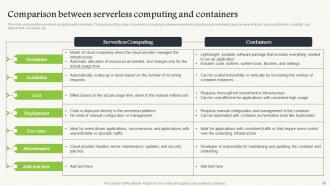
Slide 33: This slide compares serverless computing with containers.
Slide 34: This slide introduces Serverless architecture out of the Table of Contents.
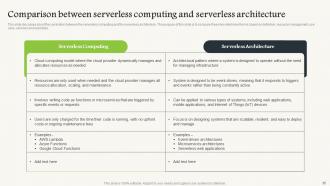
Slide 35: This slide discusses the correlation between serverless computing and serverless architecture.
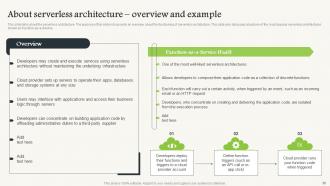
Slide 36: This slide talks about serverless architecture and provides an overview.
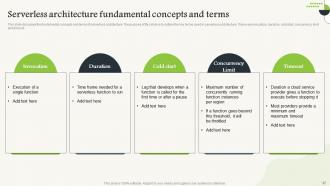
Slide 37: This slide showcases the fundamental concepts and terms of serverless architecture.
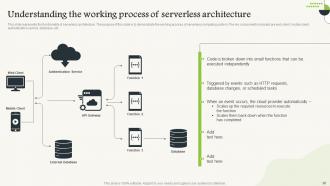
Slide 38: This slide represents the functionality of serverless architecture.
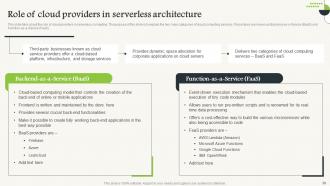
Slide 39: This slide presents the role of cloud providers in serverless computing.
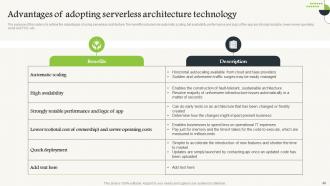
Slide 40: This slide illustrates the advantages of using serverless architecture.
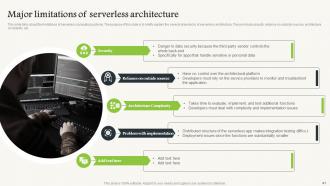
Slide 41: This slide caters to the limitations of serverless computing systems.
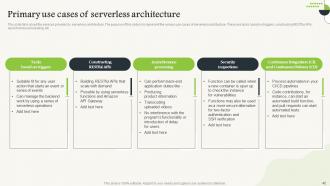
Slide 42: This slide describes the Primary use cases of serverless architecture.
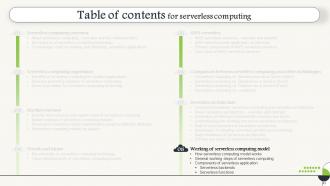
Slide 43: This slide introduces the Working of the serverless computing model out of the Table of Contents.
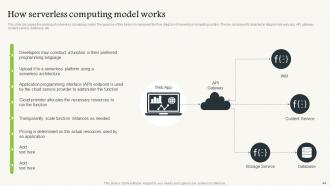
Slide 44: This slide discusses the working of serverless computing models.
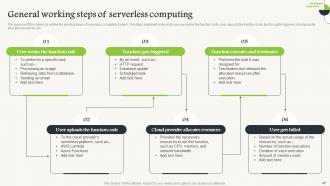
Slide 45: This slide outlines the working steps of a serverless computing system.
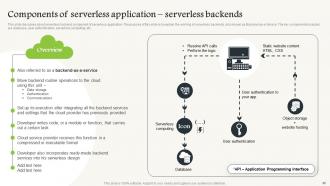
Slide 46: This slide demonstrates about serverless backend component of serverless application with the help of a flow chart.
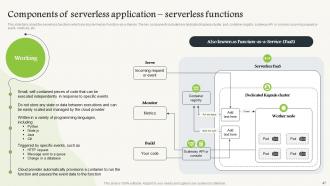
Slide 47: This slide shows the serverless functions which are also termed as Function-as-a-Service.
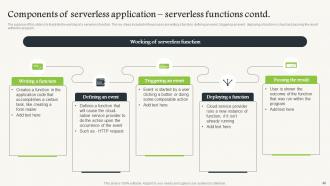
Slide 48: This slide is to illustrate the working of a serverless function and is in continuation with the previous slide.
Slide 49: This slide introduces Serverless computing and cloud computing models out of the table of contents.
Slide 50: This slide discusses the integration of serverless computing technology with a hybrid cloud computing model.
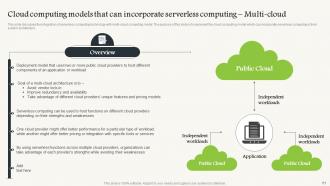
Slide 51: This slide caters to the integration of serverless computing technology with a multi-cloud computing model.
Slide 52: This slide introduces Serverless computing and security out of Table of Contents.
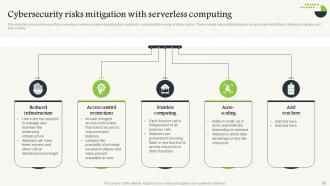
Slide 53: This slide talks about some ways that a serverless system can help reduce the attack surface by minimizing the number of attack vectors.
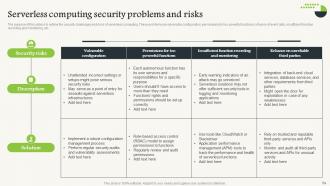
Slide 54: This slide shows the security challenges and risks of serverless computing.
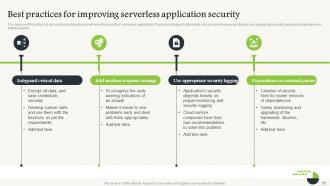
Slide 55: This slide illustrates the best practices to enhance the security of serverless applications.
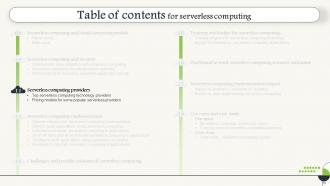
Slide 56: This slide introduces Serverless computing platforms out of the Table of Contents.
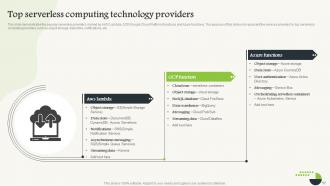
Slide 57: This slide demonstrates the popular serverless providers, named AWS Lambda, GCP (Google Cloud Platform) functions, and Azure functions.
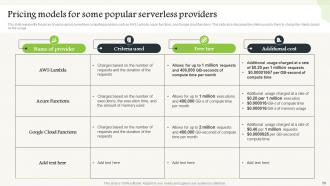
Slide 58: This slide represents the prices of using various serverless computing providers.
Slide 59: This slide introduces Serverless computing implementation out of the Table of Contents.
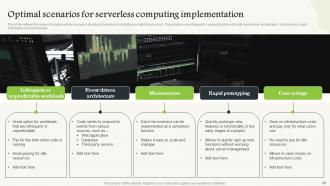
Slide 60: This slide outlines the various scenarios that can help in deciding if serverless computing is the right choice or not.
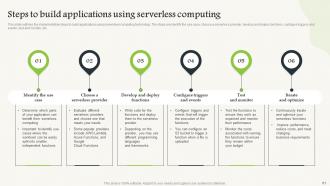
Slide 61: This slide entails the implementation steps to build applications using serverless computing technology.
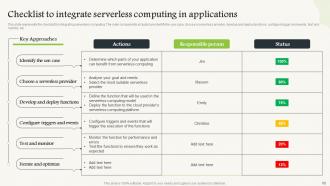
Slide 62: This slide represents the checklist for integrating serverless computing.
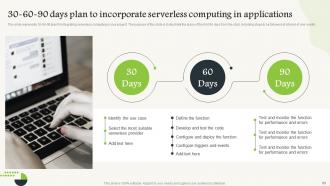
Slide 63: This slide is 30-60-90 days plan to incorporate serverless computing in applications.
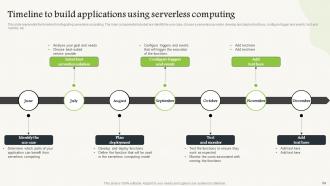
Slide 64: This slide is a Timeline slide. Show data related to time intervals here.
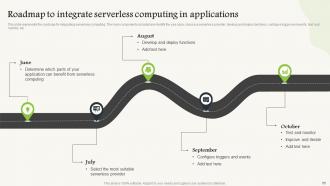
Slide 65: This slide presents a Roadmap with additional text boxes.
Slide 66: This slide introduces Challenges and possible solutions of serverless computing out of the Table of contents.
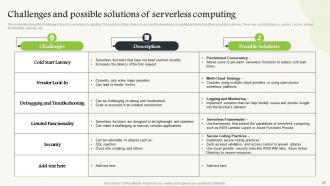
Slide 67: This slide talks about the challenges faced by serverless computing.
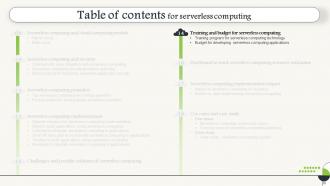
Slide 68: This slide introduces Training and Budget for serverless computing applications out of the Table of contents.
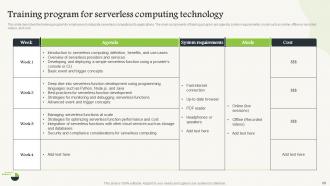
Slide 69: This slide describes the training program for employees to integrate serverless computing into applications.
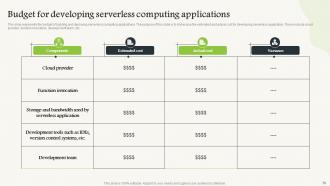
Slide 70: This slide represents the budget for building and deploying serverless computing applications.
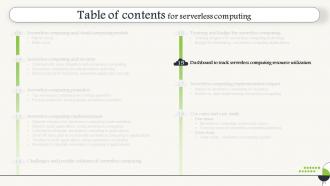
Slide 71: This slide introduces Dashboard to track serverless computing resource utilization out of the Table of Contents.
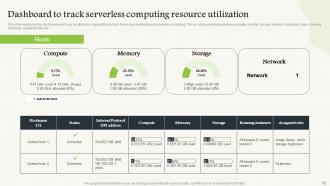
Slide 72: This slide shows the dashboard that can be utilized by organizations to track the resource utilization of serverless computing.
Slide 73: This slide introduces the Serverless computing implementation impact out of the Table of Content.
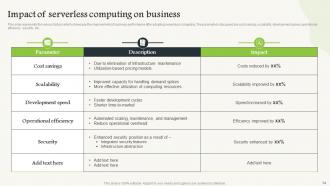
Slide 74: This slide represents the various factors that showcase the improvement of business performance after adopting serverless computing.
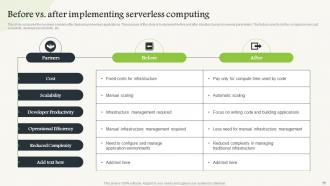
Slide 75: This slide compares the business scenario after deploying serverless applications.
Slide 76: This slide introduces Use cases and case studies out of the Table of contents. f
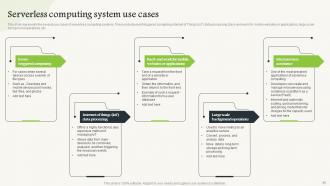
Slide 77: This slide demonstrates the several use cases of serverless computing systems.
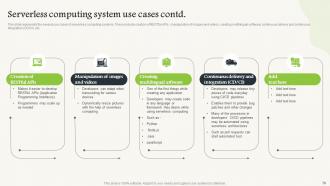
Slide 78: This slide describes several use cases of serverless computing systems.
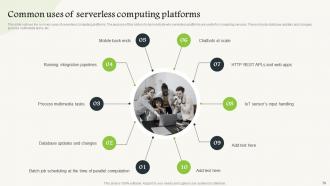
Slide 79: This slide outlines the common uses of serverless computing platforms.
Slide 80: This slide introduces the Case study out of the Table of Contents.
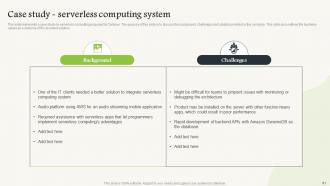
Slide 81: This slide illustrates a case study on serverless computing proposed by Centizen.
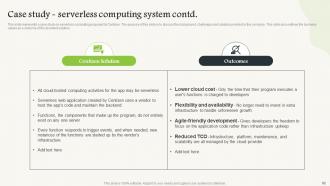
Slide 82: This slide caters to a case study on serverless computing proposed by Centizen, in continuation with the previous slide.
Slide 83: This slide shows all the icons included in the presentation.
Slide 84: This slide is titled Additional Slides for moving forward.
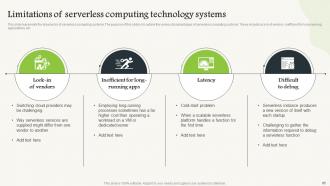
Slide 85: This slide represents the drawbacks of serverless computing systems.
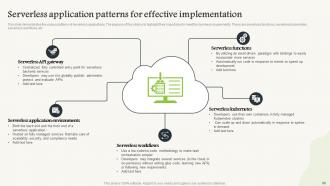
Slide 86: This slide demonstrates the various patterns of serverless applications with the help of a flow chart.
Slide 87: This slide is a thank-you slide with address, contact numbers, and email address.
Serverless Computing Powerpoint Presentation Slides with all 92 slides:
Use our Serverless Computing Powerpoint Presentation Slides to effectively help you save your valuable time. They are readymade to fit into any presentation structure.







FAQs for Serverless Computing
Honestly, the money savings alone make it worth it - you're only paying when your code actually runs instead of keeping servers running 24/7. No more dealing with scaling or patching or any of that infrastructure nonsense either. The cloud provider just handles it all automatically. Your team gets to focus on actual coding instead of server babysitting, which is way more fun anyway. The auto-scaling thing still blows my mind - traffic spikes just get handled without you doing anything. I'd probably start small with some basic functions first, just to see how it feels.
Yeah so serverless is pretty sweet for scaling - functions just pop up when you need them and disappear when you don't, which means you're only paying for actual usage. Cold starts are honestly the biggest pain though, like that awkward 100-500ms lag when they first wake up. Once they're running they're quick. But hey, at least you never have to mess with server management or panic during traffic spikes. Just keep your functions small and maybe look into connection pooling for your database stuff - helps with those cold start headaches.
You're literally only paying when your code runs, which is amazing for cutting costs if your traffic isn't consistent. I've seen bills drop by like 70% compared to keeping servers running constantly. The downside? If something goes viral or gets hammered unexpectedly, your costs can spike fast. Set up billing alerts ASAP - trust me on this one. Also monitoring is clutch because you'll want to catch weird usage patterns before they hit your credit card. Way better than paying for servers that just sit there doing absolutely nothing most of the time though.
So with serverless, your cloud provider basically takes care of all the heavy lifting - patching, network stuff, physical security. Yeah, you lose some visibility which is kinda annoying at first, but honestly most teams can't match AWS's security anyway. Your main headaches become function bugs, IAM permissions that are way too open, and locking down your APIs. The cool thing is there's less surface area for attackers since nothing's running 24/7. I always start super restrictive with permissions and open them up as needed - saves headaches later.
Honestly? Just go with whatever platform you're already using for other stuff - makes life way easier. AWS Lambda's got the most integrations and runs for 15 minutes max, which is pretty solid. Azure Functions is cheaper if you're not hitting it constantly, plus it supports more languages out of the box. Google's usually the cheapest for steady traffic but times out faster. The pricing is confusing as hell though - some charge per call, others by memory usage. I'd just build a quick prototype and test it with real traffic patterns. Way better than trying to guess costs upfront, trust me.
API backends and event-driven stuff work really well. Image resizing when someone uploads a file, webhook handling, batch jobs that run on a schedule. Real-time processing too - like analyzing logs or IoT data streams. The traffic spikes thing is what makes it shine though, you're only paying when code actually executes. Breaking down monoliths into microservices is another good use case. Oh, and data transformation pipelines - forgot that one. I'd look at whatever processes you're doing manually right now or workloads that are super unpredictable. Those usually scream "serverless" to me.
Honestly, serverless functions are perfect for connecting all your cloud stuff together. They spin up automatically when something happens - like a file gets uploaded or your database changes. Super convenient since you don't deal with any server management headaches. I'd look at whatever repetitive tasks you're doing now and see if a function could handle them instead. They can talk to pretty much any service too - storage, messaging, AI tools, whatever. The auto-scaling thing is clutch because you're not guessing capacity. Just find your event-driven processes first and start there.
Get familiar with your cloud provider's CLI first - AWS SAM, Azure Functions Core Tools, whatever you're using. Serverless Framework is where it gets fun though, especially if you might switch clouds later. I'd honestly skip the native infrastructure stuff at first since it's kind of a pain. Monitoring's huge because serverless debugging sucks without it - Datadog's solid or just use what your provider gives you. Jest works fine for testing, but you'll probably want LocalStack to mock cloud services when you're coding locally. Oh and definitely start simple with the native tools before jumping into Serverless Framework.
So vendor lock-in with serverless happens when you get trapped with one cloud provider. Your code ends up depending on their specific stuff - Lambda, Azure Functions, whatever. Plus their APIs and databases. It creeps up on you slowly, which is annoying. Moving later means rewriting tons of code and changing your whole setup. Costs a fortune. You can't really negotiate pricing anymore either. I'd say design for portability from the start - use containers when you can and keep your main business logic separate from the cloud-specific bits. Way easier than dealing with it later.
Honestly, the biggest pain is losing that visibility you're used to. Can't just SSH into a box anymore and dig around when things break. Your logs end up scattered everywhere since functions are stateless, and good luck connecting the dots between different services. Cold starts mess with your head too - is it slow because of your code or just AWS being AWS? Debugging locally is pretty much impossible since you can't replicate the actual cloud setup. My advice? Get something like X-Ray or Datadog set up from day one. Trust me on this - don't wait until you're pulling your hair out over some weird error you can't trace.
So serverless basically forces your teams to work in smaller chunks since you're dealing with individual functions instead of big monolithic apps. Debugging gets trickier though - distributed functions are honestly a nightmare to troubleshoot. You'll need way better monitoring. But deployment cycles speed up like crazy, and your infrastructure folks can stop babysitting servers and actually focus on design stuff. Your devs will have to get good at thinking about how functions talk to each other. Oh, and find whoever on your team already gets event-driven architecture - they'll be the ones who actually embrace this whole thing.
So serverless is all about events triggering your functions - API calls, file uploads, database changes, whatever. Your code only runs when something actually happens, which is way more efficient than keeping servers running 24/7. You'll only pay for execution time, not dead air. The tricky part is going stateless and thinking in discrete events instead of traditional request-response flows. Honestly took me a while to wrap my head around it. Map out your key events first - that's where I'd start. Once you see the pattern, designing around those triggers becomes second nature.
Honestly, serverless is great for this. Each function handles one specific service independently, so no dealing with server provisioning nonsense. The cloud provider auto-scales everything based on demand. You'll only pay for actual usage instead of keeping servers running all night for something that gets hit maybe twice a day (which always annoyed me about traditional setups). Deploy and update each microservice separately without breaking others. I'd start with your smallest, most independent services first - convert those to serverless functions and see how it goes.
Start with cold start latency and execution duration - users will bounce if things are slow. Error rates are obvious but worth watching closely. Memory usage hits your wallet directly, so don't ignore that one. Concurrency limits can bite you during traffic spikes (learned this the hard way). Cost per invocation helps with budgeting. Those downstream dependencies between functions? They'll cause headaches if one link breaks. Oh, and set up CloudWatch dashboards early - you'll thank yourself later when something goes sideways at 2am.
Yeah, it's a game changer for dev experience. No infrastructure headaches, automatic scaling, way faster deployments. Your feedback loop gets crazy quick - push code, test, repeat. The pay-per-use model is nice too, especially when you're not sure about traffic. Debugging can be a pain though, and you'll get locked into whatever provider you pick. But honestly? I'd rather deal with that than mess with servers all day. Just pick something small to experiment with first - maybe a simple API or background job. You'll know pretty quick if it clicks with how you work.
-
Wonderful templates design to use in business meetings.
-
Like always a great experience with you guys. Always there on the drop of hat to help.