

Présentation de la soutenance de thèse Diapositives de présentation Powerpoint





Try Before you Buy Download Free Sample Product
 Impress Your
 Audience
 100%
100% Editable
 Save Hours
 of Time


Besoin d'une présentation professionnelle et bien définie pour votre audit d'entreprise ? Ne pas s'inquiéter. Notre équipe d'experts a mis au point un programme d'audit de continuité d'activité et une liste de contrôle de 48 diapositives prêtes à l'emploi et une diapositive de présentation PowerPoint. Cet exemple de présentation PPT du programme d'audit d'entreprise est très bénéfique pour tous les gestionnaires et les aidera à présenter le PPT à la haute direction afin de maintenir tous les objectifs de l'entreprise en ligne. De plus, ce modèle de présentation de plate-forme PPT comprend des diapositives sur l'objectif du système comptable, les objectifs, les types de procédures, le cycle de vie du développement de l'audit, le flux de notification d'enquête, l'organigramme du processus, les étapes de mise en œuvre continue, la conversion du système, le modèle de risque, le flux de cause à effet, la liste de contrôle du système, étapes du processus comptable, tableaux de bord, échéanciers, etc. De plus, ce spectacle de présentation d'audit PPT peut être utilisé pour transmettre des présentations sur plusieurs sujets tels que la gestion des risques, la gestion de la qualité, la réduction des risques et l'audit de la continuité des activités, la planification de la continuité des activités, etc. Après coup, téléchargez les diapositives de présentation Powerpoint du programme d'audit de continuité des activités et de la liste de contrôle et soyez proactif dans votre approche. Présentez-vous parmi l'élite avec nos diapositives de présentation PowerPoint de présentation de soutenance de thèse. Faites-vous accepter par les plus exigeants.
People who downloaded this PowerPoint presentation also viewed the following :
Contenu de cette présentation Powerpoint
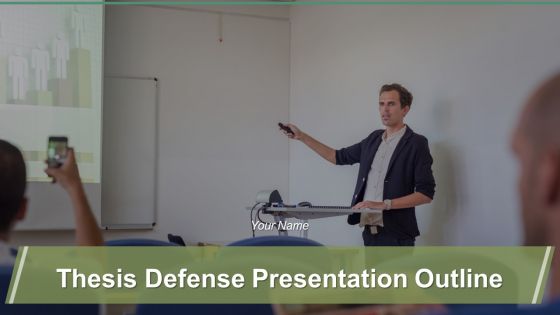
Diapositive 1 : Cette diapositive présente le plan de la présentation de la soutenance de thèse. Indiquez le nom de votre entreprise et commencez.
Diapositive 2 : Il s'agit d'une diapositive d'ordre du jour. Présentez vos agendas ici.
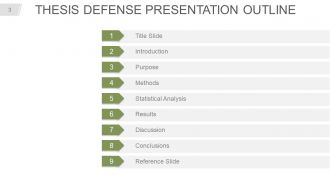
Diapositive 3 : Cette diapositive présente le plan de la présentation de la soutenance de thèse. Nous avons mentionné quelques-uns de ses composants, vous pouvez modifier selon vos besoins.
Diapositive 4 : Ceci est la diapositive de titre pour indiquer votre projet de titre, votre nom, vos diplômes/certifications, le nom du conseiller en thèse.
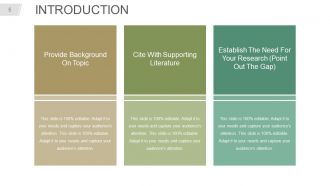
Diapositive 5 : Il s'agit d'une diapositive d'introduction avec ces trois points : fournir des informations sur le sujet, citer la documentation à l'appui, établir le besoin de votre recherche (indiquer l'écart).
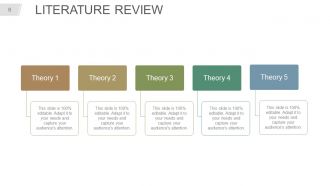
Diapositive 6 : Cette diapositive présente la REVUE DE LA LITTÉRATURE avec des théories à énoncer.
Diapositive 7 : Cette diapositive est intitulée Déclaration d'objectif avec des images et du texte.
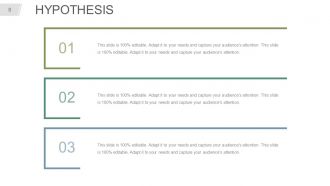
Diapositive 8 : Cette diapositive présente l'hypothèse. Indiquez-les dans ces zones de texte données.
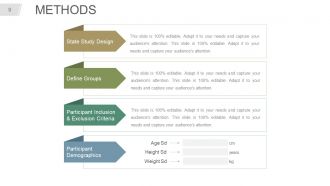
Diapositive 9 : Cette diapositive indique quatre types de méthodes, à savoir : la conception de l'étude d'état, la définition des groupes, les critères d'inclusion et d'exclusion des participants, les données démographiques des participants.
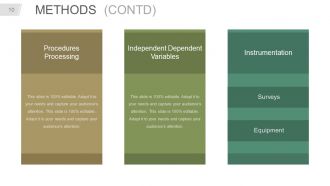
Diapositive 10 : Cette diapositive montre également les méthodes contenant l'instrumentation, les variables dépendantes indépendantes, le traitement des procédures.
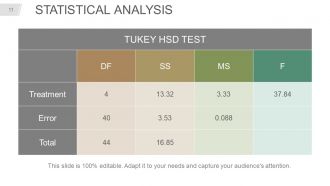
Diapositive 11 : Cette diapositive présente l'analyse statistique sous forme de tableau.
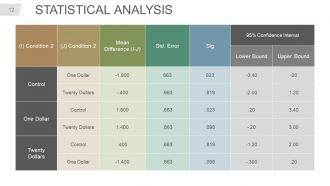
Diapositive 12 : Cette diapositive présente également le tableau d'analyse statistique.
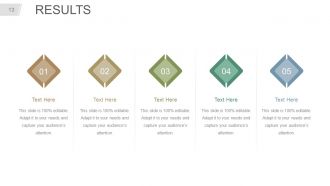
Diapositive 13 : Cette diapositive présente les résultats. Indiquez-les ici.
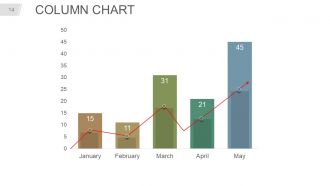
Diapositive 14 : Cette diapositive présente un graphique à colonnes avec lequel vous pouvez comparer les produits.
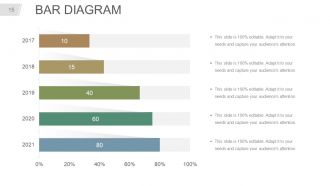
Diapositive 15 : Il s'agit d'une diapositive d'image de diagramme à barres pour montrer la comparaison des produits, la croissance, etc.
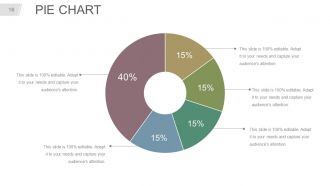
Diapositive 16 : Ceci est une diapositive de graphique à secteurs pour montrer la comparaison produit/entité, les spécifications, etc.
Diapositive 17 : Il s'agit de la diapositive de DISCUSSION à énoncer.
Diapositive 18 : Cette diapositive indique les LIMITES DE VOTRE ÉTUDE avec des images d'icônes et des zones de texte.
Diapositive 19 : Il s'agit de la diapositive CONCLUSIONS / CONSTATATIONS. Indiquez ici les conclusions, constatations, etc. de votre entreprise.
Diapositive 20 : Cette diapositive présente les IMPLICATIONS POUR LA RECHERCHE FUTURE.
Diapositive 21 : Ceci est la diapositive Références à indiquer et à afficher.
Diapositive 22 : Ceci est une diapositive de questions. Utilisez-le selon vos besoins.
Diapositive 23 : Cette diapositive s'intitule Diapositives supplémentaires pour avancer. Vous pouvez modifier le contenu de la diapositive selon vos besoins.
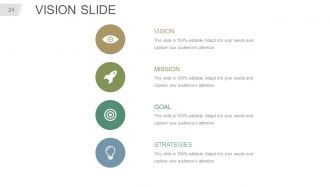
Diapositive 24 : Ceci est la diapositive de vision pour énoncer votre vision, votre mission, etc.
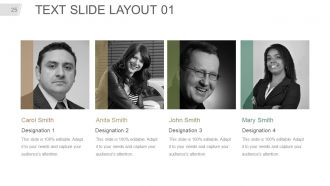
Diapositive 25 : Il s'agit de la MISE EN PAGE DE LA DIAPOSITIVE 01. Présentez ici le nom et la désignation de votre équipe.
Diapositive 26 : Il s'agit de la MISE EN PLACE DE LA DIAPOSITIVE TEXTE 02. Présentez ici le nom et la désignation de votre équipe.
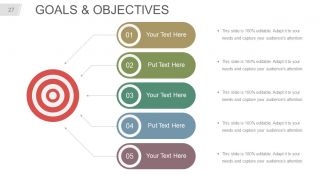
Diapositive 27 : Cette diapositive montre les buts et objectifs. Indiquez-les dans ces zones de texte données.
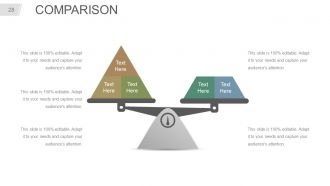
Diapositive 28 : Cette diapositive montre une comparaison avec l'équilibrage des images à l'échelle et des zones de texte.
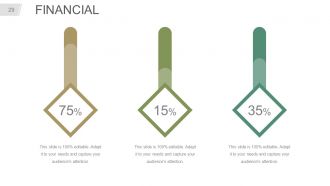
Diapositive 29 : Il s'agit d'une diapositive de score financier. Indiquez ici les aspects financiers, les informations, etc.
Diapositive 30 : Il s'agit d'une diapositive de citations pour transmettre le message de l'entreprise / organisation, les croyances, etc. Vous pouvez modifier le contenu de la diapositive selon vos besoins.
Diapositive 31 : Ceci est la diapositive du tableau de bord pour afficher des informations en pourcentages, etc.
Diapositive 32 : Ceci est une diapositive de localisation sur une image de carte du monde pour montrer la croissance mondiale, la présence, etc.
Diapositive 33 : Il s'agit d'une diapositive d'image de la chronologie pour montrer les facteurs de croissance, les jalons, etc.
Diapositive 34 : Ceci est une diapositive Post it pour marquer les rappels, les événements, etc.
Diapositive 35 : Il s'agit d'une diapositive News Paper pour afficher des nouvelles, des événements, etc. Vous pouvez modifier le contenu de la diapositive comme bon vous semble.
Diapositive 36 : Ceci est une diapositive de pièces de puzzle pour afficher des informations, des spécifications, etc.
Diapositive 37 : Il s'agit d'une diapositive d'image cible créative. Indiquez ici vos objectifs importants.
Diapositive 38 : Il s'agit d'une diapositive d'image circulaire pour afficher des informations, des spécifications, etc.
Diapositive 39 : Il s'agit d'une diapositive d'image du diagramme de Venn pour afficher des informations, des spécifications, etc.
Diapositive 40 : Cette diapositive présente une carte mentale. Indiquez ici les informations, les spécifications, etc.
Diapositive 41 : Ceci est une diapositive MATRIX avec des paramètres High et Low.
Diapositive 42 : Ceci est une diapositive Lego pour présenter des informations, des spécifications, etc.
Diapositive 43 : Il s'agit d'une diapositive Silhouettes pour présenter des informations spécifiques, des spécifications, etc.
Diapositive 44 : Cette diapositive présente une hiérarchie pour présenter les informations de l'équipe, les spécifications, etc.
Diapositive 45 : Il s'agit d'une diapositive d'image Bulb & Idea pour montrer des idées, des informations innovantes, etc.
Diapositive 46 : Il s'agit d'une diapositive d'image en forme de loupe pour afficher des informations, des spécifications, etc.
Diapositive 47 : Il s'agit d'une diapositive de graphique à barres pour montrer la comparaison produit/entité, les spécifications, etc.
Diapositive 48 : Il s'agit d'une diapositive d'image d'entonnoir pour afficher des informations, les aspects de l'entonnoir, les spécifications, etc.
Diapositive 49 : Ceci est une diapositive de remerciement avec le numéro de rue de l'adresse, la ville, l'état, les numéros de contact, l'adresse e-mail.
Dossier de présentation de la soutenance de thèse Diapositives de présentation PowerPoint avec les 49 diapositives :
Laissez le chat sortir du sac avec nos diapositives de présentation PowerPoint de présentation de soutenance de thèse. Faites confiance à votre équipe grâce à vos points de vue.
-
Thesis Defense Presentation Outline
-
Agenda Slide
-
Thesis Defense Presentation Outline
-
Title Slide
-
Introduction
-
Literature Review
-

Purpose Statement
-
Hypothesis
-
METHODS
-
METHODS CONTD
-
Statistical Analysis
-
Statistical Analysis
-
RESULTS
-
Column Chart
-
Bar Diagram
-
Pie Chart
-
Discussion
-
Limitations of Your Study
-
Conclusions Findings
-
Implications for Future Research
-
REFERENCES
-

Any Questions
-
Additional Slides
-
Vision Slide
-
TEXT SLIDE LAYOUT 01
-
TEXT SLIDE LAYOUT 02
-
Goals Objectives
-
Comparison
-
Financial
-
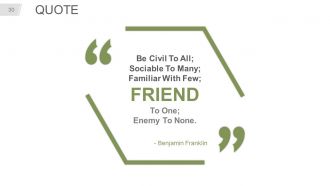
Thesis Defense Outline Slid
-
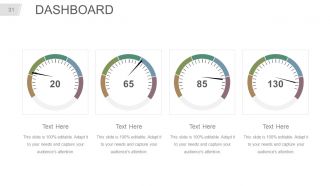
Dashboard
-
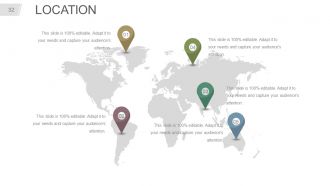
LOCATION
-
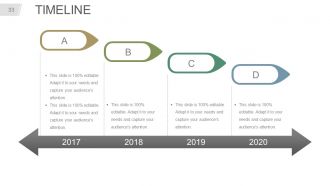
Timeline
-
Post It
-
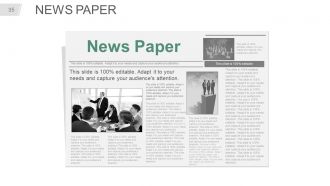
News Paper
-
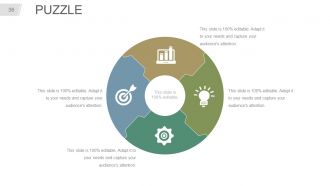
PUZZLE
-
TARGET
-
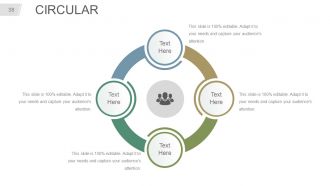
Circular
-
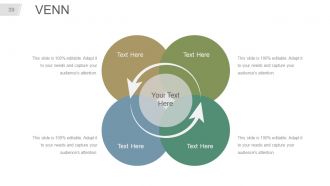
Venn
-
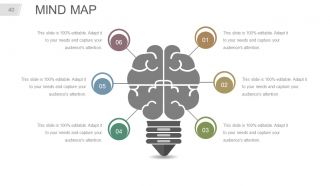
Mind Map
-
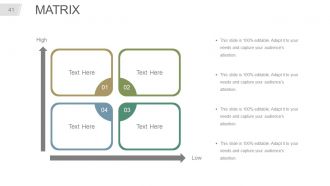
Matrix
-
LEGO
-
Silhouettes
-
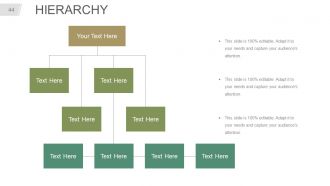
Hierarchy
-
BULB IDEA
-
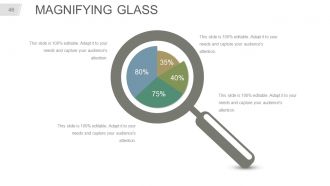
Magnifying Glass
-
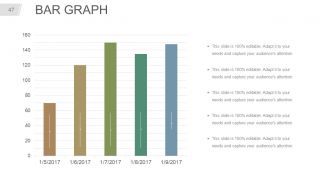
BAR GRAPH
-
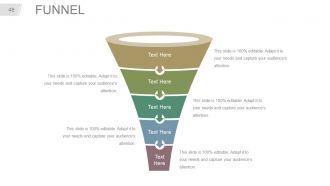
FUNNEL
-

Thesis Defense Outline Slid
FAQs for Thesis defense presentation outline
So for your thesis defense outline, start with your intro - quick research question plus why anyone should care. Then walk through your methodology and hit your biggest findings. The Q&A part is honestly brutal, so prep hard for that. End with conclusions and tie it all back together. Oh, and definitely mention your study's limitations and what future research could look like. Practice transitions between sections so you're not awkwardly shuffling around. Time yourself too - going over is such an amateur move and you don't want that stress.
Okay so first thing - spend like 2-3 minutes on your research question and why anyone should care. Your methodology can be pretty quick unless you invented something crazy new. The results section is where you'll spend most of your time, maybe 15-20 minutes? I know it feels scary but honestly that's your moment to show off what you found. Make sure your visuals are solid. For the wrap-up, talk about what this actually means instead of just listing what went wrong. Oh and definitely practice those transitions - nothing's worse than awkward pauses between sections. You'll probably get asked "so what?" so be ready for that. Just know your stuff inside and out but don't sound like a robot when presenting.
Your intro is basically your elevator pitch to the committee - gotta hook them fast. Present your research problem and why anyone should care about it. Give them a quick roadmap of what's coming next. Here's the thing though: don't dump all your background info here (save that heavy stuff for lit review). You want everyone on the same page without overwhelming them. Keep it tight but interesting enough that they're actually curious to hear more. Honestly, if you nail this part, the rest flows so much easier. Think credible but not boring.
Pick your 3-4 biggest wins and state them straight up - no rambling explanations. Hit the discoveries that actually answer your research question. Think greatest hits, not those weird findings your advisor got weirdly excited about. Start each one with the result, then quickly mention what backs it up. Your committee has different backgrounds, so don't get too technical. Here's what helped me: practice saying each finding in one sentence. If you can't nail it in one clean sentence, your message isn't ready yet. Short punchy statements work way better than long explanations anyway.
Go through your thesis and find the sketchy parts - that's where they'll hit you. I'd practice with people outside your field since they catch the jargon you don't realize you're using. What helped me was making a list of potential questions with loose answers, but don't script everything or you'll sound robotic. Honestly, some committee members ask weird tangential stuff just to see how you handle it. When you're stuck, just say "good question, give me a sec to think" - totally normal and buys you time. Oh, and ask yourself what you'd grill someone on if you were sitting there for three hours.
Dude, visual aids will save your life during defense. Seriously - slides with your key findings and data charts keep everyone awake and actually following along. I've watched defenses where people just mumbled through notes... painful. Your methodology flowcharts and graphs make complex stuff way easier to digest than just spitting out numbers. But don't cram text everywhere - clean slides that support what you're saying work best. Oh and definitely practice with the tech beforehand because nothing kills momentum like fumbling with your laptop for five minutes.
Tell it like a story - big picture first, then get into the weedy details. But here's the thing: explain WHY you picked each method, not just what you did. Most people drone on with jargon and lose everyone. Use flowcharts or diagrams to keep it visual. Call out your limitations before they do - trust me on this one. Practice explaining the complex stuff simply. If your roommate can't follow it, you're not there yet. Oh, and have backup slides ready for when they inevitably ask about your statistical tests.
Don't just shove all the "why this matters" stuff at the end - scatter it throughout your whole outline. Your intro should hook people immediately by explaining the actual problem you're solving. Methods section? Mention why your approach kicks ass compared to what's already out there. Results aren't just data dumps either - tell people what it actually means for the field. I always picture explaining it to my mom, honestly. She'd ask tough questions. Wrap up with real-world stuff: how practitioners will use this, what new research it'll spark, or if it'll change any policies. That's what makes people care.
Honestly, just go with whatever's clean and easy to read - Times New Roman 12pt is perfect, don't overthink it. Bold your main sections, italics for subsections, bullet points for key stuff. Leave tons of white space so you can actually find things when you're panicking up there lol. Your committee literally could not care less about fancy formatting. They want to see solid logic and flow. Oh, and double-check if your department has weird formatting rules first. But really, make it work for YOU since you'll be the one frantically scanning it during your defense.
Don't hide your limitations in the conclusion - give them their own slide. Honestly, this is where you can actually look really smart by being upfront about what you couldn't do or control. Your committee knows no study is perfect anyway. For each limitation, mention what future research could tackle or why you had to make that choice given your time/budget/whatever. Just state them plainly without being all apologetic about it. Oh and definitely pair them with "here's what someone could study next" - makes you sound like you're already thinking beyond this project.
Honestly, just think about real problems your research could actually fix. Like, pick some industry examples or policy stuff where your work would matter. My go-to trick? Pretend you're explaining it to your mom or whatever - that's when you'll find the good practical examples. Could your findings help companies cut costs or make patients healthier? Maybe it streamlines some annoying process people deal with. Focus on 2-3 solid examples that connect directly to what you discovered. Practice saying them without all the academic jargon. Trust me, this approach works way better than staying stuck in research-speak that nobody outside your field understands.
Don't just assume they'll figure out your contributions on their own - spell it out clearly in a dedicated section. Start your bullet points with "I developed" or "I discovered" so there's no confusion about what YOU did. Most students are way too modest here, which is honestly kind of frustrating to watch. Each point should show how you're filling gaps or pushing the field forward. Oh, and definitely practice explaining each one in like 1-2 sentences max because they'll definitely ask follow-ups. You need to be ready to defend why each contribution actually matters.
Okay so definitely practice out loud - like, actually speaking, not just reading through slides. Your brain works totally different when you're talking vs reading silently. I'd record yourself or grab some friends to practice with, maybe have them throw random questions at you. Time everything too, especially prep for the brutal questions your committee will probably ask. Oh and the opening/closing are huge since that's when you'll be most nervous. If you can do a full run in the actual room, do it - the tech setup is always weird. Also practice explaining your stuff to people who aren't in your field. Sounds random but it really helps you nail down your main points.
Dude, time management will literally make or break your defense! You've got maybe 15-20 minutes to show off years of work - kinda nuts if you ask me. Break it down with actual time limits: 3 minutes for background, 8 for your methods/results, 4 for wrapping up. Your outline isn't just helpful, it's essential for staying on track and not rambling about setup stuff. I cannot stress this enough - practice with a timer! Like, obsessively. Your committee will totally notice if you're rushing through conclusions because you spent forever explaining background material. Trust me on this one.
Hit three main things in your conclusion: what you actually contributed, where your work falls short (be real about it), and what should happen next research-wise. Don't just repeat everything you already said - honestly, committees hate that. Show them how your work moves the field forward. Be proud of what you pulled off, but also prove you get where the gaps are. I'd end with concrete next steps that go beyond just "I'm graduating now, bye!" The committee wants to see you can deliver AND think bigger picture about where this research heads next.
-
Great maintain it is helpful for easy presentation
-
Yemen
-
Commendable slides with attractive designs. Extremely pleased with the fact that they are easy to modify. Great work!
-
Helpful product design for delivering presentation.
-
great