


Business Training Roadmap Powerpoint Presentation Slides




Try Before you Buy Download Free Sample Product
 Impress Your
 Audience
 100%
100% Editable
 Save Hours
 of Time


Create a challenging yet customizable professional development plan by using the Business Training Roadmap PowerPoint Presentation Slides. You can review job aids and other support materials of your organization with the help of a training timeline PPT slideshow. Use the company learning roadmap PowerPoint graphic to focus on the time management and project planning of the business. Employ the business training roadmap presentation template to visualize the learning strategies and targets of your company. With the help of this professionally designed learning & development roadmap PPT deck, you can showcase the steps that help you to stabilize your position in the marketplace. Included here are various high-grade icons with which you can make your presentation eye-catchy and knowledgable. Take the assistance of the product training PPT slides to control and evaluate the business activities. You can discuss the future objectives of your company with other employees by downloading our ready-to-use training strategy PowerPoint layout.
People who downloaded this PowerPoint presentation also viewed the following :
Content of this Powerpoint Presentation
Slide 1: This slide introduces Business Training Roadmap. State Your Company Name and begin.
Slide 2: This is Our Agenda slide. State your agendas here.
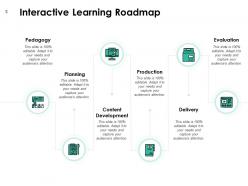
Slide 3: This slide shows Interactive Learning Roadmap describing- Pedagogy, Planning, Production, Content Development, Delivery, Evaluation.
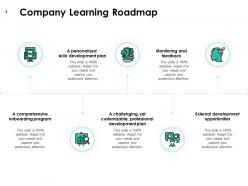
Slide 4: This slide presents Company Learning Roadmap describing- A comprehensive onboarding program, A personalized skills development plan, A challenging, yet customizable, professional development plan, Monitoring and feedback, External development opportunities.
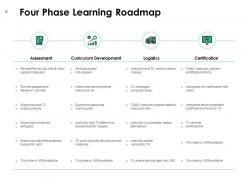
Slide 5: This slide displays Four Phase Learning Roadmap.
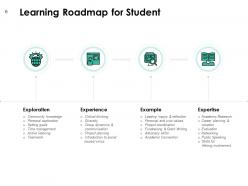
Slide 6: This slide represents Learning Roadmap for Student describing- Experience, Exploration, Expertise, Example.
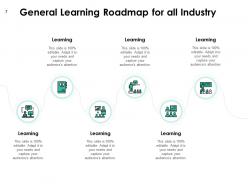
Slide 7: This slide showcases General Learning Roadmap for all Industry.
Slide 8: This slide displays Company Learning Roadmap icons.
Slide 9: This slide is titled as Additional Slides for moving forward.
Slide 10: This is Our Mission slide with related imagery and text.
Slide 11: This is Meet Our Team slide with names and designation.
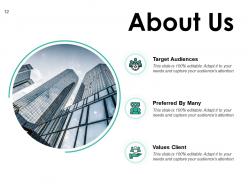
Slide 12: This is About Us slide to show company specifications etc.
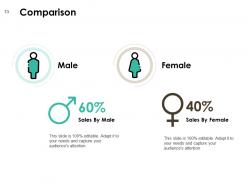
Slide 13: This is a Comparison slide to state comparison between commodities, entities etc.
Slide 14: This is a Financial slide. Show your finance related stuff here.
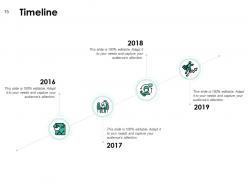
Slide 15: This is a Timeline slide to show information related with time period.
Slide 16: This slide displays Magnify Glass to highlight information.
Slide 17: This is a Thanks You slide with address, contact numbers and email address.
Business Training Roadmap Powerpoint Presentation Slides with all 17 slides:
Use our Business Training Roadmap Powerpoint Presentation Slides to effectively help you save your valuable time. They are readymade to fit into any presentation structure.
FAQs for Business Training Roadmap
Start with your learning goals and figure out what skills people actually need vs what they have. Build different ways to learn - some folks love workshops, others prefer online stuff or just having a mentor. Honestly, most roadmaps crash because teams get way too excited and plan like 6 months of training in 2 weeks. Set realistic timelines and check in regularly to see how it's going. Oh, and get your leadership on board first - if they don't see how this connects to business results, you're basically dead in the water before you start.
Honestly, just ask people what they want to learn - you'd be surprised how straightforward they are about it. Performance reviews and skills assessments help too, but surveys are gold. Check your business goals and see what skills you're missing to hit those targets. I always look at where teams keep messing up the same stuff, that's usually a dead giveaway. Mix the strategic needs from above with what employees actually tell you they need. Oh, and start simple - literally ask "what would help you do your job better?" Works every time.
Honestly, tech has completely changed how we do training at work. LMS platforms let people learn at their own pace, and VR simulations are actually pretty cool for hands-on stuff. Analytics dashboards show you who's struggling (or just not logging in lol). AI can customize learning paths too, which is way better than making everyone sit through the same boring content. Mobile learning is huge - your team can knock out modules wherever. Gamification keeps people interested instead of those death-by-PowerPoint sessions we all hate. I'd start by looking at what you're already using and pick one thing to upgrade first.
Honestly, you need both the hard numbers and the fuzzy stuff. Track completion rates, test scores, whether people actually perform better afterward - that's your foundation. But don't skip the surveys about confidence and job satisfaction. Are they using what they learned? Big one right there. Watch for things like fewer mistakes or faster work too. Oh, and baseline everything before you start - then check back at 30, 60, 90 days. Makes comparison way easier. A simple dashboard helps keep it all organized without going crazy with data.
Mix things up with breakout discussions, polls, hands-on stuff - anything but death by PowerPoint. People check out SO fast with just slides. Make it about their actual job problems, not some random theoretical case they'll never see. Real company examples work way better. Oh and keep sessions under 90 minutes or you'll lose them completely. Getting people talking instead of just sitting there is huge. I always start by asking what they're actually struggling with - gives you instant buy-in and you know you're hitting the right stuff.
Honestly? Once a year is the absolute minimum, but you'll probably regret waiting that long. Every 6-8 months works way better, especially if you're in tech or anything that changes fast. Like, remember how different everything was just last year? Your training stuff gets stale so quickly now. I'd set up quarterly check-ins to see what feels outdated and get feedback from people actually using it. Oh, and start with whatever modules make you cringe the most - those need fixing first. Calendar reminders are your friend here.
Honestly, the biggest pain points are always money and getting the higher-ups on board early. People think they know what skills they need, but half the time they're totally wrong about the actual gaps. Your roadmap needs to bend when priorities change - and trust me, they will change constantly. Training always takes way longer than expected too, which is annoying but just reality. Oh, and timeline management becomes this whole thing. I'd say start small with a pilot program first. That way you can figure out what actually works and have some real numbers to show it's worth the investment.
Mix up your content formats so everyone can actually learn something. Visual people love infographics and videos. Podcasts work great for auditory learners. Don't forget the hands-on folks - they need simulations or role-playing stuff (seriously, everyone always skips this group). Traditional learners still want their manuals and worksheets, which is totally fine. The trick isn't forcing one format on everyone. Let people grab what works for them. Some topics might click better as a video, others as a quick infographic. Just give options and watch people actually retain the information for once.
Look, technical skills alone won't cut it anymore. Someone might be amazing at Excel but totally bomb when presenting their findings to the team. That's where soft skills come in - communication, problem-solving, all that stuff actually makes the technical knowledge useful. Don't treat them as separate training modules though. Weave emotional intelligence and conflict resolution right into your technical courses. Way better results that way. Oh, and figure out which soft skills directly support whatever technical thing you're teaching first. Makes the whole process smoother.
Honestly, just ask them in different ways - surveys after the session, maybe some quick polls while you're teaching, or just casual conversations later. Anonymous surveys are where you'll get the real tea though, people won't sugarcoat things like they do face-to-face. Mix in some rating scales with open questions about what sucked and what didn't. But here's the thing - you actually have to DO something with their feedback. If everyone says you're going too fast, slow down! I always try to review responses within a couple days, spot the patterns, then tweak things for next time. People notice when their input matters.
Track the obvious stuff first - revenue per employee, productivity gains, fewer screw-ups, customer satisfaction. Retention rates are huge too since hiring replacements costs a fortune (seriously, the numbers are wild). Course completion and knowledge retention tell you if people actually absorbed anything. Also measure how fast new hires get up to speed - that's money in the bank. Honestly, don't overcomplicate it. Pick 3-5 metrics that align with what your company cares about most, throw them in a simple dashboard, and check quarterly.
So here's the thing - when you loop in other departments while planning training, it actually becomes useful instead of boring theoretical stuff. Sales teams know exactly what skills they're missing. IT can tell you what tech problems everyone's struggling with. HR has all the compliance requirements you need to hit. Getting them involved makes employees trust the training more too. I'd honestly just start simple - ask each department head what their biggest three skill gaps are. That's probably way more valuable than whatever corporate initially wanted you to focus on. Build everything around those real problems instead.
Look, leadership development is honestly the foundation of everything else you're trying to do with training. Your leaders end up being the ones who actually make or break whether people stick with new skills and processes after the workshops end. I've seen so many companies dump money into technical training that just dies on the vine because nobody's reinforcing it daily. You want to catch your rising stars early - like before they get that official promotion - and get them into leadership programs. It creates this ripple effect where they're bought in and championing all your other initiatives. Pretty much training the trainers, but for culture.
Honestly, start with multiple formats from day one - videos with captions, transcripts, different languages if your team needs it. Survey people about what barriers they actually face (physical stuff, learning differences, childcare schedules, whatever). Use inclusive language and make sure you're getting diverse perspectives in your content. I've watched so many companies try to add accessibility later and it's such a nightmare. Way easier upfront. Test everything with real users before you launch - like, actually sit with them and watch them try to use it. Oh, and pick one existing program this week to audit. You'll probably find gaps you didn't even think about.
So Google's 20% time thing actually created Gmail and AdSense - pretty wild when you think about it. Amazon does this "Day 1" training to keep people thinking like they're still a scrappy startup. McDonald's has something called Hamburger University (I know, sounds fake but it's real) where they've trained 80k+ managers since the 60s. IBM's big on reskilling people for tech changes with their "New Collar" programs. What connects all these? They start training early, make it continuous instead of one-and-done, and actually link it to business results. You'll want to figure out what winning looks like first, then work backwards from there.
-
Great quality product.
-
Excellent design and quick turnaround.
-
Top Quality presentations that are easily editable.