


Communications Strategy And Planning For Organizations Powerpoint Presentation Slide





Try Before you Buy Download Free Sample Product
 Impress Your
 Audience
 100%
100% Editable
 Save Hours
 of Time


Communicate your values and purpose through our wonderful communications strategy and planning for organizations PowerPoint presentation slide template to determine the smooth flow of information. Since communication is the heart of any organization, this communication strategy PPT design eradicates information blockages and increases transparency. An efficient communication strategy maintains connection, permit businesses to work efficiently towards its goals. Through this planning for organizations presentation one can display the clear status reports to the audience and the managers, as communication is transparent. Clear communication helps each party understand and receive the messages, in better synchronization and efficient performance. Every business owner yearns to maintain and monitor the interaction between resources. A properly crafted communication PPT template fine-tunes the production of an organization. With increasing trend of strategic communication, it has become an integral part of marketing. And, such well designed communication presentation icons prove to be helpful marketing tool, to an essential entity. Arrive at fair decisions with our Communications Strategy And Planning For Organizations Powerpoint Presentation Slide. It dislikes discriminatory approaches.
People who downloaded this PowerPoint presentation also viewed the following :
Content of this Powerpoint Presentation
Slide 1: This slide introduces Communications Strategy & Planning for Organizations. State Your Company Name and get started.
Slide 2: This is an Agenda slide. State your agendas here.
Slide 3: This is an ABOUT THE PRODUCT slide. State product related specifications etc. here.
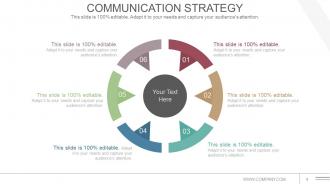
Slide 4: This slide showcases Communication Strategy with a circular image. State communication aspects, strategies etc. here.
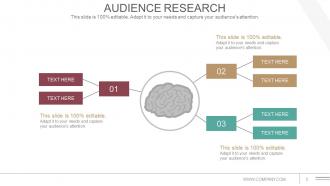
Slide 5: This slide presents Audience Research displaying brain imagery with text boxes.
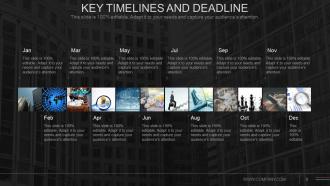
Slide 6: This is a Key Timelines and Deadline slide to show evolution, growth, milestones etc.
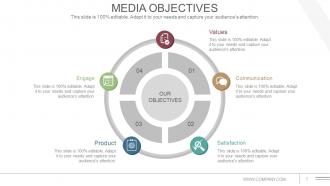
Slide 7: This slide shows Media Objectives to state categorized into- Satisfaction, Product, Values, Communication, Engage.
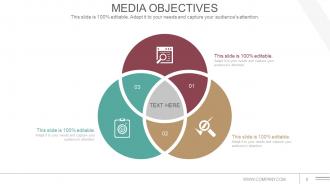
Slide 8: This slide also shows Media Objectives to state for a better clarity.
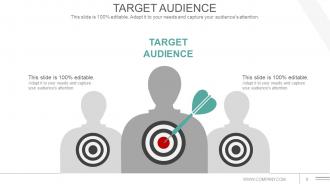
Slide 9: This slide presents Target Audience to target and strategise accordingly.
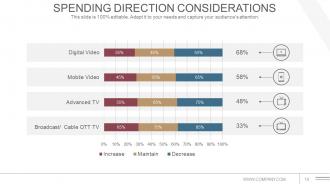
Slide 10: This slide showcases Spending Direction Considerations of the total expenditure involved.
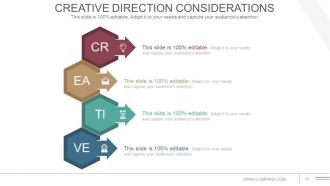
Slide 11: This slide showcases Creative Direction Considerations of the total expenditure involved.
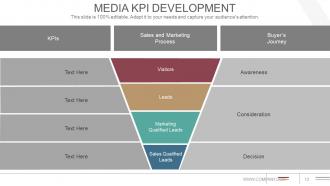
Slide 12: This slide shows Media KPI Development with- Sales and Marketing Process, Buyer’s Journey, Awareness, Consideration, Decision, Visitors, Leads, Marketing Qualified Leads, Sales Qualified Leads.
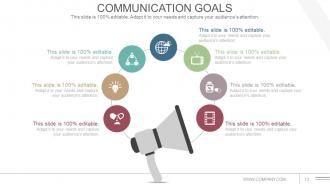
Slide 13: This slide showcases Communication Goals to be displayed with icon imagery.
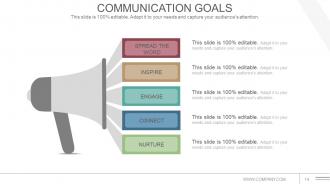
Slide 14: This slide showcases Communication Goals to be displayed such as- Spread The Word, Nurture, Inspire, Engage, C0nnect.
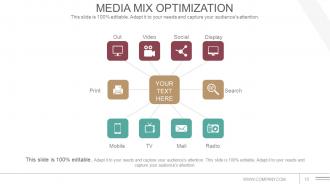
Slide 15: This slide showcases Media Mix Optimization with the following content- Video, Out Door, Social, Display, Search, Radio, Mail, TV, Mobile, Print.
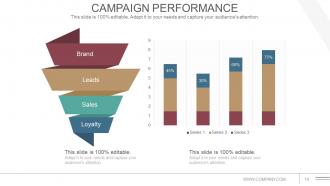
Slide 16: This slide shows Campaign Performance in funnel and graph form showing- Brand, Leads, Sales, Loyalty.
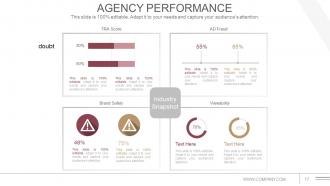
Slide 17: This slide showcases Agency Performance displaying- AD Fraud, TRA Score, Viewability, Brand Safety, Industry Snapshot.
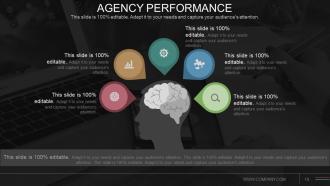
Slide 18: This slide showcases Agency Performance to be shown and calculated. State related aspects here.
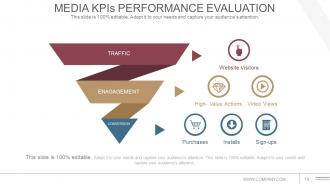
Slide 19: This slide shows Media KPIs Performance Evaluation displaying- Website Visitors, High- Value Actions, Video Views, Purchases, Installs, Sign-ups, TRAFFIC, ENAGAGEMENT, CONVERSION.
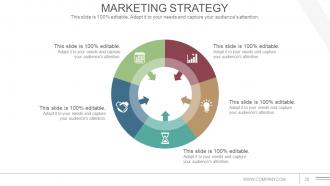
Slide 20: This slide presents Marketing Strategy to be shown and implemented. State related aspects here.
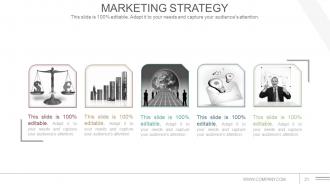
Slide 21: This slide presents Marketing Strategy with related icons to be implemented. State related aspects here.
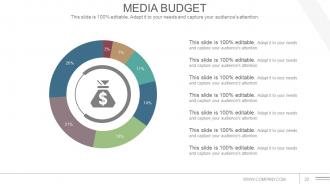
Slide 22: This slide presents Media Budget. Present the total budget to be utilized here.
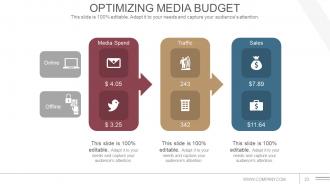
Slide 23: This slide showcases Optimizing Media Budget on- Offline, Online, Media Spend, Traffic and Sales factors.
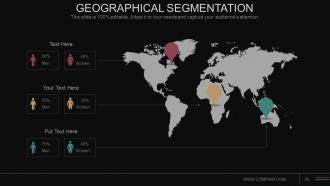
Slide 24: This slide shows Geographical Segmentation on a world map image to segregate market, product location, growth etc.
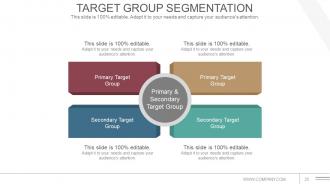
Slide 25: This slide shows Target Group Segmentation dividing into- Primary Target Group, Secondary Target Group.
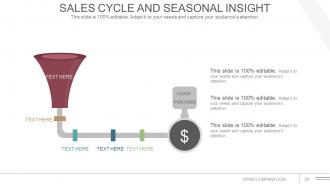
Slide 26: This slide shows Sales Cycle And Seasonal Insight in funnel image form.
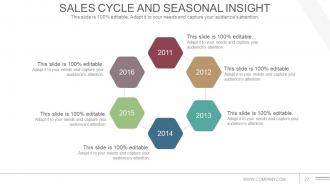
Slide 27: This slide shows Sales Cycle And Seasonal Insight to be stated.
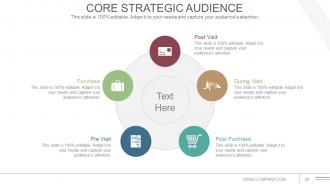
Slide 28: This slide presents Core Strategic Audience with- Post Visit, During Visit, Post Purchase, Pre Visit, Purchase as factors to be discussed and displayed.
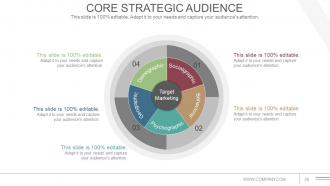
Slide 29: This slide presents Core Strategic Audience segregated into- Socialgraphic, Behavioral, Psychographic, Geographic, Demographic.
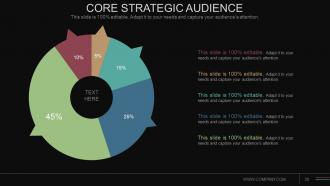
Slide 30: This slide also presents Core Strategic Audience to be stated.
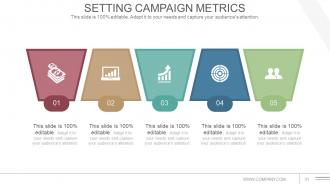
Slide 31: This slide shows Setting Campaign Metrics with icon imagery to go with.
Slide 32: This slide is titled Additional Slides. You may change content as per your need.
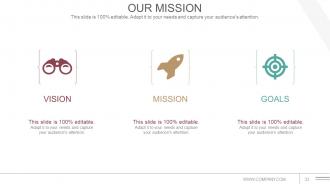
Slide 33: This is Our Mission slide with Goal and Vision. State all these aspects here.
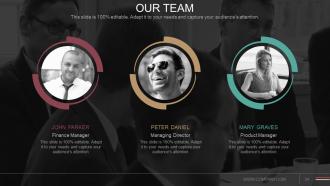
Slide 34: This is an Our Team slide with name, image & text boxes to put the required information.
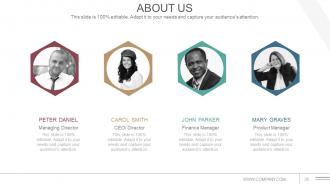
Slide 35: This is an About Us slide. State your position, facts or anything business here.
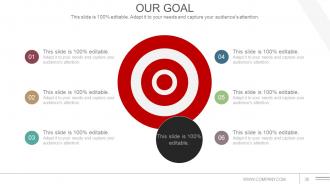
Slide 36: This is an Our Goal slide. State your goals here.
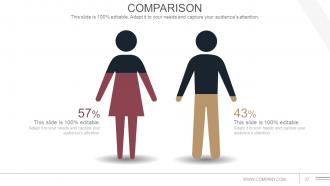
Slide 37: This slide shows Comparison in a creative manner of male and female imagery. State comparison, specifications etc. here.
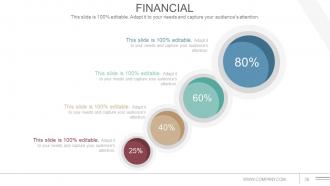
Slide 38: This slide showcases Financial scores, aspects to be put/displayed.
Slide 39: This is a Quotes slide to convey company messages, beliefs etc. You can change the slide contents as per need.
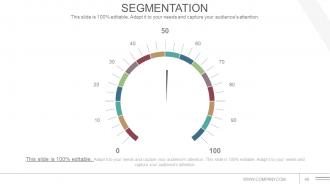
Slide 40: This slide is titled Segmentation. Present segmented entities etc. here.
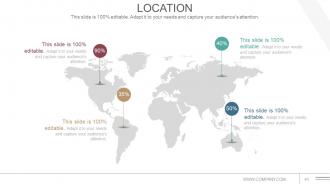
Slide 41: This is a Location slide of world map image to show global presence, growth etc.
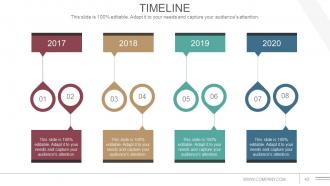
Slide 42: This is a Timeline slide to show evolution, growth, milestones etc.
Slide 43: This is a Post It slide to mark events, important information etc.
Slide 44: This is a Newspaper image slide to show information, specifications etc.
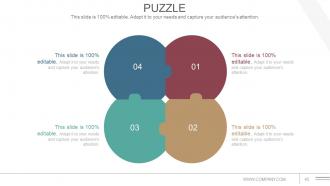
Slide 45: This is a Puzzle image slide to show information, specifications etc.
Slide 46: This is a Target image slide. State targets, aspirations etc. here.
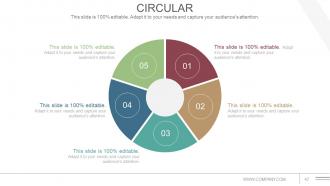
Slide 47: This is a Circular image slide to show information, specifications etc.
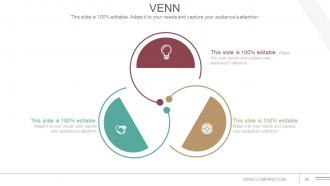
Slide 48: This is a Venn diagram image slide to show information, specifications etc.
Slide 49: This is a Lego image slide to show information, specifications etc.
Slide 50: This is a Silhouettes image slide to show information, specifications etc.
Slide 51: This is a Bulb or Idea image slide to show information, specifications, innovative aspects etc
Slide 52: This slide showcases Magnifying Glass imagery. Present information, specifications etc. here.
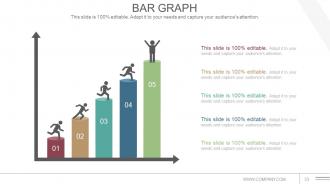
Slide 53: This is a Bar Graph slide to show product/entity comparison, specifications etc.
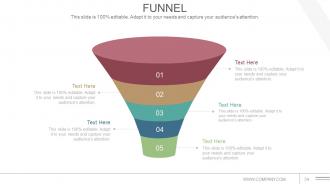
Slide 54: This is a Funnel image slide to show funneling aspects, information, specifications etc.
Slide 55: This is a Thank You slide with Address# street number, city, state, Contact Numbers, Email Address.
Communications Strategy And Planning For Organizations Powerpoint Presentation Slide with all 55 slides:
Fuel their imagination with our Communications Strategy And Planning For Organizations Powerpoint Presentation Slide. Give them cause to create fresh dreams.



FAQs for Communications Strategy And Planning For Organizations
Four main things you'll need: solid objectives first (seriously, nail this down or everything else gets messy), your target audiences, messages that actually speak to each group, and the right channels to reach them. Timeline and budget are super important too - people always forget those until it's crunch time. Build in some way to track what's working so you can adjust. The messaging thing is huge though. Skip the corporate jargon and make sure your points actually connect with people. Once your objectives are clear, the rest falls into place way easier.
Honestly, you gotta nail down your business goals first - like are you trying to hit revenue numbers, expand markets, keep customers around longer? Whatever it is, make sure every single thing you put out connects back to that. Social posts, press releases, internal stuff, all of it should either drive sales or build your brand somehow. I can't tell you how many teams I've seen just throwing content at the wall without any real purpose behind it. Your messaging people need to actually get the bigger business picture, not just whatever's in their marketing brief. Oh, and definitely review your content calendar monthly - keeps you honest about whether you're actually moving the needle.
Honestly, audience analysis is everything when it comes to communication strategy. Without knowing who you're talking to, your messaging will probably fall flat. Think about it - you wouldn't talk to teenagers the same way you'd present to executives, right? You've got to dig into their pain points, figure out where they hang out online, and understand what actually drives their decisions. I always start by building out detailed personas for each audience segment. Then map their preferences and how they make choices. It sounds like extra work, but trust me, it makes crafting your tone and picking the right platforms so much easier.
Honestly, stories just stick better than boring data dumps. People remember them and actually feel something instead of zoning out during another spreadsheet presentation. You're giving your audience something they can picture and relate to, not just random facts. Complex stuff becomes way easier to digest when you wrap it in a story. Customer success stories work great, or even just making up scenarios that show your point. I always think of it like - would I rather hear "our solution increases efficiency by 30%" or hear about how Sarah from accounting finally got to leave work on time? The second one hits different, you know?
Focus on the stuff that actually matters - website traffic, social engagement, email clicks. But here's the thing: vanity metrics are pretty much useless if people aren't taking action. Track what happens after they see your content. Are they signing up? Downloading stuff? Converting? That's where the real insights are. Also throw in some sentiment tracking through surveys or social listening (honestly forgot about that one for way too long). Keep your dashboard simple - like 5 key metrics tops. Otherwise you'll never look at it.
Honestly, just figure out where your people already hang out online first. LinkedIn for the corporate crowd, Instagram for younger folks - you know the drill. Then take what you're already doing and stretch it across those platforms. Like, shoot out an email blast about your press release, post your event stuff on social to get more eyes on it. Your website becomes the home base for everything. Don't overthink it though - you're not starting from scratch here. Digital should just make your existing stuff work harder, not replace what's already killing it for you. Way easier than most people make it out to be.
Start with a style guide - document your messaging, tone, visuals, all that stuff. Trust me, it'll save your sanity when deadlines hit and everyone's posting random content. Have one person check everything before it goes live. Seriously, this catches so many inconsistencies. I'd also do regular brand audits - maybe monthly? Create a quick checklist covering your main brand elements. Make sure your team actually uses it though, otherwise what's the point. Oh, and assign clear ownership so there's no confusion about who's responsible for what platform.
Don't treat your crisis plan like some separate document that'll collect dust. It should flow naturally from your regular communication strategy - same tone, same brand voice, same channels you're already using. Map out who you'll need to contact and how, but use your existing systems. Honestly, the worst thing is sounding like a robot when everything's falling apart. Think of 3-4 realistic scenarios that could actually happen in your industry (not zombie apocalypse stuff) and write some template responses now. That way when something does go wrong, you're not scrambling to figure out basic logistics while also putting out fires.
Oh man, biggest mistakes? Don't try talking to everyone at once - you'll end up saying nothing meaningful. Also, seriously talk to your actual audience first. I've watched teams bomb because they just assumed they knew what people wanted. Research isn't optional! Another thing - keep your messaging stupid simple. What sounds brilliant in meetings usually confuses the hell out of customers. Test your key messages with real people before going live. And honestly? You need clear metrics upfront that tie to actual business goals, otherwise you're just throwing stuff at the wall.
Look, your employees ARE your brand whether you like it or not. When they're actually engaged, they'll naturally share good stuff about work and stick up for you online. During a crisis? They become your most credible defenders. But here's the thing - if your internal messaging doesn't match what you're saying publicly, people notice immediately. Your team needs to believe in what you're putting out there, otherwise it just feels fake to everyone else. I'd definitely sync up your internal and external campaigns regularly. Nothing's worse than employees who seem totally disconnected from your public face.
Honestly, visuals are a game changer for getting your point across. People absorb images like 60,000 times faster than text - which sounds crazy but makes total sense when you think about it. Charts and infographics break up boring walls of text that nobody wants to read anyway. They create emotional connections too, so your message actually sticks. Simple branded graphics or even stock photos can bump up engagement by 30-40% compared to text-only stuff. Social media loves visual content, so it gets shared way more. Start small though - you don't need to go overboard right away.
Honestly, stakeholder feedback is like your sanity check - shows you what's actually working vs what you *think* is working. I usually do surveys or focus groups, sometimes just grab people for quick chats. You'll want to ask specific stuff: does this make sense? What channels do you actually check? The vague "how are we doing" questions are pretty useless. What's wild is how often the feedback completely blindsides you - like, people weren't even seeing half your emails! Use what you learn to tweak your approach. Regular check-ins beat guessing every time.
Oh man, cultural context changes everything when you're communicating. What works perfectly in one place can completely bomb somewhere else. Germans usually want super direct feedback, but in many Asian cultures you need to be way more subtle to avoid making people lose face. You can't just translate your message and call it a day - honestly, I've seen that go wrong so many times. The timing matters too, plus how formal you get. Do some homework on their cultural norms first. When you're not sure, find someone from that culture to check your approach before you send it.
Honestly, social media is perfect for getting your message way further than traditional stuff ever could. Find 2-3 platforms where your people actually spend time - don't spread yourself too thin though, that's a rookie mistake. Twitter's good for quick hits, LinkedIn if you want to sound smart, Instagram for pretty visuals. The cool part is when your audience starts sharing and creating content for you. They become your megaphone basically. Oh, and make a content calendar that connects to your main goals so you're not just throwing spaghetti at the wall hoping something sticks.
Honestly, just pick your battles with communication channels first. Email works for the formal stuff, Slack's great for quick updates, but save face-to-face for anything sensitive. I'd rather overcommunicate than leave people guessing - especially when there's change happening. Skip the jargon completely. People need to actually understand what you're saying, not decode it. Always give them a way to ask questions back. Oh, and regular check-ins are clutch. Don't try fixing everything at once though. Audit what you're doing now, then improve one channel first. You'll burn out trying to overhaul it all.
-
Content of slide is easy to understand and edit.
-
Excellent design and quick turnaround.