


Different Customer Service Channels Edu Ppt




Try Before you Buy Download Free Sample Product
 Impress Your
 Audience
 100%
100% Editable
 Save Hours
 of Time


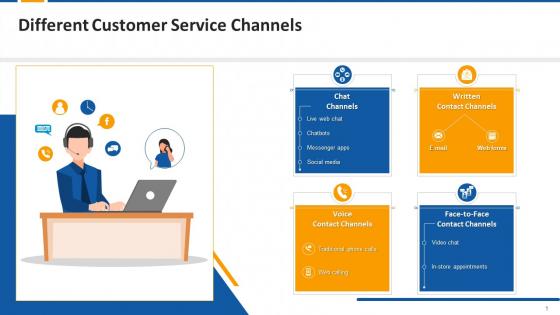
This PPT deck showcases the multiple channels used in customer service to contact users, such as chat, written, voice, and face to face. It further elaborates on the tools used in each channel such as live web chat, chatbots, messenger apps, social media, emails, web forms, traditional phone calls, web calls, video chat, and in store appointments.
People who downloaded this PowerPoint presentation also viewed the following :
Content of this Powerpoint Presentation
Slide 1
This slide covers information regarding the types of
customer service channels such as chatbots, e-mail, video chat, and in-store
appointments etc.
Slide 2
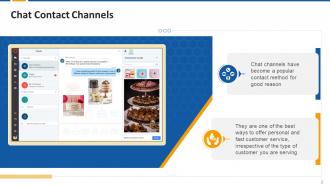
This slide provides an information regarding the chat
as one of the channels to provide customer service.
Slide 3
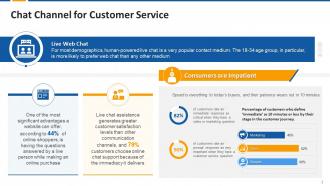
This slide covers information regarding the advantage
of live chat assistance and how it leads to greater customer satisfaction.
Slide 4
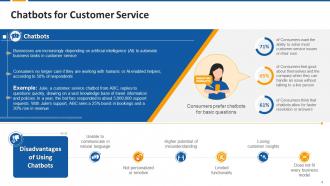
This slide covers information regarding dependency of
businesses on chatbots to automate business tasks in customer service.
Instructor’s Notes:
How can chatbots be used to provide
efficient customer service?
· Implementing
chatbots can be a smart method to provide fast service without making clients
wait if the company receives repetitive inquiries
· At
the first point of contact, a company can use chatbots to reduce customer churn
and make human handovers for complex issues
· Customer
service chatbots can be trained to anticipate customer’s needs and deliver
relevant answers
· With
customer support chatbots, one can reduce the number of support tickets raised
by addressing simple queries instantly
Slide 5
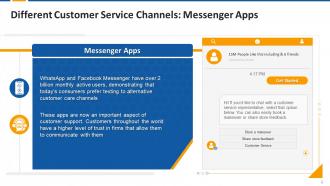
This slide covers information regarding dependency of
businesses on messenger apps for business communication
Instructor’s Notes:
Benefits of using messenger apps in
customer service:
· Messaging
apps are useful for learning how many of your messages are delivered and read
· They
can also be quite effective at providing knowledge about special offers and
promotions
· Customers
do not have to wait to report their queries
Slide 6
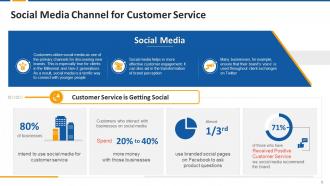
This slide depicts the importance of social media in
customer service. It shows how social media helps in effective customer
engagement.
Slide 8
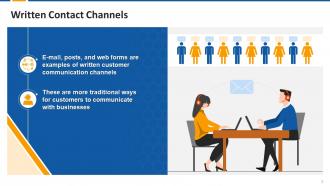
This slide depicts the written contact channels such as
e-mail, posts, and web forms that the customers can use to contact the
companies.
Slide 9
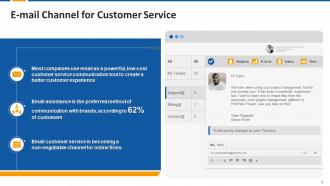
This slide covers how e-mail channel for customer
service as become a powerful and low-cost customer service communication tool
for a better customer experience.
Slide 10
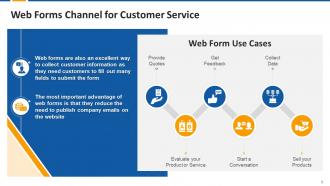
This slide covers the benefits of using web forms to
collect customer information. It also shows the use cases for web forms such as
getting feedback, starting a conversation, and data collection etc.
Slide 12
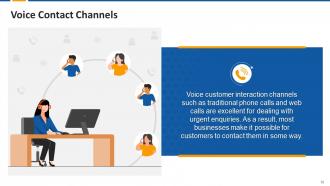
This slide depicts the voice contact channels such as
traditional phone calls and web calls that are used for urgent inquiries by the
companies.
Slide 13
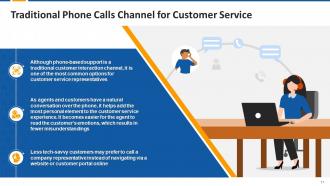
This slide covers the significance of phone-based
support system and why customers choose traditional interaction method over
website or any customer portal.
Instructor’s Notes:
Following are the tips for an organizations which
relies on the voice calls for customer service:
· Customer
care executives must be trained with the proper customer service etiquette to
keep a positive tone when conversing with customers over the phone to maximize
the customer experience
· Agents
can make the conversations personalized by using the customer’s name and
refraining from over-using templatized scripts
Slide 14
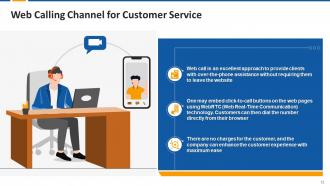
This slide depicts the benefits of web calling that a
company can provide to its customers.
Slide 15
This slide depicts the benefits of using call backs
such as reduced call wait times, improved customer satisfaction, and increased
leads etc.
Slide 17
This slide covers the importance of face-to-face
contact channel such as personalized and proactive customer service.
Slide 18
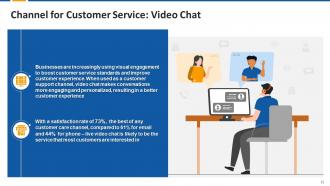
This slide covers how businesses increasingly use
visual engagement like video chat channels to improve the customer experience.
Instructor’s Notes:
Here's how video chat can help businesses
communicate more effectively:
· Live
video chat helps to identify issues faster in the first go and provides
effective responses
· When
used for customer service, video chat allows you to pinpoint the exact problem
in real-time and provide prompt solutions
· Personalized
interactions that build customer trust can be provided during chat sessions
· Unlike
reactive customer care channels, video chat (together with live chat and
co-browsing) assist customers through difficult situations in real-time
Slide 19
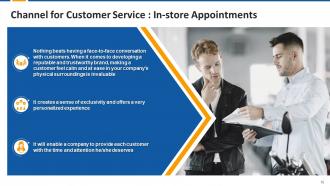
This slide covers the importance of in-store
appointments. In-store appointments in company’s physical surroundings makes a
customer feel calm and at ease.
Different Customer Service Channels Edu Ppt with all 32 slides:
Use our Different Customer Service Channels Edu Ppt to effectively help you save your valuable time. They are readymade to fit into any presentation structure.











FAQs for Different Customer Service
Live chat and email are the big ones. Phone support too, though honestly most people hate calling now - I sure do. Social media's gotten huge since angry customers love posting publicly about bad service lol. Chatbots handle the basic stuff pretty well these days. Self-service portals are solid for people who just want to figure things out themselves. My advice? Pick 2-3 channels and actually do them right instead of trying to be everywhere at once. Better to nail a few than suck at everything.
Dude, live chat absolutely crushes email for customer satisfaction - we're talking 73% vs 61%. People love that instant back-and-forth thing, you know? Email just feels so... formal and slow. Your customers can actually get their problems solved right away instead of waiting around for replies. Plus your support team can juggle like 3-4 chats at once, which is pretty sweet for efficiency. Oh, and nobody wants to deal with those endless email threads that go nowhere. If you're gonna spend money on customer service stuff, definitely put it toward chat first.
Honestly, customers basically live on social media now, so that's where they'll complain first. Twitter and Facebook especially - they know companies hate bad reviews just sitting there publicly, so you're forced to respond super fast. Response time is everything (like, within a few hours max or you look terrible). The visibility is intense but it works both ways - handle something well and boom, free good PR. You really need dedicated people for this though, can't just throw it to whoever. Oh and the tone matters way more than regular support since everyone's watching. It's become this weird mix of customer service and public relations.
Get a platform that connects everything - chat, email, phone, social media. Trust me, customers switch channels constantly and there's nothing worse than having to repeat your whole story. Your CRM needs to play nice with all your communication tools so agents can see the full conversation history. I'd start with whatever two channels you use most, then add others later. Also make sure you've got decent routing set up so stuff doesn't just land randomly. Train everyone on the same processes too - sounds boring but it actually makes a huge difference.
Track response time, resolution time, and CSAT scores - those are your bread and butter. First contact resolution is massive though, because honestly, customers lose their minds when they have to repeat their issue to three different people. Channel volume and cost per interaction will show you what's actually working. Agent utilization and escalation rates matter too. Pick maybe 4-5 metrics that align with what your customers care about and your business needs. Then actually look at them weekly - I've seen too many dashboards that just sit there gathering dust while problems pile up.
Dude, this stuff is wild when you really think about it. Japanese customers usually want those formal email chains where they can think through everything. Americans? Just call us and get it over with. Age matters too - my mom still refuses to use chat support lol. Some cultures think phone calls are rude or pushy, others won't trust you unless you pick up. Don't guess what your customers want though. Survey them directly about which channels they actually prefer using.
Dude, chatbots are getting scary good with AI now. Video support is everywhere too - like actually helpful, not just those awkward Zoom calls. Oh and customers can literally shop and get help in the same app, which is pretty cool I guess. Voice assistants are becoming a thing, plus AR for troubleshooting (mind blown). But here's what's really happening - people start chatting, switch to email, then call, and they don't want to explain everything again. Most companies totally suck at this handoff stuff. Sales and support teams are basically doing the same job now.
Honestly, chatbots are a game changer for customer service. They handle all the boring stuff 24/7 - password resets, order tracking, basic questions. Your actual team can focus on real problems instead. Customers love getting instant answers too, way better than sitting on hold forever (which is the worst). The trick is making sure the bot knows when to pass things off to a human. I'd start with your top 5 most common questions - you'll probably be surprised how much time it saves. Just don't make the bot too robotic, people can tell.
Oh nice! First things first - get your agents comfortable on camera with decent lighting and audio. Nothing worse than trying to help someone when you look like a potato. Use video for the tricky stuff where showing beats explaining, like software demos or product walkthroughs. Always make it optional though - some people just want to stay faceless, which I totally get. Your team should be way more chatty than they'd be in regular chat support. That's literally the whole advantage here. Oh and definitely record sessions if customers are cool with it - you can actually see what's working and what isn't.
Honestly, start by checking where most of your tickets are coming from right now - email, phone, chat, whatever. Then ask your customers what they actually prefer because sometimes there's a weird disconnect there. Social media's a pain since everything's public, but that's usually where stuff blows up first so you can't ignore it. Don't try to be everywhere at once though - pick maybe 2-3 channels and actually do them well. Put your strongest people on whatever gets the most volume. Way better than being mediocre across like 8 different platforms.
Honestly, the messaging consistency thing will drive you nuts - customers notice when your email tone doesn't match your chat vibe. Your team's gonna struggle too, jumping between phone calls and Instagram DMs like they're completely different jobs. The worst part? When someone calls after already emailing and your agent has zero clue about that previous conversation. Makes everyone look incompetent. Budget-wise, you're basically funding multiple support teams at first which... ouch. Oh, and pray your current systems actually integrate because that's where things get messy fast. My advice? Pick two channels, nail those first, then add more slowly.
Set up a knowledge base that everyone can actually access - seriously, I've watched teams fail because they had five different answers floating around. Make templates for the stuff you get asked constantly. Train people on the same responses, policies, and tone whether they're doing email, chat, or whatever. Cross-team meetings help since you'll realize different departments are getting the same weird questions. Oh, and document everything properly - doesn't matter how good your system is if nobody uses it. The whole point is customers shouldn't get wildly different answers depending on who they contact.
Dude, customer feedback is literally a cheat sheet for your business. People complain about hold times but rave about your chat? Move staff there! Track your satisfaction scores and response times for each channel - then actually do something with that info. Honestly, most companies collect feedback and then... nothing happens with it. Set up those feedback loops and let customers guide where you put your energy. They're basically telling you exactly how to not suck at customer service. It's way easier than guessing what'll work.
Honestly, just start with a solid knowledge base and some FAQs - handle all the boring stuff like password resets and order tracking that your team probably hates dealing with anyway. Most people actually want to fix things themselves instead of sitting on hold forever. I'd grab your most common support tickets first and build guides for those. Screenshots help a ton, maybe throw in some quick videos for the messier processes. The trick is making everything super easy to find - nothing worse than burying helpful content where nobody can see it. Oh, and chatbots work great for the really basic questions.
Oh man, messaging apps for customer service can get messy privacy-wise. These third-party platforms basically hoover up user data - some are way worse than others about it. You've got GDPR and CCPA to worry about if sensitive customer info ends up on their servers. Encryption varies like crazy between platforms too. I'd honestly audit their privacy policies first before jumping in. The real pain is you might not control where that customer data actually goes or lives. WhatsApp vs Telegram vs whatever - they're all different beasts when it comes to handling your customers' info.
-
The quality of the templates is as fine as it could get. It was a purchase well made!
-
I am a big fan of their newsletters because that is how I found my perfect requirement at the time of urgency. Thank God, I kept opening those.