

Presentación de disertación Presentación en PowerPoint Diapositivas






Try Before you Buy Download Free Sample Product
 Impress Your
 Audience
 100%
100% Editable
 Save Hours
 of Time


Desarrolle la orden judicial con nuestras diapositivas de presentación de PowerPoint de presentación de disertación. Convence a la gente sobre la decisión de la corte.
People who downloaded this PowerPoint presentation also viewed the following :
Contenido de esta presentación de Powerpoint
Diapositiva 1 : esta diapositiva presenta la presentación de tesis. Indique el nombre de su empresa y comience.
Diapositiva 2 : esta diapositiva muestra la agenda. Puede utilizar para la agenda de su empresa.
Diapositiva 3 : Esta diapositiva muestra el esquema de la presentación de tesis con estos puntos: diapositiva de título, introducción, propósito, métodos, análisis estadístico, resultados, discusión, conclusiones, diapositiva de referencia.
Diapositiva 4 : Esta es una diapositiva de título con estos tres puntos importantes a considerar: su nombre, títulos / certificación, nombre del asesor de tesis.
Diapositiva 5 : Esta diapositiva muestra la Introducción con estas tres características importantes para escribir: proporcionar antecedentes sobre el tema, citar con literatura de apoyo, establecer la necesidad de su investigación (señalar la brecha).
Diapositiva 6 : Esta diapositiva presenta Revisión de literatura. Puede agregar la teoría en estos cinco pasos.
Diapositiva 7 : Esta diapositiva muestra la Declaración de propósito. Puede agregar la declaración.
Diapositiva 8 : Esta diapositiva muestra la hipótesis. Puede agregar la hipótesis en esto según su requisito.
Diapositiva 9 : Esta diapositiva presenta Métodos con estos tres principales: Diseño de estudios estatales, Definir grupos, Demografía de los participantes.
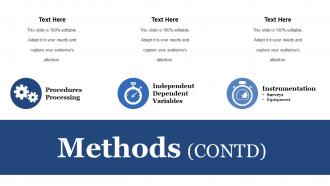
Diapositiva 10 : Esta diapositiva Métodos con estos tres parámetros: Procesamiento de procedimientos, Variables dependientes independientes, Instrumentación.
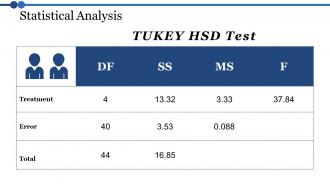
Diapositiva 11 : Esta diapositiva muestra el análisis estadístico con una tabla llamada prueba TUKEY HSD.
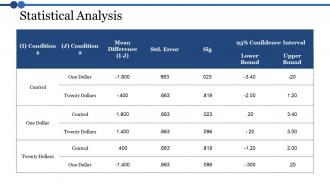
Diapositiva 12 : Esta diapositiva muestra la tabla de análisis estadístico. Puede agregar los datos o la información según sus necesidades.
Diapositiva 13 : Esta diapositiva es para mostrar los resultados. Puede presentar sus resultados con esta diapositiva.
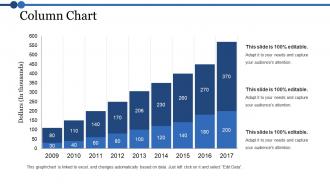
Diapositiva 14 : Este gráfico de columnas de diapositivas con esta comparación de gráfico de barras puede analizar el número de años.
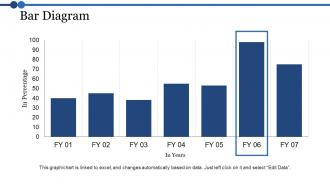
Diapositiva 15 : Esta diapositiva muestra el diagrama de barras con la comparación de los ejercicios.
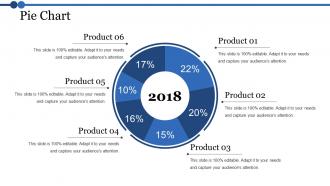
Diapositiva 16 : Esta diapositiva presenta un gráfico circular. Puedes analizar el producto
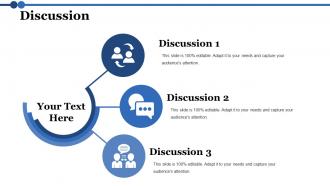
Diapositiva 17 : Esta diapositiva muestra la discusión. Puede agregar el contenido de su discusión.
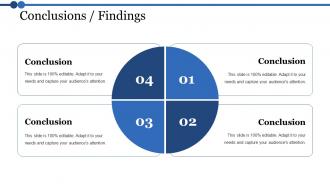
Diapositiva 18 : Esta diapositiva presenta la diapositiva de conclusión. Puede agregar sus conclusiones comerciales y utilizarlas.
Diapositiva 19 : Esta diapositiva muestra las limitaciones de su estudio. Puede agregar las limitaciones y usarlo según sus necesidades.
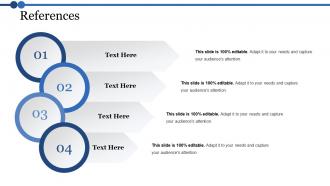
Diapositiva 20 : esta diapositiva muestra las referencias. Agregue sus referencias en estos cuatro pasos.
Diapositiva 21 : Esta diapositiva presenta las implicaciones para la investigación futura. Puede utilizarlo para el trabajo de investigación.
Diapositiva 22 : Esta diapositiva muestra cualquier pregunta. puedes poner tu consulta.
Diapositiva 23 : esta diapositiva se titula Diapositivas adicionales.
Diapositiva 24 : Esta diapositiva contiene Nuestra misión con cuadros de texto.
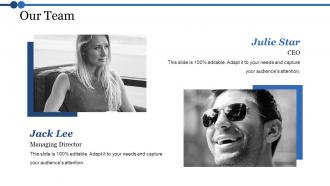
Diapositiva 25 : Esta diapositiva ayuda a representar a Nuestro equipo con cuadros de texto.
Diapositiva 26 : Esta diapositiva ayuda a mostrar: Acerca de nuestra empresa. Los subtítulos incluyen: Diseño creativo, Atención al cliente, Expandir empresa.
Diapositiva 27 : Esta diapositiva muestra Nuestros objetivos para su empresa.
Diapositiva 28 : Indique su puntaje financiero en esta diapositiva con imágenes y texto relevantes.
Diapositiva 29 : Esta diapositiva muestra una comparación. Con esto puedes comparar productos.
Diapositiva 30 : No se trata solo de ser mejor. Se trata de ser diferente. Necesita darles a las personas una razón para elegir su negocio.
Diapositiva 31 : Esta es una diapositiva del Panel de control para mostrar: Sistema estratégico, Éxito, Proceso de metas, Revisión de ventas, Estudio de comunicación.
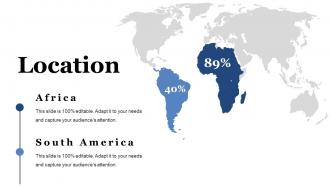
Diapositiva 32 : Esta es una diapositiva de Ubicación para mostrar el crecimiento global, la presencia, etc. en el mapa mundial.
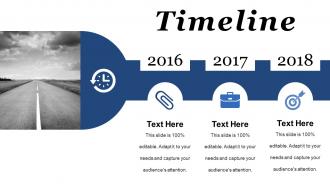
Diapositiva 33 : Esta es una diapositiva de líneas de tiempo para mostrar: planificar, presupuestar, programar, revisar.
Diapositiva 34 : Esta es una diapositiva Post-It para recordatorios del marketing directo.
Diapositiva 35 : esta diapositiva se titula Comunidad para mostrar noticias de la empresa, eventos, aspectos destacados, etc.
Diapositiva 36 : Esta es una diapositiva de rompecabezas con los siguientes subtítulos: publicidad PPC, marketing de medios, marketing impreso, campañas por correo electrónico
Diapositiva 37 : Esta diapositiva muestra Nuestro objetivo con una imagen de fondo
Diapositiva 38 : Esta es una diapositiva de imagen circular para mostrar información, especificaciones, etc.
Diapositiva 39 : Esta es una diapositiva de imagen de diagrama de Venn para mostrar información, especificaciones, etc.
Diapositiva 40 : Esta diapositiva muestra un mapa mental para representar entidades.
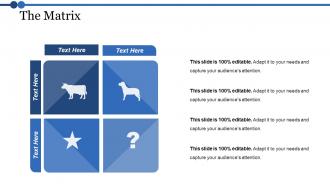
Diapositiva 41 : Esta diapositiva muestra una Matriz con el siguiente contenido: Clientes de desarrollo, Clientes Dilemna, Clientes estrella, Clientes de alto valor.
Diapositiva 42 : Esta es una diapositiva de imagen de Idea para mostrar información, aspectos innovadores, etc.
Diapositiva 43 : Esta es una diapositiva de imagen de agradecimiento con dirección, correo electrónico y número de contacto.
Presentación de disertación Presentación de PowerPoint con las 43 diapositivas:
Dé un gran impulso a sus ganancias con nuestras diapositivas de presentación de PowerPoint de presentación de tesis. Le permiten transportarlo.
-
Dissertation Presentation
-
Agenda Slide
-
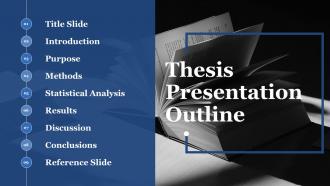
Thesis Presentation Outline
-
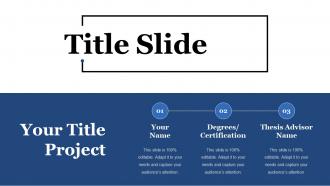
Title Slide
-
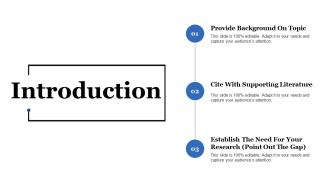
Introduction
-
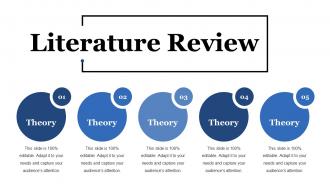
Literature Review
-

Purpose Statement
-
Hypothesis
-
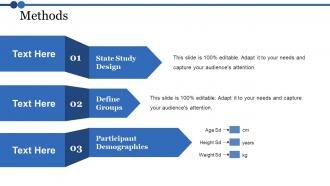
Methods
-
Methods CONTD
-
Statistical Analysis
-
Statistical Analysis
-
Results
-
Column Chart
-
Bar Diagram
-
Pie Chart
-
Discussion
-
Conclusions Findings
-
Limitations Of Your Study
-
References
-
Implications For Future Research
-

Dissertation
-
Additional Slides
-
Our Mission
-
Our Team
-
About Us
-
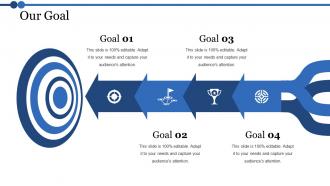
Our Goal
-
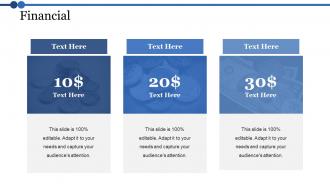
Financial
-
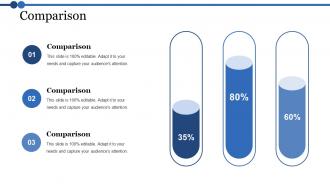
Comparison
-

Dissertation
-
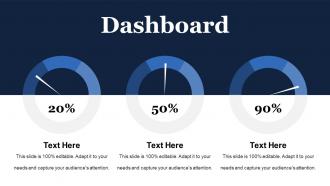
Dashboard
-
Location
-
Timeline
-
Post it
-
News Paper
-
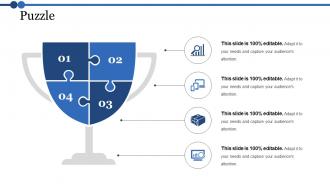
Puzzle
-
Our Target
-
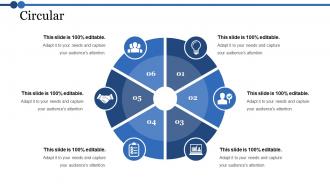
Circular
-
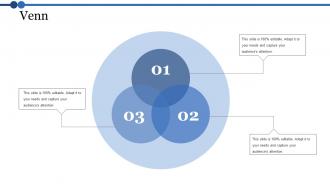
Venn
-
Mind Map
-
The Matrix
-
Great Idea
-

Thank You
FAQs for Dissertation Presentation
Okay so for your defense slides, start with the basics - title slide, problem statement, lit review highlights, methodology, findings, and conclusions. Throw in an acknowledgments slide too (your advisor will love you for it). Also add limitations and future research stuff. Keep it around 15-20 slides max depending on time. Honestly, less text is better since you'll be talking through everything anyway. Use visuals when you can - way more engaging than bullet points everywhere. Oh and definitely practice with your template first so the flow feels natural. The opening slide is super important too, you want to hook people right away instead of losing them in the first 30 seconds.
Start each slide with your biggest finding right up top. Break down the complicated stuff with bullet points - way easier to follow. Charts and graphs are your best friend here, trust me. Ditch the academic speak and talk like you would to your neighbor. Big fonts only (people squint enough already). Practice actually telling the story behind your data instead of just reading slides word for word. Oh, and one slide = one main point. Your audience will actually stay awake if you make it digestible instead of cramming everything together.
One thing per slide, seriously. Big fonts too - 24pt minimum or people will squint and hate you. I learned this the hard way watching someone's amazing research get ignored because nobody could read their slides from the back row. High contrast colors are your friend. Don't go crazy with bullet points either - maybe 3-5 max per slide. Visuals should actually mean something, not just look pretty. Practice how you'll move between slides so you're not fumbling around. Trust me, smooth transitions let you actually connect with your committee instead of staring at your laptop the whole time.
Honestly, less is more with visuals. Make each chart actually mean something instead of just filling slides. I've sat through so many presentations with tiny, impossible-to-read graphs - it's painful. Go big and clean with your visuals, then walk people through them step by step. Here's what works: tell them what they're about to see first, show it, then give them a second to actually look at it. Oh and definitely practice explaining each one out loud beforehand. You'll sound way smoother when you can guide their eyes to the important stuff naturally.
Dude, stick to like 1 slide per minute - so 20 minutes means roughly 20 slides. Don't be that person who squeezes everything onto 8 impossibly dense slides (my advisor did this once and it was painful). Your slides are there to back you up, not do all the talking. Short bursts work better anyway. Focus on your big findings and key visuals instead of paragraph dumps. Oh and if you're camping on one slide for like 2+ minutes, definitely split it up. People zone out fast during these things, trust me.
Honestly, figure out who you're talking to first - makes all the difference. Experts want the nitty-gritty methodology stuff, but mixed crowds need you to start broad and explain terms as you go. I totally bombed once by jumping straight into statistical analysis... half the room just glazed over. Watch people's faces while you're talking - if they look lost, switch gears and use analogies or something. Non-specialists especially need those comparisons to get complex ideas. Oh, and definitely prep multiple ways to explain your main point. You'll probably need them! Reading the room is everything.
Honestly, just drill it with a timer beforehand - like, obsessively. Map out your chunks (intro gets 5 min, methodology 15, whatever) and actually stick to those limits. Practice those transitions until they're second nature because weird pauses will kill your timing. I always have backup sections I can cut if I'm running behind. Oh, and practice your ending separately! That way even if you mess up earlier, you can still nail the conclusion. Use your slide count to track pace without being obvious about checking the time constantly.
Don't interrupt even when you think you know what they're asking - just listen. Taking a pause before answering is totally normal, and honestly saying "great question, give me a sec to think" buys you time. If you don't know something, just say so. Trust me, trying to bullshit your way through is way worse and they'll catch it immediately. Write down their feedback because you'll probably be too anxious to remember later. I know it feels scary, but they actually want you to pass! Try thinking of it more like a conversation than some brutal interrogation.
Dude, storytelling is a game-changer for dissertation presentations! Don't just dump data on people - tell them the story of your research. Open with the specific moment or problem that got you curious in the first place. Then walk them through your detective work (way less exciting than it sounds, but still). Real examples make abstract stuff click way better than bullet points ever will. Structure it like any good story: problem, journey, discovery. Your audience will actually remember what you found instead of zoning out halfway through. Trust me, even the driest research becomes interesting when there's a narrative holding it together.
Dark text on light backgrounds works best for readability - trust me on this one. Stick to max 2 fonts so you don't look all over the place. I made the mistake once of using this bright neon green that literally hurt people's eyes (oops). But you can totally use color strategically to highlight your main points. Keep it clean and simple. Your research should be the star, not your font choices. Oh, and contractions are fine in most presentations these days - makes you sound less robotic. Clean design just makes everything more professional without trying too hard.
Practice your opening and closing lines until they're second nature - that's when nerves hit hardest. Do a complete run-through with friends beforehand, not just pieces. Your audience genuinely wants you to do well, so they're not sitting there waiting for you to mess up. Show up early to check your tech and get familiar with the room. Keep water handy and don't forget to breathe between sections. Oh, and know your stuff inside out - when anxiety kicks in (and it will), you can cruise on that knowledge alone.
Don't let people guess what's new about your research - spell it out! Lead with the gap you're filling, then hit them with "for the first time" when you present findings. Honestly, nothing bugs me more than buried contributions. Make a whole slide just listing your key points as bullets. Show concrete improvements with real numbers and percentages - way more convincing than vague claims. Also, comparisons to existing work are clutch. Wrap up by explaining why it matters outside academia. What future research does this unlock? People need to walk away knowing exactly what you achieved.
Don't cram everything onto your slides - seriously, less is more. People read way faster than you talk anyway. Practice out loud beforehand (trust me on this one, I bombed a presentation once because I didn't). Use visuals instead of walls of text. Oh, and explain why anyone should care about your research beyond just academia. Connect it to real stuff that matters. Prep for questions too - they'll definitely ask about your methods or what went wrong. Honestly, finishing a few minutes early beats running over every single time. Your committee will thank you for it.
Dude, just pretend you're explaining it to someone who's never heard any of this stuff before. I bomb every time I assume people know what I'm talking about. Use normal words instead of fancy ones - like, if you have to say "algorithm," follow it up with "basically just a set of instructions the computer follows." My mom came to my practice presentation once and I could tell she was totally confused lol. Test it on someone random first. They'll shut down the second something doesn't click. Honestly? If a middle schooler would be lost, you're being too complicated.
Check your grad school's website first - they usually have templates that'll match their formatting rules. PowerPoint and Google Slides both have decent academic ones built in too. Ask other students what they used (don't steal content obvs, just see the layout). Your advisor's probably your best bet though - mine had strong opinions about what looked "professional" vs amateur. SlideModel's got some options if you want something fancier. LaTeX works great if you're into that, but honestly might be overkill for a defense. Start simple and go from there!
-
Awesome use of colors and designs in product templates.
-
Good research work and creative work done on every template.
-
cool