

Elevator pitch powerpoint presentation slides





Try Before you Buy Download Free Sample Product
 Impress Your
 Audience
 100%
100% Editable
 Save Hours
 of Time


If you are making a pitch presentation and want to make it purely professional, then check out our 59 slides content-ready Elevator Pitch Powerpoint Presentation Slides. This fully editable elevator speech PPT example deck will let you showcase your topic in a very crisp and visual way. There are many slides like agenda, what, why, how, the problem, the solution, product demo, market size, business model, proprietary technology, competition-competitor identification, competition-competitor positioning, competitive analysis matrix, marketing plan, marketing launch plan, sales and marketing plan, tactical marketing plan, digital marketing plan, and roadmap, social media marketing, team, and many more. Broadly, this business pitch PowerPoint illustrations all the important points and slides required in a well-built elevator pitch PPT presentation, This elevator Statement presentation PPT sample file is multi-purpose as this deck carries slideshow we will spend the money, client testimonials, comparison, dashboards, location, timeline etc. Just click on “download this presentation” and get our Elevator Pitch Powerpoint Presentation Slides. This will not only save you time and money but will wow your audience. Institute an ethical code with our Elevator Pitch Powerpoint Presentation Slides. Insist on folks indulging in honest deals.
People who downloaded this PowerPoint presentation also viewed the following :
Content of this Powerpoint Presentation
Slide 1: This slide introduces the Elevator Pitch. State Company Name and get started.
Slide 2: This is an Agenda slide. State your agendas here.
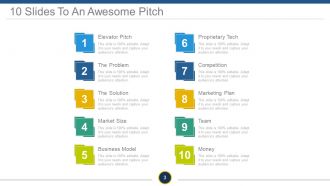
Slide 3: This is 10 Slides To An Awesome Pitch slide containing- Elevator Pitch, The Problem, Market Size, The Solution, Business Model, Proprietary Tech, Competition, Team, Marketing Plan, Money.
Slide 4: This slide is titled as TEASER SLIDE. You may change the content as per need.
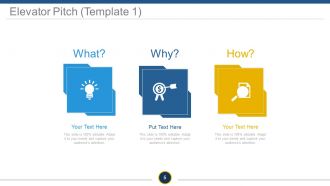
Slide 5: This slide presents the first template on Elevator Pitch.
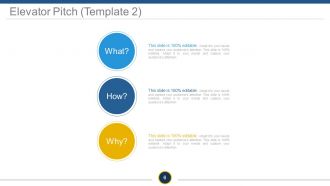
Slide 6: This slide presents the second template on Elevator Pitch.
Slide 7: This slide presents the third template on Elevator Pitch.
Slide 8: This is The Problem displaying slide. State aspects of business problems etc. here.
Slide 9: This is a second slide displaying The Problem.
Slide 10: This is a third slide displaying The Problem.
Slide 11: This is the first slide displaying The Solution.
Slide 12: This is the second slide displaying The Solution.
Slide 13: This is the third slide displaying The Solution such as- Save Time, Save Money, Save Energy.
Slide 14: This is a Product Demo slide. State product aspects here.
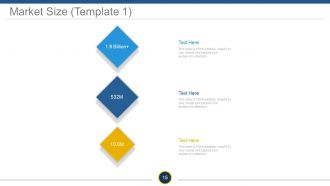
Slide 15: This is the first slide on Market Size.
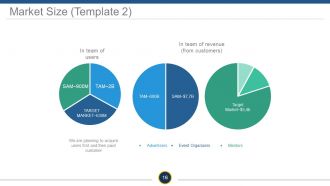
Slide 16: This is the second slide on Market Size showing- TAM, SAM, TARGET MARKET, TAM, SAM, Target Market, Advertisers, Event Organizers Mentors.
Slide 17: This is the third slide on Market Size.
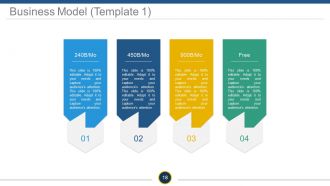
Slide 18: This is the first slide on Business Model. Show how your business model would look like, its functioning aspects etc.
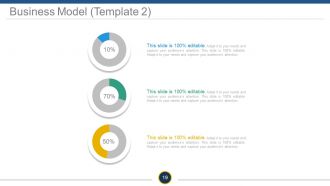
Slide 19: This is the second slide on Business Model. Show how your business model would look like, its functioning aspects etc.
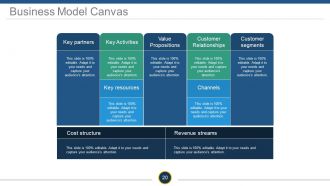
Slide 20: This slide presents a Business Model Canvas displaying- Key partners, Key Activities, Key resources, Customer Relationships, Channels, Customer segments, Cost structure, Revenue streams, Value Propositions.
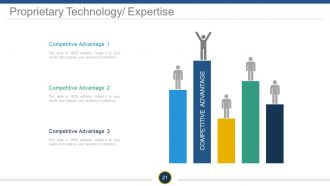
Slide 21: This slide presents Proprietary Technology/ Expertise with Competitive Advantages.
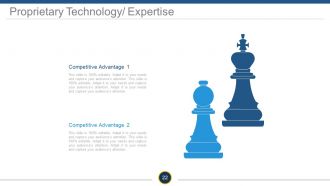
Slide 22: This slide presents Proprietary Technology/ Expertise with Competitive Advantages.
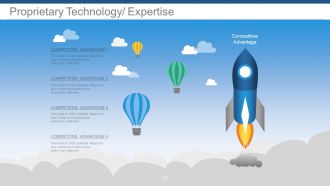
Slide 23: This slide presents Proprietary Technology/ Expertise with Competitive Advantages.
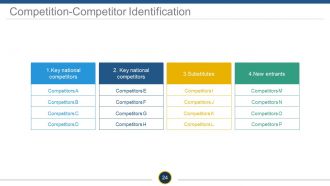
Slide 24: This is a Competition-Competitor Identification table showcasing- Substitutes, New entrants, Key national competitors, Key national competitors.
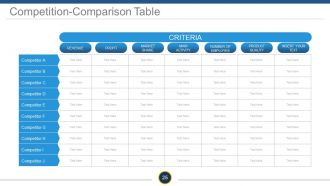
Slide 25: This slide presents Competition-Comparison Table showing- Criteria, Revenue, Profit, Market Share, Main Activity, Number Of Employee, Product Quality.
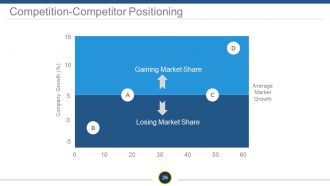
Slide 26: This is a Competition-Competitor Positioning slide showing- Average Market Growth, Company Growth (%), Gaining Market Share, Losing Market Share.
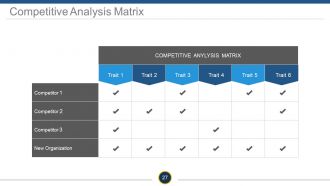
Slide 27: This slide showcases a Competitive Analysis Matrix.
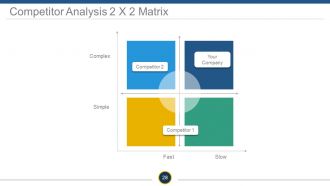
Slide 28: This slide showcases a Competitive Analysis 2 X 2 Matrix to compare your company with competitors.
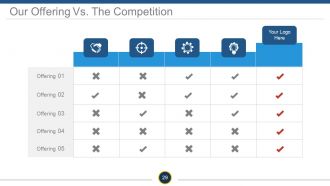
Slide 29: This is Our Offering Vs. The Competition table slide.
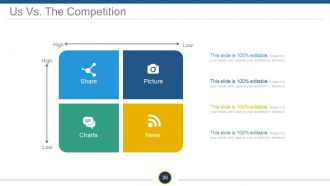
Slide 30: This slide shows Us Vs. The Competition in matrix form displaying- Share, Picture, Charts, News.
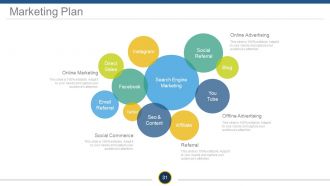
Slide 31: This slide presents Marketing Plan consisting of- Facebook, Social Referral, You Tube, Search Engine Marketing, Seo & Content, Instagram, Blog, Twitter, Email Referral, Affiliate, Direct Sales, Online Advertising, Offline Advertising, Social Commerce.
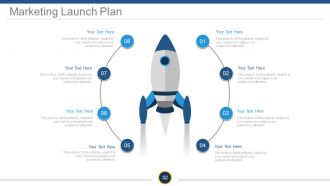
Slide 32: This slide showcases Marketing Launch Plan with a creative rocket launch imagery.
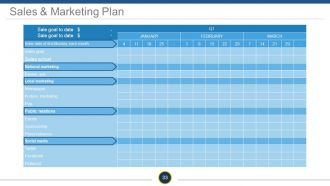
Slide 33: This is a Sales & Marketing Plan slide in tabular form.
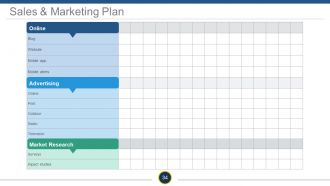
Slide 34: This slide presents Sales & Marketing Plan with- Online, Market Research, Advertising.
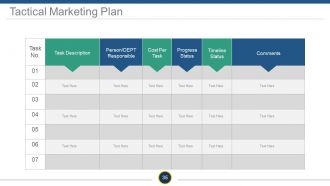
Slide 35: This slide presents Tactical Marketing Plan Task Description, Person/DEPT Responsible, Progress Status, Cost Per Task, Timeline Status, Comments.
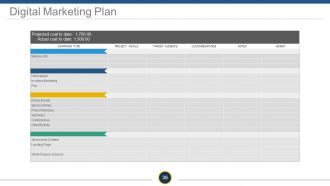
Slide 36: This slide presents Digital Marketing Plan showcasing- Projected coat to date, Actual coat to date.
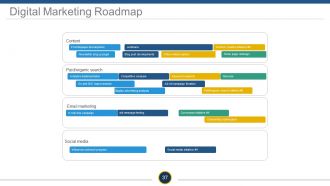
Slide 37: This slide showcases a Digital Marketing Roadmap displaying- whitepaper development, webinars, Content creation initiative, Video w/lead capture, Blog post developments, Newsletter sing up plugin, Home page redesign, Content, Analytics implementation, Competitive analysis, Keyword research, Ad roll campaign iteration, Display advertising analysis, On-site SEO improvements, New bar, Paid/organic search initiative, Paid/organic search, a/b message testing, In trial drip campaign, Email marketing, Conversion initiative, Onboarding optimization, Influencer outreach program, Social media, Social media initiative.
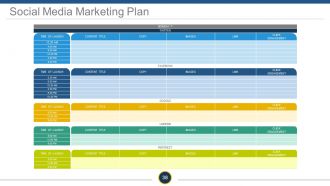
Slide 38: This slide presents a Social Media Marketing Plan.
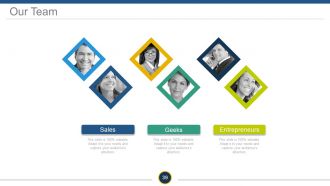
Slide 39: This slide showcases Our Team showing- Geeks Entrepreneurs Sales as departmental segregations.
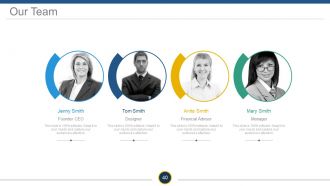
Slide 40: This is an Our team slide with name, designation and text boxes to state information.
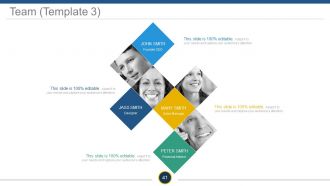
Slide 41: This is a Team slide with name, designation and text boxes to state information.
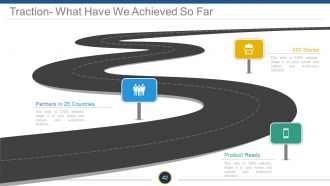
Slide 42: This slide shows Traction- What Have We Achieved So Far with- Partners, 200 Stores, Product Ready.
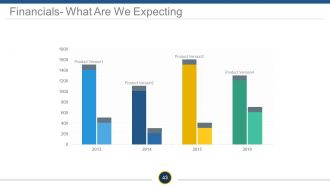
Slide 43: This slide showcases Financials- What Are We Expecting in graph form.
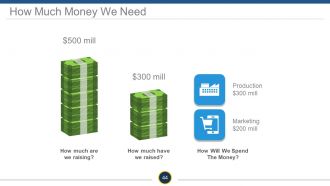
Slide 44: This slide shows How Much Money We Need with- How much are we raising? How much have we raised? How Will We Spend The Money?
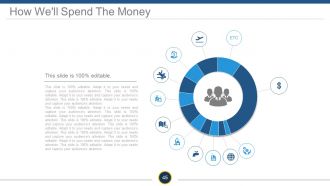
Slide 45: This slide presents How We'll Spend The Money. State future expenditure facts here.
Slide 46: This is a Client Testimonials slide with name, designation and text boxes to state information.
Slide 47: This is another Client Testimonials slide with name, designation and text boxes to state information.
Slide 48: This is also a Client Testimonials slide with name, designation and text boxes to state information.
Slide 49: This slide is titled Additional Slides to move forward. You ma alter/modify the slide content as per need.
Slide 50: This is Our Mission slide with Vision and Goal. State them here.
Slide 51: This is an About Us slide. Show company/team specifications etc. here
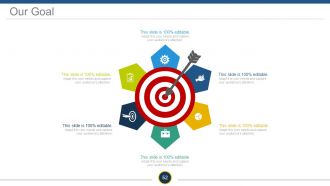
Slide 52: This is Our Goal slide. State them here.
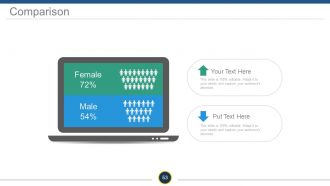
Slide 53: This slide showcases Comparison of two entities in monitor screen imagery form.
Slide 54: This slide presents Dashboard to present Kpis, metrics etc.
Slide 55: This is a Location slide of world map image to show global presence, growth etc.
Slide 56: This is a Timeline slide. State milestones, highlights, evolution etc. here.
Slide 57: This is a Bulb or Idea image slide to state information, specifications etc.
Slide 58: This is a Funnel image slide to show product/entity information, funneling aspects etc.
Slide 59: This is a Thank You slide with Email, Address# street number, city, state, Contact Numbers.
Elevator pitch powerpoint presentation slides with all 59 slides:
Act according to your budget with our Elevator Pitch Powerpoint Presentation Slides. They help chart out your expenditure.
-
Elevator Pitch
-
Agenda
-
Elevator Pitch
-
Teaser Slide
-
Elevator Pitch Template 1
-
Elevator Pitch Template 2
-
Elevator Pitch Template 3
-
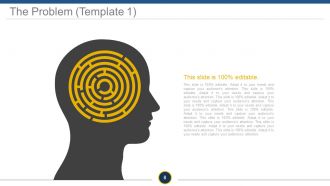
The Problem Template 1
-

The Problem Template 2
-

The Problem Template 3
-
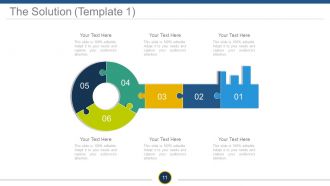
The Solution Template 1
-
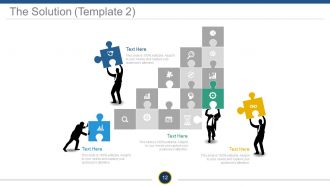
The Solution Template 2
-
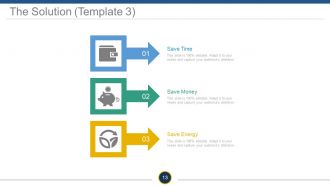
The Solution Template 3
-
Product Demo
-
Market Size Template 1
-
Market Size Template 2
-
Market Size Template 3
-
Business Model Template 1
-
Business Model Template 2
-
Business Model Canvas
-
Proprietary Technology Expertise
-
Proprietary Technology Expertise
-
Proprietary Technology Expertise
-
Competition Competitor Identification
-
Competition Comparison Table
-
Competition Competitor Positioning
-
Competitive Analysis Matrix
-
Competitor Analysis 2 X 2 Matrix
-
Our Offering Vs The Competition
-
Us Vs The Competition
-
Marketing Plan
-
Marketing Launch Plan
-
Sales Marketing Plan
-
Sales Marketing Plan
-
Tactical Marketing Plan
-
Digital Marketing Plan
-
Digital Marketing Roadmap
-
Social Media Marketing Plan
-
Our Team
-
Our Team
-
Team Template 3
-
Traction What Have We Achieved So Far
-
Financials What Are We Expecting
-
How Much Money We Need
-
How We ll Spend The Money
-
Client Testimonials Template 1
-
Client Testimonials Template 2
-
Client Testimonials Template 3
-
Additional Slides
-
Our Mission
-
About Us
-
Our Goal
-
Comparison
-
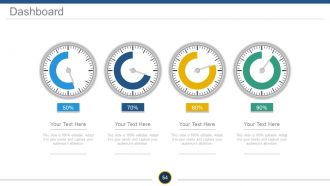
Dashboard
-
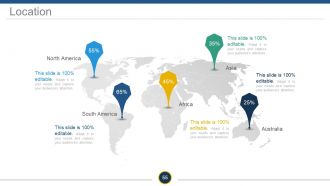
Location
-
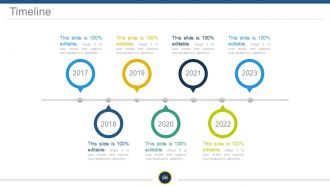
Timeline
-
Bulb Or Idea
-
Funnel
-
Thank You Slide
FAQs for Elevator pitch
Okay so first thing - start with a problem they'll actually care about, not some generic intro about yourself. Then jump into how you solve it differently than everyone else. Most people totally bomb this part because they just ramble about their background instead of focusing on what the listener needs. Keep it under a minute though, seriously. Oh and here's the thing - you gotta end with something specific like "want to see a quick demo?" Don't just leave them hanging there wondering what you want from them.
You need structure so you don't just ramble and forget half your points. I swear, templates are like having a roadmap - you always know what's coming next. Map it out: Problem, Solution, Benefits, then your Ask. That order just works better than jumping around randomly. Your nerves calm down too because you're not improvising the whole thing. After practicing it a few times, the flow becomes automatic. Honestly, I used to wing my pitches and they were disasters. Try reorganizing yours with that simple format and you'll notice how much cleaner it sounds.
Start with something that grabs them - weird stat, problem they actually face, or just say something bold. Stories work way better than boring facts, trust me. I used to ramble through these things forever (still do sometimes). Keep it casual and focus on what's in it for THEM, not how amazing your product is. Throw in real numbers whenever you can - "boosted revenue 40%" sounds way more legit than vague stuff like "great results." Practice until you're not fumbling around, then wrap up with something concrete like "wanna see how this works?"
Honestly, skip the boring "I run a whatever company" opener. Start with a tiny story instead - like "My neighbor was scrambling to find a plumber at 9 PM last month" hits way harder than just explaining your home services app. Keep it crazy short though, maybe 15-20 seconds because... elevators. Then pivot fast to how you actually solved that mess. I always tell people to stick with problem-solution-result - it's simple but works. The whole point is showing the transformation you create, not just listing features. Practice it until it doesn't sound rehearsed!
Dude, body language is literally everything in elevator pitches. Stand tall, make eye contact, don't slouch like a teenager. I always mess up my hand gestures though - you want them purposeful, not just flailing around randomly. Your face should match what you're saying too. Smile when it makes sense, get serious for the important stuff. Honestly, I've watched people bomb amazing pitches just because they looked nervous or kept fidgeting. Oh, and practice in front of a mirror first! You'll catch weird habits you didn't even know you had.
Ok so basically you gotta switch up your pitch depending on who you're talking to. Investors want to hear about money and market size - they're all about ROI. But customers? They just want to know how you'll fix their specific headache. It's kind of like how you talk differently to your boss vs your friends, you know? Same info, different vibe. I always stalk people on LinkedIn beforehand to figure out what keeps them up at night. Your main message stays the same, but swap out examples that'll actually matter to them. Practice a few versions so you're not scrambling when someone asks a curveball question.
Ugh, the worst thing you can do is be super vague. Like saying "I'm passionate about helping people" - literally everyone says that garbage! Get specific about what you actually accomplish. Keep it under 30 seconds too, because people's attention spans are trash. Don't sound like you memorized it word-for-word either. I swear people can tell when you're faking enthusiasm. Pick one clear thing you're good at that actually matters to whoever you're talking to. Practice it till it doesn't feel weird, then switch it up depending on the situation. Way more effective than rambling about everything.
Honestly, yes - visuals can totally save your elevator pitch from being forgettable. Most people absorb info better when they see it anyway. Just keep things stupid simple since you're working with like 30 seconds here. One clean chart or icon per main point works way better than cramming everything in. I'd go with stuff like quick before/after shots or simple diagrams that show your process. Don't just read your slides out loud though - that's painful to watch. The visuals should back up what you're saying, not copy it. Try this test: could someone get your basic idea just from glancing at the slides? If not, strip it down more.
Keep your elevator pitch under a minute - I usually aim for like 30-60 seconds. That's roughly 75-100 words when you write it out. People zone out fast, so you gotta be tight with it. Practice saying who you are, what you do, and why someone should care about that. Honestly, the hardest part is cutting out all the fluff you think sounds impressive but really doesn't matter. Time yourself a few times - you'll probably talk faster when you're nervous anyway. Oh, and don't try to cram your whole life story in there. Just the good stuff.
Honestly, getting feedback on your elevator pitch is a game changer. Friends will straight up tell you when you're being boring or confusing - way better than finding out during the real thing. They catch stuff you totally miss, like talking way too fast or using words that make zero sense to normal people. Have them pretend to be different types of people so you can practice switching it up. Oh, and tell them to stop you the second they get lost. Then make them explain back what they think you actually do. Trust me, I've crashed and burned enough times to know this works way better than just practicing alone in the mirror.
Honestly, you'll know pretty quickly if your pitch is landing. Watch people's faces - are they asking real follow-up questions or just doing that polite nodding thing? I always track the concrete stuff too: how many meeting requests I get afterward, business cards exchanged, new LinkedIn connections. Oh, and response time is huge. When someone says "interesting, let me think about it" then ghosts you completely? Yeah, that's a no. Try asking people a few days later what they actually remember from your pitch - that'll tell you everything. Pick whatever metric matters most for your situation and just track it consistently. Don't overthink it.
Pick one killer example that shows real impact - that's honestly all you need. Don't try to cram everything in there. Something like "we boosted customer retention 40% in six months" hits way harder than listing every single feature you shipped. Make them feel the value instead of getting lost in technical weeds. Simple language works best, especially if you can connect it to stuff they actually care about. You want to get them curious, not overwhelmed with details. Save the deep technical stuff for when they invite you back to talk more.
Honestly, networking events and conferences are your best bet - people actually expect you to pitch yourself there. Job interviews obviously work too, plus client meetings if that's your thing. I've heard people talk about using them in actual elevators but like... who does that anymore? LinkedIn messages are solid, and virtual networking rooms during those endless Zoom events. Just match your vibe to the room, you know? Coffee chat = keep it chill. Big fancy conference = polish it up a bit. I'd practice different versions so you're not caught off guard when someone randomly asks what you do.
Dude, know your audience first. Engineers get "API integration" but investors? Might as well be speaking Klingon. I go simple by default - being clear trumps sounding fancy any day. When you do drop technical stuff, explain it right after. "We use machine learning - basically AI that gets smarter over time - to predict..." Works every time. Pro tip: test your pitch on someone completely outside your field first. They'll catch all the jargon you didn't even realize you were using. Trust me on this one.
Virtual pitches are brutal - everyone's scrolling Instagram in another tab. You've gotta grab them immediately with something visual, maybe a prop or killer slide. Also pump up your energy way more than feels natural because cameras just suck the life out of everything, trust me on this. Pause after your big points so they actually sink in. But here's what really matters: don't end with some vague "let's connect soon" nonsense. Say exactly what happens next - "I'm sending the demo link in 5 minutes" or "let's grab 15 minutes Thursday." Otherwise they'll forget you exist the second they close Zoom.
-
Attractive design and informative presentation.
-
Easily Understandable slides.