


Exhaustive business plan for company powerpoint presentation slides





Try Before you Buy Download Free Sample Product
 Impress Your
 Audience
 100%
100% Editable
 Save Hours
 of Time


Raise funds for your start up using Exhaustive Business Plan For Company Free PowerPoint Presentation Slides. Incorporate content-ready business pitch deck PPT templates to showcase your business plan. Use this professionally designed exhaustive business plan for company PowerPoint presentation to present your brilliant ideas to the investors. Influence business angels to give you money for your business idea with the help of venture capital PPT presentation slides. This ready-made business plan PowerPoint deck comprises of templates like the problem, the solution, value proposition, product roadmap, business model, traction, and more. Incorporate this business plan complete PowerPoint deck for various topics such as pitch deck, seed funding, venture capital, and more. This ready-to-use deck is completely customizable. You can customize the template as per your requirement. Change the color, text, icon, and font size as per your need. Download this well researched pitch deck complete PowerPoint presentation to impress your investors. Convince your investors to get funds for your start up using this ready-made business plan PPT deck. Achieve your set goals in the business with this exhaustive business plan PowerPoint slide. A complete business plan includes a set of financial projections for the business. A business plan is a fundamental tool for the efficient functioning of your company. State how your business intends to achieve its goals with an executive summary and a detailed description of your services and products. Use this Exhaustive business plan PPT design to provide an overview of the business. Include the overall budget, current and projected financing, market analysis in this business plan PPT module. A viable business plan is a prerequisite to your effective performance. Describe operational activity and costs related to your business using this Business plan tool. Put together a business plan to have a more defined picture of potential costs and drawbacks to the business decisions. Implement your company’s strategy with this exhaustive business plan for company PowerPoint presentation slides. Emphasize on the effective functioning of your company through this business PPT template. Download it now. Teams of designers have worked to develop and curate this collection of thousands of Exhaustive Business Plan For Company Powerpoint Presentation Slides. We have designs available for every occasion.
People who downloaded this PowerPoint presentation also viewed the following :
Content of this Powerpoint Presentation
Slide 1: This slide introduces Exhaustive Business Plan For Company. State Your Company Name and begin.
Slide 2: This is an Agenda slide. State your agendas here.
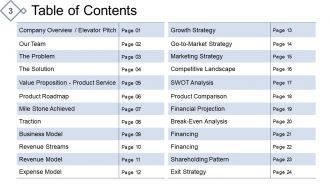
Slide 3: This slide presents Table of Contents showcasing- Company Overview / Elevator Pitch, Our Team, The Problem, The Solution Service, Value Proposition - Product Service, Product Roadmap, Mile Stone Achieved, Traction, Business Model, Revenue Streams, Revenue Model, Expense Model, Growth Strategy, Go-to-Market Strategy, Marketing Strategy, Competitive Landscape, SWOT Analysis, Product Comparison, Financial Projection, Break-Even Analysis, Financing, Use of Funds, Shareholding Pattern, Exit Strategy.
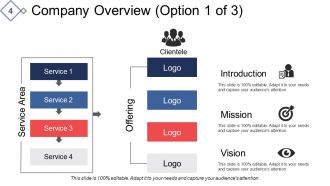
Slide 4: This is a slide on Company Overview displaying- Introduction, Mission, Our Mission & Vision, Clientele, Service Area, Logo, Offering.
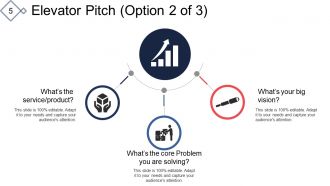
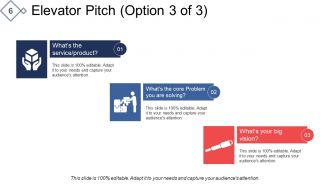
Slide 5: This is an Elevator Pitch slide showcasing- What’s the service/product? What’s the core problem you are solving? What’s your big vision?
Slide 6: This slide shows the Elevator Pitch showing- What’s the core problem you are solving? What’s the service/product? What’s your big vision?
Slide 7: This slide presents Our team with names, designation and image boxes.
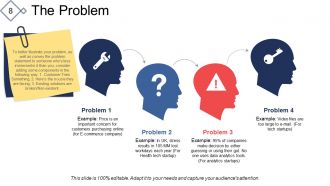
Slide 8: This slide shows The Problem to be presented and strategised about.
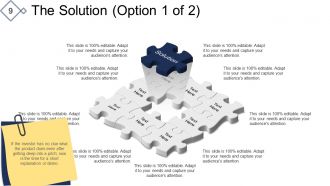
Slide 9: This slide shows The Solution to be presented and implemented. If the investor has no clue what the product does even after getting deep into a pitch; now is the time for a short explanation or demo.
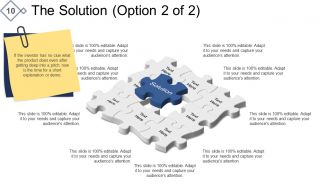
Slide 10: This slide also shows The Solution to be presented and implemented.
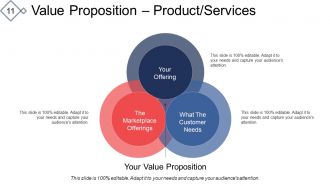
Slide 11: This slide shows the Value Proposition – Product/Services with- Your Offering, What The Customer Needs, The Marketplace Offerings, Your Value Proposition.
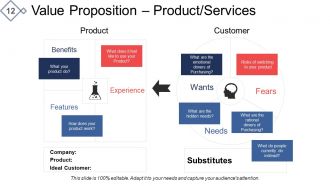
Slide 12: This slide shows Value Proposition – Product/Services displaying- Benefits, Features, Experience, Company, Product, Wants, Fears, Needs, Substitutes, Customer.
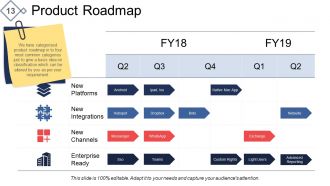
Slide 13: This slide showcases a Product Roadmap. We have categorized product roadmap in to four most common categories just to give a basic idea on classification which can be altered by you as per your requirement.
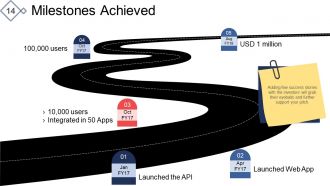
Slide 14: This slide shows Milestones Achieved (if any) to highlight fundraising aspects. Adding few success stories with the investors will grab their eyeballs and further support your pitch.
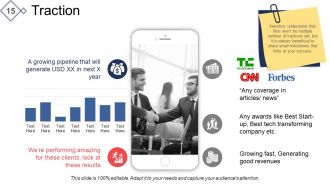
Slide 15: This slide shows Traction to present product market fit.
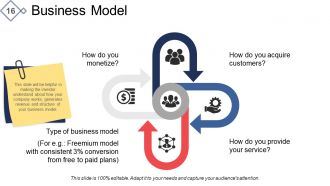
Slide 16: This slide presents a Business Model dislpaying- How do you provide your service? How do you acquire customers? How do you monetize? Type of business model as the main factors for understanding your business plan.
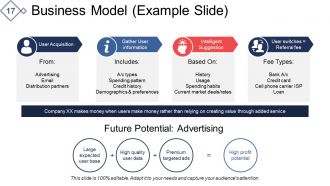
Slide 17: This slide showcases Business Model (Example Slide) displaying- From: Advertising, Email, Distribution partners, User Acquisition. Fee Types: Bank A/c, Credit card, Cell phone carrier ISP Loan, User switches = Referral fee. Includes: A/c types, Spending pattern, Credit history, Demographics & preferences, Gather User information. Based On: History, Usage, Spending habits, Current market deals/rates, Intelligent Suggestion. Future Potential: Advertising Large expected user base, High quality user data, Premium targeted ads, High profit potential.
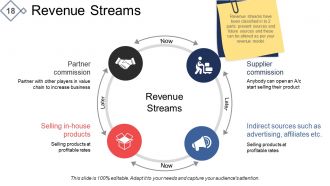
Slide 18: This slide presents Revenue Streams with the following subheadings- Partner commission, Supplier commission, Indirect sources such as advertising, affiliates etc. Selling in-house products, Revenue Streams. Revenue streams have been classified in to 2 parts: present sources and future sources and these can be altered as per your revenue model.
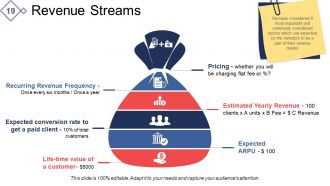
Slide 19: This slide shows Revenue Streams showing- Estimated Yearly Revenue, Pricing, Expected ARPU, Life-time value of a customer, Recurring Revenue Frequency, Expected conversion rate to get a paid client. We have considered 6 most important and commonly considered factors which are expected by the investors to be a part of their revenue model.
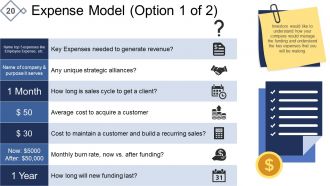
Slide 20: This slide presents an Expense Model. Investors would like to understand how your company would manage the funding and understand the key expenses that you will be making.
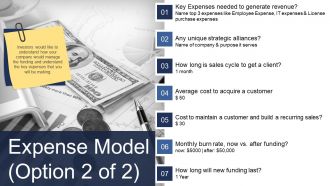
Slide 21: This slide also presents an Expense Model dislpaying- Key Expenses needed to generate revenue? Any unique strategic alliances? How long is sales cycle to get a client? Cost to maintain a customer and build a recurring sales? Monthly burn rate, now vs. after funding? How long will new funding last? Investors would like to understand how your company would manage the funding and understand the key expenses that you will be making.
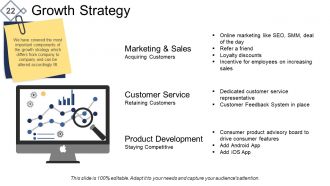
Slide 22: This slide presents Growth Strategy showing- Marketing & Sales, Customer Service, Product Development. We have covered the most important components of the growth strategy which differs from company to company and can be altered accordingly RI.
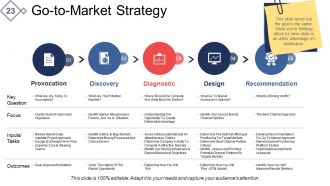
Slide 23: This slide presents Go-to-Market Strategy in tabular form.
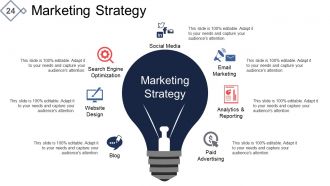
Slide 24: This slide showcases Marketing Strategy with the following subheadings- Email Marketing, Analytics & Reporting, Paid Advertising, Blog, Website Design, Search Engine Optimization.
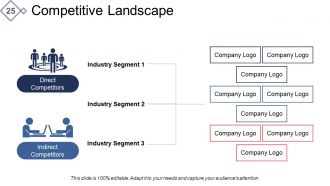
Slide 25: This slide shows Competitive Landscape showcasing- Industry Segment, Indirect Competitors, Direct Competitors.
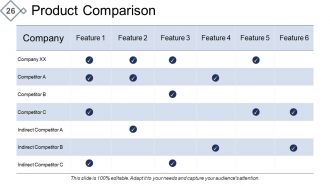
Slide 26: This slide shows Product Comparison in tabular form.
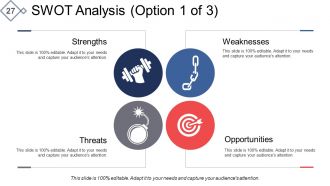
Slide 27: This is a SWOT Analysis slide in tabular form.
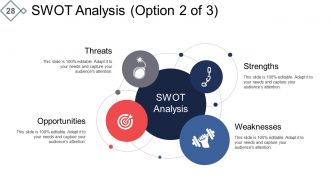
Slide 28: This is also a SWOT Analysis slide.
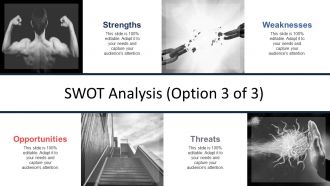
Slide 29: This slide too displays a SWOT Analysis.
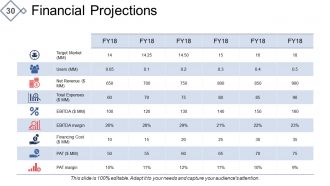
Slide 30: This slide showcases Financial Projections in tabular form.
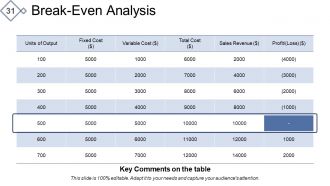
Slide 31: This slide shows a Break-Even Analysis in tabular form.
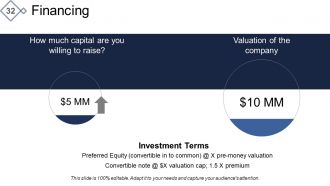
Slide 32: This slide shows Financing aspects to display how much are you willing to raise and what is valuation of the company.
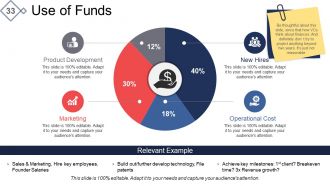
Slide 33: This slide shows Use of Funds with the following subheadings- New Hires Product Development Marketing Operational Cost Be thoughtful about this slide, since that how VCs think about finances. And definitely don’ t try to project anything beyond two years. It's just not reasonable.
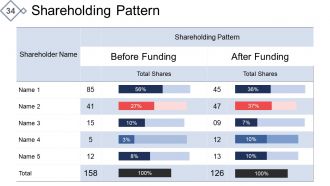
Slide 34: This slide presents Shareholding Pattern in tabular form.
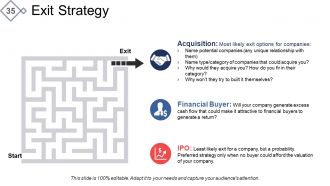
Slide 35: This slide shows Exit Strategy with- Acquisition, Financial Buyer, IPO as factors to present.
Slide 36: This is a Client Testimonials slide with name, designation and image boxes to fill information for.
Slide 37: This is a Contact Details slide with Address# street number, city, state, Contact Numbers, Email Address.
Slide 38: This is a Coffee Break slide to halt. You can change the image as per requirement/need.
Slide 39: This is an Icons Slide Seed Funding. Use them as per requirement.
Slide 40: This slide is titled Additional Slides to move forward. You may change the slide content as per need.
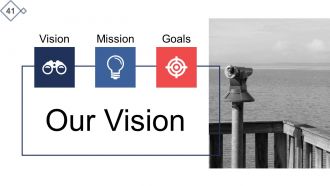
Slide 41: This is Our Vision slide with Mission and Goasl and text boxes to go with. State them here.
Slide 42: This is Our team slide with names and designation to fill information for.
Slide 43: This is an About us slide. State team/company specifications here.
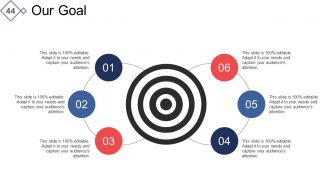
Slide 44: This is Our Goal slide. State goals, targets etc. here.
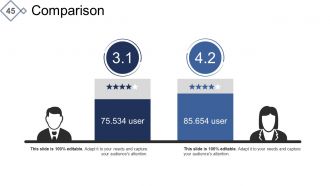
Slide 45: This is a Comparison slide to show comparison, information, specifications etc.
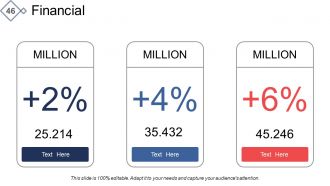
Slide 46: This is a Financial Score slide. State financial aspects etc. here.
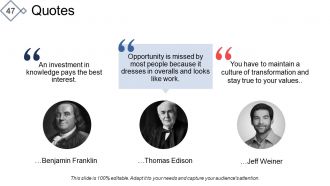
Slide 47: This is a Quotes slide. Convey message, beliefs etc. here.
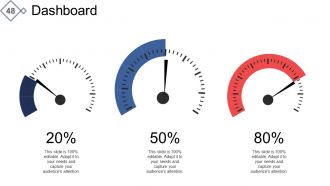
Slide 48: This is a Dashboard slide for showing information, specifications etc.
Slide 49: This is a Location slide of world map top show global marketing, growth, presence etc.
Slide 51: This is also a Location slide of world map top show global marketing, growth, presence etc.
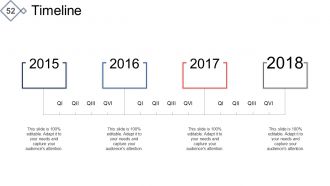
Slide 52: This is a Timeline slide to show milestones, evolution, growth highlights etc.
Slide 53: This is an Important Notes slide to mark reminders, events etc.
Slide 54: This is a Puzzle image slide. State information, specifications etc. here.
Slide 55: This is a Target image slide. State your targets, goals etc. here.
Slide 56: This is a Circular image slide with icons. State information, specifications etc. here.
Slide 57: This is a Newspaper slide to show important information etc. You may alter the slide content as per need.
Slide 58: This is a Venn diagram image slide. State information, specifications etc. here.
Slide 59: This is a Mind Map image slide to show information, specifications etc.
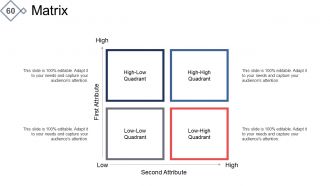
Slide 60: This slide presents a Low High Matrix for representing an information.
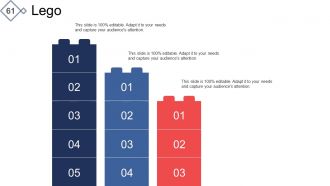
Slide 61: This is a Lego image slide with text boxes to show information, specifications etc.
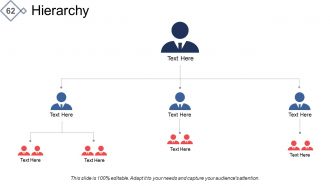
Slide 62: This is a Hierarchy slide with text boxes to show information, organization/team specifications etc.
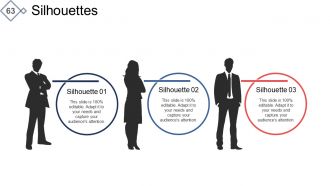
Slide 63: This slide shows Silhouettes with text boxes. State people related information, specifications etc. here.
Slide 64: This is a Magnifier Glass image slide to show information, specifications etc.
Slide 65: This is a Bulb with Idea slide to state a new idea or highlight innovative specifications/information etc.
Slide 66: This is a Funnel slide. Showcase the funnel aspect of your team, company, product etc.
Slide 67: This slide is titled Charts & Graphs to move forward. You can change the slide content as per need.
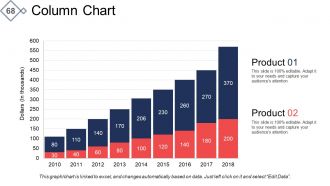
Slide 68: This is a Column chart slide to show product/entity comparison, specifications etc.
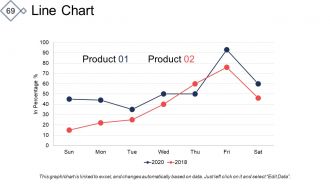
Slide 69: This is a Line chart slide to show product/entity comparison, specifications etc.
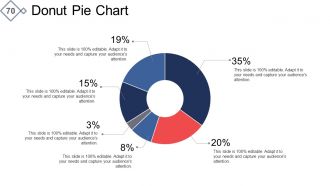
Slide 70: This is a Donut Pie chart slide to show product/entity comparison, specifications etc.
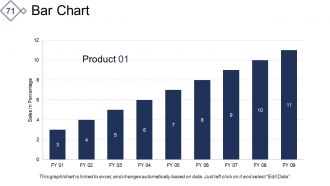
Slide 71: This is a Bar Chart slide to show product/entity comparison, specifications etc.
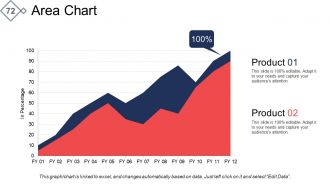
Slide 72: This is an Area Chart slide to show product/entity comparison, specifications etc.
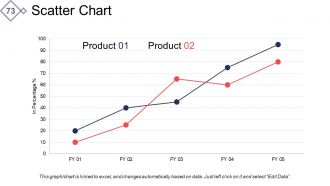
Slide 73: This is a Scatter Chart slide to show product/entity comparison, specifications etc.
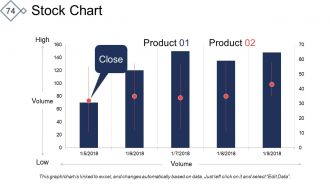
Slide 74: This is a Stock Chart slide to show product/entity comparison, specifications etc.
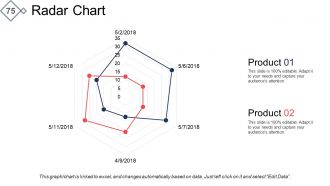
Slide 75: This is a Radar Chart slide to show product/entity comparison, specifications etc.
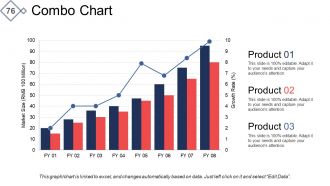
Slide 76: This is a Combo Chart slide to show product/entity comparison, specifications etc.
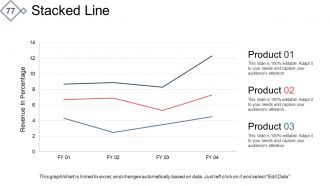
Slide 77: This is a Stacked Line chart slide to show product/entity comparison, specifications etc.
Slide 78: This is a Thank You slide with Email Address, Address# street number, city, state, Contact Numbers.
Exhaustive business plan for company powerpoint presentation slides with all 78 slides:
Examine all available alternatives with our Exhaustive Business Plan For Company Powerpoint Presentation Slides. They allow you to compare and decide.













FAQs for Exhaustive business plan for company
Honestly, focus on six main things for your pitch. Problem and solution first - make it obvious why people should care. Market analysis comes next, then your actual business model. Financial projections are make-or-break here, like seriously, investors will grill you on the numbers more than anything else. Oh and definitely include your funding ask - be specific about what you need. Team credentials matter too since they're betting on you as much as the idea. Keep slides visual, not wordy. Practice your timing because you'll probably get interrupted or run short anyway.
Dude, you NEED visuals for your business plan presentation. Charts make those financial numbers actually make sense instead of just confusing everyone. Product mockups? They bring your idea to life way better than describing it. I've watched so many presentations crash and burn because people just threw text-heavy slides at the audience - nobody wants to read paragraphs during a pitch. Timelines are clutch too for showing your roadmap. People remember pictures, not boring bullet points. Just don't go overboard with flashy animations or whatever. Your visuals should help tell the story, not steal the show from what you're actually saying.
Dude, don't cram a novel onto each slide - people zone out instantly. Know your numbers inside and out because they'll definitely grill you on revenue stuff. Here's the thing though: most founders waste way too much time explaining the problem. Investors already get it. Jump to your solution and how you're actually gonna make cash. Oh, and please don't just read your slides word for word - it's painful to watch. Practice your timing because running over makes you look totally unprepared. Stay conversational, have your financials memorized, and end with a super clear ask.
Dude, storytelling is everything. Like, nobody wants to sit through a boring data dump - they'll zone out in 30 seconds. You need to craft a real narrative that shows the problem you're solving and why your team can actually pull it off. Picture explaining your startup to someone at a coffee shop, not presenting to robots. Sure, the numbers matter, but stories are what get people emotionally hooked on your vision. I always tell people to start with a killer problem statement. Then weave everything into a clear beginning, middle, and end that flows naturally.
Honestly, knowing your audience changes everything about how you build your pitch. I made this mistake once - went super technical with a bunch of marketing people and watched their eyes glaze over. Definitely learned my lesson there. VCs want different financial details than partners or internal teams. Some audiences are all about the numbers, others care more about vision. Research who'll be in the room first. Are they tech people? Traditional business types? That tells you which pain points to hit, what language to use, even how long to spend on each section. Your whole deck should basically revolve around what matters to them.
Dude, keep it simple with your data - pick maybe 3-5 numbers that actually matter. Revenue projections, market size, stuff like that. I swear, nothing kills a pitch faster than drowning people in spreadsheets (learned that one the hard way). Make your visuals clean and actually explain what the numbers mean. Like don't just throw out "our TAM is $2B" - show them how you're gonna grab your slice. Oh, and here's the thing - after each data point, circle back to why they should give a damn. Connect the dots for them.
Dude, you've gotta mix things up or people will totally check out. Ask them questions, do quick polls, have them chat with whoever's next to them for like 30 seconds. I bombed my first presentation because everyone just stared blankly at me lol. Stories work way better than just throwing numbers around. Move around the room, change up your voice. Oh and visuals over text-heavy slides any day. Build in spots where they can stretch or ask stuff. Honestly, if you go more than 5-7 minutes without something interactive, you'll lose them.
Okay so here's the thing - you can't just give everyone the same pitch and hope it works. Investors want to hear about ROI and how big the market is. Partners care about what's in it for them and how you'll actually collaborate. Your internal team? They need the nitty-gritty operational stuff and where they fit in. Customers honestly just want their problems solved better than the competition can do it. Before each presentation, I always ask myself what's actually keeping these specific people awake at 3am, then build my whole deck around those exact pain points. Works way better than the spray-and-pray approach.
Honestly, the secret is just being ready for people to challenge your ideas - it's gonna happen. Think through the obvious stuff they'll hit you on: budget issues, competition, unrealistic timelines. Have your numbers ready. When someone pushes back, actually listen to what they're saying first (way harder when you're stressed). Then be like "yeah, I get that concern" before you jump into your response. Oh, and don't feel weird about saying "good question, let me circle back on that" - I keep a whole slide just for parking those. Practice with your team first so you won't get blindsided by glaring problems.
Dude, your body language is HUGE for pitch presentations. I'm talking eye contact, standing tall, gestures that actually match what you're saying. Investors can smell fear from a mile away - I've literally watched amazing startups crash because the founder was fidgeting like crazy or wouldn't look up from their notes. Record yourself practicing (yeah it's awkward but trust me). You want to look like you actually believe in your idea. Don't let weird nervous habits tank your pitch when your business plan is solid.
Honestly, less is more with slides. White space is your friend, and stick to maybe 2-3 colors from your brand. Make sure your font is big enough - like 24pt minimum because nobody wants to squint. One main point per slide beats cramming everything together. Use good images that actually relate to what you're saying, not just random stock photos (we've all seen that handshake pic a million times). Skip the crazy animations unless they're actually useful. Oh, and here's the thing - your slides should make sense even if someone zones out during your presentation. That's honestly the best test.
Honestly, feedback is gold - it stops you from bombing the same way twice. Look for patterns in what confused people or where you lost them. I used to jam way too much tech jargon into everything (ugh). Track both the content stuff - like missing financials or unclear numbers - and how you actually presented it. Speaking too fast is my weakness still. Just keep a basic doc with the main themes from comments. The repeat issues? Those are your real problem areas. Then actually reference it before your next pitch instead of just hoping for the best.
Honestly, just start with whatever you already know - PowerPoint or Google Slides work fine. Canva's actually pretty sweet if you want it to look professional without spending forever on design. You'll definitely need Excel or Google Sheets for the financial stuff anyway. Oh, and if you're presenting live (not just sending it), Prezi makes things way more engaging than boring static slides. There are also specific business plan tools like LivePlan that have templates built in, though I haven't used them personally. Don't overthink it - pick one and go from there.
Honestly, stick to one main idea per slide - trust me on this. Bullet points work way better than big chunks of text. I'd say 6-7 words per line, maybe 5-6 lines total. Make your fonts big enough that people in the back can actually read them. Skip those spinning animations - they're just annoying and waste time. Here's the thing: for every point you make, think about why investors should actually care. Practice saying it out loud because you'll spot the confusing parts immediately. If you can't get through a slide in under a minute, it's definitely too complicated and needs splitting up.
Dude, you HAVE to rehearse - like seriously. I bombed a pitch once because I thought I could just wing it and it was mortifying. Practice helps you catch the awkward transitions and figure out where your argument falls apart. You'll stop fumbling with your notes every two seconds. Honestly, the difference between rehearsing and not rehearsing is night and day. Start at least a week out if you can. Oh and do a full run-through with some coworkers - they'll catch stuff you miss. Trust me on this one.
No Reviews