


Executive summary overview for meeting powerpoint presentation slides





Try Before you Buy Download Free Sample Product
 Impress Your
 Audience
 100%
100% Editable
 Save Hours
 of Time


Need expressive executive summary PPT model for your next business meeting? We well understand that conceptualizing a sample of PPT presentation on executive summary is a tiresome job. Bearing this in mind here we have come up with a pre made PPT sample file to assist you in sharing your business summary plan or executive statement in an amazing manner. To present the crux of your company’s growth in this PowerPoint slide deck we have included slide templates like of Sales Dashboard, Finance Dashboard, Key Financials, Target Market and Customer Growth Matrix etc. Going further, professionals from diverse corporate houses can download this PowerPoint show to discuss their company’s progress report, observations, risks and recommend actions to higher management. In short, not only saving your time but also this presentation deck has everything that a good PPT example must carry.
People who downloaded this PowerPoint presentation also viewed the following :
Content of this Powerpoint Presentation
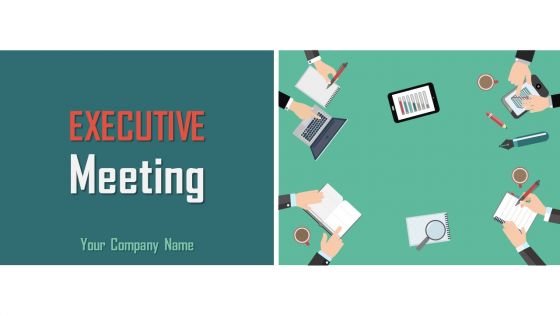
Slide 1: This is an introductory slide for Executive Meeting. State Your Company Name and get started.
Slide 2: This is an Agenda slide. State your agendas here.
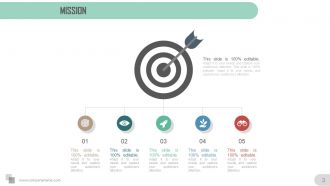
Slide 3: This slide shows Mission. State your company mission here.
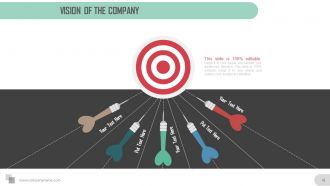
Slide 4: This slide shows Vision of The Company. State your company vision here.
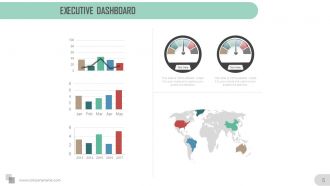
Slide 5: This slide presents a Executive Dashboard. Present employee aspects/specifications here.
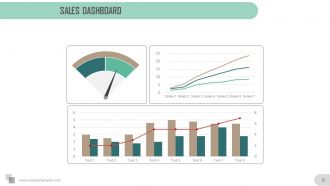
Slide 6: This slide presents a Sales Dashboard. Present sales aspects/specifications here.
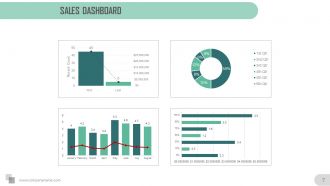
Slide 7: This slide too presents a Sales Dashboard. Present sales aspects/specifications here.
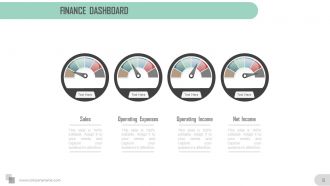
Slide 8: This slide presents a Finance Dashboard. State Sales, Operating Expenses, Operating Income, Net Income etc. here.
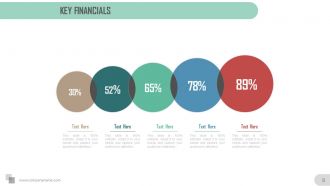
Slide 9: This slide showcases Key Financials. State financial aspects here.
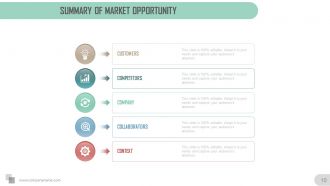
Slide 10: This slide showcases Summary of Market Opportunity with the following points- Customers, Competitors, Company, Collaborators, Context.
Slide 11: This slide displays Target Market. State market/customer aspects here.
Slide 12: This slide presents Target Group Segment into Primary and Secondary.
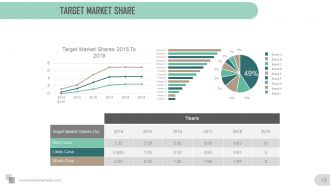
Slide 13: This slide showcases Target Market Share in graph form with a table.
Slide 14: This slide shows Key Potential Customers with Target and Audience. State their aspects here.
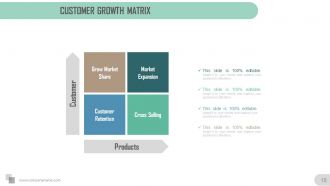
Slide 15: This slide presents Customer Growth Matrix with the following points- Grow Market Share, Market Expansion, Customer Retention, Cross Selling in terms of Customer & Products.
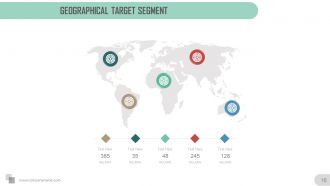
Slide 16: This slide showcases Geographical Target Segment on a worldmap image.
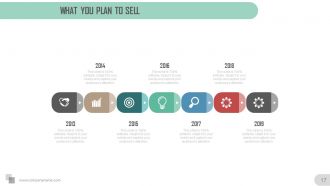
Slide 17: This slide shows What You Plan To Sell in the market.
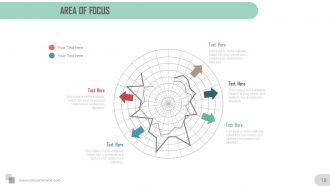
Slide 18: This slide shows Area Of Focus to plan marketing.
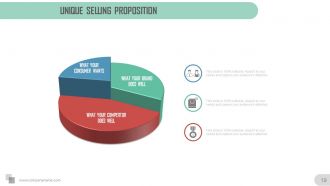
Slide 19: This slide shows Unique Selling Proposition of your brand/product with the following points to show- What Your Brand Does Well, What Your Competitor Does Well, What Your Consumer Wants.
Slide 20: This slide shows Expansion of Value Proposition. State in detail the value proposition of your product etc.
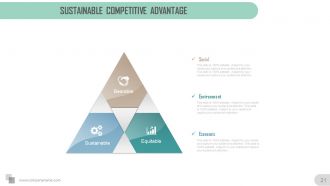
Slide 21: This slide shows Sustainable Competitive Advantage with the following points- Social, Economic, Bearable, Equitable, Sustainable.
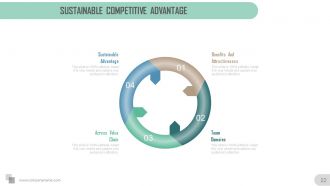
Slide 22: This slide shows Sustainable Competitive Advantage with the following points- Benefits And Attractiveness, Team Domains, Across Value Chain.
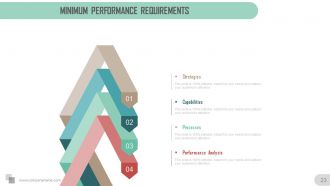
Slide 23: This slide showcases Minimum Perfromance Requirements with- Strategie, Capabilities, Processes, Performance Analysis.
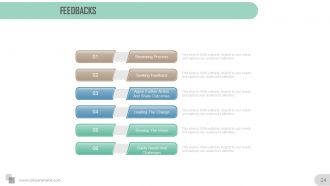
Slide 24: This is a Feedback slide with- Reviewing Process, Seeking Feedback, Agree Further Action And Share Outcomes, Leading The Change, Develop The Vision, Clarify Needs And Challenges.
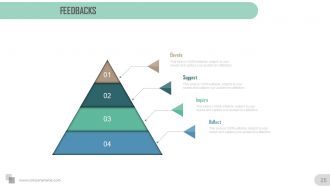
Slide 25: This is a Feedbacks slide with- Elevate, Suggest, Inquire, Reflect.
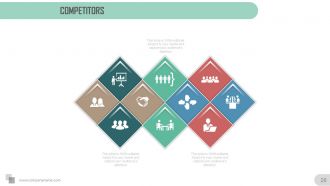
Slide 26: This slide presents Competitors. State market competition and associated aspects here.
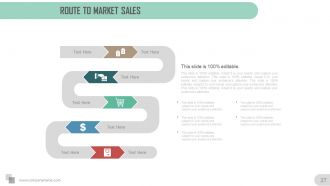
Slide 27: This slide presents Route To Market Sales. Present your strategy etc. to sell your product.
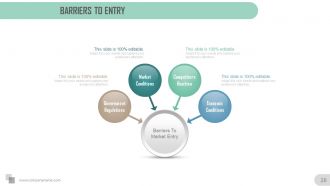
Slide 28: This slide shows Barriers To Market Entry with- Competitors Reaction, Economic Conditions, Market Conditions, Government Regulations.
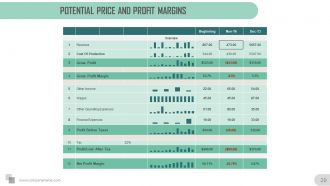
Slide 29: This slide shows Potential Price and Profit Margins in tabular form.
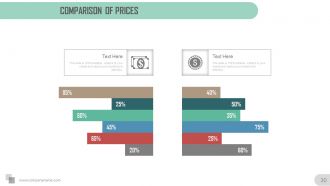
Slide 30: This slide shows Comparison Of Prices in butterfly chart form.
Slide 31: This slide presents Projected Sales Volume graph. Present sales aspects here.
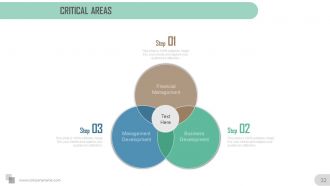
Slide 32: This slide showcases Critical areas to assess or highlight with the following points as example- Business Development, Financial Management, Management Development.
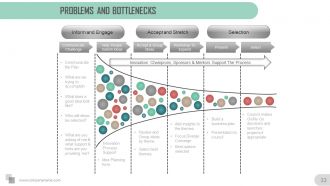
Slide 33: This slide showcases Problems and Bottlenecks with the following points- Communicate the Plan, Innovation Process Support, Idea Planning, Review and Group ideas by theme, Select best themes, Best options selected, Add insights to the themes, Focus Diverge Converge, Build a business plan, Presentation to council, Communicate Challenge, Help People Submit Ideas, Accept & Group, Ideas, Workshop To Expand, Present, Select, Inform and Engage, Accept and Stretch, Selection, Innovation Champions, Sponsors & Mentors Support The Process.
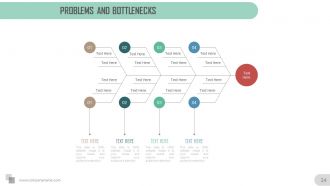
Slide 34: This slide presents Problems and Bottlenecks in fishbone diagram form.
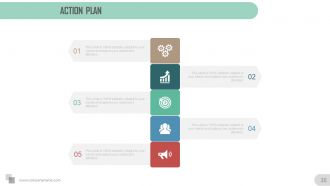
Slide 35: This slide showcases an Action Plan. State action tactics here.
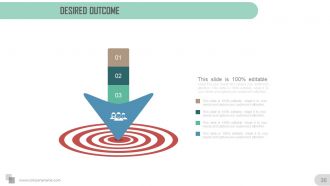
Slide 36: This slide shows Desired Outcome to be presented.
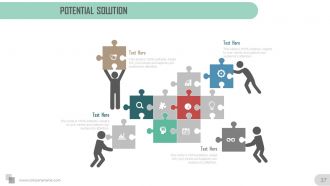
Slide 37: This slide shows Potential Solution to be implemented.
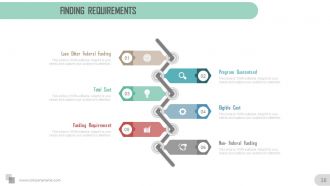
Slide 38: This slide showcases Finding Requirements with the following subheadings- Program Guaranteed, Eligible Cost, Non- Federal Funding, Funding Requirement, Total Cost, Loan Other Federal Funding.
Slide 39: This slide is titled Additional Slides to move forward. You may change the slide content as per need.
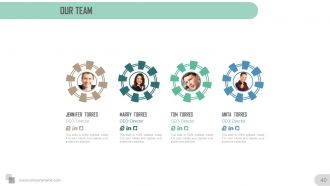
Slide 40: This is Our Team slide to show team specifications with name, designation and image boxes.
Slide 41: This is an About us slide. State team/company specifications here.
Slide 42: This is Our Goal slide. State goals, targets etc. here.
Slide 43: This is a Comparison slide to show comparison, information, specifications etc.
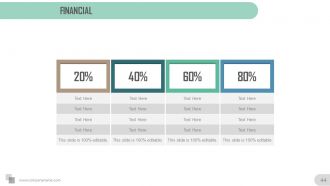
Slide 44: This is a Financial Score slide. State financial aspects etc. here.
Slide 45: This is a Dashboard slide to show kpis, metrics etc.
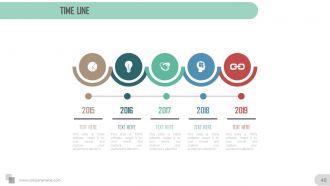
Slide 46: This is a Timeline slide represented in years. Present company growth, milestones, evolution etc. here.
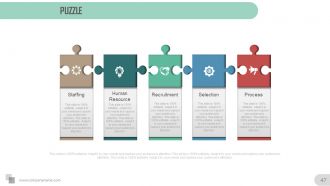
Slide 47: This is Puzzle Pieces slide to show information, specification etc. for Staffing, Human Resource, Recruitment, Selection and Process.
Slide 48: This is Target image slide to show information, specification etc.
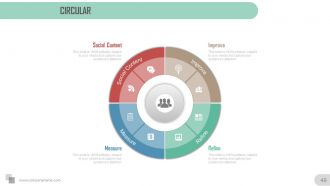
Slide 49: This is a Circular image slide to show information, specification etc. for- Social Content, Improve, Measure, Refine.
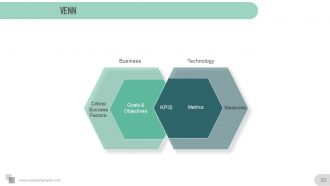
Slide 50: This is a Venn image slide to present product/ entity, information etc. on Business, Technology as examples.
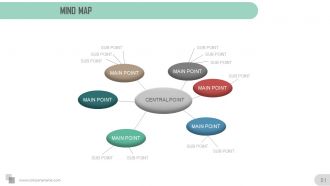
Slide 51: This is a Mind Map slide showing Central Point with main points.
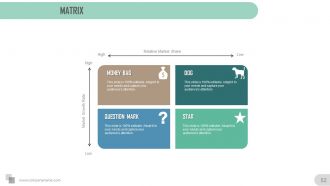
Slide 52: This is a Boston Matrix to display information, specifications etc.
Slide 53: This slide showcases lego. You can add your information in text boxes as per your use.
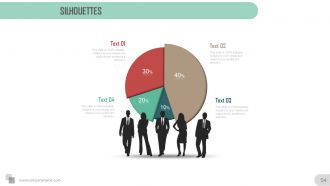
Slide 54: This is a Silhouettes image slide to show people related information, specifications etc.
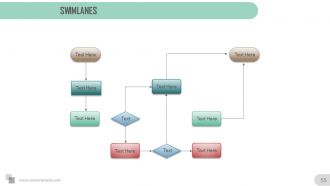
Slide 55: This is a Swimlanes slide to show information, specifications etc.
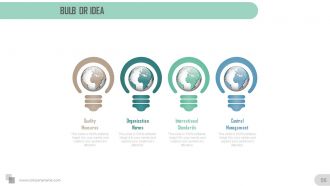
Slide 56: This slide shows Globe in bulb image. You can include your data/information to present ideas, innovation etc.
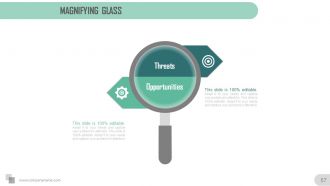
Slide 57: This slide presents Magnifying Glass with specific icons. You can add your data and information in this.
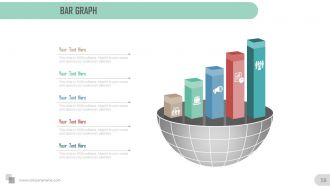
Slide 58: This is a bar graph slide in a creative graph form. Present data/information etc. here.
Slide 59: This is a Funnel slide with- Goals, Planning, Awareness, Familiarity, Intent Evaluation, Relations to present in funnel form.
Slide 60: This is a Feedback slide with Address# street number, city, state, Contact Numbers, Email Address.
Executive summary overview for meeting powerpoint presentation slides with all 60 slides:
Formulate an excellent checklist with our Executive Summary Overview For Meeting Powerpoint Complete Deck. Draw up the guidelines in an effective manner.










FAQs for Executive summary overview for meeting
Honestly, just hit these four things: what problem you're solving, your solution, the benefits, and what you want from them (money, approval, whatever). Most execs skim for like 30 seconds max, so make it scannable. I'd write 2-3 sentences per section, throw in bullet points, and add real numbers whenever you can. Oh, and write the summary LAST - I learned this the hard way. You'll know what actually matters once you've finished the whole thing. Think of it like leading with your best punchline, then explaining why they should care.
Okay so basically you've gotta totally switch up how you write depending on who's gonna read it. Executives? Hit them with the money stuff first - they don't have time for anything else. But if you're writing for technical people, they actually want all the nitty-gritty details about how things work. I'm not gonna lie, I end up writing like three versions of the same thing sometimes because what the CEO needs to hear is completely different from what the dev team cares about. Oh and for clients, focus on what's in it for them specifically. The trick is putting the most important stuff right up front. Just ask yourself - what does this person need to know to actually do something about it?
Okay so first things first - don't rush this thing. I see people cramming these together at the last second and it shows. Keep it short, like 2 pages tops. Start with your biggest findings right up front because honestly, most executives are just gonna skim anyway. Skip all the background explanations and corporate-speak nobody wants to read. Here's the thing though - your summary needs to work as a standalone piece. Someone should be able to read just that and get the full picture without digging into your massive report. Think of it like... if you had to cancel the meeting, would this document cover everything you'd say? That's your bar.
Keep your exec summary to 1-2 pages tops, or roughly 5-10% of whatever your full doc is. So like, 20-page report = 1-2 page summary. I swear, people write these things like novels and completely miss the point. Executives are slammed - they want the problem, your solution, why it matters, and what you're asking for. That's it. Here's what works: write the summary dead last. Sounds backwards, but you'll actually know what you're summarizing instead of making stuff up as you go. Short sentences hit harder. Your main points shouldn't get buried in paragraph soup. Think of it as your elevator pitch but written down - you've got maybe 30 seconds of their attention before they move on to the next fire they need to put out.
Bar charts work great for comparisons, line graphs for showing trends over time. Pie charts are solid for breakdowns too. I always throw in before/after visuals when I can - executives eat that stuff up. Tables are perfect for financial data, and simple infographics help break down complicated processes. Just don't overcrowd things. Clean visuals with clear labels and consistent colors are key. Honestly, if someone needs more than 10 seconds to get it, you've probably made it too complex. Keep it simple and they'll actually pay attention to what you're showing them.
So the executive summary goes right at the front and basically tells people everything they need to know - your main findings, what you recommend, all of it. The conclusion just wraps things up at the end. Here's how I think about it: if someone only reads your exec summary, they'd still get the full picture. (Which honestly happens more than you'd think - busy people skim!) Your conclusion is more like "okay, so here's what we just covered." Write the executive summary for people who haven't read anything yet. The conclusion assumes they just went through your whole document.
Here's the thing - your executive summary can totally make or break the whole proposal. Most executives are gonna skim through it (if you're lucky), so front-load everything important right there. Pack in your solution, what problem you're fixing, costs, and expected results. Honestly, I've seen too many people bury the good stuff on page 10. Big mistake. Think elevator pitch but written down. If someone reads just that section and walks away, they should still get why your idea rocks and why they need to green-light it. Don't overthink it, just hit the highlights hard.
Pick your strongest 3-5 data points that actually back up what you're asking for. Charts and graphs work way better than cramming numbers into paragraphs - these people are skimming, not deep diving. Make your percentages bold so they pop when scanning. I always stick the "why this matters" right next to each stat. Round your numbers too - "nearly 40%" sounds punchier than "37.8%." Compare to last quarter or industry benchmarks so they get the context. Honestly, half these executives won't even read the full thing, so your data needs to tell an obvious story that points straight to your recommendation.
Go for "confident business conversation" vibes - not some stuffy academic thing. Lead with your biggest insights right away since execs are scanning fast. Skip the corporate buzzword soup that makes people zone out (you know what I mean). Direct, clear language works best. Jargon's fine if it's normal in your field, but don't overdo it. Sound authoritative since you're giving recommendations, but accessible enough that C-suite folks get your main points in under two minutes. Short, punchy sentences hit harder than rambling ones.
Put your main point right at the top - don't make them hunt for it. Execs skim the first couple lines and bail if it's not worth their time. Bullet points are clutch for highlighting key stuff, and keep everything short. I swear, half these people are reading reports while walking between meetings, so give them breathing room with lots of white space. They want to know what it all means and what to do next - not just a data dump. Oh, and always wrap up with 2-3 things they can actually act on today.
Read your executive summary out loud - you'll spot weird sentences right away. Print it out too (I know, old school, but typos jump out on paper). Your first sentence needs to grab them. Don't be precious about cutting stuff - if it doesn't support your main point, it's gone. Get someone who knows nothing about your project to read it. Can they tell you the key points after one read? If not, you've got work to do. Always wrap up by telling them exactly what they should do next.
Honestly, treat your exec summary like you're telling a story. Start with the problem that's keeping everyone up at night, then walk through what you discovered, and finish with your solution plus results. Picture explaining a work disaster to your friend - you'd hook them with the drama first, right? Skip the corporate fluff and use real examples instead. Paint the messy current situation, then show them what success looks like. Most execs are drowning in bullet points anyway. Give them something that actually flows and they'll thank you for it.
Dude, exec summaries are a lifesaver when you're pitching to busy people. CEO types get swamped with documents daily - honestly, most won't read past your summary. That's where they make their call. Business plans, grant apps, anything chunky really needs one upfront. I learned this the hard way on a proposal last year. Decision-makers want the meat without digging through pages of details. If it's over 10 pages or going to someone who's always in meetings, your summary better be solid. It might be the only thing they actually read.
Keep it short - 1-2 slides tops. Put your main recommendation right up front, then hit your 3-4 biggest supporting points below. I've watched so many people drone on for like 5+ slides and you can literally see executives' eyes glaze over. Use big fonts with lots of white space so they can scan fast. Each point should end with actual numbers or results - that's honestly the only stuff they'll remember later anyway. Oh, and bullet points or short paragraphs work way better than long blocks of text. Trust me on this one.
Dude, get feedback on your executive summary - it's like having quality control. You'll have total tunnel vision when writing, so other people catch what you miss. Different folks notice different stuff too. Investors will probably want clearer money details, but your team leads? They're gonna focus on the operational bits. Also, sometimes what sounds brilliant in your head makes absolutely no sense to anyone else (been there). Don't just send it to everyone though - pick specific people and give them 2-3 focused questions. Way better than generic "thoughts?" requests.
-
Enough space for editing and adding your own content.
-
Wonderful templates design to use in business meetings.