


Money powerpoint templates and themes business development process flowchart




Try Before you Buy Download Free Sample Product
 Impress Your
 Audience
 100%
100% Editable
 Save Hours
 of Time


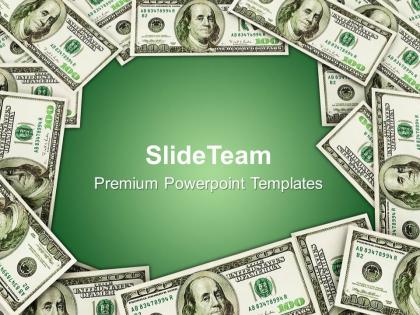
Make your presentation interesting with this money PowerPoint templates and themes business development process flowchart design. This is an amazing PPT icon to present the finance related concepts exactly to your audience. Form training to the interview and from board meetings to the professional videos, this presentation can save a lot of time, money as well as efforts. This can in fact work well when it comes to excel at automating the specific graph creation which may be otherwise difficult to handle. Apart from this, if you have a team that focuses entirely on the money concepts, it may be important to show how support is required. A presenter can actually present every single calculation, the analysis and every detail to the audience. In fact when you talk about some trend, a well crafted presentation can do it all efficiently. So determine what works well and give the best to your audience.Deposit your thoughts on our Money Powerpoint Templates And Themes Business Development Process Flowchart. They will begin to grow in stature.
People who downloaded this PowerPoint presentation also viewed the following :
Money powerpoint templates and themes business development process flowchart with all 3 slides:
Whatever the issue our Money Powerpoint Templates And Themes Business Development Process Flowchart have dealt with it. Fall back on their varied experience.
FAQs for Money powerpoint templates and themes business
Start with charts and graphs that actually make your data readable - nobody wants to squint at spreadsheets. Throw in some simple icons (dollar signs, whatever) but honestly, less is more here. Focus on the big stuff: budget breakdowns, revenue projections, ROI metrics. Blues and greens are solid color choices for financial presentations since they don't scream "amateur hour." Keep your slides clean with bullet points instead of text walls. Oh, and pick a template that fits your audience - corporate folks expect different vibes than startup meetings. Most important thing? Make sure people can scan your slides quickly.
Dude, visuals are a game changer for financial stuff. Your audience's eyes will literally glaze over if you just throw spreadsheets at them. Charts and graphs tell the actual story behind all those numbers. People absorb visual info way faster than text - like 60,000 times faster, which honestly blows my mind every time I think about it. Bar graphs make comparisons super obvious. Trends pop out in line charts. You can even use color coding for your key metrics. Just figure out what data matters most first, then pick visuals that actually back up your main point instead of random pretty graphics.
Dude, keep it super clean and minimal - investors hate flashy stuff. Navy, gray, maybe some muted green for colors. You want templates with solid sections for charts and financial data. Make sure there's space for revenue projections, burn rate, all that key stuff. Honestly? Sometimes the boring templates work better because you're not distracted by fancy graphics. Focus on making your numbers readable and your metrics stand out. Oh and skip anything gimmicky - these people see thousands of pitches, they'll spot BS immediately. Simple usually wins.
Honestly, you want your slides to look super professional because people judge your financial skills based on how polished your presentation looks. It's weird but true - messy templates with random fonts make audiences doubt your credibility before you even open your mouth. Think of it like showing up to a bank meeting in a wrinkled shirt. Clean templates with good color schemes and clear charts instantly make you look like you've got your financial act together. The visual consistency shows you pay attention to details, which makes people trust your money management skills way more.
Stick to the big ones that actually matter - revenue growth, profit margins, cash flow, ROI. Those are your money metrics. If you're dealing with investors, throw in debt-to-equity and current ratio too. But seriously, don't go overboard with like 15 different numbers. Pick maybe 4-6 max that back up whatever point you're making. Each one needs to tell part of your story, you know? Oh, and always give context - compare to last year, industry average, whatever. Numbers floating in space are pretty useless.
Colors totally change how people feel about money stuff. Green's obvious - growth, success, all that good stuff. Red usually means losses but can work for urgent financial opportunities too. Blue builds trust, so banks love it. Gold just screams wealth. But here's what's weird - this all depends on where your audience is from. What Americans think about colors isn't universal at all. Match your colors to what you're actually talking about. Growth presentations? Go green. Giving investment advice? Blue's your friend. Serious budget talk works better with darker tones.
Oh this is actually pretty straightforward! Just swap out the visuals and jargon for your specific industry. Banking templates work better with loan portfolio charts or interest rate stuff. Retail? Focus on sales revenue and profit margins instead. Healthcare's more about cost-per-patient or insurance data - honestly healthcare finance is such a mess but whatever. Colors are flexible, just match your company's branding. The real trick is ditching generic "revenue" examples for metrics that actually matter to your audience. Figure out your industry's 3-4 biggest financial KPIs first, then build your slides around those specific numbers.
Honestly, infographics are a game-changer for money stuff. Your audience will actually *get* the data instead of glazing over at spreadsheets. Charts and graphs help people process numbers way faster - it's wild how much better engagement gets. I've seen boring budget meetings turn into actual conversations when you throw in some visual elements. Your key metrics stick in people's heads better too. Oh, and you can totally reuse the same charts across different presentations, which is clutch. Start simple with bar charts for budget breakdowns. Trust me, you'll notice the difference right away.
Honestly, just pick someone your audience can relate to - like "Sarah needed 50k for her startup but banks kept saying no." Then build your whole presentation around her story. Show the problem, the struggle, how things got resolved. Way more engaging than random charts everywhere. Visual metaphors help too - budget comparisons become race tracks, growth projections turn into mountain climbs. Makes the data actually stick. Each number should feel like a chapter, not just isolated facts floating around. Structure your next deck around one person's transformation. Trust me, people remember stories way better than spreadsheets.
Don't cram like 20 charts on one slide - people's eyes will glaze over. Those cheesy stock photos of dollar bills? Skip them, they look so dated. Your fonts need to be huge enough that someone in the back can actually read your numbers. Pick a color scheme and stick with it instead of going rainbow crazy. Animations are fine but don't get carried away - I've seen presentations where the pie chart spins for like 10 seconds lol. The real trick is telling a story with your data rather than just dumping numbers everywhere. Lead with your main point, then show the proof.
Oh definitely do this! Generic templates make you look lazy, honestly. Your presentations should match your company's colors, fonts, and logo - it makes you look way more professional and trustworthy. I've seen so many finance presentations that just use random PowerPoint themes and it's... not great. Clients notice when everything looks cohesive vs. thrown together. Start with your brand colors and work from there. Even if you're using money-themed templates, customize them so they actually feel like they came from your organization. Makes a huge difference in how established you appear.
Oh man, typography can totally make or break a money presentation. Go with clean fonts like Arial or Calibri - nothing fancy that'll make your numbers look sketchy. I learned this the hard way watching people squint at slides during budget meetings lol. Keep your sizing consistent and make headers bold so people know where to look. Good contrast with your background is key too. The whole point is building trust, right? Your audience should be thinking about the data, not struggling to read it. Sans-serif fonts are your friend here.
Look, financial presentations are boring as hell, so animations actually save you here. They break up all those overwhelming numbers into pieces people can digest. Instead of throwing a massive spreadsheet at everyone, reveal your quarterly results one data point at a time - creates this natural story flow that people remember way better. Progressive reveals work great for budget forecasts too. Your audience won't zone out when you're guiding their eyes exactly where you want them looking. Just don't go overboard with flashy stuff. Keep it purposeful and supporting your actual data story, not distracting from it.
Honestly, interactive stuff makes such a huge difference in presentations. Clickable navigation buttons are clutch - people hate being stuck in linear slideshow hell. I always throw in animated charts that respond when you click them, plus embedded calculators for live number crunching. Hyperlinks between sections work really well too. Hover effects on financial data points keep things engaging, and action buttons let people jump around different scenarios or time periods themselves. Just don't go overboard though. One or two interactive elements per presentation is plenty - you want participation, not confusion.
Dude, cultural stuff makes a huge difference in financial presentations. Western audiences want straight-up data and clear profit numbers. Asian markets? They care way more about relationships and long-term thinking. Red is tricky - Americans see danger, Chinese see luck (I bombed a presentation once because of this). Europeans expect tons of regulatory details that would bore Americans to death. Middle Eastern audiences need different visuals to respect their values. Honestly, just google your audience's cultural norms beforehand and tweak your templates. It's not rocket science but it matters.
-
Qualitative and comprehensive slides.
-
Attractive design and informative presentation.