


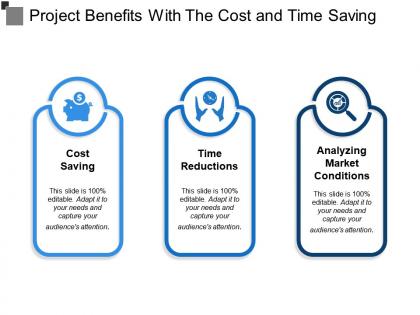
Project benefits with the cost and time saving




Try Before you Buy Download Free Sample Product
 Impress Your
 Audience
 100%
100% Editable
 Save Hours
 of Time


Dispel any clutter with our Project Benefits With The Cost And Time Saving. Get their brains functioning clearly again.
People who downloaded this PowerPoint presentation also viewed the following :
Project benefits with the cost and time saving with all 5 slides:
Ensure folks indulge in ethical competition with our Project Benefits With The Cost And Time Saving. Avoid any invalid attempts.

FAQs for Project benefits with the cost
Honestly, just build a good template library first - saves you so much time later. Plan your content structure before you even open the software. Also, don't get fancy with new tools your team doesn't know yet. I swear I've watched people spend three hours picking fonts when they could've used a template and been done. Oh, and figure out your main message first, then design around that. Actually start timing yourself on different presentation types too. You'll notice weird patterns, like why certain slides always take forever to make.
Dude, I can't tell you how many times I've watched teams completely blow their deadlines because they got lost tweaking fonts and colors for hours. Seriously drives me crazy. You streamline that design stuff early, and suddenly you've got actual time for the important bits - like practicing your delivery and handling those curveball edits from management. Templates are your best friend here. Also, whatever timeline you think you need for revisions? Double it. I know it sounds paranoid, but stakeholders always want "just one small change" that somehow turns into rebuilding three slides.
Dude, templates are total money-savers. Your team won't waste 3-4 hours designing slides anymore – they can actually focus on the content that matters. No more hiring designers for every little deck either. Brand stays consistent without all those annoying revision rounds (you know how that goes). Honestly, it just speeds everything up. I'd start with maybe 3-4 templates for whatever presentations you do most. The efficiency boost is crazy once you get rolling with them.
Honestly, templates are a lifesaver. No more staring at blank slides wondering where to even start. You get all the layouts, fonts, and colors already picked out - which means no more wasting forever on stuff like "should this be navy or royal blue?" Jump right into your actual content instead. Everything looks professional without you having to stress about design. When your whole team uses the same ones, your presentations actually match too. My advice? Start collecting your go-to slide types now. Title slides, comparison charts, timelines - whatever you use most. You'll thank yourself later when you're not scrambling before that big meeting.
Ugh, the time thing is what gets you. Revisions never end - stakeholders keep changing their minds and you're stuck tweaking tiny details forever. Way more hours than you planned for. Custom means paying for the designer to figure out your weird requirements too. Plus they hit technical problems they've never seen before. Templates? Already tested and working. Honestly, I'd grab a decent template first. Then just customize the parts your users actually care about. Building from scratch is kind of overrated unless you really need something super specific.
Dude, templates are a game changer for cutting costs. Your team stops wasting hours on formatting - and trust me, I've watched people spend way too long picking fonts. No more hiring designers for every deck either. Brand stays consistent too, which is actually pretty important for marketing ROI. Oh, and here's the thing - you don't need like 20 templates. Just make 3-4 good ones for your main presentation types. The savings really do pile up once people start using them regularly instead of reinventing the wheel.
Honestly, your software choice can totally mess up your timeline and budget if you're not careful. Google Slides is free which is nice, but you'll probably waste hours fighting with basic features. PowerPoint's probably your best bet - everyone knows how to use it, so you won't be training people. Just costs money obviously. I love Canva for anything design-heavy, though I always get distracted by all their templates (whoops). Prezi and those fancy tools? They're pricey but actually save time with automation stuff. Really depends on how important this presentation is and whether your team's tech-savvy or not.
Honestly, just make a bunch of templates for stuff you do all the time - emails, reports, whatever. I used to restart everything from zero like an idiot. Organize them somewhere you'll actually remember to look (not buried in some random folder). Throw in placeholder text and your go-to formatting so you're not messing with fonts every single time. The trick is actually using them consistently instead of convincing yourself "this one's different." Oh, and update them when you figure out better ways to do things. Maybe spend like 30 minutes this week seeing what you already have and brainstorming a few more you could make.
Build a shared template library with your brand stuff locked down - colors, fonts, logos, all that. Name everything clearly and sort by department or project type. Seriously though, you'd be shocked how many people just don't know the templates exist! Send reminders or whatever. Have someone review new templates before they go live. Maybe rotate who does it each month so it's not always the same person getting stuck with it. Short sentences work. Longer ones help you maintain the flow while covering multiple points naturally. You'll save crazy amounts of time on repetitive stuff while keeping everything consistent.
Ugh, bad slides are such a money pit. You end up in this endless loop of revisions and meetings that drag on forever. The real killer though? Missing out on deals because nobody can follow what you're saying. I watched one team literally burn through their entire quarterly budget just fixing presentations - it was painful to watch. When people can't quickly understand your slides, they tune out or worse, they say no to funding. Honestly, just grab a decent template and keep things simple. Your wallet will thank you later.
Presentation analytics are a total game-changer - they show you exactly which slides people zone out on and where you're losing them. I was shocked when I first saw how much time I wasted on slides nobody cared about! The data tells you what questions keep popping up and where people actually pay attention. Feedback surveys are gold too because they reveal what resonated vs what you *thought* was important. Cut the boring stuff, spend more time on what hits, and you'll nail the timing next round. Oh, and prep for those repeat questions - saves you from looking caught off guard.
Honestly? Go with SaaS or e-commerce templates - they're total lifesavers for time and budget. You get like 80% of what you need right out of the gate. Payment stuff, user accounts, inventory management, it's all there. Healthcare and finance templates work great too but cost more upfront because of all the compliance headaches (ugh). Real estate and education ones are decent middle options. Oh, and here's what I'd do - find whatever template hits your main features first, then tweak it. Way better than starting from zero and pulling your hair out.
Google Slides or Canva are lifesavers for this - totally free and everyone can jump in to edit at once. No more nightmare email chains with like 47 versions floating around. You can drop comments right on slides and tag people for specific stuff. For calls, just use whatever free video thing your team already has (Zoom, Teams, Google Meet, whatever). Honestly the biggest mistake is picking some shiny new tool that nobody knows how to use. Stick with the boring stuff that actually works. Real-time editing is a game changer though - you'll wonder how you ever survived without it.
Honestly, start with Zapier or Power Automate for the boring repetitive stuff - saves you hours. Then grab a project management tool like Asana to actually track what's happening (I'm obsessed with Monday.com personally). Git for version control is clutch when you're updating templates constantly. Learned that one the messy way lol. AI writing tools help speed up customization, which is nice. Cloud storage like Google Workspace lets everyone work at once without those annoying "who has the latest version?" conversations. Don't go crazy though - pick one automation tool first, get used to it, then add more.
Videos cost more up front but you can reuse them forever, which is pretty sweet. Workshops and demos? They're engaging as hell but man, doing them over and over will drain you. Slides are dirt cheap and quick to make - just don't expect anyone to remember them. Here's what I'd do: if you're presenting the same stuff a lot, bite the bullet and make a video once. You'll save yourself so much hassle later. But when you need that real-time back-and-forth or it's just a one-time thing, go interactive even though it takes more energy.
-
Amazing product with appealing content and design.
-
Top Quality presentations that are easily editable.