


Projektressourcen Zeitmanagement-Implikationen PowerPoint-Präsentationsfolien





Try Before you Buy Download Free Sample Product
 Impress Your
 Audience
 100%
100% Editable
 Save Hours
 of Time


Hier ist unsere exklusive Projektressourcen-Zeitmanagement-Implikationen PowerPoint-Präsentation, die Sie benötigen, um Mitarbeiter über das Projektzeitmanagement zu informieren. Anhand unserer PowerPoint-Präsentationsfolien können Sie anhand von Beispielen für das Projektzeitmanagement die Bedeutung des Zeitmanagements im Projektmanagement veranschaulichen. Mit Hilfe unserer vorgefertigten Folienpräsentation können Sie nicht nur die Ergebnisse der Zeitanalyse eines Projekts teilen, sondern auch Gründe für mögliche Verzögerungen bei der Fertigstellung eines Projekts. Unser Präsentationsdeck unterstützt auch dabei, die grundlegenden Grundlagen des Zeitmanagements für eine bessere Projektplanung und -steuerung zu betonen. Darüber hinaus können Sie mit unserem PPT-Beispiel Ihre Mitarbeiter darin schulen, eine Zeitwirkungsanalyse für einen effektiven Projektmanagementprozess durchzuführen. Um es genauer zu machen, umfasst unsere Powerpoint-Show Folienvorlagen wie Projektbeschreibung, Projektbeschreibung, erreichte Meilensteine, Budgetbericht, Risikomanagementbericht, Projektfortschrittszusammenfassung, Projektgesundheitskarte und vieles mehr. Kurz gesagt, die perfekte visuelle Darstellung der Auswirkungen auf das Ressourcen-Zeitmanagement ist nur einen Klick entfernt. Warum also warten? Zum schnellen Download einfach anklicken. Mit unserem Powerpoint-Deck mit Folien für die Projektbeschaffung Zeitmanagement Implikationen Komplettes Powerpoint-Deck sofort umsetzen. Es hilft Ihnen, das Geschäft zu erledigen.
People who downloaded this PowerPoint presentation also viewed the following :
Inhalt dieser Powerpoint-Präsentation
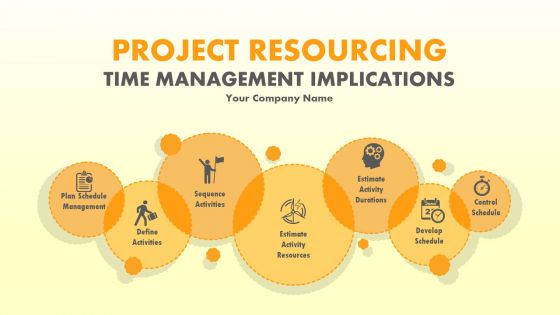
Folie 1 : Diese Folie stellt die Auswirkungen auf das Zeitmanagement der Projektressourcen vor. Geben Sie hier Ihren Firmennamen an und beginnen Sie.
Folie 2 : Diese Folie präsentiert die Agenda. Staatliche Firmenagenda hier.
Folie 3 : Dies ist eine Projektübersichtsfolie. Sie können den Inhalt nach Bedarf ändern / ändern.
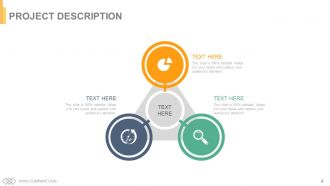
Folie 4 : Dies ist die Projektbeschreibungsfolie. Beschreiben/Stellen Sie hier Ihr Projekt vor.
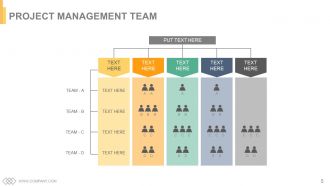
Folie 5 : Diese Folie stellt das Projektmanagementteam vor.
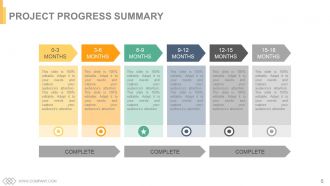
Folie 6 : Diese Folie zeigt eine Zusammenfassung des Projektfortschritts in Monaten.
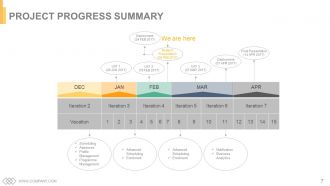
Folie 7 : Diese Folie enthält eine Zusammenfassung des Projektfortschritts.
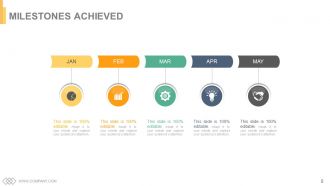
Folie 8 : Dies ist eine Folie mit erreichten Meilensteinen, die mit Textfeldern dargestellt wird, die nach Bedarf ausgefüllt werden müssen.
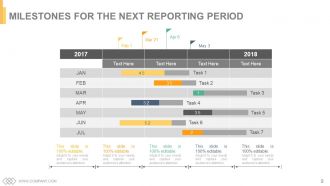
Folie 9 : Diese Folie zeigt Meilensteine für den nächsten Berichtszeitraum.
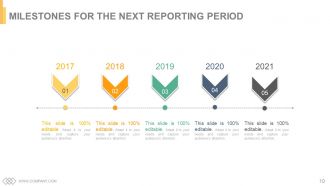
Folie 10 : Dies ist eine weitere Folie mit Meilensteinen für den nächsten Berichtszeitraum.
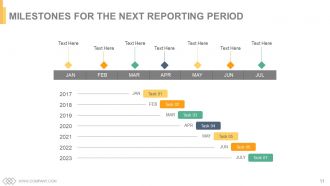
Folie 11 : Auch dies ist die Folie „Meilensteine für die nächste Berichtsperiode“.
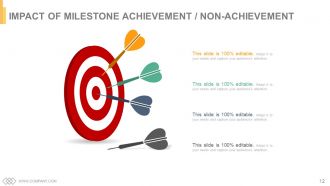
Folie 12 : Diese Folie zeigt die Auswirkungen der Meilensteinerreichung / Nichterreichung mit Pfeilen und Zielbildern an.
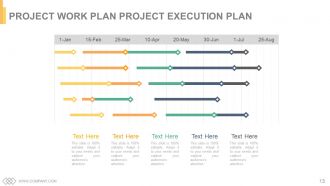
Folie 13 : Diese Folie präsentiert den Projektarbeitsplan Projektdurchführungsplan.
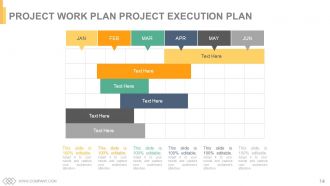
Folie 14 : Dies ist eine weitere Folie mit dem Projektarbeitsplan Projektausführungsplan.
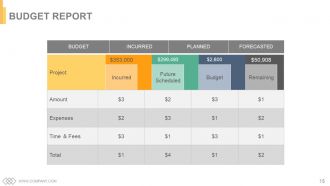
Folie 15 : Diese Folie präsentiert den angefallenen, geplanten und prognostizierten Haushaltsbericht.
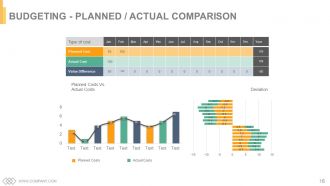
Folie 16 : Dies ist die Folie Budgetierung – Plan/Ist-Vergleich.
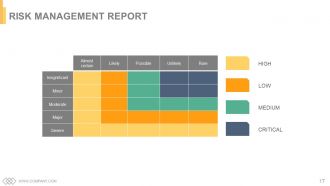
Folie 17 : Diese Folie präsentiert den Risikomanagementbericht mit hohen, niedrigen, mittleren und kritischen Parametern.
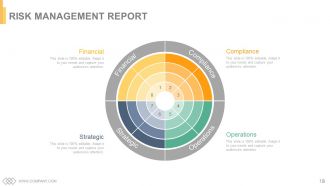
Folie 18 : Dies ist eine weitere Folie des Risikomanagementberichts. Finanzen, Compliance, Betrieb, Strategisch.
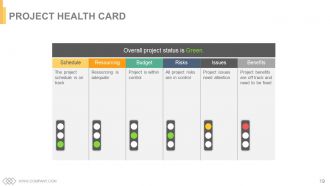
Folie 19 : Diese Folie zeigt die Projekt-Gesundheitskarte.
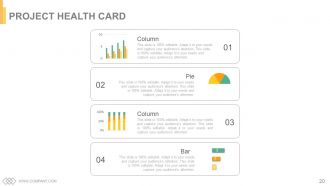
Folie 20 : Dies ist eine weitere Folie der Projektgesundheitskarte, die mit einem Säulendiagramm, einem Balkendiagramm und einem Kreisdiagramm dargestellt wird.
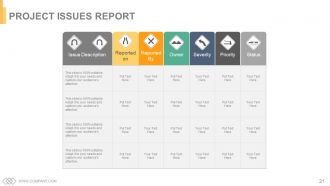
Folie 21 : Diese Folie präsentiert den Projektproblembericht.
Folie 22 : Diese Folie trägt den Titel Zusätzliche Folien, um fortzufahren. Es kann nach Bedarf geändert werden.
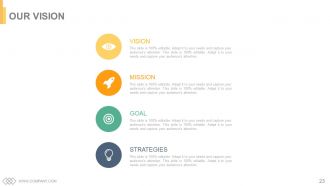
Folie 23 : Dies ist unsere Vision-Folie. Geben Sie hier Ihre Vision, Ziele, Strategien und Mission an.
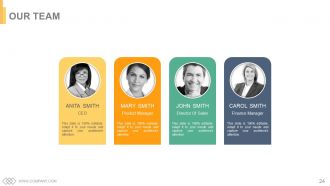
Folie 24 : Diese Folie zeigt unser Team mit Bild- und Textfeldern.
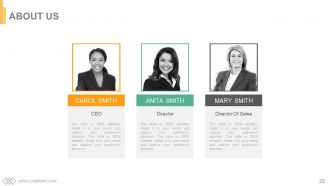
Folie 25 : Dies ist eine Über uns-Folie mit Textfeldern, die je nach Bedarf ausgefüllt werden können.
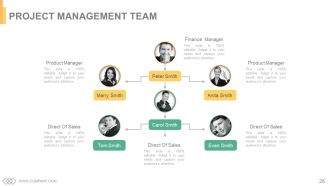
Folie 26 : Diese Folie präsentiert das Projektmanagement-Team mit Namen, Bezeichnung und Bildern.
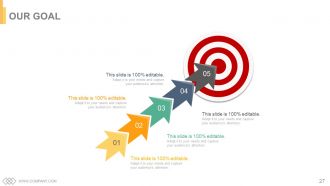
Folie 27 : Dies sind Textfelder für die Folie „Unser Ziel“, in denen Ziele, Ziele usw. angegeben werden.
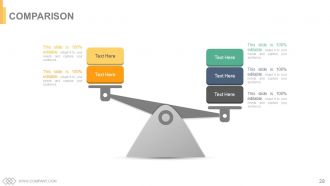
Folie 28 : Dies ist eine Vergleichsfolie, um den Vergleich zweier Einheiten/Produkte usw. zu zeigen.
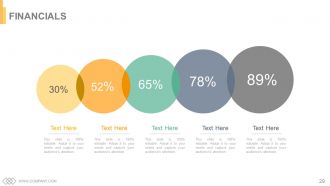
Folie 29 : Diese Folie trägt den Titel Finanzen. Zeigen Sie hier Finanzen und alles, was damit zu tun hat.
Folie 30 : Diese Folie zeigt Zitate, die Sie nach Ihren eigenen Anforderungen ändern/verwenden können.
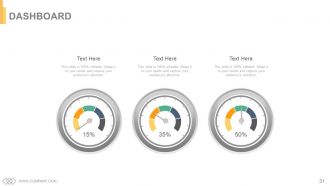
Folie 31 : Dies ist eine Dashboard-Folie zur Angabe von Metriken, KPIs usw.
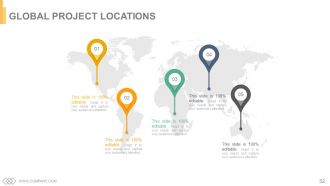
Folie 32 : Dies ist eine Folie mit den globalen Projektstandorten, die auf einem Weltkartenbild dargestellt wird.
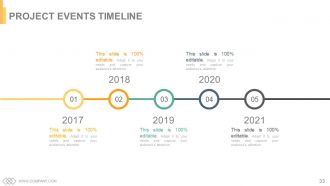
Folie 33 : Dies ist die Folie der Projektereignisse-Zeitachse, um Meilensteine, Wachstum usw.
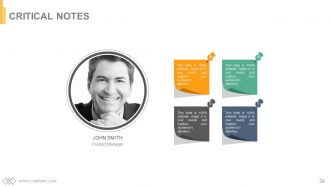
Folie 34 : Dies ist eine Folie mit kritischen Anmerkungen, in der wichtige Informationen, Spezifikationen usw. angegeben werden.
Folie 35 : Diese Folie zeigt ein Zeitungsbild mit Textfeldern zum Flashen von Unternehmensnachrichten, Positionen usw.
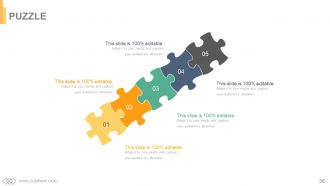
Folie 36 : Diese Folie zeigt ein Puzzle mit Bildern, um Informationen, Spezifikationen usw.
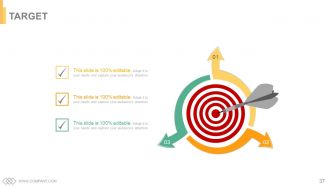
Folie 37 : Dies ist eine Zielfolie. Geben Sie hier Ihre Ziele, Ziele etc. an.
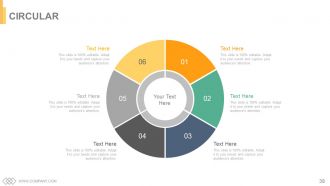
Folie 38 : Dies ist eine kreisförmige Bildfolie zur Anzeige von Informationen, Spezifikationen usw.
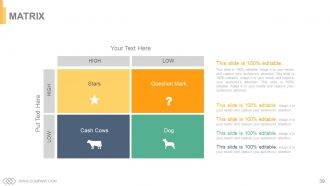
Folie 39 : Diese Folie präsentiert eine Matrix von hoch nach niedrig und umgekehrt.
Folie 40 : Dies ist eine Lego-Folie mit Textfeldern, um Informationen, Spezifikationen usw. anzuzeigen.
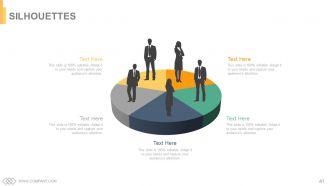
Folie 41 : Dies ist eine Silhouetten-Folie, um personenorientierte Informationen, Spezifikationen usw. zu präsentieren.
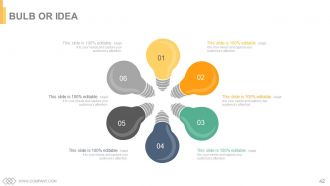
Folie 42 : Dies ist eine Glühbirnen- oder Ideenfolie, um eine neue Idee zu präsentieren oder Spezifikationen/Informationen usw. hervorzuheben.
Folie 43 : Diese Folie zeigt eine Lupe mit Symbolbildern.
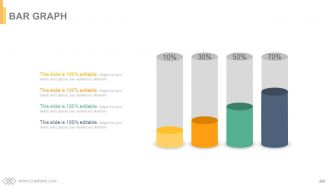
Folie 44 : Dies ist eine Balkendiagramm-Bildfolie zum Anzeigen von Produkt-/Entitätsvergleichen, Informationen usw.
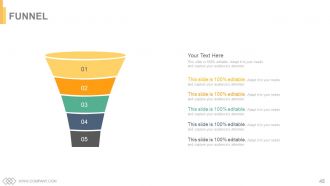
Folie 45 : Diese Folie zeigt einen Trichter mit Textfeldern. Zustandsinformation, Prozess in Trichterform hier.
Folie 46 : Dies ist eine DANKE-Bestätigungsfolie mit Adresse# Hausnummer, Stadt, Bundesland, Kontaktnummern, E-Mail-Adresse.
Implikationen für das Zeitmanagement von Projektressourcen PowerPoint-Präsentationsfolien mit allen 46 Folien:
Verschönern Sie den Eindruck, den Sie mit unserem Powerpoint-Deck mit Folien für Projektressourcen im Zeitmanagement machen. Es enthält kräftige Farbkombinationen.


FAQs for Project resourcing time management implications
Okay so basically there are five phases: initiation (getting approval and defining what you're actually doing), planning (timeline, resources, all that stuff), execution (the actual work), monitoring (tracking progress), and closure (wrapping everything up). Real talk though - most projects live or die in the monitoring phase. People skip this and then wonder why everything's a disaster at the end. Set up checkpoints early so you can catch problems before they snowball. Oh, and figure out where your current projects are in this cycle first. Makes it way easier to know what to focus on next.
Honestly, you've gotta figure out what each stakeholder actually gives a shit about first - their priorities aren't what you'd expect half the time. Keep everyone updated regularly, even when nothing's happening. I made this mistake once and my sponsor totally lost it over the silence, which was... fun. Don't wait until the last second to mention risks or delays either. Document every single thing you agree on because people have selective memory. Oh, and this sounds obvious but actually listen during meetings instead of just waiting for your turn to talk. Trust me on that one.
Honestly, communication makes or breaks projects. I've seen teams completely implode because nobody talked to each other - like, it gets ugly fast. You want everyone on the same page about deadlines, goals, all that stuff. Regular check-ins are clutch. Document your big decisions too so people can't claim they "never heard about it" later (you know how that goes). The project managers who really crush it? They actually over-communicate rather than leaving people guessing. Set up those weekly touchpoints with your team and stakeholders. Trust me, a few extra meetings beats scrambling to fix disasters.
Honestly, start with something like Asana or Monday for tracking everything - way better than random spreadsheets everywhere. Gantt charts changed my life (I know, sounds dramatic but seriously). For budget stuff, even Excel works if you're just starting out. Toggl's great for time tracking. Oh and don't skip the regular check-ins - people hate them but they actually prevent disasters. My advice? Pick one main tool first. I made the mistake of trying five platforms at once and it was a nightmare. You can always add more later when things get busier.
Ugh, scope creep is the worst! First thing - dig up that original project scope doc whenever someone asks for extras. Seriously, it's like your shield against feature bloat. When new requests pop up, don't just say yes to be nice (learned that the hard way). Break down what it'll actually cost - more time, more money, or we drop something else. Pick one. Write everything down and make them approve it properly before you touch anything. The documentation part is boring but it'll save your butt later when people "forget" what they agreed to.
Risk registers are your friend - they'll help you track everything that could go sideways. I'd also do probability/impact matrices to figure out what's actually worth worrying about. Team risk workshops are honestly game-changers because people will think of stuff you totally missed. SWOT analysis works too, plus scenario planning if you've got time. For bigger projects, Monte Carlo simulations are pretty neat (though maybe overkill for smaller stuff). Oh, and don't forget regular check-ins throughout the project. My advice? Pick 2-3 methods max and actually use them consistently instead of spreading yourself thin.
Honestly, team dynamics can totally make or break everything. I've watched projects with solid plans completely crash just because people couldn't get along - it's wild how fast that happens. Good communication means you actually hit deadlines and the work doesn't suck. Trust me, toxic vibes create so much wasted effort and rework. People stop sharing ideas when the atmosphere is weird. Build psychological safety from day one. Everyone needs to feel heard, and don't let conflicts fester (they spread like wildfire). When teams click, creativity flows way better too.
Okay so first thing - break your project into actual tasks and be honest about timing. I always tack on extra time because I'm terrible at estimates lol. Work backwards from your deadline to figure out the big milestones. Gantt charts are super helpful if you're into that, or just use a spreadsheet. You'll want to check what holidays are coming up and when people are actually available. Oh, and don't forget approval cycles take forever. Once you've got something decent, definitely run it by your team - they'll catch stuff you missed.
First thing - figure out what you've actually got to work with. People, money, equipment, deadlines. Then see what really needs to get done first. I swear, half the time people stress about tasks that barely matter for the big picture. Resource histograms sound boring but they'll save your butt by showing when you're overloading people. Check in weekly because stuff changes constantly. Can't just plan once and walk away. Track how busy everyone is and don't be afraid to move things around when priorities inevitably shift or someone gets yanked onto another project.
Track the obvious stuff first - budget, timeline, scope. But that's honestly just the bare minimum everyone expects anyway. What really matters is whether stakeholders are happy and your team didn't burn out completely. Quality of what you actually delivered counts too. Here's the thing though - don't forget to check back later and see if the project actually fixed what it was supposed to fix. Sometimes things look great at launch but totally miss the mark. Pick maybe 3-4 metrics max and stick with them. Otherwise you'll just drown in spreadsheets.
Honestly, agile is a game changer because you can pivot super fast when things inevitably go sideways. You work in these short 2-week chunks instead of some massive 6-month death march where nobody knows what's happening. Your team actually stays motivated since they're shipping real stuff constantly - not just vanishing into spreadsheet land forever. The feedback loop is clutch too. Stakeholders tell you if you're building total garbage before it's too late lol. Just try it on one project first though. Don't go crazy and flip your whole world upside down immediately.
Honestly, start with regular check-ins but keep them super short and focused. Use tools like Miro or Figma for real-time collaboration - they're game changers. Set up shared dashboards so people aren't constantly asking "what's the status on X?" The human connection part is huge though. Schedule virtual coffee chats or do team retros where you actually talk about life, not just work. Oh, and you'll need to overcommunicate everything since remote teams miss all those random hallway conversations. Pick one thing to try this week and see how it goes. Don't overthink it.
Okay so first thing - write down ALL your deadlines and figure out which ones are actually on the critical path (like, if you're late on these, everything else gets screwed). Then look at impact vs effort. High-impact stuff that unblocks your teammates? Do that first. I'm weird and color-code everything because I'm super visual, but honestly whatever works for you. Also, some deadlines aren't as set in stone as they seem - talk to stakeholders early if you need flexibility. Make a daily list of max 3-5 things and check it every morning. When everything feels urgent (which, ugh, always), just focus on what'll create the biggest bottleneck.
Dude, get that project charter signed before you do ANYTHING else. It's basically proof that your project actually exists and you're not just wasting company time. Shows what you're building, rough timeline, budget estimates, who's involved - all that stuff. Honestly, I learned this the hard way when my manager questioned a project I'd been working on for weeks. Without that charter, you're basically doing unauthorized work that could get axed tomorrow. It gives you the authority to move forward and spend resources. Trust me, it'll save your ass later when people start asking questions.
Honestly, the biggest thing is making sure people aren't scared to throw out crazy ideas. Give your team some dedicated brainstorming time - doesn't have to be much, maybe 30 minutes weekly. One company I heard about actually throws "failure parties" to celebrate experiments that bombed, which sounds nuts but apparently works great for encouraging risks. Cross-functional sessions help too, or bringing in outside speakers for fresh perspectives. Oh, and when someone suggests something totally wild, try asking "how could we make this happen?" instead of shooting it down immediately. That mindset shift alone is huge. Maybe start with one innovation session this month?
-
I discovered this website through a google search, the services matched my needs perfectly and the pricing was very reasonable. I was thrilled with the product and the customer service. I will definitely use their slides again for my presentations and recommend them to other colleagues.
-
Content of slide is easy to understand and edit.