

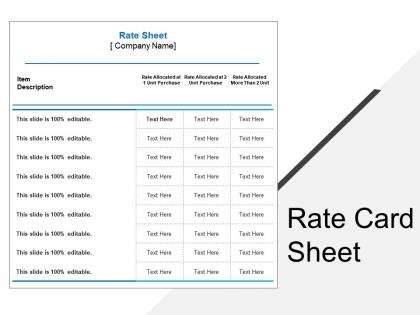
Rate card sheet




Try Before you Buy Download Free Sample Product
 Impress Your
 Audience
 100%
100% Editable
 Save Hours
 of Time


Select a pricing method and stabilize your position in the market by using the Rate Card Sheet presentation template. In this professionally designed pricing strategy PowerPoint graphic, you can showcase the numerous strategies like market penetration, price skimming, bundle pricing, psychology pricing, geographical, and promotional pricing. Use rate card PPT slideshow and mention various objectives of pricing like return on investment, market share, profit maximization, stabilize the price, and resource mobilization that increases the workforce management of your organization. Take the assistance of a premium pricing PowerPoint layout to assess the goods, manufacturing cost, the market place, competition, market condition, brand, and the quality of a product that nurtures the performance level of the company. There are various high-quality icons present in the slide which makes your presentation interactive and catchy. Therefore, download our ready-to-use value pricing strategy PPT visual to represent the marketer’s assessment of valuable customers.
People who downloaded this PowerPoint presentation also viewed the following :
Rate card sheet with all 5 slides:
Get hatred to go away with our Rate Card Sheet. Give friendship a chance to grow.


FAQs for
Look at complexity first - basic layouts vs custom graphics and animations make a huge difference. Corporate clients pay way more than small businesses or nonprofits, so know your audience. I totally underpriced when I started out, don't make that mistake! Factor in revisions because "one small tweak" always becomes five changes. Package deals work great for template series. Oh, and definitely research competitor pricing first. Price based on the value you're delivering, not just hours spent. Simple templates should obviously cost less than complex data visualizations. Trust me on this one.
So basically, the more complex your templates are, the more you can charge. Your simplest stuff - just text and basic layouts - that's your cheapest tier. Mid-level templates have some branded colors, maybe light customization. But those fancy ones with animations and interactive elements? That's where you make your money. It's like the difference between black coffee and some elaborate drink with foam art, ya know? Oh, and make sure you're super clear about what pushes a template into each price bracket. Clients get weird when they don't understand what they're paying for.
Your pricing really depends on who's buying. Executives will drop serious cash for sleek designs, but startups are scraping pennies together. Company size is honestly the biggest deal - a Fortune 500 has way different budgets than a mom-and-pop shop. Industry matters too since consulting firms spend differently than nonprofits. Don't forget location because someone in SF has more buying power than rural areas. Oh, and tech comfort level - some people want bells and whistles while others just need something clean. I'd make 3-4 price tiers to hit different segments.
Honestly? Check your rates monthly if you can swing it. Quarterly at the absolute minimum. Your competitors are constantly tweaking their pricing based on what's happening in the market, and you don't want to be stuck with outdated rates for months on end. I'd set up calendar reminders to peek at competitor pricing and track your win/loss ratios. Customer feedback about pricing pushback is gold too. Maybe throw it all in a basic spreadsheet - nothing fancy. Even if you don't actually change anything each time, at least you'll know where you stand. Trust me, it beats guessing.
Bundle stuff like custom color matching and logo integration with your templates - way easier to charge more that way. Font licensing is huge too since nobody wants to deal with that mess themselves. Throw in some revision rounds and maybe a quick training call on how to actually use the templates. Stock photos work great if your designs need specific imagery. Honestly, the whole "premium bundle" thing just sounds way more professional than nickel-and-diming everything separately. Makes clients feel like they're getting actual value instead of just a basic template, you know?
Yeah, buying template bundles usually gets you better pricing - kinda like Costco but for presentations. Most places will cut 10-20% off when you grab 3+ templates at once. Makes sense from their side too since closing one big sale beats chasing down a bunch of small ones. So if individual templates run $500 on their rate card, a 5-pack might drop each one to like $400. Pretty decent savings. Just don't go crazy and buy stuff you won't actually use - I've definitely been guilty of that before. Nothing worse than paying for licenses that just sit there collecting digital dust.
Think of customization like menu add-ons at a restaurant - you've got your base prices, then charge extra for the fancy stuff. I usually do percentage markups for rush jobs or flat fees when clients want something super specific. Be totally upfront about what's included in your standard rate vs. what costs more. Trust me, clients hate surprise charges later. Short sentences work great for your base services, then longer explanations for the custom work that'll bump up the price. Just make sure everything's crystal clear on your rate card from the start.
Yeah, seasonal stuff totally affects your pricing. Q4 is crazy - everyone's scrambling for year-end presentations and will pay whatever. Same with back-to-school season or big conference times. Summer though? Good luck getting premium rates. Here's what I'd do: build in seasonal multipliers from the start. Maybe bump rates 15-20% during busy periods so you're not constantly changing everything. Way easier than repricing every month. During slow periods you'll probably have to drop prices a bit to stay competitive. Just track your patterns for a full year first - you might be surprised which months are actually your goldmine.
Make your rate card pop visually - nobody wants to stare at a boring spreadsheet. Tiered packages work great, especially with a "most popular" badge on your middle option. Bold pricing helps too. Definitely throw in some client logos or testimonials nearby for social proof. Before/after examples showing your template impact are gold. Bundle related services together and maybe add a limited-time discount to create urgency. Oh, and A/B test different layouts with a few prospects first - you'd be surprised how much layout affects conversions. Your value prop needs to be crystal clear right at the top.
Just ask your clients straight up what they'd pay for different stuff - basic layouts vs fancy animations. People are way more honest about budgets than you'd think! Survey them about pricing structures they prefer and which template features matter most. Pay attention to which templates get requested or revised the most too, that's your real demand right there. After projects, throw together a quick feedback form. Short sentences work. You can use all this to build pricing tiers that actually match what they want to spend instead of guessing.
Price based on the actual work you put in, not just what you think people will pay. Don't hide basic stuff behind expensive tiers - I've watched too many designers do this and it always bites them later. Smaller businesses need options too, so maybe create a basic tier that hits the essentials? Being transparent about what's included goes a long way. The biggest thing though - your quality better match what you're charging. Nothing kills trust faster than overpriced mediocre templates. Honestly, it hurts all of us when people do that.
So tiered pricing is honestly brilliant - you're basically catching every type of customer instead of missing out on sales. Small businesses go for the cheap option, agencies grab the mid-tier, and big companies want all the fancy enterprise stuff. Kind of like how everyone finds their Netflix plan, you know? The cool thing is nobody feels ripped off or priced out. I'd do maybe 3-4 tiers with really obvious differences between them. Trust me, your conversion rates will thank you since you're hitting different budgets and needs perfectly.
Yeah, licensing type totally changes the price game. Commercial licenses run about 3-5x more than personal ones - which honestly makes sense since businesses can actually make money off them. Personal licenses are way cheaper but you can only use them for your own stuff, no client work at all. If you're doing anything for clients or business, you need the commercial version or you could get in trouble legally. I learned this the hard way when I first started out. The price jump sucks but it comes with way more distribution rights and earning potential.
Dude, trust me on this - clean layout is everything for rate cards. Clients need to find stuff fast without their eyes glazing over. I swear I've seen some that look like a tornado hit a spreadsheet! Use consistent fonts and lots of white space so it doesn't feel cramped. Group your services in a way that actually makes sense. Visual hierarchy helps too - highlight your main packages so people know where to look first. Short sentences work. But you also want some flow between ideas when explaining the bigger picture. Bottom line: make it scannable and you'll get way more yeses.
Honestly, you gotta do your homework on what other designers are charging - it's like your sanity check for pricing. I usually peek at 5-10 competitors who do similar work and see their price ranges. Trust me, you don't want to be that person asking $200 when everyone's at $50, but also don't sell yourself short just to compete. The trick is finding where you fit based on your actual quality level. Some designers are just... not great, so don't copy their low prices if your work's better. Use what you find to set competitive rates that still make you money.
-
Unique and attractive product design.
-
Excellent design and quick turnaround.