


Salary Assessment Report Powerpoint Presentation Slides
Salary Assessment Report allows organizations to compare their salaries and benefits with market insights. After analyzing insights, the report develops a compensation pay structure and prepares a questionnaire to provide recommendations. Grab our competently designed Salary Assessment Report template that illustrates details for salary and compensation pay trends, salary surveys, etc. The salary assessment report displays employee headcount snapshots, employee analytics showing low salary concerns, employee analytics dashboards, etc. Furthermore, the income estimation report presents industry payroll trends, key average salaries given to employees by the company, objectives for conducting salary surveys, etc. This competent report also exhibits salary survey questionnaires, interpretation of survey, compare key survey findings with industry highlights, etc. Moreover, the survey report showcases recommendations for determining salary structure, compensation structure, the scope for displaying new compensation guidelines, etc. The PowerPoint presentation highlights annual guaranteed pay AGP, non-cash benefits and their description, performance bonuses, increment policy, criteria structure, etc. Likewise, the salary survey report PPT illustrates details for the retention program, long-term pay policy, promotions, other compensation policy, working policy guidelines, and more. Book a free demo with our research team now.








































-

- Google Slides is a new FREE Presentation software from Google.
- All our content is 100% compatible with Google Slides.
- Just download our designs, and upload them to Google Slides and they will work automatically.
- Amaze your audience with SlideTeam and Google Slides.
-

Want Changes to This PPT Slide? Check out our Presentation Design Services
-

- WideScreen Aspect ratio is becoming a very popular format. When you download this product, the downloaded ZIP will contain this product in both standard and widescreen format.
-

- Some older products that we have may only be in standard format, but they can easily be converted to widescreen.
- To do this, please open the SlideTeam product in Powerpoint, and go to
- Design ( On the top bar) -> Page Setup -> and select "On-screen Show (16:9)” in the drop down for "Slides Sized for".
- The slide or theme will change to widescreen, and all graphics will adjust automatically. You can similarly convert our content to any other desired screen aspect ratio.
Compatible With Google Slides

Get This In WideScreen
You must be logged in to download this presentation.


Do you want to remove this product from your favourites?
PowerPoint presentation slides
Enthrall your audience with this Salary Assessment Report Powerpoint Presentation Slides. Increase your presentation threshold by deploying this well-crafted template. It acts as a great communication tool due to its well-researched content. It also contains stylized icons, graphics, visuals etc, which make it an immediate attention-grabber. Comprising fourty seven slides, this complete deck is all you need to get noticed. All the slides and their content can be altered to suit your unique business setting. Not only that, other components and graphics can also be modified to add personal touches to this prefabricated set.

People who downloaded this PowerPoint presentation also viewed the following :
Content of this Powerpoint Presentation
Slide 1: This slide introduces Salary Assessment Report. State Your Company Name and begin.
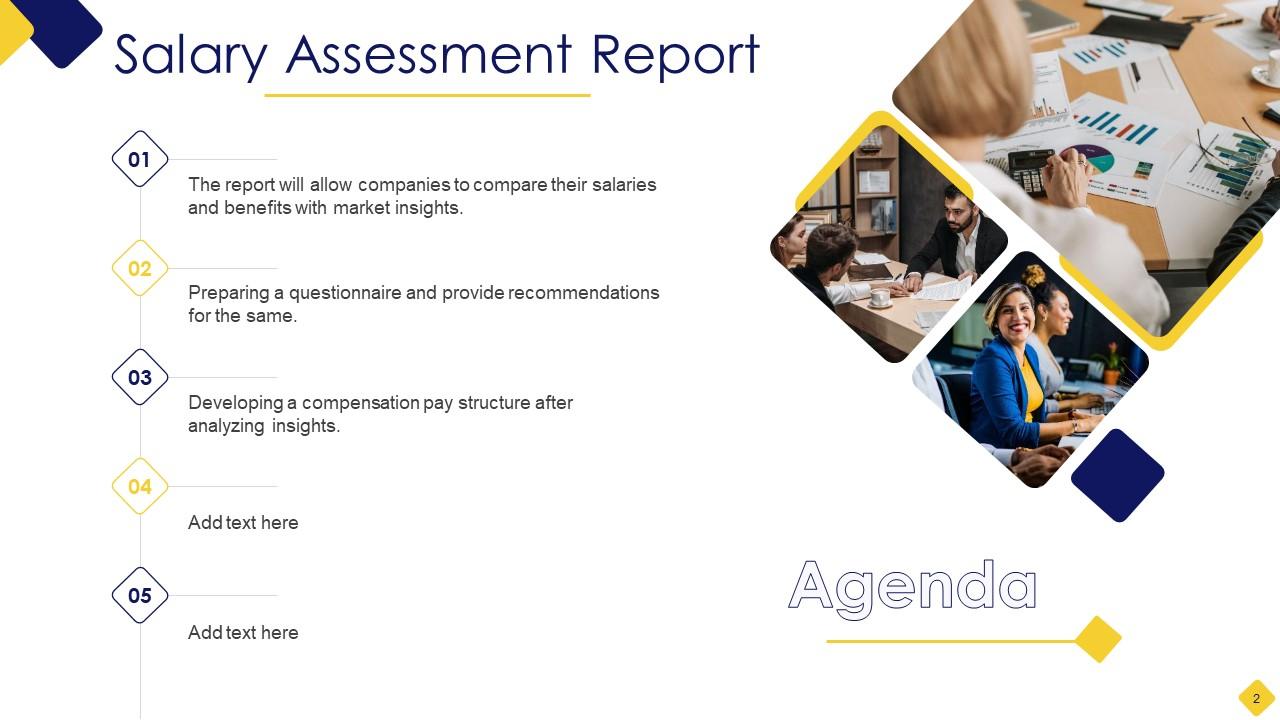
Slide 2: This slide states Agenda of the presentation.
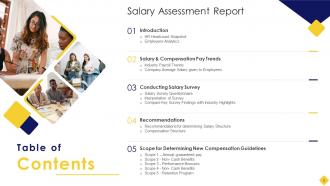
Slide 3: This slide presents Table of Content for the presentation.
Slide 4: This slide highlights title for topics that are to be covered next in the template.
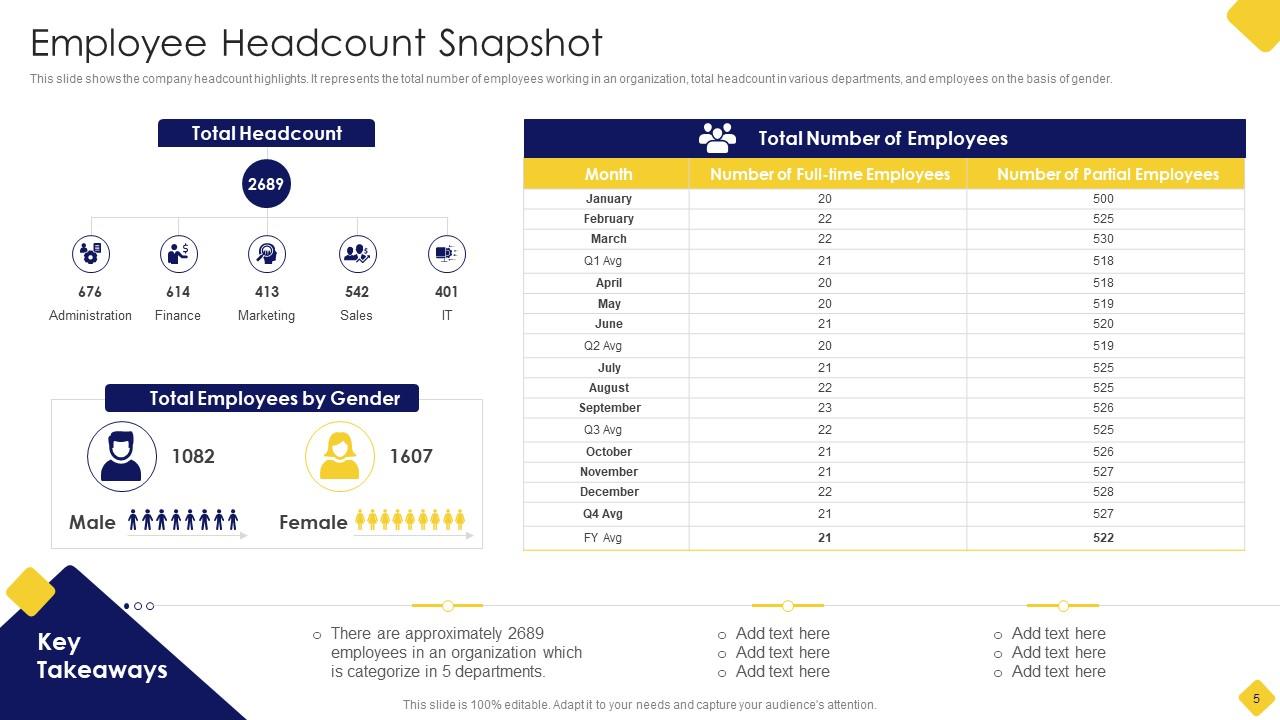
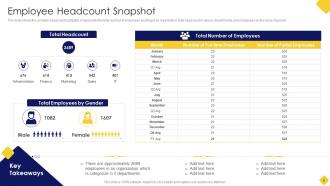
Slide 5: This slide shows the company headcount highlights.
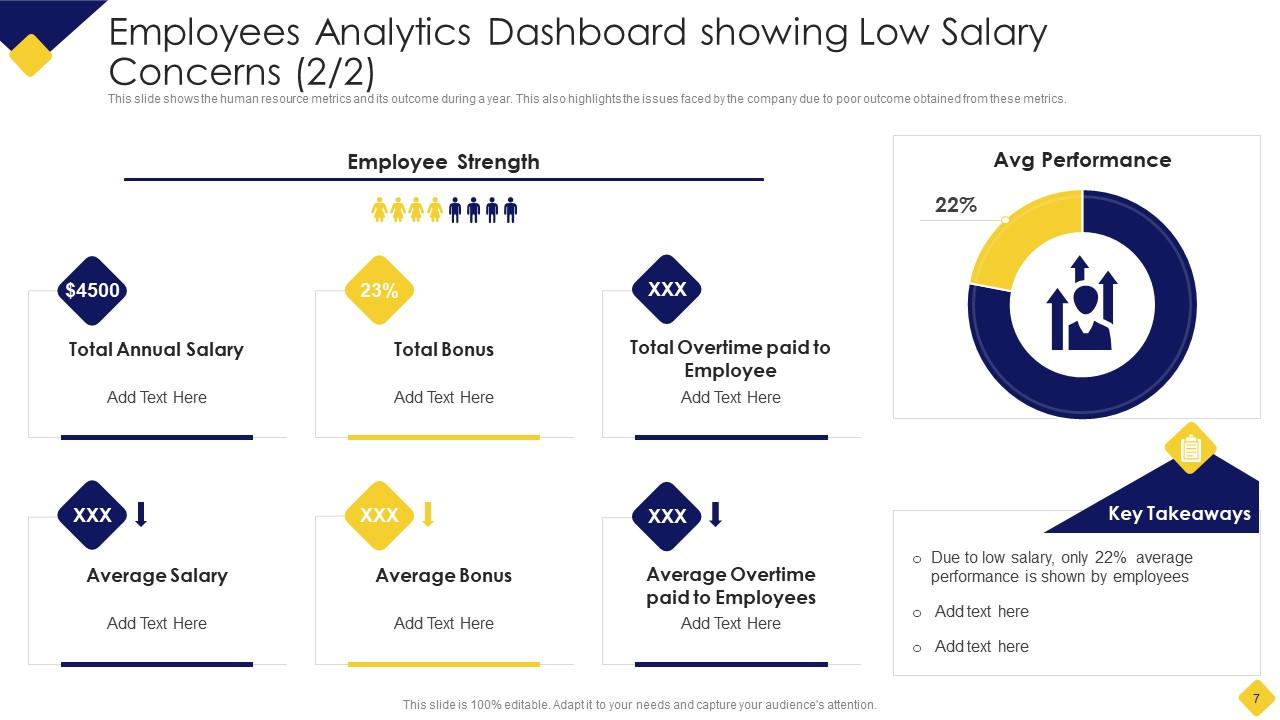
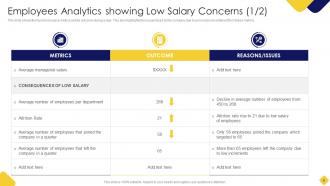
Slide 6: This slide presents Employees Analytics showing Low Salary Concerns.
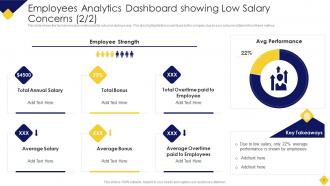
Slide 7: This is another slide continuing Employees Analytics Dashboard showing Low Salary Concerns.
Slide 8: This slide highlights title for topics that are to be covered next in the template.
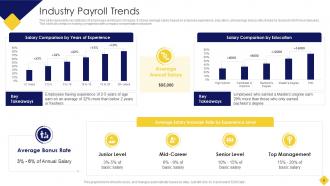
Slide 9: This slide represents key statistics of employees working in US region.
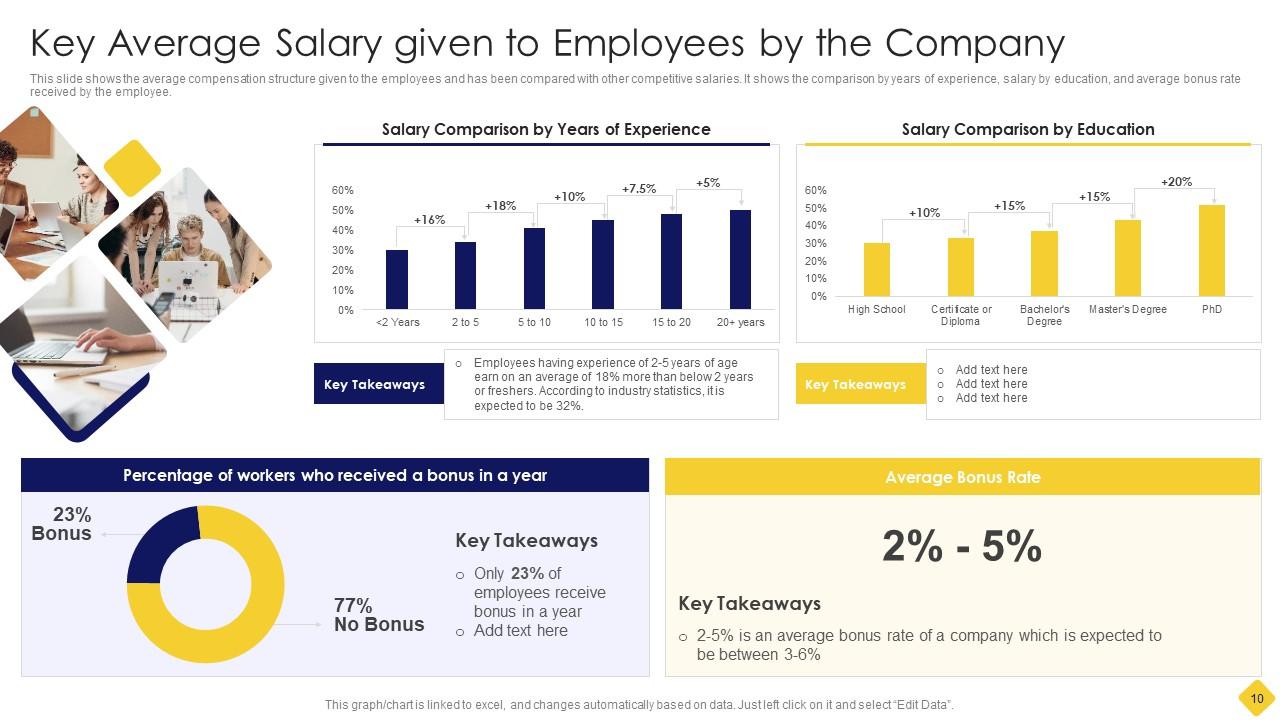
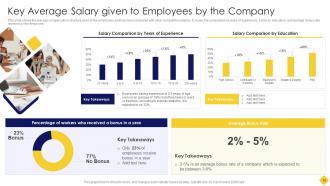
Slide 10: This slide showcases Key Average Salary given to Employees by the Company.
Slide 11: This slide highlights title for topics that are to be covered next in the template.
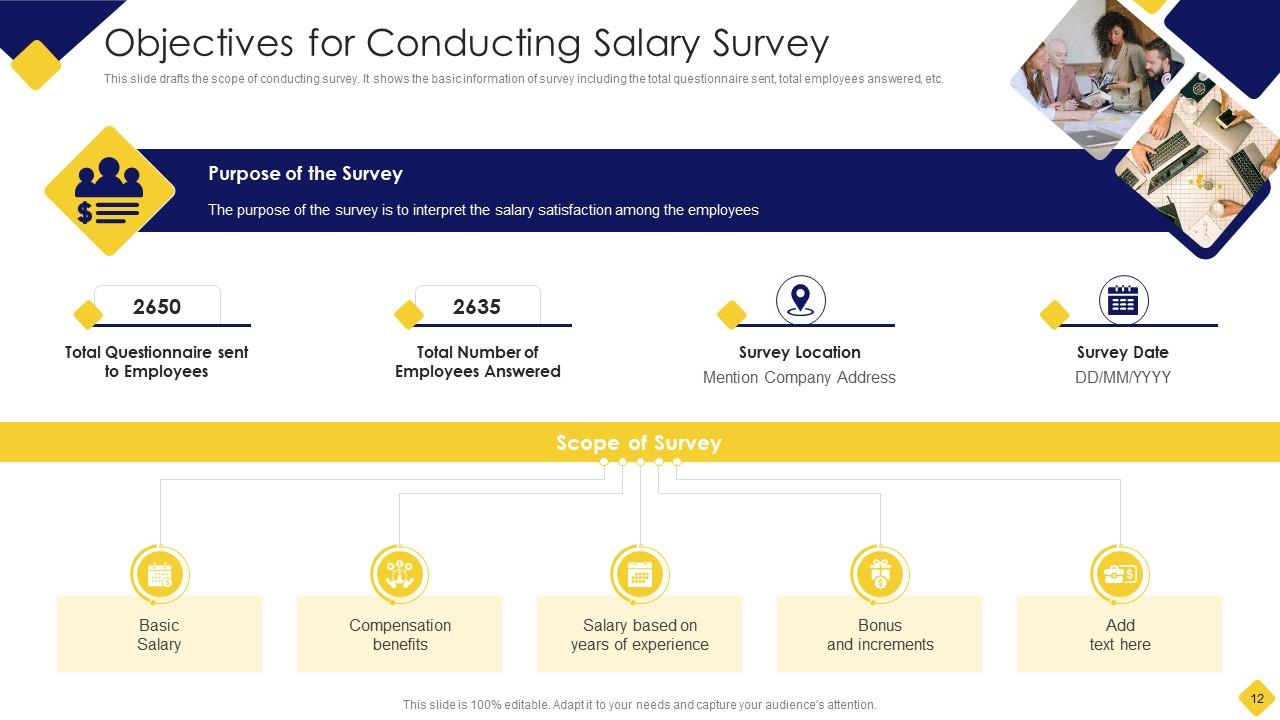
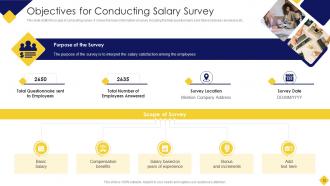
Slide 12: This slide shows Objectives for Conducting Salary Survey.
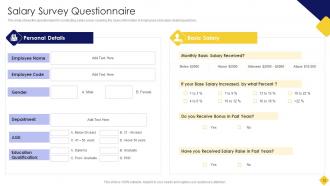
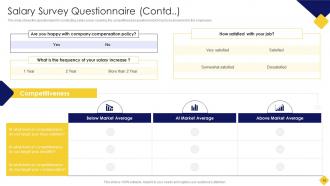
Slide 13: This slide presents questionnaire for conducting salary survey covering the basic information of employees.
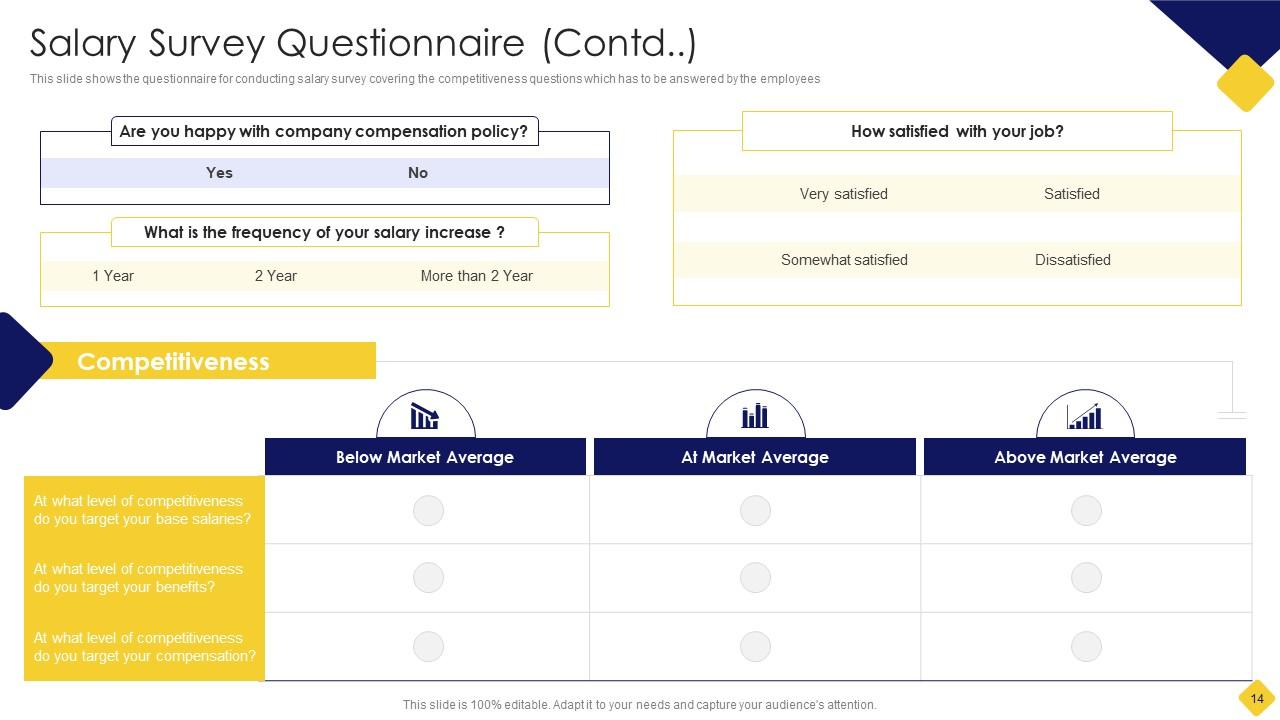
Slide 14: This is another slide continuing questionnaire for conducting salary survey.
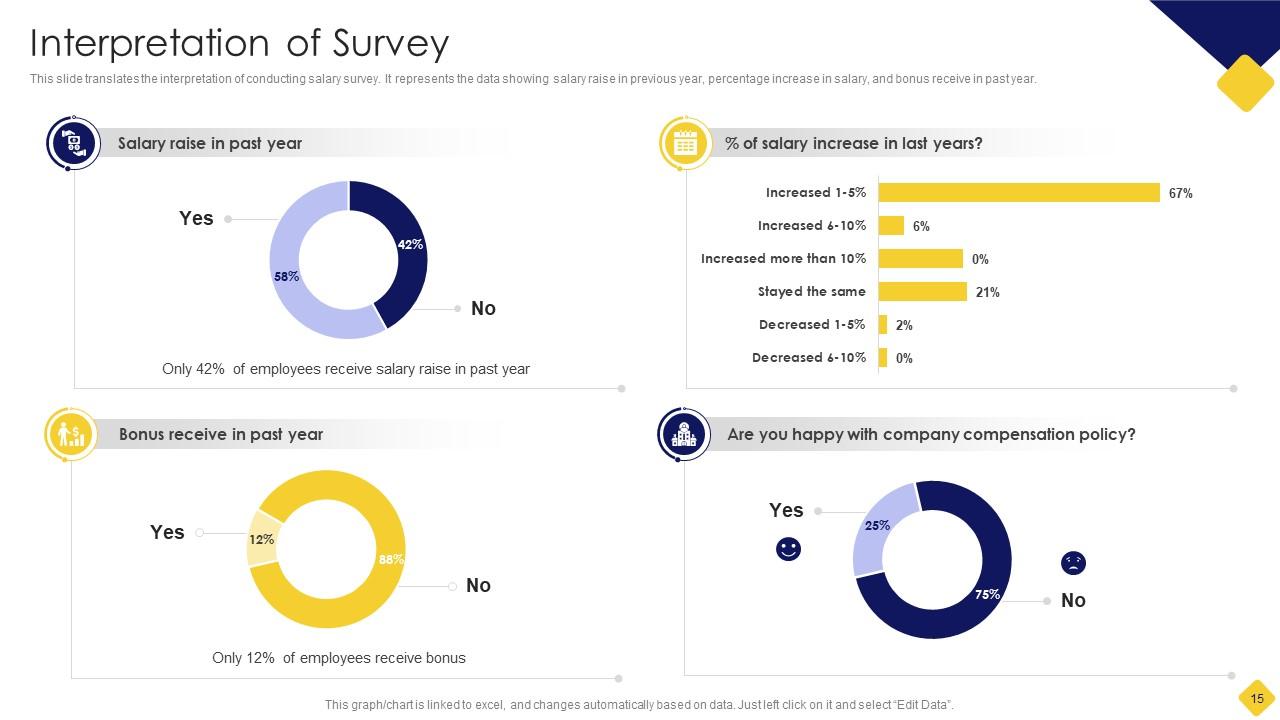
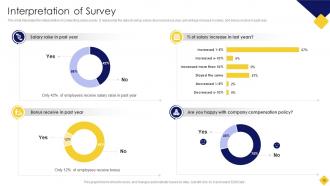
Slide 15: This slide translates the interpretation of conducting salary survey.
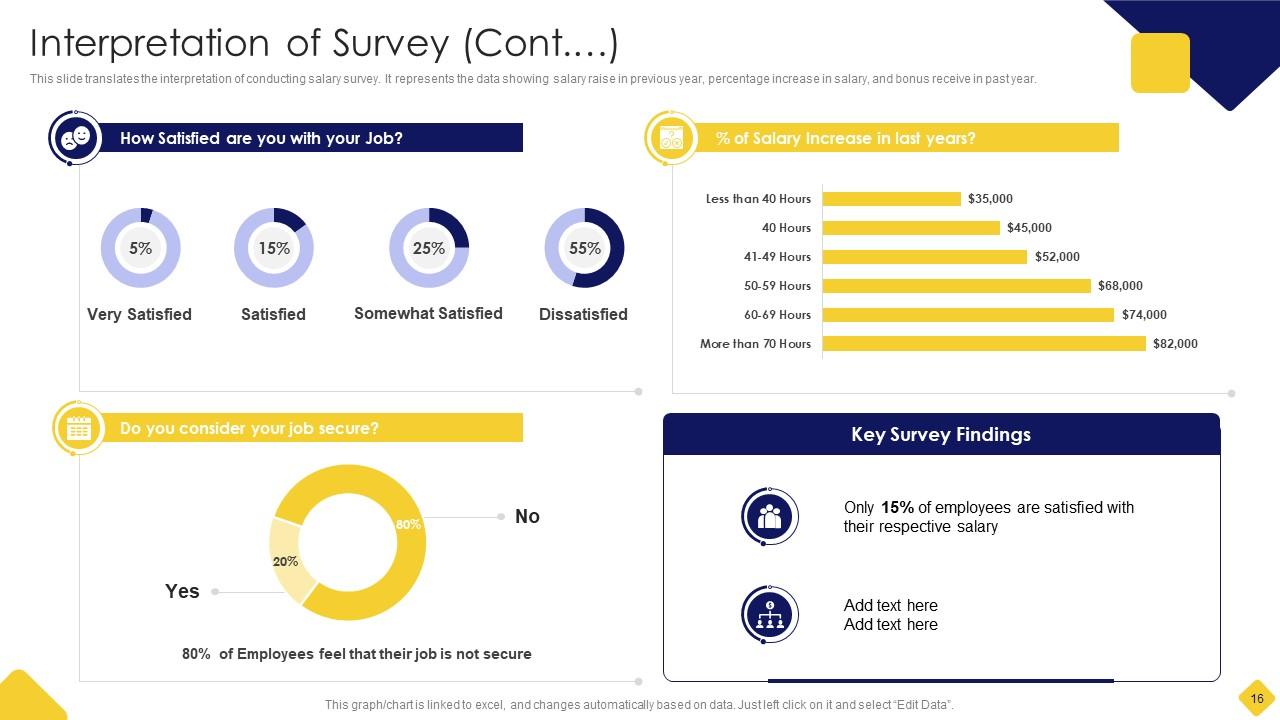
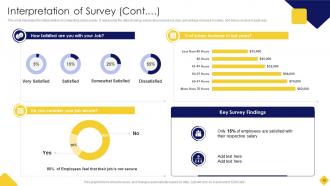
Slide 16: This is another slide continuing interpretation of conducting salary survey.
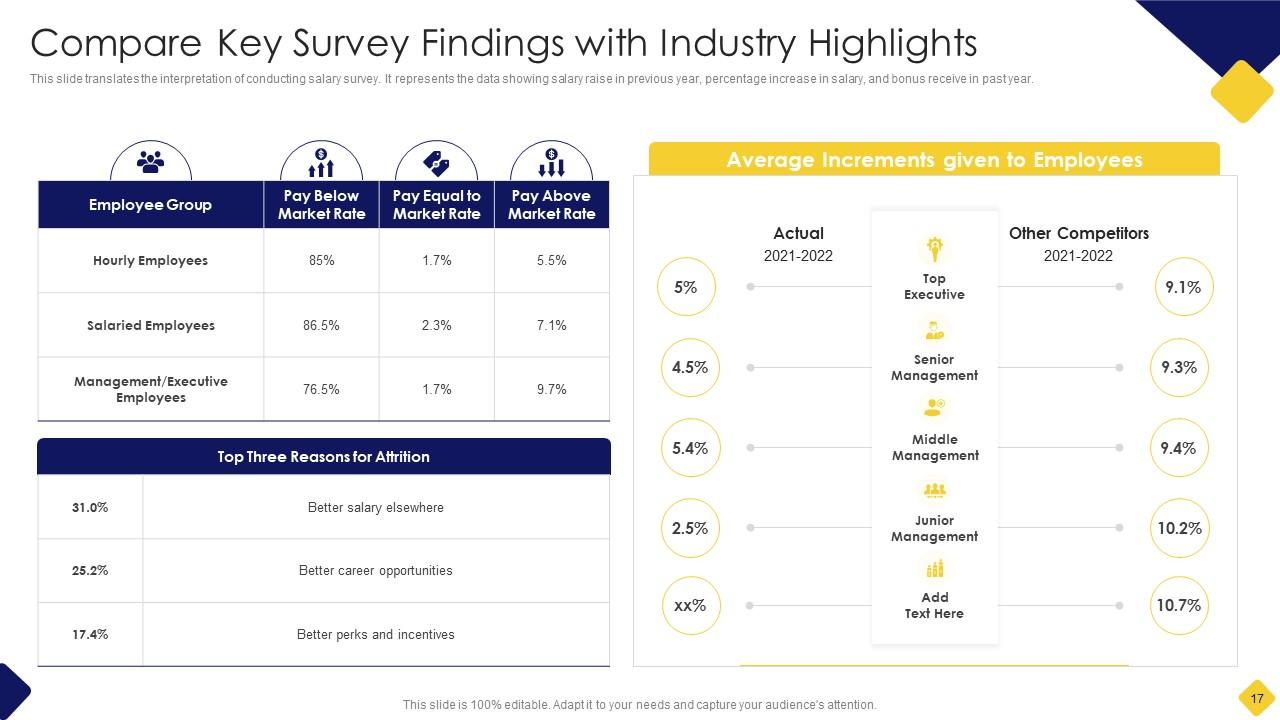
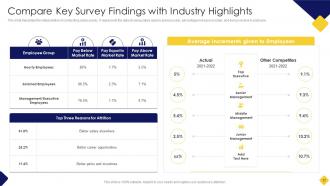
Slide 17: This slide Compares Key Survey Findings with Industry Highlights.
Slide 18: This slide highlights title for topics that are to be covered next in the template.
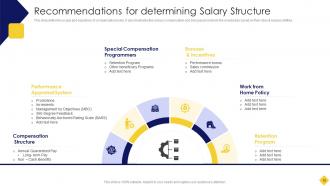
Slide 19: This slide displays Recommendations for determining Salary Structure.
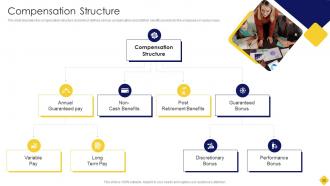
Slide 20: This slide tabulates the compensation structure chart which defines various compensation.
Slide 21: This slide highlights title for topics that are to be covered next in the template.
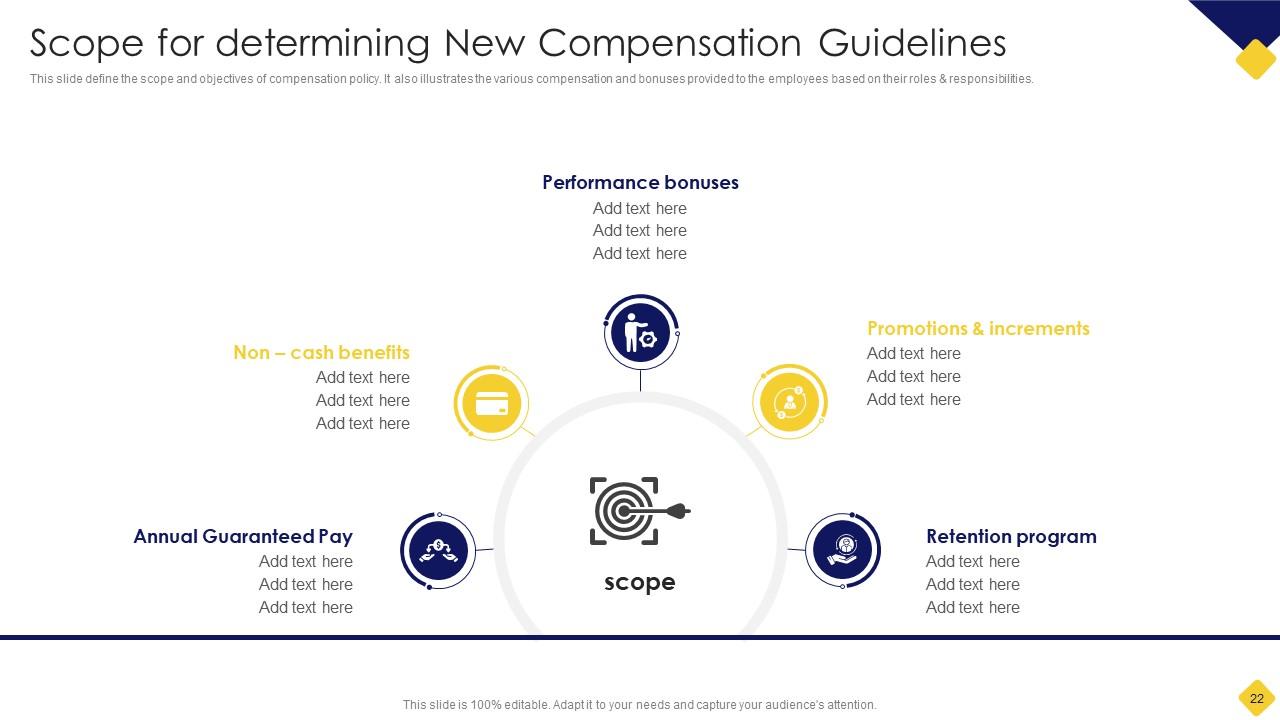
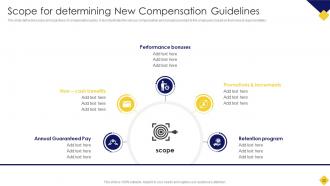
Slide 22: This slide represents Scope for determining New Compensation Guidelines.
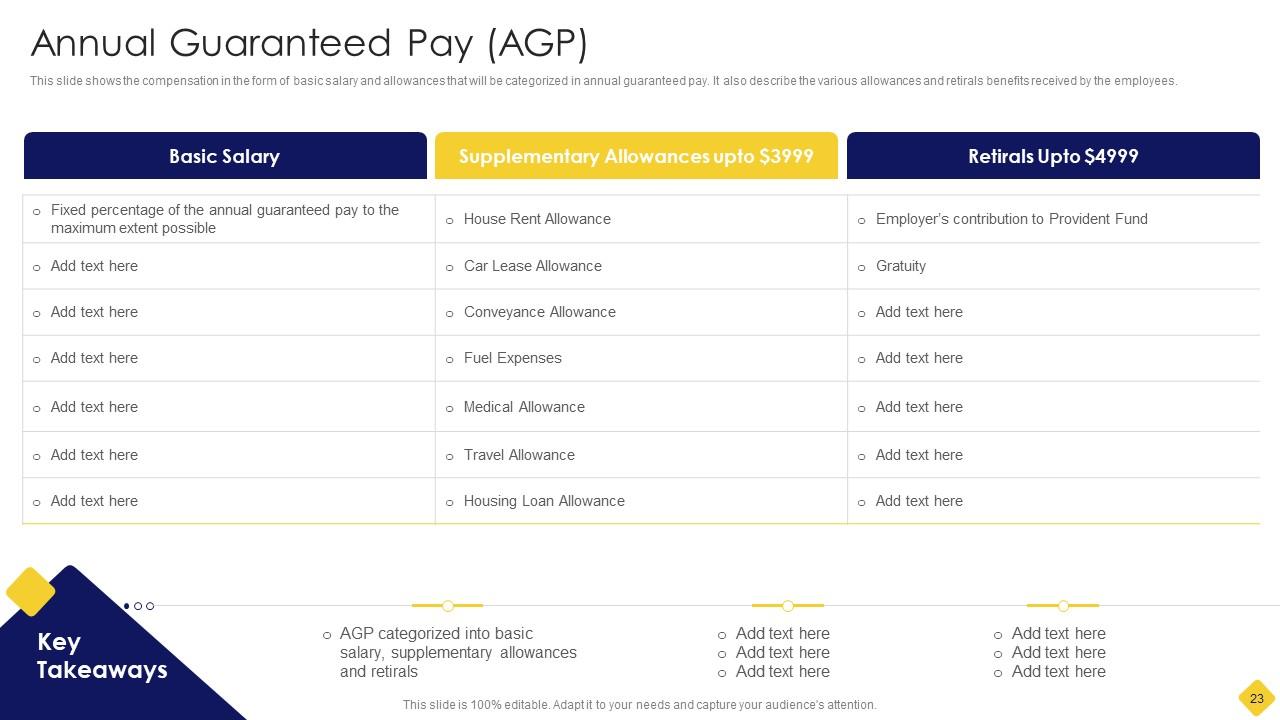
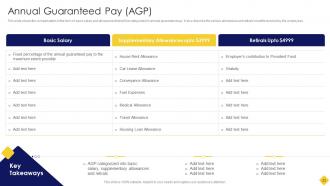
Slide 23: This slide shows the compensation in the form of basic salary and allowances.
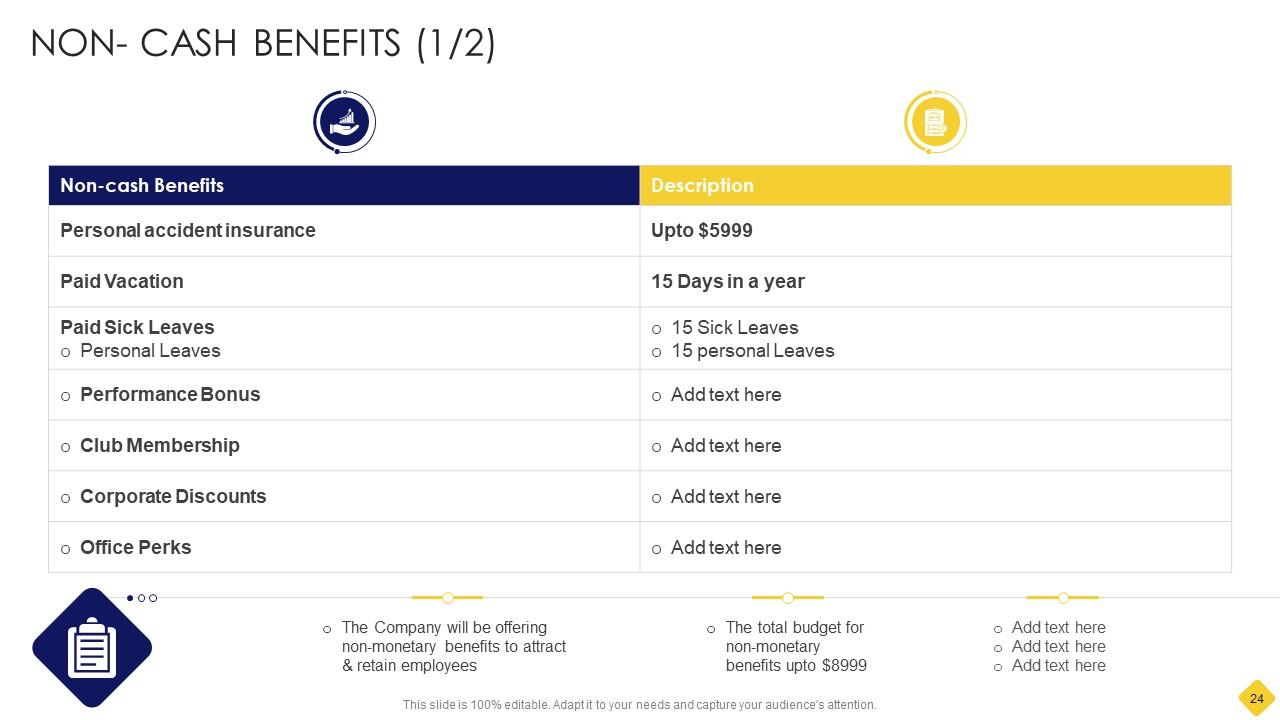
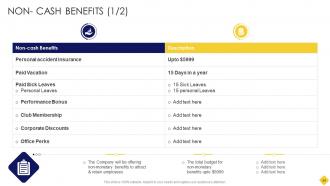
Slide 24: This slide displays non-monetary benefits to attract & retain employees.
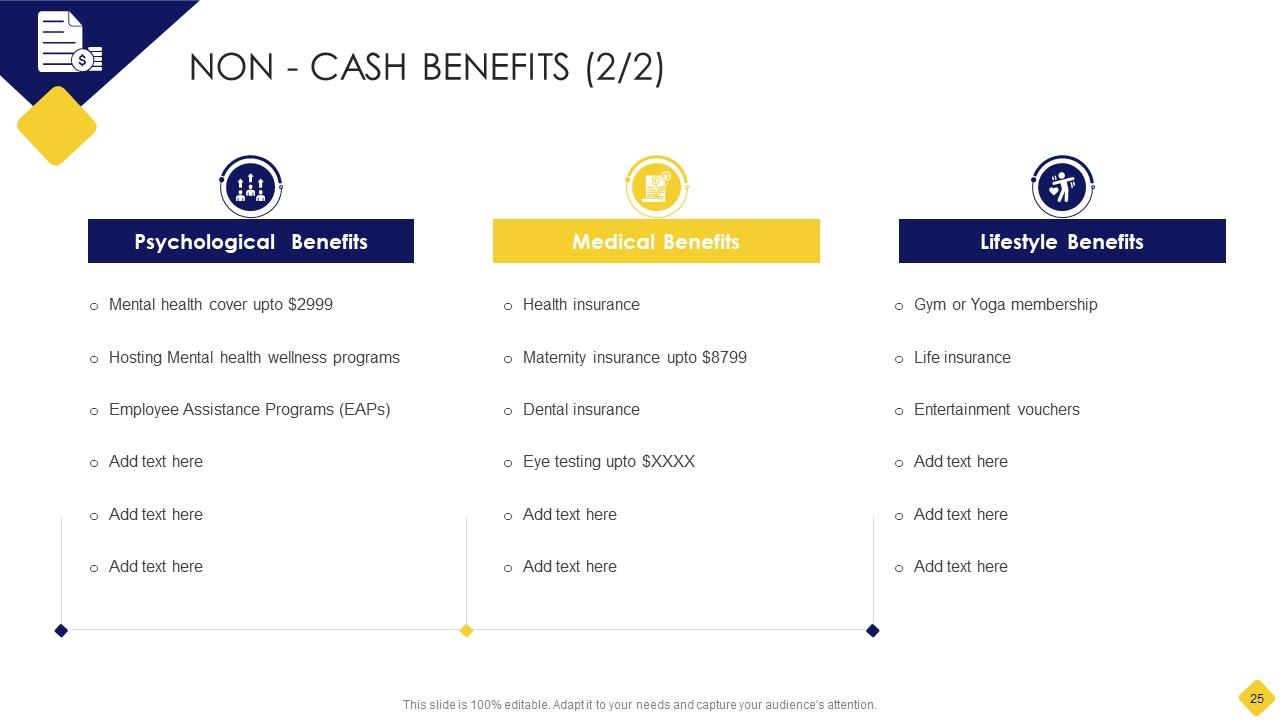
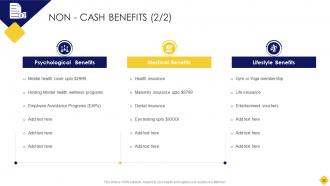
Slide 25: This is another slide continuing non-monetary benefits to attract & retain employees.
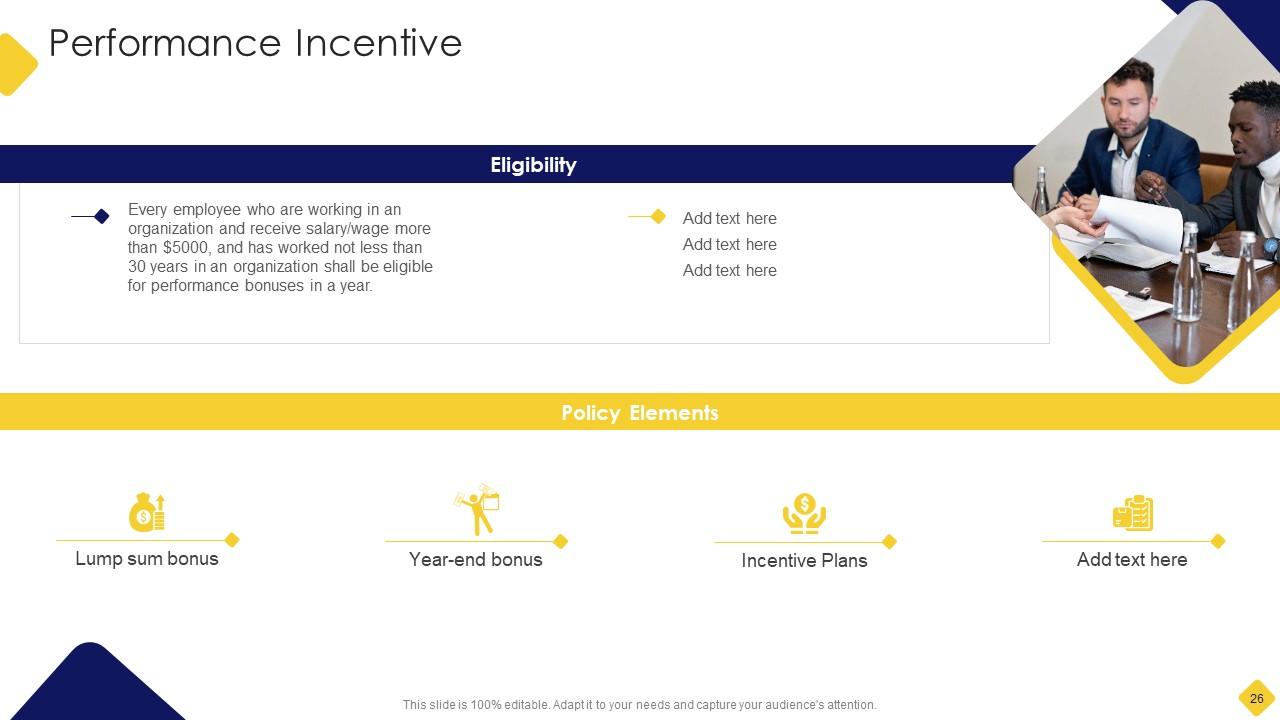
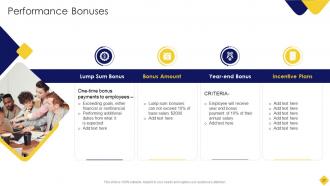
Slide 26: This slide showcases Performance Bonuses.
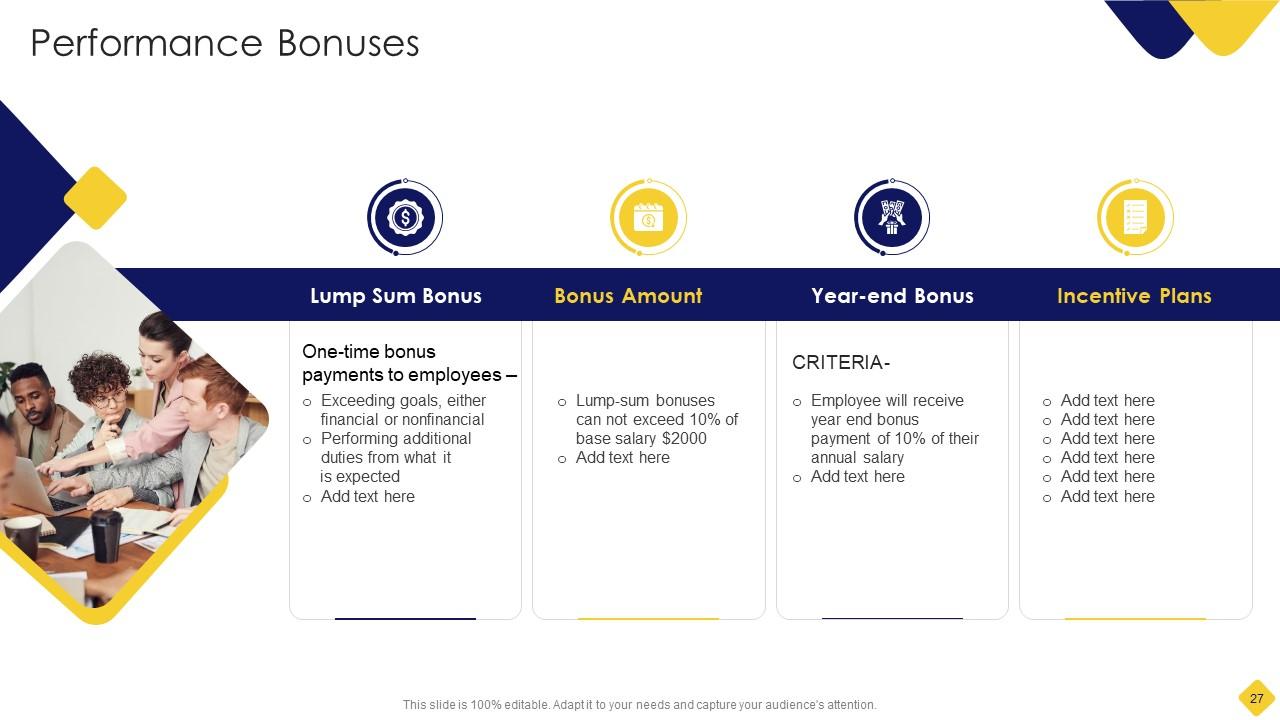
Slide 27: This is another slide continuing Performance Bonuses.
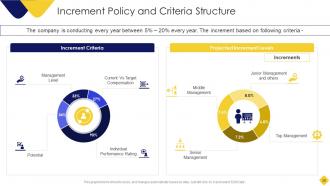
Slide 28: This slide shows Increment Policy and Criteria Strucuture.
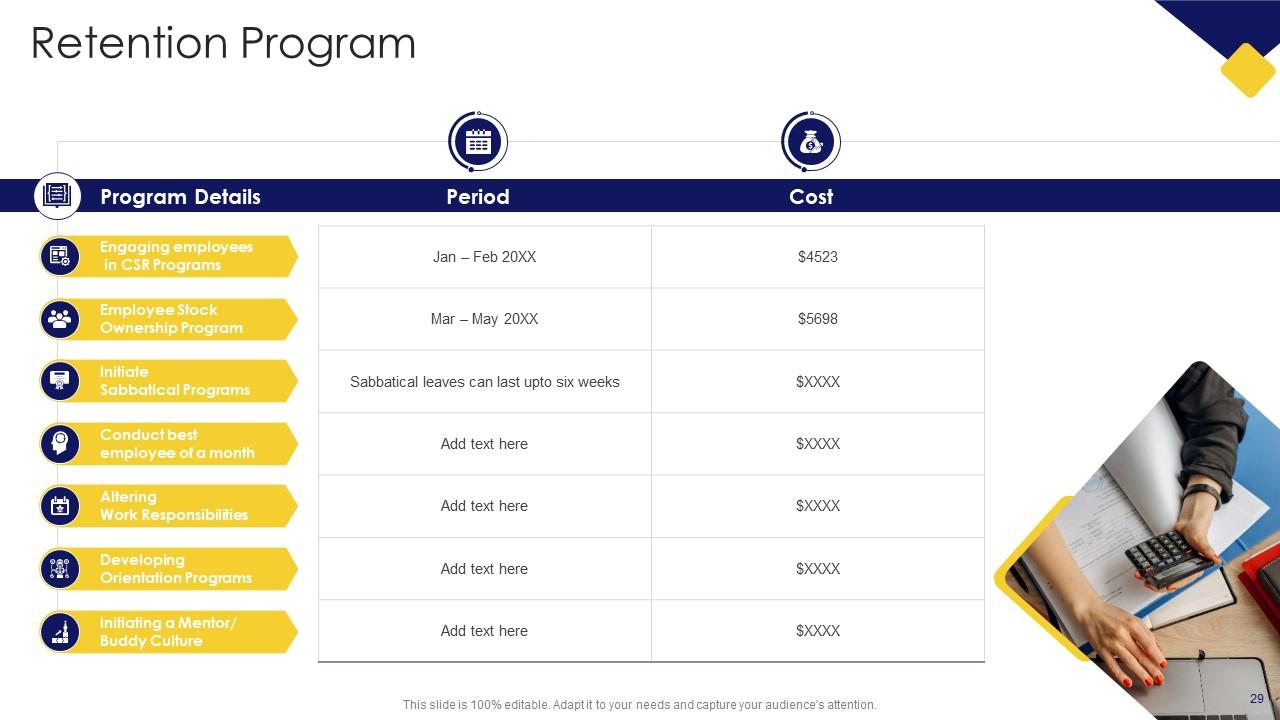
Slide 29: This slide showcases Retention Program with additional textboxes.
Slide 30: This slide displays Icons for Salary Assessment Report.
Slide 31: This slide is titled as Additional Slides for moving forward.
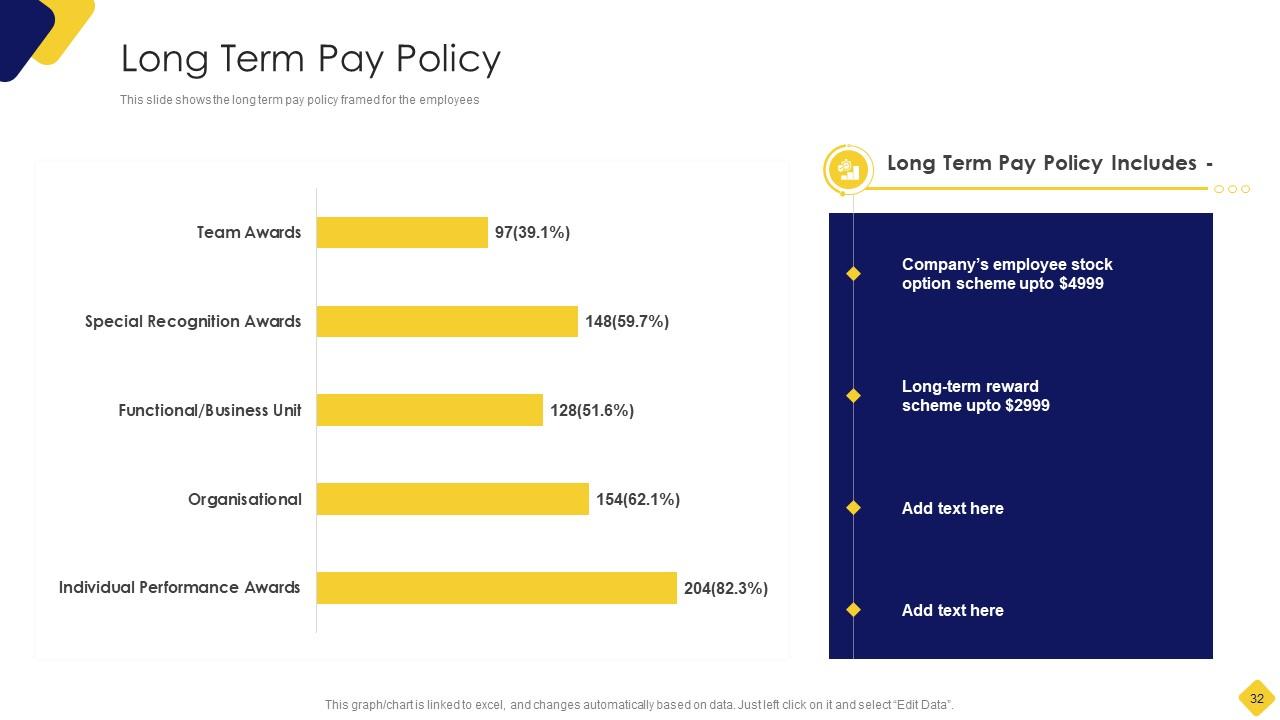
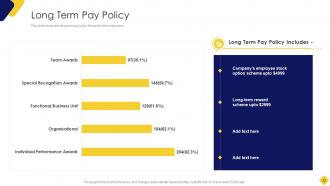
Slide 32: This slide shows the long term pay policy framed for the employees.
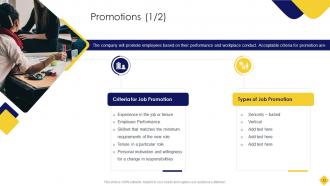
Slide 33: This slide shows Promotions based on Employee performance and workplace conduct.
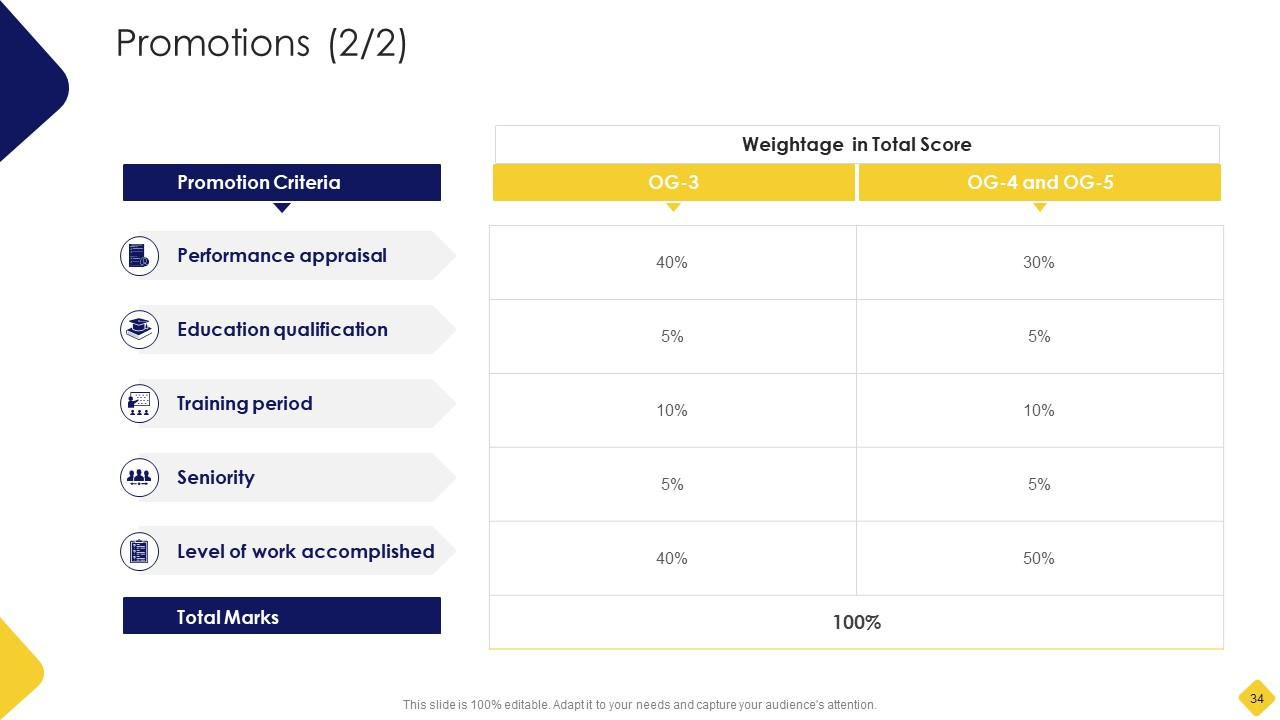
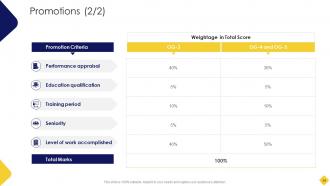
Slide 34: This is another slide continuing Promotions based on Employee performance and workplace conduct.
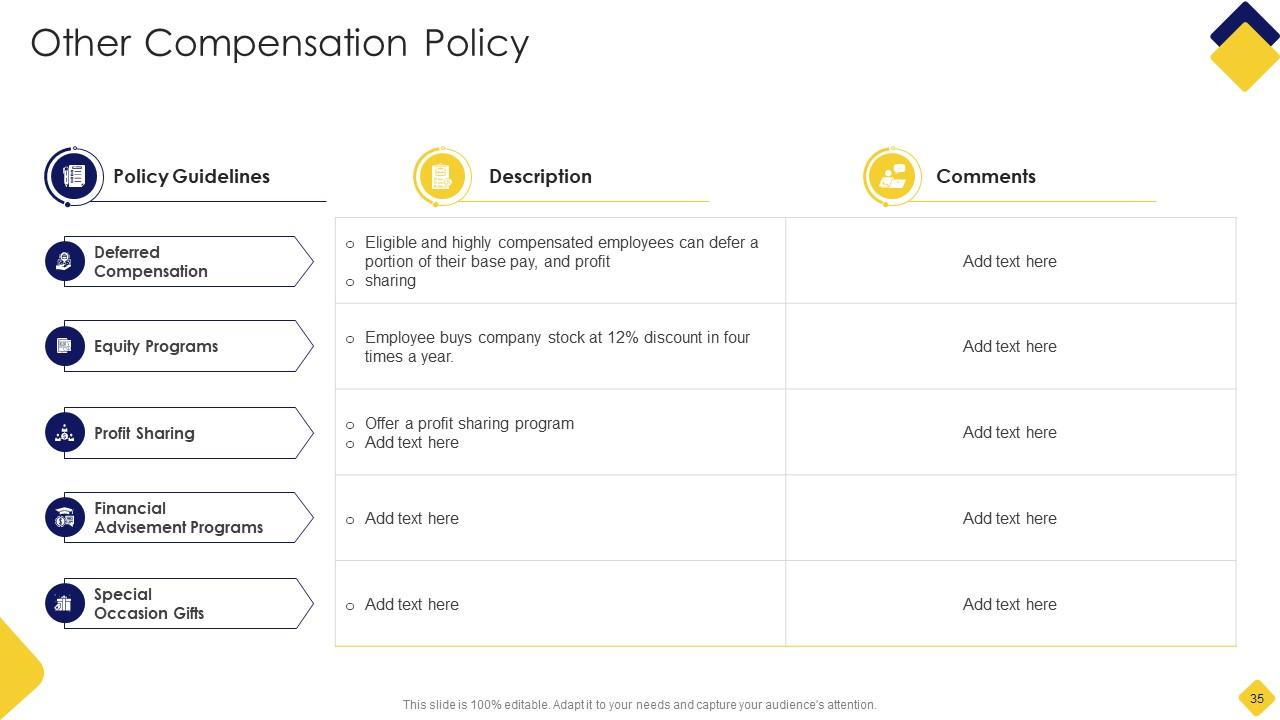
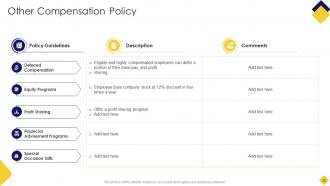
Slide 35: This slide showcases Other Compensation Policy with Policy Guidelines.
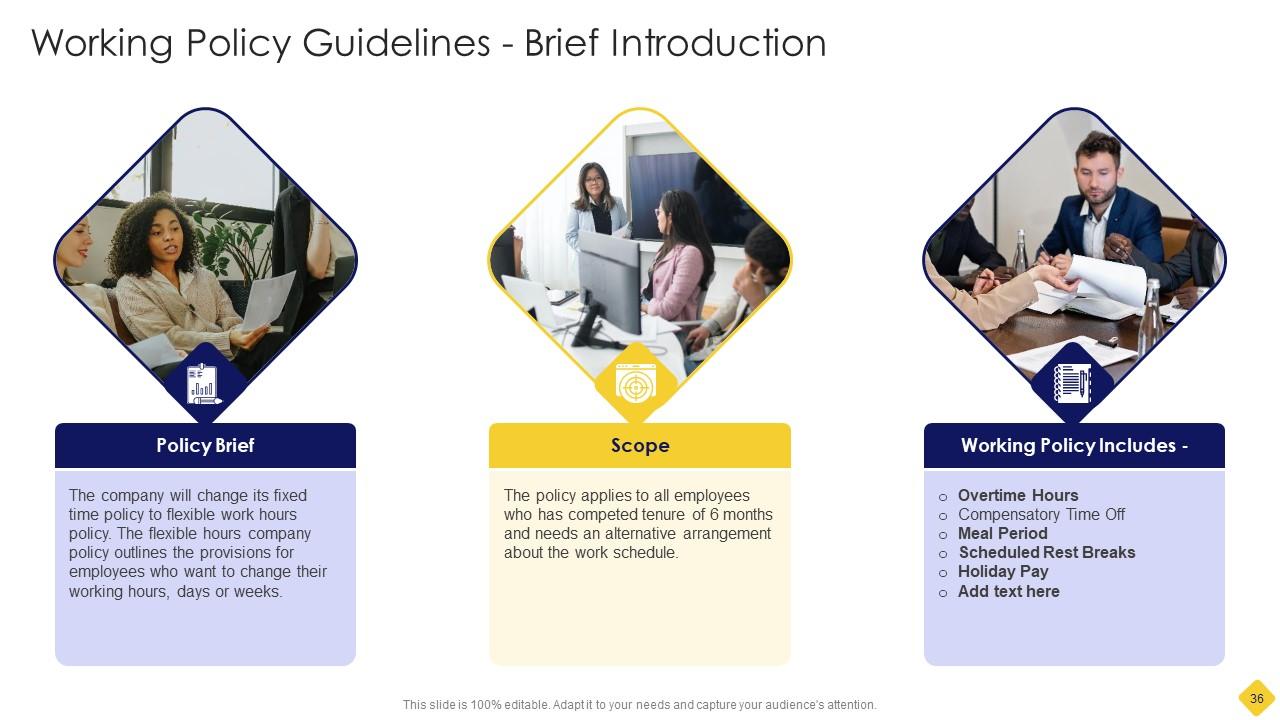
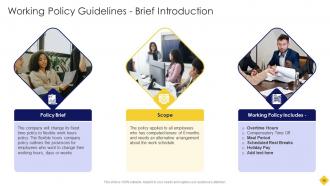
Slide 36: This slide shows Working Policy Guidelines with Brief Introduction.
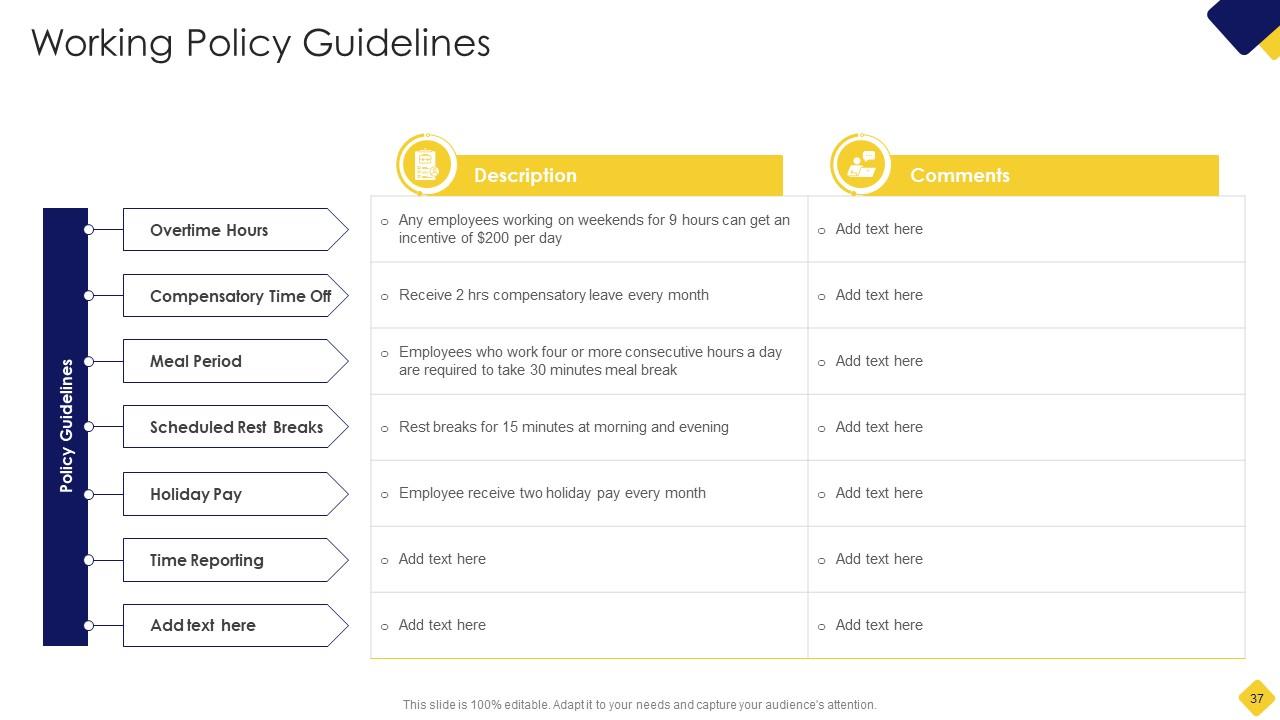
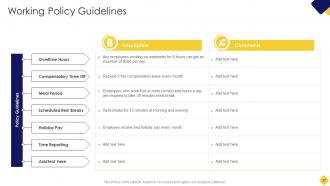
Slide 37: This slide represents Working Policy Guidelines with related icons and text.
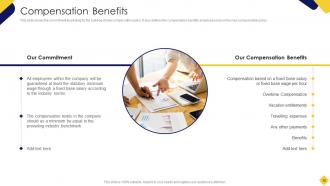
Slide 38: This slide shows the commitment illustrating for the building of new compensation policy.
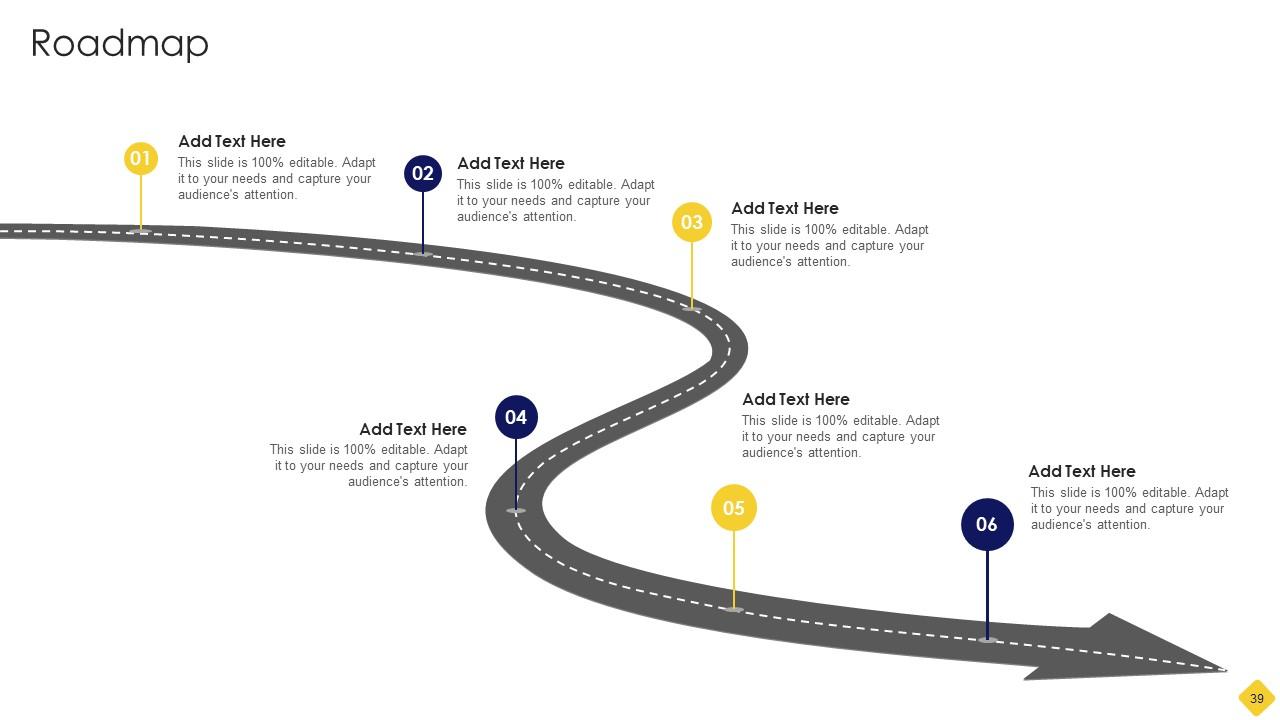
Slide 39: This slide presents Roadmap with additional textboxes.
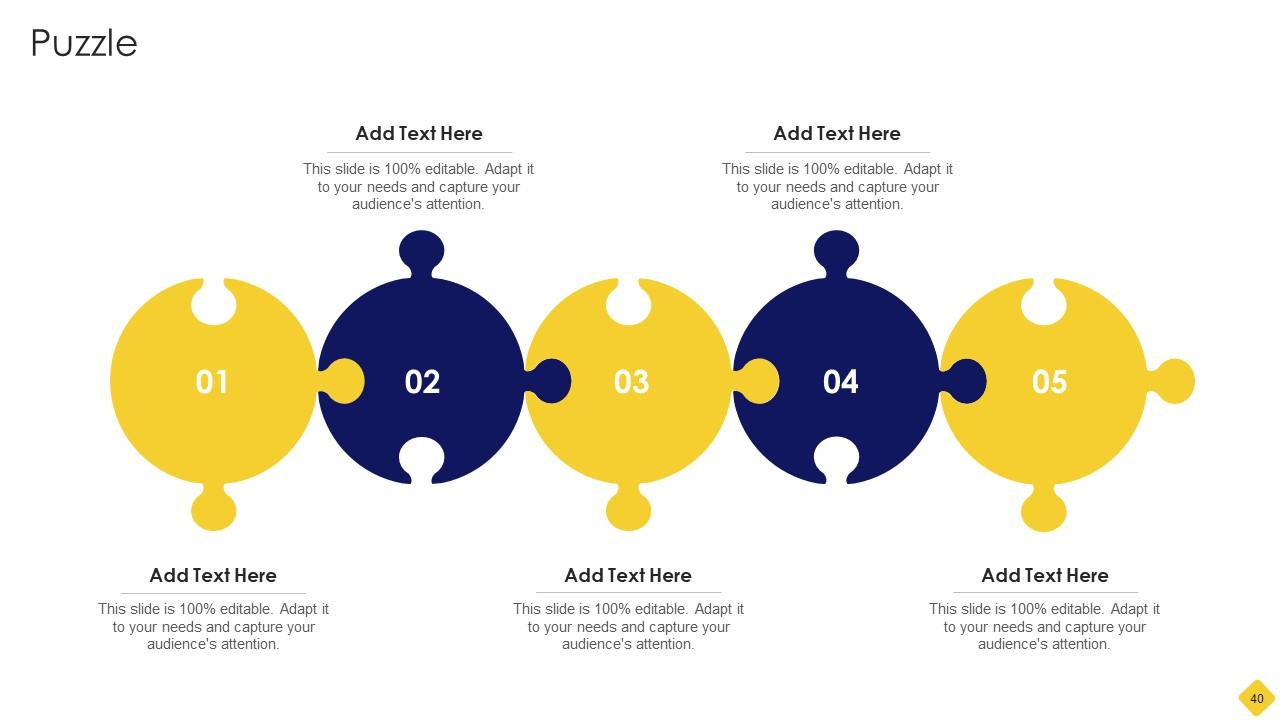
Slide 40: This slide contains Puzzle with related icons and text.
Slide 41: This is an Idea Generation slide to state a new idea or highlight information, specifications etc.
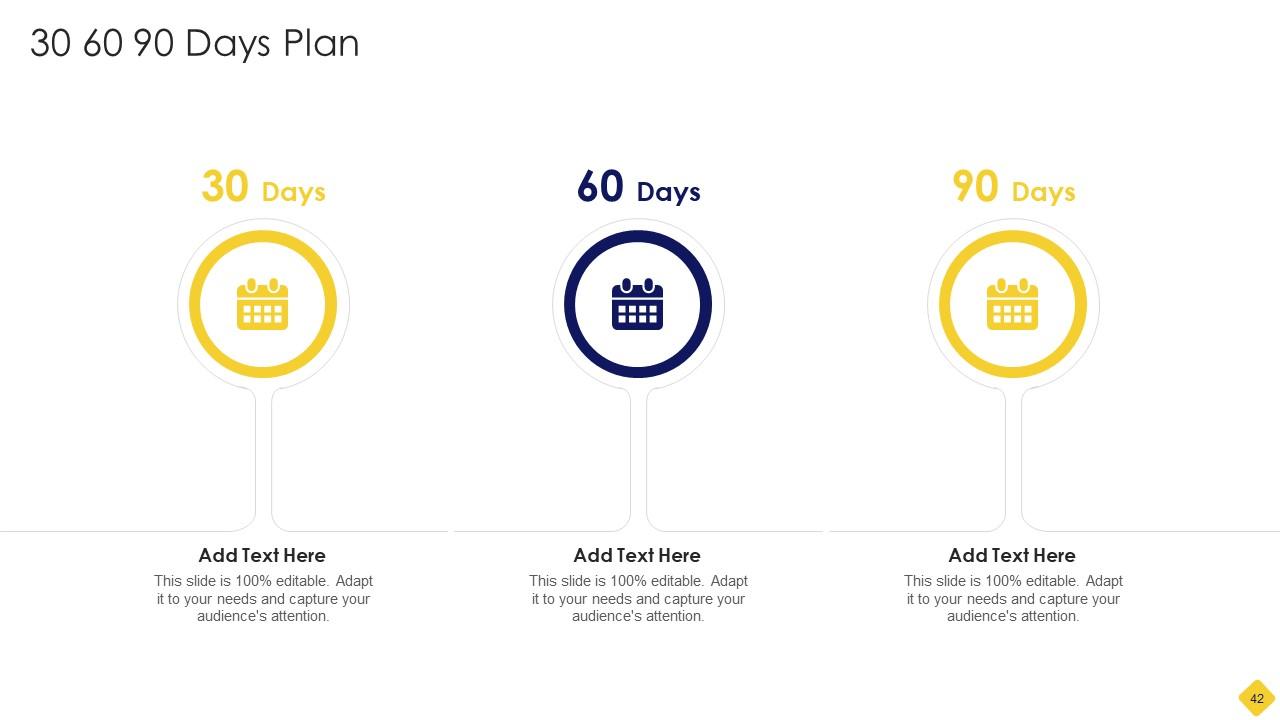
Slide 42: This slide provides 30 60 90 Days Plan with text boxes.
Slide 43: This slide shows Post It Notes. Post your important notes here.
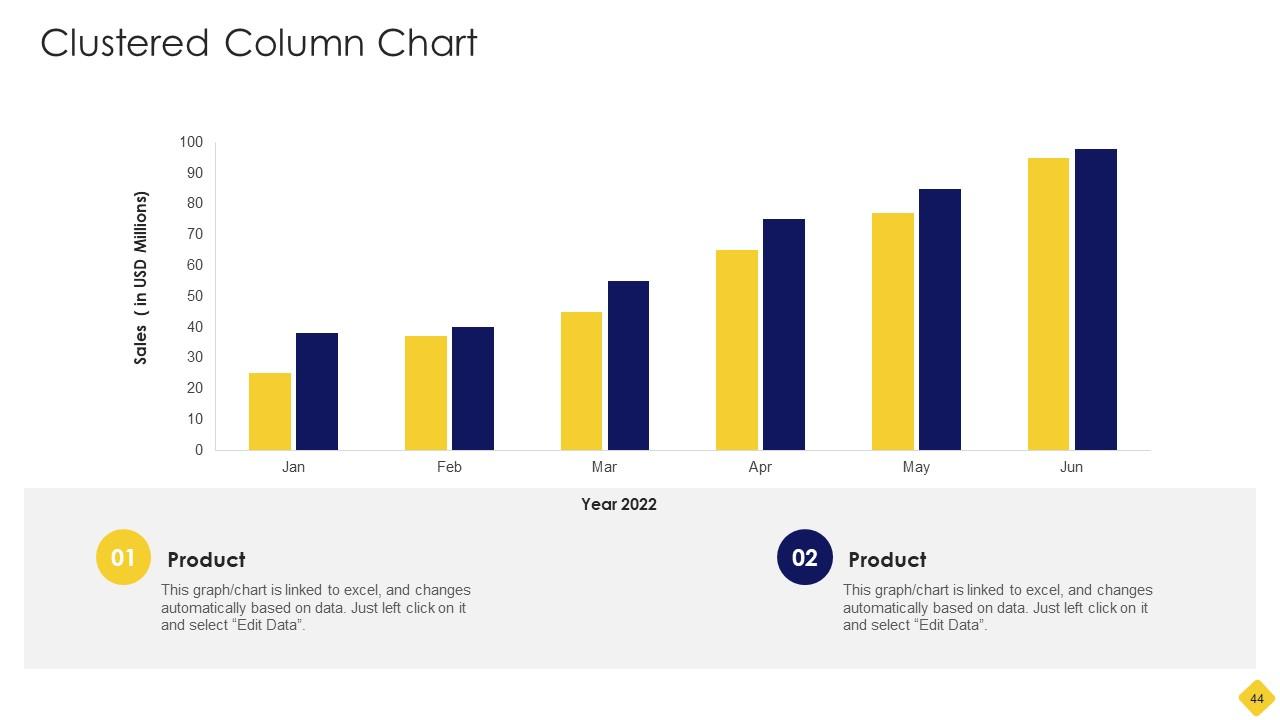
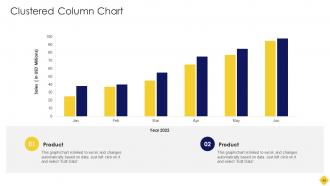
Slide 44: This slide provides Clustered Column chart with two products comparison.
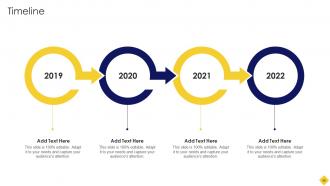
Slide 45: This is a Timeline slide. Show data related to time intervals here.
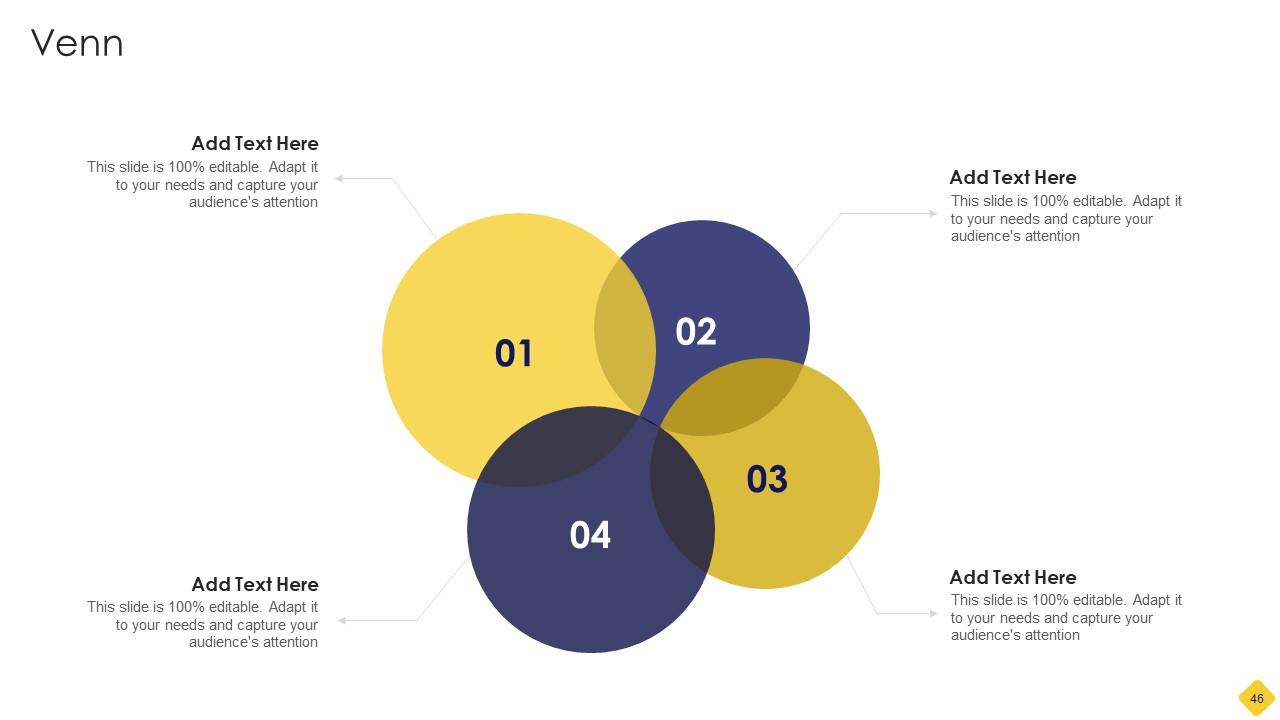
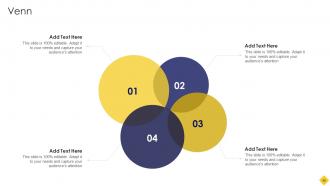
Slide 46: This slide depicts Venn diagram with text boxes.
Slide 47: This is a Thank You slide with address, contact numbers and email address.
Salary Assessment Report Powerpoint Presentation Slides with all 52 slides:
Use our Salary Assessment Report Powerpoint Presentation Slides to effectively help you save your valuable time. They are readymade to fit into any presentation structure.
-
Such amazing slides with easy editable options. A perfect time-saver.
-
I was confident and well prepared for my presentation for the first time ever. With SlideTeam’s templates, I could deliver one of my best presentations. Will be coming back for more!
