

Exemplo de Dissertação Defesa Apresentação PowerPoint Slides de apresentação






Try Before you Buy Download Free Sample Product
 Impress Your
Audience
 100%
Editable
 Save Hours
of Time


Apresentando Exemplo de Dissertação Défense Apresentação PowerPoint Slides de apresentação que podem ajudá-lo a chamar a atenção dos painéis. A dissertação Défense é um marco importante para o aluno, pois é necessária para a conclusão da pós-graduação. Teses e dissertações Défense Os slides do PPT fornecem o fluxo da estrutura para a apresentação da tese e também ajudam a manter seus dados organizados. A estrutura do deck completo da dissertação em PowerPoint contém modelos como agenda, esboço, título do projeto, introdução, revisão da literatura, declaração de propósito, hipótese, métodos, análise estática, resultados, gráfico de barras, gráfico de pizza, discussão, limitações do estudo, conclusões, implicações para pesquisas futuras, referência, etc. Os alunos de MBA podem usar isso para seus projetos finais, eles podem economizar seu tempo e esforços em fazer suas apresentações do zero. Baixe o layout PPT da proposta de tese para fazer uma apresentação visualmente atraente. Dê a eles um relato detalhado de sua experiência com nossos slides de apresentação em PowerPoint de apresentação de defesa de dissertação de amostra. Eles são um excelente auxílio para o briefing.
People who downloaded this PowerPoint presentation also viewed the following :
Conteúdo desta apresentação em PowerPoint
Slide 1 : Este slide apresenta uma apresentação de defesa de dissertação de amostra. Indique o nome da sua empresa e comece.
Slide 2 : Este é um slide da agenda. Mostre suas agendas aqui.
Slide 3 : Este slide apresenta o Esboço da Apresentação da Tese com Slide de Título, Introdução, Objetivo, Métodos, Análise Estatística, Resultados, Discussão, Conclusões, Slide de Referência.
Slide 4 : Este é um slide de título para exibir - Seu projeto de título, seu nome, graus / certificação, nome do orientador da tese.
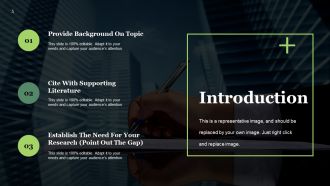
Slide 5 : Este é um slide de introdução com três pontos para indicar / exibir - Fornecer Antecedentes sobre o Tópico, Citar com Literatura de Apoio, Estabelecer a Necessidade de Sua Pesquisa (Apontar a Lacuna).
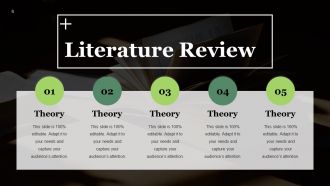
Slide 6 : Este slide apresenta a Revisão da Literatura. Você pode mencionar suas teorias aqui.
Slide 7 : Este slide apresenta a Declaração de Propósito com imagens.
Slide 8 : Este é um slide de hipóteses. Você pode expor sua hipótese nas caixas de texto fornecidas.
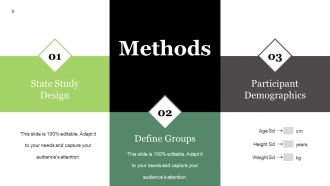
Slide 9 : Este slide apresenta uma lista de três Métodos - Desenho do Estudo do Estado, Definir Grupos, Demografia dos Participantes.
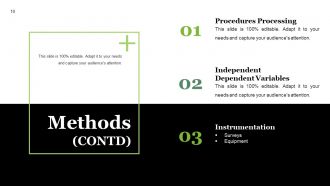
Slide 10 : Este slide também mostra Métodos que incluem essas três categorias - Processamento de Procedimentos, Variáveis Dependentes Independentes, Instrumentação, Pesquisas, Equipamento.
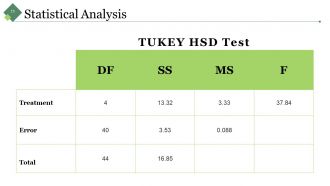
Slide 11 : Este slide mostra a análise estatística com a tabela de teste TUKEY HSD.
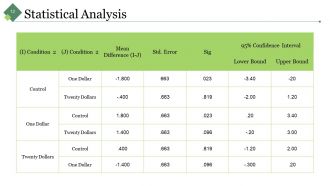
Slide 12 : Este slide também mostra a tabela de Análise Estatística. Use-o de acordo com sua necessidade.
Slide 13 : Este é o slide de resultados. Você pode apresentar os resultados da sua empresa com este slide.
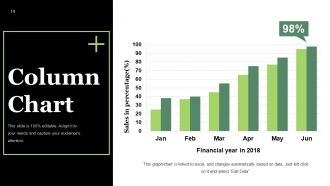
Slide 14 : Este slide mostra o Gráfico de Colunas com o qual você pode comparar os produtos.
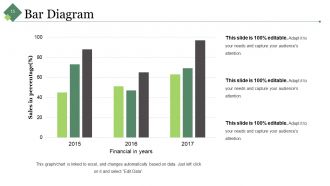
Slide 15 : Este slide mostra o Diagrama de Barras. Compare os produtos com este.
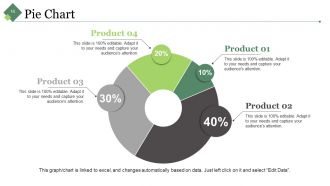
Slide 16 : Este é um slide de gráfico de pizza para mostrar a comparação do Produto 01, Produto 02, Produto 03 e Produto 04, etc.
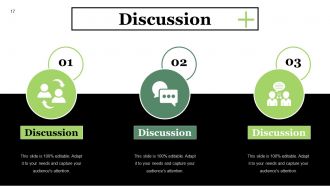
Slide 17 : Este é um slide de discussão. Você pode discutir sobre sua empresa / produtos etc. aqui.
Slide 18 : Este slide apresenta as limitações do seu estudo. Mencione-os nas caixas de texto fornecidas.
Slide 19 : Este slide apresenta as conclusões / descobertas. Adicione conteúdo relevante neste.
Slide 20 : Este slide mostra Implicações para pesquisas futuras. Liste-os aqui de acordo com as pesquisas realizadas.
Slide 21 : Este é o slide de referências. Declare suas referências aqui.
Slide 22 : Este é o slide Quaisquer perguntas para apresentar suas dúvidas, perguntas etc.
Slide 23 : Este slide é intitulado Slides adicionais para avançar. Você pode alterar o conteúdo do slide conforme a necessidade.
Slide 24 : Este é o slide de Visão e Missão para mostrar sua Visão, Missão e Metas.
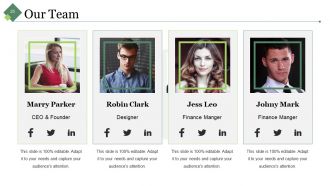
Slide 25 : Este slide mostra Nossa Equipe com Nome e Designação para preencher.
Slide 26 : Este é um slide Sobre nós mostrando Públicos-alvo, Valores do cliente e Preferidos por muitos como exemplos.
Slide 27 : Este slide mostra nosso objetivo. Estabeleça metas etc. aqui.
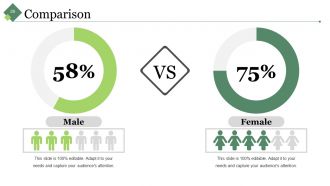
Slide 28 : Este é um slide de comparação para comparar entidades / produtos, etc. aqui.
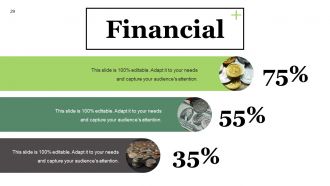
Slide 29 : Este é um slide de pontuação financeira. Indique os aspectos financeiros, etc. aqui.
Slide 30 : Este é um slide de cotações para transmitir as mensagens da empresa, crenças, etc. Você pode alterar o conteúdo do slide conforme a necessidade.
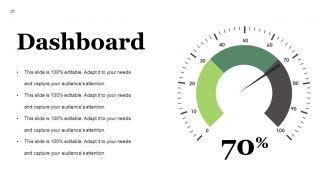
Slide 31 : Este é um slide do painel para indicar métricas, kpis etc.
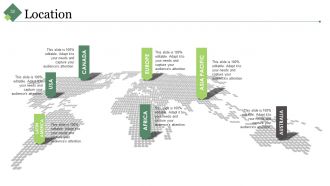
Slide 32 : Este é um slide de Localização em uma imagem de mapa mundial para mostrar a presença global, crescimento etc.
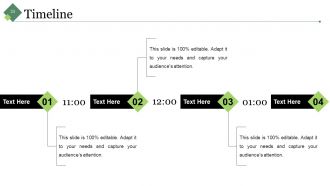
Slide 33 : Este é um slide da linha do tempo para mostrar a evolução, crescimento, marcos etc.
Slide 34 : Este slide mostra notas Post It a serem exibidas. Mostre eventos, informações importantes, eventos etc. aqui.
Slide 35 : Este é um slide do Jornal para mostrar um evento da empresa, notícias ou qualquer coisa para destacar.
Slide 36 : Este é um slide de imagens de peças de quebra-cabeça para mostrar informações, especificações, etc.
Slide 37 : Este é um slide de imagem de destino. Metas estaduais, etc. aqui.
Slide 38 : Este é um slide de imagem circular. Especificações do estado, informações aqui.
Slide 39 : Este é um slide de imagem do diagrama de Venn para mostrar informações, especificações, etc.
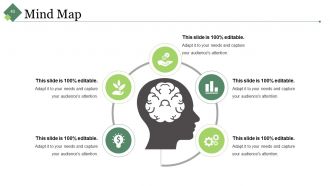
Slide 40 : Este é um slide de imagem de mapa mental para mostrar informações, especificações, etc.
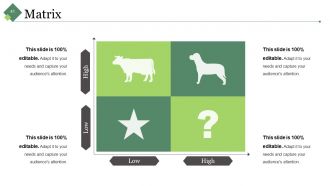
Slide 41 : Este é um slide Matrix para mostrar informações, especificações, etc.
Slide 42 : Este é um slide de imagem Bulbo com Idéia para mostrar idéias, informações inovadoras, etc.
Slide 43 : Este é um slide de agradecimento com endereço #, rua, cidade, estado, números de contato, endereço de e-mail.
Exemplo de dissertação Defesa de apresentação Slides de apresentação em PowerPoint com todos os 43 slides:
Os olhos se fixam automaticamente com nossos slides de apresentação em PowerPoint para apresentação de defesa de dissertação de amostra. Eles chamam a atenção à primeira vista.
-
Sample Dissertation Defense Presentation
-
Agenda Slide
-
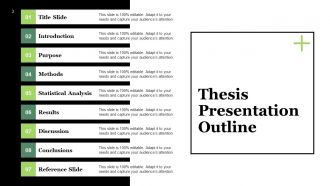
Thesis Presentation Outline
-
Your Title Project
-
Introduction Slide
-
Literature Review
-

Purpose Statement
-
Dissertation Defense
-
Methods
-
Methods CONTD
-
Statistical Analysis
-
Statistical Analysis
-
Results
-
Column Chart
-
Bar Diagram
-
Pie Chart
-
Discussion
-
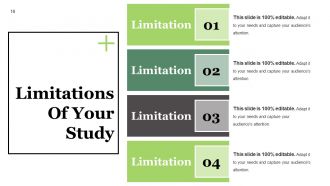
Limitations Of Your Study
-
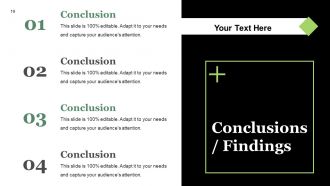
Dissertation Defense
-
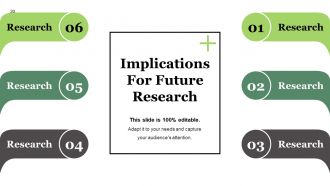
Implications For Future Research
-
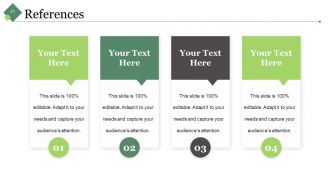
References
-
Dissertation Defense
-

Additional Slides
-
Vision Mission
-
Our Team
-
About Us
-
Our Goal
-
Comparison
-
Financial
-

Quotes
-
Dashboard
-
Location
-
Timeline
-
Post It
-
Newspaper
-
Puzzle
-
Target
-
Circular
-
Venn
-
Mind Map
-
Matrix
-
Bulb With Idea
-

Thank You Slide
FAQs for Sample Dissertation Defense Presentation
So for your defense, you'll want to hit three main things: the problem you tackled and why anyone should care, your methods plus what you found, and what it all means for the field. Committee members already read your whole dissertation anyway, so don't bog them down with every tiny detail. Tell the story instead. Practice explaining why you made certain choices because that's where they'll grill you the most. Oh, and have some future research ideas ready - shows you're not just done and checking out. Definitely do a practice run with friends first. They'll catch stuff that doesn't make sense.
Okay so here's what worked for me - lead with your "so what" moment right away because committees zone out fast if you don't hook them. Then do: research question, lit gap, methods, findings, implications. I know it sounds obvious but seriously practice your timing until you're sick of it! You want tons of time for questions since that's where you actually get to flex. Oh and use clear slide headers so people can follow along - my advisor was big on that. The whole thing should flow like you're telling a story, not just dumping info. Don't make them work to understand why your research matters.
Don't cram your slides with text - they should back up what you're saying, not BE what you're saying. Time management is huge too. I've watched people bomb because they blew 40 minutes just on background stuff. When they grill you with questions, don't take it personal or get snippy. Take a sec, breathe, then respond thoughtfully. They're testing if you actually know your shit. Oh, and definitely prep potential questions with your advisor beforehand - you'll want to pivot smoothly when things go sideways. Which they will.
Look people in the eye and throw in some rhetorical questions to keep them hooked. Visuals over text-heavy slides every time - seriously, no one wants to read while you're talking. I learned that the hard way lol. After you drop your big findings, pause and let it marinate. Show you actually care about your research too! Oh and practice dumbing down the complex stuff since you'll probably have committee members from other fields. Connect each section back to your main question so people don't get lost in the weeds.
Dude, don't sleep on visual design for your defense. Your committee needs to actually follow what you're saying, and messy slides will kill that vibe instantly. I've watched so many smart people bomb because their PowerPoints were straight chaos. Keep it simple - white space is your friend. Limit the text per slide and make your data visualizations actually readable. Honestly, your figures should make sense even if someone zones out during your talk (which they will). Skip the fancy animations and test everything on the real projector first. Trust me on that one - nothing's worse than surprise formatting issues.
Look up each committee member's background first - trust me on this one. When you hit the technical stuff, throw in quick explanations for the non-specialists without dumbing it down too much. I totally bombed this when my lit professor's eyes glazed over during my methods section lol. Try phrases like "For anyone not familiar with X..." or reference their work directly. Give the big picture first, then get into the weeds. The tricky part is smoothly switching between deep technical stuff and broader implications. Oh, and definitely practice those transitions beforehand - you don't want awkward pauses while everyone's staring at you.
Don't panic - just say "great question, let me think about that" and actually take a moment. Honestly, rushing your answer will probably make it worse. If you don't know something? Just say so. Explain how you'd figure it out or what you'd do differently next time. Your committee isn't trying to destroy you (even though it feels like it) - they want to see how your brain works through problems. The trick is staying curious instead of getting all defensive. Oh, and practice saying "I hadn't thought about it that way" beforehand so you don't sound like a deer in headlights.
Honestly? Practice WAY more than feels necessary. Get your friends or lab mates to grill you with questions - they'll probably be meaner than your actual committee lol. I used to hate practicing out loud but it really does help you catch awkward phrasing. Time yourself too because going over is embarrassing. Oh and committee members will definitely interrupt you mid-thought, so get used to that. Recording yourself is weird but useful for spotting nervous tics. The opening and closing are clutch though - nail those parts and you'll feel more confident even when the middle section gets rocky.
Begin with the big picture problem you're tackling - why should anyone care? That context is everything. From there, zoom into your specific question and objectives. Ditch the jargon completely. I usually say imagine explaining it to your smart but non-academic sibling - you'll be amazed how much clearer you get. A good hook helps too, like a wild statistic that makes people go "wait, really?" Practice your opening until it's second nature. Honestly, the intro is where most people's nerves kick in hardest, so nail this part and you'll feel way more confident.
Pick your top 2-3 findings and explain what problem each one actually solves. I'd start with "I found..." or "My research shows..." then jump straight into why anyone should care. Don't bog them down with methodology stuff - save that for when they ask questions later. Connect everything back to those literature gaps you mentioned earlier. Keep the language simple since some committee members might not know your specific jargon. Honestly, the methodology section is where most people lose their audience anyway. Wrap up by being super clear about how this pushes the field forward or what new questions it raises.
Keep your slides super clean - minimal text, lots of white space. Bullet points are fine but don't go crazy with them. Your committee should be listening to you, not reading paragraphs off the screen. Include your best charts and figures, obviously, plus a solid visual of your methodology. I'd skip any fancy transitions or animations - half the time they don't work anyway and you'll just stress yourself out. Make sure everything's high-res so people in back can actually see it. Oh, and practice clicking through beforehand! There's nothing worse than frantically hunting for a slide mid-presentation.
Time yourself practicing each section beforehand - seriously, do this. You'll want about 60-70% for your main content, then save the rest for Q&A. Questions always eat up way more time than you'd expect, it's wild. Your slides should be like a roadmap. Don't get bogged down explaining every tiny detail. Running behind? Skip those extra examples instead of racing through your big findings. Oh, and grab someone from the audience to signal you at halfway and the 5-minute mark. That outside nudge really helps you stay on track since it's so easy to lose track of time when you're presenting.
Honestly, just go with PowerPoint - your committee expects it and it won't randomly crash on you. Google Slides is solid too, especially for the cloud backup thing. I've watched so many people obsess over fancy animations when nobody cares about that stuff. Your research is what matters. Prezi looks cool but can be distracting tbh. If you're already doing LaTeX (and have tons of equations), Beamer works well. Oh, and definitely test whatever you pick on their actual setup beforehand. Always bring a backup USB with a PDF version - trust me on this one.
So first, split up their feedback - like is this about your actual content or just how you're presenting it? Content stuff means fixing slides where they called out your methodology or conclusions. Add examples if they said things were confusing. The presentation feedback is usually about pacing or slide design - honestly feels petty sometimes but whatever, committees care about this stuff. Don't just change everything though without thinking. I'd definitely set up another quick meeting to run through your updated presentation with them first. You don't want any surprises on defense day.
Honestly, practice way more than feels necessary - like, out loud until you're sick of hearing yourself. Your muscle memory saves you when nerves kick in. Get some friends to grill you with random questions beforehand. I swear visualization isn't total BS either - just picture yourself nailing the tough parts. Have backup plans ready because tech always fails at the worst moments. Show up early on defense day to test your setup and breathe for a sec. You've lived with this research forever, so you actually know it better than anyone else there.
-
Much better than the original! Thanks for the quick turnaround.
-
Commendable slides with attractive designs. Extremely pleased with the fact that they are easy to modify. Great work!