


Strategies To Increase Productivity And Effectiveness Training Ppt




Try Before you Buy Download Free Sample Product
 Impress Your
 Audience
 100%
100% Editable
 Save Hours
 of Time


This training module on Strategies to Increase Productivity and Effectiveness in detail covers the concept of productivity and its importance. It contains techniques to measure productivity which are Simple Productivity Output, Efficiency, Time Tracking, and 360-Degree Feedback. Then it lists the silent killers of productivity and strategies to increase it at work. It also covers SMART goals and ABC delegation approaches and methods to manage stress effectively. It contains key takeaways, exercises, and discussion questions related to the topic. The deck has PPT slides on about us, vision, mission, goal, 30-60-90 days plan, timeline, roadmap, and training completion certificate. It contains energizer activities to engage the coaching session audience. It also includes a client proposal and assessment form for training evaluation.
People who downloaded this PowerPoint presentation also viewed the following :
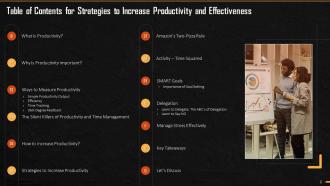
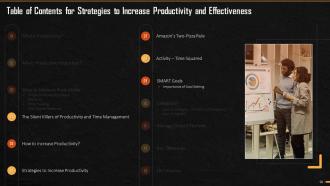
Content of this Powerpoint Presentation
Slide 5
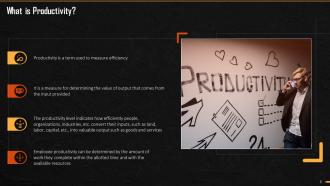
This slide mentions the meaning and concept of productivity. It says that Productivity is a term used to measure efficiency. It is a measure for determining the value of output that comes from the input provided. The productivity level indicates how efficiently people, organizations, industries, etc. convert their inputs, such as land, labor, capital, etc., into valuable output such as goods and services.
Slide 6
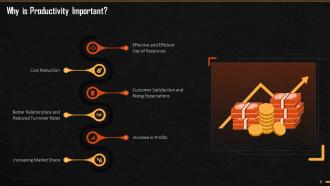
This slide mentions the importance of productivity. It says that productivity is important because of the following – effective and efficient use of resources, cost reduction, customer satisfaction, and rising expectations, better relations, reduced turnover rates, increase in profits, and increased market share.
Slide 7
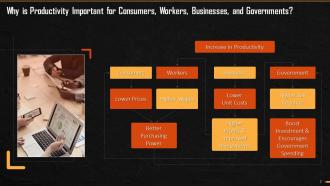
This slide highlights the importance of productivity for consumers, governments, businesses, and workers.
Slide 9
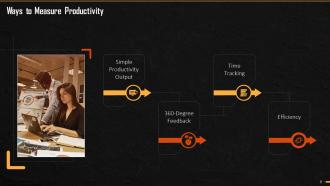
This slide showcases the four most frequently-used ways to measure productivity. These are simple productivity output,360-degree feedback, time-tracking and efficiency.
Slide 10
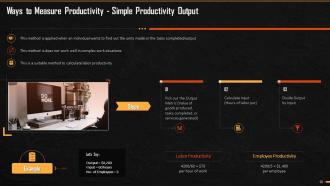
This slide illustrates, with an example, the Simple Productivity Output method of measuring productivity. This method is applied when an individual wants to determine the units made or the tasks completed. This method is considered unsuitable in complex situations and is used to calculate labor productivity.
Slide 11
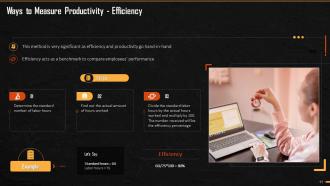
This slide mentions the efficiency method of measuring productivity at the workplace. It says that this method is very significant as efficiency and productivity go hand-in-hand. This method acts as a benchmark to compare employees’ performance.
Slide 12
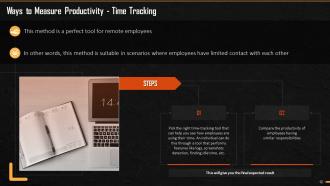
This slide explains the Time-Tracking method of measuring efficiency at the workplace. It demonstrates that this method is used to measure the productivity of remote employees. In other words, this method is suitable when employees have limited contact with each other.
Slide 13
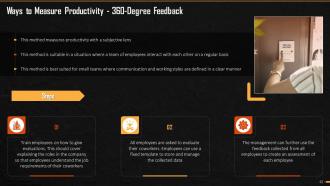
This slide mentions the 360–Degree Feedback method of measuring productivity. This method measures productivity with a subjective lens and is best suited for small teams with clearly defined communication and working styles.
Slide 15
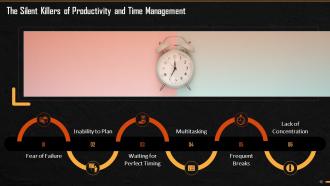
This slide explains the silent killers of productivity. These are: Fear of failure, Inability to plan, Waiting for perfect timing, Multitasking, Frequent breaks, and Lack of concentration.
Slide 16
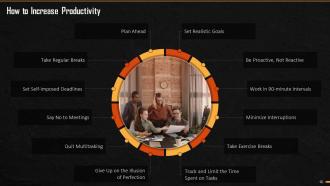
This slide lists some of the best ways/tips to increase productivity. These are: Plan ahead; Take regular breaks; Say no to meetings; Quit multitasking; Give up on illusion of perfection; Take exercise breaks; Work in 90-minute intervals; Minimize interruptions; Set realistic goals, and Track and limit the time spent on tasks.
Slide 17
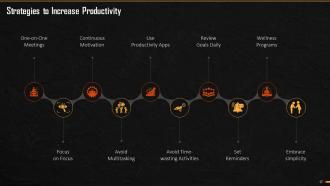
This slide explains common strategies to increase the level of productivity. These are: One-on-One meetings; focus on Focus; Continuous motivation; Avoid multitasking; Avoid time-wasting activities; Use productivity apps; Review goals daily; Set reminders; Start wellness programs, and Embrace simplicity.
Instructor’s Notes:
- One-on-One Meetings: Unlike group meetings, one-on-one meetings are considered a more efficient and effective tool for productivity. Such meetings help in building team loyalty and also strengthen the relationships between leaders and the teams
- Focus on Focus: An individual should give undivided attention to tasks at hand. Focusing on task helps train your mind, eliminate distractions, and increase productivity
- Continuous Motivation: Motivating your team by understanding what is essential for each person is another crucial element of productivity. Discovering the right balance between intrinsic and extrinsic motivation is the key to achieve highest productivity levels
- Avoid Multitasking: It is essential to avoid multitasking at work or in real life. It is always considered a better strategy to work on one thing at a time, as multitasking will overload you reduce productivity
- Use Productivity Apps: If a person otherwise finds it difficult to measure and boost productivity, it is advised to use technology apps. Some of the apps are Slack, Dropbox, etc.
- Avoid Time-Wasting Activities: While working from home or office, multiple distractions act as productivity killers to your planned schedule. Minimizing such tasks should be considered a priority. These tasks can be in the form of meetings without any clear agenda, unwanted e-mails, social media, procrastination etc.
- Review Goals Daily: Setting goals does not mean anything if they are not constantly reviewed and revised on need. Parameters can be decided to review goals continuously and modify them whenever required
- Set Reminders: Setting reminders and establishing smart calendars can help you organize your tasks better and improve your overall productivity. An individual can set alerts for tasks at the team as well as individual level
- Wellness Programs: Wellness Programs encompass the mental as well as physical health of a person. Working on the overall wellness of a person will improve the productivity levels of a person
- Embrace simplicity: Having a plan with clearly defined steps and outcomes can help people stay on their goals and prepare them for immediate success
Slide 18
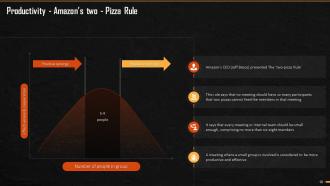
This slide explains the two-pizza rule introduced by Jeff Bezos at Amazon. It says that no meeting should be so large that two pizzas cannot feed the members in that meeting. Every meeting or internal team should be small enough, consisting of not more than six-eight members. It is evident that a meeting where a small group is involved is considered more productive and effective.
Slide 19
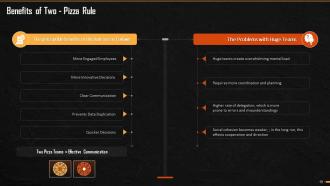
This slide explains the benefits of Two-pizza rule introduced by Jeff Bezos. It also mentions what problems arise in meetings with huge groups. It says that a meeting with limited number of members in a team has benefits such as – more engaged employees; more innovative decisions; clear communication; preventing data duplication and helping in taking quick decisions.
Slide 20
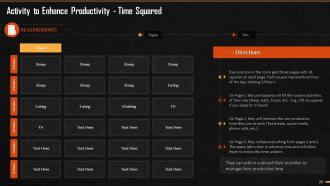
This slide mentions the activity that can be conducted by the trainer to explain the concept of productivity. The trainer can add this if he/she wants to energize the persons in the hall and practically explain to them the ways to find the hidden treasure of productivity within themselves.
Slide 21
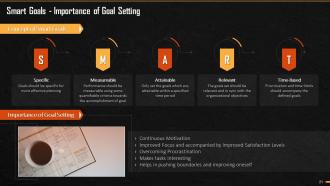
This slide mentions the concept and importance of goal-setting. SMART Goals are goals that are Specific, Measurable, Attainable, Relevant, and Time-based. These are important because these lead to continuous motivation, improved focus and satisfaction, overcoming procrastination, making tasks interesting, and Such SMART goals also help us push previous boundaries of achievement and improve our own work ethic.
Instructor’s Notes:
- Continuous Motivation: Goal setting is important as it will motivate and inspire you to work towards something with dedication. It means setting benchmarks that act as progress monitors and help track performance from time to time. It gives an individual the confidence to grow, stay motivated, and attain their respective goals
- Improved Focus and Satisfaction: Establishing goals help an individual avoid wasting time on unnecessary activities and focus in the right direction. When targets are clearly defined, individuals can put all their effort and energy to focus on it without letting any negative energy, distractions, and confusion to arise
- Overcoming Procrastination: Setting goals and timelines make you accountable. You will be continuously reminded of your tasks and responsibilities, your accountability, and the consequences attached to it. This will overcome the temptation to procrastinate
- Makes Tasks Interesting: While working towards a goal, every task and responsibility feels filled with meaning and a purpose. Tying small goals to a larger goal boosts your confidence and makes the task more enjoyable. Goal setting makes you notice every small achievement and keeps you inspired and happy
- Helps in Pushing Boundaries and Improving Oneself: One of the critical benefits of goal setting is it helps you become the best version of yourself as it will lead you to fulfill your true potential. The process of setting and achieving goals is not easy, but it pushes you to give your best and grow
Slide 23
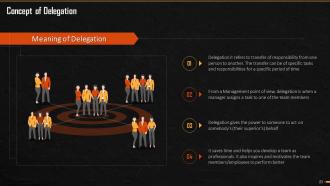
This slide mentions the concept and meaning of delegation. It says that delegation is the transfer of responsibility from one person to another. The transfer can be of specific tasks and responsibilities for a specific period of time. It saves time and helps you develop a team as professionals. It also inspires and motivates the team members/employees to perform better.
Slide 24
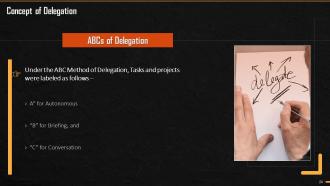
This slide explains the ABCs of delegation. It states that under the ABC method of delegation, tasks and projects are labelled as follows: ‘A’ is for Autonomous, ‘B’ for Briefing, and ‘C’ for Conversation.
Slide 25
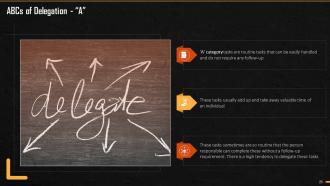
This slide explains the A element of ABC Method of delegation. It states that ‘A’ category tasks are routine tasks that can be easily handled and do not require any follow-up. These tasks, sometimes, are so routine that they can be completed by the responsible person without requiring to follow-up. There is a high tendency to delegate these tasks
Slide 26
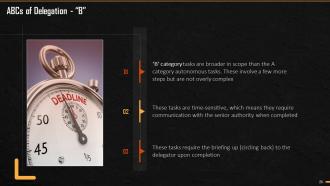
This slide explains the B element of ABC Method of delegation. It states that ‘B’ category tasks are broader in scope than the A category autonomous tasks. These involve a few more steps but are not overly complex. These tasks require the briefing up (circling back) to the delegator upon completion.
Slide 27
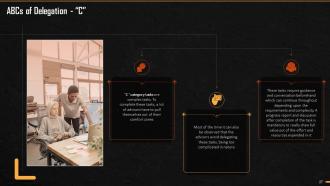
This slide explains the C element of ABC Method of delegation. It states that ‘C’ category tasks are complex in nature. To complete these tasks, a lot of advisors have to pull themselves out of their comfort zones. These tasks require guidance and conversation beforehand which can continue throughout depending upon the requirements and complexity. A progress report and discussion after completion of the task is mandatory to really draw full value out of the effort and resources expended in it.
Slide 28
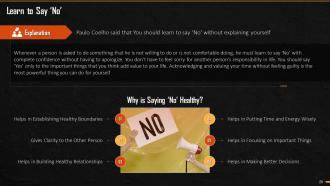
This slide explains in logical detail that why is it essential to say no to unwanted things in life and how to say. It also says prioritizing things in one's own life are far more important than ordering someone else' life. It adds that whenever a person is asked to do something that he/she is not willing to do or is not comfortable doing, he/she must learn to must say ‘No’ confidently without having to apologize. You don’t have to feel sorry for another person’s responsibility in life and say ‘Yes’ only to the important things that add value to your life. Acknowledging and valuing your time without feeling guilty is the most powerful thing you can do to yourself as an Individual. Saying ‘No’ is considered healthy. It is a solution to many of the problems because helps in establishing healthy boundaries, gives clarity to another person, build healthy relationships, helps to put time and energy wisely, focus on important things, and better decision making.
Slide 29
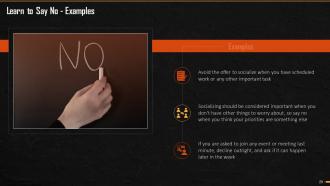
This slide mentions how and when to say no and prioritize the most important things over others. It says that an individual should avoid the offer to socialize when he/she has scheduled work or any other important task, choose a place to study where you won’t be tempted to chat, watch movies or YouTube, or use social utilities like Facebook, etc.
Slide 30
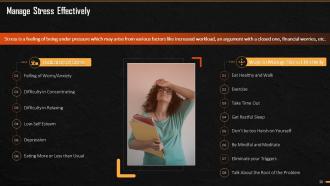
This slide explains stress, the actions that manifest it, and ways to manage it in an effective manner. It mentions that stress is a feeling of being under pressure which may arise from factors like increased workload, an argument with a close one, financial worries, etc. When a person is stressed, he might experience a feeling of worry, find difficulty in concentrating and relaxing, and may feel depressed. To avoid this situation, it is suggested that a person should eat healthy and walk, exercise regularly, take time out, get restful sleep and not be too harsh on himself/herself. It is helpful if the person can be mindful, meditate, eliminate specific triggers, and talk about what is causing the problem/issue.
Instructor’s Notes:
- Eat Healthy: Eating a healthy and well-balanced diet helps you feel better. It is always suggested to take healthy meals and never skip meals
- Exercise: Workout and Exercise are one of the best ways to relax your mind and body. Exercising regularly will help you maintain a better lifestyle and improve your mood
- Take Time Out: Individuals should set aside some time from their daily routine for hobbies and self. Try doing something that makes you extremely happy and helps relieve the stress
- Get Restful Sleep: Take a minimum of 7-8 hours of sleep daily to balance your sleep cycle and work life
- Don’t be too Harsh on Yourself: Take things lightly, and don’t run in life. Look at your life positively and handle all situations with calmness and kindness. Consider that nobody is perfect in doing everything, but one should constantly keep trying
- Be Mindful and Meditate: Meditating is the best way to give rest to your mind and the unwanted thoughts. Take at least 30 minutes daily to sit with yourself and meditate
- Eliminate your Triggers: Find out what is causing you to stress or what is your trigger point. Once you successfully find out the reasons, it becomes much easy for you to overcome stress or at least minimize it
- Talk About What is Causing Problem: If anything affects you, consider sharing or talking about it to someone you trust. Try positive self-talk or consider consulting a therapist if nothing works. There is nothing wrong in feeling or sharing your problems
Slide 31
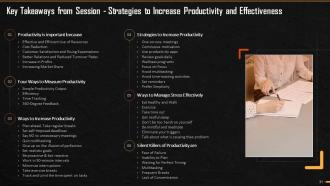
This slide mentions the key takeaways from the training module on strategies to increase productivity and effectiveness. The one thing we can all avoid is falling victim to silent killers of productivity.
Slide 32
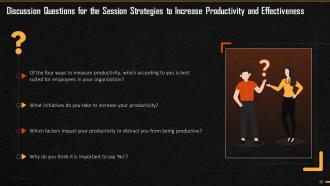
This slide mentions the questions from the training module on productivity that can be asked by the trainer to initiate discussion. The idea is to make sure there is some action from trainees to bring and implement these concepts into their daily lives.
Slide 44 to 59
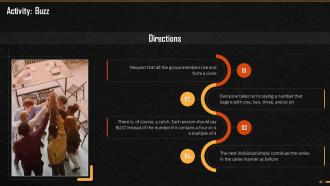
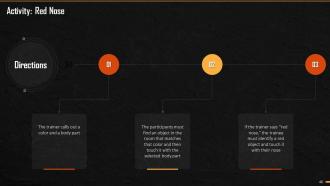
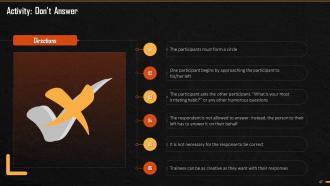
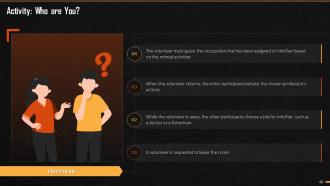
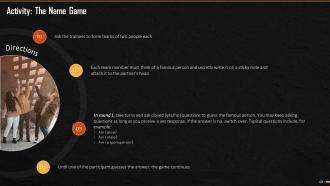
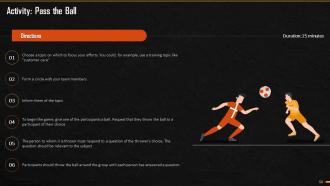
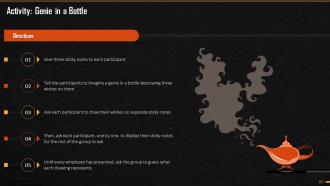
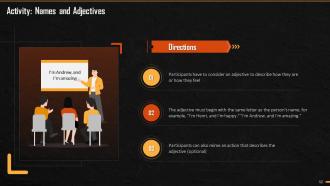
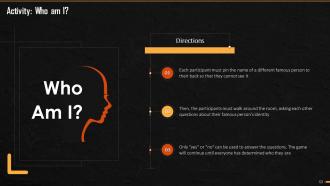
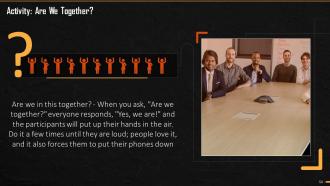
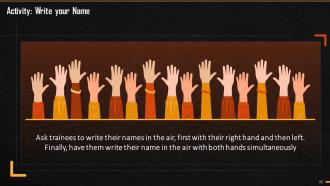
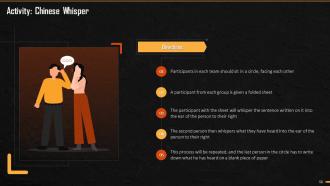
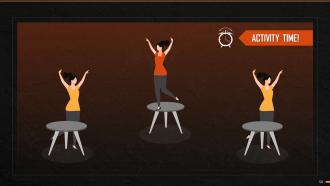
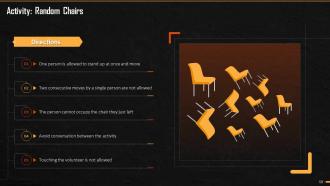
These slides depict energizer activities to engage the audience of the training session.
Slide 60 to 87
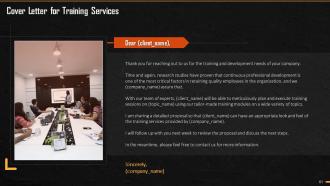
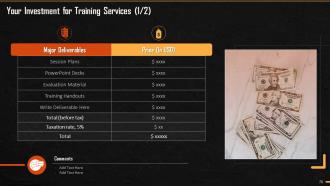
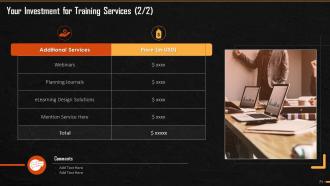
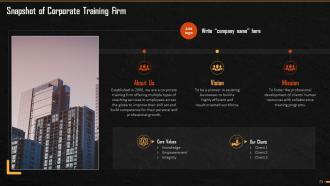
These slides consist of a client training proposal highlighting what the company providing corporate training can accomplish for the client.
Slide 88 to 90
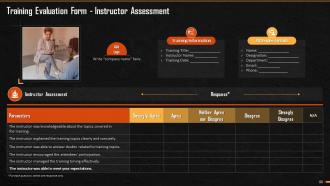
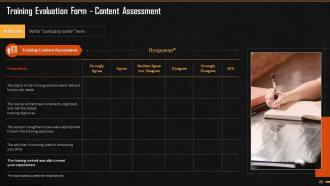
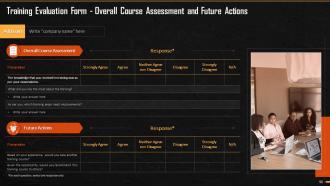
These slides highlight the training evaluation form for instructor, content, and course assessment.
Strategies To Increase Productivity And Effectiveness Training Ppt with all 95 slides:
Use our Strategies To Increase Productivity And Effectiveness Training Ppt to effectively help you save your valuable time. They are readymade to fit into any presentation structure.








FAQs for Strategies To Increase Productivity And
Honestly, two things changed my whole productivity game: time blocking and Pomodoro. Instead of just making random to-do lists, I actually schedule specific time chunks for different stuff. Pomodoro's those 25-minute work sprints with 5-minute breaks - sounds kinda silly but it's seriously addictive once you start. Oh, and batch similar tasks together! Like, answer all your emails in one go instead of checking constantly throughout the day (guilty as charged lol). Pick one method though and give it at least two weeks before you decide it's trash.
Honestly, the Pomodoro Technique is perfect for presentations. I use 25-minute sprints when I'm building each section - keeps me from going down weird rabbit holes. You know how some presentations just drag on forever? Break yours into 25-minute chunks with quick interactive bits between. People's brains literally can't focus longer than that anyway. Throw in polls, Q&A moments, or just let everyone stretch for a minute. I swear it works way better than those marathon hour-long death marches we've all suffered through. Your audience will actually stay awake.
SMART goals seriously help because you're forced to nail down exactly what you want instead of being all vague about it. Like, "improve sales" becomes "increase sales by 15% in Q1" - way better, right? You end up wasting less time on random stuff that doesn't matter. Breaking things into measurable chunks keeps you motivated too since you can actually see progress happening. I honestly think the deadline part is what makes the biggest difference though. Try taking one project you're working on and making it into proper SMART goals. You'll probably be surprised how much clearer everything becomes.
Dude, your brain processes images like 60,000 times faster than text - it's wild. So when you throw in visuals with what you're saying, you're basically hitting different parts of how people learn. Charts and diagrams make stuff stick way better than those boring bullet point slides (seriously, nobody wants to read paragraphs on a screen). People just get it faster when you show data as a graph instead of rattling off numbers. I'd swap out half your text slides for actual visuals next time. Your audience will thank you for it.
Honestly, these tools just stop all the crazy scattered messages and missed stuff. Instead of hunting through email chains and random texts (and let's be real, sticky notes are the worst), everything's actually in one spot. Your whole team can see who's handling what and when things are due. No more awkward "so... how's that project going?" conversations because you can just check the progress yourself. I'd say start simple - maybe Trello for tasks or Slack for messaging. Don't go overboard at first, you'll just confuse everyone including yourself.
Dude, templates are a lifesaver. You're not reinventing the wheel every single time - colors, fonts, layouts are already done. Just jump straight to your actual content instead of wasting hours on formatting nonsense. I'd build maybe 3-4 different ones for different presentation types (trust me on this). Honestly saves me like 2 hours minimum per deck. My boss thinks I'm way more efficient than I actually am lol. When you've got a good template library, presenting becomes way less stressful because you can focus on your story instead of making slides look decent.
Dude, three main things mess people up: nerves, confidence, and overthinking the audience. Anxiety makes your brain go haywire - you'll forget stuff or talk way too fast. Low confidence? You start second-guessing every word mid-sentence, which totally kills your rhythm. Some people get so obsessed with reading the room they lose their actual point. I swear, I've watched super smart colleagues completely choke because they worked themselves up beforehand. My advice? Practice your first few lines until you could say them in your sleep. That initial momentum honestly carries you through everything else.
Dude, start with the stuff that makes you want to bang your head against your desk - like those weekly reports and deadline reminders. Most PM tools have these workflow rules where you can set up things like "task gets done, team gets pinged automatically, project moves forward." Game changer, honestly. I'm still kicking myself for not doing this earlier because I was spending like 3 hours a week on repetitive garbage. Templates for recurring tasks are huge too. Don't go crazy at first though - pick maybe two workflows, see how much time you get back, then add more. The automation rabbit hole is real but so worth it.
Honestly, just put your phone on silent and shut the laptop unless you actually need it. Yeah, I know multitasking feels productive but you'll miss half the meeting. Tell everyone upfront when they can ask questions - saves so much chaos later. Tech always breaks at the worst times, so have a backup ready. Try to snag a room that doesn't face the hallway if you can. People walking by are super distracting. But here's what really matters: start and end when you say you will. Nothing kills engagement faster than a meeting that drags on forever. Respect people's time and they'll actually pay attention.
Honestly, your workspace setup is huge for getting stuff done. Bad lighting kills your eyes, and if you're hunched over weird you'll feel like garbage by noon. I swear clutter is the absolute worst - it's like background noise for your brain even when you don't realize it. Too hot or cold? You're thinking about being uncomfortable instead of work. Oh, and having different spots for different tasks actually helps you switch mental gears. Just start by clearing your desk and fixing the lighting. You'll notice the difference right away, I promise.
Look at everyone's workload first - seriously, stop overloading your star player just because they always deliver. Tell people exactly what you need and when, plus why it actually matters. That context thing is huge because then they won't bug you every five minutes for approval. Here's the hard part though: once you delegate, back off. I know it's tempting to hover but don't. Schedule check-ins instead of breathing down their necks. You're trying to buy yourself time AND help them grow, so let them figure some stuff out. Course-correct when things go sideways, not before.
Honestly, feedback loops are like having a GPS for your work - without them you'll drive around lost for way too long. I'd do weekly or bi-weekly check-ins because you catch stuff early that way. Small problems don't turn into disasters, plus you actually notice when things go well (which people forget to do). Quick 15-minute team meetings work great to start. Just make sure you're consistent about it and actually do something with what you learn. I've watched teams spin their wheels for weeks because nobody bothered to say "hey, this isn't working."
Honestly, happy employees just work better - it's that simple. When people are stressed or burned out, they're making more mistakes and taking forever to finish stuff. But support your team's well-being? You'll get better focus, fewer sick days, way more engagement. Creativity and problem-solving skills totally depend on how people are feeling mentally. I mean, you can't expect someone who's barely hanging on to come up with brilliant solutions, right? Just check in with your team regularly and actually listen to what they're telling you. Even tiny changes can boost productivity like crazy.
Start with a story instead of jumping into data - trust me on this. Our brains literally can't resist following narratives. Structure it like beginning (problem), middle (solution), end (results). Paint vivid pictures with specific examples rather than boring abstract stuff. Add some tension to keep them hooked. Here's the thing though - make your audience the hero, not your company. I always tell people to open with "Imagine this..." and suddenly everyone's actually paying attention. Works way better than bullet points ever will.
Honestly, camera on is non-negotiable - you'll actually pay attention. I always take notes by hand too since it keeps me from spacing out. Mute yourself obviously, and close those tabs because we both know you're gonna scroll Instagram otherwise lol. Having a real agenda helps tons. Don't ask "any thoughts?" - call people out directly if you want answers. Stand up during long ones if you need to. I mean, you wouldn't stare at your phone during an in-person meeting, right? Same energy for Zoom.
-
Nice and innovative design.
-
Great product with highly impressive and engaging designs.