

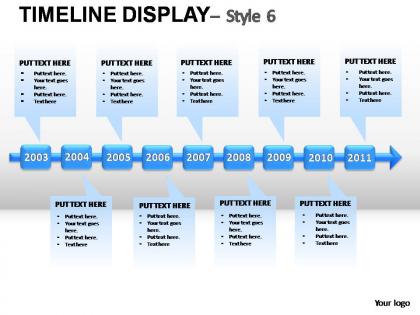
Timeline display style 6 powerpoint presentation slides




Try Before you Buy Download Free Sample Product
 Impress Your
 Audience
 100%
100% Editable
 Save Hours
 of Time


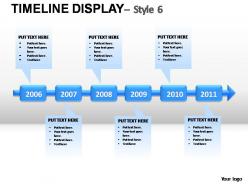
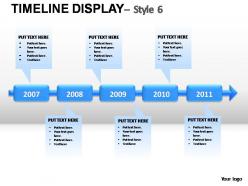
Create an interactive time slide and revise it repeatedly with the course of your project with our exclusive ‘Timeline Display PowerPoint Presentation Template’. The timeline template is intended to visually communicate plans in a way that, it is easy for the audience to read and understand the functioning of the project. With specific needs in mind this PPT design has been designed such that it is possible to add events, depending upon the purpose and preference. Users can enter a title, date/year and description for each event, which can be added in form of bullet points. The template is useful for project reviews, status reports, plan presentations, scorecards, or for any other effort that requires a simple project schedule or the illustration of a plan. The added advantage is the exclusive customization services that we offer to our esteemed clients. Get ready to add thrill to your planning meetings with our ready to download PowerPoint template. Our Timeline Display Style 6 Powerpoint Presentation Slides are like the morning dew. They add to the freshness of your thoughts.
People who downloaded this PowerPoint presentation also viewed the following :
Timeline display style 6 powerpoint presentation slides with all 8 slides:
Aesthetically crafted by artistic young minds. Our Timeline Display Style 6 Powerpoint Presentation Slides are designed to display your dexterity.

FAQs for Timeline display style 6
Honestly, timeline templates are a lifesaver - no more building stuff from zero. Just drop your content in and boom, you're done. The visual consistency thing really matters too, especially when you're dealing with stakeholders who have the attention span of a goldfish. Spacing and alignment get handled automatically, which used to eat up so much time. People can actually see your project phases and deadlines without squinting at messy charts. I'd start with a basic horizontal timeline for your kickoff meeting. Trust me, it'll save your sanity.
Timelines work because they turn boring info into actual stories your audience can follow. People are visual learners - that's just how we're wired. Way better than drowning everyone in bullet points, right? You're basically giving their brains a clear path instead of making them guess what comes next. They're perfect for explaining processes, company history, or project phases. Oh, and they help you control the pacing too, which is clutch when you want to build up to something big. Trust me, your audience will actually pay attention instead of checking their phones.
Find templates with good visual hierarchy and colors you can actually change. The text should be easy to swap out too. You'll want something that works whether you're showing just a few events or tons of them. Spacing matters more than you'd think - cramped timelines are the worst. Icons and images are nice if you need that visual punch. Oh, and test it on different backgrounds since you never know where you'll end up using it. Honestly? Download a sample first and mess around with it. I've learned the hard way that some templates completely break when you try customizing them.
Yeah, so basically every industry tweaks these things differently. Tech companies are all about those product roadmaps with milestone markers everywhere. Healthcare does treatment timelines and clinical stuff. Marketing teams - honestly they go crazy with these, probably use them more than anyone - they've got campaign launches and deliverable dates mapped out constantly. Construction uses the Gantt chart style ones to track when things need to happen. Oh and project management too obviously. The trick is just finding templates that use your industry's lingo so people actually know what they're looking at right away.
Yeah, definitely! Most timeline templates are pretty customizable. Change the colors, fonts, layout - whatever matches your project. Adding or removing milestones is easy, same with adjusting date ranges and text boxes for different phases. The drag-and-drop thing is honestly so satisfying once you get into it. Icons and images work great too if they're relevant to your project. I'd say just grab a template that's close to what you want, then mess around with it. Sometimes I spend way too much time tweaking the colors though lol. You can resize basically everything until it looks right.
Oh man, I see this stuff all the time! People cram way too much text into each point - seriously, stick to one short bullet max or you'll lose everyone. The spacing thing drives me nuts too, like when dates are all over the place or formatted differently. Pick one date style and stick with it! Also make sure everything actually fits on your slide because cut-off text looks amateur. My friend learned this the hard way last month - test it beforehand with real content, not just placeholder text.
Honestly, PowerPoint's your best bet if you want something that looks really polished - tons of templates and you can tweak literally everything. Google Slides is more basic but way easier when multiple people need to edit (saves so much back-and-forth emailing). Tools like Canva have cooler visual styles but you can't fine-tune as much. I'd go PowerPoint for solo projects. Google Slides if it's a team thing. Oh, and Prezi's pretty neat too but kind of overkill for most timelines.
Honestly, just nail the visual hierarchy first - that's like 80% of it. Pick consistent spacing and make sure people can actually read your fonts when you're presenting. I'd use different colors for different time periods, makes it way cleaner. Oh and throw in some icons to break up all the text because walls of bullet points are brutal. Stick to either horizontal OR vertical layout, don't mix them. White space is your friend here - cramped timelines look amateur. Start super basic with just the structure, then make it pretty once the flow actually works.
Colors totally matter for timelines, trust me. Blue's your safe bet - it screams trustworthy and stable, so perfect for project milestones. Need to show urgency? Red grabs attention fast, especially for deadlines. Green works amazing for anything growth-related like product development. Orange can energize things but honestly gets annoying real quick if you overdo it. I've watched so many people go wild with neon colors and completely ruin their timeline's focus. Keep it simple - 2 or 3 colors tops. Match whatever vibe you're going for emotionally.
Absolutely! For students, go wild with bright colors and fun visuals - roadmaps, staircases, that journey vibe works great. Corporate stuff needs to be way cleaner though. Stick with professional colors and focus on milestones or quarterly goals. Content's different too. Educational timelines can tell more of a story, but corporate folks just want the data and results. I've honestly cringed at business presentations using cartoon-style timelines - it's just awkward. Pick whatever matches your audience and how formal the setting is. You'll know what feels right when you see it.
Honestly, animations are a game-changer for timeline presentations. Use entrance effects to reveal events one by one - keeps people from getting overwhelmed by a massive wall of dates. Smooth transitions between slides maintain that chronological flow too. Nothing kills a good timeline faster than jarky cuts that mess up your story. But here's the thing - don't go overboard with flashy stuff. Simple fades or slide-ins work way better than spinning text (learned that the hard way). Keep it subtle so people actually focus on your content, not the bells and whistles.
Honestly, the easiest way is just dropping small charts right on your timeline points. Bar graphs work great for showing growth, pie charts for budget stuff. I'm obsessed with sparklines though - they're tiny but pack a punch without making everything look messy. Color-coding is clutch too, plus those simple progress bars everyone loves. Oh, and icon metrics are super clean for things like user counts. Just don't go overboard - you want people to actually connect the dots between your data and what happened at each stage, not get lost in chart chaos.
The whole minimalist thing is everywhere right now - clean layouts, bold fonts, tons of white space. Honestly, it's such a relief after all those crazy neon templates from a few years back. Vertical timelines are super popular too since they work way better on phones. Color palettes have gotten way more sophisticated - think muted tones instead of those harsh primary colors. Interactive stuff is huge right now. Hover effects, clickable milestones, that kind of thing. You should definitely browse Dribbble first to see what's trending before you dive into your next project.
Dude, timelines are a game-changer for project presentations. Stakeholders can actually see what's happening when instead of drowning in bullet points (which honestly put everyone to sleep). Show your project phases, key milestones, and how tasks connect to each other. Resource allocation becomes super obvious too. I'm always surprised more PMs don't use them - like, why make things harder for yourself? Executives get the big picture way faster. Start with your major deliverables first. Then layer in the dependencies and who's doing what. Trust me, it'll make your next presentation so much smoother.
Honestly, timeline templates are clutch for presentations because they naturally tell a story. Your audience can follow events chronologically instead of getting lost in random bullet points. I love how you can build up suspense by revealing milestones one by one, or show how one thing led to another. They work great for project updates, company backstories, product launches - basically anything with a sequence. Oh, and pro tip: use different colors or icons for each story element. Makes everything way easier to follow and looks super polished. Way better than boring slides full of text!
-
good
-
Very useful stuff
-
Commendable slides with attractive designs. Extremely pleased with the fact that they are easy to modify. Great work!
-
Innovative and attractive designs.